lock Hyundai Azera 2015 Repair Manual
[x] Cancel search | Manufacturer: HYUNDAI, Model Year: 2015, Model line: Azera, Model: Hyundai Azera 2015Pages: 473, PDF Size: 11.92 MB
Page 215 of 473
Features of your vehicle
138 4
Sunvisor
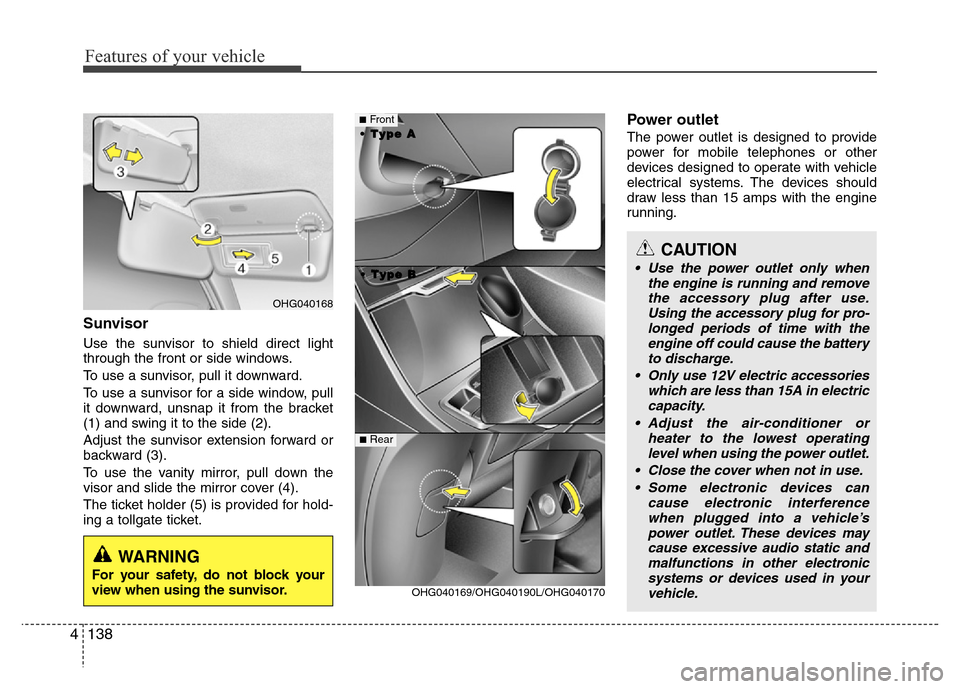
Use the sunvisor to shield direct light
through the front or side windows.
To use a sunvisor, pull it downward.
To use a sunvisor for a side window, pull
it downward, unsnap it from the bracket
(1) and swing it to the side (2).
Adjust the sunvisor extension forward or
backward (3).
To use the vanity mirror, pull down the
visor and slide the mirror cover (4).
The ticket holder (5) is provided for hold-
ing a tollgate ticket.
Power outlet
The power outlet is designed to provide
power for mobile telephones or other
devices designed to operate with vehicle
electrical systems. The devices should
draw less than 15 amps with the engine
running.
CAUTION
• Use the power outlet only when
the engine is running and remove
the accessory plug after use.
Using the accessory plug for pro-
longed periods of time with the
engine off could cause the battery
to discharge.
• Only use 12V electric accessories
which are less than 15A in electric
capacity.
• Adjust the air-conditioner or
heater to the lowest operating
level when using the power outlet.
• Close the cover when not in use.
• Some electronic devices can
cause electronic interference
when plugged into a vehicle’s
power outlet. These devices may
cause excessive audio static and
malfunctions in other electronic
systems or devices used in your
vehicle.
OHG040169/OHG040190L/OHG040170
■Front
• •
T T
y y
p p
e e
B B • •
T T
y y
p p
e e
A A
■Rear
OHG040168
WARNING
For your safety, do not block your
view when using the sunvisor.
Page 216 of 473
4139
Features of your vehicle
Digital clock
Whenever the battery terminals or relat-
ed fuses are disconnected, you must
reset the time.
Detailed information on setting the clock
is described in Audio system section 4.
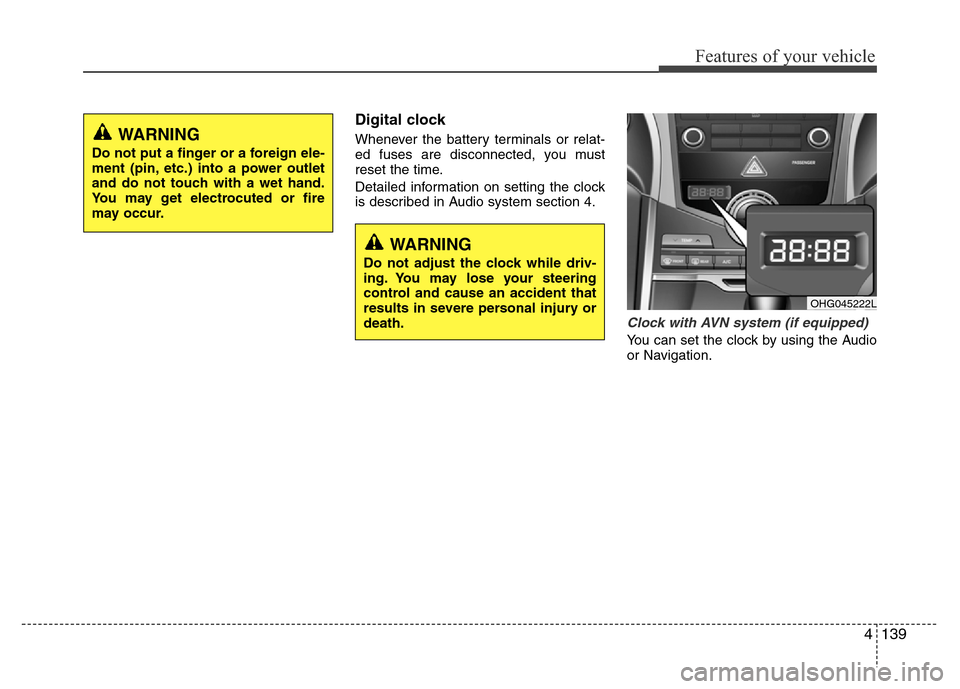
Clock with AVN system (if equipped)
You can set the clock by using the Audio
or Navigation.
OHG045222L
WARNING
Do not adjust the clock while driv-
ing. You may lose your steering
control and cause an accident that
results in severe personal injury or
death.
WARNING
Do not put a finger or a foreign ele-
ment (pin, etc.) into a power outlet
and do not touch with a wet hand.
You may get electrocuted or fire
may occur.
Page 217 of 473
Features of your vehicle
140 4
GPS Time check
The clock is automatically updated
through the navigation system.
GPS Time non-check
The clock can be manually adjusted.
1. Select the "Setup" key on the H/Unit.
2. Select the "Clock".
3. Select the "Date/Time Settings".
For more details, please refer to the
manual that was supplied with your
vehicle.
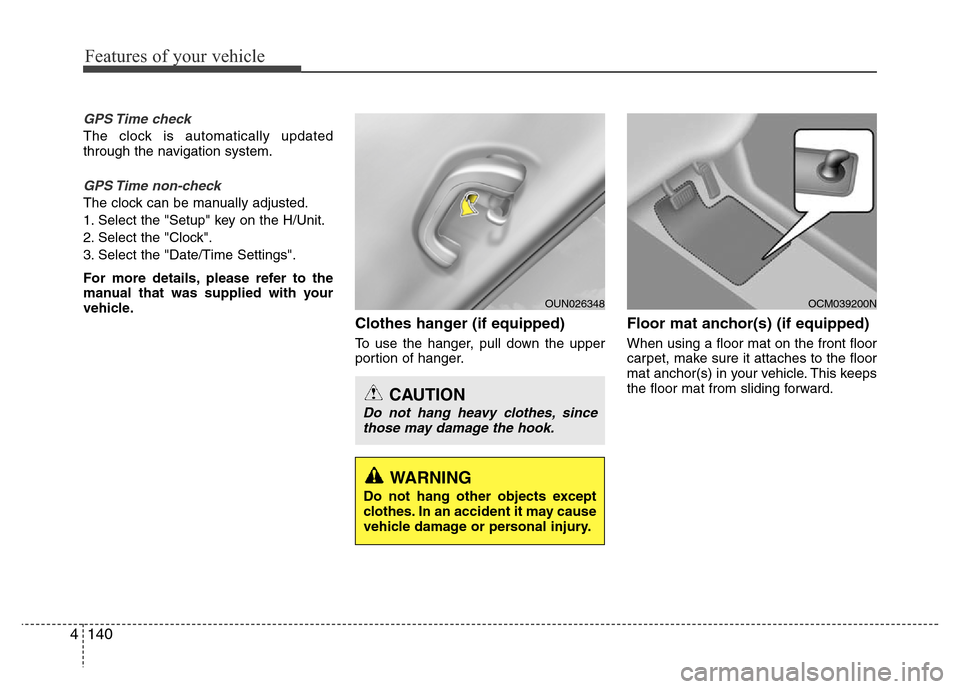
Clothes hanger (if equipped)
To use the hanger, pull down the upper
portion of hanger.
Floor mat anchor(s) (if equipped)
When using a floor mat on the front floor
carpet, make sure it attaches to the floor
mat anchor(s) in your vehicle. This keeps
the floor mat from sliding forward.
OCM039200N
CAUTION
Do not hang heavy clothes, since
those may damage the hook.
OUN026348
WARNING
Do not hang other objects except
clothes. In an accident it may cause
vehicle damage or personal injury.
Page 224 of 473
4147
Features of your vehicle
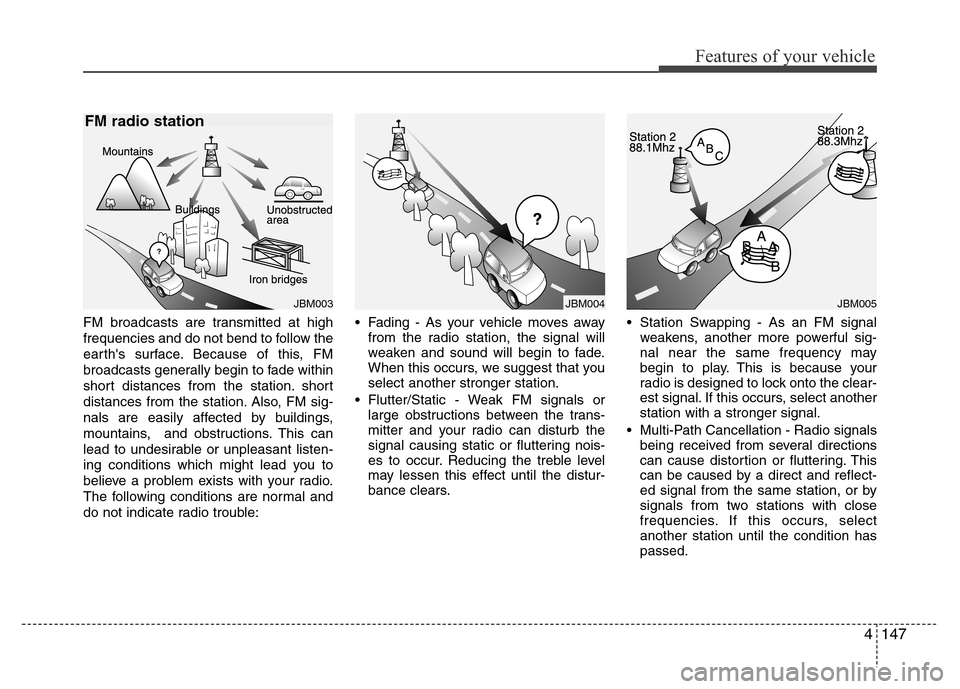
FM broadcasts are transmitted at high
frequencies and do not bend to follow the
earth's surface. Because of this, FM
broadcasts generally begin to fade within
short distances from the station. short
distances from the station. Also, FM sig-
nals are easily affected by buildings,
mountains, and obstructions. This can
lead to undesirable or unpleasant listen-
ing conditions which might lead you to
believe a problem exists with your radio.
The following conditions are normal and
do not indicate radio trouble:• Fading - As your vehicle moves away
from the radio station, the signal will
weaken and sound will begin to fade.
When this occurs, we suggest that you
select another stronger station.
• Flutter/Static - Weak FM signals or
large obstructions between the trans-
mitter and your radio can disturb the
signal causing static or fluttering nois-
es to occur. Reducing the treble level
may lessen this effect until the distur-
bance clears.• Station Swapping - As an FM signal
weakens, another more powerful sig-
nal near the same frequency may
begin to play. This is because your
radio is designed to lock onto the clear-
est signal. If this occurs, select another
station with a stronger signal.
• Multi-Path Cancellation - Radio signals
being received from several directions
can cause distortion or fluttering. This
can be caused by a direct and reflect-
ed signal from the same station, or by
signals from two stations with close
frequencies. If this occurs, select
another station until the condition has
passed.
JBM003
FM radio station
JBM005JBM004
Page 231 of 473
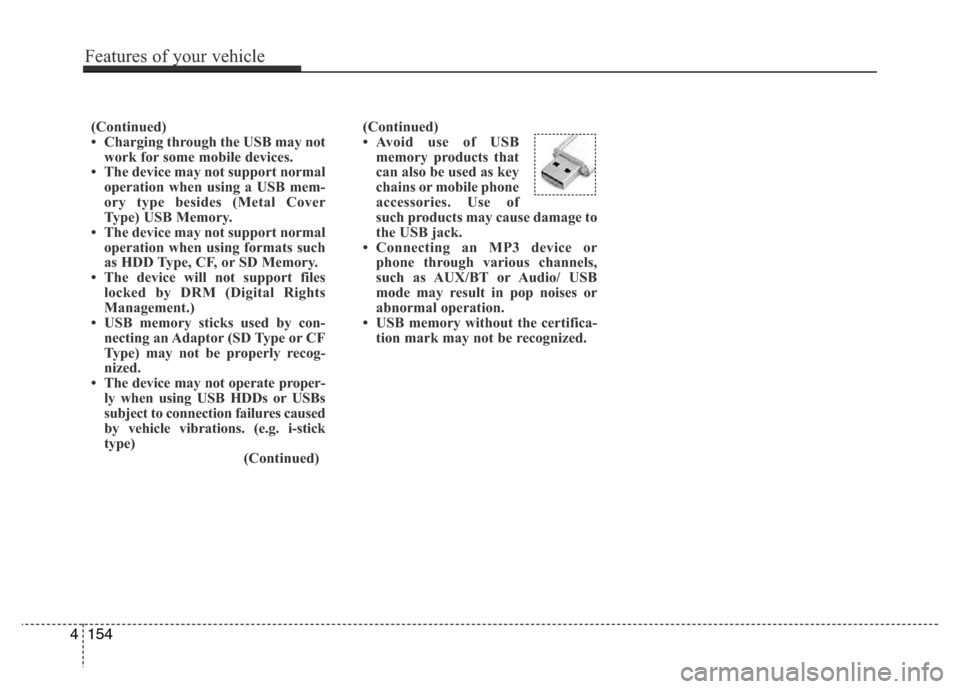
(Continued)
• Avoid use of USB
memory products that
can also be used as key
chains or mobile phone
accessories. Use of
such products may cause damage to
the USB jack.
• Connecting an MP3 device or
phone through various channels,
such as AUX/BT or Audio/ USB
mode may result in pop noises or
abnormal operation.
• USB memory without the certifica-
tion mark may not be recognized. (Continued)
• Charging through the USB may not
work for some mobile devices.
• The device may not support normal
operation when using a USB mem-
ory type besides (Metal Cover
Type) USB Memory.
• The device may not support normal
operation when using formats such
as HDD Type, CF, or SD Memory.
• The device will not support files
locked by DRM (Digital Rights
Management.)
• USB memory sticks used by con-
necting an Adaptor (SD Type or CF
Type) may not be properly recog-
nized.
• The device may not operate proper-
ly when using USB HDDs or USBs
subject to connection failures caused
by vehicle vibrations. (e.g. i-stick
type)
(Continued)
4154
Features of your vehicle
Page 238 of 473
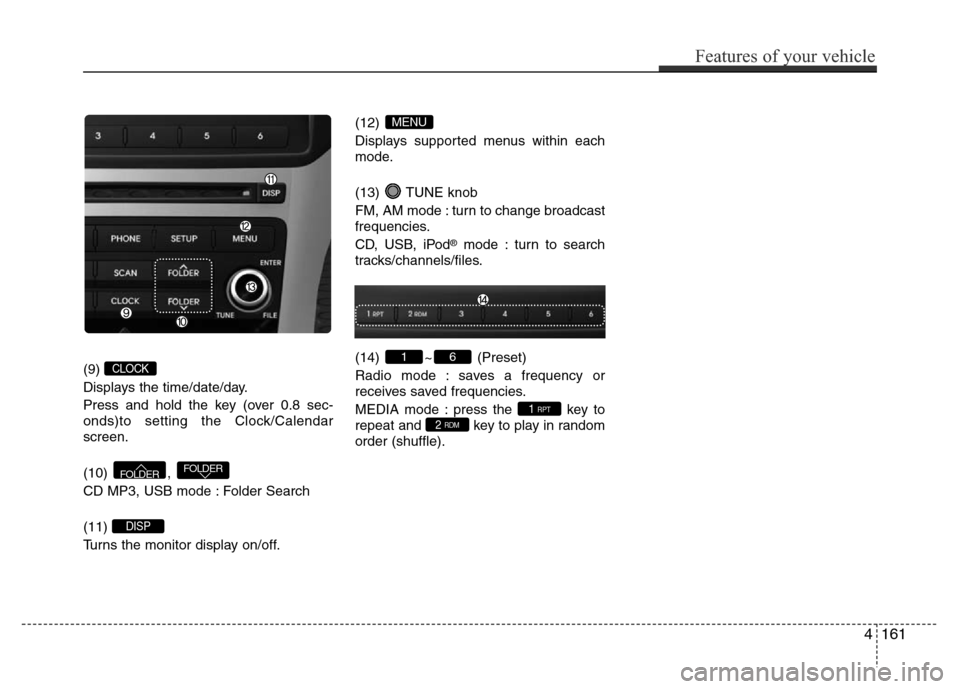
(9)
Displays the time/date/day.
Press and hold the key (over 0.8 sec-
onds)to setting the Clock/Calendar
screen.
(10) ,
CD MP3, USB mode : Folder Search
(11)
Turns the monitor display on/off.(12)
Displays supported menus within each
mode.
(13) TUNE knob
FM, AM mode : turn to change broadcast
frequencies.
CD, USB, iPod
®mode : turn to search
tracks/channels/files.
(14) ~ (Preset)
Radio mode : saves a frequency or
receives saved frequencies.
MEDIA mode : press the key to
repeat and key to play in random
order (shuffle).
2 RDM1 RPT
61
MENU
DISP
FOLDERFOLDER
CLOCK
Features of your vehicle
161 4
Page 275 of 473
![Hyundai Azera 2015 Repair Manual Features of your vehicle
198 4
USING SETUP
Starting Mode
Press the key to display the
Setup screen.
You can select and control options related
to [Display], [Sound], [Clock / Calendar],
[Phone] and [](/img/35/14466/w960_14466-274.png "Hyundai Azera 2015 Repair Manual Features of your vehicle
198 4
USING SETUP
Starting Mode
Press the key to display the
Setup screen.
You can select and control options related
to [Display], [Sound], [Clock / Calendar],
[Phone] and [")
Features of your vehicle
198 4
USING SETUP
Starting Mode
Press the key to display the
Setup screen.
You can select and control options related
to [Display], [Sound], [Clock / Calendar],
[Phone] and [System].
✽NOTICE
Once settings have been changed, press
the key to return to the previ-
ous menu.
Display Settings
Adjusting the Brightness
Press the key Select [Display]
Select [Brightness]
Use the
TUNE knobto adjust the
screen brightness or set the Brightness
on Automatic, Daylight, or Nightmode.
select the button to reset.
(1) Automatic : Adjusts the brightness
automatically
(2) Day : Always maintains the bright-
ness on high
(3) Night : Always maintains the bright-
ness on low
Mode Pop-up
Press the key Select [Display]
Select [Mode Pop up]
This feature is used to display the Mode
Pop-up screen when entering radio and
media modes.
When this feature is turned on, pressing
the or key will display
the Mode Pop-up screen.
✽NOTICE
The media Mode Pop-up screen can be
displayed only when two or more media
modes have been connected.
MEDIA RADIO
SETUP
Default
SETUP
MENU
SETUP
Page 277 of 473
Features of your vehicle
200 4
After selecting the Bass / Middle / Treble,
use the TUNE knob to adjust the set-
ting.
After selecting the Fader / Balance, use
TUNE knob to move the cursor on the
control screen to the desired position.
Select the button to reset.
Surround Settings(if equipped)
Press the key Select [Sound]
Select [Surround]
• Innocente (Normal) : Natural sonud
optimized for front seats
• Forza (Dynamic) : Strong sound with
enhanced bass and stereo
• Concerto (Concert) : Surround sound
with concert hall ambience
SDVC (Speed Dependent Volume
Control)
Press the key Select [Sound]
Select [Speed Dependent Vol.]
The volume level is controlled automati-
cally according to the vehicle speed.
Use the TUNE knob to select from
On/Off.
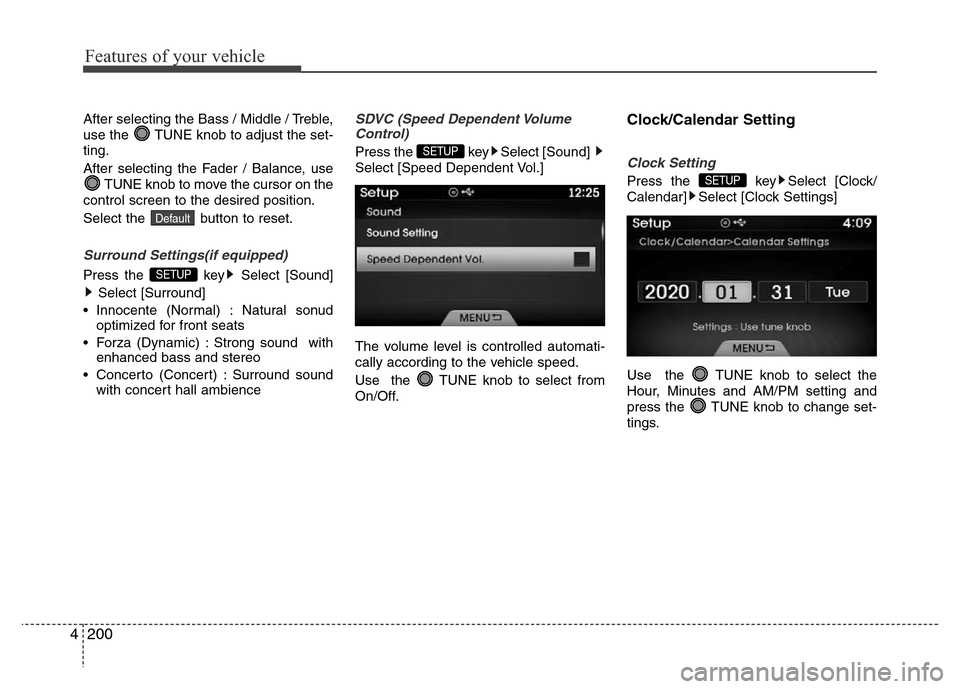
Clock/Calendar Setting
Clock Setting
Press the key Select [Clock/
Calendar] Select [Clock Settings]
Use the TUNE knob to select the
Hour, Minutes and AM/PM setting and
press the TUNE knob to change set-
tings.SETUP
SETUP
SETUP
Default
Page 278 of 473
![Hyundai Azera 2015 Repair Manual 4201
Features of your vehicle
Calendar Setting
Press the key Select [Clock/
Calendar] Select [Calendar Settings]
Use the TUNE knob to select the
Month, Day, and Year and press the knob
to change set](/img/35/14466/w960_14466-277.png "Hyundai Azera 2015 Repair Manual 4201
Features of your vehicle
Calendar Setting
Press the key Select [Clock/
Calendar] Select [Calendar Settings]
Use the TUNE knob to select the
Month, Day, and Year and press the knob
to change set")
4201
Features of your vehicle
Calendar Setting
Press the key Select [Clock/
Calendar] Select [Calendar Settings]
Use the TUNE knob to select the
Month, Day, and Year and press the knob
to change settings.
Clock Display
Press the key Select [Clock/
Calendar] Select [Clock Display (Power
off)]
This feature is used to display a clock on
the screen when the audio system is
turned off.SETUP SETUP
Page 286 of 473
53
Driving your vehicle
Before entering vehicle
• Be sure that all windows, outside mir-
ror(s), and outside lights are clean.
• Check the condition of the tires.
• Check under the vehicle for any sign of
leaks.
• Be sure there are no obstacles behind
you if you intend to back up.
Necessary inspections
Fluid levels, such as engine oil, engine
coolant, brake fluid, and washer fluid
should be checked on a regular basis,
with the exact interval depending on the
fluid. Further details are provided in sec-
tion 7, “Maintenance”.
Before starting
• Close and lock all doors.
• Position the seat so that all controls are
easily reached.
• Adjust the inside and outside rearview
mirrors.
• Be sure that all lights work.
• Check all gauges.
• Check the operation of warning lights
when the ignition switch is turned to
the ON position.
• Release the parking brake and make
sure the brake warning light goes out.
For safe operation, be sure you are famil-
iar with your vehicle and its equipment.
BEFORE DRIVING
WARNING
All passengers must be properly
belted whenever the vehicle is mov-
ing. Refer to “Seat belts” in section
3 for more information on their
proper use.
WARNING
Always check the surrounding
areas near your vehicle for people,
especially children, before putting a
car into D (Drive) or R (Reverse).
WARNING
Driving while distracted can result
in a loss of vehicle control, that
may lead to an accident, severe
personal injury, and death. The dri-
ver’s primary responsibility is in
the safe and legal operation of a
vehicle, and use of any handheld
devices, other equipment, or vehi-
cle systems which take the driver’s
eyes, attention and focus away
from the safe operation of a vehicle
or which are not permissible by law
should never be used during oper-
ation of the vehicle.