climate control Hyundai Azera 2015 Owner's Manual
[x] Cancel search | Manufacturer: HYUNDAI, Model Year: 2015, Model line: Azera, Model: Hyundai Azera 2015Pages: 473, PDF Size: 11.92 MB
Page 15 of 473
25
Your vehicle at a glance
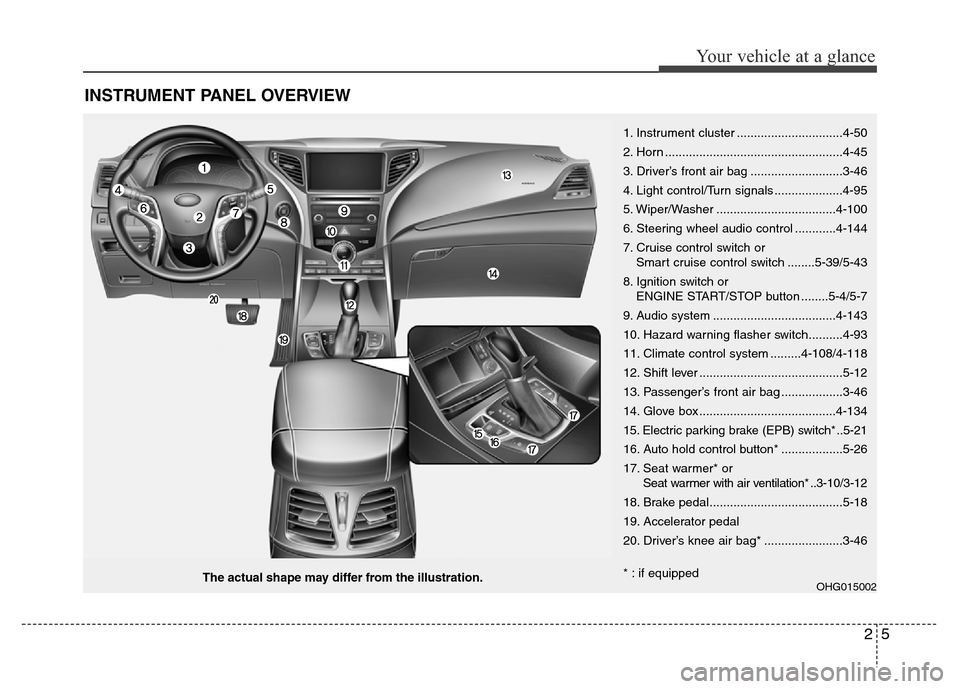
INSTRUMENT PANEL OVERVIEW
OHG015002The actual shape may differ from the illustration.1. Instrument cluster ...............................4-50
2. Horn ....................................................4-45
3. Driver’s front air bag ...........................3-46
4. Light control/Turn signals ....................4-95
5. Wiper/Washer ...................................4-100
6. Steering wheel audio control ............4-144
7. Cruise control switch or
Smart cruise control switch ........5-39/5-43
8. Ignition switch or
ENGINE START/STOP button ........5-4/5-7
9. Audio system ....................................4-143
10. Hazard warning flasher switch..........4-93
11. Climate control system .........4-108/4-118
12. Shift lever ..........................................5-12
13. Passenger’s front air bag ..................3-46
14. Glove box ........................................4-134
15. Electric parking brake (EPB) switch* ..5-21
16. Auto hold control button* ..................5-26
17. Seat warmer* or
Seat warmer with air ventilation* ..3-10/3-12
18. Brake pedal.......................................5-18
19. Accelerator pedal
20. Driver’s knee air bag* .......................3-46
* : if equipped
Page 79 of 473
Wipers and washers / 4-70
Interior light / 4-103
Welcome system / 4-106
Defroster / 4-107
Manual climate control system / 4-108
Automatic climate control system / 4-118
Windshield defrosting and defogging / 4-129
Storage compartment / 4-134
Interior features / 4-136
Audio system / 4-143
Features of your vehicle4
Page 114 of 473
437
Features of your vehicle
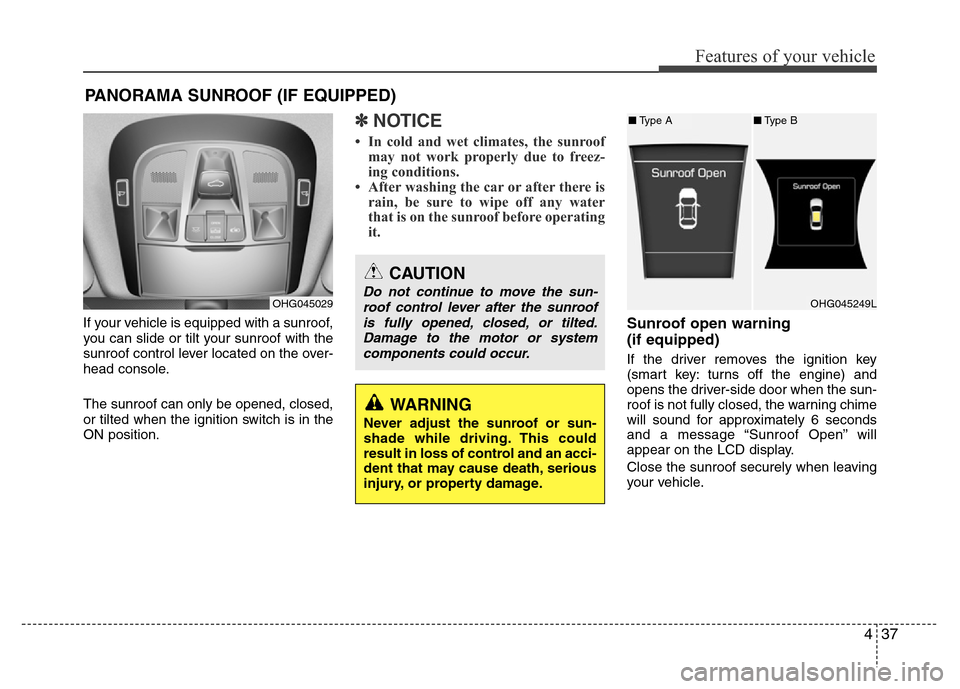
If your vehicle is equipped with a sunroof,
you can slide or tilt your sunroof with the
sunroof control lever located on the over-
head console.
The sunroof can only be opened, closed,
or tilted when the ignition switch is in the
ON position.
✽NOTICE
• In cold and wet climates, the sunroof
may not work properly due to freez-
ing conditions.
• After washing the car or after there is
rain, be sure to wipe off any water
that is on the sunroof before operating
it.
Sunroof open warning
(if equipped)
If the driver removes the ignition key
(smart key: turns off the engine) and
opens the driver-side door when the sun-
roof is not fully closed, the warning chime
will sound for approximately 6 seconds
and a message “Sunroof Open” will
appear on the LCD display.
Close the sunroof securely when leaving
your vehicle.
PANORAMA SUNROOF (IF EQUIPPED)
OHG045029
CAUTION
Do not continue to move the sun-
roof control lever after the sunroof
is fully opened, closed, or tilted.
Damage to the motor or system
components could occur.
WARNING
Never adjust the sunroof or sun-
shade while driving. This could
result in loss of control and an acci-
dent that may cause death, serious
injury, or property damage.
OHG045249L
■Type A■Type B
Page 185 of 473
Features of your vehicle
108 4
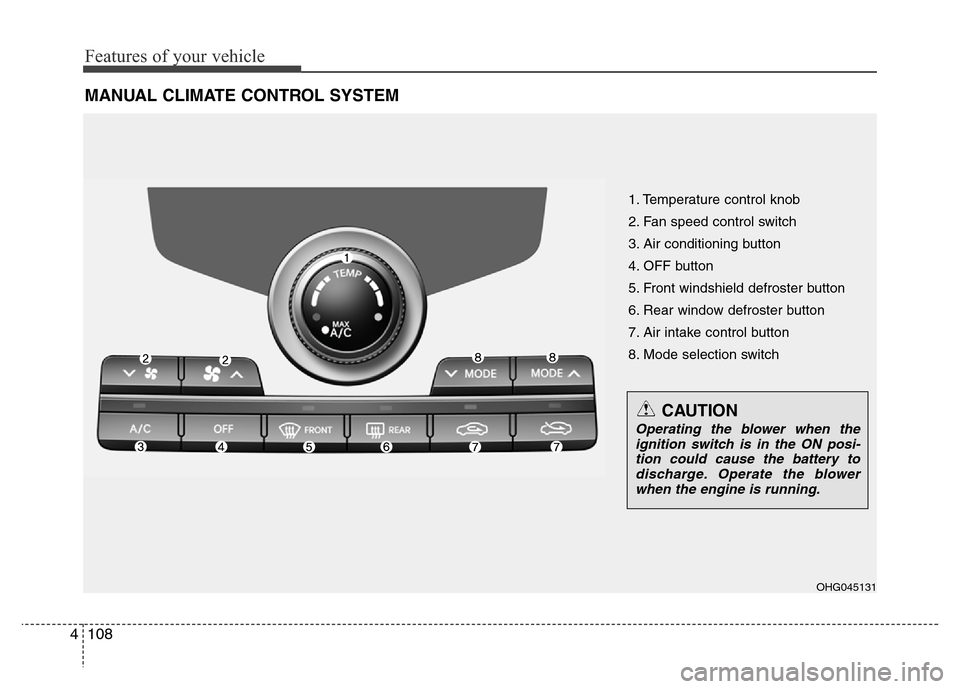
MANUAL CLIMATE CONTROL SYSTEM
1. Temperature control knob
2. Fan speed control switch
3. Air conditioning button
4. OFF button
5. Front windshield defroster button
6. Rear window defroster button
7. Air intake control button
8. Mode selection switch
OHG045131
CAUTION
Operating the blower when the
ignition switch is in the ON posi-
tion could cause the battery to
discharge. Operate the blower
when the engine is running.
Page 190 of 473
4113
Features of your vehicle
✽NOTICE
Prolonged operation of the heater in the
recirculated air position (without air
conditioning selected) may cause fog-
ging of the windshield and side windows
and the air within the passenger com-
partment may become stale.
In addition, prolonged use of the air
conditioning with the recirculated air
position selected will result in excessive-
ly dry air in the passenger compart-
ment.
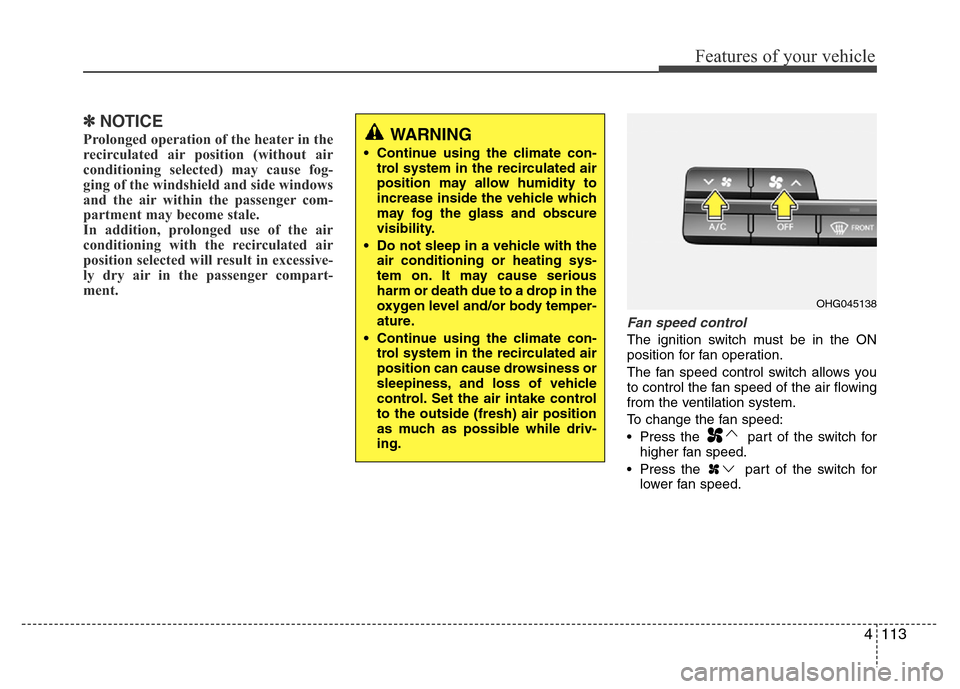
Fan speed control
The ignition switch must be in the ON
position for fan operation.
The fan speed control switch allows you
to control the fan speed of the air flowing
from the ventilation system.
To change the fan speed:
• Press the part of the switch for
higher fan speed.
• Press the part of the switch for
lower fan speed.
OHG045138
WARNING
• Continue using the climate con-
trol system in the recirculated air
position may allow humidity to
increase inside the vehicle which
may fog the glass and obscure
visibility.
• Do not sleep in a vehicle with the
air conditioning or heating sys-
tem on. It may cause serious
harm or death due to a drop in the
oxygen level and/or body temper-
ature.
• Continue using the climate con-
trol system in the recirculated air
position can cause drowsiness or
sleepiness, and loss of vehicle
control. Set the air intake control
to the outside (fresh) air position
as much as possible while driv-
ing.
Page 191 of 473
Features of your vehicle
114 4
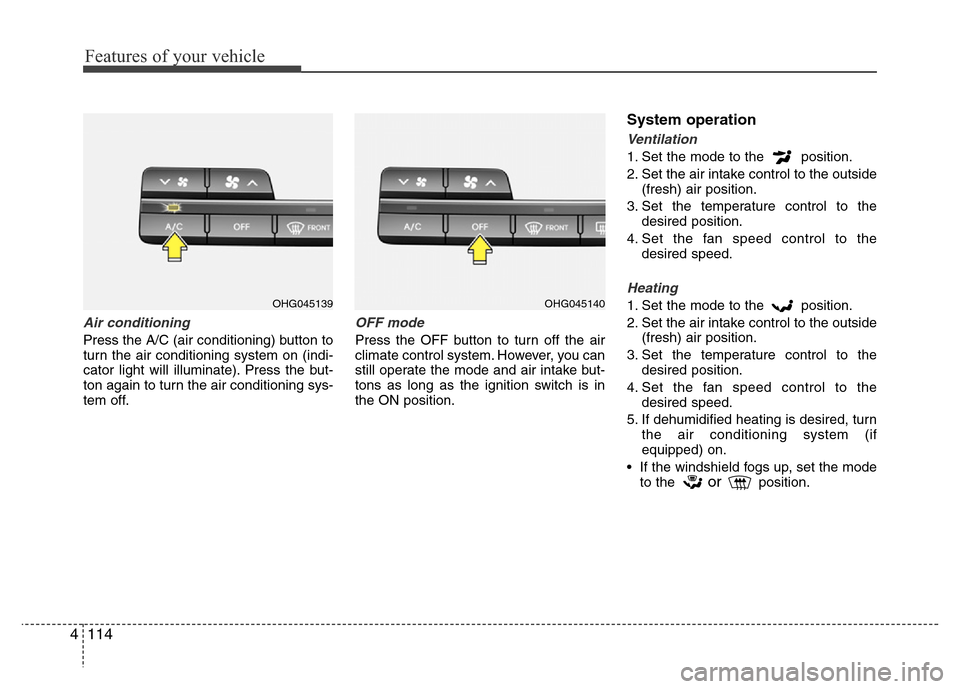
Air conditioning
Press the A/C (air conditioning) button to
turn the air conditioning system on (indi-
cator light will illuminate). Press the but-
ton again to turn the air conditioning sys-
tem off.
OFF mode
Press the OFF button to turn off the air
climate control system. However, you can
still operate the mode and air intake but-
tons as long as the ignition switch is in
the ON position.
System operation
Ventilation
1. Set the mode to the position.
2. Set the air intake control to the outside
(fresh) air position.
3. Set the temperature control to the
desired position.
4. Set the fan speed control to the
desired speed.
Heating
1. Set the mode to the position.
2. Set the air intake control to the outside
(fresh) air position.
3. Set the temperature control to the
desired position.
4. Set the fan speed control to the
desired speed.
5. If dehumidified heating is desired, turn
the air conditioning system (if
equipped) on.
• If the windshield fogs up, set the mode
to the
orposition.
OHG045139OHG045140
Page 193 of 473
Features of your vehicle
116 4
Air conditioning system operation tips
• If the vehicle has been parked in direct
sunlight during hot weather, open the
windows for a short time to let the hot
air inside the vehicle escape.
• To help reduce moisture inside of the
windows on rainy or humid days,
decrease the humidity inside the vehi-
cle by operating the air conditioning
system.
• During air conditioning system opera-
tion, you may occasionally notice a
slight change in engine speed as the
air conditioning compressor cycles.
This is a normal system operation
characteristic.
• Use the air conditioning system every
month only for a few minutes to ensure
maximum system performance.
• When using the air conditioning sys-
tem, you may notice clear water drip-
ping (or even puddling) on the ground
under the passenger side of the vehi-
cle. This is a normal system operation
characteristic.
• Operating the air conditioning system
in the recirculated air position provides
maximum cooling, however, continual
operation in this mode may cause the
air inside the vehicle to become stale.• During cooling operation, you may
occasionally notice a misty air flow
because of rapid cooling and humid air
intake. This is a normal system opera-
tion characteristic.
• If you operate air conditioner exces-
sively, the difference between the tem-
perature of the outside air and that of
the windshield could cause the outer
surface of the windshield to fog up,
causing loss of visibility. In this case,
set the mode selection knob or button
to the position and fan speed con-
trol to the lower speed.
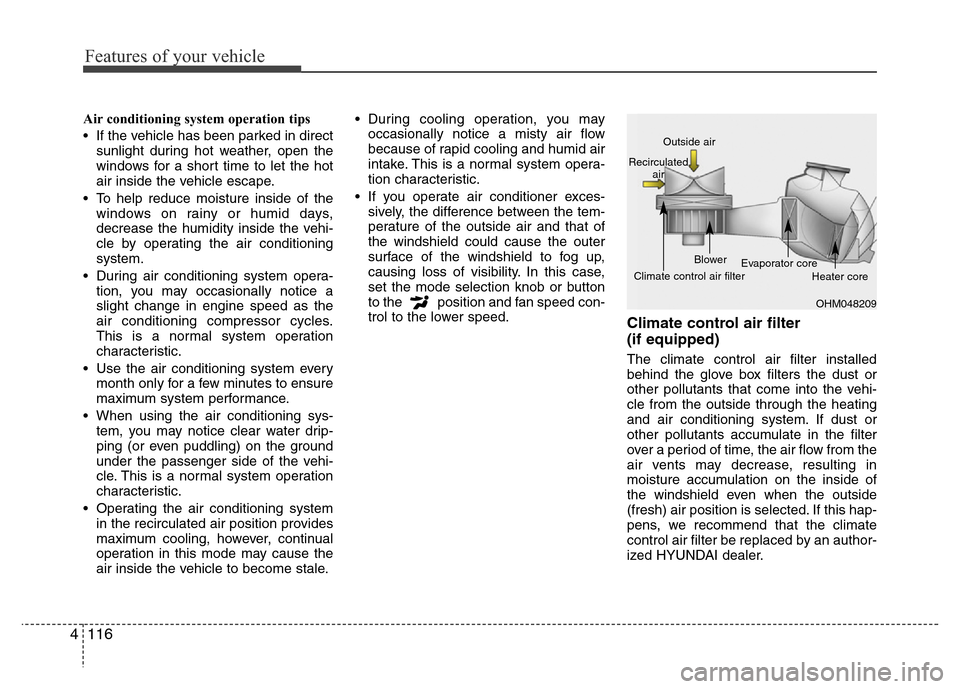
Climate control air filter
(if equipped)
The climate control air filter installed
behind the glove box filters the dust or
other pollutants that come into the vehi-
cle from the outside through the heating
and air conditioning system. If dust or
other pollutants accumulate in the filter
over a period of time, the air flow from the
air vents may decrease, resulting in
moisture accumulation on the inside of
the windshield even when the outside
(fresh) air position is selected. If this hap-
pens, we recommend that the climate
control air filter be replaced by an author-
ized HYUNDAI dealer.
OHM048209 Outside air
Recirculated
air
Climate control air filterBlower
Evaporator core
Heater core
Page 195 of 473
Features of your vehicle
118 4
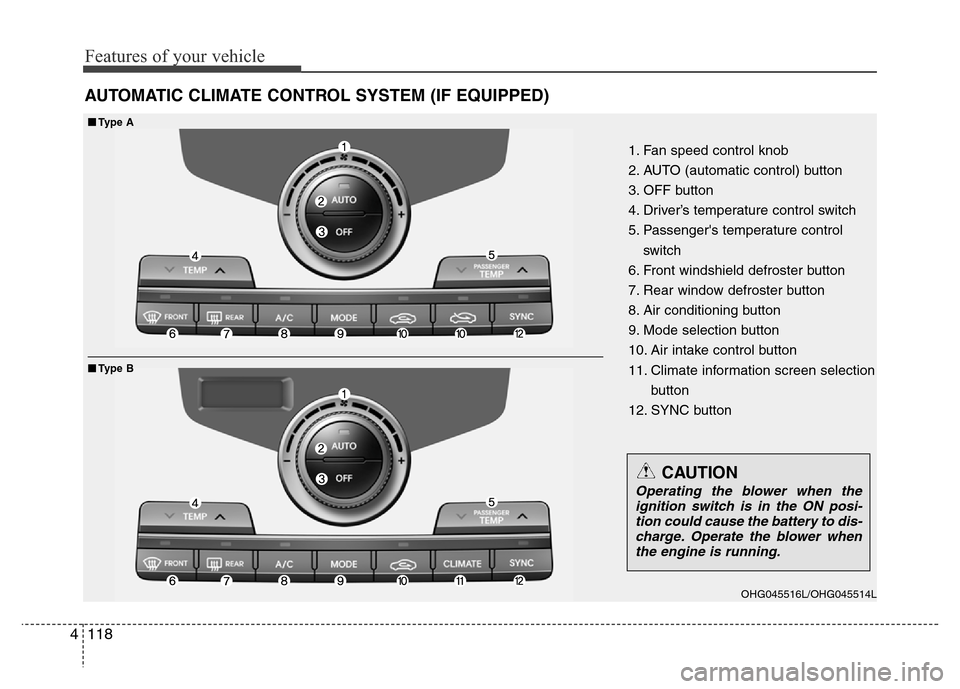
AUTOMATIC CLIMATE CONTROL SYSTEM (IF EQUIPPED)
1. Fan speed control knob
2. AUTO (automatic control) button
3. OFF button
4. Driver’s temperature control switch
5. Passenger's temperature control
switch
6. Front windshield defroster button
7. Rear window defroster button
8. Air conditioning button
9. Mode selection button
10. Air intake control button
11. Climate information screen selection
button
12. SYNC button
■■Type A
■Type B
OHG045516L/OHG045514L
CAUTION
Operating the blower when the
ignition switch is in the ON posi-
tion could cause the battery to dis-
charge. Operate the blower when
the engine is running.
Page 196 of 473
4119
Features of your vehicle
Automatic heating and air condi-
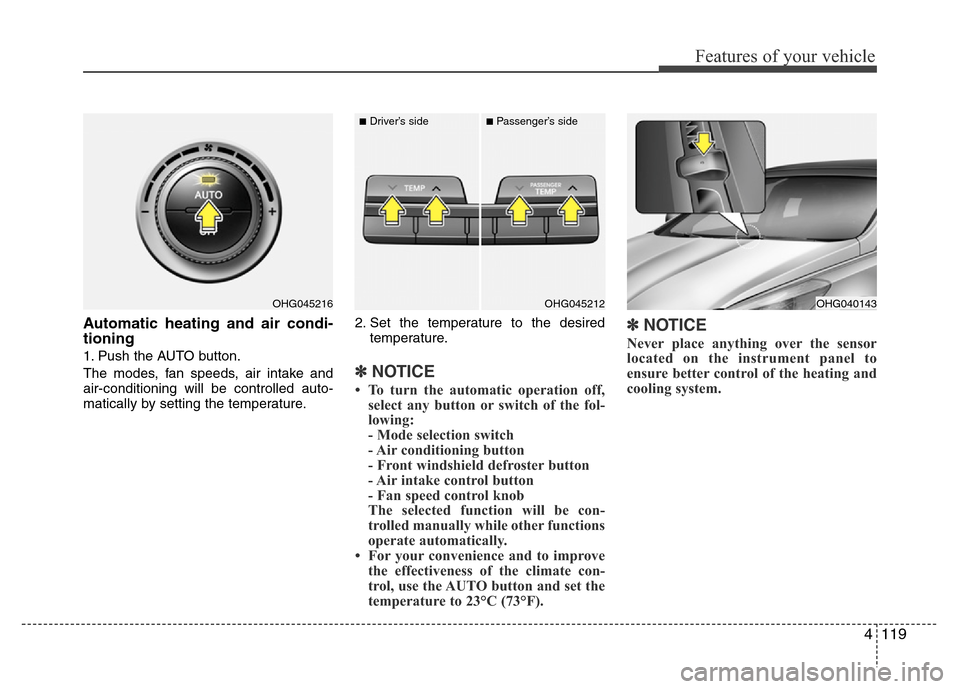
tioning
1. Push the AUTO button.
The modes, fan speeds, air intake and
air-conditioning will be controlled auto-
matically by setting the temperature.2. Set the temperature to the desired
temperature.
✽NOTICE
• To turn the automatic operation off,
select any button or switch of the fol-
lowing:
- Mode selection switch
- Air conditioning button
- Front windshield defroster button
- Air intake control button
- Fan speed control knob
The selected function will be con-
trolled manually while other functions
operate automatically.
• For your convenience and to improve
the effectiveness of the climate con-
trol, use the AUTO button and set the
temperature to 23°C (73°F).
✽NOTICE
Never place anything over the sensor
located on the instrument panel to
ensure better control of the heating and
cooling system.
OHG040143OHG045216OHG045212
■Driver’s side■Passenger’s side
Page 200 of 473
4 123
Features of your vehicle
Adjusting the driver and passenger side
temperature individually
• Press the “SYNC” button again to
adjust the driver and passenger side
temperature individually. The illumina-
tion of button turns off.
• Operate the driver side temperature
control to adjust the driver side tem-
perature.
• Operate the passenger side tempera-
ture control to adjust the passenger
side temperature.Temperature conversion
If the battery has been discharged or dis-
connected, the temperature mode dis-
play will reset to Centigrade.
This is a normal condition. You can switch
the temperature mode between
Centigrade to Fahrenheit as follows;
- Automatic climate control system
While pressing the OFF button, press the
AUTO button for 3 seconds or more. The
display will change from Centigrade to
Fahrenheit, or from Fahrenheit to
Centigrade.
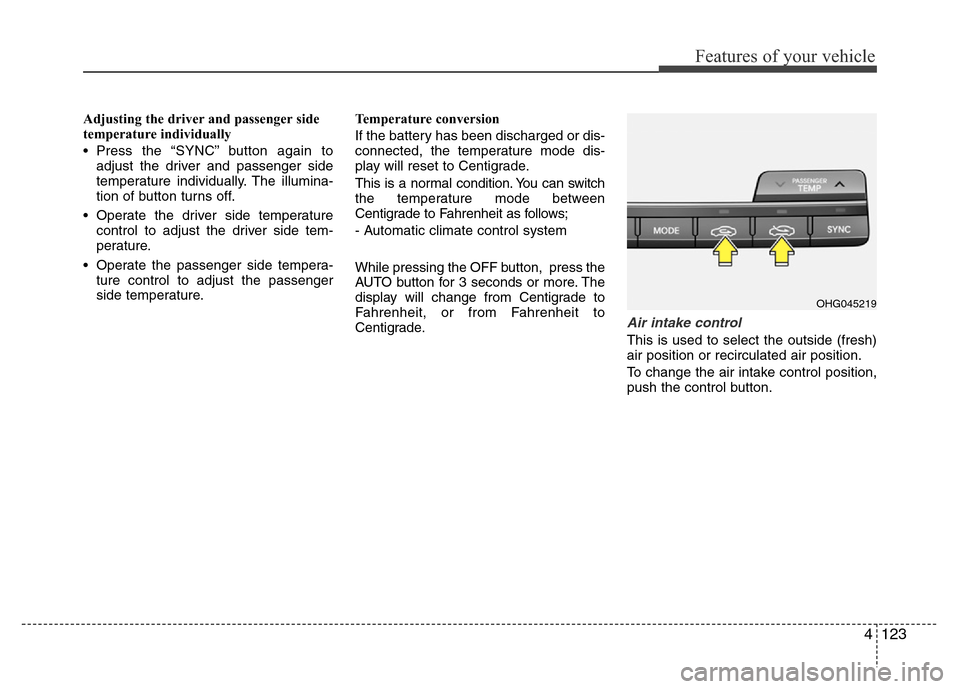
Air intake control
This is used to select the outside (fresh)
air position or recirculated air position.
To change the air intake control position,
push the control button.
OHG045219