fuel type Hyundai Azera 2015 Owner's Manual
[x] Cancel search | Manufacturer: HYUNDAI, Model Year: 2015, Model line: Azera, Model: Hyundai Azera 2015Pages: 473, PDF Size: 11.92 MB
Page 10 of 473
15
Introduction
VEHICLE BREAK-IN PROCESS
Do not use methanol
Fuels containing methanol (wood alco-
hol) should not be used in your vehicle.
This type of fuel can reduce vehicle per-
formance and damage components of
the fuel system, engine control system
and emission control system.
Fuel Additives
HYUNDAI recommends that you use
unleaded gasoline which has an octane
rating of RON (Research Octane
Number) 95 / AKI (Anti Knock Index) 91
or higher (for Europe) or Octane Rating
of RON (Research Octane Number) 91 /
AKI (Anti-Knock Index) 87 or higher
(except Europe).
For customers who do not use good
quality gasoline including fuel additives
regularly, and have problems starting or
the engine does not run smoothly, one
bottle of additives added to the fuel tank
at every 15,000km (for Europe)/5,000km
(except Europe). Additives are available
from your authorized HYUNDAI dealer
along with information on how to use
them.
Operation in foreign countries
If you are going to drive your vehicle in
another country, be sure to:
• Observe all regulations regarding reg-
istration and insurance.
• Determine that acceptable fuel is avail-
able.No special break-in period is needed. By
following a few simple precautions for the
first 1,000 km (600 miles) you may add to
the performance, economy and life of
your vehicle.
• Do not race the engine.
• While driving, keep your engine speed
(rpm, or revolutions per minute)
between 2,000 rpm and 4,000 rpm.
• Do not maintain a single speed for long
periods of time, either fast or slow.
Varying engine speed is needed to
properly break-in the engine.
• Avoid hard stops, except in emergen-
cies, to allow the brakes to seat prop-
erly.
• Do not tow a trailer during the first
2,000 km (1,200 miles) of operation.
Page 113 of 473
Features of your vehicle
36 4
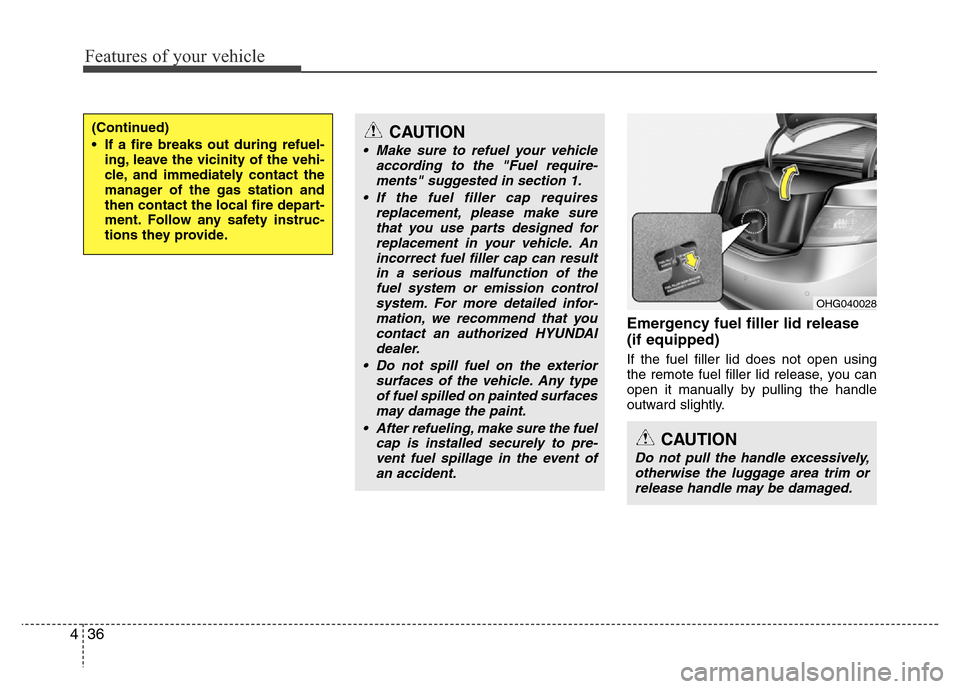
Emergency fuel filler lid release
(if equipped)
If the fuel filler lid does not open using
the remote fuel filler lid release, you can
open it manually by pulling the handle
outward slightly.
(Continued)
• If a fire breaks out during refuel-
ing, leave the vicinity of the vehi-
cle, and immediately contact the
manager of the gas station and
then contact the local fire depart-
ment. Follow any safety instruc-
tions they provide.CAUTION
• Make sure to refuel your vehicle
according to the "Fuel require-
ments" suggested in section 1.
• If the fuel filler cap requires
replacement, please make sure
that you use parts designed for
replacement in your vehicle. An
incorrect fuel filler cap can result
in a serious malfunction of the
fuel system or emission control
system. For more detailed infor-
mation, we recommend that you
contact an authorized HYUNDAI
dealer.
• Do not spill fuel on the exterior
surfaces of the vehicle. Any type
of fuel spilled on painted surfaces
may damage the paint.
• After refueling, make sure the fuel
cap is installed securely to pre-
vent fuel spillage in the event of
an accident.
CAUTION
Do not pull the handle excessively,
otherwise the luggage area trim or
release handle may be damaged.
OHG040028
Page 127 of 473
Features of your vehicle
50 4
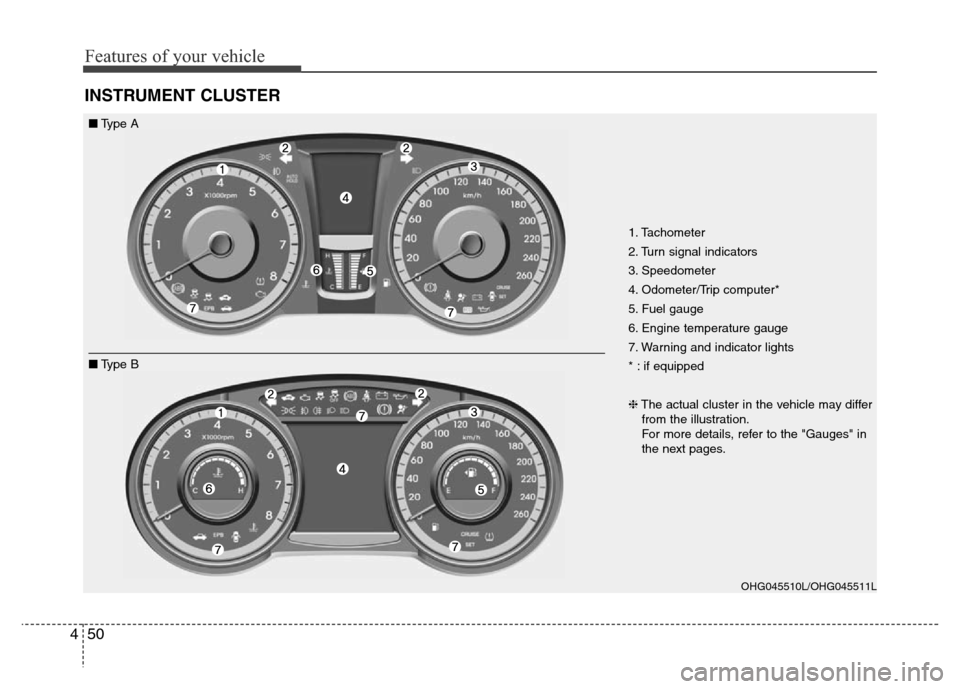
INSTRUMENT CLUSTER
1. Tachometer
2. Turn signal indicators
3. Speedometer
4. Odometer/Trip computer*
5. Fuel gauge
6. Engine temperature gauge
7. Warning and indicator lights
* : if equipped
❈The actual cluster in the vehicle may differ
from the illustration.
For more details, refer to the "Gauges" in
the next pages.
OHG045510L/OHG045511L
■Type A
■Type B
Page 130 of 473
453
Features of your vehicle
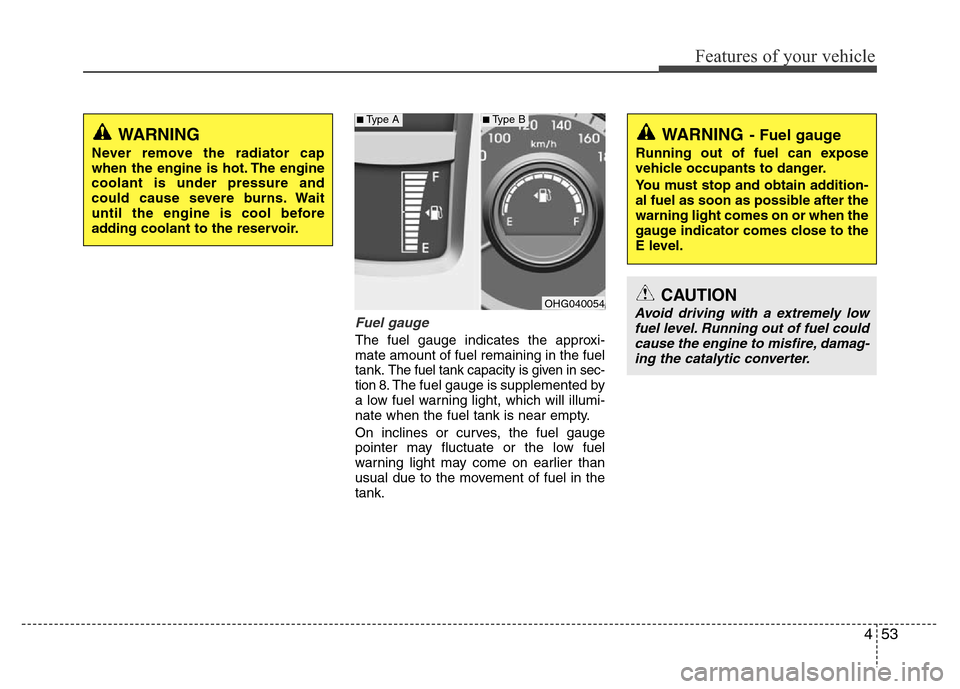
Fuel gauge
The fuel gauge indicates the approxi-
mate amount of fuel remaining in the fuel
tank.
The fuel tank capacity is given in sec-
tion 8.The fuel gauge is supplemented by
a low fuel warning light, which will illumi-
nate when the fuel tank is near empty.
On inclines or curves, the fuel gauge
pointer may fluctuate or the low fuel
warning light may come on earlier than
usual due to the movement of fuel in the
tank.
WARNING
Never remove the radiator cap
when the engine is hot. The engine
coolant is under pressure and
could cause severe burns. Wait
until the engine is cool before
adding coolant to the reservoir.
OHG040054
WARNING- Fuel gauge
Running out of fuel can expose
vehicle occupants to danger.
You must stop and obtain addition-
al fuel as soon as possible after the
warning light comes on or when the
gauge indicator comes close to the
E level.
CAUTION
Avoid driving with a extremely low
fuel level. Running out of fuel could
cause the engine to misfire, damag-
ing the catalytic converter.
■Type A■Type B
Page 133 of 473
Features of your vehicle
56 4
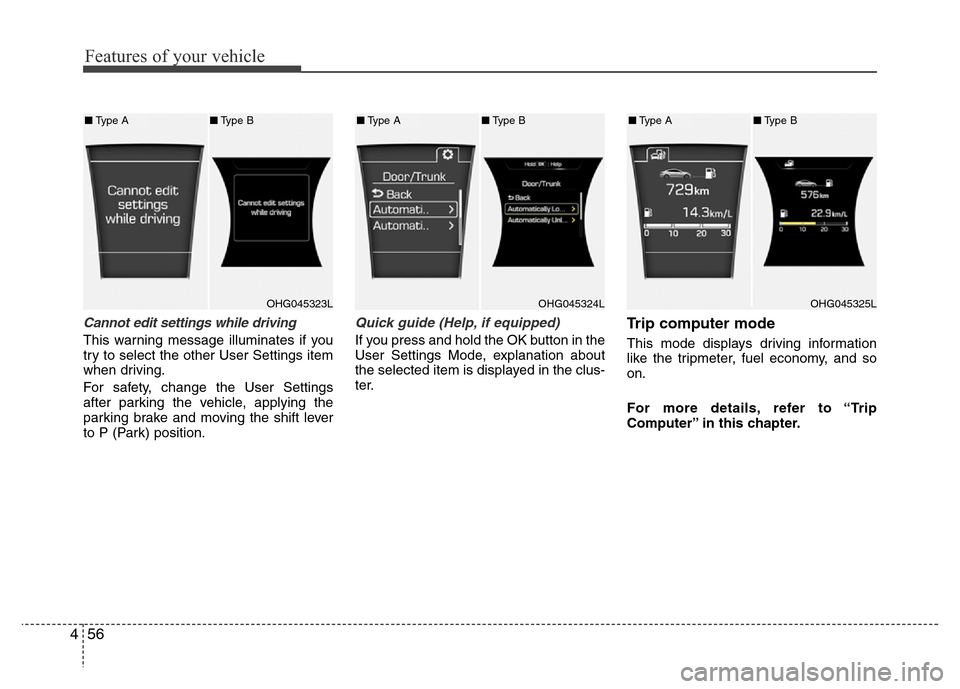
Cannot edit settings while driving
This warning message illuminates if you
try to select the other User Settings item
when driving.
For safety, change the User Settings
after parking the vehicle, applying the
parking brake and moving the shift lever
to P (Park) position.
Quick guide (Help, if equipped)
If you press and hold the OK button in the
User Settings Mode, explanation about
the selected item is displayed in the clus-
ter.
Trip computer mode
This mode displays driving information
like the tripmeter, fuel economy, and so
on.
For more details, refer to “Trip
Computer” in this chapter.
OHG045323LOHG045324LOHG045325L
■Type A■Type B■Type A■Type B■Type A■Type B
Page 135 of 473
Features of your vehicle
58 4
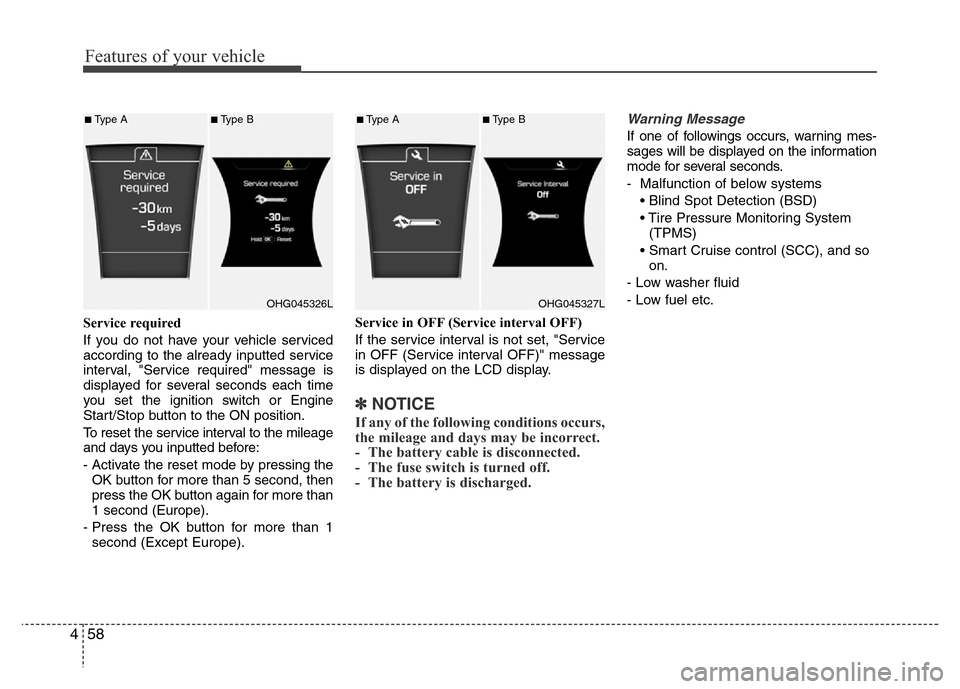
Service required
If you do not have your vehicle serviced
according to the already inputted service
interval, "Service required" message is
displayed for several seconds each time
you set the ignition switch or Engine
Start/Stop button to the ON position.
To reset the service interval to the mileage
and days you inputted before:
- Activate the reset mode by pressing the
OK button for more than 5 second, then
press the OK button again for more than
1 second (Europe).
- Press the OK button for more than 1
second (Except Europe).Service in OFF (Service interval OFF)
If the service interval is not set, "Service
in OFF (Service interval OFF)" message
is displayed on the LCD display.
✽NOTICE
If any of the following conditions occurs,
the mileage and days may be incorrect.
- The battery cable is disconnected.
- The fuse switch is turned off.
- The battery is discharged.
Warning Message
If one of followings occurs, warning mes-
sages will be displayed on the information
mode for several seconds.
- Malfunction of below systems
• Blind Spot Detection (BSD)
• Tire Pressure Monitoring System
(TPMS)
• Smart Cruise control (SCC), and so
on.
- Low washer fluid
- Low fuel etc.
OHG045326L
■Type A■Type B
OHG045327L
■Type A■Type B
Page 141 of 473
Features of your vehicle
64 4
Overview
Description
The trip computer is a microcomputer-
controlled driver information system that
displays information related to driving.
✽NOTICE
Some driving information stored in the
trip computer (for example Average
Vehicle Speed) resets if the battery is
disconnected.
Trip modes
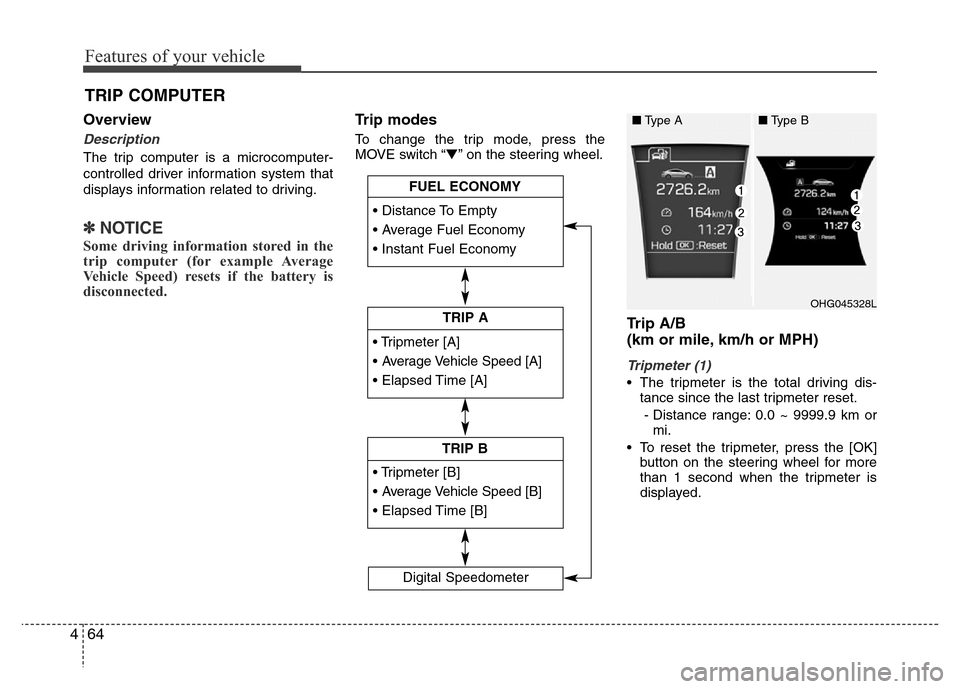
To change the trip mode, press the
MOVE switch “▼” on the steering wheel.
Trip A/B
(km or mile, km/h or MPH)
Tripmeter (1)
• The tripmeter is the total driving dis-
tance since the last tripmeter reset.
- Distance range: 0.0 ~ 9999.9 km or
mi.
• To reset the tripmeter, press the [OK]
button on the steering wheel for more
than 1 second when the tripmeter is
displayed.
TRIP COMPUTER
• Tripmeter [A]
• Average Vehicle Speed [A]
• Elapsed Time [A]
TRIP A
• Tripmeter [B]
• Average Vehicle Speed [B]
• Elapsed Time [B]
TRIP B • Distance To Empty
• Average Fuel Economy
• Instant Fuel Economy
FUEL ECONOMY
Digital Speedometer
OHG045328L
■Type A■Type B
Page 142 of 473
465
Features of your vehicle
Average Vehicle Speed (2)
• The average vehicle speed is calculat-
ed by the total driving distance and
driving time since the last average
vehicle speed reset.
- Speed range: 0 ~ 999 km/h or MPH
• To reset the average vehicle speed,
press the [OK] button on the steering
wheel for more than 1 second when the
average vehicle speed is displayed.
✽NOTICE
• The average vehicle speed is not dis-
played if the driving distance is less than
300 meters (0.19 miles) or the driving
time is less than 10 seconds since the
ignition switch or the Engine Start/Stop
button is turned to ON.
• Even if the vehicle is not in motion,
the average vehicle speed keeps calcu-
lating while the engine is running.
Elapsed Time (3)
• The elapsed time is the total driving
time since the last elapsed time reset.
- Time range (hh:mm): 00:00 ~ 99:59
• To reset the elapsed time, press the
[OK] button on the steering wheel for
more than 1 second when the elapsed
time is displayed.
✽NOTICE
Even if the vehicle is not in motion, the
elapsed time keeps calculating while the
engine is running.
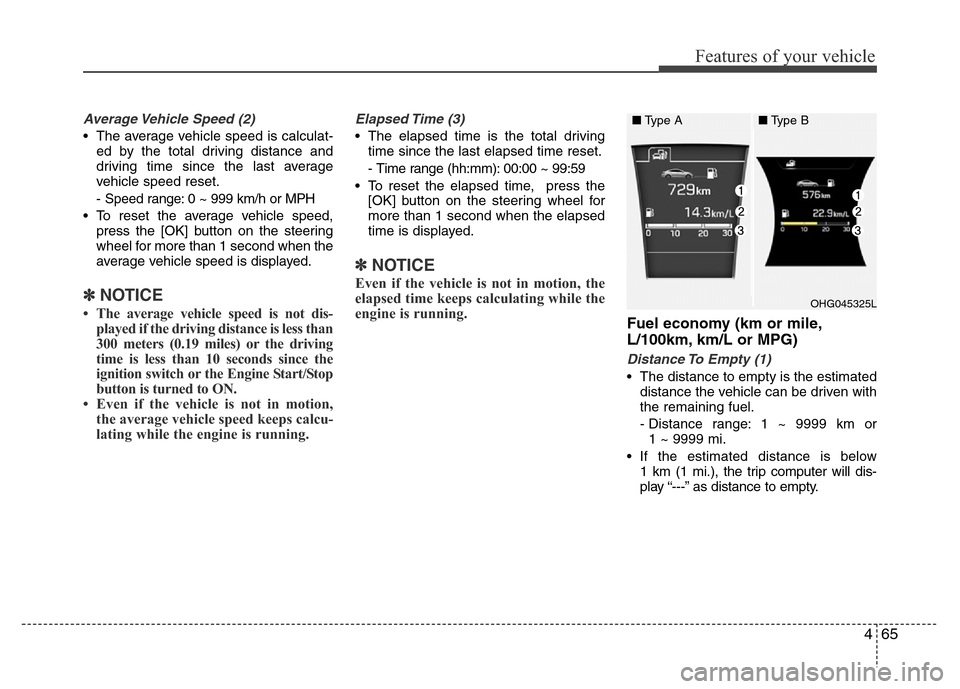
Fuel economy (km or mile,
L/100km, km/L or MPG)
Distance To Empty (1)
• The distance to empty is the estimated
distance the vehicle can be driven with
the remaining fuel.
- Distance range: 1 ~ 9999 km or
1 ~ 9999 mi.
• If the estimated distance is below
1 km (1 mi.), the trip computer will dis-
play “---” as distance to empty.
OHG045325L
■Type A■Type B
Page 144 of 473
467
Features of your vehicle
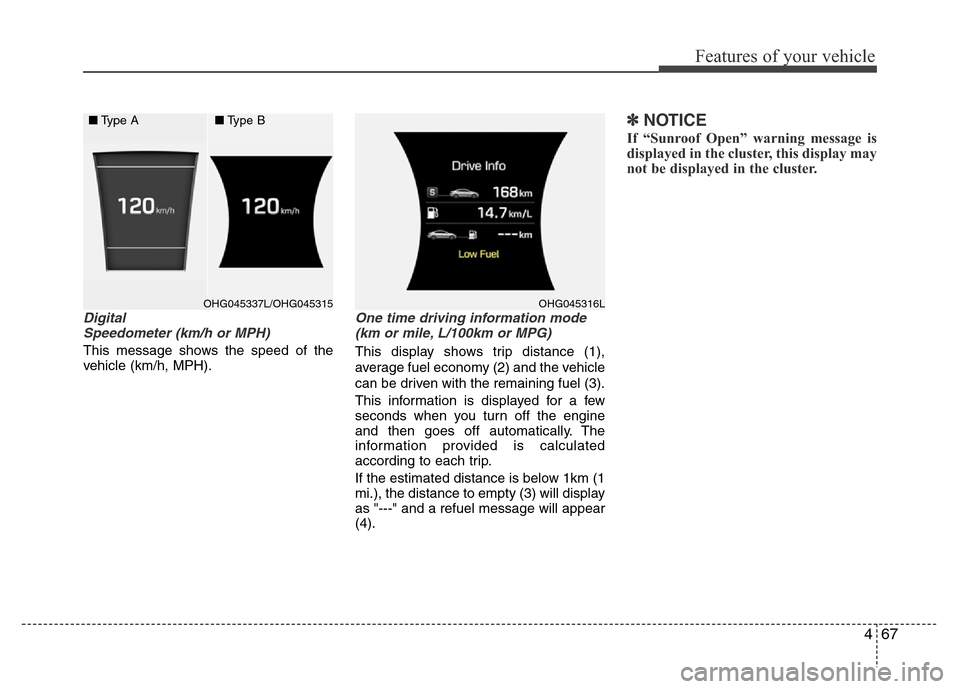
Digital
Speedometer (km/h or MPH)
This message shows the speed of the
vehicle (km/h, MPH).
One time driving information mode
(km or mile, L/100km or MPG)
This display shows trip distance (1),
average fuel economy (2) and the vehicle
can be driven with the remaining fuel (3).
This information is displayed for a few
seconds when you turn off the engine
and then goes off automatically. The
information provided is calculated
according to each trip.
If the estimated distance is below 1km (1
mi.), the distance to empty (3) will display
as "---" and a refuel message will appear
(4).
✽NOTICE
If “Sunroof Open” warning message is
displayed in the cluster, this display may
not be displayed in the cluster.
OHG045337L/OHG045315 OHG045316L
■Type A■Type B
Page 161 of 473
Features of your vehicle
84 4
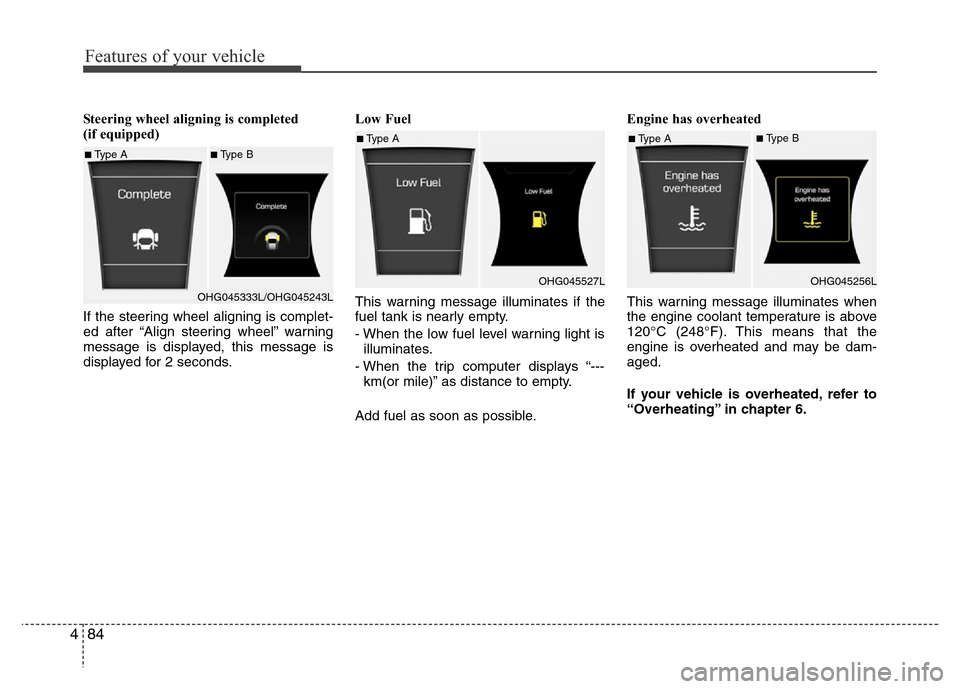
Steering wheel aligning is completed
(if equipped)
If the steering wheel aligning is complet-
ed after “Align steering wheel” warning
message is displayed, this message is
displayed for 2 seconds.Low Fuel
This warning message illuminates if the
fuel tank is nearly empty.
- When the low fuel level warning light is
illuminates.
- When the trip computer displays “---
km(or mile)” as distance to empty.
Add fuel as soon as possible.Engine has overheated
This warning message illuminates when
the engine coolant temperature is above
120°C (248°F). This means that the
engine is overheated and may be dam-
aged.
If your vehicle is overheated, refer to
“Overheating” in chapter 6.
■Type A■Type B
OHG045333L/OHG045243L
■Type A
OHG045527L■Type A■Type B
OHG045256L