lock Hyundai Azera 2017 User Guide
[x] Cancel search | Manufacturer: HYUNDAI, Model Year: 2017, Model line: Azera, Model: Hyundai Azera 2017Pages: 520, PDF Size: 16.33 MB
Page 40 of 520
321
Safety features of your vehicle
Seat belts - Front passenger andrear seat 3-point system withcombination locking retractor
To fasten your seat belt:
Combination retractor type seat belts
are installed in the rear seat posi-
tions to help accommodate the
installation of child restraint systems.
Although a combination retractor is
also installed in the front passenger
seat position, it is strongly recom-
mended that children always be
seated in the rear seat. NEVER
place any infant restraint system in
the front seat of the vehicle.
This type of seat belt combines the
features of both an emergency lock-
ing retractor seat belt and an auto-
matic locking retractor seat belt. To
fasten your seat belt, pull it out of the
retractor and insert the metal tab into
the buckle. There will be an audible
"click" when the tab locks into the
buckle. When not securing a child
restraint, the seat belt operates in the
same way as the driver's seat belt
(Emergency Locking Retractor Type). It automatically adjusts to the proper
length only after the lap belt portion
of the seat belt is adjusted manually
so that it fits snugly around your hips.
When the seat belt is fully extended
from the retractor to allow the instal-
lation of a child restraint system, the
seat belt operation changes to allow
the belt to retract, but not to extend
(Automatic Locking Retractor Type).
Refer to “Using a child restraint sys-
tem” in this section.
To convert from the automatic lock-
ing feature to the emergency locking
operation mode, allow the unbuckled
seat belt to fully retract.
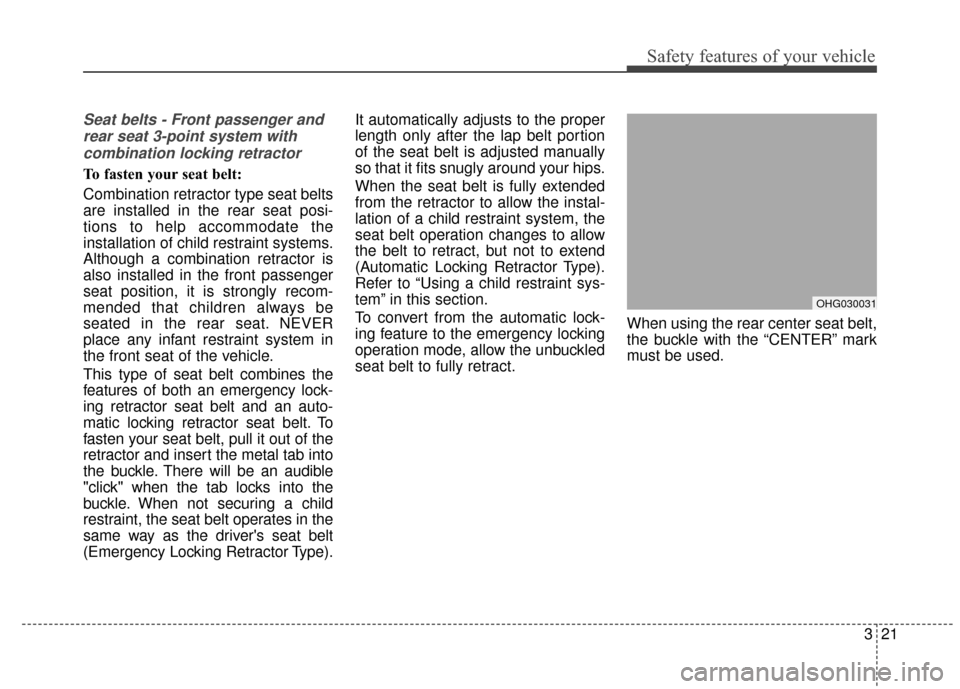
When using the rear center seat belt,
the buckle with the “CENTER” mark
must be used.
OHG030031
Page 41 of 520
Safety features of your vehicle
22
3
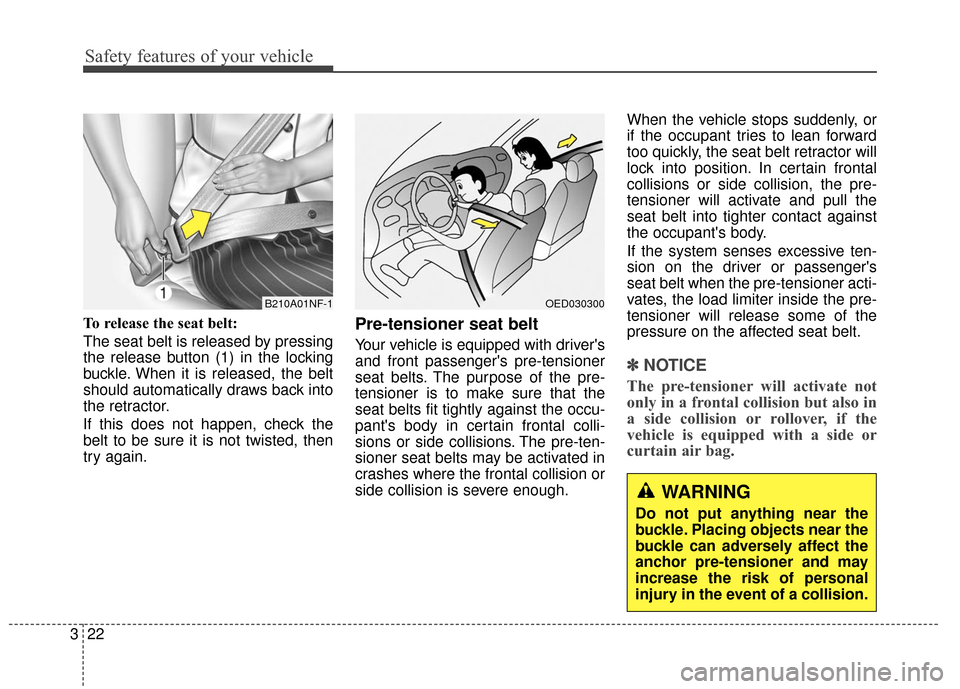
To release the seat belt:
The seat belt is released by pressing
the release button (1) in the locking
buckle. When it is released, the belt
should automatically draws back into
the retractor.
If this does not happen, check the
belt to be sure it is not twisted, then
try again.Pre-tensioner seat belt
Your vehicle is equipped with driver's
and front passenger's pre-tensioner
seat belts. The purpose of the pre-
tensioner is to make sure that the
seat belts fit tightly against the occu-
pant's body in certain frontal colli-
sions or side collisions. The pre-ten-
sioner seat belts may be activated in
crashes where the frontal collision or
side collision is severe enough. When the vehicle stops suddenly, or
if the occupant tries to lean forward
too quickly, the seat belt retractor will
lock into position. In certain frontal
collisions or side collision, the pre-
tensioner will activate and pull the
seat belt into tighter contact against
the occupant's body.
If the system senses excessive ten-
sion on the driver or passenger's
seat belt when the pre-tensioner acti-
vates, the load limiter inside the pre-
tensioner will release some of the
pressure on the affected seat belt.
✽ ✽
NOTICE
The pre-tensioner will activate not
only in a frontal collision but also in
a side collision or rollover, if the
vehicle is equipped with a side or
curtain air bag.
B210A01NF-1OED030300
WARNING
Do not put anything near the
buckle. Placing objects near the
buckle can adversely affect the
anchor pre-tensioner and may
increase the risk of personal
injury in the event of a collision.
Page 49 of 520
Safety features of your vehicle
30
3
For safety reasons, we recommend
that the child restraint system be
used in the rear seats.
Since all passenger seat belts move
freely under normal conditions and
only lock under extreme or emer-
gency conditions (emergency locking
mode), you must manually change
these seat belts to the automatic lock-
ing mode to secure a child restraint.
If the seat belt does not operate as
described in this section, have the
system checked immediately by your
authorized HYUNDAI dealer.
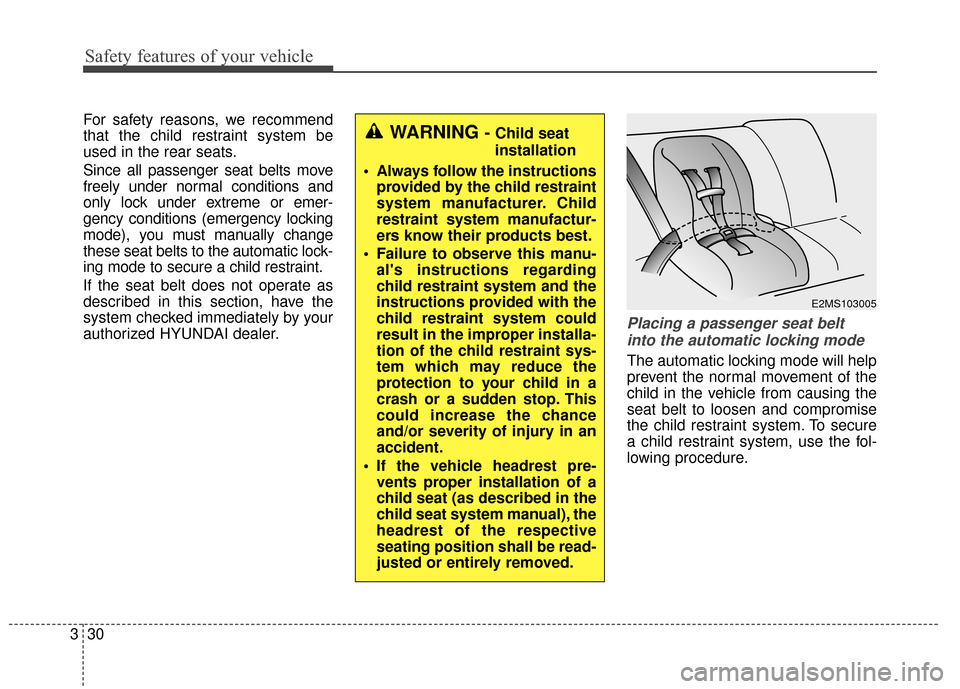
Placing a passenger seat belt
into the automatic locking mode
The automatic locking mode will help
prevent the normal movement of the
child in the vehicle from causing the
seat belt to loosen and compromise
the child restraint system. To secure
a child restraint system, use the fol-
lowing procedure.
WARNING - Child seat
installation
Always follow the instructions provided by the child restraint
system manufacturer. Child
restraint system manufactur-
ers know their products best.
Failure to observe this manu- al's instructions regarding
child restraint system and the
instructions provided with the
child restraint system could
result in the improper installa-
tion of the child restraint sys-
tem which may reduce the
protection to your child in a
crash or a sudden stop. This
could increase the chance
and/or severity of injury in an
accident.
If the vehicle headrest pre- vents proper installation of a
child seat (as described in the
child seat system manual), the
headrest of the respective
seating position shall be read-
justed or entirely removed.
E2MS103005
Page 50 of 520
331
Safety features of your vehicle
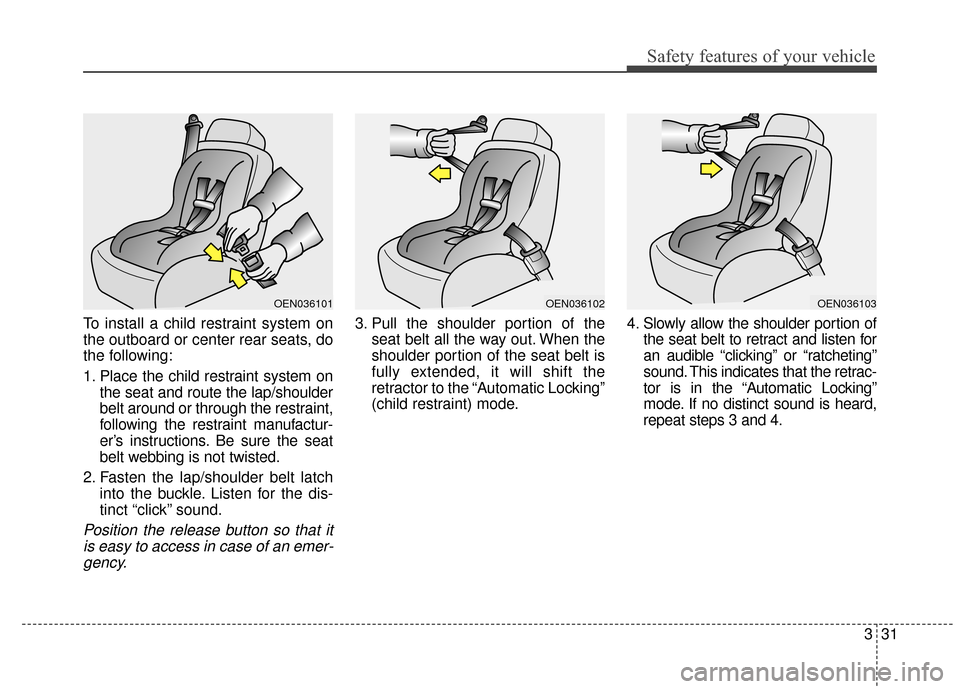
To install a child restraint system on
the outboard or center rear seats, do
the following:
1. Place the child restraint system onthe seat and route the lap/shoulder
belt around or through the restraint,
following the restraint manufactur-
er’s instructions. Be sure the seat
belt webbing is not twisted.
2. Fasten the lap/shoulder belt latch into the buckle. Listen for the dis-
tinct “click” sound.
Position the release button so that itis easy to access in case of an emer-gency.
3. Pull the shoulder portion of the seat belt all the way out. When the
shoulder portion of the seat belt is
fully extended, it will shift the
retractor to the “Automatic Locking”
(child restraint) mode. 4. Slowly allow the shoulder portion of
the seat belt to retract and listen for
an audible “clicking” or “ratcheting”
sound. This indicates that the retrac-
tor is in the “Automatic Locking”
mode. If no distinct sound is heard,
repeat steps 3 and 4.
OEN036101OEN036102OEN036103
Page 51 of 520
Safety features of your vehicle
32
3
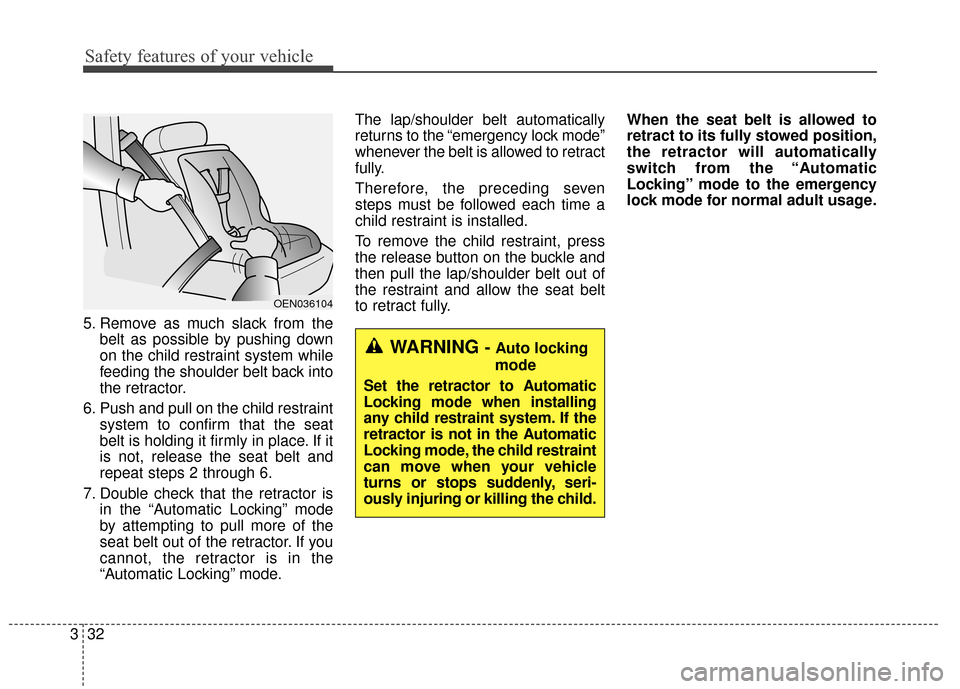
5. Remove as much slack from the
belt as possible by pushing down
on the child restraint system while
feeding the shoulder belt back into
the retractor.
6. Push and pull on the child restraint system to confirm that the seat
belt is holding it firmly in place. If it
is not, release the seat belt and
repeat steps 2 through 6.
7. Double check that the retractor is in the “Automatic Locking” mode
by attempting to pull more of the
seat belt out of the retractor. If you
cannot, the retractor is in the
“Automatic Locking” mode. The lap/shoulder belt automatically
returns to the “emergency lock mode”
whenever the belt is allowed to retract
fully.
Therefore, the preceding seven
steps must be followed each time a
child restraint is installed.
To remove the child restraint, press
the release button on the buckle and
then pull the lap/shoulder belt out of
the restraint and allow the seat belt
to retract fully.
When the seat belt is allowed to
retract to its fully stowed position,
the retractor will automatically
switch from the “Automatic
Locking” mode to the emergency
lock mode for normal adult usage.
OEN036104
WARNING - Auto locking
mode
Set the retractor to Automatic
Locking mode when installing
any child restraint system. If the
retractor is not in the Automatic
Locking mode, the child restraint
can move when your vehicle
turns or stops suddenly, seri-
ously injuring or killing the child.
Page 54 of 520
335
Safety features of your vehicle
LATCH anchors have been provided
in your vehicle. The LATCH anchors
are located in the left and right out-
board rear seating positions. Their
locations are shown in the illustration.
There is no LATCH anchor provided
for the center rear seating position.
The LATCH anchors are located
between the seatback and the seat
cushion of the rear seat left and right
outboard seating positions. When
you install your child's restraint sys-
tem using the LATCH anchors, buck-
le the shoulder lap belt, then lock the
retractor and pull the belt to remove
the slack in the belt so it lies flat
against the vehicle seat.Follow the child seat manufacturer’s
instructions to properly install child
restraint seats with LATCH or
LATCH-compatible attachments.
Once you have installed the LATCH
child restraint, assure that the seat is
properly attached to the LATCH and
tether anchors.
Also, test the child restraint seat
before you place the child in it. Tilt
the seat from side to side. Also try to
tug the seat forward. Check to see if
the anchors hold the seat in place.
✽ ✽
NOTICE
The recommended weight for the
LATCH system is under 65 lbs (30
kg).
How to calculate the child restraint
weight :
Child restraint weight =
65 lbs (30 kg) - Child weightWARNING
If the child restraint is not
anchored properly, the risk of a
child being seriously injured or
killed in a collision greatly
increases.
WARNING
- LATCH lower anchors
Never attempt to attach a
LATCH equipped seat in the
center seating position. LATCH
lower anchors are only to be
used with the left and right rear
outboard seating positions. You
may damage the anchors or the
anchors may fail and break in a
collision.
WARNING
Do not place anything around
the lower anchors. Also make
sure that the seat belt is not
caught in the lower anchors.
Page 80 of 520

Features of your vehicle
Keys . . . . . . . . . . . . . . . . . . . . . . . . . . . . . . . . . . . . \
. . 4-3
• Record your key number . . . . . . . . . . . . . . . . . . . . . . . 4-3
. . . . . . . . . . . . . . . . . . . . . . . . . . . . 4-4
Smart key . . . . . . . . . . . . . . . . . . . . . . . . . . . . . . . . . 4-6
. . . . . . . . . . . . . . . . . . . . . . . . . . . 4-6
. . . . . . . . . . . 4-8
. . . . . . . . . . . . . . . . . . . . . . . . . 4-9
. . . . . . . . . . . . . . . . . . . . . . . . . . 4-10
Theft-alarm system . . . . . . . . . . . . . . . . . . . . . . . . 4-12
. . . . . . . . . . . . . . . . . . . . . . . . . . . . . . . . . 4-12
Door locks . . . . . . . . . . . . . . . . . . . . . . . . . . . . . . . . 4-15
. . . . 4-15
. . . . . . . . . . . . . . . . . 4-18
Trunk . . . . . . . . . . . . . . . . . . . . . . . . . . . . . . . . . . . . \
4-19
Smart trunk . . . . . . . . . . . . . . . . . . . . . . . . . . . . . . 4-21
Windows . . . . . . . . . . . . . . . . . . . . . . . . . . . . . . . . . 4-25
Hood. . . . . . . . . . . . . . . . . . . . . . . . . . . . . . . . . . . . \
. 4-29
Fuel filler lid . . . . . . . . . . . . . . . . . . . . . . . . . . . . . . 4-31
Panoramic sunroof . . . . . . . . . . . . . . . . . . . . . . . . . 4-35
Driver position memory system . . . . . . . . . . . . . . 4-40Steering wheel . . . . . . . . . . . . . . . . . . . . . . . . . . . . . 4-43
. . . . . . . . . . . . . . . . . . . . . 4-44
. . . . . . . . . . . . . . . . . . . . . . . . . . . . . . . . . . . . \
. . . 4-45
Mirrors . . . . . . . . . . . . . . . . . . . . . . . . . . . . . . . . . . 4-46\
. . . . . . . . . . . . . . . . . . . . . . . . 4-46
. . . . . . . . . . . . . . . . . . . . . . . . . . . . 4-54
. . . . . . . . . . . . . . . . . . . 4-57
Instrument cluster . . . . . . . . . . . . . . . . . . . . . . . . . 4-58
. . . . . . . . . . . . . . . . . . 4-59
. . . . . . . . . . . . . . . . . . . . . . . . . . . . . . . . . . . . \
. 4-59
. . . . . . . . . . . . . . . . . . . . . . . . . . 4-62
LCD display . . . . . . . . . . . . . . . . . . . . . . . . . . . . . . 4-63
. . . . . . . . . . . . . . . . . . . . . . . . . . 4-64
Trip computer . . . . . . . . . . . . . . . . . . . . . . . . . . . . . 4-73
Warnings and indicators (lnstrument cluster) . . 4-77
Rear parking assist system . . . . . . . . . . . . . . . . . . 4-95
Rearview camera . . . . . . . . . . . . . . . . . . . . . . . . . . 4-99
Hazard warning flasher . . . . . . . . . . . . . . . . . . . . 4-100
Lighting . . . . . . . . . . . . . . . . . . . . . . . . . . . . . . . . . 4-100
. . . . . . . . . . 4-101
. . . . . . . . 4-101
. . . . . . . . . . . . . . . . . . . . . . . . 4-101
. . . . . . . . . . . . . . . . . . . . . . . . . . . . . 4-102
4
Page 82 of 520
43
Features of your vehicle
Record your key number
The key code number
is stamped or printed
on the key code tag
attached to the key
set. Should you lose your keys, con-
tact an authorized HYUNDAI dealer.
Remove the key code tag and store it
in a safe place. Also, record the key
code number and keep it in a safe
and handy place, but not in the vehi-
cle. Key operations
• Used to start the engine.
Used to lock and unlock the doors.
Used to lock and unlock the glove
box.
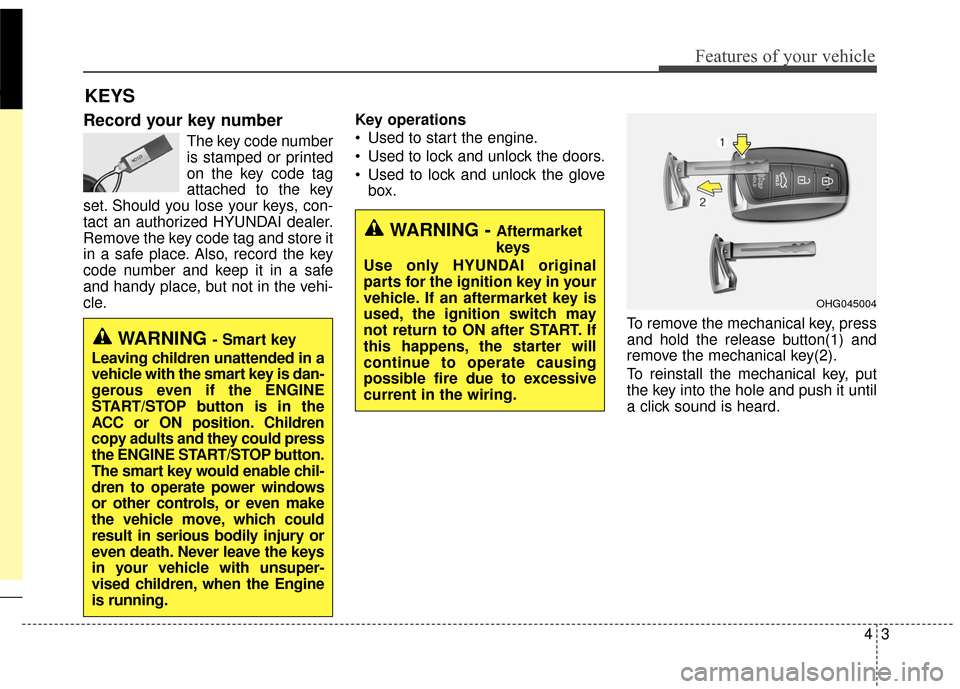
To remove the mechanical key, press
and hold the release button(1) and
remove the mechanical key(2).
To reinstall the mechanical key, put
the key into the hole and push it until
a click sound is heard.
KEYS
WARNING - Aftermarket
keys
Use only HYUNDAI original
parts for the ignition key in your
vehicle. If an aftermarket key is
used, the ignition switch may
not return to ON after START. If
this happens, the starter will
continue to operate causing
possible fire due to excessive
current in the wiring.
WARNING - Smart key
Leaving children unattended in a
vehicle with the smart key is dan-
gerous even if the ENGINE
START/STOP button is in the
ACC or ON position. Children
copy adults and they could press
the ENGINE START/STOP button.
The smart key would enable chil-
dren to operate power windows
or other controls, or even make
the vehicle move, which could
result in serious bodily injury or
even death. Never leave the keys
in your vehicle with unsuper-
vised children, when the Engine
is running.
OHG045004
Page 83 of 520
Features of your vehicle
44
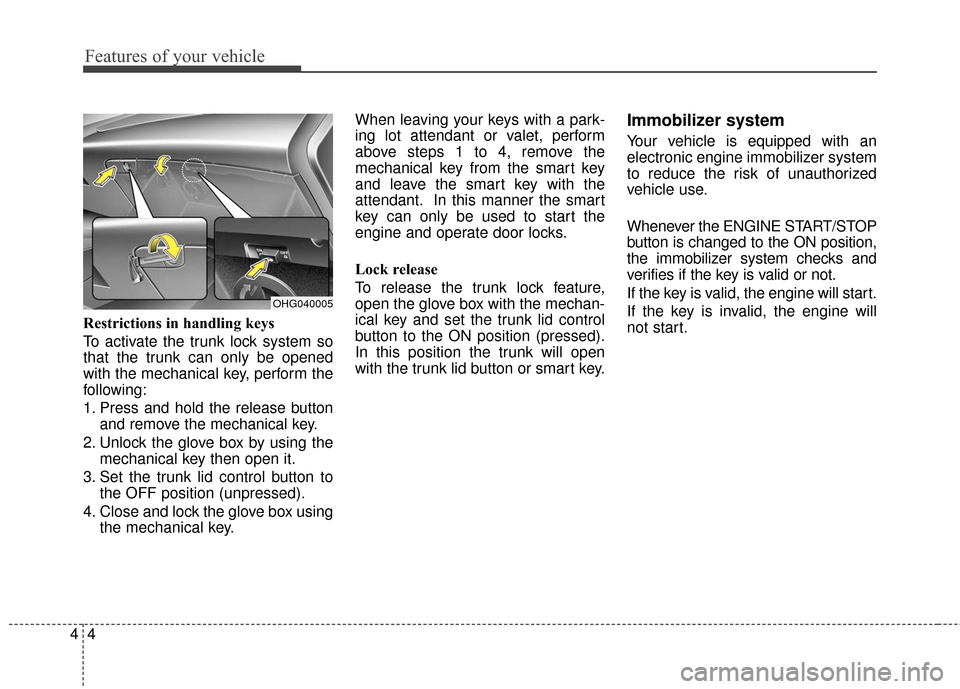
Restrictions in handling keys
To activate the trunk lock system so
that the trunk can only be opened
with the mechanical key, perform the
following:
1.
Press and hold the release button
and remove the mechanical key.
2. Unlock the glove box by using themechanical key then open it.
3. Set the trunk lid control button to the OFF position (unpressed).
4. Close and lock the glove box using the mechanical key. When leaving your keys with a park-
ing lot attendant or valet, perform
above steps 1 to 4, remove the
mechanical key from the smart key
and leave the smart key with the
attendant. In this manner the smart
key can only be used to start the
engine and operate door locks.
Lock release
To release the trunk lock feature,
open the glove box with the mechan-
ical key and set the trunk lid control
button to the ON position (pressed).
In this position the trunk will open
with the trunk lid button or smart key.
Immobilizer system
Your vehicle is equipped with an
electronic engine immobilizer system
to reduce the risk of unauthorized
vehicle use.
Whenever the ENGINE START/STOP
button is changed to the ON position,
the immobilizer system checks and
verifies if the key is valid or not.
If the key is valid, the engine will start.
If the key is invalid, the engine will
not start.
OHG040005
Page 85 of 520
Features of your vehicle
64
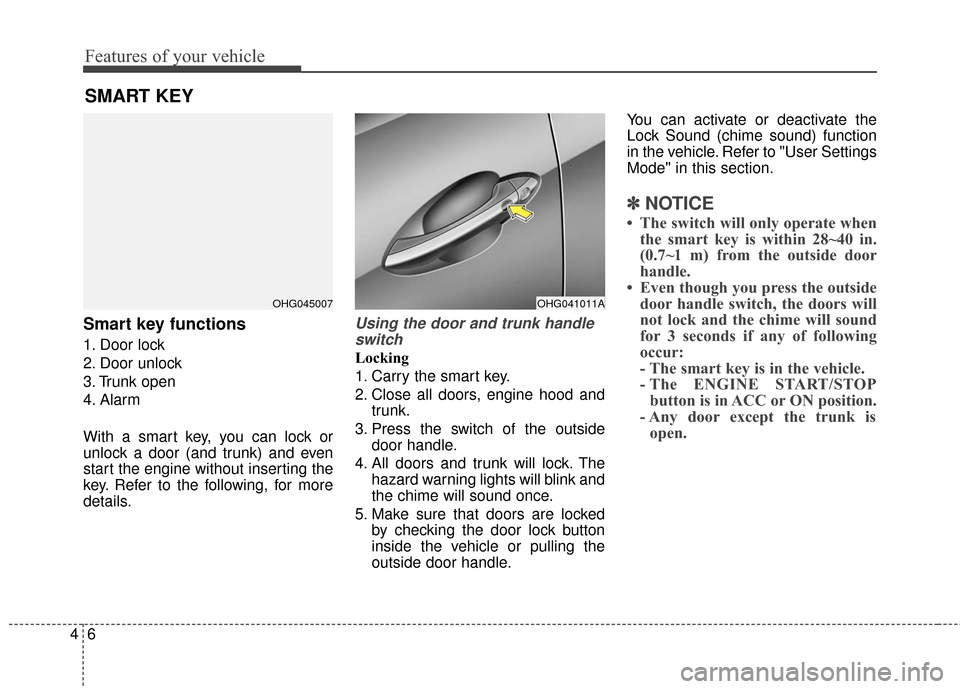
Smart key functions
1. Door lock
2. Door unlock
3. Trunk open
4. Alarm
With a smart key, you can lock or
unlock a door (and trunk) and even
start the engine without inserting the
key. Refer to the following, for more
details.
Using the door and trunk handleswitch
Locking
1. Carry the smart key.
2. Close all doors, engine hood and trunk.
3. Press the switch of the outside door handle.
4. All doors and trunk will lock. The hazard warning lights will blink and
the chime will sound once.
5. Make sure that doors are locked by checking the door lock button
inside the vehicle or pulling the
outside door handle. You can activate or deactivate the
Lock Sound (chime sound) function
in the vehicle. Refer to "User Settings
Mode" in this section.
✽ ✽
NOTICE
• The switch will only operate when
the smart key is within 28~40 in.
(0.7~1 m) from the outside door
handle.
• Even though you press the outside door handle switch, the doors will
not lock and the chime will sound
for 3 seconds if any of following
occur:
- The smart key is in the vehicle.
- The ENGINE START/STOPbutton is in ACC or ON position.
- Any door except the trunk is open.
SMART KEY
OHG045007OHG041011A