key Hyundai Azera 2017 Owner's Guide
[x] Cancel search | Manufacturer: HYUNDAI, Model Year: 2017, Model line: Azera, Model: Hyundai Azera 2017Pages: 520, PDF Size: 16.33 MB
Page 100 of 520
421
Features of your vehicle
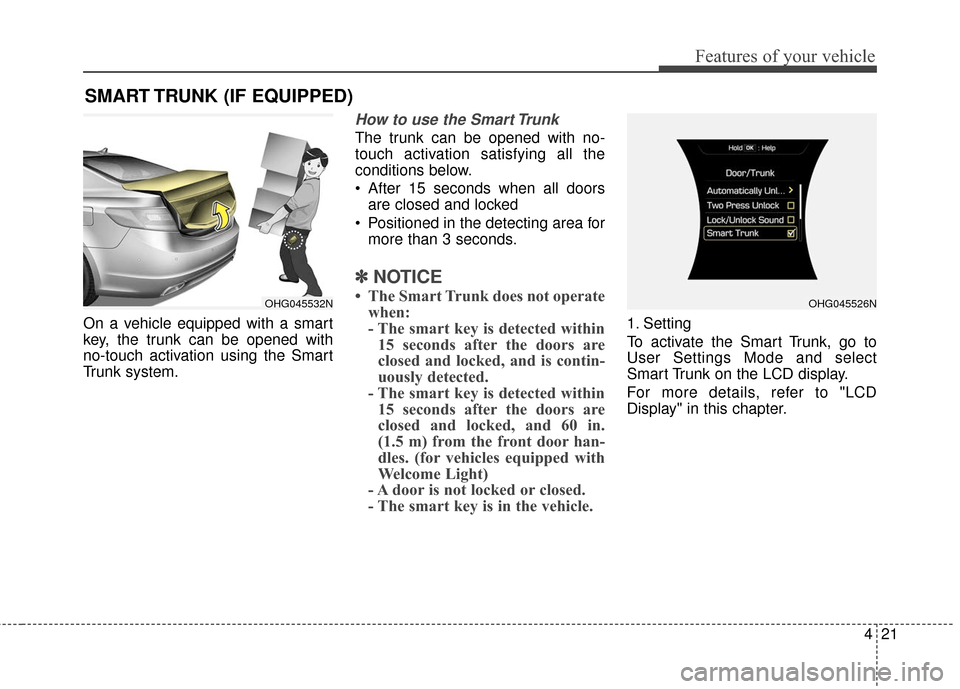
On a vehicle equipped with a smart
key, the trunk can be opened with
no-touch activation using the Smart
Trunk system.
How to use the Smart Trunk
The trunk can be opened with no-
touch activation satisfying all the
conditions below.
After 15 seconds when all doorsare closed and locked
Positioned in the detecting area for more than 3 seconds.
✽ ✽ NOTICE
• The Smart Trunk does not operate
when:
- The smart key is detected within15 seconds after the doors are
closed and locked, and is contin-
uously detected.
- The smart key is detected within 15 seconds after the doors are
closed and locked, and 60 in.
(1.5 m) from the front door han-
dles. (for vehicles equipped with
Welcome Light)
- A door is not locked or closed.
- The smart key is in the vehicle.
1. Setting
To activate the Smart Trunk, go to
User Settings Mode and select
Smart Trunk on the LCD display.
For more details, refer to "LCD
Display" in this chapter.
SMART TRUNK (IF EQUIPPED)
OHG045532NOHG045526N
Page 101 of 520
Features of your vehicle
22
4
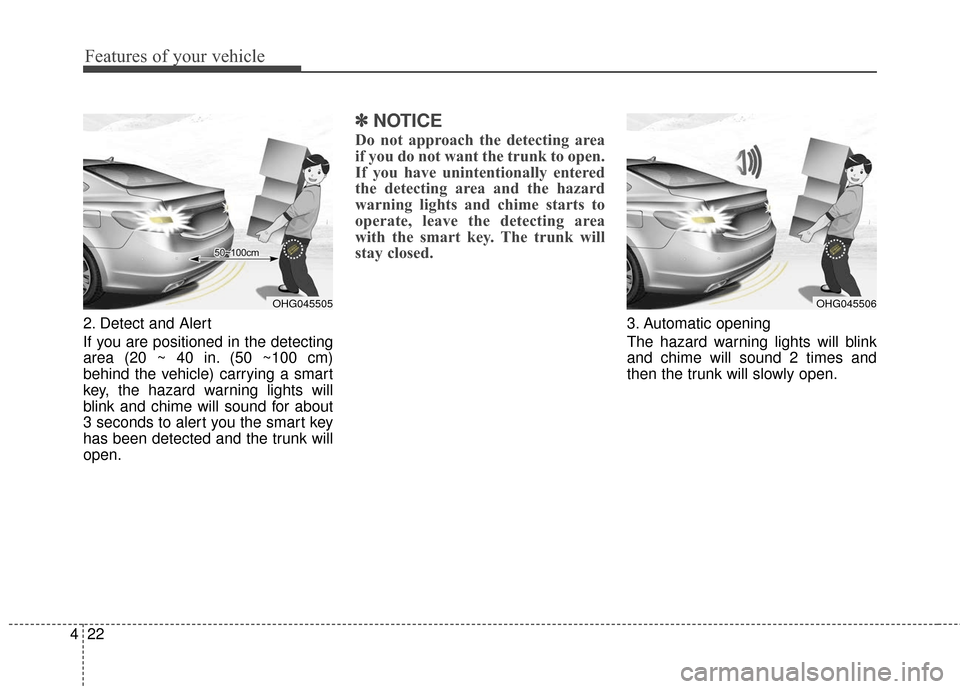
2. Detect and Alert
If you are positioned in the detecting
area (20 ~ 40 in. (50 ~100 cm)
behind the vehicle) carrying a smart
key, the hazard warning lights will
blink and chime will sound for about
3 seconds to alert you the smart key
has been detected and the trunk will
open.
✽ ✽
NOTICE
Do not approach the detecting area
if you do not want the trunk to open.
If you have unintentionally entered
the detecting area and the hazard
warning lights and chime starts to
operate, leave the detecting area
with the smart key. The trunk will
stay closed.
3. Automatic opening
The hazard warning lights will blink
and chime will sound 2 times and
then the trunk will slowly open.
OHG045505OHG045506
Page 102 of 520
423
Features of your vehicle
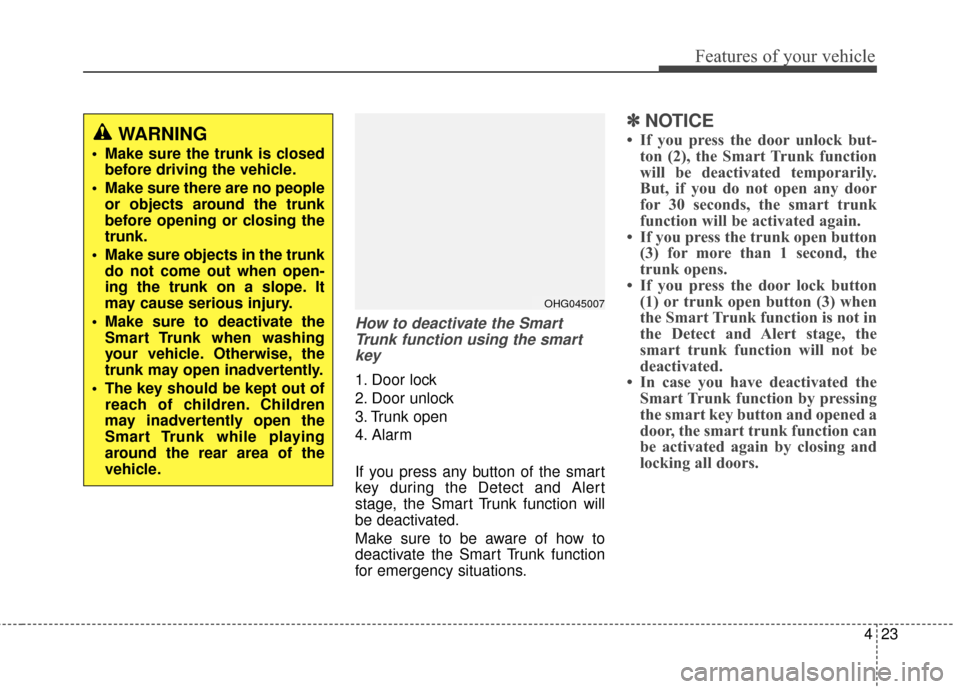
How to deactivate the SmartTrunk function using the smartkey
1. Door lock
2. Door unlock
3. Trunk open
4. Alarm
If you press any button of the smart
key during the Detect and Alert
stage, the Smart Trunk function will
be deactivated.
Make sure to be aware of how to
deactivate the Smart Trunk function
for emergency situations.
✽ ✽ NOTICE
• If you press the door unlock but-
ton (2), the Smart Trunk function
will be deactivated temporarily.
But, if you do not open any door
for 30 seconds, the smart trunk
function will be activated again.
• If you press the trunk open button (3) for more than 1 second, the
trunk opens.
• If you press the door lock button (1) or trunk open button (3) when
the Smart Trunk function is not in
the Detect and Alert stage, the
smart trunk function will not be
deactivated.
• In case you have deactivated the Smart Trunk function by pressing
the smart key button and opened a
door, the smart trunk function can
be activated again by closing and
locking all doors.WARNING
Make sure the trunk is closed
before driving the vehicle.
Make sure there are no people or objects around the trunk
before opening or closing the
trunk.
Make sure objects in the trunk do not come out when open-
ing the trunk on a slope. It
may cause serious injury.
Make sure to deactivate the Smart Trunk when washing
your vehicle. Otherwise, the
trunk may open inadvertently.
The key should be kept out of reach of children. Children
may inadvertently open the
Smart Trunk while playing
around the rear area of the
vehicle.
OHG045007
Page 103 of 520
Features of your vehicle
24
4
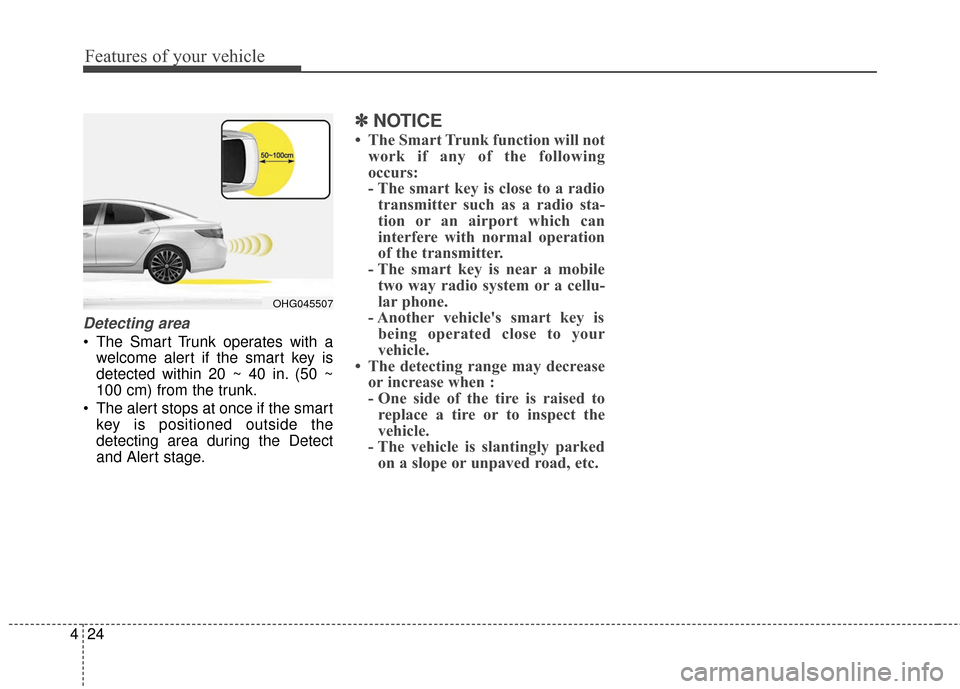
Detecting area
The Smart Trunk operates with a
welcome alert if the smart key is
detected within 20 ~ 40 in. (50 ~
100 cm) from the trunk.
The alert stops at once if the smart key is positioned outside the
detecting area during the Detect
and Alert stage.
✽ ✽ NOTICE
• The Smart Trunk function will not
work if any of the following
occurs:
- The smart key is close to a radiotransmitter such as a radio sta-
tion or an airport which can
interfere with normal operation
of the transmitter.
- The smart key is near a mobile two way radio system or a cellu-
lar phone.
- Another vehicle's smart key is being operated close to your
vehicle.
• The detecting range may decrease or increase when :
- One side of the tire is raised toreplace a tire or to inspect the
vehicle.
- The vehicle is slantingly parked on a slope or unpaved road, etc.
OHG045507
Page 105 of 520
Features of your vehicle
26
4
Power windows
The ignition switch must be in the ON
position for power windows to operate.
Each door has a power window
switch that controls the door's win-
dow. The driver’s door has a master
power window switch that controls all
the windows in the vehicle. Also, the
driver has a power window lock
switch which can block the operation
of passenger windows.
The power windows can be operated
for approximately 30 seconds after
the ignition key is in the ACC or OFF
position. However, if the front doors
are opened, the power windows can-
not be operated within the 30 second
period.
✽ ✽
NOTICE
While driving with the rear windows
down or with the sunroof (if
equipped) in an open (or partially
open position), your vehicle may
demonstrate a wind buffeting or
pulsation noise. This noise is a nor-
mal occurrence and can be reduced
or eliminated by taking the follow-
ing actions. If the noise occurs with
one or both of the rear windows
down, partially lower both front
windows approximately one inch.
If you experience the noise with the
sunroof open, slightly reduce the
size of the sunroof opening.
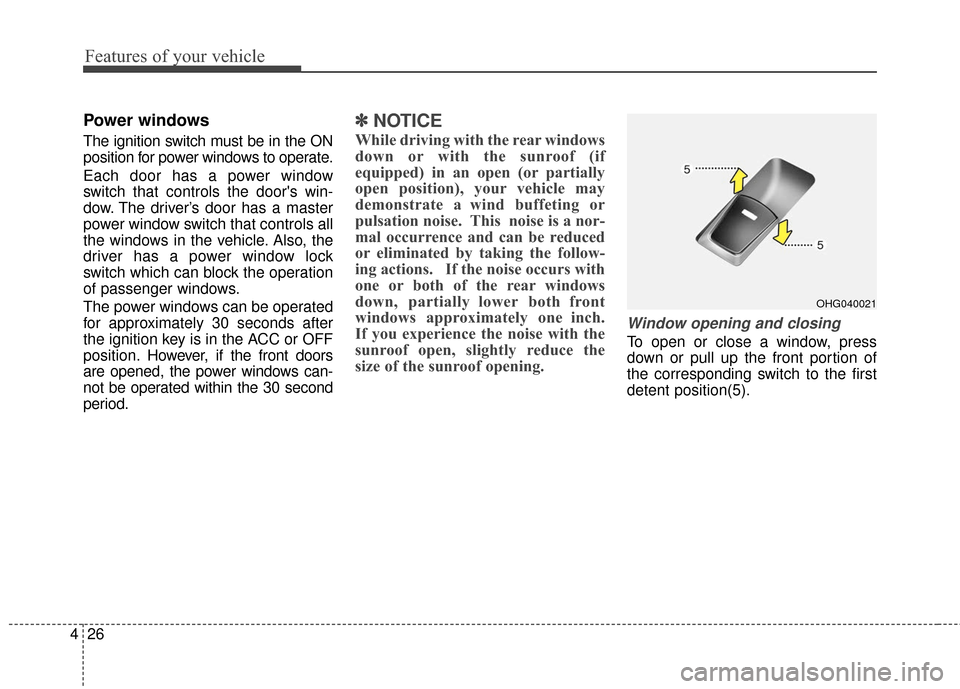
Window opening and closing
To open or close a window, press
down or pull up the front portion of
the corresponding switch to the first
detent position(5).
OHG040021
Page 107 of 520
Features of your vehicle
28
4
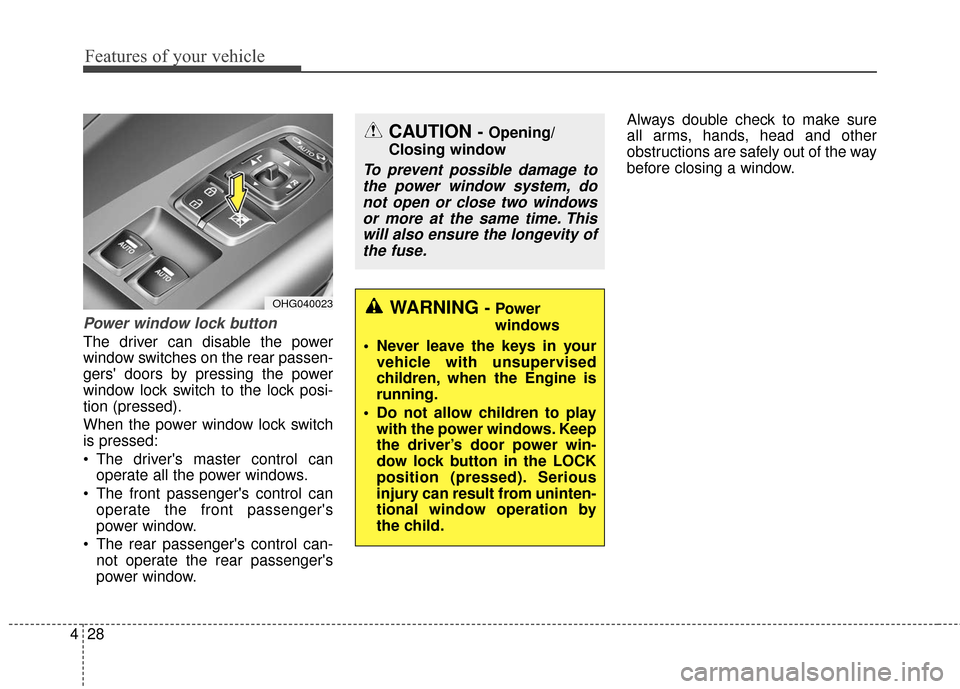
Power window lock button
The driver can disable the power
window switches on the rear passen-
gers' doors by pressing the power
window lock switch to the lock posi-
tion (pressed).
When the power window lock switch
is pressed:
The driver's master control can
operate all the power windows.
The front passenger's control can operate the front passenger's
power window.
The rear passenger's control can- not operate the rear passenger's
power window. Always double check to make sure
all arms, hands, head and other
obstructions are safely out of the way
before closing a window.
OHG040023
CAUTION - Opening/
Closing window
To prevent possible damage to the power window system, donot open or close two windowsor more at the same time. Thiswill also ensure the longevity ofthe fuse.
WARNING - Power
windows
Never leave the keys in your vehicle with unsupervised
children, when the Engine is
running.
Do not allow children to play with the power windows. Keep
the driver’s door power win-
dow lock button in the LOCK
position (pressed). Serious
injury can result from uninten-
tional window operation by
the child.
Page 135 of 520
Features of your vehicle
56
4
4. After the adjustment, position the
lever in the center to prevent inad-
vertent movement.
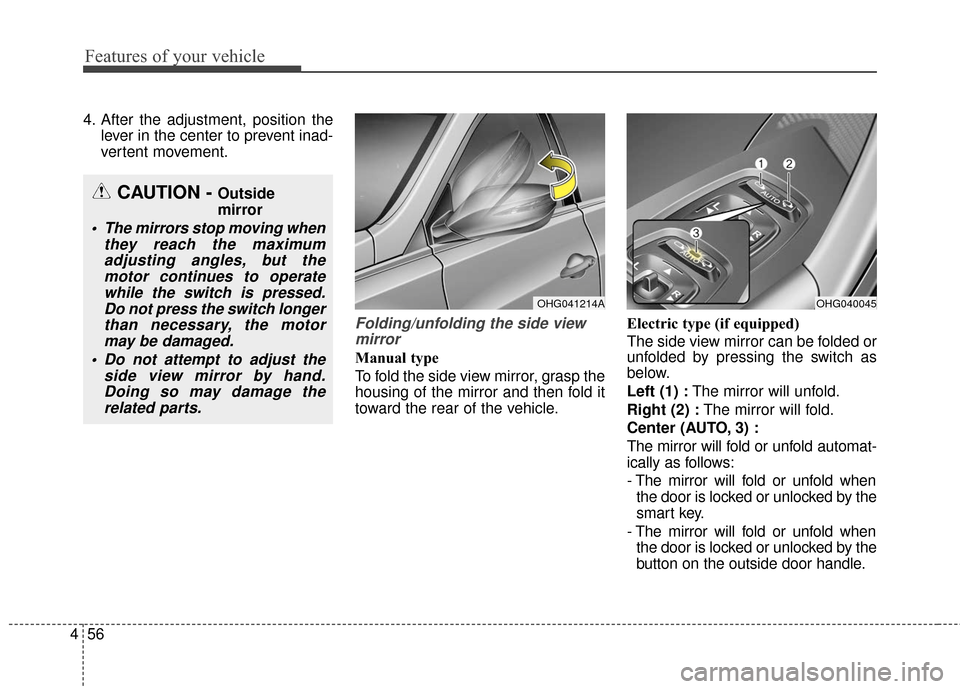
Folding/unfolding the side viewmirror
Manual type
To fold the side view mirror, grasp the
housing of the mirror and then fold it
toward the rear of the vehicle. Electric type (if equipped)
The side view mirror can be folded or
unfolded by pressing the switch as
below.
Left (1) :
The mirror will unfold.
Right (2) : The mirror will fold.
Center (AUTO, 3) :
The mirror will fold or unfold automat-
ically as follows:
- The mirror will fold or unfold when the door is locked or unlocked by the
smart key.
- The mirror will fold or unfold when the door is locked or unlocked by the
button on the outside door handle.
CAUTION - Outside
mirror
The mirrors stop moving when they reach the maximumadjusting angles, but themotor continues to operatewhile the switch is pressed.Do not press the switch longerthan necessary, the motormay be damaged.
Do not attempt to adjust the side view mirror by hand.Doing so may damage therelated parts.
OHG041214AOHG040045
Page 136 of 520
457
Features of your vehicle
- The mirror will unfold when youapproach the vehicle (all doors
closed and locked) with a smart
key in possession. (if equipped)
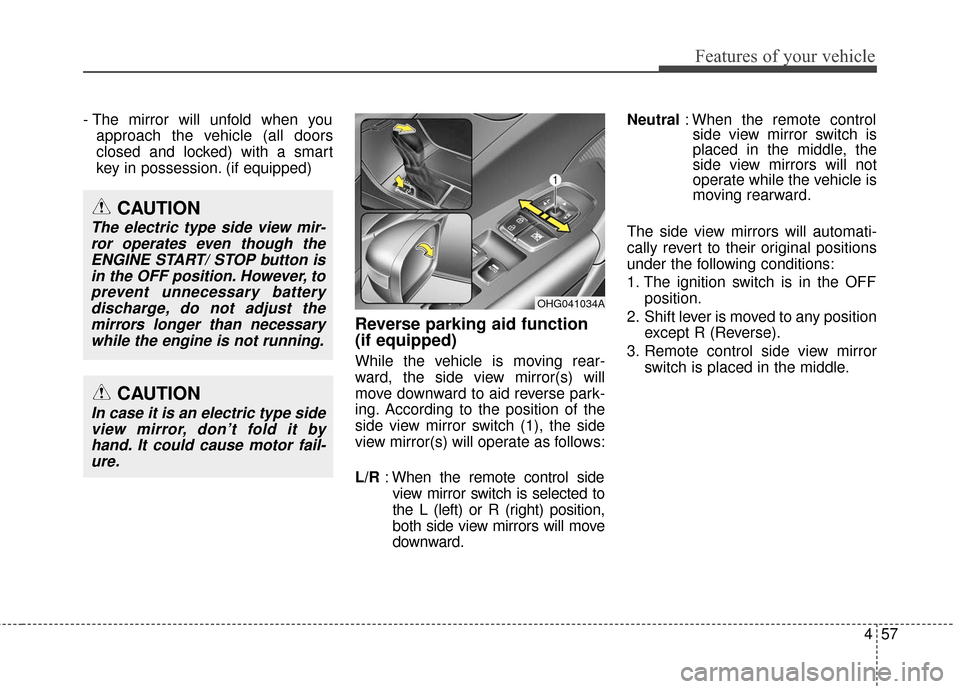
Reverse parking aid function
(if equipped)
While the vehicle is moving rear-
ward, the side view mirror(s) will
move downward to aid reverse park-
ing. According to the position of the
side view mirror switch (1), the side
view mirror(s) will operate as follows:
L/R : When the remote control side
view mirror switch is selected to
the L (left) or R (right) position,
both side view mirrors will move
downward. Neutral
: When the remote control
side view mirror switch is
placed in the middle, the
side view mirrors will not
operate while the vehicle is
moving rearward.
The side view mirrors will automati-
cally revert to their original positions
under the following conditions:
1. The ignition switch is in the OFF position.
2. Shift lever is moved to any position except R (Reverse).
3. Remote control side view mirror switch is placed in the middle.
OHG041034A
CAUTION
In case it is an electric type sideview mirror, don’t fold it byhand. It could cause motor fail-ure.
CAUTION
The electric type side view mir-ror operates even though theENGINE START/ STOP button isin the OFF position. However, toprevent unnecessary batterydischarge, do not adjust themirrors longer than necessarywhile the engine is not running.
Page 161 of 520
Features of your vehicle
82
4
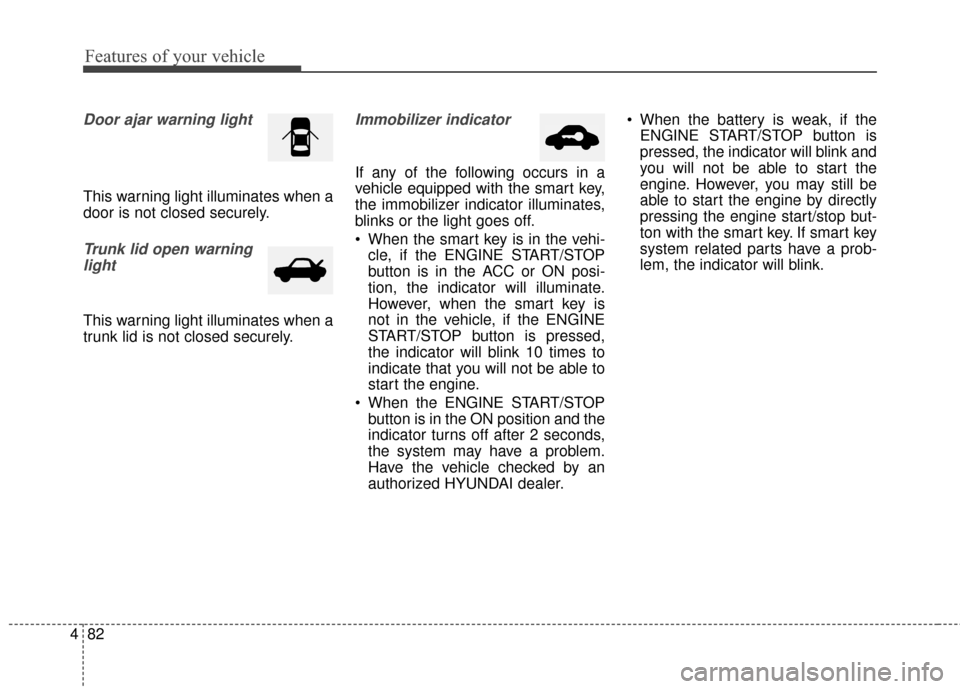
Door ajar warning light
This warning light illuminates when a
door is not closed securely.
Trunk lid open warning
light
This warning light illuminates when a
trunk lid is not closed securely.
Immobilizer indicator
If any of the following occurs in a
vehicle equipped with the smart key,
the immobilizer indicator illuminates,
blinks or the light goes off.
When the smart key is in the vehi- cle, if the ENGINE START/STOP
button is in the ACC or ON posi-
tion, the indicator will illuminate.
However, when the smart key is
not in the vehicle, if the ENGINE
START/STOP button is pressed,
the indicator will blink 10 times to
indicate that you will not be able to
start the engine.
When the ENGINE START/STOP button is in the ON position and the
indicator turns off after 2 seconds,
the system may have a problem.
Have the vehicle checked by an
authorized HYUNDAI dealer. When the battery is weak, if the
ENGINE START/STOP button is
pressed, the indicator will blink and
you will not be able to start the
engine. However, you may still be
able to start the engine by directly
pressing the engine start/stop but-
ton with the smart key. If smart key
system related parts have a prob-
lem, the indicator will blink.
Page 162 of 520
483
Features of your vehicle
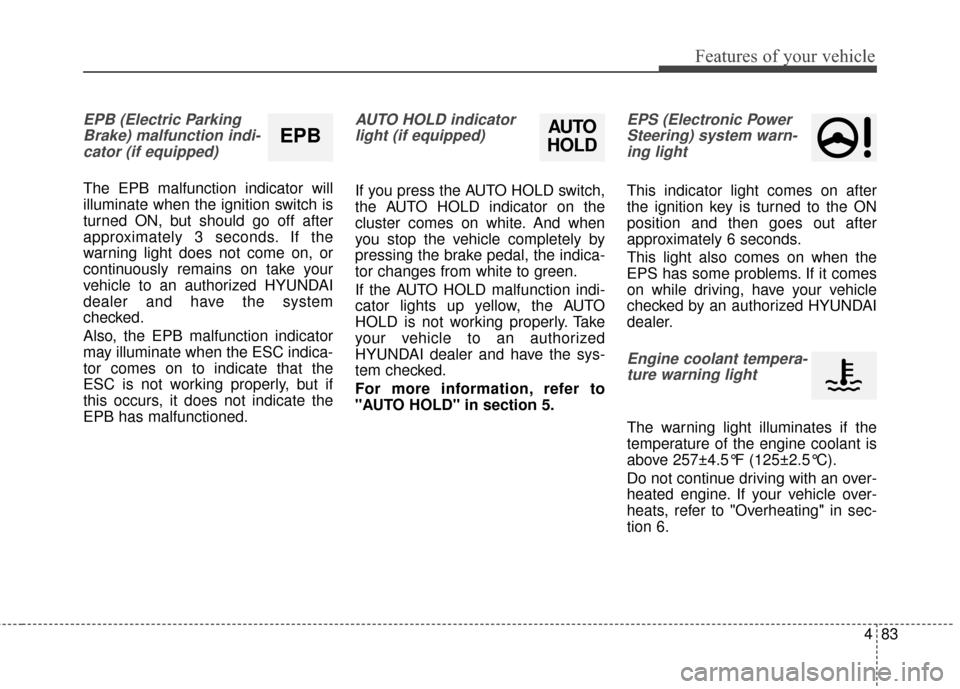
EPB (Electric ParkingBrake) malfunction indi-cator (if equipped)
The EPB malfunction indicator will
illuminate when the ignition switch is
turned ON, but should go off after
approximately 3 seconds. If the
warning light does not come on, or
continuously remains on take your
vehicle to an authorized HYUNDAI
dealer and have the system
checked.
Also, the EPB malfunction indicator
may illuminate when the ESC indica-
tor comes on to indicate that the
ESC is not working properly, but if
this occurs, it does not indicate the
EPB has malfunctioned.
AUTO HOLD indicatorlight (if equipped)
If you press the AUTO HOLD switch,
the AUTO HOLD indicator on the
cluster comes on white. And when
you stop the vehicle completely by
pressing the brake pedal, the indica-
tor changes from white to green.
If the AUTO HOLD malfunction indi-
cator lights up yellow, the AUTO
HOLD is not working properly. Take
your vehicle to an authorized
HYUNDAI dealer and have the sys-
tem checked.
For more information, refer to
"AUTO HOLD" in section 5.
EPS (Electronic PowerSteering) system warn-ing light
This indicator light comes on after
the ignition key is turned to the ON
position and then goes out after
approximately 6 seconds.
This light also comes on when the
EPS has some problems. If it comes
on while driving, have your vehicle
checked by an authorized HYUNDAI
dealer.
Engine coolant tempera-ture warning light
The warning light illuminates if the
temperature of the engine coolant is
above 257±4.5°F (125±2.5°C).
Do not continue driving with an over-
heated engine. If your vehicle over-
heats, refer to "Overheating" in sec-
tion 6.
EPBAUTO
HOLD