trunk Hyundai Azera 2017 Owner's Guide
[x] Cancel search | Manufacturer: HYUNDAI, Model Year: 2017, Model line: Azera, Model: Hyundai Azera 2017Pages: 520, PDF Size: 16.33 MB
Page 180 of 520
4101
Features of your vehicle
Headlight (Headlamp) escort
function
If you turn the ignition switch to the
ACC or OFF position with the head-
lights ON, the headlights (and/or
parking light) remain on for about 5
minutes. However, if the driver’s door
is opened and closed, the headlights
(and/or parking light) turn off after 15
seconds.
The headlights (and/or parking light)
can be turned off by pressing the
lock button on the smart key twice or
turning the light switch to the OFF or
Parking light position.
You can activate or deactivate this
feature. Refer to “User Settings
Mode” in this section.
Headlight (Headlamp) welcome
function
When the headlight is in the ON or
AUTO position and all doors (and
trunk) are closed and locked, if you
press the door unlock button on the
smart key, the headlights (and/or
parking light) will come on for about
15 seconds. At this time, if you press
the door lock or unlock button, the
headlights (and/or parking light) will
turn off immediately.
You can activate or deactivate this
feature. Refer to “User Settings
Mode” in this section.
Daytime running light
Daytime Running Lights (DRL) can
make it easier for others to see the
front of your vehicle during the day.
DRL can be helpful in many different
driving conditions, and it is especially
helpful after dawn and before sunset.
The DRL system turns ON when:1. The light switch is in the AUTO light position.
2. The light switch is in the Parking light position.
The DRL system turns OFF when: 1. The multifunction switch is in the DRL OFF position.
2. The headlights are ON.
3. The turn signal is ON. (the blink- ing side of the DRL will turn off)
4. The hazard warning light is ON.
5. The parking brake is applied.
6. Engine stops.
Page 189 of 520
Features of your vehicle
110
4
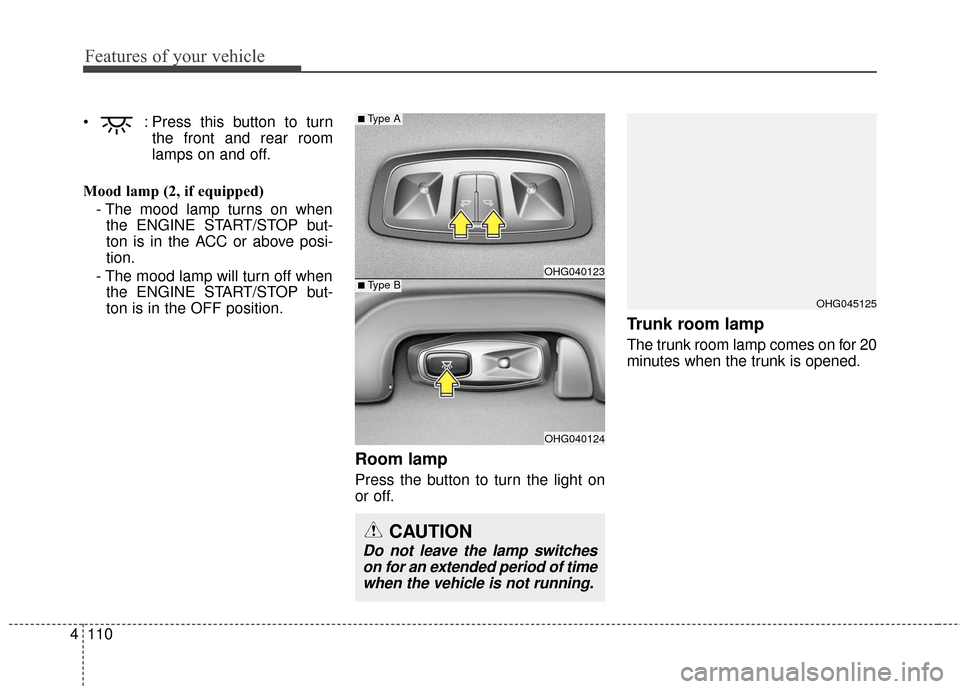
: Press this button to turn
the front and rear room
lamps on and off.
Mood lamp (2, if equipped) - The mood lamp turns on whenthe ENGINE START/STOP but-
ton is in the ACC or above posi-
tion.
- The mood lamp will turn off when the ENGINE START/STOP but-
ton is in the OFF position.
Room lamp
Press the button to turn the light on
or off.
Trunk room lamp
The trunk room lamp comes on for 20
minutes when the trunk is opened.
OHG045125
OHG040123
OHG040124
■Type A
CAUTION
Do not leave the lamp switcheson for an extended period of timewhen the vehicle is not running.
■Type B
Page 306 of 520
Driving your vehicle
25
Be sure the exhaust system does
not leak.
The exhaust system should be
checked whenever the vehicle is
raised to change the oil or for any
other purpose. If you hear a change in
the sound of the exhaust or if you
drive over something that strikes the
underside of the vehicle, have the
exhaust system checked as soon as
possible by an authorized HYUNDAI
dealer.
WARNING - Engine
exhaust
Do not inhale exhaust fumes or
leave your engine running in a
enclosed area for a prolonged
time. Exhaust fumes contain
carbon monoxide, a colorless,
odorless gas that can cause
unconsciousness and death by
asphyxiation.
WARNING - Open trunk
Do not drive with the trunk
open. Poisonous exhaust gases
can enter the passenger com-
partment.
If you must drive with the trunk
open proceed as follows:
1. Close all windows.
2. Open side vents.
3. Set the air intake control at "Fresh", the air flow control at
"Floor" or "Face" and the fan
at the highest speed.
To assure proper operation of
the ventilation system, be sure
the ventilation air intakes locat-
ed just in front of the windshield
are kept clear of snow, ice,
leaves or other obstructions.WARNING - California
proposition 65
Engine exhaust and a wide vari-
ety of automobile components
and parts, including compo-
nents found in the interior fur-
nishings in a vehicle, contain or
emit chemicals known to the
State of California to cause can-
cer and birth defects and repro-
ductive harm. In addition, cer-
tain fluids contained in vehicles
and certain products of compo-
nent wear contain or emit chem-
icals known to the State of
California to cause cancer and
birth defects or other reproduc-
tive harm.
Page 324 of 520
Driving your vehicle
20
5
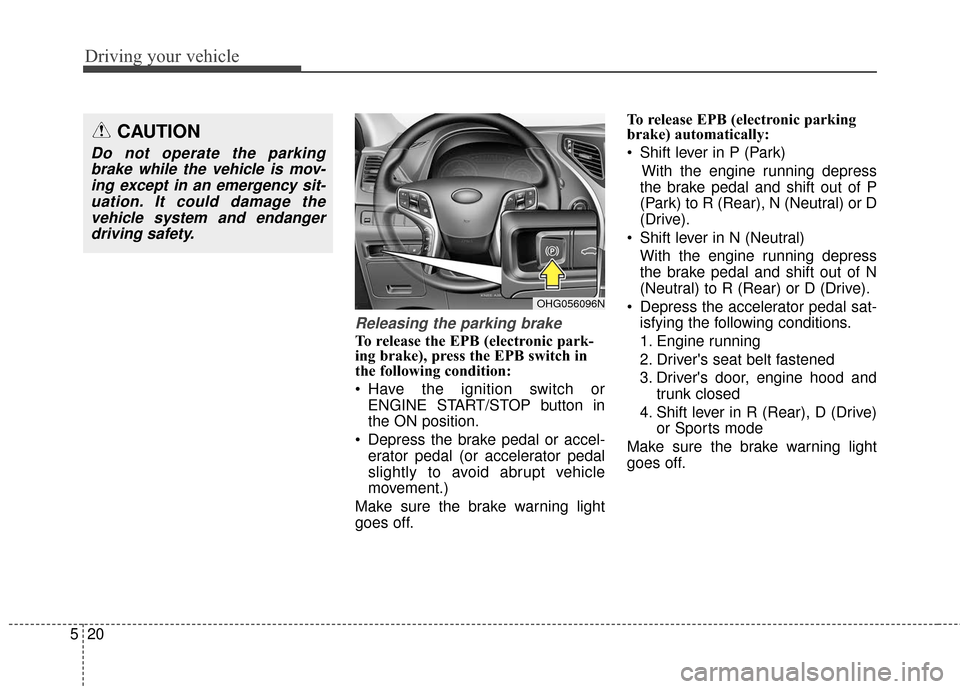
Releasing the parking brake
To release the EPB (electronic park-
ing brake), press the EPB switch in
the following condition:
Have the ignition switch or
ENGINE START/STOP button in
the ON position.
Depress the brake pedal or accel- erator pedal (or accelerator pedal
slightly to avoid abrupt vehicle
movement.)
Make sure the brake warning light
goes off. To release EPB (electronic parking
brake) automatically:
Shift lever in P (Park)
With the engine running depress
the brake pedal and shift out of P
(Park) to R (Rear), N (Neutral) or D
(Drive).
Shift lever in N (Neutral) With the engine running depress
the brake pedal and shift out of N
(Neutral) to R (Rear) or D (Drive).
Depress the accelerator pedal sat- isfying the following conditions.
1. Engine running
2. Driver's seat belt fastened
3. Driver's door, engine hood and trunk closed
4. Shift lever in R (Rear), D (Drive) or Sports mode
Make sure the brake warning light
goes off.
CAUTION
Do not operate the parking brake while the vehicle is mov-ing except in an emergency sit-uation. It could damage thevehicle system and endangerdriving safety.
OHG056096N
Page 325 of 520
521
Driving your vehicle
✽
✽NOTICE
• For your safety, you can engage
the EPB even though the ignition
switch or ENGINE STOP/START
button is in the OFF position, but
you cannot release it.
• For your safety, depress the brake pedal and release the parking
brake manually with the EPB
switch when you drive downhill or
when backing up the vehicle.
When the EPB (Electronic Parking
Brake) does not release:
We recommend that you contact an
authorized HYUNDAI dealer by load-
ing the vehicle on a flatbed tow truck
and have the system checked.
EPB (Electronic Parking Brake) may
be automatically applied when:
The rear brake is overheated
Requested by other systems
The engine is turned off with the
EPB applied
✽ ✽ NOTICE
If the driver turns the engine off
while Auto Hold is operating, EPB
will be automatically applied.
However, if you press the EPB
switch for about one second within 3
seconds after the engine is turned
off, the EPB will not be applied.
Warning messages
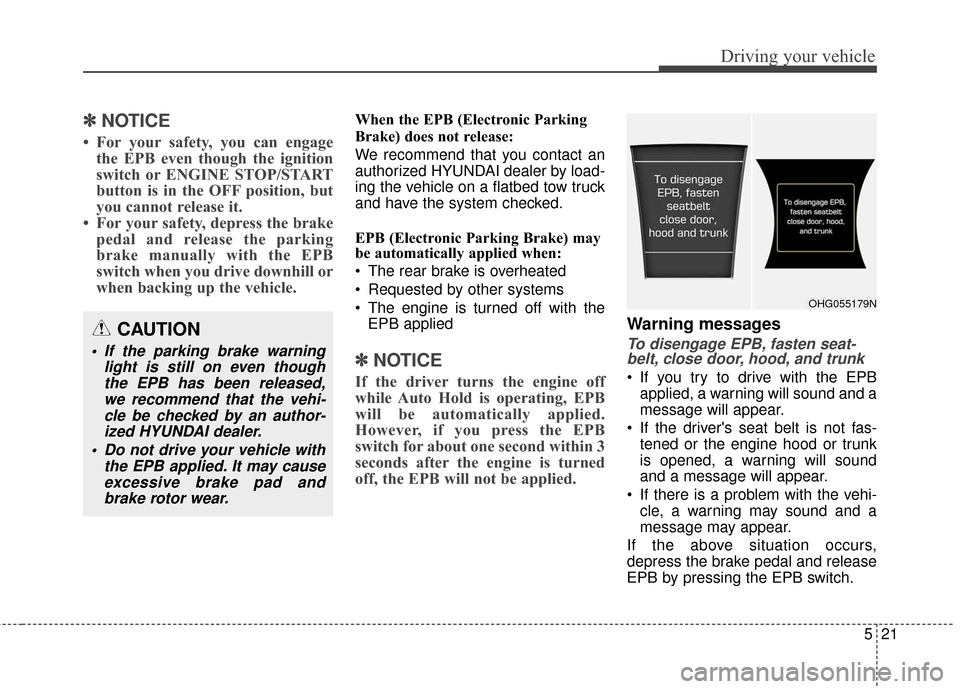
To disengage EPB, fasten seat-
belt, close door, hood, and trunk
If you try to drive with the EPB
applied, a warning will sound and a
message will appear.
If the driver's seat belt is not fas- tened or the engine hood or trunk
is opened, a warning will sound
and a message will appear.
If there is a problem with the vehi- cle, a warning may sound and a
message may appear.
If the above situation occurs,
depress the brake pedal and release
EPB by pressing the EPB switch.
CAUTION
If the parking brake warning light is still on even thoughthe EPB has been released,we recommend that the vehi-cle be checked by an author-ized HYUNDAI dealer.
Do not drive your vehicle with the EPB applied. It may causeexcessive brake pad andbrake rotor wear.
OHG055179N
Page 329 of 520
525
Driving your vehicle
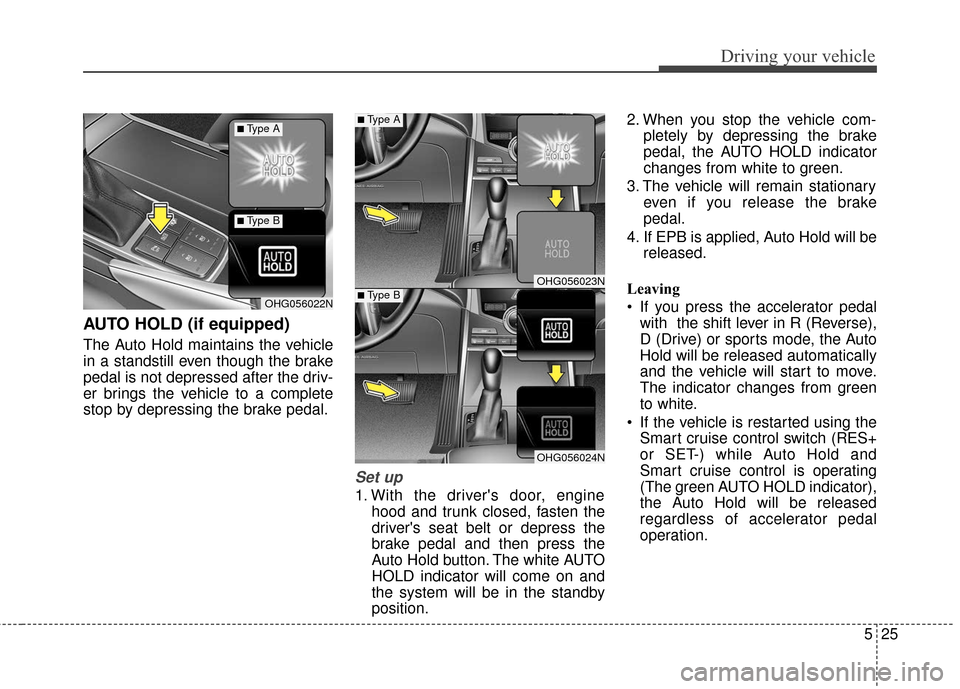
AUTO HOLD (if equipped)
The Auto Hold maintains the vehicle
in a standstill even though the brake
pedal is not depressed after the driv-
er brings the vehicle to a complete
stop by depressing the brake pedal.
Set up
1. With the driver's door, enginehood and trunk closed, fasten the
driver's seat belt or depress the
brake pedal and then press the
Auto Hold button. The white AUTO
HOLD indicator will come on and
the system will be in the standby
position. 2. When you stop the vehicle com-
pletely by depressing the brake
pedal, the AUTO HOLD indicator
changes from white to green.
3. The vehicle will remain stationary even if you release the brake
pedal.
4. If EPB is applied, Auto Hold will be released.
Leaving
If you press the accelerator pedal with the shift lever in R (Reverse),
D (Drive) or sports mode, the Auto
Hold will be released automatically
and the vehicle will start to move.
The indicator changes from green
to white.
If the vehicle is restarted using the Smart cruise control switch (RES+
or SET-) while Auto Hold and
Smart cruise control is operating
(The green AUTO HOLD indicator),
the Auto Hold will be released
regardless of accelerator pedal
operation.
OHG056023N
OHG056024N
OHG056022N
■Type A
■Type B
■Type A
■Type B
Page 330 of 520
Driving your vehicle
26
5
Cancel
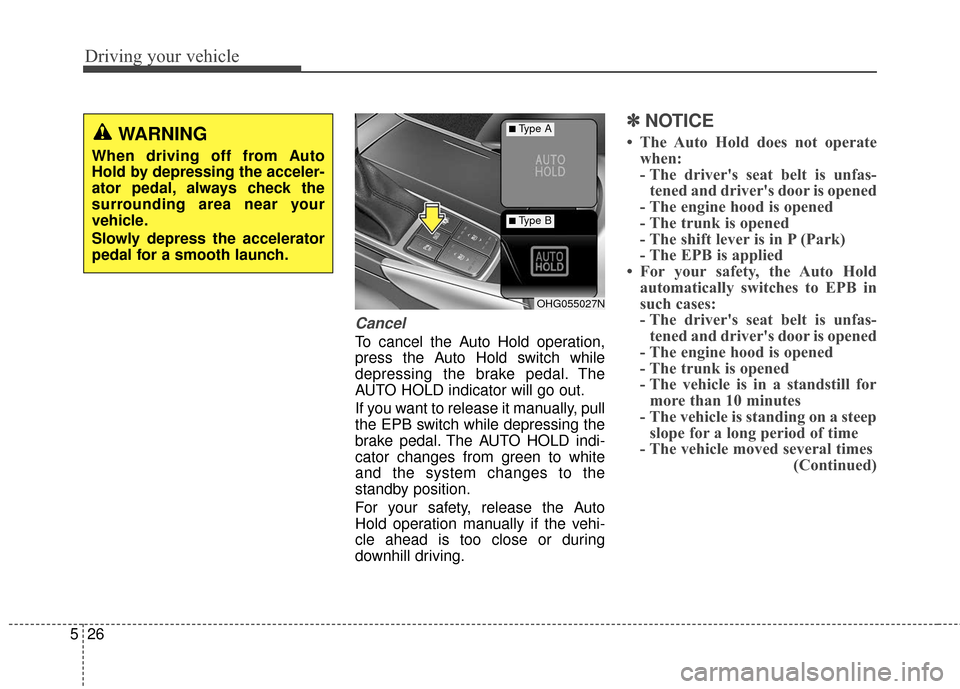
To cancel the Auto Hold operation,
press the Auto Hold switch while
depressing the brake pedal. The
AUTO HOLD indicator will go out.
If you want to release it manually, pull
the EPB switch while depressing the
brake pedal. The AUTO HOLD indi-
cator changes from green to white
and the system changes to the
standby position.
For your safety, release the Auto
Hold operation manually if the vehi-
cle ahead is too close or during
downhill driving.
✽ ✽
NOTICE
• The Auto Hold does not operate
when:
- The driver's seat belt is unfas-tened and driver's door is opened
- The engine hood is opened
- The trunk is opened
- The shift lever is in P (Park)
- The EPB is applied
• For your safety, the Auto Hold automatically switches to EPB in
such cases:
- The driver's seat belt is unfas-tened and driver's door is opened
- The engine hood is opened
- The trunk is opened
- The vehicle is in a standstill for more than 10 minutes
- The vehicle is standing on a steep slope for a long period of time
- The vehicle moved several times (Continued)
OHG055027N
■Type A
■Type B
WARNING
When driving off from Auto
Hold by depressing the acceler-
ator pedal, always check the
surrounding area near your
vehicle.
Slowly depress the accelerator
pedal for a smooth launch.
Page 331 of 520
527
Driving your vehicle
(Continued)In these cases, the brake warning
light comes on, the AUTO HOLD
indicator changes from green to
white, and a warning sounds and a
message will appear to inform you
that EPB has been automatically
engaged. Before driving off again,
press foot brake pedal, check the
surrounding area near your vehi-
cle and release parking brake
manually with the EPB switch.
• If the AUTO HOLD indicator changes to yellow, the Auto Hold
is not working properly. We rec-
ommend that you contact an
authorized HYUNDAI dealer.
• While operating Auto Hold, you may hear mechanical noise.
However, it is normal operating
noise.
Warning messages
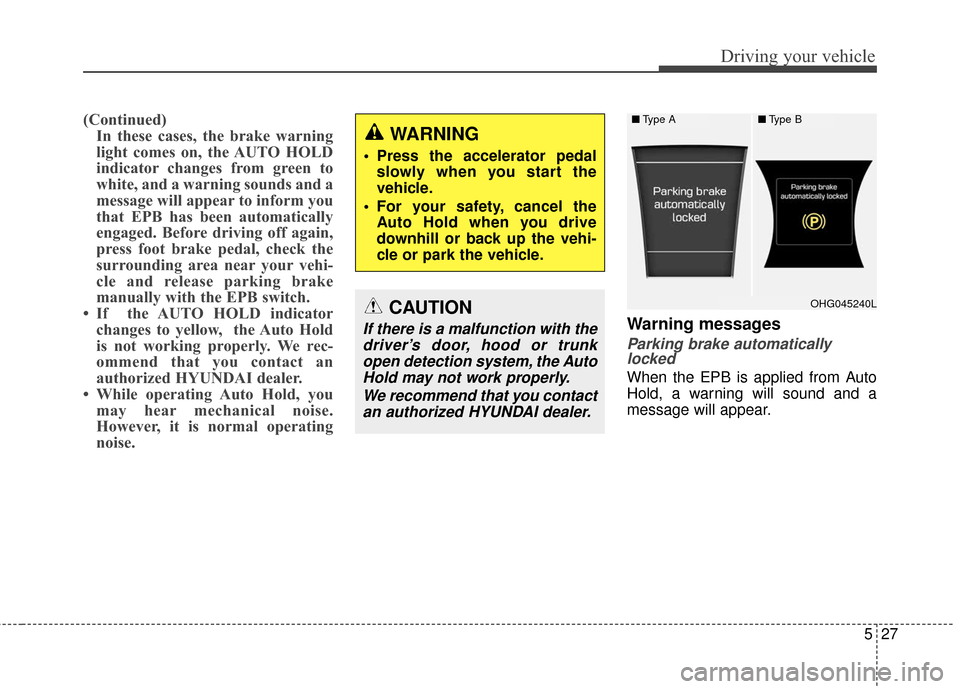
Parking brake automaticallylocked
When the EPB is applied from Auto
Hold, a warning will sound and a
message will appear.
■ Type A■Type B
OHG045240L
WARNING
Press the accelerator pedal
slowly when you start the
vehicle.
For your safety, cancel the Auto Hold when you drive
downhill or back up the vehi-
cle or park the vehicle.
CAUTION
If there is a malfunction with thedriver’s door, hood or trunkopen detection system, the AutoHold may not work properly.
We recommend that you contactan authorized HYUNDAI dealer.
Page 357 of 520
553
Driving your vehicle
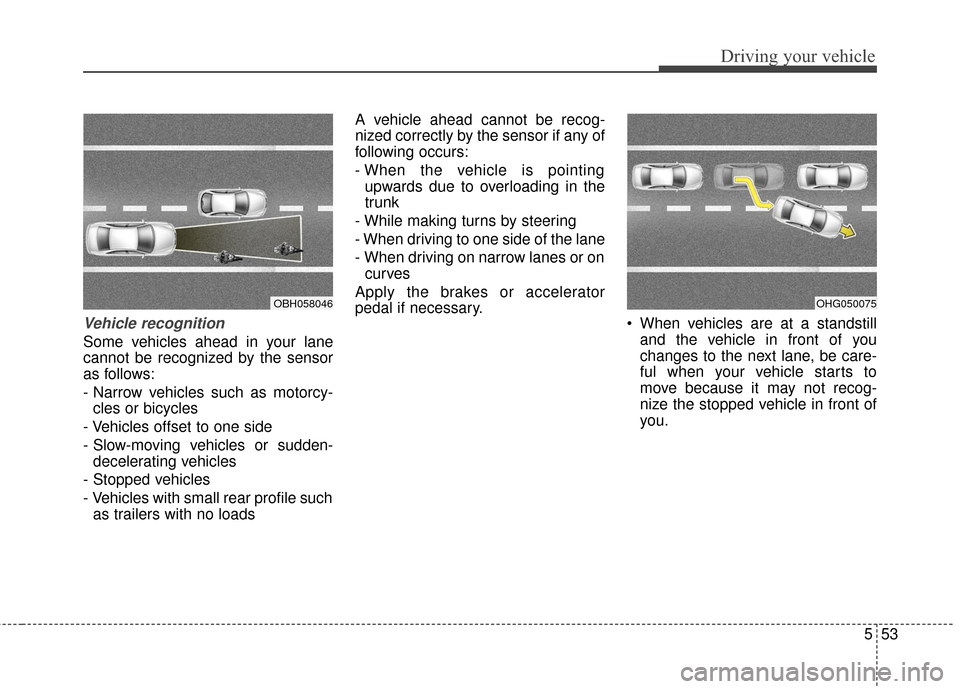
Vehicle recognition
Some vehicles ahead in your lane
cannot be recognized by the sensor
as follows:
- Narrow vehicles such as motorcy-cles or bicycles
- Vehicles offset to one side
- Slow-moving vehicles or sudden- decelerating vehicles
- Stopped vehicles
- Vehicles with small rear profile such as trailers with no loads A vehicle ahead cannot be recog-
nized correctly by the sensor if any of
following occurs:
- When the vehicle is pointing
upwards due to overloading in the
trunk
- While making turns by steering
- When driving to one side of the lane
- When driving on narrow lanes or on curves
Apply the brakes or accelerator
pedal if necessary. When vehicles are at a standstill
and the vehicle in front of you
changes to the next lane, be care-
ful when your vehicle starts to
move because it may not recog-
nize the stopped vehicle in front of
you.
OBH058046OHG050075
Page 367 of 520
563
Driving your vehicle
Non-operating condition
Outside rearview mirror may not
alert the driver when:
- The outside rearview mirror hous-ing is damaged or covered with
debris.
- The window is covered with debris.
- The windows are severely tinted.DRIVER'S ATTENTION
The driver must be cautious in the
below situations for the system
may not detect other vehicles or
objects in certain circumstances.
- Curved roads, tollgates, etc.
- The surrounding of the sensor is polluted with rain, snow, mud,
etc
- The rear bumper near the sensor is covered or hidden with a for-
eign matter such as a sticker,
bumper guard, bicycle stand etc.
- The rear bumper is damaged or the sensor is out of place.
- The height of the vehicle is altered such as when the trunk is
loaded with heavy objects, or
there is low tire pressure etc.
- Bad weather such as heavy rain or snow.
- A fixed object is near such as a guardrail, tunnel, human and ani-
mal etc.
- Metal substances are near the vehicles such as in a construc-
tion area.
(Continued)(Continued)
- A big vehicle is near such as a
bus or truck.
- A motorcycle or bicycle is near.
- A flat trailer is near.
- If the vehicle has started at the same time as the vehicle next to
you and has accelerated.
- When the other vehicle passes by at a higher rate of speed.
- When changing lanes.
- When going down or up a steep road where the height of the lane
is different.
- When the other vehicle drives very close.
- When a trailer or carrier is installed.
- When the temperature near the rear bumper is high or low.
- When the sensors are covered by a wall or a pillar of a parking
lot.
- When your vehicle is backing up, if the detected vehicle also backs
up.
(Continued)