warning light Hyundai Azera 2017 Workshop Manual
[x] Cancel search | Manufacturer: HYUNDAI, Model Year: 2017, Model line: Azera, Model: Hyundai Azera 2017Pages: 520, PDF Size: 16.33 MB
Page 190 of 520
4111
Features of your vehicle
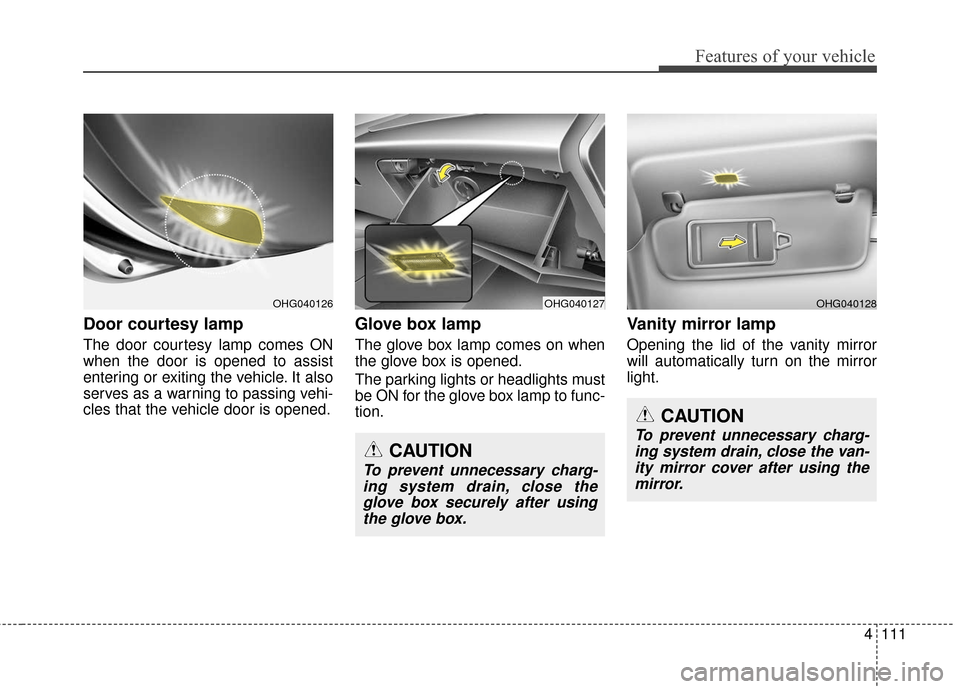
Door courtesy lamp
The door courtesy lamp comes ON
when the door is opened to assist
entering or exiting the vehicle. It also
serves as a warning to passing vehi-
cles that the vehicle door is opened.
Glove box lamp
The glove box lamp comes on when
the glove box is opened.
The parking lights or headlights must
be ON for the glove box lamp to func-
tion.
Vanity mirror lamp
Opening the lid of the vanity mirror
will automatically turn on the mirror
light.
OHG040127OHG040128OHG040126
CAUTION
To prevent unnecessary charg-ing system drain, close theglove box securely after usingthe glove box.
CAUTION
To prevent unnecessary charg-ing system drain, close the van-ity mirror cover after using themirror.
Page 217 of 520
Features of your vehicle
138
4
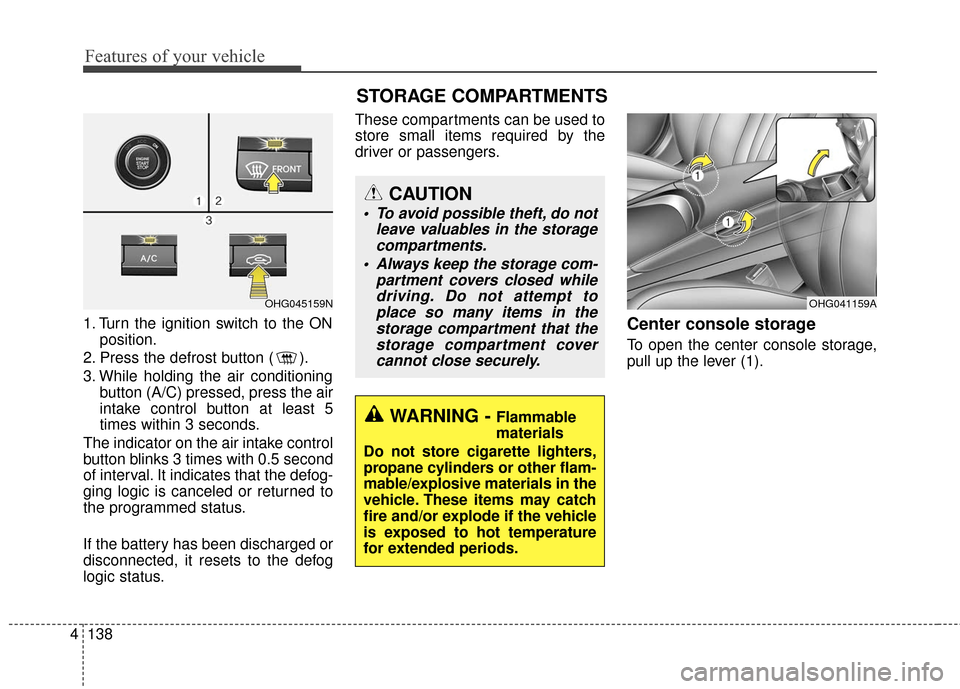
1. Turn the ignition switch to the ON
position.
2. Press the defrost button ( ).
3. While holding the air conditioning button (A/C) pressed, press the air
intake control button at least 5
times within 3 seconds.
The indicator on the air intake control
button blinks 3 times with 0.5 second
of interval. It indicates that the defog-
ging logic is canceled or returned to
the programmed status.
If the battery has been discharged or
disconnected, it resets to the defog
logic status. These compartments can be used to
store small items required by the
driver or passengers.Center console storage
To open the center console storage,
pull up the lever (1).
OHG041159A
WARNING - Flammable
materials
Do not store cigarette lighters,
propane cylinders or other flam-
mable/explosive materials in the
vehicle. These items may catch
fire and/or explode if the vehicle
is exposed to hot temperature
for extended periods.
CAUTION
To avoid possible theft, do not leave valuables in the storagecompartments.
Always keep the storage com- partment covers closed whiledriving. Do not attempt toplace so many items in thestorage compartment that thestorage compartment covercannot close securely.
OHG045159N
STORAGE COMPARTMENTS
Page 219 of 520
Features of your vehicle
140
4
INTERIOR FEATURES
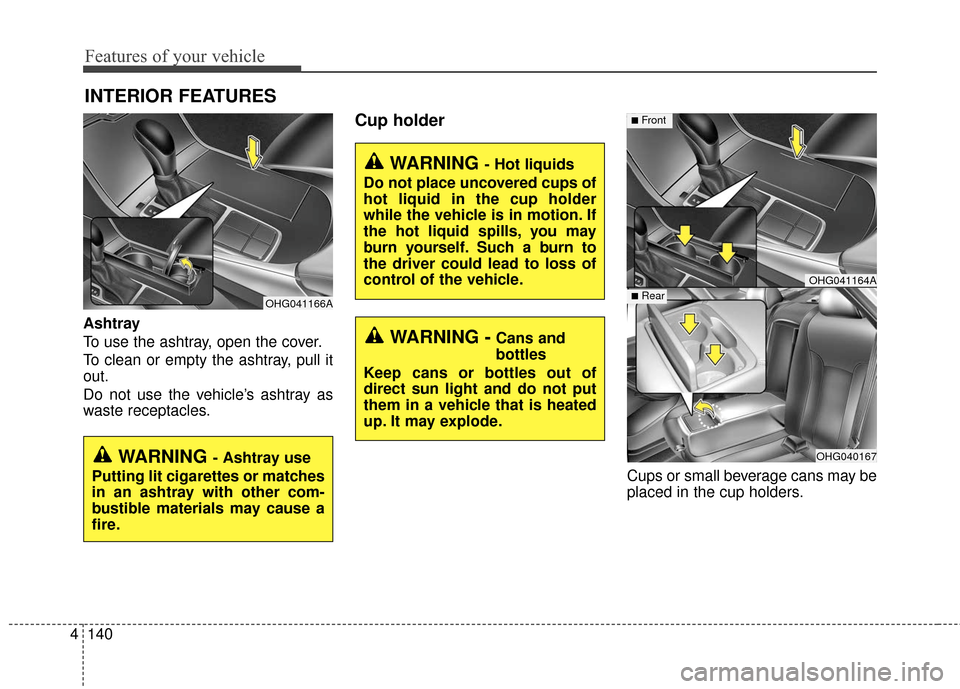
Ashtray
To use the ashtray, open the cover.
To clean or empty the ashtray, pull it
out.
Do not use the vehicle’s ashtray as
waste receptacles.
Cup holder
Cups or small beverage cans may be
placed in the cup holders.
OHG041164A
OHG040167
■Front
■Rear
WARNING - Hot liquids
Do not place uncovered cups of
hot liquid in the cup holder
while the vehicle is in motion. If
the hot liquid spills, you may
burn yourself. Such a burn to
the driver could lead to loss of
control of the vehicle.
WARNING -Cans and
bottles
Keep cans or bottles out of
direct sun light and do not put
them in a vehicle that is heated
up. It may explode.
OHG041166A
WARNING - Ashtray use
Putting lit cigarettes or matches
in an ashtray with other com-
bustible materials may cause a
fire.
Page 232 of 520
CAUTION
Operating the device whiledriving could lead to acci-dents due to a lack of atten-tion to external surroundings.First park the vehicle beforeoperating the device.
Adjust the volume to levels that allow the driver to hearsounds from outside of thevehicle. Driving in a statewhere external sounds cannotbe heard may lead to acci-dents.
Pay attention to the volume setting when turning thedevice on. A sudden output ofextreme volume upon turningthe device on could lead tohearing impairment. (Adjustthe volume to a suitable levelsbefore turning off the device.)
(Continued)
WARNING
Do not stare at the screenwhile driving. Staring at the
screen for prolonged periods
of time could lead to traffic
accidents.
Do not disassemble, assem- ble, or modify the audio sys-
tem. Such acts could result in
accidents, fire, or electric
shock.
Using the phone while driving may lead to a lack of attention
of traffic conditions and
increase the likelihood of
accidents. Use the phone
feature after parking the vehi-
cle.
Heed caution not to spill water or introduce foreign objects
into the device. Such acts
could lead to smoke, fire, or
product malfunction.
(Continued)
(Continued)
Please refrain from use if thescreen is blank or no sound
can be heard as these signs
may indicate product mal-
function. Continued use in
such conditions could lead to
accidents(fires, electric
shock) or product malfunc-
tions.
Do not touch the antenna dur- ing thunder or lightening as
such acts may lead to light-
ning induced electric shock.
Do not stop or park in park- ing-restricted areas to operate
the product. Such acts could
lead to traffic accidents.
Use the system with the vehi- cle ignition turned on.
Prolonged use with the igni-
tion turned off could result in
battery discharge.
Features of your vehicle
153
4
Page 307 of 520
53
Driving your vehicle
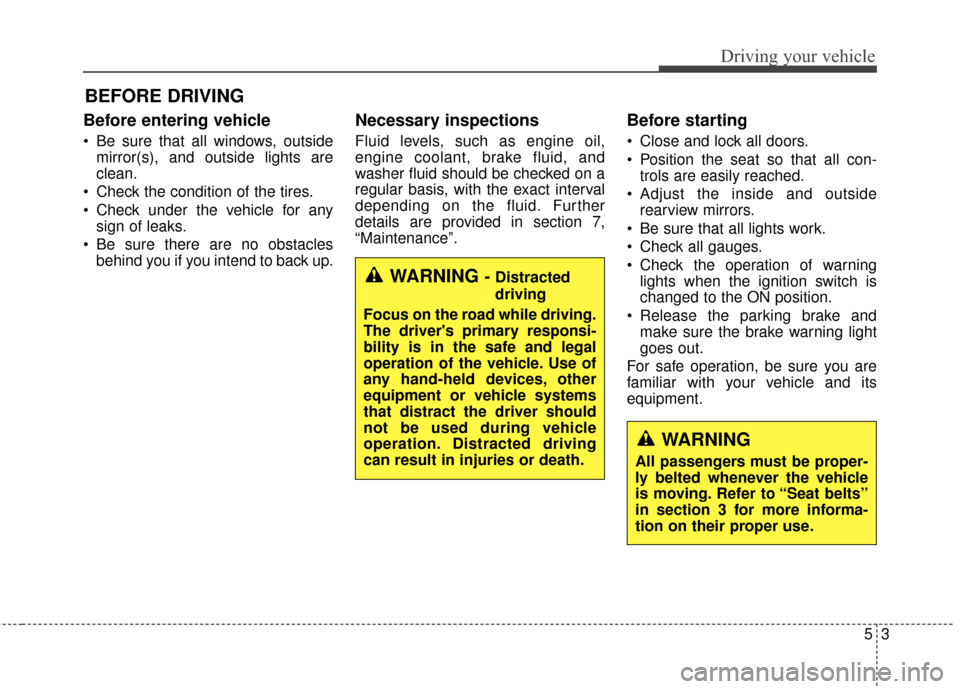
Before entering vehicle
• Be sure that all windows, outsidemirror(s), and outside lights are
clean.
Check the condition of the tires.
Check under the vehicle for any sign of leaks.
Be sure there are no obstacles behind you if you intend to back up.
Necessary inspections
Fluid levels, such as engine oil,
engine coolant, brake fluid, and
washer fluid should be checked on a
regular basis, with the exact interval
depending on the fluid. Further
details are provided in section 7,
“Maintenance”.
Before starting
Close and lock all doors.
Position the seat so that all con-trols are easily reached.
Adjust the inside and outside rearview mirrors.
Be sure that all lights work.
Check all gauges.
Check the operation of warning lights when the ignition switch is
changed to the ON position.
Release the parking brake and make sure the brake warning light
goes out.
For safe operation, be sure you are
familiar with your vehicle and its
equipment.
BEFORE DRIVING
WARNING - Distracted
driving
Focus on the road while driving.
The driver's primary responsi-
bility is in the safe and legal
operation of the vehicle. Use of
any hand-held devices, other
equipment or vehicle systems
that distract the driver should
not be used during vehicle
operation. Distracted driving
can result in injuries or death.
WARNING
All passengers must be proper-
ly belted whenever the vehicle
is moving. Refer to “Seat belts”
in section 3 for more informa-
tion on their proper use.
Page 310 of 520
Driving your vehicle
65
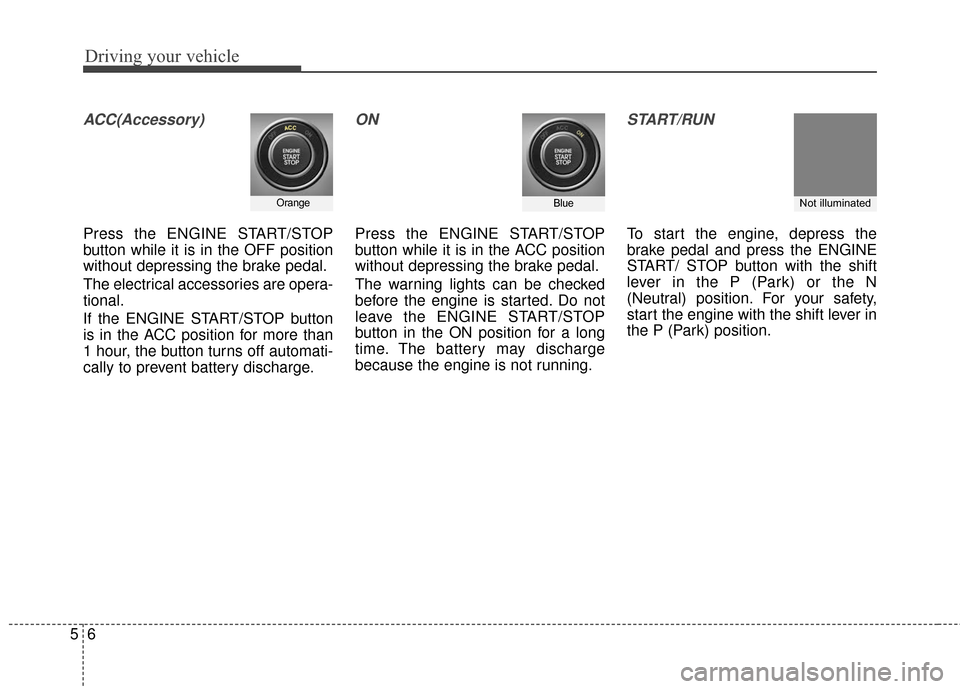
ACC(Accessory)
Press the ENGINE START/STOP
button while it is in the OFF position
without depressing the brake pedal.
The electrical accessories are opera-
tional.
If the ENGINE START/STOP button
is in the ACC position for more than
1 hour, the button turns off automati-
cally to prevent battery discharge.
ON
Press the ENGINE START/STOP
button while it is in the ACC position
without depressing the brake pedal.
The warning lights can be checked
before the engine is started. Do not
leave the ENGINE START/STOP
button in the ON position for a long
time. The battery may discharge
because the engine is not running.
START/RUN
To start the engine, depress the
brake pedal and press the ENGINE
START/ STOP button with the shift
lever in the P (Park) or the N
(Neutral) position. For your safety,
start the engine with the shift lever in
the P (Park) position.
OrangeBlueNot illuminated
Page 320 of 520
Driving your vehicle
16
5
BRAKE SYSTEM
Power brakes
Your vehicle has power-assisted
brakes that adjust automatically
through normal usage.
In the event that the power-assisted
brakes lose power because of a stalled
engine or some other reason, you can
still stop your vehicle by applying
greater force to the brake pedal than
you normally would. The stopping dis-
tance, however, will be longer.
When the engine is not running, the
reserve brake power is partially
depleted each time the brake pedal
is applied. Do not pump the brake
pedal when the power assist has
been interrupted.
Pump the brake pedal only when
necessary to maintain steering con-
trol on slippery surfaces. Wet brakes may impair the vehicle’s
ability to safely slow down; the vehi-
cle may also pull to one side when
the brakes are applied. Applying the
brakes lightly will indicate whether
they have been affected in this way.
To dry the brakes, apply them lightly
while maintaining a safe forward
speed until brake performance returns
to normal.CAUTION - Brake pedal
Do not drive with your foot rest-
ing on the brake pedal. This willcreate abnormally high braketemperatures which can causeexcessive brake lining and padwear.
WARNING - Steep hill
braking
Avoid continuous application of
the brakes when descending a
long or steep hill by shifting to a
lower gear. Continuous brake
application will cause the
brakes to overheat and could
result in a temporary loss of
braking performance. Not hav-
ing braking power could result
in an accident and serious
injuries or death.
Page 321 of 520
517
Driving your vehicle
In the event of brake failure
If service brakes fail to operate while
the vehicle is in motion, you can
make an emergency stop with the
parking brake. The stopping dis-
tance, however, will be much greater
than normal.
Disc brakes wear indicator
When your brake pads are worn and
new pads are required, you may hear
a high-pitched warning sound from
your front brakes or rear brakes. You
may hear this sound come and go or
it may occur whenever you depress
the brake pedal.
Please remember that some driving
conditions or climates may cause a
brake squeal when you first apply (or
lightly apply) the brakes. This is nor-
mal and does not indicate a problem
with your brakes.
Always replace the front or rear
brake pads as pairs.
WARNING - Parking brake
Avoid applying the parking
brake to stop the vehicle while it
is moving except in an emer-
gency situation. Applying the
parking brake while the vehicle
is moving at normal speeds can
cause a sudden loss of control
of the vehicle. If you must use
the parking brake to stop the
vehicle, use great caution in
applying the brake.
CAUTION - Replace brake
pads
Do not continue to drive with worn brake pads. Continuing todrive with worn brake pads candamage the braking system andresult in costly brake repairs.
WARNING - Brake wear
Do not ignore high pitch wear
sounds from your brakes. If you
ignore this audible warning, you
will eventually lose braking per-
formance, which could lead to a
serious accident.
Page 323 of 520
519
Driving your vehicle
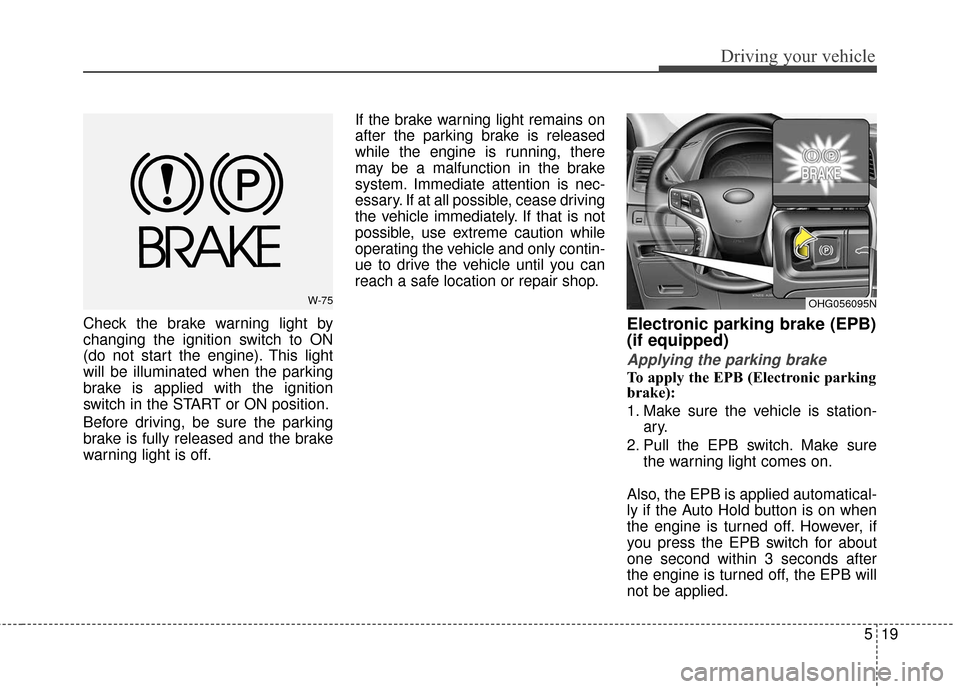
Check the brake warning light by
changing the ignition switch to ON
(do not start the engine). This light
will be illuminated when the parking
brake is applied with the ignition
switch in the START or ON position.
Before driving, be sure the parking
brake is fully released and the brake
warning light is off.If the brake warning light remains on
after the parking brake is released
while the engine is running, there
may be a malfunction in the brake
system. Immediate attention is nec-
essary. If at all possible, cease driving
the vehicle immediately. If that is not
possible, use extreme caution while
operating the vehicle and only contin-
ue to drive the vehicle until you can
reach a safe location or repair shop.Electronic parking brake (EPB)
(if equipped)
Applying the parking brake
To apply the EPB (Electronic parking
brake):
1. Make sure the vehicle is station-
ary.
2. Pull the EPB switch. Make sure the warning light comes on.
Also, the EPB is applied automatical-
ly if the Auto Hold button is on when
the engine is turned off. However, if
you press the EPB switch for about
one second within 3 seconds after
the engine is turned off, the EPB will
not be applied.
W-75OHG056095N
Page 324 of 520
Driving your vehicle
20
5
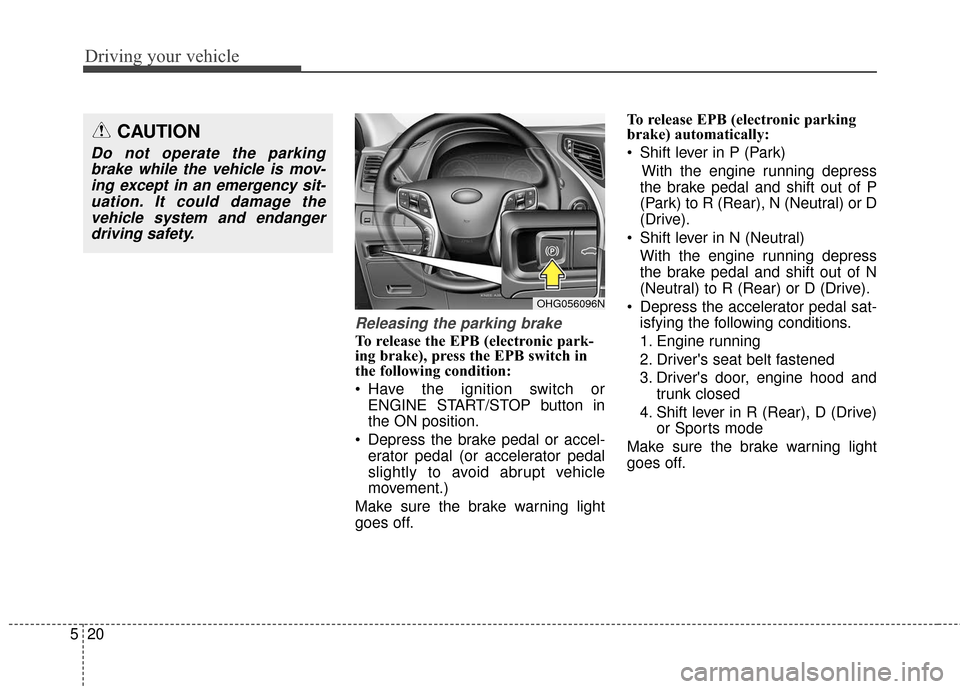
Releasing the parking brake
To release the EPB (electronic park-
ing brake), press the EPB switch in
the following condition:
Have the ignition switch or
ENGINE START/STOP button in
the ON position.
Depress the brake pedal or accel- erator pedal (or accelerator pedal
slightly to avoid abrupt vehicle
movement.)
Make sure the brake warning light
goes off. To release EPB (electronic parking
brake) automatically:
Shift lever in P (Park)
With the engine running depress
the brake pedal and shift out of P
(Park) to R (Rear), N (Neutral) or D
(Drive).
Shift lever in N (Neutral) With the engine running depress
the brake pedal and shift out of N
(Neutral) to R (Rear) or D (Drive).
Depress the accelerator pedal sat- isfying the following conditions.
1. Engine running
2. Driver's seat belt fastened
3. Driver's door, engine hood and trunk closed
4. Shift lever in R (Rear), D (Drive) or Sports mode
Make sure the brake warning light
goes off.
CAUTION
Do not operate the parking brake while the vehicle is mov-ing except in an emergency sit-uation. It could damage thevehicle system and endangerdriving safety.
OHG056096N