fog light Hyundai Azera 2017 Owner's Manual
[x] Cancel search | Manufacturer: HYUNDAI, Model Year: 2017, Model line: Azera, Model: Hyundai Azera 2017Pages: 520, PDF Size: 16.33 MB
Page 15 of 520
Your vehicle at a glance
22
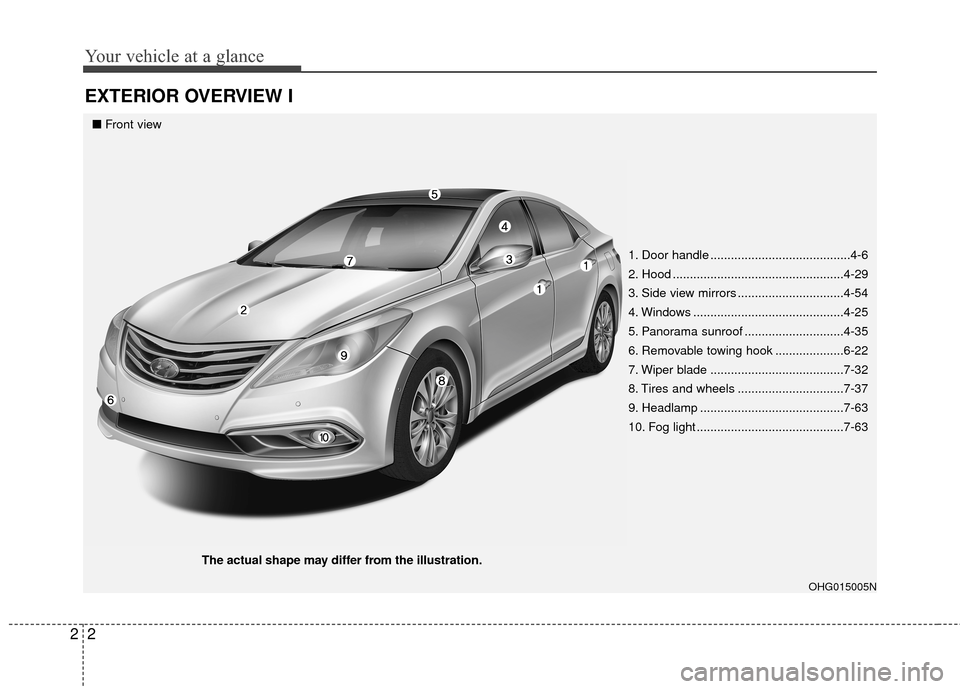
EXTERIOR OVERVIEW I
OHG015005N
■Front view
The actual shape may differ from the illustration. 1. Door handle .........................................4-6
2. Hood ..................................................4-29
3. Side view mirrors ...............................4-54
4. Windows ............................................4-25
5. Panorama sunroof .............................4-35
6. Removable towing hook ....................6-22
7. Wiper blade .......................................7-32
8. Tires and wheels ...............................7-37
9. Headlamp ..........................................7-63
10. Fog light ...........................................7-63
Page 81 of 520
. . . . . . . . . . . . . . . . . . . . . . . . 4-103
. . . . . . . . . . . . . . . . . . . . . . . . . . . 4-104
. . . . . . . . . . . 4-105
. . . . . . . . . . . . . . . . . . . . . . . . . . . . . . 4-106
Windshield wiper/washer . . . . . . . . . . . . . . . . . . 4-107
Interior light . . . . . . . . . . . . . . . . . . . . . . . . . . . . . 4-109
. . . . . . . . . . . . . . . . . . . . . . . . . . . . . . . . . 4-110
. . . . . . . . . . . . . . . . . . . . . . . . . . . 4-110
. . . . . . . . . . . . . . . . . . . . . . . . . . 4-111
. . . . . . . . . . . . . . . . . . . . . . . . . . . . . 4-111
. . . . . . . . . . . . . . . . . . . . . . . . . . 4-111
Defroster . . . . . . . . . . . . . . . . . . . . . . . . . . . . . . . . 4-112
Automatic climate control system (Type A) . . . . 4-113
Automatic climate control system (Type B) . . . . 4-124
Windshield defrosting and defogging . . . . . . . . . 4-136
Storage compartments . . . . . . . . . . . . . . . . . . . . . 4-138
. . . . . . . . . . . . . . . . . . . . . . . 4-138
. . . . . . . . . . . . . . . . . . . . . . . . . . . . . . . . . . 4-13\
9
. . . . . . . . . . . . . . . . . . . . . . . . . . . . . 4-139
Interior features . . . . . . . . . . . . . . . . . . . . . . . . . . 4-140
. . . . . . . . . . . . . . . . . . . . . . . . . . . . . . . . . . . . \
4-140
. . . . . . . . . . . . . . . . . . . . . . . . . . . . . . . . . 4-140
. . . . . . . . . . . . . . . . . . . . . . . . . . . . . . . . . . . 4-\
141
. . . . . . . . . . . . . . . . . . . . . . . . . . . . . . . . 4-141
. . . . . . . . . . . . . . . . . . . . . . . . . . . . . . . . 4-142
. . . . . . . . . . . . . . . . . . . . . . . . . . . . . . 4-143
. . . . . . . . . . . . . . . . . . . . . . . . . . . . . . . . 4-144
. . . . . . . . . . . . . . . . . . . . . . . . . . . . . . . . 4-145
Multimedia system . . . . . . . . . . . . . . . . . . . . . . . . 4-145
. . . . . . . . . . . . . . . . . . 4-146
. . . . . . . . . . . . . . . . . . . . . . . . . . . . . . . 4-147
Bluetooth
®Wireless Technology . . . . . . . . . . . . . . . . 4-147
. . . . . . . . . . . . . . . . . . . . . . . . . . . 4-147
USB and iPod
®port . . . . . . . . . . . . . . . . . . . . . 4-147
Page 157 of 520
Features of your vehicle
78
4
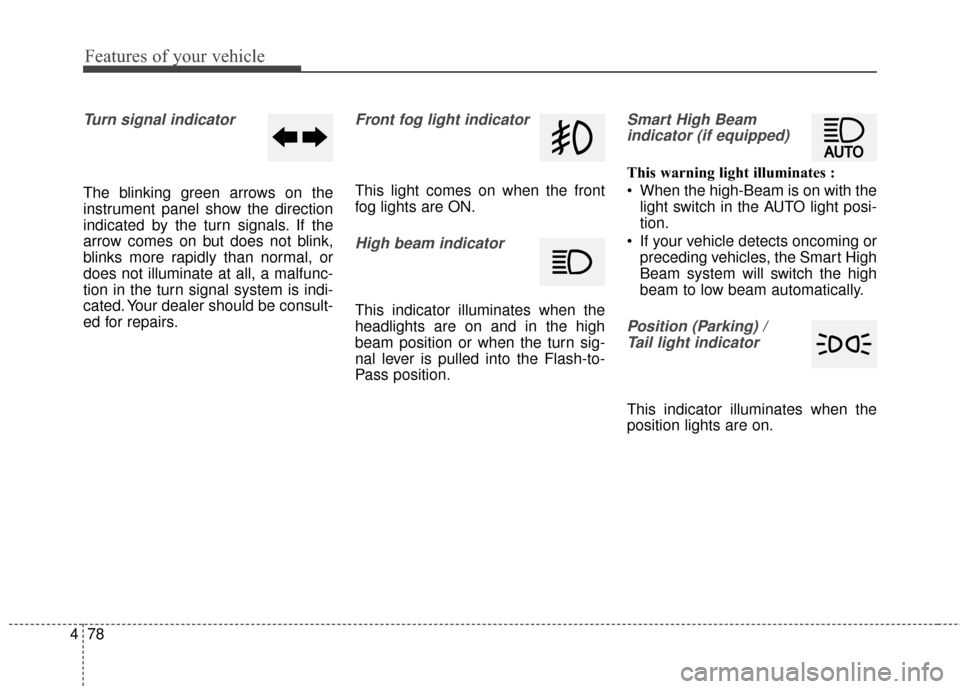
Turn signal indicator
The blinking green arrows on the
instrument panel show the direction
indicated by the turn signals. If the
arrow comes on but does not blink,
blinks more rapidly than normal, or
does not illuminate at all, a malfunc-
tion in the turn signal system is indi-
cated. Your dealer should be consult-
ed for repairs.
Front fog light indicator
This light comes on when the front
fog lights are ON.
High beam indicator
This indicator illuminates when the
headlights are on and in the high
beam position or when the turn sig-
nal lever is pulled into the Flash-to-
Pass position.
Smart High Beam
indicator (if equipped)
This warning light illuminates :
When the high-Beam is on with the light switch in the AUTO light posi-
tion.
If your vehicle detects oncoming or preceding vehicles, the Smart High
Beam system will switch the high
beam to low beam automatically.
Position (Parking) / Tail light indicator
This indicator illuminates when the
position lights are on.
Page 185 of 520
Features of your vehicle
106
4
One-touch turn signal
To activate the one-touch turn signal
move the turn signal lever slightly
and then release it. The lane change
signals will blink 3, 5 or 7 times.
You can activate or deactivate the
One-touch turn signal function or
choose the number of blinking (3, 5,
or 7) from the User Settings Mode on
the LCD display.
✽ ✽
NOTICE
If an indicator flash is abnormally
quick or slow, a bulb may be burned
out or have a poor electrical connec-
tion in the circuit.
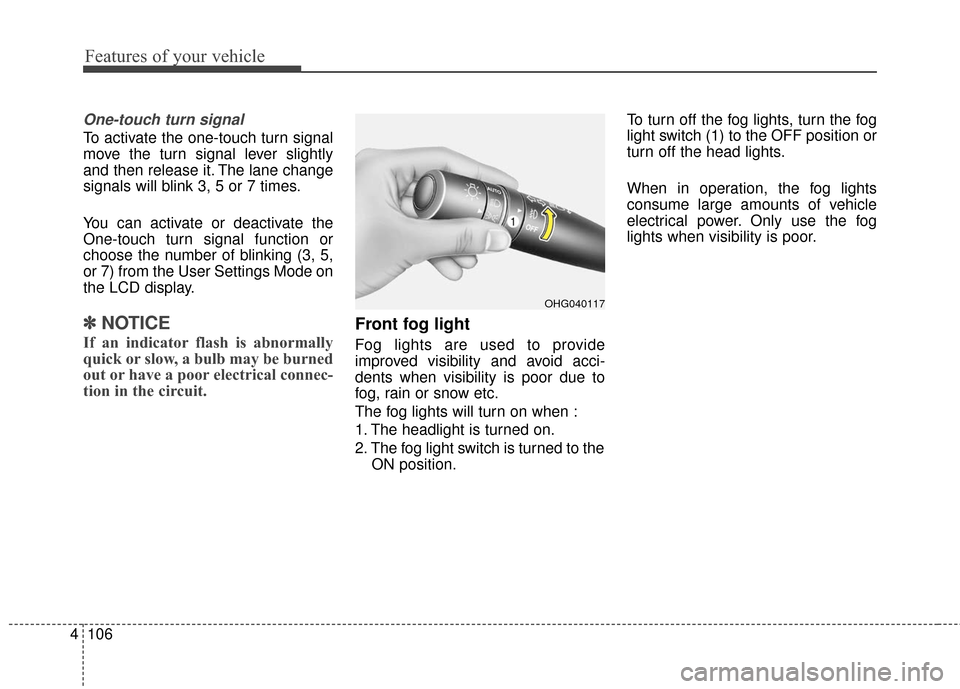
Front fog light
Fog lights are used to provide
improved visibility and avoid acci-
dents when visibility is poor due to
fog, rain or snow etc.
The fog lights will turn on when :
1. The headlight is turned on.
2. The fog light switch is turned to the
ON position. To turn off the fog lights, turn the fog
light switch (1) to the OFF position or
turn off the head lights.
When in operation, the fog lights
consume large amounts of vehicle
electrical power. Only use the fog
lights when visibility is poor.
OHG040117
Page 199 of 520
Features of your vehicle
120
4
It should be noted that prolonged
operation of the heating in recirculat-
ed air position will cause fogging of
the windshield and side windows and
the air within the passenger com-
partment will become stale.
In addition, prolonged use of the air
conditioning with the recirculated air
position selected, will result in exces-
sively dry air in the passenger com-
partment.
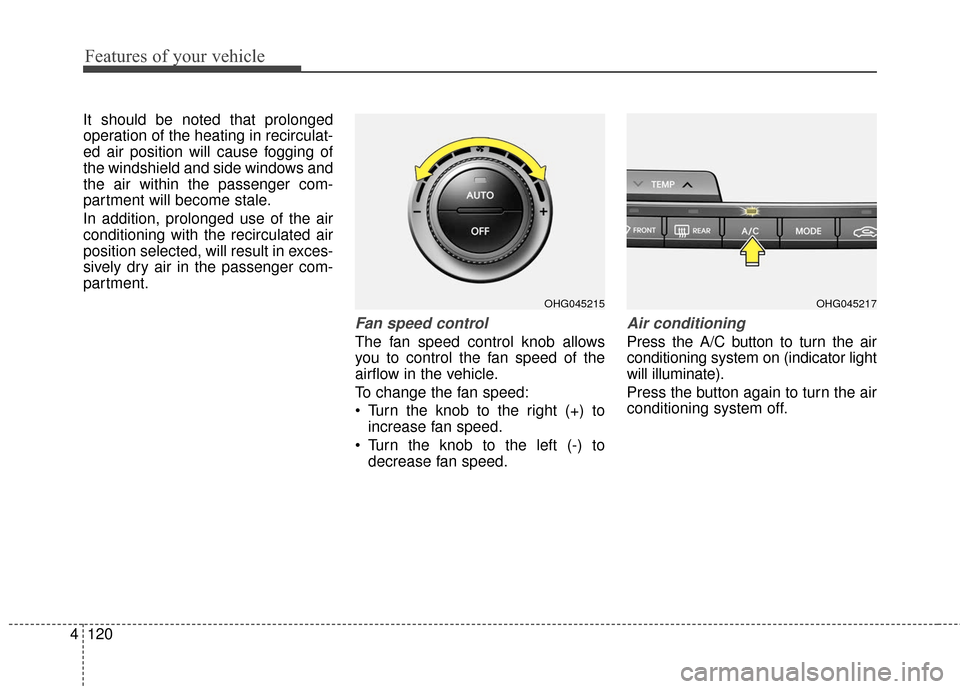
Fan speed control
The fan speed control knob allows
you to control the fan speed of the
airflow in the vehicle.
To change the fan speed:
Turn the knob to the right (+) to
increase fan speed.
Turn the knob to the left (-) to decrease fan speed.
Air conditioning
Press the A/C button to turn the air
conditioning system on (indicator light
will illuminate).
Press the button again to turn the air
conditioning system off.
OHG045217OHG045215
Page 210 of 520
4131
Features of your vehicle
It should be noted that prolonged
operation of the heating in recirculat-
ed air position will cause fogging of
the windshield and side windows and
the air within the passenger com-
partment will become stale.
In addition, prolonged use of the air
conditioning with the recirculated air
position selected, will result in exces-
sively dry air in the passenger com-
partment.
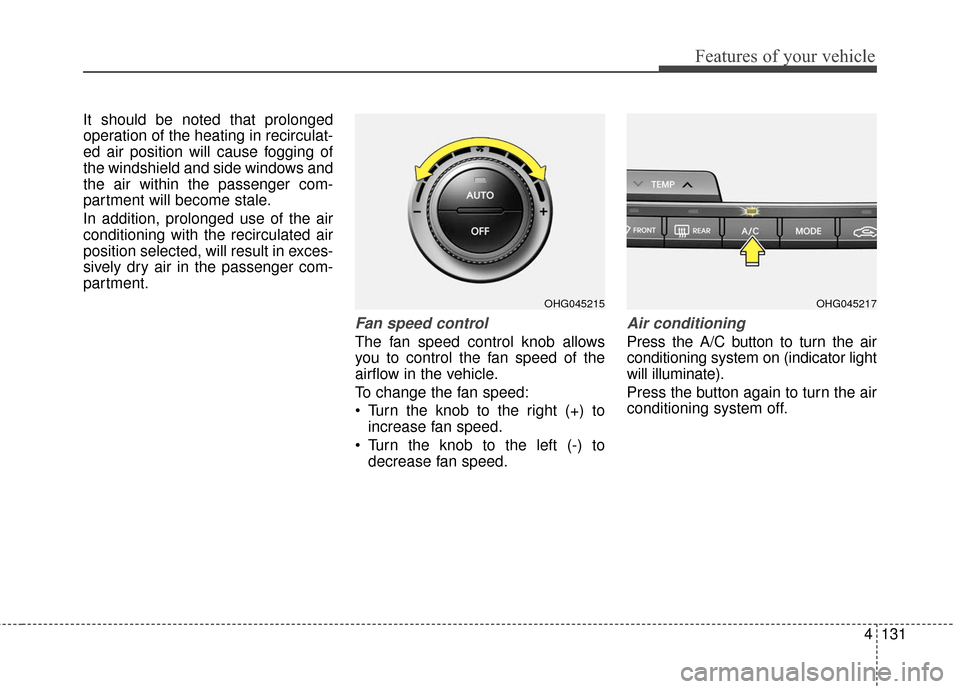
Fan speed control
The fan speed control knob allows
you to control the fan speed of the
airflow in the vehicle.
To change the fan speed:
Turn the knob to the right (+) toincrease fan speed.
Turn the knob to the left (-) to decrease fan speed.
Air conditioning
Press the A/C button to turn the air
conditioning system on (indicator light
will illuminate).
Press the button again to turn the air
conditioning system off.
OHG045217OHG045215
Page 212 of 520
4133
Features of your vehicle
Operation Tips
To keep dust or unpleasant fumesfrom entering the vehicle through
the ventilation system, temporarily
set the air intake control to the
recirculated air position. Be sure to
return the control to the fresh air
position when the irritation has
passed to keep fresh air in the
vehicle. This will help keep the driv-
er alert and comfortable.
Air for the heating/cooling system is drawn in through the grilles just
ahead of the windshield. Care
should be taken that these are not
blocked by leaves, snow, ice or
other obstructions.
To prevent interior fog on the wind- shield, set the air intake control to
the fresh air position and fan speed
to the desired position, turn on the
air conditioning system, and adjust
the temperature control to desired
temperature.Air conditioning
HYUNDAI Air Conditioning Systems
are filled with environmentally friendly
R-134a refrigerant.
1. Start the engine. Press the air con- ditioning button.
2. Set the mode to the position.
3. Set the air intake control to the out- side air or recirculated air position.
4. Adjust the fan speed control and temperature control to maintain
maximum comfort.
✽ ✽NOTICE- Excessive A/C
When using the air conditioning sys-
tem, monitor the engine coolant
closely while driving up hills or in
heavy traffic when outside tempera-
tures are high. Air conditioning sys-
tem operation may cause engine
overheating and potential engine
damage. Continue to use the blower
fan but turn the air conditioning
system off if the engine coolant tem-
perature gauge indicates engine
overheating.
Air conditioning system operation tips
If the vehicle has been parked in
direct sunlight during hot weather,
open the windows for a short time
to let the hot air inside the vehicle
escape.
To help reduce moisture inside of the windows on rainy or humid
days, decrease the humidity inside
the vehicle by operating the air
conditioning system.
During air conditioning system operation, you may occasionally
notice a slight change in engine
speed as the air conditioning com-
pressor cycles. This is a normal
system operation characteristic.
Use the air conditioning system every month only for a few minutes
to ensure maximum system per-
formance.
When using the air conditioning system, you may notice clear water
dripping (or even puddling) on the
ground under the passenger side
of the vehicle. This is a normal sys-
tem operation characteristic.
Page 217 of 520
Features of your vehicle
138
4
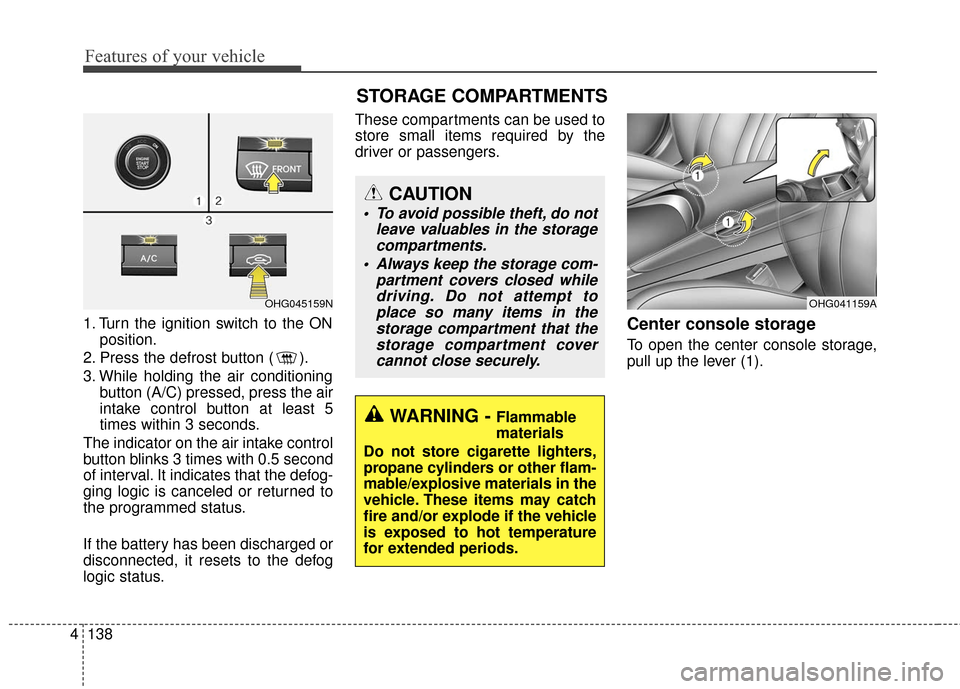
1. Turn the ignition switch to the ON
position.
2. Press the defrost button ( ).
3. While holding the air conditioning button (A/C) pressed, press the air
intake control button at least 5
times within 3 seconds.
The indicator on the air intake control
button blinks 3 times with 0.5 second
of interval. It indicates that the defog-
ging logic is canceled or returned to
the programmed status.
If the battery has been discharged or
disconnected, it resets to the defog
logic status. These compartments can be used to
store small items required by the
driver or passengers.Center console storage
To open the center console storage,
pull up the lever (1).
OHG041159A
WARNING - Flammable
materials
Do not store cigarette lighters,
propane cylinders or other flam-
mable/explosive materials in the
vehicle. These items may catch
fire and/or explode if the vehicle
is exposed to hot temperature
for extended periods.
CAUTION
To avoid possible theft, do not leave valuables in the storagecompartments.
Always keep the storage com- partment covers closed whiledriving. Do not attempt toplace so many items in thestorage compartment that thestorage compartment covercannot close securely.
OHG045159N
STORAGE COMPARTMENTS
Page 342 of 520
Driving your vehicle
38
5
CRUISE CONTROL SYSTEM
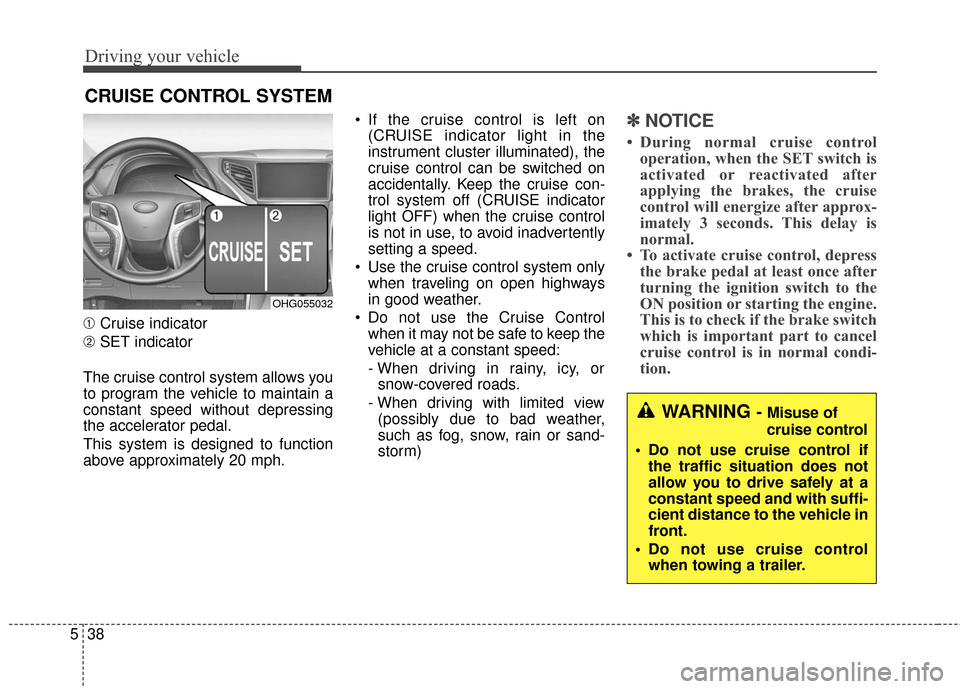
➀ Cruise indicator
➁ SET indicator
The cruise control system allows you
to program the vehicle to maintain a
constant speed without depressing
the accelerator pedal.
This system is designed to function
above approximately 20 mph. If the cruise control is left on
(CRUISE indicator light in the
instrument cluster illuminated), the
cruise control can be switched on
accidentally. Keep the cruise con-
trol system off (CRUISE indicator
light OFF) when the cruise control
is not in use, to avoid inadvertently
setting a speed.
Use the cruise control system only when traveling on open highways
in good weather.
Do not use the Cruise Control when it may not be safe to keep the
vehicle at a constant speed:
- When driving in rainy, icy, orsnow-covered roads.
- When driving with limited view (possibly due to bad weather,
such as fog, snow, rain or sand-
storm)
✽ ✽ NOTICE
• During normal cruise control
operation, when the SET switch is
activated or reactivated after
applying the brakes, the cruise
control will energize after approx-
imately 3 seconds. This delay is
normal.
• To activate cruise control, depress the brake pedal at least once after
turning the ignition switch to the
ON position or starting the engine.
This is to check if the brake switch
which is important part to cancel
cruise control is in normal condi-
tion.
WARNING - Misuse of
cruise control
Do not use cruise control if the traffic situation does not
allow you to drive safely at a
constant speed and with suffi-
cient distance to the vehicle in
front.
Do not use cruise control when towing a trailer.
OHG055032
Page 371 of 520
567
Driving your vehicle
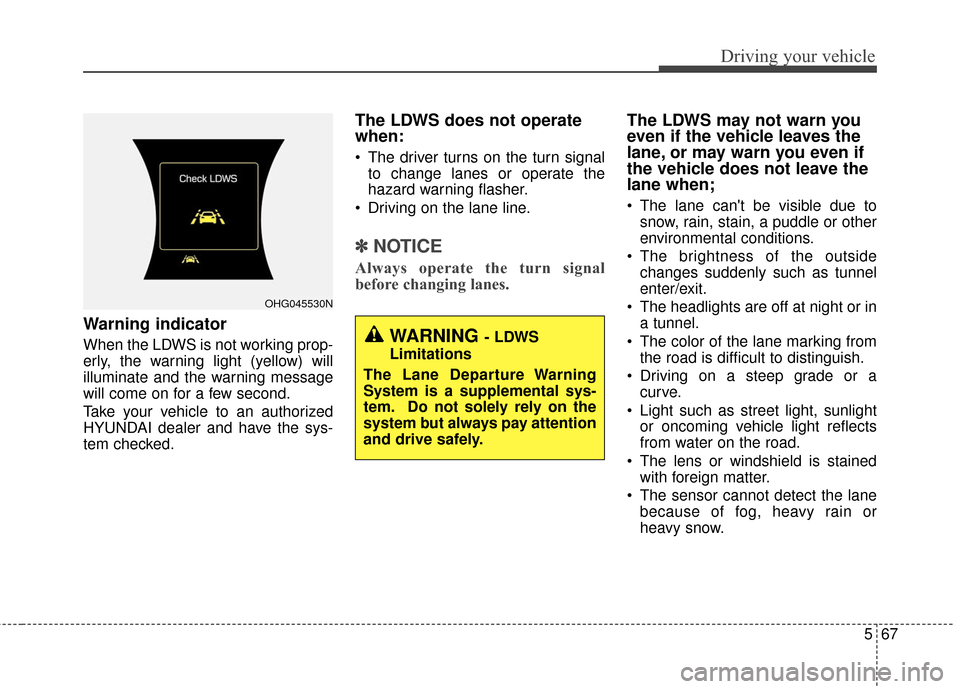
Warning indicator
When the LDWS is not working prop-
erly, the warning light (yellow) will
illuminate and the warning message
will come on for a few second.
Take your vehicle to an authorized
HYUNDAI dealer and have the sys-
tem checked.
The LDWS does not operate
when:
The driver turns on the turn signalto change lanes or operate the
hazard warning flasher.
Driving on the lane line.
✽ ✽ NOTICE
Always operate the turn signal
before changing lanes.
The LDWS may not warn you
even if the vehicle leaves the
lane, or may warn you even if
the vehicle does not leave the
lane when;
The lane can't be visible due to
snow, rain, stain, a puddle or other
environmental conditions.
The brightness of the outside changes suddenly such as tunnel
enter/exit.
The headlights are off at night or in a tunnel.
The color of the lane marking from the road is difficult to distinguish.
Driving on a steep grade or a curve.
Light such as street light, sunlight or oncoming vehicle light reflects
from water on the road.
The lens or windshield is stained with foreign matter.
The sensor cannot detect the lane because of fog, heavy rain or
heavy snow.
OHG045530N
WARNING - LDWS
Limitations
The Lane Departure Warning
System is a supplemental sys-
tem. Do not solely rely on the
system but always pay attention
and drive safely.