key battery Hyundai Azera 2017 Owner's Manual
[x] Cancel search | Manufacturer: HYUNDAI, Model Year: 2017, Model line: Azera, Model: Hyundai Azera 2017Pages: 520, PDF Size: 16.33 MB
Page 6 of 520
1
2
3
4
5
6
7
8I
IntroductionHow to use this manual / Fuel requirements / Vehicle break-in process / Vehicle data collection and event data recorders
Your vehicle at a glance
Exterior overview / Interior overview / Instrument panel overview / Engi\
ne compartment
Safety features of your vehicle
Seats / Seat belts / Child restraint system / Air bag
Features of your vehicleKeys / Door locks / Trunk / Windows / Hood / Fuel filler lid / Sunroof / Steering wheel / Mirrors /
Instrument cluster / Lighting / Wipers & Washers / Climate control system / Multimedia system / Etc.
Driving your vehicleBefore driving / Engine start/stop button / Transaxle / Brake system / Cruise control system /
Active ECO system / Winter driving / Vehicle load limit / Etc.
What to do in an emergencyRoad warning / Emergency while driving / Emergency starting / Engine overheat / TPMS / Flat tire / Towing / Etc.
MaintenanceEngine compartment / Maintenance service / Engine oil / Engine coolant /\
Brake fluid / Washer fluid /
Parking brake / Air cleaner / Wiper blades / Battery / Tire and wheels / Fuses / Light bulbs / Etc.
Specifications, Consumer information and Reporting safety defects
Index
table of contents
Page 89 of 520
Features of your vehicle
10
4
This device complies with Part 15
of the FCC rules.
Operation is subject to the following
two conditions:
1. This device may not cause harm-
ful interference, and
2. This device must accept any inter- ference received, including inter-
ference that may cause undesired
operation.Battery replacement
A smart key battery should last for
several years, but if the smart key is
not working properly, try replacing
the battery with a new one. If you are
unsure how to use your smart key or
replace the battery, contact an
authorized HYUNDAI dealer.
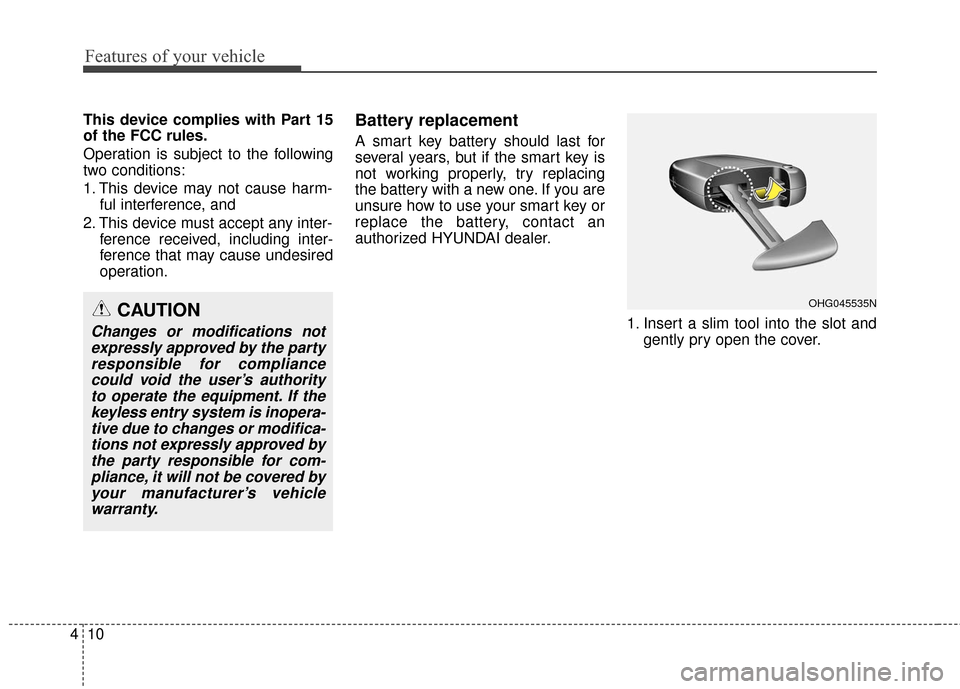
1. Insert a slim tool into the slot andgently pry open the cover.
OHG045535NCAUTION
Changes or modifications notexpressly approved by the partyresponsible for compliancecould void the user’s authorityto operate the equipment. If thekeyless entry system is inopera-tive due to changes or modifica-tions not expressly approved bythe party responsible for com-pliance, it will not be covered byyour manufacturer’s vehiclewarranty.
Page 90 of 520
411
Features of your vehicle
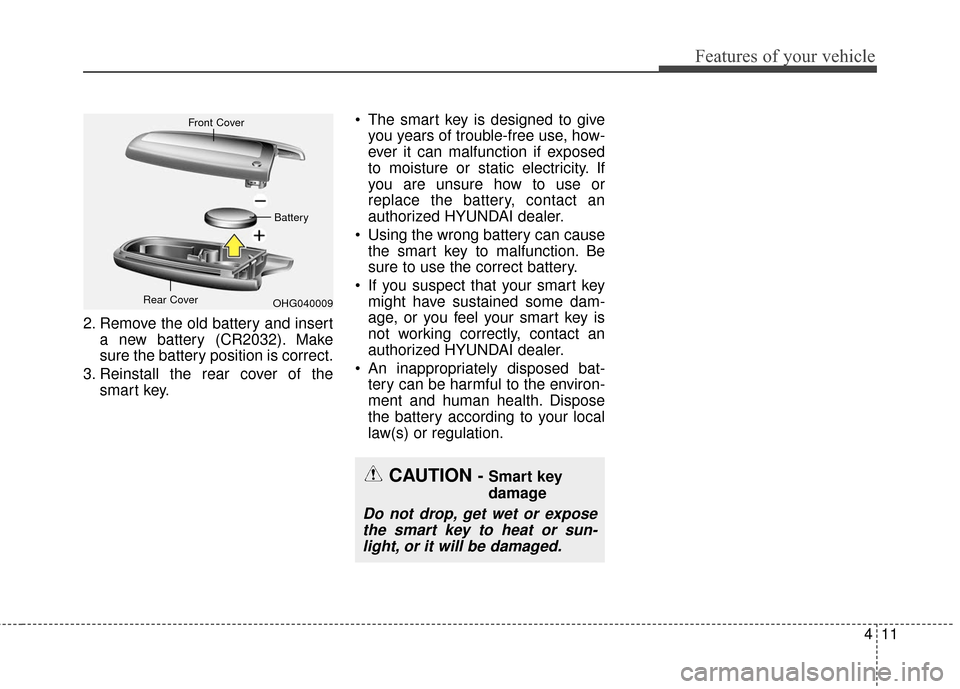
2. Remove the old battery and inserta new battery (CR2032). Make
sure the battery position is correct.
3. Reinstall the rear cover of the smart key. The smart key is designed to give
you years of trouble-free use, how-
ever it can malfunction if exposed
to moisture or static electricity. If
you are unsure how to use or
replace the battery, contact an
authorized HYUNDAI dealer.
Using the wrong battery can cause the smart key to malfunction. Be
sure to use the correct battery.
If you suspect that your smart key might have sustained some dam-
age, or you feel your smart key is
not working correctly, contact an
authorized HYUNDAI dealer.
An inappropriately disposed bat- tery can be harmful to the environ-
ment and human health. Dispose
the battery according to your local
law(s) or regulation.
CAUTION - Smart key
damage
Do not drop, get wet or exposethe smart key to heat or sun-light, or it will be damaged.
OHG040009
Front Cover
Battery
Rear Cover
Page 136 of 520
457
Features of your vehicle
- The mirror will unfold when youapproach the vehicle (all doors
closed and locked) with a smart
key in possession. (if equipped)
Reverse parking aid function
(if equipped)
While the vehicle is moving rear-
ward, the side view mirror(s) will
move downward to aid reverse park-
ing. According to the position of the
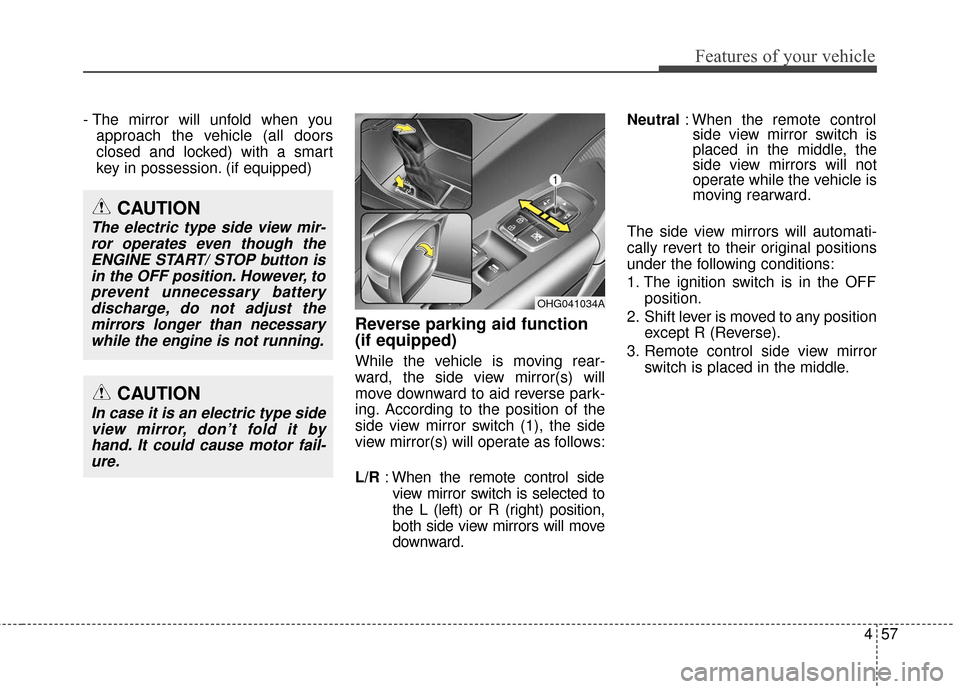
side view mirror switch (1), the side
view mirror(s) will operate as follows:
L/R : When the remote control side
view mirror switch is selected to
the L (left) or R (right) position,
both side view mirrors will move
downward. Neutral
: When the remote control
side view mirror switch is
placed in the middle, the
side view mirrors will not
operate while the vehicle is
moving rearward.
The side view mirrors will automati-
cally revert to their original positions
under the following conditions:
1. The ignition switch is in the OFF position.
2. Shift lever is moved to any position except R (Reverse).
3. Remote control side view mirror switch is placed in the middle.
OHG041034A
CAUTION
In case it is an electric type sideview mirror, don’t fold it byhand. It could cause motor fail-ure.
CAUTION
The electric type side view mir-ror operates even though theENGINE START/ STOP button isin the OFF position. However, toprevent unnecessary batterydischarge, do not adjust themirrors longer than necessarywhile the engine is not running.
Page 161 of 520
Features of your vehicle
82
4
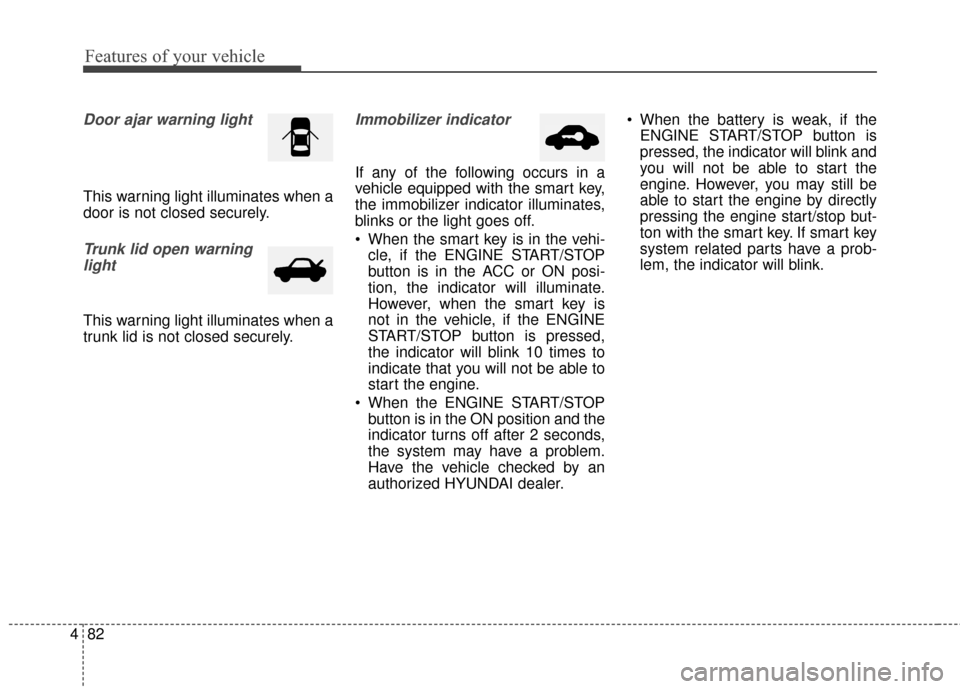
Door ajar warning light
This warning light illuminates when a
door is not closed securely.
Trunk lid open warning
light
This warning light illuminates when a
trunk lid is not closed securely.
Immobilizer indicator
If any of the following occurs in a
vehicle equipped with the smart key,
the immobilizer indicator illuminates,
blinks or the light goes off.
When the smart key is in the vehi- cle, if the ENGINE START/STOP
button is in the ACC or ON posi-
tion, the indicator will illuminate.
However, when the smart key is
not in the vehicle, if the ENGINE
START/STOP button is pressed,
the indicator will blink 10 times to
indicate that you will not be able to
start the engine.
When the ENGINE START/STOP button is in the ON position and the
indicator turns off after 2 seconds,
the system may have a problem.
Have the vehicle checked by an
authorized HYUNDAI dealer. When the battery is weak, if the
ENGINE START/STOP button is
pressed, the indicator will blink and
you will not be able to start the
engine. However, you may still be
able to start the engine by directly
pressing the engine start/stop but-
ton with the smart key. If smart key
system related parts have a prob-
lem, the indicator will blink.
Page 167 of 520
Features of your vehicle
88
4
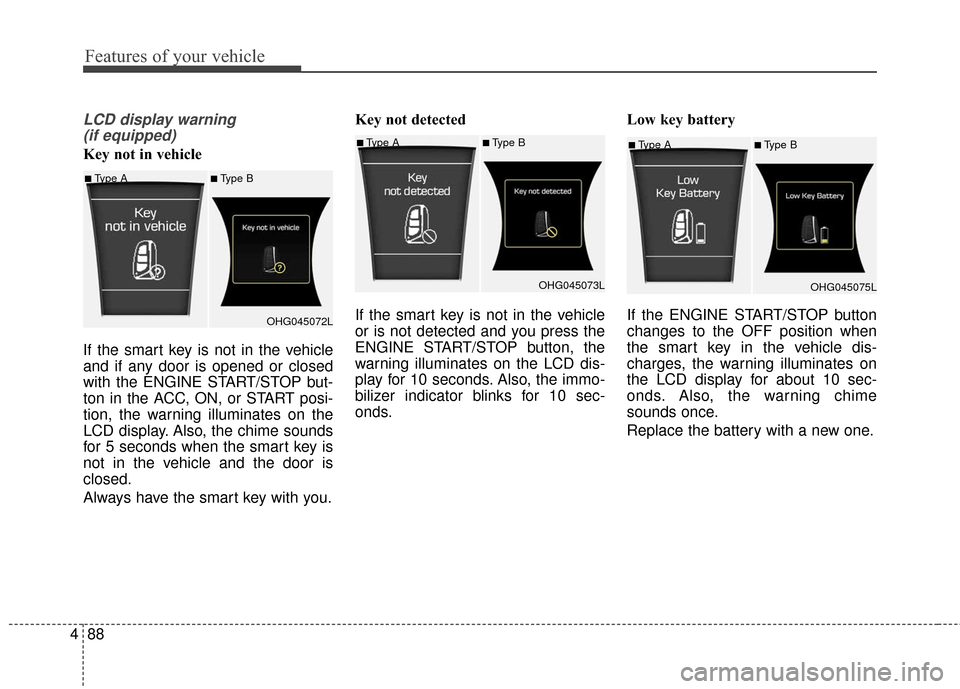
LCD display warning
(if equipped)
Key not in vehicle
If the smart key is not in the vehicle
and if any door is opened or closed
with the ENGINE START/STOP but-
ton in the ACC, ON, or START posi-
tion, the warning illuminates on the
LCD display. Also, the chime sounds
for 5 seconds when the smart key is
not in the vehicle and the door is
closed.
Always have the smart key with you. Key not detected
If the smart key is not in the vehicle
or is not detected and you press the
ENGINE START/STOP button, the
warning illuminates on the LCD dis-
play for 10 seconds. Also, the immo-
bilizer indicator blinks for 10 sec-
onds.
Low key battery
If the ENGINE START/STOP button
changes to the OFF position when
the smart key in the vehicle dis-
charges, the warning illuminates on
the LCD display for about 10 sec-
onds. Also, the warning chime
sounds once.
Replace the battery with a new one.■Type A■Type B
OHG045075L
■Type A■Type B
OHG045072L
■Type A■Type BOHG045073L
Page 179 of 520
Features of your vehicle
100
4
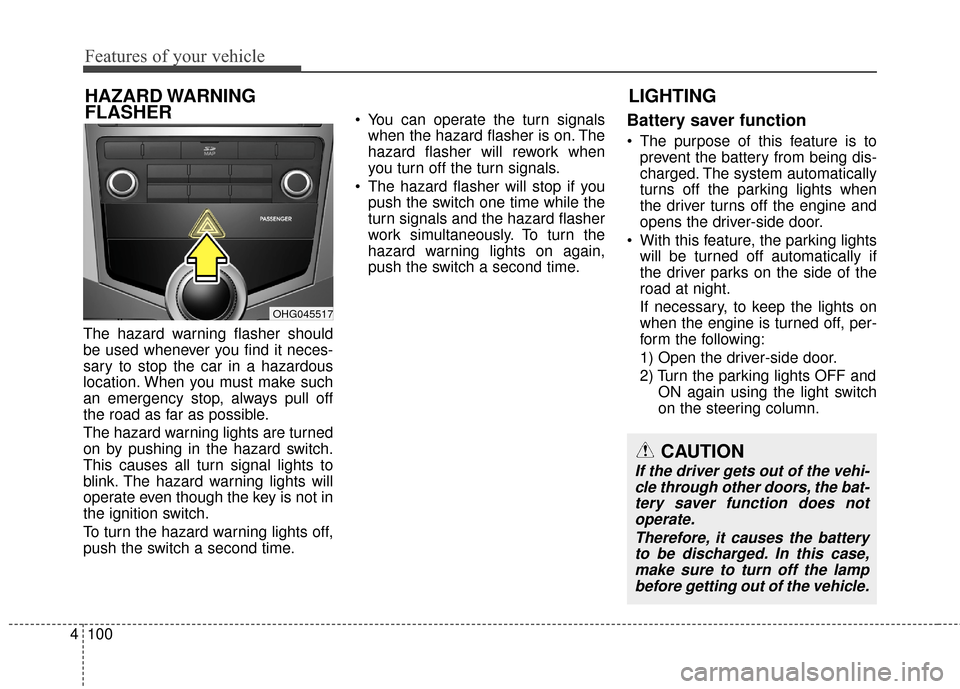
The hazard warning flasher should
be used whenever you find it neces-
sary to stop the car in a hazardous
location. When you must make such
an emergency stop, always pull off
the road as far as possible.
The hazard warning lights are turned
on by pushing in the hazard switch.
This causes all turn signal lights to
blink. The hazard warning lights will
operate even though the key is not in
the ignition switch.
To turn the hazard warning lights off,
push the switch a second time. You can operate the turn signals
when the hazard flasher is on. The
hazard flasher will rework when
you turn off the turn signals.
The hazard flasher will stop if you push the switch one time while the
turn signals and the hazard flasher
work simultaneously. To turn the
hazard warning lights on again,
push the switch a second time.
Battery saver function
The purpose of this feature is toprevent the battery from being dis-
charged. The system automatically
turns off the parking lights when
the driver turns off the engine and
opens the driver-side door.
With this feature, the parking lights will be turned off automatically if
the driver parks on the side of the
road at night.
If necessary, to keep the lights on
when the engine is turned off, per-
form the following:
1) Open the driver-side door.
2) Turn the parking lights OFF and ON again using the light switch
on the steering column.
LIGHTING
HAZARD WARNING
FLASHER
CAUTION
If the driver gets out of the vehi-
cle through other doors, the bat-tery saver function does notoperate.
Therefore, it causes the batteryto be discharged. In this case,make sure to turn off the lampbefore getting out of the vehicle.
OHG045517
Page 188 of 520
4109
Features of your vehicle
INTERIOR LIGHT
Automatic turn off function
(if equipped)
The interior lights automatically turn
off approximately 20 minutes after
the ignition switch is turned off.
With the theft alarm system, the inte-
rior lights automatically turns off
approximately 5 seconds after the
system is in the armed stage.
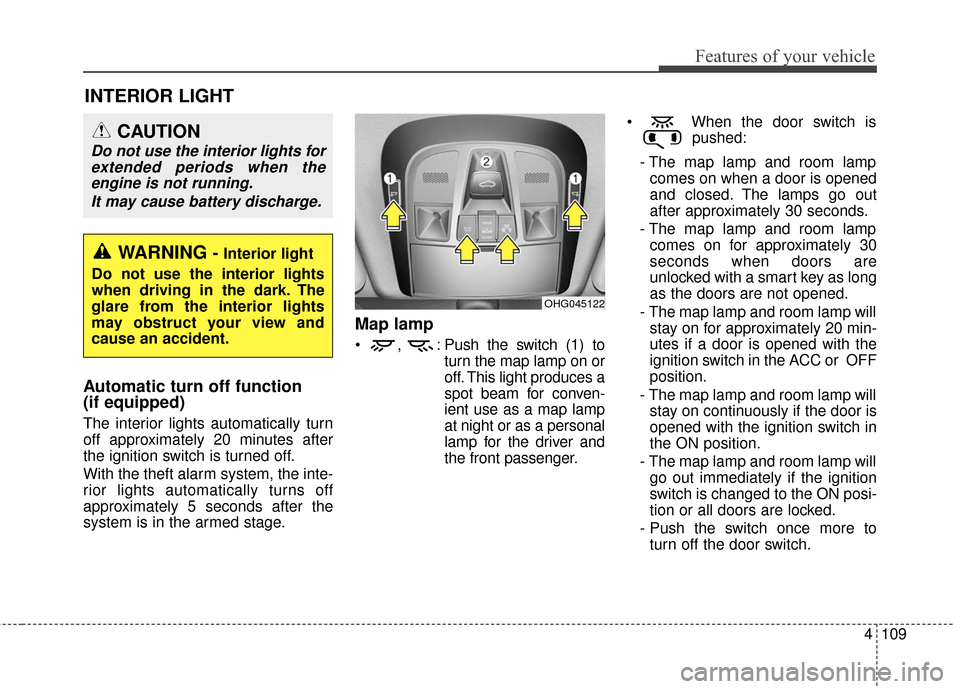
Map lamp
, : Push the switch (1) toturn the map lamp on or
off. This light produces a
spot beam for conven-
ient use as a map lamp
at night or as a personal
lamp for the driver and
the front passenger. When the door switch is
pushed:
- The map lamp and room lamp comes on when a door is opened
and closed. The lamps go out
after approximately 30 seconds.
- The map lamp and room lamp comes on for approximately 30
seconds when doors are
unlocked with a smart key as long
as the doors are not opened.
- The map lamp and room lamp will stay on for approximately 20 min-
utes if a door is opened with the
ignition switch in the ACC or OFF
position.
- The map lamp and room lamp will stay on continuously if the door is
opened with the ignition switch in
the ON position.
- The map lamp and room lamp will go out immediately if the ignition
switch is changed to the ON posi-
tion or all doors are locked.
- Push the switch once more to turn off the door switch.
OHG045122
WARNING - Interior light
Do not use the interior lights
when driving in the dark. The
glare from the interior lights
may obstruct your view and
cause an accident.
CAUTION
Do not use the interior lights for extended periods when theengine is not running.
It may cause battery discharge.
Page 237 of 520
✽
✽NOTICE - USING THE iPod®
DEVICE
• iPod®is a registered trademark
of Apple Inc.
• In order to use the iPod while operating the keys, you must use
a dedicated iPod cable. (the
cable that is supplied when pur-
chasing iPod/iPhone products)
• If the iPod is connected to the vehicle while it is playing, a high
pitch sound could occur for
approximately 1-2 seconds
immediately after connecting. If
possible, connect the iPod to the
vehicle with the iPod
stopped/paused.
• During ACC ON state, connect- ing the iPod through the iPod
cable will charge the iPod
through the car audio system.
• When connecting with the iPod cable, make sure to fully insert
the jack to prevent communica-
tion interference. (Continued)(Continued)
• When the EQ features of an
external device, such as the
iPod, and the audio system are
both active, EQ effects could
overlap and cause sound deteri-
oration and distortion.
Whenever possible, turn off the
EQ feature within the external
device upon use by connecting
with the audio system.
• Noise may occur when an iPod or AUX device is connected.
When such devices are not
being used, disconnect the
device for storage.
• When the iPod or AUX device power is connected to the power
jack, playing the external device
may result in noise. In such cas-
es, disconnect the power connec-
tion before use.
• Skipping or improper operation may occur depending on the
characteristics of your
iPod/Phone device. (Continued)(Continued)
• If your iPhone is connected to
both the Bluetooth®Wireless
Technology and USB, the sound
may not be properly played. In
your iPhone, select the Dock
connector or Bluetooth
®
Wireless Technology to change
the sound output (source).
• iPod mode cannot be operated when the iPod cannot be recog-
nized due to versions that do not
support communication proto-
cols.
• For fifth generation iPod Nano devices, the iPod may not be
recognized when the battery
level is low. Please charge the
iPod for use.
• Search/play orders shown with- in the iPod device may differ
with the orders shown within
the audio system.
• If the iPod malfunctions due to an iPod device defect, reset the
iPod and try again. (To learn
more, refer to your iPod manual) (Continued)
4158
Features of your vehicle
Page 312 of 520
Driving your vehicle
85
Even if the smart key is in the vehi-cle, if it is far away from you, the
engine may not start.
When the ENGINE START/STOP button is in the ACC or ON posi-
tion, if any door is opened, the sys-
tem checks for the smart key. If the
smart key is not in the vehicle, the
warning "Key not in vehicle" will
illuminate on the LCD display. If all
doors are closed, the chime will
sound for 5 seconds. The warning
will turn off while the vehicle is
moving or the smart key is detect-
ed in the vehicle. Always have the
smart key with you.
The engine will start, only when the
smart key is in the vehicle. If the engine stalls while the vehicle
is in motion, do not attempt to move
the shift lever to the P (Park) posi-
tion. If the traffic and road conditions
permit, you may put the shift lever in
the N (Neutral) position while the
vehicle is still moving and press the
ENGINE START/STOP button in an
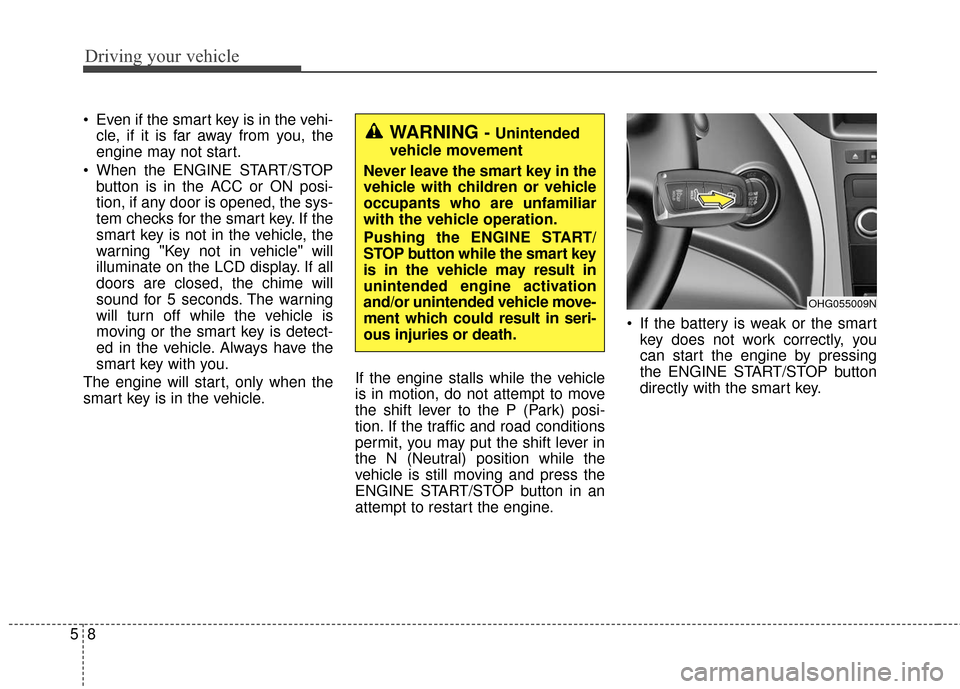
attempt to restart the engine. If the battery is weak or the smart
key does not work correctly, you
can start the engine by pressing
the ENGINE START/STOP button
directly with the smart key.WARNING - Unintended
vehicle movement
Never leave the smart key in the
vehicle with children or vehicle
occupants who are unfamiliar
with the vehicle operation.
Pushing the ENGINE START/
STOP button while the smart key
is in the vehicle may result in
unintended engine activation
and/or unintended vehicle move-
ment which could result in seri-
ous injuries or death.
OHG055009N