ECO mode Hyundai Coupe 2002 User Guide
[x] Cancel search | Manufacturer: HYUNDAI, Model Year: 2002, Model line: Coupe, Model: Hyundai Coupe 2002Pages: 140, PDF Size: 1.45 MB
Page 39 of 140
CONTROLS AND EQUIPMENT1- 31
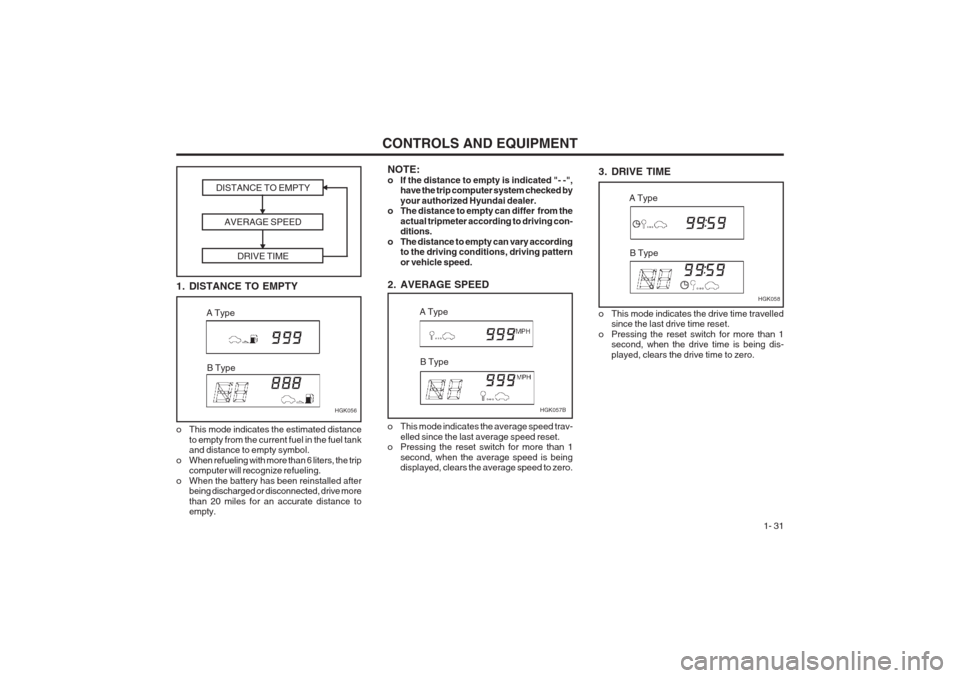
3. DRIVE TIME
HGK058
A Type
B Type
NOTE:
o If the distance to empty is indicated "- -", have the trip computer system checked byyour authorized Hyundai dealer.
o The distance to empty can differ from the
actual tripmeter according to driving con- ditions.
o The distance to empty can vary according to the driving conditions, driving pattern or vehicle speed.
2. AVERAGE SPEED
o This mode indicates the average speed trav- elled since the last average speed reset.
o Pressing the reset switch for more than 1
second, when the average speed is being displayed, clears the average speed to zero. HGK057B
A Type
B Type
1. DISTANCE TO EMPTY DISTANCE TO EMPTY
AVERAGE SPEED DRIVE TIME
o This mode indicates the estimated distanceto empty from the current fuel in the fuel tank and distance to empty symbol.
o When refueling with more than 6 liters, the trip computer will recognize refueling.
o When the battery has been reinstalled after being discharged or disconnected, drive more than 20 miles for an accurate distance to empty. HGK056
A Type
B Type
o This mode indicates the drive time travelled since the last drive time reset.
o Pressing the reset switch for more than 1 second, when the drive time is being dis- played, clears the drive time to zero.
Page 41 of 140
CONTROLS AND EQUIPMENT1- 33
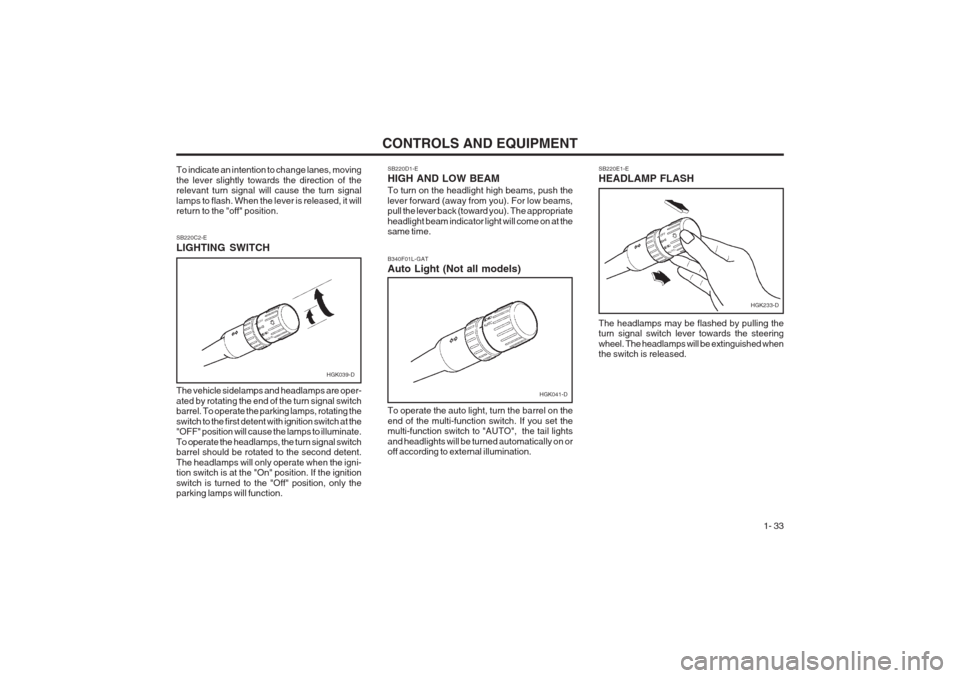
SB220D1-E HIGH AND LOW BEAM To turn on the headlight high beams, push the lever forward (away from you). For low beams, pull the lever back (toward you). The appropriate headlight beam indicator light will come on at the same time.
SB220E1-E HEADLAMP FLASH
SB220C2-E LIGHTING SWITCH The vehicle sidelamps and headlamps are oper- ated by rotating the end of the turn signal switch barrel. To operate the parking lamps, rotating the switch to the first detent with ignition switch at the "OFF" position will cause the lamps to illuminate. To operate the headlamps, the turn signal switch barrel should be rotated to the second detent. The headlamps will only operate when the igni- tion switch is at the "On" position. If the ignition switch is turned to the "Off" position, only the parking lamps will function. The headlamps may be flashed by pulling theturn signal switch lever towards the steering wheel. The headlamps will be extinguished when the switch is released.
To indicate an intention to change lanes, moving the lever slightly towards the direction of the relevant turn signal will cause the turn signal lamps to flash. When the lever is released, it will return to the "off" position.
HGK039-D
To operate the auto light, turn the barrel on the end of the multi-function switch. If you set the multi-function switch to "AUTO", the tail lights and headlights will be turned automatically on or off according to external illumination.
B340F01L-GAT Auto Light (Not all models)
HGK041-D
HGK233-D
Page 42 of 140
CONTROLS AND EQUIPMENT
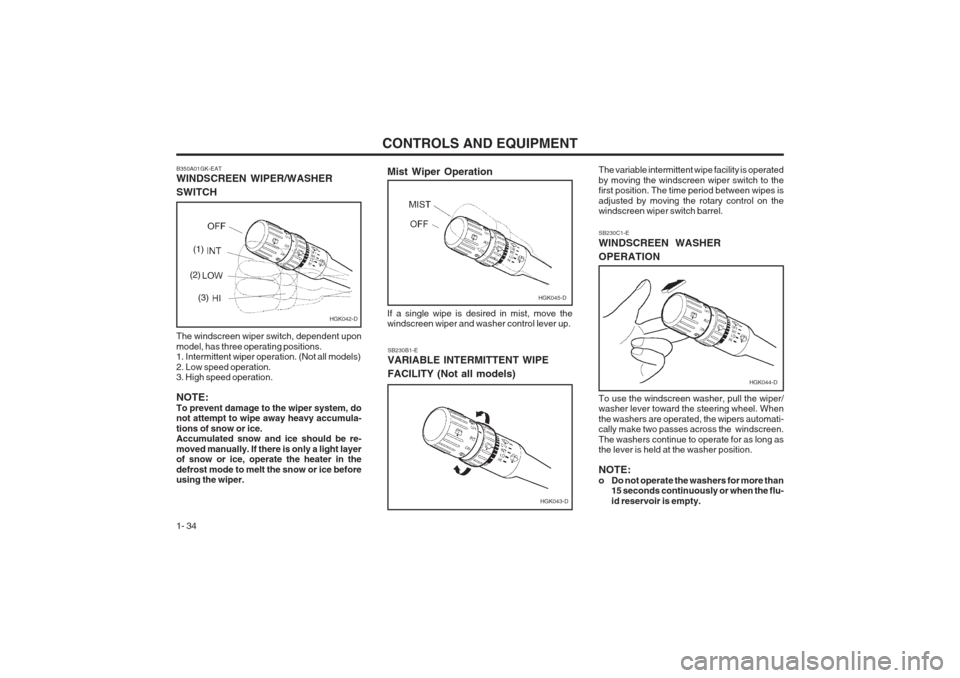
1- 34 SB230B1-E VARIABLE INTERMITTENT WIPE FACILITY (Not all models)
B350A01GK-EAT WINDSCREEN WIPER/WASHER SWITCH The windscreen wiper switch, dependent upon model, has three operating positions. 1. Intermittent wiper operation. (Not all models) 2. Low speed operation. 3. High speed operation. NOTE: To prevent damage to the wiper system, do not attempt to wipe away heavy accumula- tions of snow or ice. Accumulated snow and ice should be re- moved manually. If there is only a light layer of snow or ice, operate the heater in the defrost mode to melt the snow or ice before using the wiper. The variable intermittent wipe facility is operated by moving the windscreen wiper switch to the first position. The time period between wipes is adjusted by moving the rotary control on the windscreen wiper switch barrel. SB230C1-E WINDSCREEN WASHER OPERATION To use the windscreen washer, pull the wiper/ washer lever toward the steering wheel. When the washers are operated, the wipers automati- cally make two passes across the windscreen. The washers continue to operate for as long as the lever is held at the washer position. NOTE:
o Do not operate the washers for more than
15 seconds continuously or when the flu-id reservoir is empty.
HGK042-D
(1)
(2) (3)
HGK043-D
Mist Wiper Operation
HGK045-D
If a single wipe is desired in mist, move the windscreen wiper and washer control lever up.
HGK044-D
Page 45 of 140
CONTROLS AND EQUIPMENT1- 37
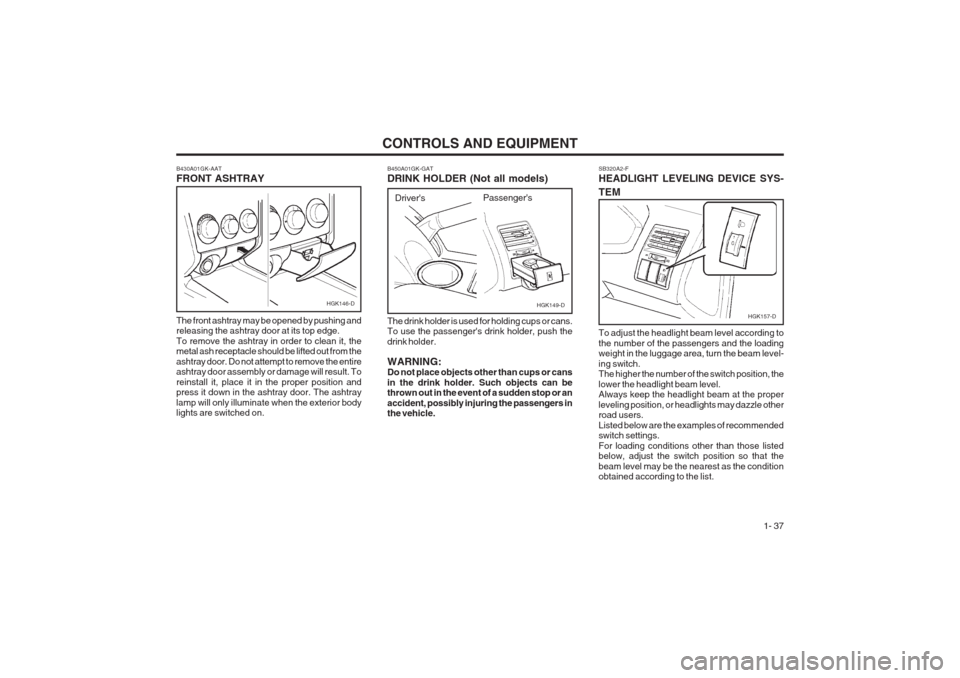
SB320A2-F HEADLIGHT LEVELING DEVICE SYS- TEM
HGK157-D
To adjust the headlight beam level according to the number of the passengers and the loading weight in the luggage area, turn the beam level- ing switch. The higher the number of the switch position, the lower the headlight beam level. Always keep the headlight beam at the proper leveling position, or headlights may dazzle other road users. Listed below are the examples of recommended switch settings. For loading conditions other than those listed below, adjust the switch position so that the beam level may be the nearest as the condition obtained according to the list.
B450A01GK-GAT DRINK HOLDER (Not all models)
HGK149-D
The drink holder is used for holding cups or cans. To use the passenger's drink holder, push the drink holder. WARNING: Do not place objects other than cups or cans in the drink holder. Such objects can be thrown out in the event of a sudden stop or an accident, possibly injuring the passengers in the vehicle. Driver's
Passenger's
B430A01GK-AAT FRONT ASHTRAY The front ashtray may be opened by pushing and releasing the ashtray door at its top edge. To remove the ashtray in order to clean it, the metal ash receptacle should be lifted out from the ashtray door. Do not attempt to remove the entire ashtray door assembly or damage will result. To reinstall it, place it in the proper position and press it down in the ashtray door. The ashtray lamp will only illuminate when the exterior body lights are switched on.HGK146-D
Page 48 of 140
CONTROLS AND EQUIPMENT
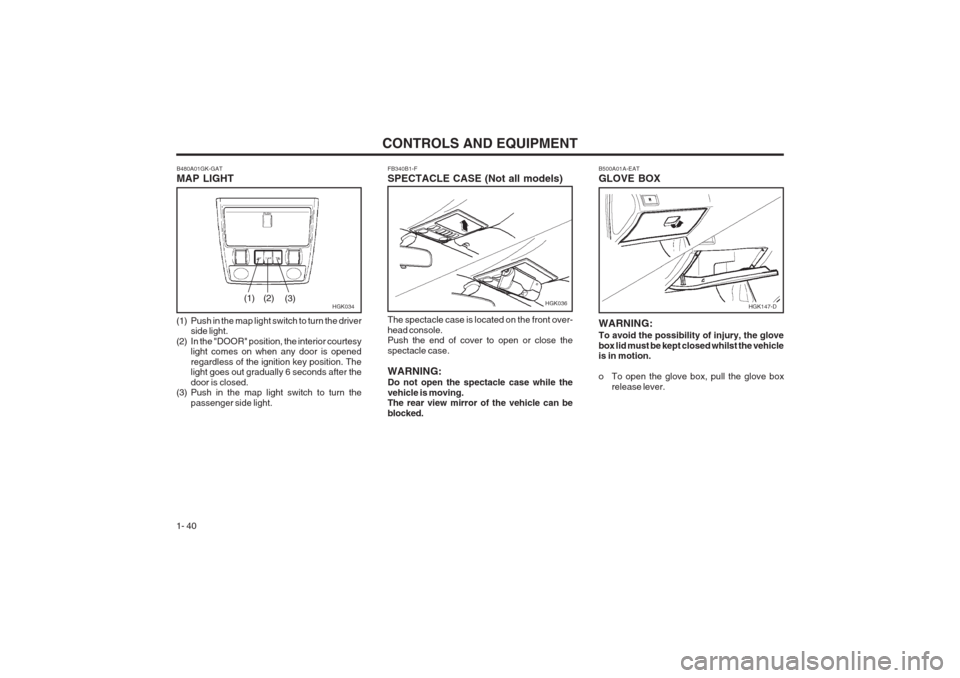
1- 40 FB340B1-F SPECTACLE CASE (Not all models) The spectacle case is located on the front over- head console. Push the end of cover to open or close the spectacle case. WARNING: Do not open the spectacle case while the vehicle is moving. The rear view mirror of the vehicle can be blocked.
B480A01GK-GAT MAP LIGHT
HGK034
(1) Push in the map light switch to turn the driver side light.
(2) In the "DOOR" position, the interior courtesy light comes on when any door is opened regardless of the ignition key position. The light goes out gradually 6 seconds after the door is closed.
(3) Push in the map light switch to turn the
passenger side light.(1) (2) (3)HGK036
B500A01A-EAT GLOVE BOX
WARNING: To avoid the possibility of injury, the glove box lid must be kept closed whilst the vehicle is in motion.
o To open the glove box, pull the glove box
release lever.
HGK147-D
Page 56 of 140
CONTROLS AND EQUIPMENT
1- 48
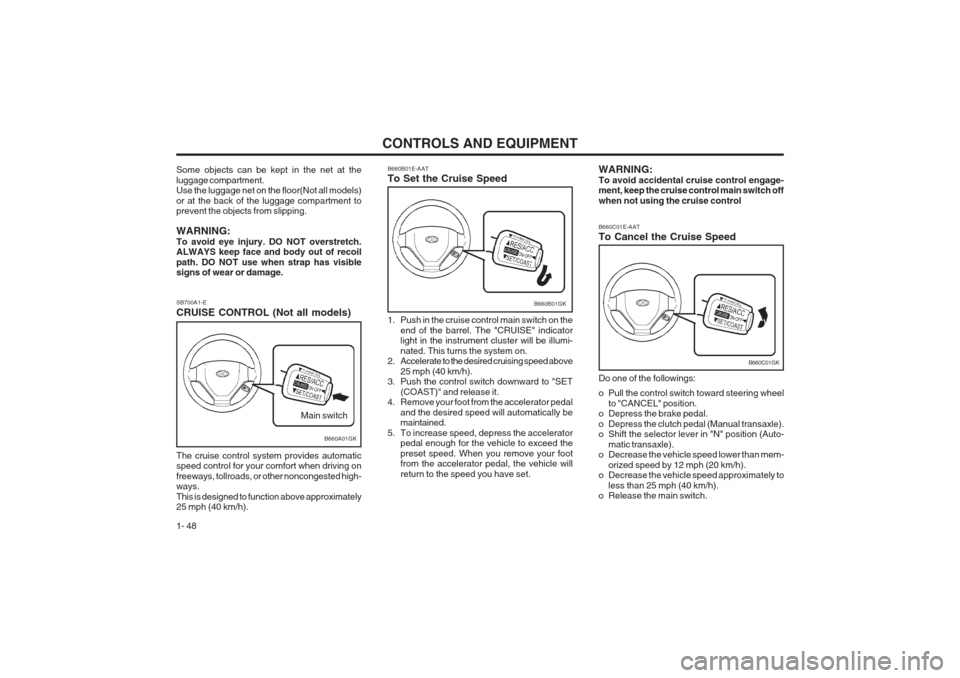
SB700A1-E CRUISE CONTROL (Not all models) The cruise control system provides automatic speed control for your comfort when driving on freeways, tollroads, or other noncongested high- ways. This is designed to function above approximately 25 mph (40 km/h).
B660A01GK
Main switch
Some objects can be kept in the net at the luggage compartment. Use the luggage net on the floor(Not all models) or at the back of the luggage compartment to prevent the objects from slipping. WARNING: To avoid eye injury. DO NOT overstretch. ALWAYS keep face and body out of recoil path. DO NOT use when strap has visible signs of wear or damage.
B660B01GK
B660B01E-AAT To Set the Cruise Speed
1. Push in the cruise control main switch on the
end of the barrel. The "CRUISE" indicator light in the instrument cluster will be illumi- nated. This turns the system on.
2. Accelerate to the desired cruising speed above
25 mph (40 km/h).
3. Push the control switch downward to "SET
(COAST)" and release it.
4. Remove your foot from the accelerator pedal
and the desired speed will automatically be maintained.
5. To increase speed, depress the accelerator pedal enough for the vehicle to exceed the preset speed. When you remove your foot from the accelerator pedal, the vehicle will return to the speed you have set.
B660C01GK
B660C01E-AAT To Cancel the Cruise Speed Do one of the followings:
o Pull the control switch toward steering wheel
to "CANCEL" position.
o Depress the brake pedal.
o Depress the clutch pedal (Manual transaxle).
o Shift the selector lever in "N" position (Auto-
matic transaxle).
o Decrease the vehicle speed lower than mem-
orized speed by 12 mph (20 km/h).
o Decrease the vehicle speed approximately to
less than 25 mph (40 km/h).
o Release the main switch.
WARNING: To avoid accidental cruise control engage- ment, keep the cruise control main switch off when not using the cruise control
Page 60 of 140
CONTROLS AND EQUIPMENT
1- 52
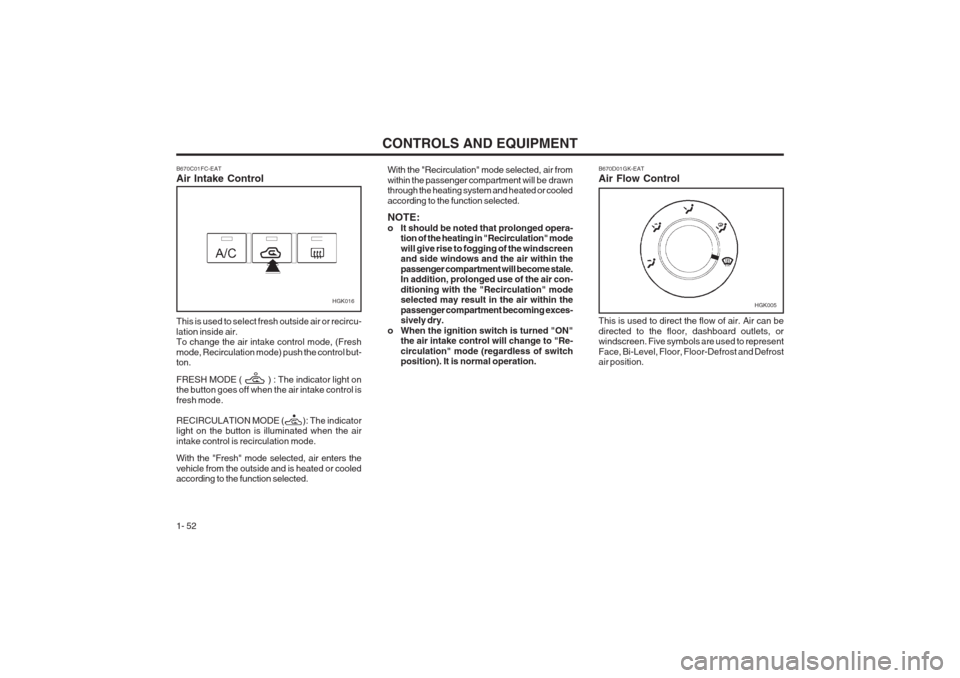
HGK016 B670D01GK-EAT Air Flow Control This is used to direct the flow of air. Air can be directed to the floor, dashboard outlets, or windscreen. Five symbols are used to represent Face, Bi-Level, Floor, Floor-Defrost and Defrost air position.HGK005
B670C01FC-EAT Air Intake Control This is used to select fresh outside air or recircu- lation inside air. To change the air intake control mode, (Fresh mode, Recirculation mode) push the control but- ton. FRESH MODE ( ) : The indicator light on the button goes off when the air intake control is fresh mode. RECIRCULATION MODE ( ): The indicator light on the button is illuminated when the air intake control is recirculation mode. With the "Fresh" mode selected, air enters the
vehicle from the outside and is heated or cooled according to the function selected. With the "Recirculation" mode selected, air from within the passenger compartment
will be drawn
through the heating system and heated or cooledaccording to the function selected. NOTE:
o It should be noted that prolonged opera- tion of the heating in "Recirculation" modewill give rise to fogging of the windscreen and side windows and the air within the passenger compartment will become stale. In addition, prolonged use of the air con- ditioning with the "Recirculation" mode selected may result in the air within the passenger compartment becoming exces- sively dry.
o When the ignition switch is turned "ON" the air intake control will change to "Re- circulation" mode (regardless of switch position). It is normal operation.
Page 65 of 140
CONTROLS AND EQUIPMENT1- 57
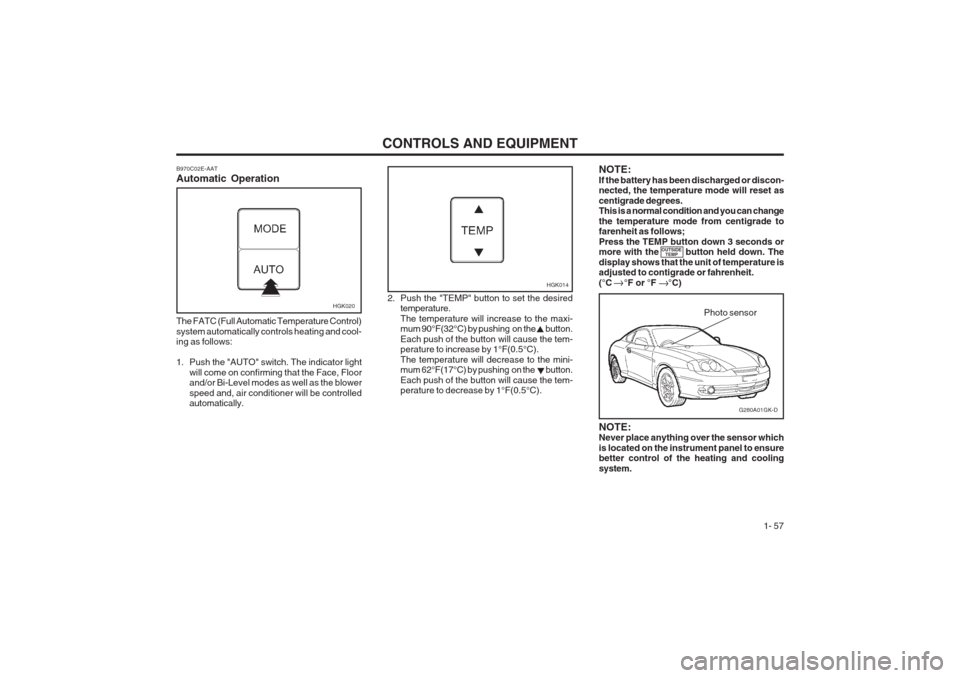
B970C02E-AAT Automatic Operation
HGK020
The FATC (Full Automatic Temperature Control) system automatically controls heating and cool- ing as follows:
1. Push the "AUTO" switch. The indicator light will come on confirming that the Face, Floor and/or Bi-Level modes as well as the blower speed and, air conditioner will be controlled automatically. 2. Push the "TEMP" button to set the desired
temperature. The temperature will increase to the maxi- mum 90°F(32°C) by pushing on the button. Each push of the button will cause the tem- perature to increase by 1°F(0.5°C). The temperature will decrease to the mini- mum 62°F(17°C) by pushing on the button. Each push of the button will cause the tem- perature to decrease by 1°F(0.5°C).
G280A01GK-D
Photo sensor
HGK014
NOTE: Never place anything over the sensor which is located on the instrument panel to ensure better control of the heating and cooling system.
NOTE:If the battery has been discharged or discon- nected, the temperature mode will reset as centigrade degrees. This is a normal condition and you can change the temperature mode from centigrade to farenheit as follows; Press the TEMP button down 3 seconds or more with the button held down. The display shows that the unit of temperature is adjusted to contigrade or fahrenheit. (°C °F or °F °C)
OUTSIDE
TEMP
Page 67 of 140
CONTROLS AND EQUIPMENT1- 59
With the "Recirculation" mode selected, and air from within the passenger compartment will be drawn through the heating system and heated or cooled according to the function selected. NOTE:
o It should be noted that prolonged opera-tion of the heating system in "recircula-tion" mode will give rise to fogging of the windscreen and side windows and the air within the passenger compartment will become stale. In addition, prolonged use of the air conditioning with the "Recircu- lation" mode selected may result in the air within the passenger compartment be- coming excessively dry.
o When the ignition switch is turned "ON"
the air intake control will change to "
"
mode (regardless of switch position). It is normal operation. The air intake control is operated in "AUTO" mode when turning the ignition to the ON position if the "AUTO" mode was used before shutting off the engine. Exhaust gas cutoff mode :
Air enters the vehicle from the outside. But if exhaust gas enters the vehicle from the outside, the exhaust gas cutoff mode ( ) is automa tically converted to the mode, to
prevent exhaust gas from entering the vehicle. NOTE:
o It should be noted that prolonged opera- tion of the heating system in recirculationmode ( ) will give rise to mis-ting of the windscreen and side windows and the air within the passenger compartment will become stale. In addition, prolonged use of the air conditioning with the recircula- tion mode ( ) selected may result in the air within the passenger compartmentbecoming excessively dry.
o When the ignition switch is turned "ON" the air intake control will change to "Fresh" mode (regardless of switch position). It is normal operation. The air intake control is operated in "AUTO" mode when turning the ignition to the ON position if the "AUTO" mode was used before shutting off the engine.
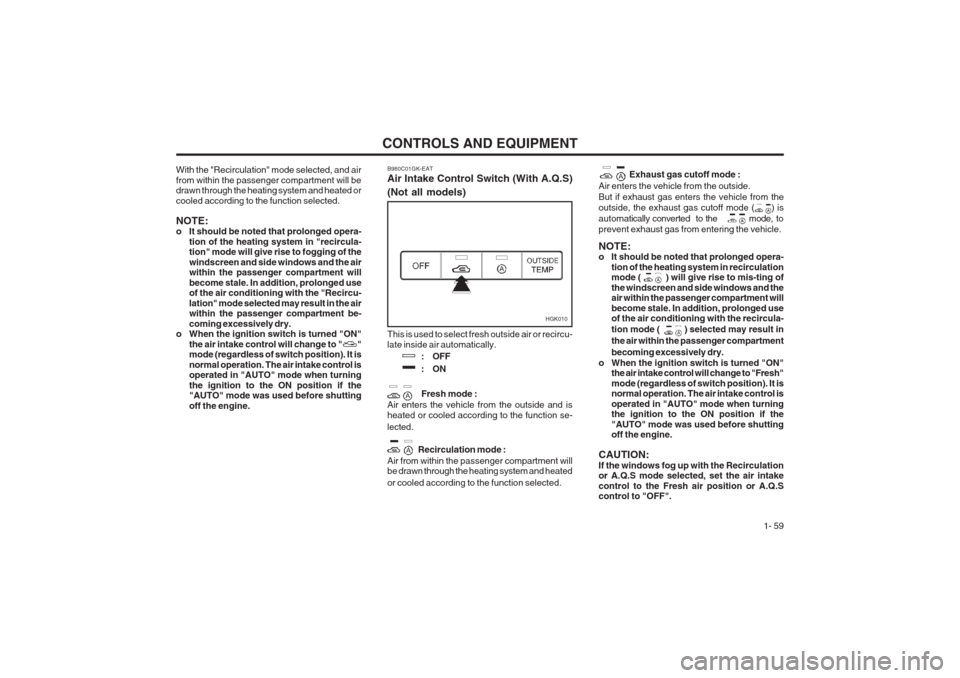
CAUTION: If the windows fog up with the Recirculation or A.Q.S mode selected, set the air intake control to the Fresh air position or A.Q.S control to "OFF".This is used to select fresh outside air or recircu- late inside air automatically. : OFF
:ON Fresh mode :
Air enters the vehicle from the outside and is heated or cooled according to the function se- lected.
Recirculation mode :
Air from within the passenger compartment will be drawn through the heating system and heated or cooled according to the function selected.
B980C01GK-EAT Air Intake Control Switch (With A.Q.S) (Not all models)
HGK010
Page 79 of 140
DRIVING YOUR HYUNDAI 2- 5
SC090B1-F Using the Clutch The clutch should be pressed all the way to the floor before shifting, then released slowly. Do not rest your foot on the clutch pedal while driving.This can cause unnecessary wear.Do not partially engage the clutch to hold the car on an incline. This causes unnecessary wear.Use the parking brake to hold the car on an incline. Do not operate the clutch pedal rapidly and repeatedly.
NOTE:
o During cold weather, shifting may be dif-
ficult until the transaxle lubricant has warmed up. This is normal and not harm- ful to the transaxle.
o If you 've come to a complete stop and
it's hard to shift into 1 st
or R(Reverse),
put the shift lever in N(Neutral) positionand let up on the clutch. Press the clutch pedal back down, and then shift into 1 st
or R(Reverse) gear position.
o Do not use the shift lever as a handrest during driving, as this can result in pre- mature wear of the transaxle shift forks. C070E02GK-AAT RECOMMENDED SHIFT POINTSThe shift points as shown below are recom- mended for optimum fuel economy and perfor- mance.
1-2 2-3 3-44-5
Shift
from-to Recommended
15 mph (20 km/h)25 mph (40 km/h)35 mph (55 km/h) 45 mph (75 km/h) HGK174-D
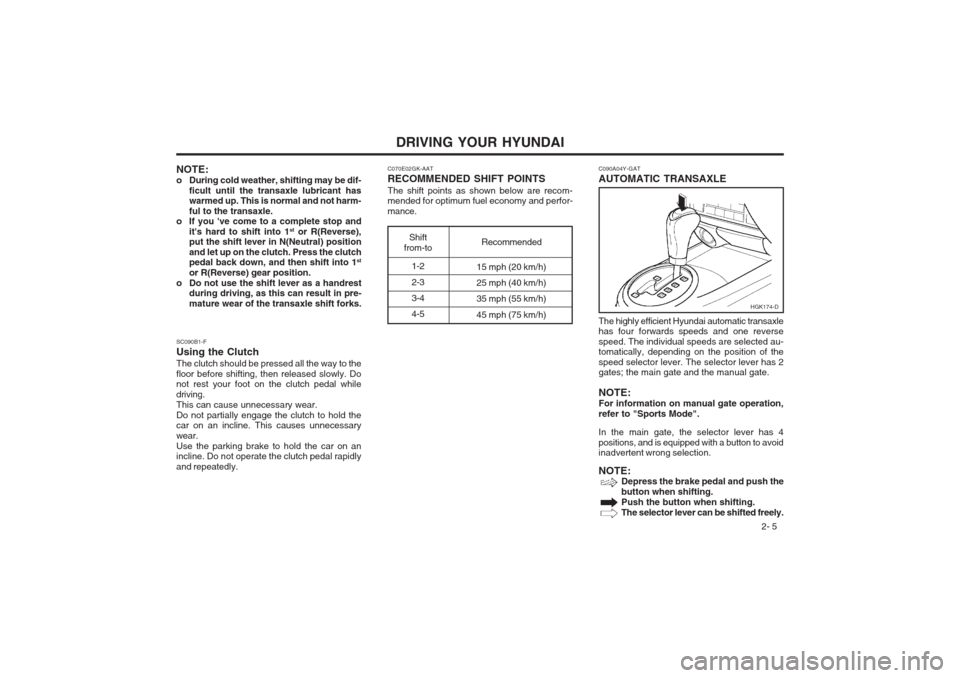
C090A04Y-GAT AUTOMATIC TRANSAXLE The highly efficient Hyundai automatic transaxle has four forwards speeds and one reverse speed. The individual speeds are selected au- tomatically, depending on the position of the speed selector lever. The selector lever has 2 gates; the main gate and the manual gate. NOTE: For information on manual gate operation,refer to "Sports Mode". In the main gate, the selector lever has 4 positions, and is equipped with a button to avoid inadvertent wrong selection. NOTE:
Depress the brake pedal and push the button when shifting.Push the button when shifting.The selector lever can be shifted freely.