window Hyundai Coupe 2002 Owner's Manual
[x] Cancel search | Manufacturer: HYUNDAI, Model Year: 2002, Model line: Coupe, Model: Hyundai Coupe 2002Pages: 140, PDF Size: 1.45 MB
Page 11 of 140

CONTROLS AND EQUIPMENT1- 3
SB040B1-F Locking, unlocking front doors with a key
o The door can be locked or unlocked with a key.
o Lock the door by turning the key toward the
front of the vehicle and unlock it by turning thekey toward the rear.
HGK101-D
UNLOCK
LOCKHGK099-D
B040C01S-AAT Locking From the Outside The doors can be locked without a key. To lock the doors from the outside, first push the inside lock switch to the "LOCK" position, so that the red mark on the switch is not visible, then close the door. NOTE:
o When locking the door this way, be carefulnot to lock the door with the ignition keyleft in the vehicle.
o To protect against theft, always remove the ignition key, close all windows, and lock all doors when leaving your vehicle unattended.
HGK208-D
UNLOCK
LOCK
B040D01S-AAT Locking From the Inside To lock the doors from the inside, simply close the door and push the lock switch to the "LOCK" position. When this is done, neither the outside nor the inside door handle can be used. NOTE: When the door is locked, the red mark on the switch is not visible.
Page 14 of 140
CONTROLS AND EQUIPMENT
1- 6
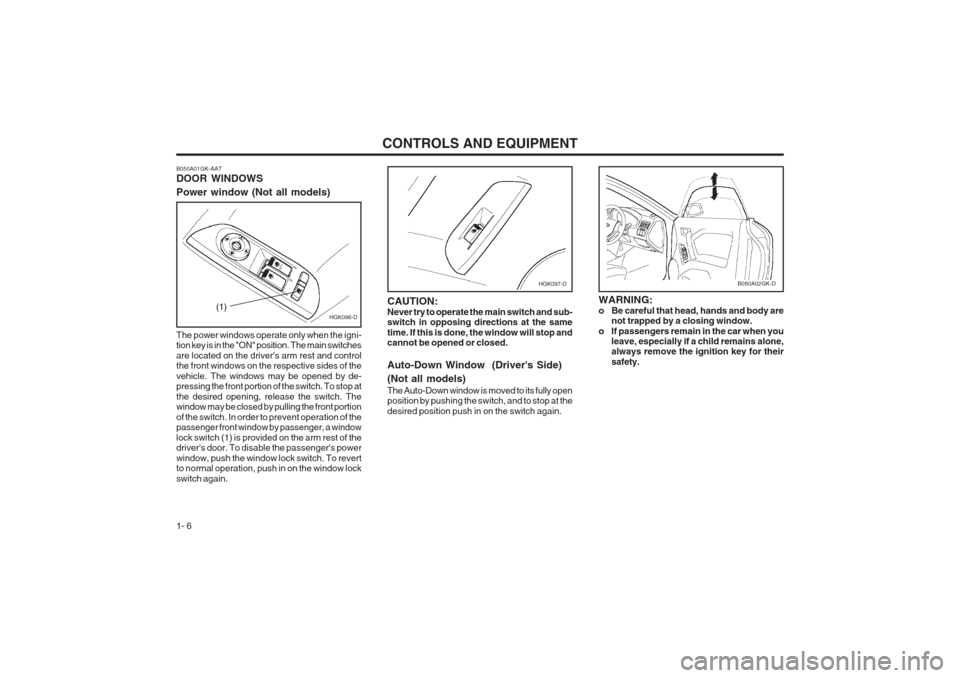
B050A01GK-AAT DOOR WINDOWS Power window (Not all models)
HGK096-D(1)
HGK097-D
The power windows operate only when the igni- tion key is in the "ON" position. The main switches are located on the driver's arm rest and control the front windows on the respective sides of the vehicle. The windows may be opened by de- pressing the front portion of the switch. To stop at the desired opening, release the switch. The window may be closed by pulling the front portion of the switch. In order to prevent operation of the passenger front window by passenger, a window lock switch (1) is provided on the arm rest of the driver's door. To disable the passenger's power window, push the window lock switch. To revert to normal operation, push in on the window lock switch again.
CAUTION:Never try to operate the main switch and sub- switch in opposing directions at the same time. If this is done, the window will stop and cannot be opened or closed. Auto-Down Window (Driver's Side) (Not all models) The Auto-Down window is moved to its fully open position by pushing the switch, and to stop at the desired position push in on the switch again.
B050A02GK-D
WARNING:
o Be careful that head, hands and body are
not trapped by a closing window.
o If passengers remain in the car when you leave, especially if a child remains alone, always remove the ignition key for their safety.
Page 43 of 140
CONTROLS AND EQUIPMENT1- 35
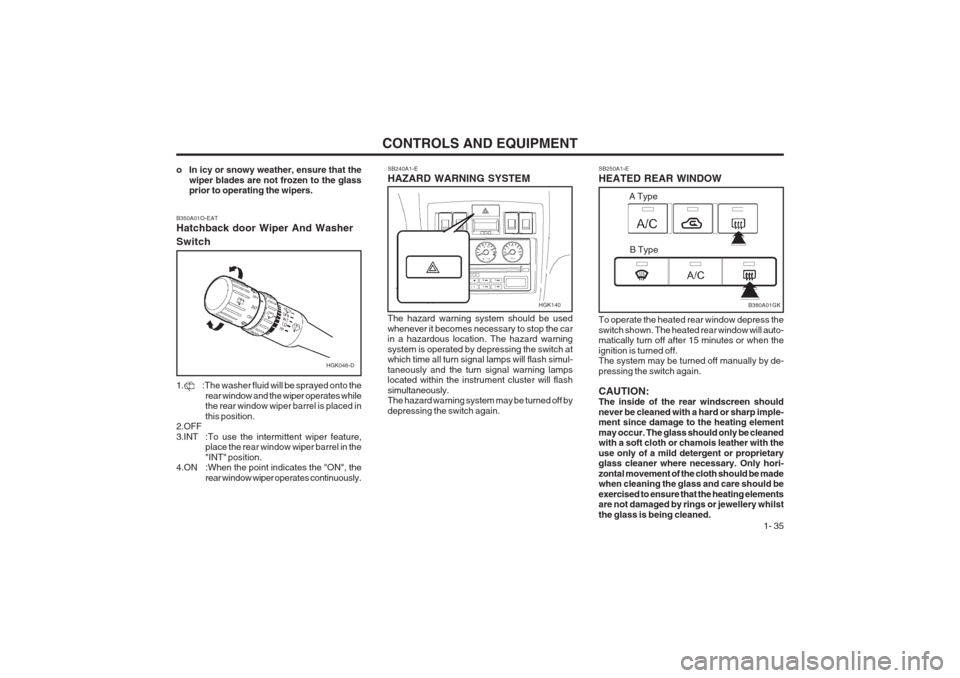
SB250A1-E HEATED REAR WINDOW
SB240A1-EHAZARD WARNING SYSTEM The hazard warning system should be used whenever it becomes necessary to stop the car in a hazardous location. The hazard warning system is operated by depressing the switch at which time all turn signal lamps will flash simul- taneously and the turn signal warning lamps located within the instrument cluster will flash simultaneously. The hazard warning system may be turned off by depressing the switch again. To operate the heated rear window depress theswitch shown. The heated rear window will auto- matically turn off after 15 minutes or when the ignition is turned off. The system may be turned off manually by de- pressing the switch again. CAUTION: The inside of the rear windscreen should never be cleaned with a hard or sharp imple- ment since damage to the heating element may occur. The glass should only be cleaned with a soft cloth or chamois leather with the use only of a mild detergent or proprietary glass cleaner where necessary. Only hori- zontal movement of the cloth should be made when cleaning the glass and care should be exercised to ensure that the heating elements are not damaged by rings or jewellery whilst the glass is being cleaned.
o In icy or snowy weather, ensure that the
wiper blades are not frozen to the glass prior to operating the wipers.
HGK046-D
B350A01O-EAT Hatchback door Wiper And Washer Switch
1. :The washer fluid will be sprayed onto the
rear window and the wiper operates while the rear window wiper barrel is placed in this position.
2.OFF3.INT :To use the intermittent wiper feature, place the rear window wiper barrel in the "INT" position.
4.ON :When the point indicates the "ON", the
rear window wiper operates continuously.
HGK140B380A01GK
A Type
B Type
Page 44 of 140
CONTROLS AND EQUIPMENT
1- 36 SB290A1-F CIGAR LIGHTER
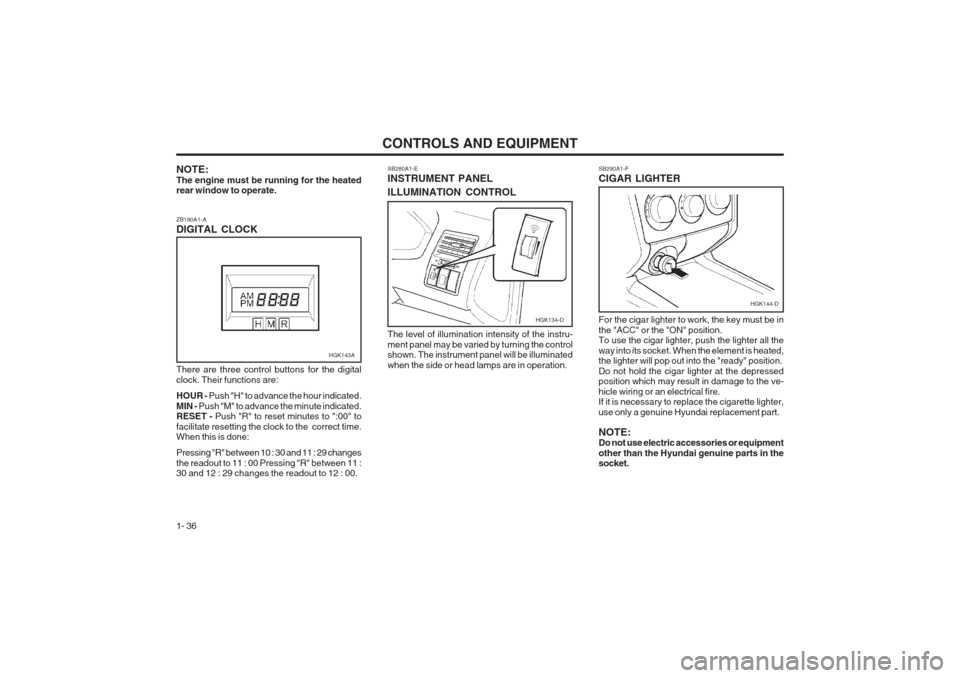
NOTE: The engine must be running for the heated rear window to operate. ZB190A1-A DIGITAL CLOCK SB280A1-EINSTRUMENT PANEL ILLUMINATION CONTROL
There are three control buttons for the digital clock. Their functions are: HOUR - Push "H" to advance the hour indicated.
MIN - Push "M" to advance the minute indicated.
RESET - Push "R" to reset minutes to ":00" to
facilitate resetting the clock to the correct time. When this is done: Pressing "R" between 10 : 30 and 11 : 29 changes the readout to 11 : 00 Pressing "R" between 11 : 30 and 12 : 29 changes the readout to 12 : 00. The level of illumination intensity of the instru- ment panel may be varied by turning the control shown. The instrument panel will be illuminated when the side or head lamps are in operation.
For the cigar lighter to work, the key must be inthe "ACC" or the "ON" position. To use the cigar lighter, push the lighter all the way into its socket. When the element is heated, the lighter will pop out into the "ready" position. Do not hold the cigar lighter at the depressed position which may result in damage to the ve- hicle wiring or an electrical fire. If it is necessary to replace the cigarette lighter, use only a genuine Hyundai replacement part. NOTE: Do not use electric accessories or equipment other than the Hyundai genuine parts in the socket.
HGK143A
HGK134-D
HGK144-D
Page 49 of 140
CONTROLS AND EQUIPMENT1- 41
CAUTION:
o Do not operate the switch continuously
for an unnecessary length of time.
o Scraping ice from the mirror face could
cause permanent damage. To remove any ice, use a sponge, soft cloth or approved de-icer.
WARNING:Be careful when judging the size or distance of any object seen in the passenger side rear view mirror. It is a convex mirror with a curved surface. Any objects seen in this mirror are closer than they appear. SB360C1-F FOLDING THE OUTSIDE REAR VIEW MIRRORS To fold the outside rear view mirrors, push them towards the rear. The outside rear view mirrors can be folded rearward for parking in restricted areas. WARNING: Do not adjust or fold the outside rear view mirrors while the vehicle is moving. This could result in loss of control, and an acci- dent causing death, serious injury or proper- ty damage.
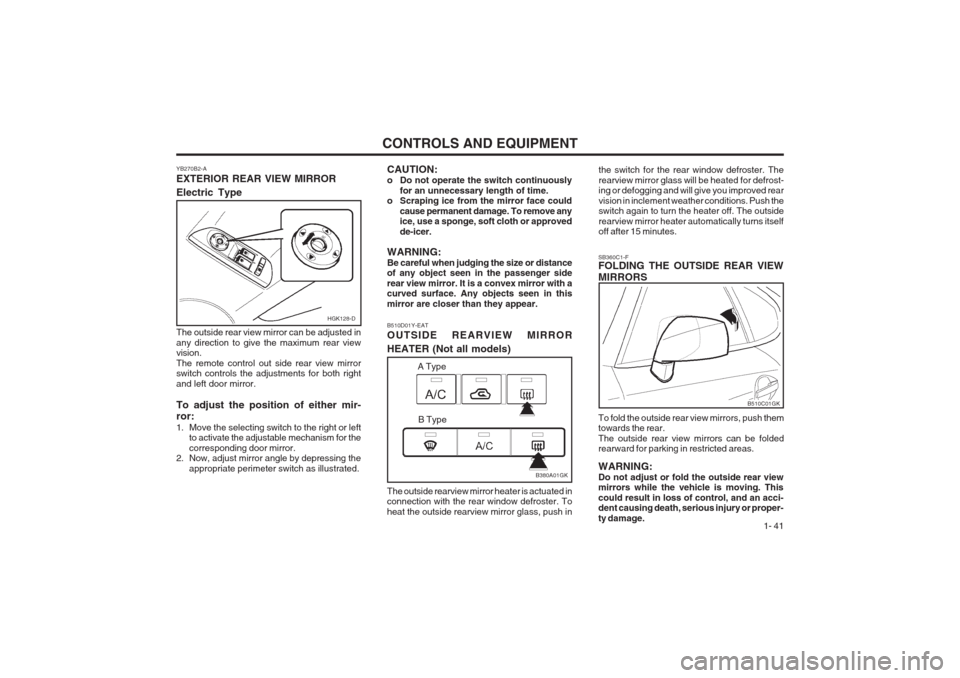
B510D01Y-EAT OUTSIDE REARVIEW MIRROR HEATER (Not all models) The outside rearview mirror heater is actuated in connection with the rear window defroster. To heat the outside rearview mirror glass, push in the switch for the rear window defroster. Therearview mirror glass will be heated for defrost- ing or defogging and will give you improved rear vision in inclement weather conditions. Push the switch again to turn the heater off. The outside rearview mirror heater automatically turns itself off after 15 minutes.
B510C01GK
B380A01GK
A Type
B Type
HGK128-D
YB270B2-A EXTERIOR REAR VIEW MIRROR Electric Type The outside rear view mirror can be adjusted in any direction to give the maximum rear view vision. The remote control out side rear view mirror switch controls the adjustments for both right and left door mirror. To adjust the position of either mir- ror:
1. Move the selecting switch to the right or left to activate the adjustable mechanism for the corresponding door mirror.
2. Now, adjust mirror angle by depressing the
appropriate perimeter switch as illustrated.
Page 51 of 140
CONTROLS AND EQUIPMENT1- 43
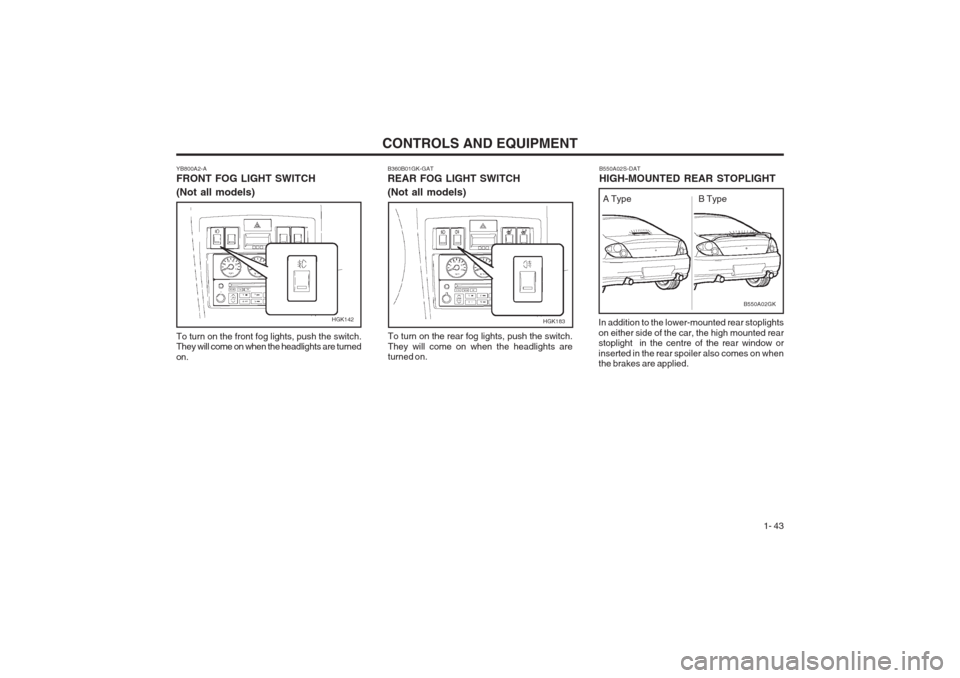
B550A02S-DAT HIGH-MOUNTED REAR STOPLIGHT
In addition to the lower-mounted rear stoplights on either side of the car, the high mounted rear stoplight in the centre of the rear window or inserted in the rear spoiler also comes on when the brakes are applied.
B360B01GK-GAT REAR FOG LIGHT SWITCH (Not all models)
HGK183
To turn on the rear fog lights, push the switch. They will come on when the headlights are turned on.
B550A02GK
A Type B Type
YB800A2-A FRONT FOG LIGHT SWITCH (Not all models) To turn on the front fog lights, push the switch. They will come on when the headlights are turned on.
HGK142
Page 55 of 140
CONTROLS AND EQUIPMENT1- 47
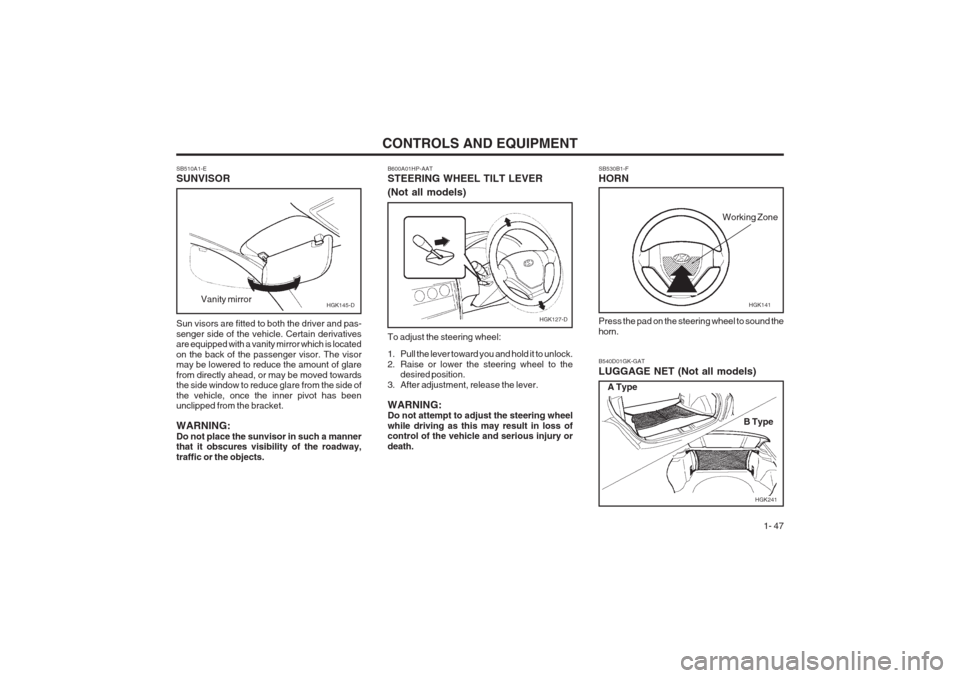
SB530B1-F HORN Press the pad on the steering wheel to sound the horn.
HGK141
Working Zone
B540D01GK-GAT LUGGAGE NET (Not all models)
HGK241
A Type
B Type
SB510A1-E SUNVISOR Sun visors are fitted to both the driver and pas- senger side of the vehicle. Certain derivatives are equipped with a vanity mirror which is located on the back of the passenger visor. The visor may be lowered to reduce the amount of glare from directly ahead, or may be moved towards the side window to reduce glare from the side of the vehicle, once the inner pivot has been unclipped from the bracket. WARNING: Do not place the sunvisor in such a manner that it obscures visibility of the roadway, traffic or the objects.
Vanity mirror
HGK145-D
B600A01HP-AAT STEERING WHEEL TILT LEVER (Not all models) To adjust the steering wheel:
1. Pull the lever toward you and hold it to unlock.
2. Raise or lower the steering wheel to the
desired position.
3. After adjustment, release the lever. WARNING: Do not attempt to adjust the steering wheel while driving as this may result in loss of control of the vehicle and serious injury or death.
HGK127-D
Page 59 of 140
CONTROLS AND EQUIPMENT1- 51
HGK002
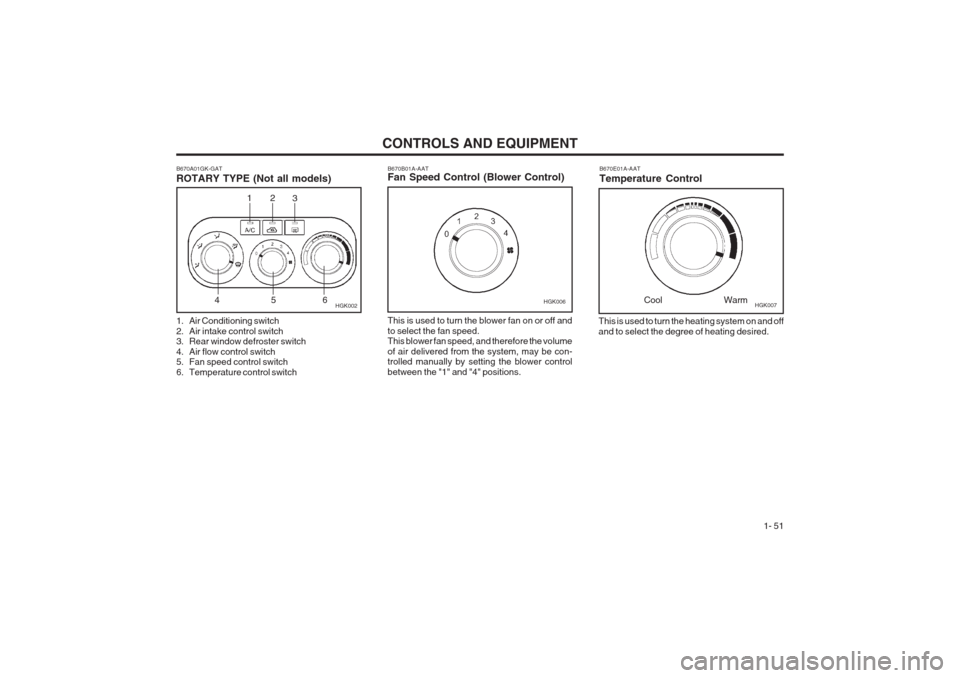
B670A01GK-GAT ROTARY TYPE (Not all models)
This is used to turn the heating system on and off and to select the degree of heating desired.B670E01A-AAT Temperature ControlCool Warm
B670B01A-AAT Fan Speed Control (Blower Control)HGK006
This is used to turn the blower fan on or off and to select the fan speed. This blower fan speed, and therefore the volume of air delivered from the system, may be con- trolled manually by setting the blower control between the "1" and "4" positions.
12 3
456
1. Air Conditioning switch
2. Air intake control switch
3. Rear window defroster switch
4. Air flow control switch
5. Fan speed control switch
6. Temperature control switch HGK007
Page 60 of 140
CONTROLS AND EQUIPMENT
1- 52
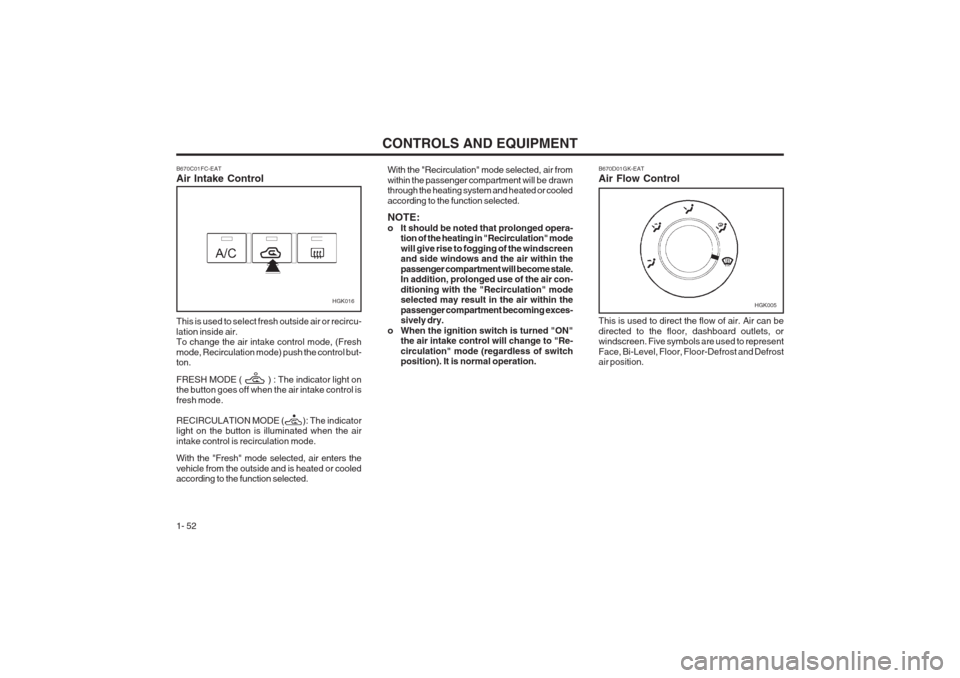
HGK016 B670D01GK-EAT Air Flow Control This is used to direct the flow of air. Air can be directed to the floor, dashboard outlets, or windscreen. Five symbols are used to represent Face, Bi-Level, Floor, Floor-Defrost and Defrost air position.HGK005
B670C01FC-EAT Air Intake Control This is used to select fresh outside air or recircu- lation inside air. To change the air intake control mode, (Fresh mode, Recirculation mode) push the control but- ton. FRESH MODE ( ) : The indicator light on the button goes off when the air intake control is fresh mode. RECIRCULATION MODE ( ): The indicator light on the button is illuminated when the air intake control is recirculation mode. With the "Fresh" mode selected, air enters the
vehicle from the outside and is heated or cooled according to the function selected. With the "Recirculation" mode selected, air from within the passenger compartment
will be drawn
through the heating system and heated or cooledaccording to the function selected. NOTE:
o It should be noted that prolonged opera- tion of the heating in "Recirculation" modewill give rise to fogging of the windscreen and side windows and the air within the passenger compartment will become stale. In addition, prolonged use of the air con- ditioning with the "Recirculation" mode selected may result in the air within the passenger compartment becoming exces- sively dry.
o When the ignition switch is turned "ON" the air intake control will change to "Re- circulation" mode (regardless of switch position). It is normal operation.
Page 62 of 140
CONTROLS AND EQUIPMENT
1- 54
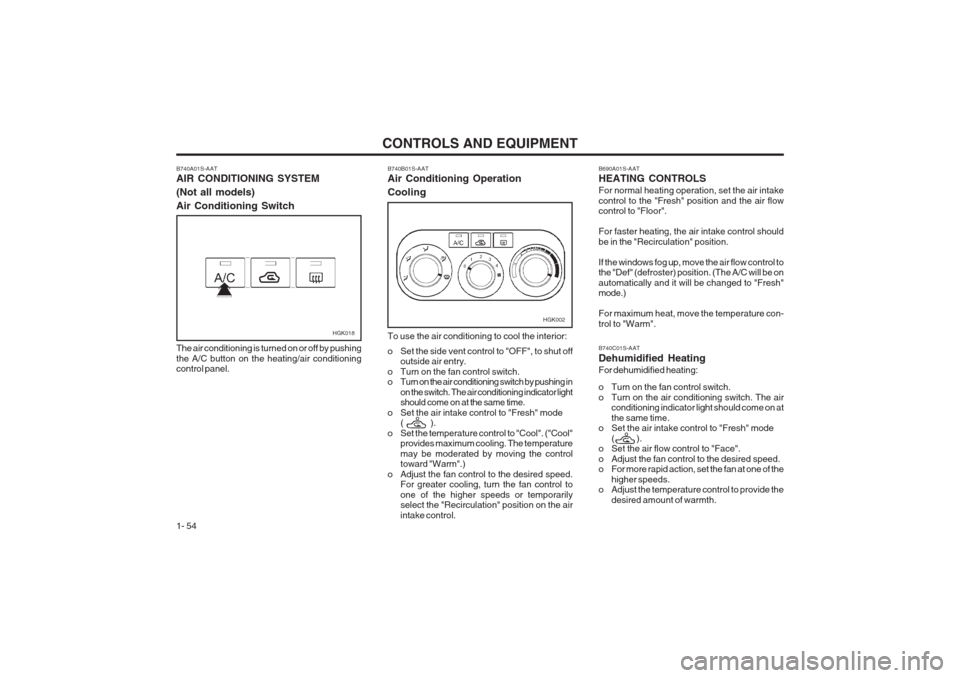
B740A01S-AAT AIR CONDITIONING SYSTEM (Not all models)Air Conditioning Switch
HGK018
The air conditioning is turned on or off by pushing the A/C button on the heating/air conditioning control panel.
HGK002
B740B01S-AAT Air Conditioning Operation Cooling To use the air conditioning to cool the interior:
o Set the side vent control to "OFF", to shut off outside air entry.
o Turn on the fan control switch.
o Turn on the air conditioning switch by pushing in on the switch. The air conditioning indicator lightshould come on at the same time.
o Set the air intake control to "Fresh" mode ( ).
o Set the temperature control to "Cool". ("Cool" provides maximum cooling. The temperature may be moderated by moving the control toward "Warm".)
o Adjust the fan control to the desired speed. For greater cooling, turn the fan control to one of the higher speeds or temporarily select the "Recirculation" position on the air intake control.B690A01S-AAT HEATING CONTROLS For normal heating operation, set the air intake control to the "Fresh" position and the air flow control to "Floor". For faster heating, the air intake control should be in the "Recirculation" position. If the windows fog up, move the air flow control to the "Def" (defroster) position. (The A/C will be on automatically and it will be changed to "Fresh" mode.) For maximum heat, move the temperature con- trol to "Warm". B740C01S-AAT Dehumidified HeatingFor dehumidified heating:
o Turn on the fan control switch.
o Turn on the air conditioning switch. The airconditioning indicator light should come on atthe same time.
o Set the air intake control to "Fresh" mode
( ).
o Set the air flow control to "Face".
o Adjust the fan control to the desired speed.
o For more rapid action, set the fan at one of the
higher speeds.
o Adjust the temperature control to provide the
desired amount of warmth.