buttons Hyundai Coupe 2004 User Guide
[x] Cancel search | Manufacturer: HYUNDAI, Model Year: 2004, Model line: Coupe, Model: Hyundai Coupe 2004Pages: 389, PDF Size: 10.22 MB
Page 92 of 389

FEATURES OF YOUR HYUNDAI
1- 84
3. Scan search Press and hold the right rotary control, until the prompt "SC" (5) appears on the display. Allfollowing CD tracks are played for 8 secondseach. Press the rotary control again to terminatethe search.
4. Fast forward /rewind Fast forward (audible) is activated by pressing the multifunction button (3) " " and fast rewind(audible) is activated by pressing the multifunc-tion button (2) " ". The relative time is displayedduring this function.
5. Relative time, number of tracks, to- tal playing time By pressing the multifunction button (1) "T", the relative time for the track currently being playedis displayed for approx.10seconds.
B260B05GK
(2) (3) (5)(1)(4)
By against pressing the multifunction button "T" (within 10 seconds), the number of tracks andtotal playing time of the CD currently being playedare displayed for approx.10 seconds
6. Random play The random play is activated by pressing the multifunction button (4) "RP". The tracks of thecurrent CD are then played in random order."RP" appears on the display. The random playfunction is terminated by repeated pressing ofthe multifunction button "RP".
7. Direct track selection The unit is switched to select mode by pressing the multifunction button "0" The digits 1-0 andTRACK _ _ are displayed. A track can be se-lected directly by using the multifunction buttons"1-0". The unit switches back to CD menu modeif no buttons are actuated for approx.8seconds.
8. Temperature protection circuit A temperature protection circuit is utilized in this unit in order to protect the laser diode againstover heating.When this protection circuit is activated, CDTEMP. appears for 8 seconds. The unit switchesback to the last selected signal source (FM / AM).The single CD operation can be requested againafter a short cooling phase. However, if thetemperature is still too high, the unit again switchesback to the previously selected signal source.
Page 236 of 389
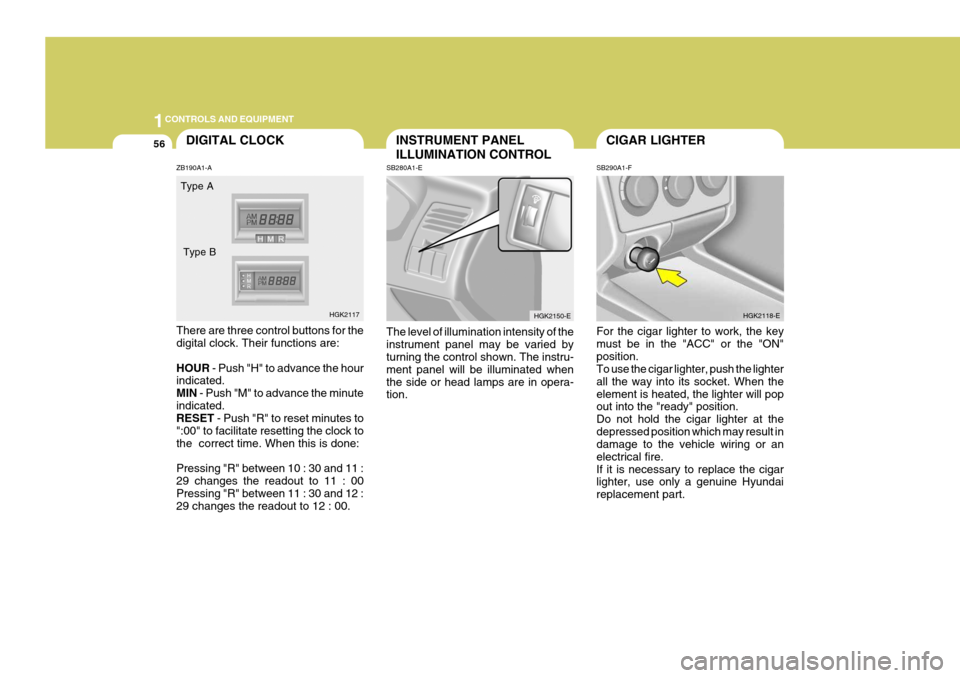
1CONTROLS AND EQUIPMENT
56CIGAR LIGHTER
SB290A1-F For the cigar lighter to work, the key must be in the "ACC" or the "ON"position. To use the cigar lighter, push the lighter all the way into its socket. When theelement is heated, the lighter will pop out into the "ready" position. Do not hold the cigar lighter at thedepressed position which may result in damage to the vehicle wiring or an electrical fire.If it is necessary to replace the cigar lighter, use only a genuine Hyundai replacement part. HGK2118-EINSTRUMENT PANEL ILLUMINATION CONTROL
SB280A1-E The level of illumination intensity of the instrument panel may be varied by turning the control shown. The instru- ment panel will be illuminated whenthe side or head lamps are in opera- tion. HGK2150-EDIGITAL CLOCK
ZB190A1-A There are three control buttons for the digital clock. Their functions are: HOUR - Push "H" to advance the hour
indicated. MIN - Push "M" to advance the minute
indicated. RESET - Push "R" to reset minutes to
":00" to facilitate resetting the clock to the correct time. When this is done: Pressing "R" between 10 : 30 and 11 : 29 changes the readout to 11 : 00 Pressing "R" between 11 : 30 and 12 : 29 changes the readout to 12 : 00. Type A
HGK2117
Type B
Page 266 of 389
1FEATURES OF YOUR HYUNDAI
86
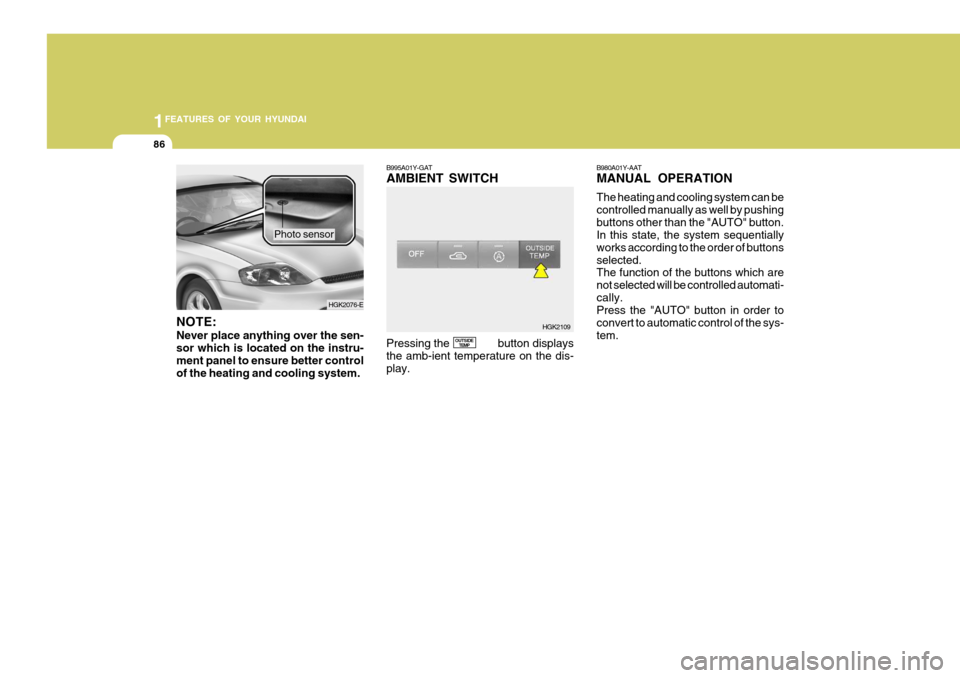
NOTE: Never place anything over the sen- sor which is located on the instru-ment panel to ensure better control of the heating and cooling system. Photo sensor
B995A01Y-GAT AMBIENT SWITCH Pressing the button displays the amb-ient temperature on the dis-play.
OUTSIDE
TEMP B980A01Y-AAT MANUAL OPERATION The heating and cooling system can be controlled manually as well by pushingbuttons other than the "AUTO" button. In this state, the system sequentially works according to the order of buttonsselected. The function of the buttons which are not selected will be controlled automati-cally. Press the "AUTO" button in order to convert to automatic control of the sys-tem.
HGK2109
HGK2076-E