heating Hyundai Coupe 2005 User Guide
[x] Cancel search | Manufacturer: HYUNDAI, Model Year: 2005, Model line: Coupe, Model: Hyundai Coupe 2005Pages: 478, PDF Size: 13.44 MB
Page 99 of 478
1
FEATURES OF YOUR HYUNDAI
85
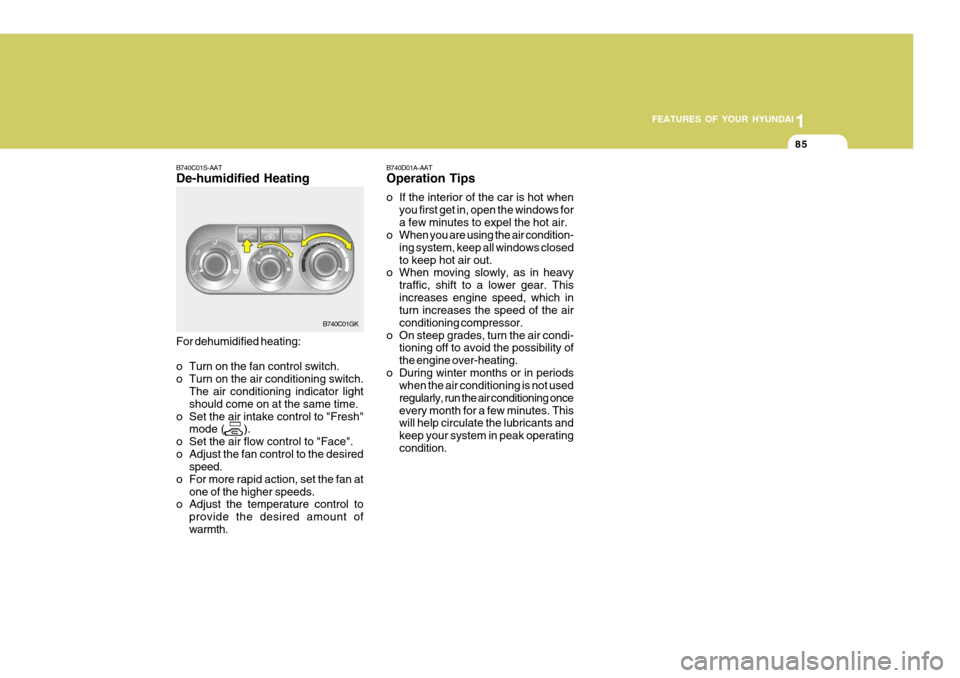
B740C01S-AAT De-humidified Heating For dehumidified heating:
o Turn on the fan control switch.
o Turn on the air conditioning switch.
The air conditioning indicator lightshould come on at the same time.
o Set the air intake control to "Fresh" mode ( ).
o Set the air flow control to "Face".
o Adjust the fan control to the desired speed.
o For more rapid action, set the fan at
one of the higher speeds.
o Adjust the temperature control to
provide the desired amount ofwarmth. B740D01A-AAT Operation Tips
o If the interior of the car is hot when
you first get in, open the windows for a few minutes to expel the hot air.
o When you are using the air condition-
ing system, keep all windows closedto keep hot air out.
o When moving slowly, as in heavy
traffic, shift to a lower gear. Thisincreases engine speed, which in turn increases the speed of the air conditioning compressor.
o On steep grades, turn the air condi- tioning off to avoid the possibility ofthe engine over-heating.
o During winter months or in periods when the air conditioning is not usedregularly, run the air conditioning onceevery month for a few minutes. This will help circulate the lubricants and keep your system in peak operatingcondition.
B740C01GK
Page 100 of 478
1FEATURES OF YOUR HYUNDAI
86AUTOMATIC HEATING AND COOLING CONTROL SYSTEM
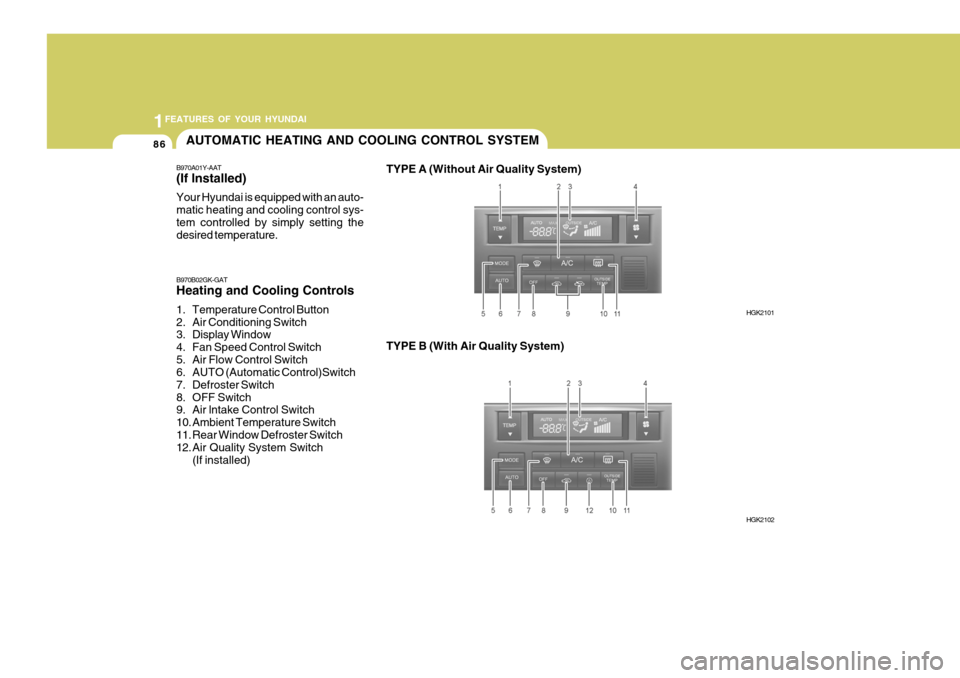
B970A01Y-AAT (If lnstalled) Your Hyundai is equipped with an auto- matic heating and cooling control sys-tem controlled by simply setting the desired temperature. TYPE A (Without Air Quality System)
B970B02GK-GAT Heating and Cooling Controls
1. Temperature Control Button
2. Air Conditioning Switch
3. Display Window
4. Fan Speed Control Switch
5. Air Flow Control Switch
6. AUTO (Automatic Control)Switch
7. Defroster Switch
8. OFF Switch
9. Air lntake Control Switch
10. Ambient Temperature Switch
11. Rear Window Defroster Switch
12. Air Quality System Switch (If installed) TYPE B (With Air Quality System)
HGK2101
HGK2102
Page 101 of 478
1
FEATURES OF YOUR HYUNDAI
87
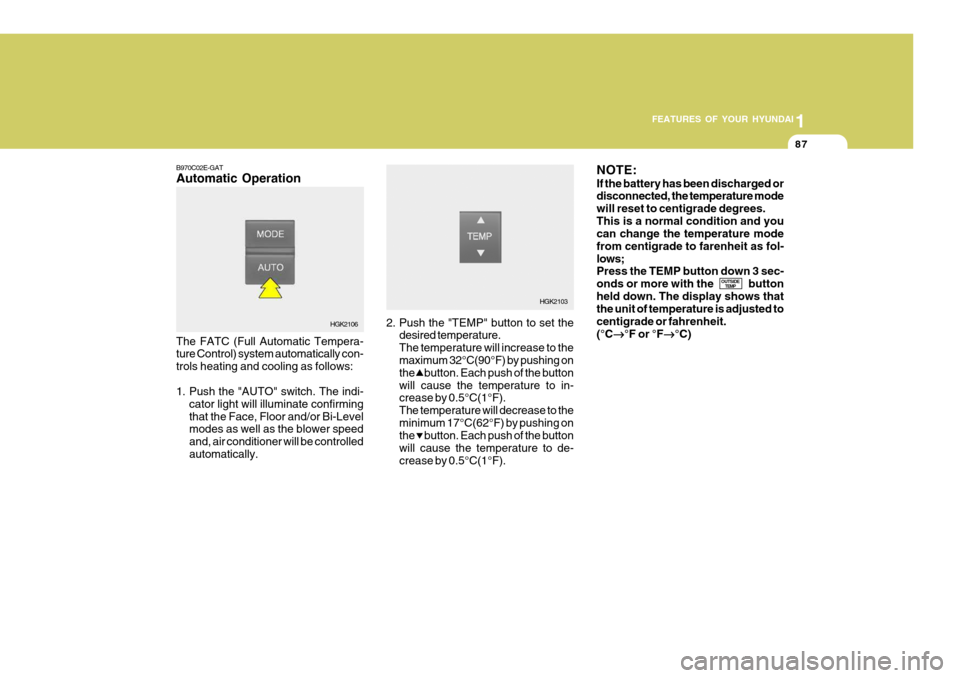
B970C02E-GAT Automatic Operation The FATC (Full Automatic Tempera- ture Control) system automatically con- trols heating and cooling as follows:
1. Push the "AUTO" switch. The indi-
cator light will illuminate confirming that the Face, Floor and/or Bi-Level modes as well as the blower speed and, air conditioner will be controlledautomatically. 2. Push the "TEMP" button to set the
desired temperature.The temperature will increase to the maximum 32°C(90°F) by pushing on the button. Each push of the buttonwill cause the temperature to in- crease by 0.5°C(1°F). The temperature will decrease to theminimum 17°C(62°F) by pushing on the button. Each push of the button will cause the temperature to de-crease by 0.5°C(1°F).NOTE: If the battery has been discharged or disconnected, the temperature mode will reset to centigrade degrees.This is a normal condition and you can change the temperature mode from centigrade to farenheit as fol-lows; Press the TEMP button down 3 sec- onds or more with the buttonheld down. The display shows that the unit of temperature is adjusted to centigrade or fahrenheit.(°C
°F or °F
°C)
OUTSIDE
TEMP
HGK2106 HGK2103
Page 102 of 478
1FEATURES OF YOUR HYUNDAI
88
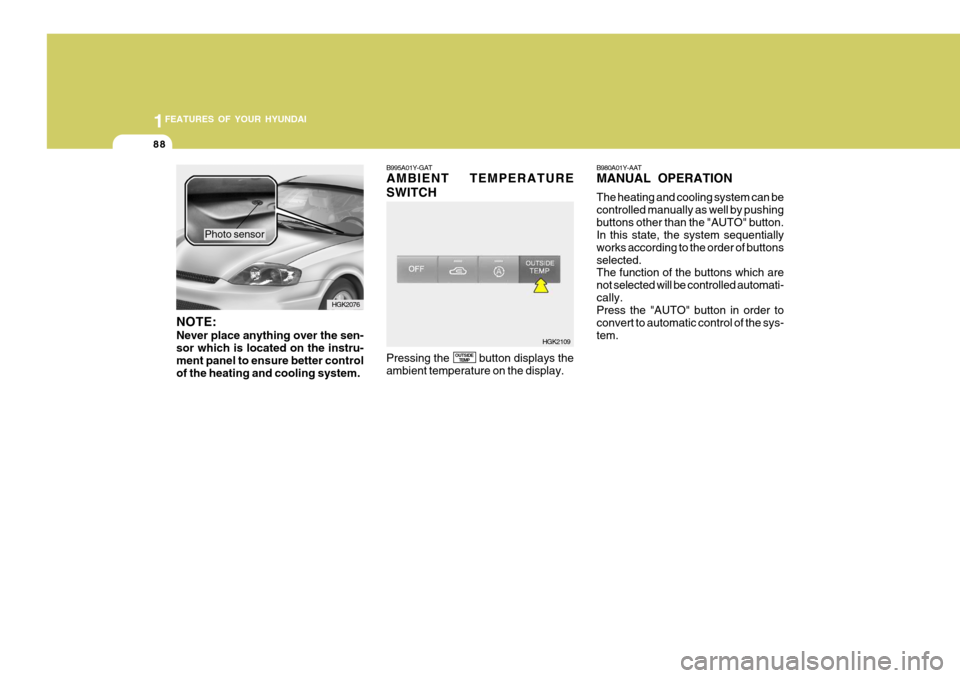
NOTE: Never place anything over the sen- sor which is located on the instru-ment panel to ensure better control of the heating and cooling system. Photo sensor
B995A01Y-GAT AMBIENT TEMPERATURE SWITCH Pressing the button displays the ambient temperature on the display.
OUTSIDE
TEMP B980A01Y-AAT MANUAL OPERATION The heating and cooling system can be controlled manually as well by pushingbuttons other than the "AUTO" button. In this state, the system sequentially works according to the order of buttonsselected. The function of the buttons which are not selected will be controlled automati-cally. Press the "AUTO" button in order to convert to automatic control of the sys-tem.
HGK2076
HGK2109
Page 103 of 478
1
FEATURES OF YOUR HYUNDAI
89
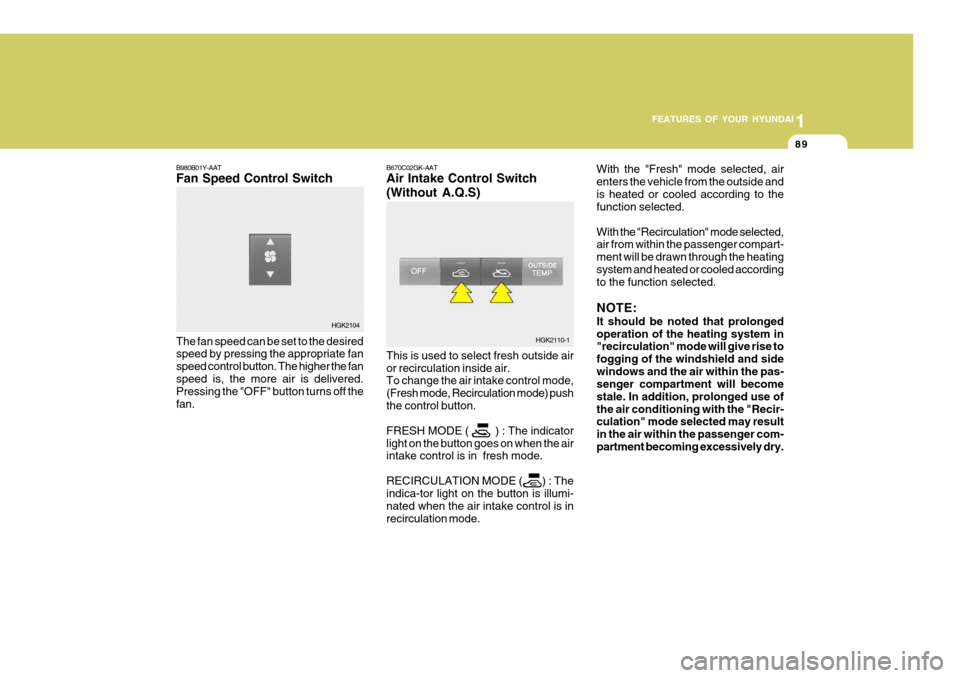
B980B01Y-AAT Fan Speed Control Switch The fan speed can be set to the desired speed by pressing the appropriate fan speed control button. The higher the fanspeed is, the more air is delivered. Pressing the "OFF" button turns off the fan. B670C02GK-AAT Air Intake Control Switch (Without A.Q.S) This is used to select fresh outside air or recirculation inside air. To change the air intake control mode, (Fresh mode, Recirculation mode) pushthe control button. FRESH MODE ( ) : The indicator light on the button goes on when the air intake control is in fresh mode. RECIRCULATION MODE ( ) : The indica-tor light on the button is illumi- nated when the air intake control is inrecirculation mode.With the "Fresh" mode selected, airenters the vehicle from the outside andis heated or cooled according to the function selected. With the "Recirculation" mode selected, air from within the passenger compart- ment will be drawn through the heatingsystem and heated or cooled according to the function selected. NOTE: It should be noted that prolonged operation of the heating system in "recirculation" mode will give rise to fogging of the windshield and sidewindows and the air within the pas- senger compartment will become stale. In addition, prolonged use ofthe air conditioning with the "Recir- culation" mode selected may result in the air within the passenger com-partment becoming excessively dry.
HGK2104
HGK2110-1
Page 104 of 478
1FEATURES OF YOUR HYUNDAI
90
!
CAUTION:
If the windows fog up with the Recir- culation or A.Q.S mode selected, set the air intake control to the Fresh air position or A.Q.S control to "OFF". B980D01Y-AAT Heating and Cooling System Off Press the "OFF" button to stop the operation of the heating and cooling system.
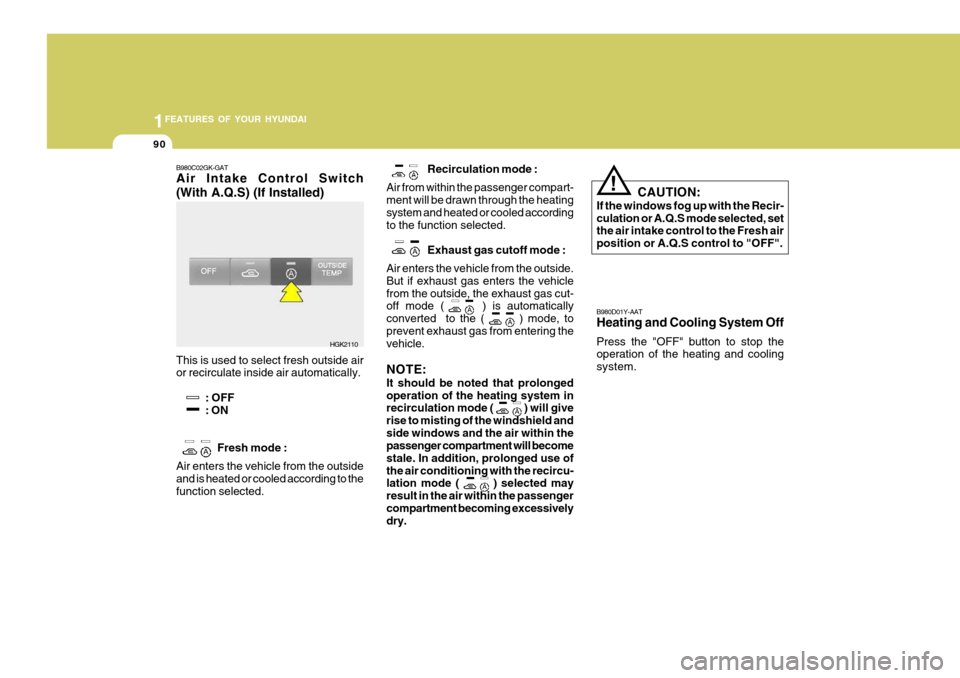
B980C02GK-GAT Air Intake Control Switch (With A.Q.S) (If Installed) This is used to select fresh outside air or recirculate inside air automatically.
: OFF: ON
Fresh mode :
Air enters the vehicle from the outsideand is heated or cooled according to the function selected. Recirculation mode :
Air from within the passenger compart- ment will be drawn through the heating system and heated or cooled accordingto the function selected.
Exhaust gas cutoff mode :
Air enters the vehicle from the outside.But if exhaust gas enters the vehiclefrom the outside, the exhaust gas cut- off mode ( ) is automatically converted to the (
) mode, to
prevent exhaust gas from entering the vehicle. NOTE: It should be noted that prolonged operation of the heating system in recirculation mode (
) will give
rise to misting of the windshield and side windows and the air within the passenger compartment will become stale. In addition, prolonged use ofthe air conditioning with the recircu- lation mode (
) selected may
result in the air within the passenger compartment becoming excessively dry.
HGK2110
Page 119 of 478

1
FEATURES OF YOUR HYUNDAI
105
B260D02O-AAT
1. Playing CD
o Insert the CD with the label facing upward.
o Insert the CD to start CD playback, during radio operation.
o When a disc is in the CD deck, if you press the play button, the CD player will begin playing even if the radio is being used.
o The CD player can be used when the ignition switch is in either the "ON" or"ACC" position.
2. FF/REW ( / ) If you want to fast forward or reverse through the compact disc track, push and hold the FF ( ) or REW ( ) button.When you release the button, the com- pact disc player will resume playing.
3. TRACK UP/DOWN
o The desired track on the disc cur- rently being played can be selected using the track number.
o Press once to skip forward to the
beginning of the next track. Press once to skip back to the begin-
ning of the track.
4. SCAN Button
o Press the SCAN button to playback the first 10 seconds of each track.
o Press the SCAN button again within 10 sec. when you have reached the desired track.
5. REPEAT Button
o To repeat the track you are currently listening to, press the RPT button. To cancel , press again.
o If you do not release RPT operation
when the track ends, it will automati-cally be replayed. This process will be continued until you push the button again. 6. EJECT Button When the EJECT button is pressed with a CD loaded, the CD will eject. NOTE:
o If the CD does not operate prop-
erly or if the ER2 fault code is displayed, use one of two meth- ods to reset the CD deck function.
- Remove the audio fuse for 5 min-
utes. Then, reinstall the audio fuse.
- Diconnect the negative terminal of
the battery and wait 5 minutes. Then reconnect the negative bat- tery terminal.
o To assure proper operation of the unit, keep the vehicle interior tem-perature within a normal range by using the vehicle's air condition-ing or heating system.
o When replacing the fuse, replace
it with a fuse having the correctcapacity.
o The preset station frequencies are
all erased when the car battery isdisconnected. Therefore, all data will have to be set again if this should occur.
Page 131 of 478

1
FEATURES OF YOUR HYUNDAI
117
4.DISC Select Button To select the CD you want, push "DISC " or "DISC " to change the discnumber. 5. RANDOM Button With random, you can listen to the tracks in random, rather than sequen-tial order, on all of the discs or on one disc. To use random, do the following:
o Press and release the RDM button to play the tracks on all of the discs or on one disc that are loaded, in ran- dom order. RDM will appear in the display. Press RDM to turn if off.
6. REPEAT Button
o To repeat the track you are currently listening to, press the RPT button. To cancel, press again.
o If you do not release RPT operation after all the tracks are played back,the unit will play back again from thefirst track. 7. TRACK UP/DOWN
o The desired track on the disc cur-
rently being played can be selected using the track number.
o Press once to skip forward to the
beginning of the next track.
o Press once to skip back to the beginning of the track.
8. FF/REW Button While the disc is playing, if you hold down the FF button continuously, theselected track is advanced. Holding down the REW button continuously moves the selected track back.
9. SCAN Button
o Press the SCAN button to playback the first 10 seconds of each track.
o Press the SCAN button again within 10 sec. when you have reached the desired track. CLASSIC
JAZZ ROCK DEFEAT
10. EQ Button Press the EQ button to select the CLAS- SIC, JAZZ, ROCK and DEFEAT MODEfor the desired tone quality. Each press of the button changes the display as follows; NOTE:
o To assure proper operation of the
unit, keep the vehicle interior tem- perature within a normal range by using the vehicle's air condition- ing or heating system.
o When replacing the fuse, replace it with a fuse having the correctcapacity.
o The preset station frequencies are all erased when the car battery isdisconnected. Therefore, all datawill have to be set again if this should occur.
o Do not add any oil to the rotating
parts. Keep magnets, screwdriv-ers and other metallic objects away from the tape mechanism and head.
Page 140 of 478
1FEATURES OF YOUR HYUNDAI
126
6. Random play The random play is activated by press- ing the multifunction button (4) "RP".The tracks of the current CD are then played in random order. "RP" appears on the display. The random play func-tion is terminated by repeated pressing of the multifunction button "RP".
7. Direct track selection The unit is switched to select mode by pressing the multifunction button "0"The digits 1-0 and TRACK _ _ are displayed. A track can be selected directly by using the multifunction but-tons "1-0". The unit switches back to CD menu mode if no buttons are actu- ated for approx.8seconds. 8. Temperature protection circuit A temperature protection circuit is uti- lized in this unit in order to protect thelaser diode against over heating. When this protection circuit is acti- vated, CD TEMP. appears for 8 sec-onds. The unit switches back to the last selected signal source (FM / AM). The single CD operation can be re-quested again after a short cooling phase. However, if the temperature is still too high, the unit again switchesback to the previously selected signal source.
Page 157 of 478
2 DRIVING YOUR HYUNDAI
14
o Don't coast down hills with the car
out of gear. This is extremely haz- ardous. Keep the car in gear at all times, use the brakes to slow down, then shift to a lower gear so thatengine braking will help you main- tain a safe speed.
o Don't "ride" the brake pedal. Rest- ing your foot on the brake pedalwhile driving can be dangerous be- cause it can result in the brakesoverheating and losing their effec- tiveness. It also increases the wear of the brake components.
o If a tire goes flat while you are driving, apply the brakes gently andkeep the car pointed straight aheadwhile you slow down. When you are moving slowly enough for it to be safe to do so, pull off the road andstop in a safe place.
o If your car is equipped with an auto-
matic transaxle, don't let your carcreep forward. To avoid creeping forward, keep your foot on the brake pedal when the car is stopped.
o Use caution when parking on a hill. Engage the parking brake and placethe gear selector lever in "P" (auto- matic transaxle) or in first or reversegear (manual transaxle). If your caris facing downhill, turn the front wheels into the curb to help keep the car from rolling. If your car is facinguphill, turn the front wheels away from the curb to help keep the car from rolling.If there is no curb or if it is required by other conditions to keep the car from rolling, block the wheels.
o Under some conditions your park- ing brake can freeze in the engagedposition. This is most likely to hap-pen when there is an accumulation of snow or ice around or near the rear brakes or if the brakes are wet.If there is a risk that the parking brake may freeze, apply it only tem- porarily while you put the gear se-lector lever in "P" (automatic) or in first or reverse gear (manual transaxle) and block the rear wheelsso the car cannot roll. Then release the parking brake.
o Do not hold the vehicle on the up- grade with the accelerator pedal.This can cause the transmission to overheat. Always use the brakepedal or parking brake.
ELECTRONIC STABILITY PROGRAM (ESP)
C310A01JM-AAT (If installed)
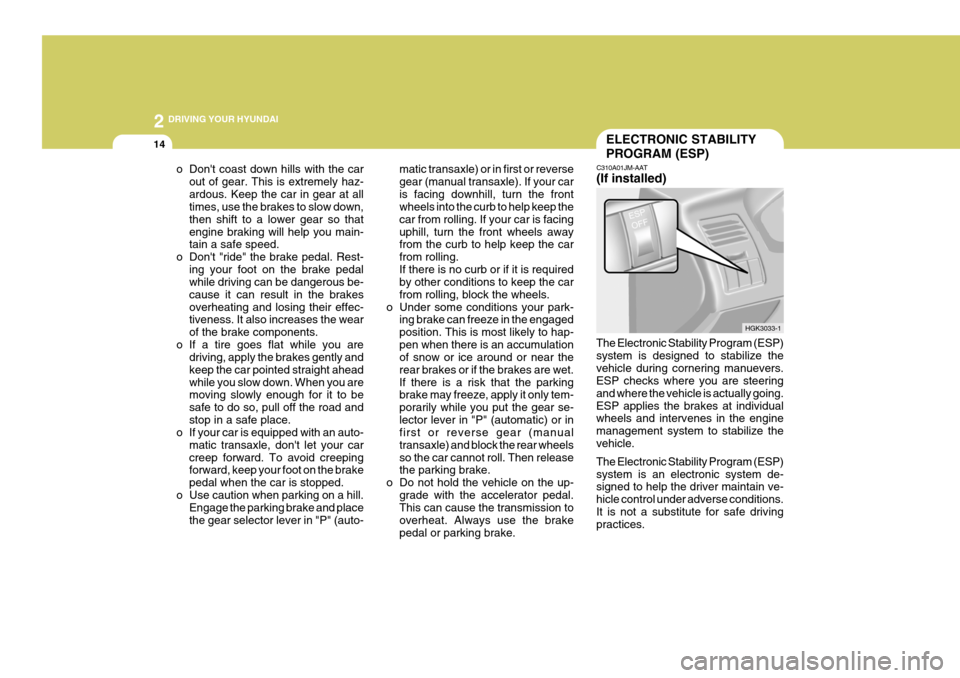
The Electronic Stability Program (ESP) system is designed to stabilize thevehicle during cornering manuevers. ESP checks where you are steering and where the vehicle is actually going.ESP applies the brakes at individual wheels and intervenes in the engine management system to stabilize thevehicle. The Electronic Stability Program (ESP) system is an electronic system de- signed to help the driver maintain ve- hicle control under adverse conditions.It is not a substitute for safe driving practices. HGK3033-1