light Hyundai Coupe 2005 Service Manual
[x] Cancel search | Manufacturer: HYUNDAI, Model Year: 2005, Model line: Coupe, Model: Hyundai Coupe 2005Pages: 478, PDF Size: 13.44 MB
Page 103 of 478
1
FEATURES OF YOUR HYUNDAI
89
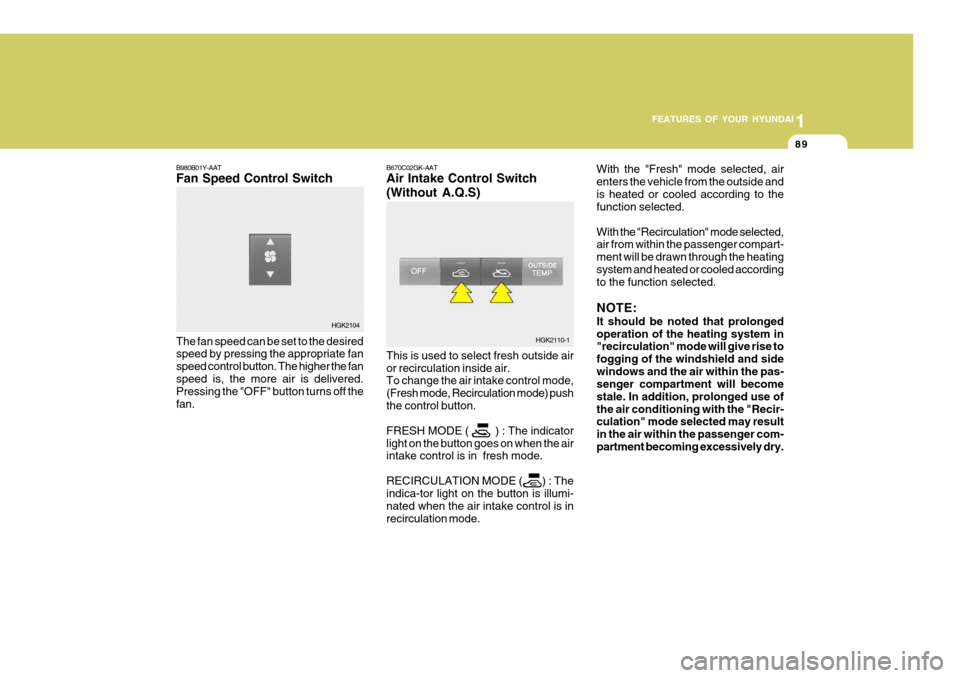
B980B01Y-AAT Fan Speed Control Switch The fan speed can be set to the desired speed by pressing the appropriate fan speed control button. The higher the fanspeed is, the more air is delivered. Pressing the "OFF" button turns off the fan. B670C02GK-AAT Air Intake Control Switch (Without A.Q.S) This is used to select fresh outside air or recirculation inside air. To change the air intake control mode, (Fresh mode, Recirculation mode) pushthe control button. FRESH MODE ( ) : The indicator light on the button goes on when the air intake control is in fresh mode. RECIRCULATION MODE ( ) : The indica-tor light on the button is illumi- nated when the air intake control is inrecirculation mode.With the "Fresh" mode selected, airenters the vehicle from the outside andis heated or cooled according to the function selected. With the "Recirculation" mode selected, air from within the passenger compart- ment will be drawn through the heatingsystem and heated or cooled according to the function selected. NOTE: It should be noted that prolonged operation of the heating system in "recirculation" mode will give rise to fogging of the windshield and sidewindows and the air within the pas- senger compartment will become stale. In addition, prolonged use ofthe air conditioning with the "Recir- culation" mode selected may result in the air within the passenger com-partment becoming excessively dry.
HGK2104
HGK2110-1
Page 105 of 478
1
FEATURES OF YOUR HYUNDAI
91
B980E01GK-GAT Air Flow Control
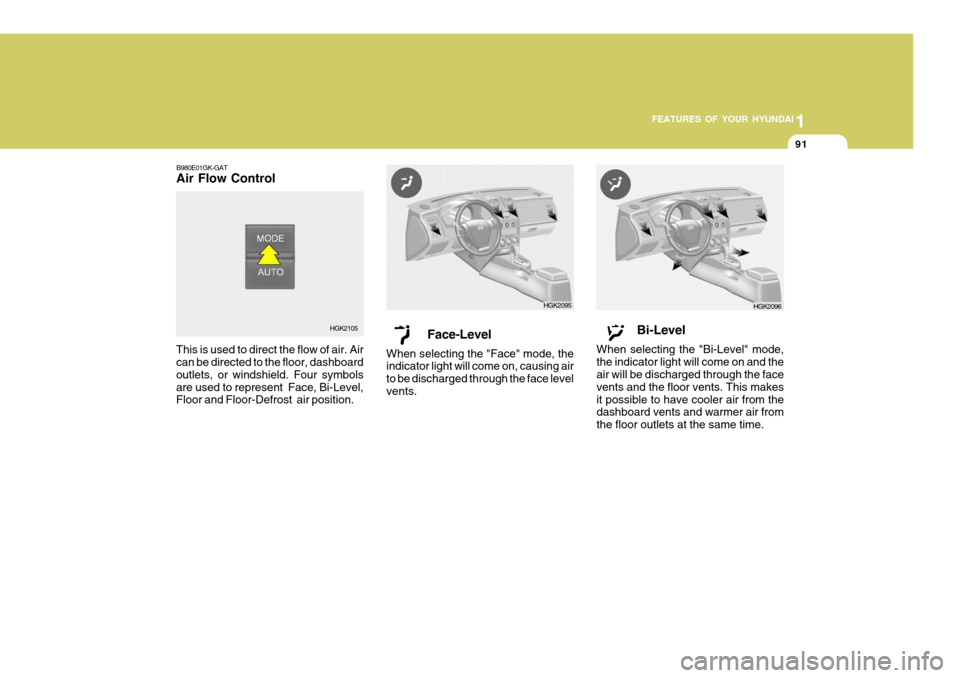
This is used to direct the flow of air. Air can be directed to the floor, dashboard outlets, or windshield. Four symbolsare used to represent Face, Bi-Level, Floor and Floor-Defrost air position. Face-Level
When selecting the "Face" mode, theindicator light will come on, causing air to be discharged through the face levelvents.
HGK2105 HGK2095Bi-Level
When selecting the "Bi-Level" mode, the indicator light will come on and the air will be discharged through the face vents and the floor vents. This makesit possible to have cooler air from the dashboard vents and warmer air from the floor outlets at the same time.
HGK2096
Page 106 of 478
1FEATURES OF YOUR HYUNDAI
92
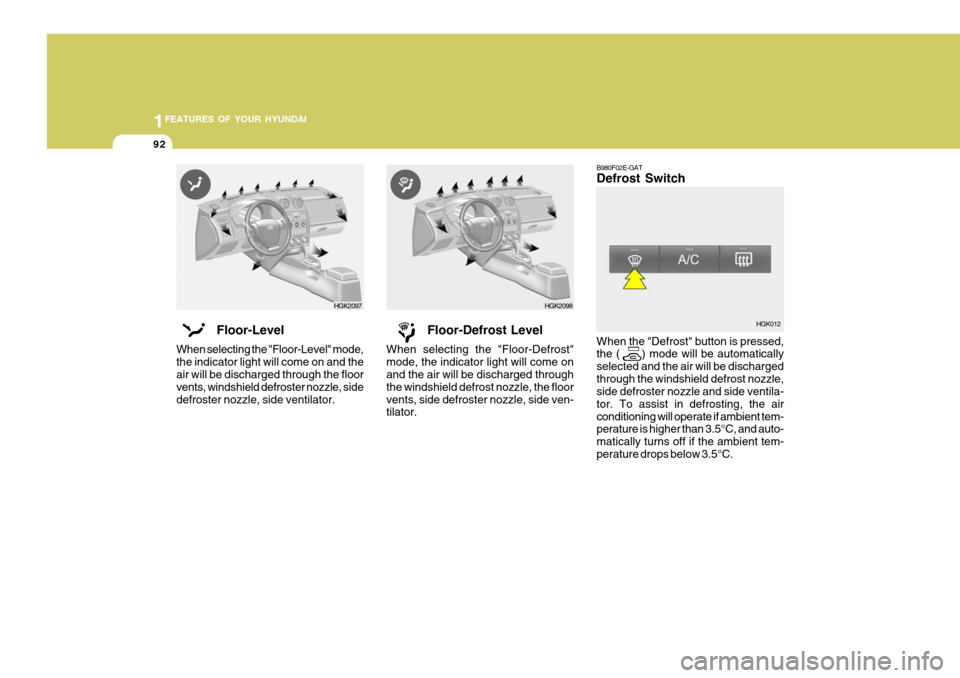
B980F02E-GAT Defrost Switch When the "Defrost" button is pressed, the ( ) mode will be automatically selected and the air will be dischargedthrough the windshield defrost nozzle, side defroster nozzle and side ventila- tor. To assist in defrosting, the airconditioning will operate if ambient tem- perature is higher than 3.5°C, and auto- matically turns off if the ambient tem-perature drops below 3.5°C. HGK012
Floor-Level
When selecting the "Floor-Level" mode,the indicator light will come on and the air will be discharged through the floor vents, windshield defroster nozzle, sidedefroster nozzle, side ventilator. Floor-Defrost Level
When selecting the "Floor-Defrost"mode, the indicator light will come on and the air will be discharged through the windshield defrost nozzle, the floorvents, side defroster nozzle, side ven- tilator.
HGK2097 HGK2098
Page 130 of 478

1FEATURES OF YOUR HYUNDAI
116
J290F01JM-GAT 1. LOAD Button This compact disc playing will accom- modate up to six discs. To insert one disc do the following:
1. Press and release the LOAD Button.
2. Green light on the both side of theslot will be illuminated and the will blink ten times on the display.
3. Load a disc while the is blinking.
Insert a disc partway into the slot,label side up. The player will pull the disc in.
NOTE:
o The disc can be only inserted while the is blinking.
o This CD player is suitable only for
12 cm discs, do not use irregular shaped CDs.
When the disc is inserted, the disc willbegin to play automatically. To insert multiple discs do the follow- ings:
1. Press and hold the LOAD button for
two seconds or more. You will then hear two beeps and the green light on the both side of the slot will be illuminated.
2. Load a disc while the is blinking. Insert a disc partway into the slot,label side up. The player will pull thedisc in. Once the disc is loaded, the num- bers of the vacant disc will blink onthe display continuously. If the next "DISC NO." is appeared on the dis- play with the both side of the slotilluminated, you can then load an- other disc.
3. Load the remaining disc by following the same procedures 1 and 2.When you finished loading 6 discs, the CD player will begin to play thelast CD loaded.
4. To load more than one disc but less
than six, complete Steps 1 and 2.When you have finished loading discs, press LOAD button to cancel the loading function or wait for 10seconds. The CD player will begin to play the last CD loaded. As each CD starts to play, the DISC number will appear on the display. NOTE: The disc player takes up to six discs. Do not try to load more than six.
2. Playing CD
o Press the 6CDC to start CD play-
back, during radio operation or cas- sette tape playing.
o When discs are in the CD deck, if you
press the 6CDC button the CD playerwill begin playing even if the radio or cassette player is being used.
o The CD player can be used when the ignition switch is in either the "ON" or"ACC" position.
3. EJECT Button
o When the EJECT button is pressed with a CD loaded, the CD will eject.
o To eject all of the discs, press this button for 2 seconds or more.
Page 142 of 478
1FEATURES OF YOUR HYUNDAI
128CARE OF CASSETTE TAPES
HGK062
o Never leave a cassette inserted in
the player when not being played. This could damage the tape player unit and the cassette tape.
o We strongly recommend against the
use of tapes longer than C-60 (60minutes total). Tapes such as C-120 or C-180 are very thin and do notperform as well in the automotive environment. o Be sure that the cassette label is not
loose or peeling off or tape ejection may be difficult.
o Never touch or soil the actual audio
tape surfaces.
o Keep all magnetized objects, such as electric motors, speakers or trans-formers away from your cassettetapes and tape player unit.
o Store cassettes in a cool, dry place
with the open side facing down toprevent dust from setting in the cas- sette body.
o Avoid repeated fast reverse usage to replay one given tune or tape sec-tion. This can cause poor tape wind- ing to occur, and eventually causeexcessive internal drag and poor audio quality in the cassette. If this occurs, it can sometimes be cor-rected by fast winding the tape from end to end several times. If this does not correct the problem, do not con-tinue to use the tape in your vehicle.
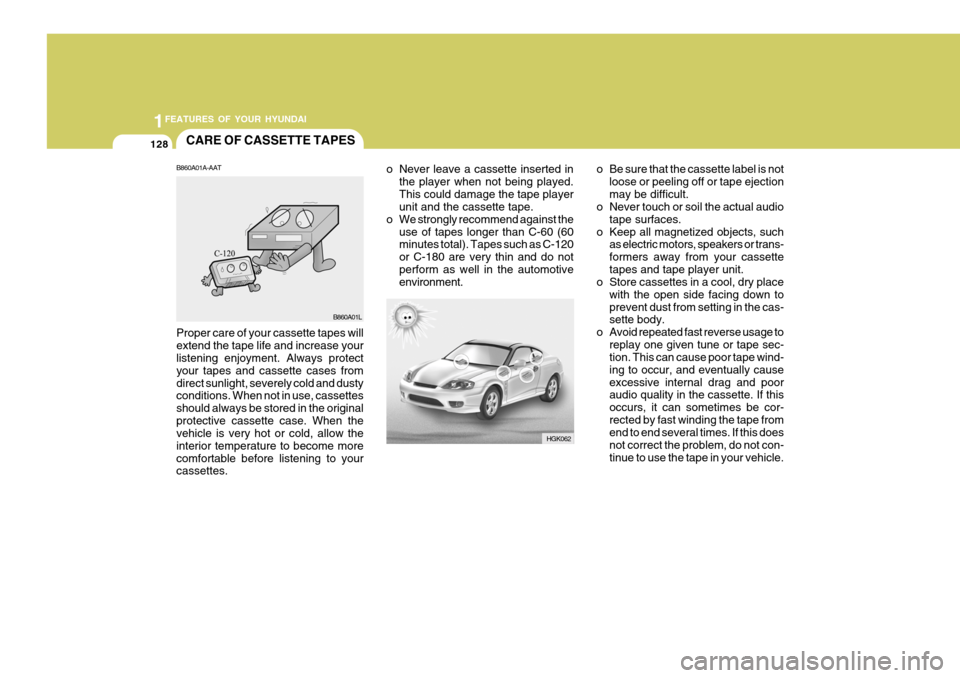
B860A01A-AAT Proper care of your cassette tapes will extend the tape life and increase your listening enjoyment. Always protect your tapes and cassette cases fromdirect sunlight, severely cold and dusty conditions. When not in use, cassettes should always be stored in the originalprotective cassette case. When the vehicle is very hot or cold, allow the interior temperature to become morecomfortable before listening to your cassettes. B860A01L
Page 146 of 478
2
DRIVING YOUR HYUNDAI
3TO START THE ENGINEBEFORE STARTING THE EN- GINE
C020A01A-AAT Before you start the engine, you should always:
1. Look around the vehicle to be sure
there are no flat tires, puddles of oil, water or other indications of pos- sible trouble.
2. After entering the car, check to be sure the parking brake is engaged.
3. Check that all windows, and lights are clean.
4. Check that the interior and exterior
mirrors are clean and in position.
5. Check your seat, seatback and headrest to be sure they are in theirproper positions.
6. Close all the doors.
7. Fasten your seat belt and be sure
that all other occupants have fas- tened theirs.
8. Turn off all lights and accessories
that are not needed.
9. When you turn the ignition switch to "ON", check that all appropriatewarning lights are operating andthat you have sufficient fuel.
10.Check the operation of warning
lights and all bulbs when key is inthe "ON" position. C030A01A-GAT COMBINATION IGNITION SWITCH
o If your Hyundai is equipped with a
manual transaxle, place the shift lever in neutral and depress the clutch pedal fully.
o If your Hyundai has an automatic
transaxle, place the shift lever in "P"(park).
o To start the engine, insert the igni- tion key and turn it to the "START"position. Release it as soon as the engine starts. Do not hold the key inthe "START" position for more than 15 seconds.
NOTE: For safety, the engine will not start if the shift lever is not in "P" or "N" Position (Automatic Transaxle).
!
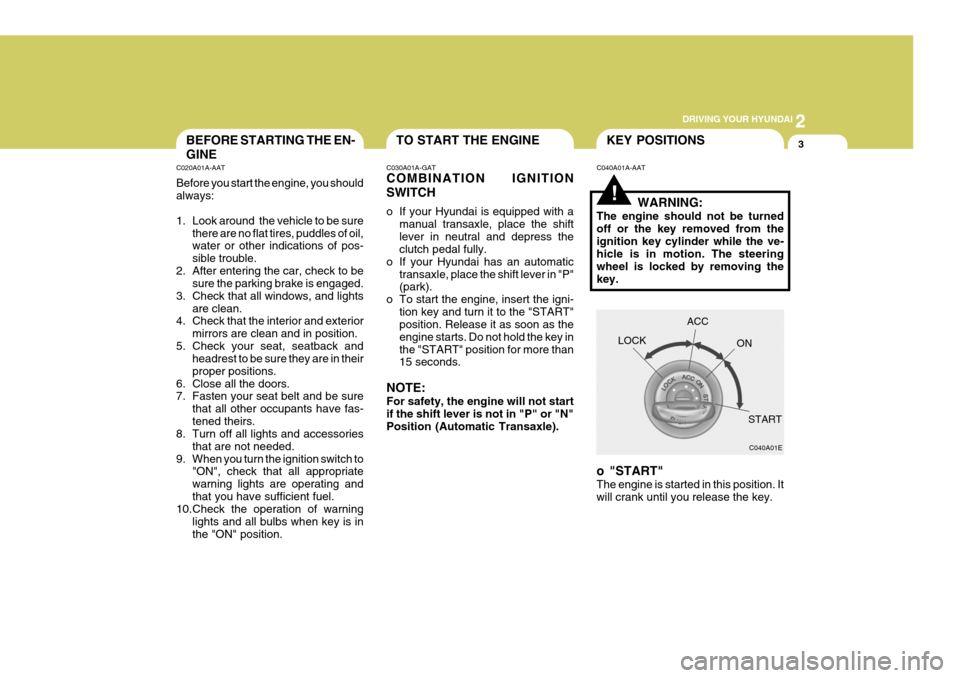
C040A01A-AAT KEY POSITIONS
WARNING:
The engine should not be turned off or the key removed from theignition key cylinder while the ve- hicle is in motion. The steering wheel is locked by removing thekey.
o "START" The engine is started in this position. It will crank until you release the key. LOCK
C040A01E
ACC
ON
START
Page 148 of 478
2
DRIVING YOUR HYUNDAI
5
!
C050B01A-GAT Normal Conditions: The Starting Procedure:
1. Insert key, and fasten the seat belt.
2. Depress the clutch pedal fully and
place the gearshift lever (manual transaxle) in neutral or the selector lever (automatic transaxle) in "P" (park) position.
3. After turning the ignition key to the "ON" position, make certain all warn-ing lights and gauges are function-ing properly before starting the en- gine.
WARNING:
Be sure that the clutch is fully de- pressed when starting a manual transaxle vehicle. Otherwise, there is the potential to cause damage tothe vehicle or injury to someone inside or outside the vehicle as a result of the forward or backwardmovement of the vehicle that will occur if the clutch is not depressed when the vehicle is started. 4. Turn the ignition key to the "Start"
position and release it when theengine starts.
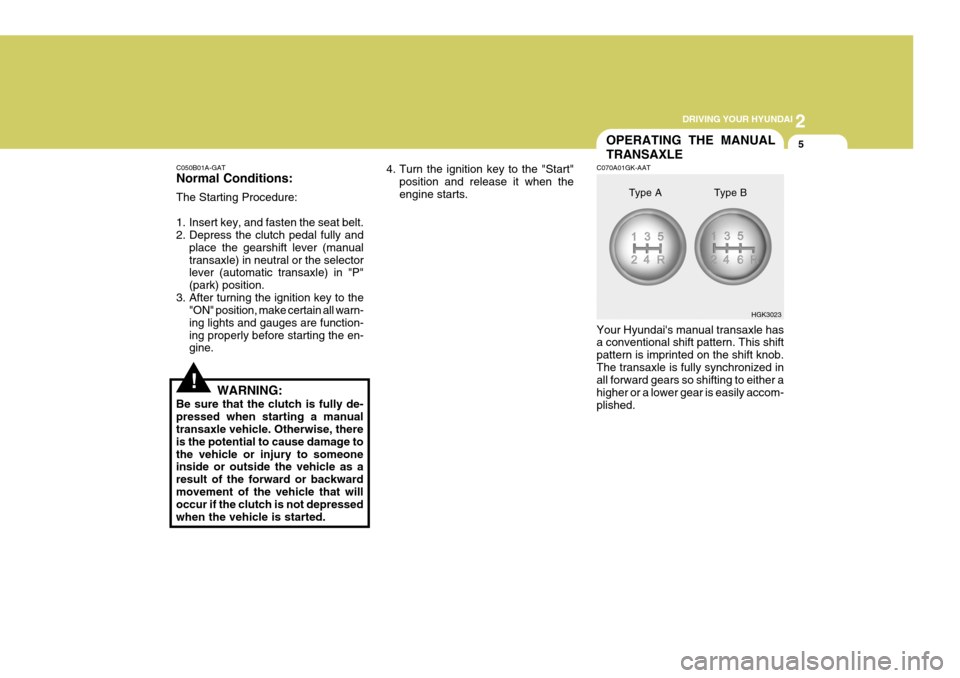
OPERATING THE MANUAL TRANSAXLE
C070A01GK-AAT Your Hyundai's manual transaxle has a conventional shift pattern. This shift pattern is imprinted on the shift knob.The transaxle is fully synchronized in all forward gears so shifting to either a higher or a lower gear is easily accom-plished. HGK3023
Type A Type B
Page 152 of 478

2
DRIVING YOUR HYUNDAI
9
!
C090B01A-AAT The function of each position is as follows: o P (Park): Use to hold the vehicle in place when parked or while starting the engine.Whenever parking the car, apply the parking brake and shift the selector lever to the "P" (Park) position.
CAUTION:
Never place the selector lever in the "P" (Park) position unless the ve- hicle is fully stopped. Failure toobserve this caution will cause se- vere damage to the transaxle. C090C01A-AAT o R (Reverse): Use for backing up the vehicle. Bring the car to a complete stop before shift-ing the selector lever to "R" position. C090D02O-AAT o N (Neutral): In the "N" position, the transaxle is in neutral, which means that no gears are engaged. The engine can be started with the shift lever in "N" position,although this is not recommended ex- cept if the engine stalls while the car is moving. C090E01O-AAT
o D (Drive): Use for normal driving. The transaxle will automatically shift through a four gear sequence.
NOTE:
Depress the brake pedal and push the button when shifting. Push the button when shifting.The selector lever can be shifted freely.
The indicator lights in the instrument cluster indicate the selector lever posi-tion when the ignition is switched "ON". During "D" or sports mode operation, the gear currently in use displays in thenumeral indicator.
Page 155 of 478
2 DRIVING YOUR HYUNDAI
12ANTI-LOCK BRAKE SYSTEM (ABS)
!
o Slow down before shifting to a lower
gear. Otherwise, the lower gear may not be engaged.
o Always use the parking brake. Do
not depend on placing the transaxlein "P" to keep the car from moving.
o Exercise extreme caution when driv-
ing on a slippery surface. Be espe-cially careful when braking, acceler- ating or shifting gears. On a slippery surface, an abrupt change in vehiclespeed can cause the drive wheels to lose traction and the vehicle to go out of control. o Loss of control often occurs if two
or more wheels drop off the road- way and the driver oversteers to reenter the roadway.
o In the event your vehicle leaves the roadway, do not steer sharply.Instead, slow down before pull-ing back into the travel lanes.
o Never exceed posted speed lim-
its.
o Excessive depressing of the accelerater pedal under the tireslip condition such as movingout of the mud or fresh snow etc, may cause severe damage to the transaxle. At this time, take otherway such as towing.
WARNING:
o Avoid high cornering speeds.
o Do not make quick steering wheel movements, such as sharp lanechanges or fast, sharp turns.
o Always wear your seat belts. In a collision crash, un unbeltedperson is significantly more likelyto die than a person wearing a seatbelt.
o The risk of rollover is greatly in-
creased if you lose control of yourvehicle at highway speeds. C120A03A-AAT (If Installed) The Anti-Lock Brake System (ABS) is designed to prevent wheel lock-upduring sudden braking or on hazard- ous road surfaces. The ABS control module monitors the wheel speed andcontrols the pressure applied to each brake. Thus, in emergency situations or on slick roads, ABS will increasevehicle control during braking. NOTE:
o A click sound may be heard in the
engine compartment when the ve- hicle begins to move after the en- gine is started. These conditionsare normal and indicate that the anti-lock brake system (Electronic Stability Program) is functioningproperly.
o During ABS operation, a slight
pulsation may be felt in the brakepedal when the brakes are ap- plied. Also, a noise may be heard in the engine compartment whilebraking. These conditions are normal and indicate that the anti- lock brake system is functioningproperly.
Page 156 of 478
2
DRIVING YOUR HYUNDAI
13
!WARNING:
Your ABS will not prevent accidents due to improper or dangerous driv- ing maneuvers. Even though vehiclecontrol is improved during emer- gency braking, always maintain a safe distance between you and ob-jects ahead. Vehicle speeds should always be reduced during extreme road conditions.The braking distance for cars equipped with an anti-lock braking system may be longer than for thosewithout it in the following road con- ditions. During these conditions the vehicleshould be driven at reduced speeds.
o Rough, gravel or snow-covered roads.
o With tire chains installed.
o Roads where the road surface is
pitted or has different surface height. The safety features of an ABS equipped vehicle should not be tested by high speed driving or cornering. This could endanger the safety ofyourself or others.!
C130A01A-AAT
GOOD BRAKING PRAC- TICES
WARNING:
Nothing should be carried on top of the shelf panel behind the rear seat.If there were an accident or a sud- den stop, such objects could move forward and cause damage to thevehicle or injure the occupants.
o After being parked, check to be sure the parking brake is not engaged and that the parking brake indicator light is out before driving away.
o Driving through water may get the
brakes wet. They can also get wetwhen the car is washed. Wet brakes can be dangerous! Your car will not stop as quickly if the brakes are wet.Wet brakes cause the car to pull to one side. To dry the brakes, apply the brakes lightly until the brakingaction returns to normal, taking care to keep the car under control at all times. If the braking action does notreturn to normal, stop as soon as it is safe to do so and call your Hyundai dealer for assistance.