battery Hyundai Coupe 2007 Owner's Guide
[x] Cancel search | Manufacturer: HYUNDAI, Model Year: 2007, Model line: Coupe, Model: Hyundai Coupe 2007Pages: 487, PDF Size: 12.96 MB
Page 221 of 487
6
DO-IT-YOURSELF MAINTENANCE
23
!
CHECKING THE BATTERY
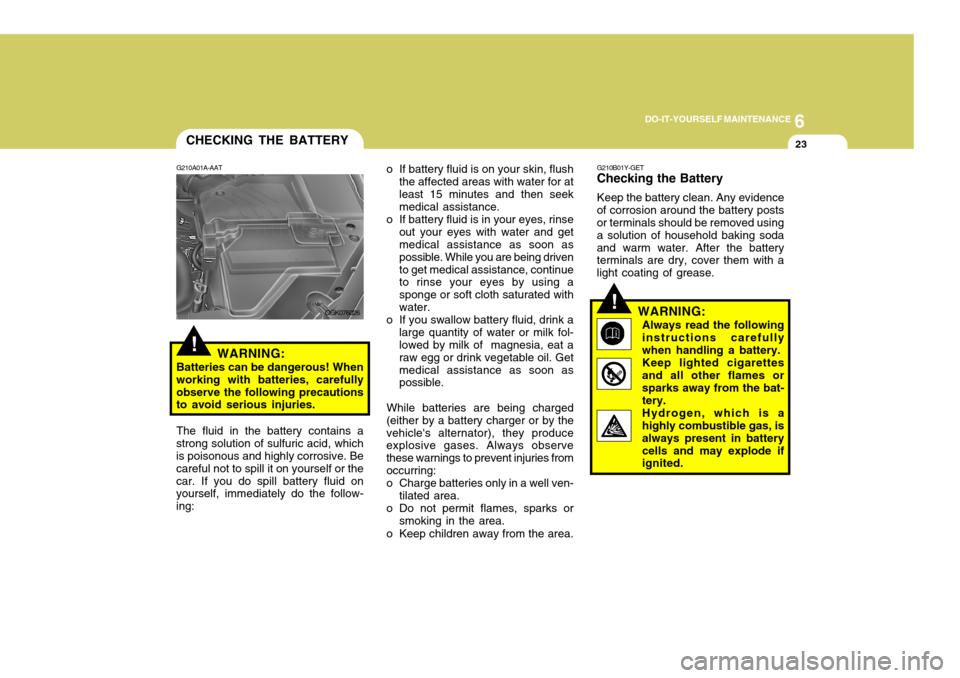
G210A01A-AAT
WARNING:
Batteries can be dangerous! When working with batteries, carefullyobserve the following precautions to avoid serious injuries. The fluid in the battery contains a
strong solution of sulfuric acid, which is poisonous and highly corrosive. Be careful not to spill it on yourself or thecar. If you do spill battery fluid on yourself, immediately do the follow- ing: o If battery fluid is on your skin, flush
the affected areas with water for atleast 15 minutes and then seek medical assistance.
o If battery fluid is in your eyes, rinse out your eyes with water and getmedical assistance as soon as possible. While you are being drivento get medical assistance, continue to rinse your eyes by using a sponge or soft cloth saturated withwater.
o If you swallow battery fluid, drink a large quantity of water or milk fol- lowed by milk of magnesia, eat a raw egg or drink vegetable oil. Getmedical assistance as soon as possible.
While batteries are being charged
(either by a battery charger or by the vehicle's alternator), they produce explosive gases. Always observe these warnings to prevent injuries fromoccurring:
o Charge batteries only in a well ven- tilated area.
o Do not permit flames, sparks or
smoking in the area.
o Keep children away from the area.
!
G210B01Y-GET
Checking the Battery
Keep the battery clean. Any evidence
of corrosion around the battery posts or terminals should be removed using a solution of household baking sodaand warm water. After the battery terminals are dry, cover them with a light coating of grease.
WARNING:Always read the followinginstructions carefullywhen handling a battery.Keep lighted cigarettesand all other flames orsparks away from the bat- tery. Hydrogen, which is a highly combustible gas, is always present in batterycells and may explode if ignited.
OGK076026
Page 222 of 487
6 DO-IT-YOURSELF MAINTENANCE
24
!
CHECKING ELECTRIC COOLING FANS
G220A01A-AAT
WARNING:
The cooling fan is controlled by engine coolant temperature and may sometimes operate even whenthe engine is not running. Use extreme caution when working near the blades of the coolant fan,so that you are not injured by a rotating fan blade. As the coolant temperature decreases the fan willautomatically shut off. This is a normal condition.
Keep batteries out of the reach of children because batteries contain highly corrosive SULFURIC ACID.Do not allow battery acid to contact your skin, eyes, clothing or paint finish.If any electrolyte gets intoyour eyes, flush your eyeswith clean water for at least 15 minutes and get imme- diate medical attention. Ifpossible, continue to ap- ply water with a sponge or cloth until medical atten-tion is received.If electrolyte gets on yourskin, thoroughly wash thecontacted area.If you feel a pain or a burn-ing sensation, get medi- cal attention immediately. Wear eye protection when charging or working near a battery. Always provide ventilation when working in an en- closed space.o When lifting a plastic-cased bat- tery, excessive pressure on the case may cause battery acid toleak, resulting in personal in- jury. Lift with a battery carrier or with your hands on oppositecorners.
o Never attempt to charge the bat- tery when the battery cables are connected.
o The electrical ignition system works with high voltage. Never touch these componentswith the engine running or the ignition switched on.
Page 253 of 487

10INDEX
2
A Air bag ........................................................................ 1-34
Air clean er filter .......................................................... 6-11
Air Conditioning
Care ......................................................................... 6-18
Operation ................................................................. 6-19
Switch ...................................................................... 1-84
Air Cond itioner filter .................................................... 1-93
Antenna .................................................................... 1-100
Ashtray ....................................................................... 1-63
Audio Remote Control ................................................. 1-82
Automatic Transaxle .................................................... 2-8
BBattery .............................................................. 2-18, 6-23
Brake
Anti-lock system ...................................................... 2-12
Checking the brakes ................................................ 6-17
Fluid ......................................................................... 6-17
Practices ................................................................. 2-15
Breaking-In your new Hyundai ..................................... 1-3
CCare of Cassette tapes ............................................ 1-127
Care of D iscs ........................................................... 1-126
Cassette Tape Player Operation (H280, H265, H465) .........................1-104, 1-113, 1-119
Catalytic Converter ...................................................... 7-3
Child Restraint system ............................................... 1-25Child Seat Restraint Suitability For Seat Position
Using the Seat Belt .................................................. 1-27
Cigarette Lighter ......................................................... 1-62
Clock .......................................................................... 1-62
Clutch Checking fluid .......................................................... 6-18
Combination Light
Daytime running lights ............................................. 1-57
Headlight flasher ...................................................... 1-58
Headlight swi tch ...................................................... 1-56
High-beam switch .................................................... 1-57
Lane change si gnal .................................................. 1-56
Turn signal operation ............................................... 1-56
Compact Disc Player Operation
(H280, H265, H465) .........................1-110, 1-116, 1-122
Cooling Fans ............................................................... 6-24
Corrosion Protection
Cleaning the interior .................................................. 4-6
Protecting your Hyundai from corrosion ................... 4-2
Washing and waxing ................................................. 4-4
Cruise Control ............................................................. 1-79
DDefrosting/Defogging ................................................... 1-89
Door
Central door lock ...................................................... 1-8
Door locks ................................................................ 1-7 Locking and unlocking front door with a key ............ 1-7
Drink Holder ................................................................ 1-63
Page 278 of 487
1CONTROLS AND EQUIPMENT
10
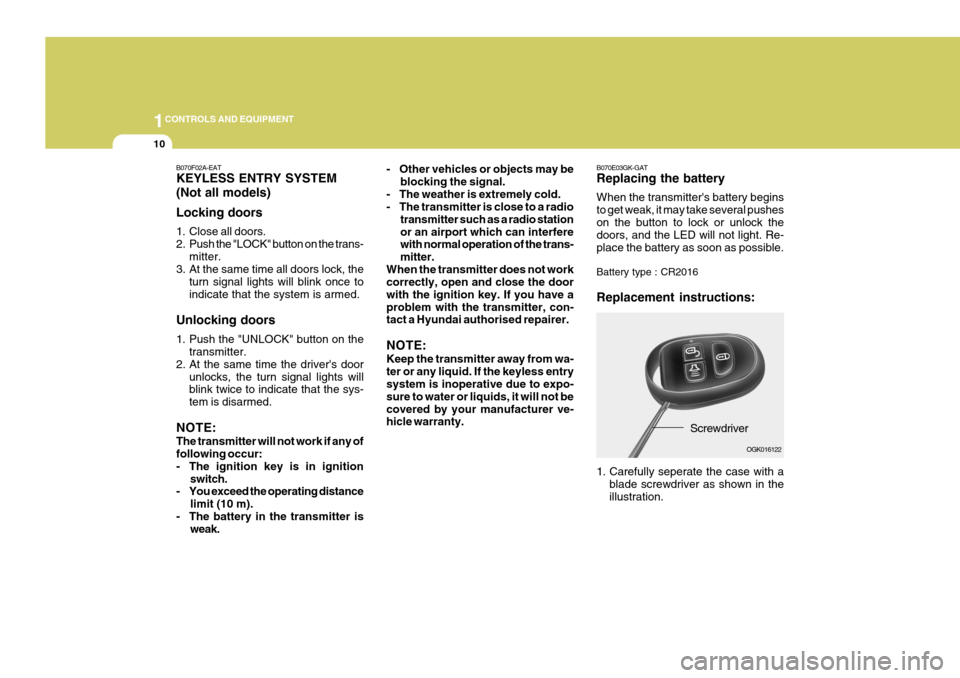
B070E03GK-GAT Replacing the battery When the transmitter's battery begins to get weak, it may take several pusheson the button to lock or unlock the doors, and the LED will not light. Re- place the battery as soon as possible. Battery type : CR2016 Replacement instructions:
Screwdriver
1. Carefully seperate the case with a blade screwdriver as shown in the illustration. OGK016122- Other vehicles or objects may be
blocking the signal.
- The weather is extremely cold.
- The transmitter is close to a radio transmitter such as a radio station or an airport which can interfere with normal operation of the trans- mitter.
When the transmitter does not work correctly, open and close the door with the ignition key. If you have aproblem with the transmitter, con- tact a Hyundai authorised repairer. NOTE: Keep the transmitter away from wa- ter or any liquid. If the keyless entry system is inoperative due to expo- sure to water or liquids, it will not becovered by your manufacturer ve- hicle warranty.
B070F02A-EAT KEYLESS ENTRY SYSTEM (Not all models) Locking doors
1. Close all doors.
2. Push the "LOCK" button on the trans-
mitter.
3. At the same time all doors lock, the
turn signal lights will blink once toindicate that the system is armed.
Unlocking doors
1. Push the "UNLOCK" button on the transmitter.
2. At the same time the driver's door
unlocks, the turn signal lights will blink twice to indicate that the sys- tem is disarmed.
NOTE: The transmitter will not work if any of following occur:
- The ignition key is in ignition switch.
- You exceed the operating distance
limit (10 m).
- The battery in the transmitter is weak.
Page 279 of 487
1
CONTROLS AND EQUIPMENT
11
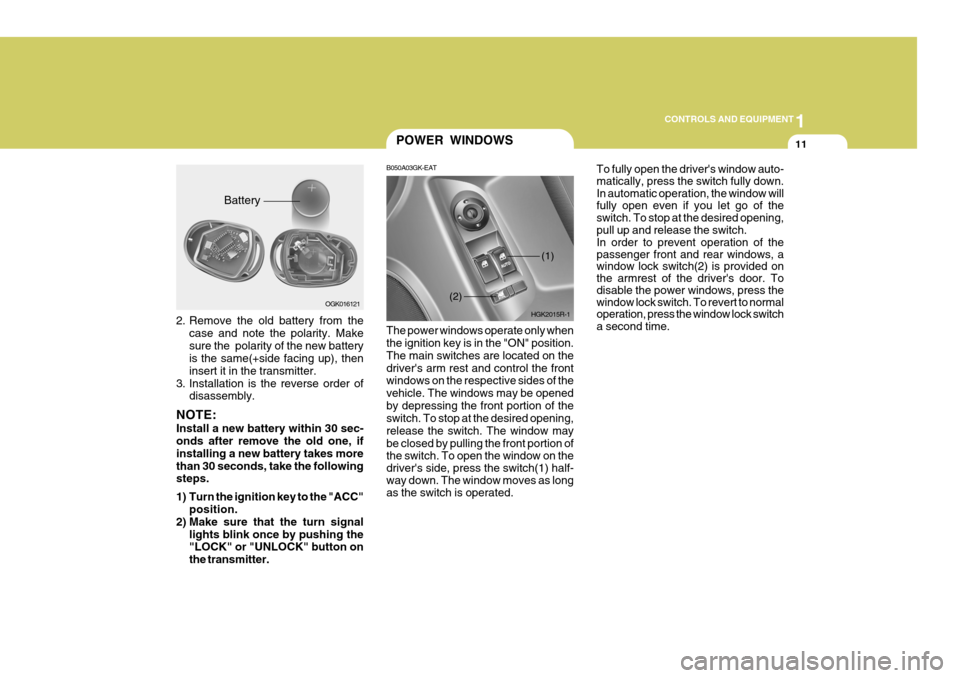
2. Remove the old battery from the
case and note the polarity. Make sure the polarity of the new battery is the same(+side facing up), then insert it in the transmitter.
3. Installation is the reverse order of disassembly.
NOTE: Install a new battery within 30 sec- onds after remove the old one, if installing a new battery takes morethan 30 seconds, take the following steps.
1) Turn the ignition key to the "ACC" position.
2) Make sure that the turn signal lights blink once by pushing the "LOCK" or "UNLOCK" button on the transmitter. Battery
OGK016121
POWER WINDOWS
B050A03GK-EAT The power windows operate only when the ignition key is in the "ON" position. The main switches are located on thedriver's arm rest and control the front windows on the respective sides of the vehicle. The windows may be openedby depressing the front portion of the switch. To stop at the desired opening, release the switch. The window maybe closed by pulling the front portion of
the switch. To open the window on the driver's side, press the switch(1) half- way down. The window moves as long as the switch is operated. To fully open the driver's window auto- matically, press the switch fully down.In automatic operation, the window willfully open even if you let go of theswitch. To stop at the desired opening, pull up and release the switch. In order to prevent operation of the passenger front and rear windows, a window lock switch(2) is provided on the armrest of the driver's door. To disable the power windows, press the window lock switch. To revert to normal operation, press the window lock switch a second time.
HGK2015R-1
(2)
(1)
Page 304 of 487
1CONTROLS AND EQUIPMENT
36
!WARNING:
o When the SRS is activated, there may be a loud noise and fine dust will be released throughout thevehicle. These conditions are nor- mal and are not hazardous. How- ever, the fine dust generated dur-ing airbag deployment may cause skin irritation. Be sure to wash your hands and face thoroughlywith lukewarm water and a mild soap after an accident in which the airbags were deployed. B240B05L-R
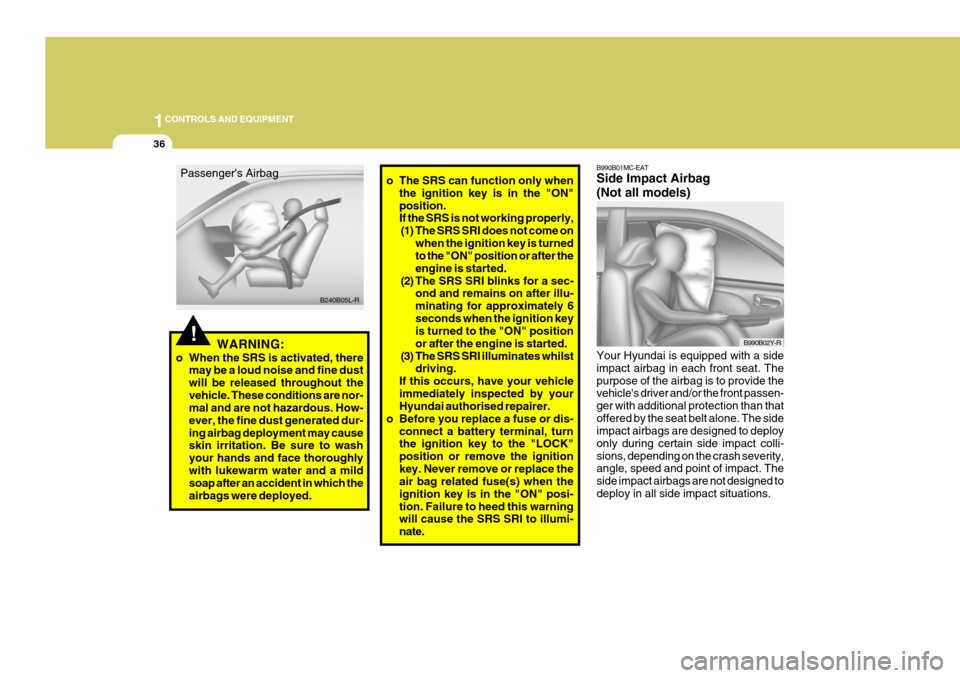
Passenger's Airbag
o The SRS can function only when
the ignition key is in the "ON"position. If the SRS is not working properly,(1) The SRS SRI does not come on when the ignition key is turnedto the "ON" position or after the engine is started.
(2) The SRS SRI blinks for a sec- ond and remains on after illu-minating for approximately 6seconds when the ignition key is turned to the "ON" position or after the engine is started.
(3) The SRS SRI illuminates whilst driving.
If this occurs, have your vehicleimmediately inspected by your Hyundai authorised repairer.
o Before you replace a fuse or dis-
connect a battery terminal, turnthe ignition key to the "LOCK" position or remove the ignitionkey. Never remove or replace the air bag related fuse(s) when the ignition key is in the "ON" posi-tion. Failure to heed this warning will cause the SRS SRI to illumi- nate.
B990B01MC-EAT Side Impact Airbag (Not all models) Your Hyundai is equipped with a side impact airbag in each front seat. Thepurpose of the airbag is to provide the vehicle's driver and/or the front passen- ger with additional protection than thatoffered by the seat belt alone. The side impact airbags are designed to deploy only during certain side impact colli-sions, depending on the crash severity, angle, speed and point of impact. The side impact airbags are not designed todeploy in all side impact situations.
B990B02Y-R
Page 318 of 487
1CONTROLS AND EQUIPMENT
50
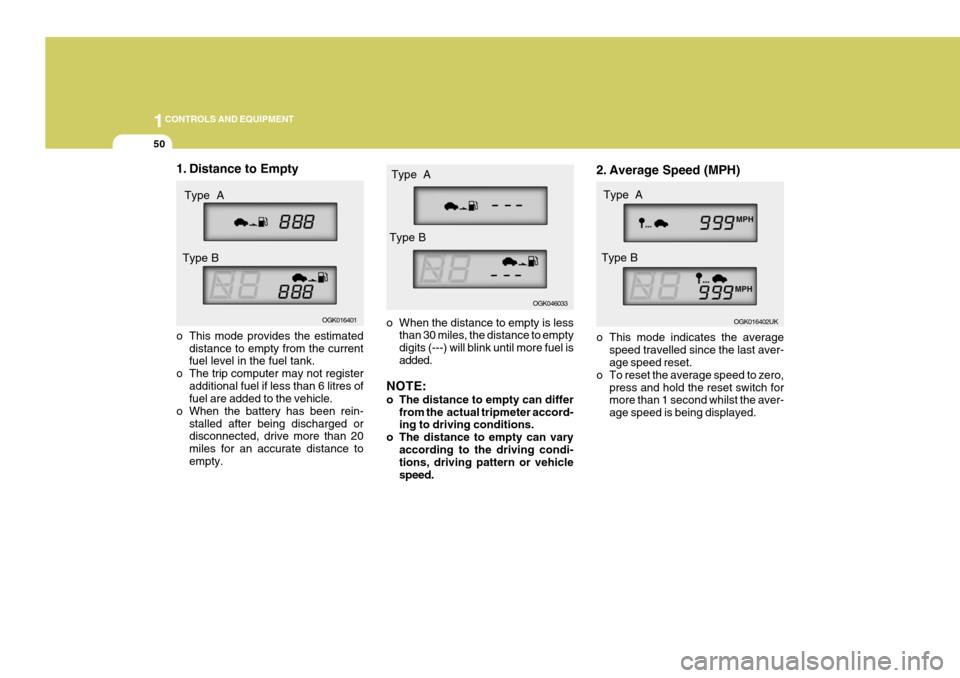
o When the distance to empty is less
than 30 miles, the distance to empty digits (---) will blink until more fuel is added.
NOTE:
o The distance to empty can differ from the actual tripmeter accord- ing to driving conditions.
o The distance to empty can vary according to the driving condi-tions, driving pattern or vehicle speed. 2. Average Speed (MPH)
o This mode indicates the average
speed travelled since the last aver- age speed reset.
o To reset the average speed to zero, press and hold the reset switch formore than 1 second whilst the aver- age speed is being displayed. OGK016402UK
Type A
Type B
1. Distance to Empty
o This mode provides the estimated distance to empty from the current fuel level in the fuel tank.
o The trip computer may not register additional fuel if less than 6 litres offuel are added to the vehicle.
o When the battery has been rein- stalled after being discharged ordisconnected, drive more than 20 miles for an accurate distance toempty. OGK016401
Type A
Type B
OGK046033
Type A
Type B
Page 321 of 487
1
CONTROLS AND EQUIPMENT
53
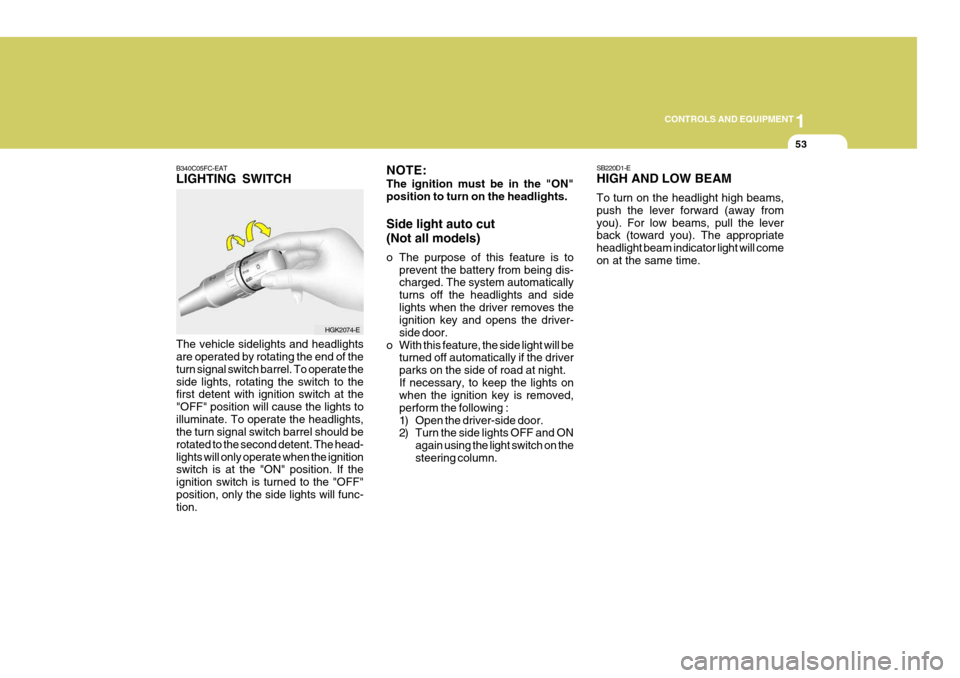
B340C05FC-EAT LIGHTING SWITCH The vehicle sidelights and headlights are operated by rotating the end of the turn signal switch barrel. To operate theside lights, rotating the switch to the first detent with ignition switch at the "OFF" position will cause the lights toilluminate. To operate the headlights, the turn signal switch barrel should be rotated to the second detent. The head-lights will only operate when the ignition switch is at the "ON" position. If the ignition switch is turned to the "OFF"position, only the side lights will func- tion.
HGK2074-E SB220D1-E HIGH AND LOW BEAM To turn on the headlight high beams, push the lever forward (away fromyou). For low beams, pull the lever back (toward you). The appropriate headlight beam indicator light will comeon at the same time.
NOTE: The ignition must be in the "ON" position to turn on the headlights. Side light auto cut (Not all models)
o The purpose of this feature is to
prevent the battery from being dis- charged. The system automatically turns off the headlights and sidelights when the driver removes the ignition key and opens the driver- side door.
o With this feature, the side light will be turned off automatically if the driverparks on the side of road at night.If necessary, to keep the lights on when the ignition key is removed, perform the following :
1) Open the driver-side door.
2) Turn the side lights OFF and ON
again using the light switch on the steering column.
Page 334 of 487
1CONTROLS AND EQUIPMENT
66
B460E03GK-GAT Resetting the Sunroof System If the battery has been recharged, disconnected or if the sunroof is oper-ated with the hexagonal head wrench manually, you may need to reset the sunroof. To do this;
1. Turn the ignition switch "OFF".
2. With pressing " " "up" button at thesame time, turn the ignition switch"ON". The resetting is failed when the ignition key to the "OFF" within1.5 seconds.
3. If the sunroof is set like this, the sunroof is reset with tilting up/down automatically once for all.
CAUTION:
If the sunroof is not reset, it may not be operated properly.
!
MAP LIGHT
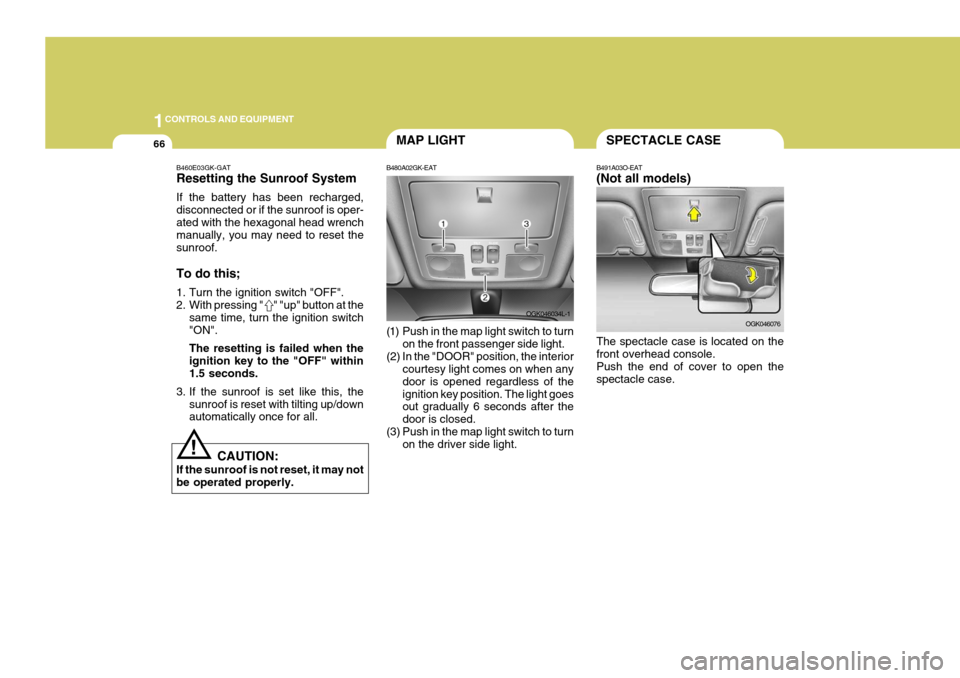
B480A02GK-EAT
(1) Push in the map light switch to turn on the front passenger side light.
(2) In the "DOOR" position, the interior courtesy light comes on when any door is opened regardless of theignition key position. The light goes out gradually 6 seconds after the door is closed.
(3) Push in the map light switch to turn on the driver side light. OGK046034L-1SPECTACLE CASE
B491A03O-EAT (Not all models) The spectacle case is located on the front overhead console. Push the end of cover to open thespectacle case. OGK046076
Page 361 of 487
1
FEATURES OF YOUR HYUNDAI
93
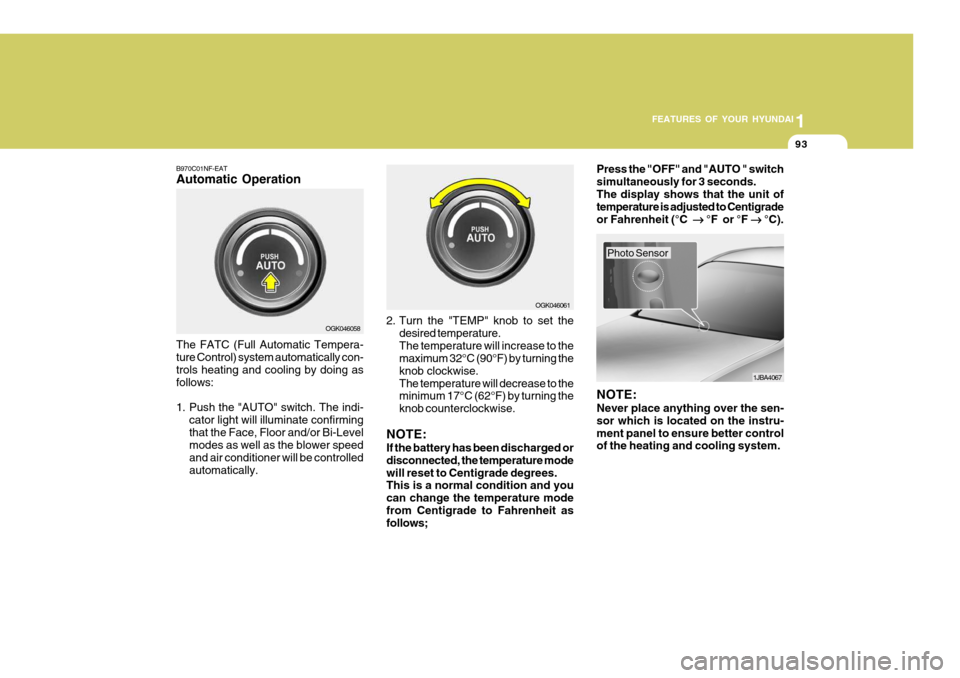
B970C01NF-EAT Automatic Operation The FATC (Full Automatic Tempera- ture Control) system automatically con- trols heating and cooling by doing as follows:
1. Push the "AUTO" switch. The indi-
cator light will illuminate confirming that the Face, Floor and/or Bi-Level modes as well as the blower speed and air conditioner will be controlledautomatically. 2. Turn the "TEMP" knob to set the
desired temperature.The temperature will increase to the maximum 32°C (90°F) by turning the knob clockwise.The temperature will decrease to the minimum 17°C (62°F) by turning the knob counterclockwise.
NOTE: If the battery has been discharged or disconnected, the temperature modewill reset to Centigrade degrees. This is a normal condition and you can change the temperature modefrom Centigrade to Fahrenheit as follows; Press the "OFF" and "AUTO " switch simultaneously for 3 seconds.The display shows that the unit of temperature is adjusted to Centigrade or Fahrenheit (°C
°F or °F
°C).
OGK046058 OGK046061
1JBA4067
NOTE: Never place anything over the sen- sor which is located on the instru-ment panel to ensure better control of the heating and cooling system.
Photo Sensor