tow Hyundai Coupe 2007 Service Manual
[x] Cancel search | Manufacturer: HYUNDAI, Model Year: 2007, Model line: Coupe, Model: Hyundai Coupe 2007Pages: 487, PDF Size: 12.96 MB
Page 313 of 487

1
CONTROLS AND EQUIPMENT
45
If failure of one of the circuits occurs, the required amount of pedal effort,pedal travel and stopping distance will be increased. Use of the gearbox is recommended to assist in bringing thevehicle to rest. The vehicle must not be driven once brake failure has occurred until the system has been repaired andis functioning normally. The braking system employs a vacuum servo in order that the pedal efforts arereduced. Power for the servo is derived from the engine and therefore, in the event of the engine stopping or thevehicle being towed, pedal efforts will be substantially increased.
Warning light operation The parking brake/brake fluid level warn- ing light will be illuminated wheneverthe ignition switch is turned to the "ON" or "START" position when the parking brake is applied and must be extin-guished in a three seconds after the engine starts. If the warning light fails to extinguish orilluminates at any other time, the ve- hicle must be brought to rest in a safe location and the level of brake fluid inthe reservoir checked. If the fluid level is incorrect, fluid conforming
to DOT 3
or DOT 4 specifications should be added. If, after correcting the brake fluid level, the warning light continues to be illumi-
nated, the advice of the nearest Hyundai authorised repairer must be sought be-
fore the vehicle is driven again.The Hyundai Coupe is equipped with adiagonally split dual braking system which will ensure that in the event of one of the brake circuits becomingdefective, approximately fifty per cent of the normal braking performance will be available.
B260Q01E-EAT Cruise Indicator Light (Not all models)
The cruise indicator light in the instru- ment cluster is illuminated when the cruise control main switch on the end of the barrel is pushed.The indicator light does not illuminate when the cruise control main switch is pushed a second time.Information about the use of cruise control is beginning on page 1-76.
B260R01E-EAT CRUISE SET Indicator
Light (Not all models)
The set indicator light in the instrument cluster is illuminated when the cruise control switch is pushed downward to"SET (COAST)". The set indicator light does not illumi- nate when the control switch is in the"CANCEL" position.
Page 320 of 487
1CONTROLS AND EQUIPMENT
52
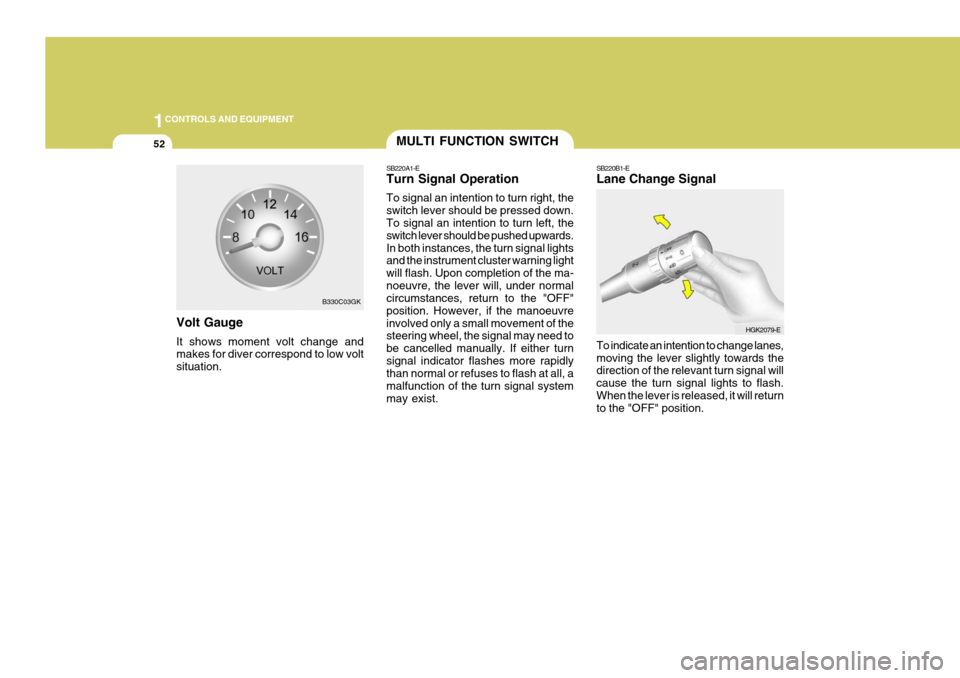
Volt Gauge It shows moment volt change and makes for diver correspond to low volt situation.
B330C03GK
MULTI FUNCTION SWITCH
SB220A1-E Turn Signal Operation To signal an intention to turn right, the switch lever should be pressed down. To signal an intention to turn left, the switch lever should be pushed upwards.In both instances, the turn signal lights and the instrument cluster warning light will flash. Upon completion of the ma-noeuvre, the lever will, under normal circumstances, return to the "OFF" position. However, if the manoeuvreinvolved only a small movement of the steering wheel, the signal may need to be cancelled manually. If either turnsignal indicator flashes more rapidly than normal or refuses to flash at all, a malfunction of the turn signal systemmay exist. SB220B1-E Lane Change Signal To indicate an intention to change lanes, moving the lever slightly towards the direction of the relevant turn signal will cause the turn signal lights to flash.When the lever is released, it will return to the "OFF" position.
HGK2079-E
Page 321 of 487
1
CONTROLS AND EQUIPMENT
53
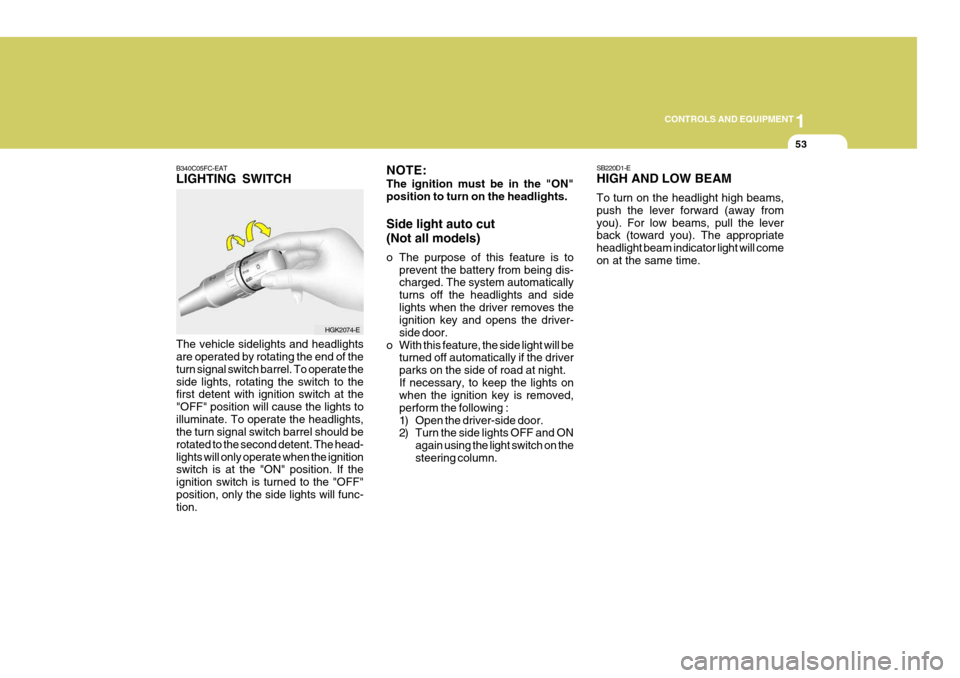
B340C05FC-EAT LIGHTING SWITCH The vehicle sidelights and headlights are operated by rotating the end of the turn signal switch barrel. To operate theside lights, rotating the switch to the first detent with ignition switch at the "OFF" position will cause the lights toilluminate. To operate the headlights, the turn signal switch barrel should be rotated to the second detent. The head-lights will only operate when the ignition switch is at the "ON" position. If the ignition switch is turned to the "OFF"position, only the side lights will func- tion.
HGK2074-E SB220D1-E HIGH AND LOW BEAM To turn on the headlight high beams, push the lever forward (away fromyou). For low beams, pull the lever back (toward you). The appropriate headlight beam indicator light will comeon at the same time.
NOTE: The ignition must be in the "ON" position to turn on the headlights. Side light auto cut (Not all models)
o The purpose of this feature is to
prevent the battery from being dis- charged. The system automatically turns off the headlights and sidelights when the driver removes the ignition key and opens the driver- side door.
o With this feature, the side light will be turned off automatically if the driverparks on the side of road at night.If necessary, to keep the lights on when the ignition key is removed, perform the following :
1) Open the driver-side door.
2) Turn the side lights OFF and ON
again using the light switch on the steering column.
Page 322 of 487
1CONTROLS AND EQUIPMENT
54
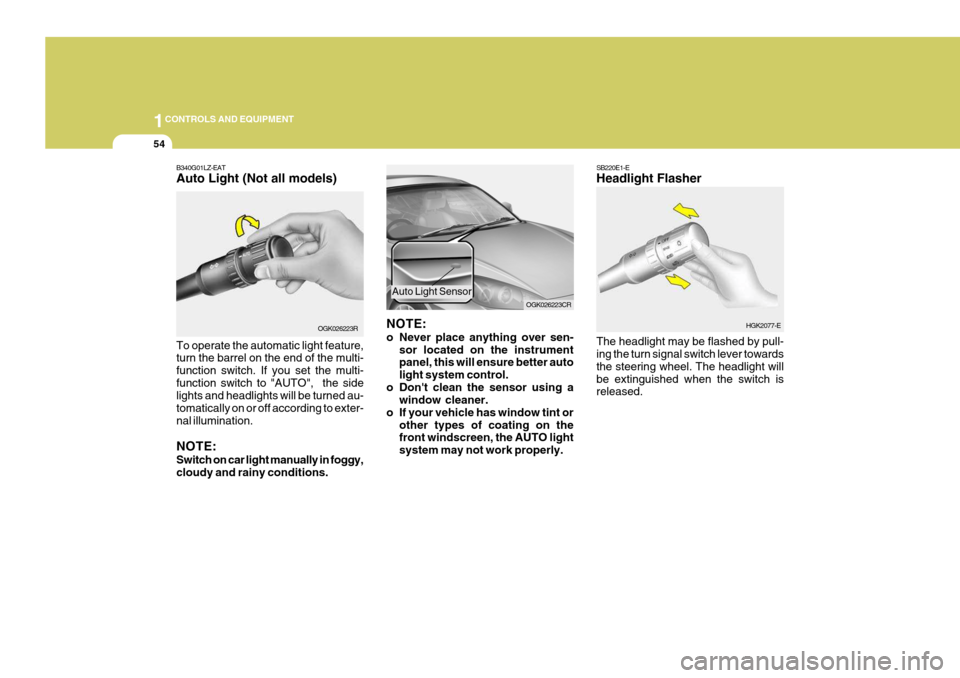
B340G01LZ-EAT Auto Light (Not all models) To operate the automatic light feature, turn the barrel on the end of the multi- function switch. If you set the multi-function switch to "AUTO", the side lights and headlights will be turned au- tomatically on or off according to exter-nal illumination. NOTE: Switch on car light manually in foggy, cloudy and rainy conditions. OGK026223R
NOTE:
o Never place anything over sen-
sor located on the instrument panel, this will ensure better auto light system control.
o Don't clean the sensor using a window cleaner.
o If your vehicle has window tint or other types of coating on the front windscreen, the AUTO light system may not work properly. OGK026223CR
Auto Light Sensor
SB220E1-E Headlight Flasher The headlight may be flashed by pull- ing the turn signal switch lever towards the steering wheel. The headlight willbe extinguished when the switch is released.
HGK2077-E
Page 324 of 487
1CONTROLS AND EQUIPMENT
56
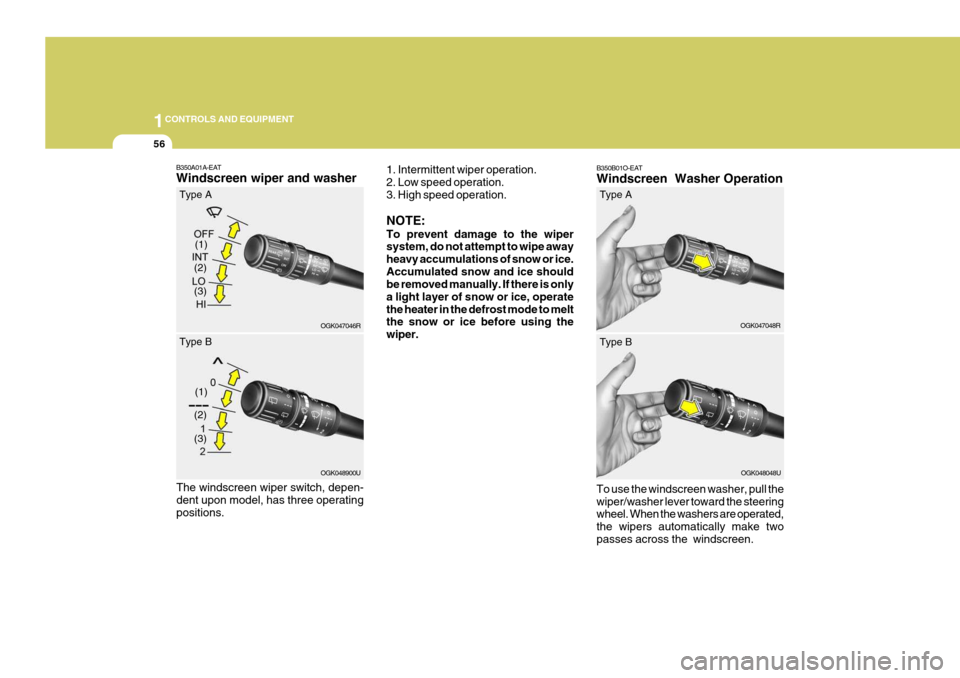
B350B01O-EAT Windscreen Washer Operation To use the windscreen washer, pull the wiper/washer lever toward the steering wheel. When the washers are operated, the wipers automatically make twopasses across the windscreen. OGK047048R
(2)
B350A01A-EAT Windscreen wiper and washer
1. Intermittent wiper operation. 2. Low speed operation. 3. High speed operation. NOTE: To prevent damage to the wiper system, do not attempt to wipe away heavy accumulations of snow or ice.Accumulated snow and ice should be removed manually. If there is only a light layer of snow or ice, operatethe heater in the defrost mode to melt the snow or ice before using the wiper.
OGK047046R
(1)
(3)
Type A
(2)
OGK048900U
(1)
(3)
Type B
The windscreen wiper switch, depen- dent upon model, has three operatingpositions. Type A
OGK048048U
Type B
Page 337 of 487
1
CONTROLS AND EQUIPMENT
69
!
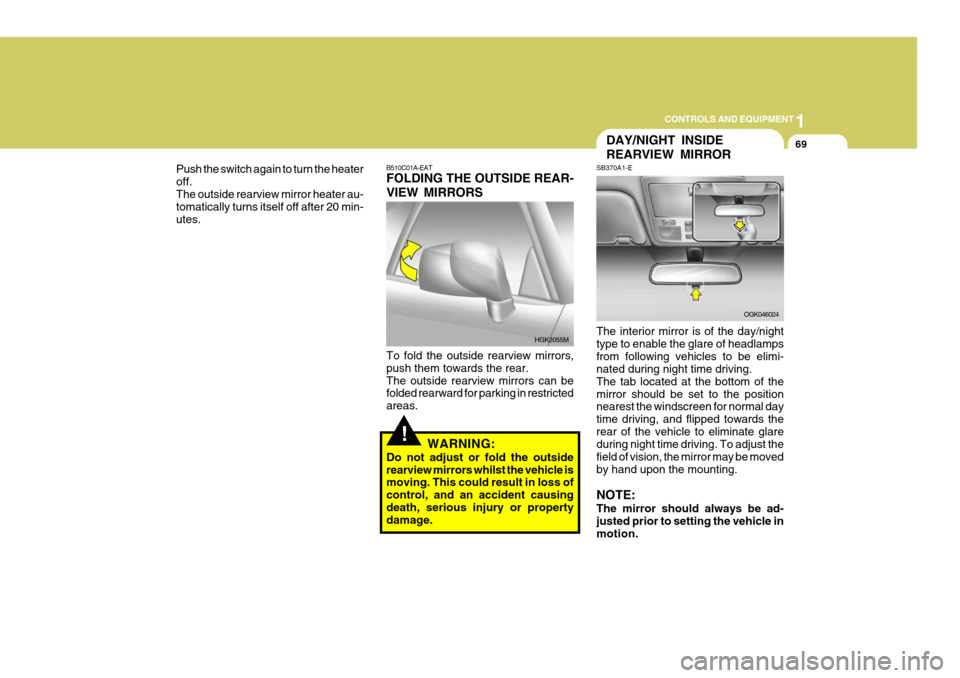
B510C01A-EAT FOLDING THE OUTSIDE REAR- VIEW MIRRORS To fold the outside rearview mirrors, push them towards the rear.The outside rearview mirrors can be folded rearward for parking in restricted areas.
WARNING:
Do not adjust or fold the outsiderearview mirrors whilst the vehicle is moving. This could result in loss of control, and an accident causingdeath, serious injury or property damage. HGK2055M
DAY/NIGHT INSIDE REARVIEW MIRROR
SB370A1-E The interior mirror is of the day/night type to enable the glare of headlampsfrom following vehicles to be elimi- nated during night time driving. The tab located at the bottom of themirror should be set to the position nearest the windscreen for normal day time driving, and flipped towards therear of the vehicle to eliminate glare during night time driving. To adjust the field of vision, the mirror may be movedby hand upon the mounting. NOTE: The mirror should always be ad- justed prior to setting the vehicle in motion.
OGK046024
Push the switch again to turn the heater off.The outside rearview mirror heater au- tomatically turns itself off after 20 min- utes.
Page 344 of 487
1CONTROLS AND EQUIPMENT
76
!WARNING:
Do not place the sunvisor in such a manner that it obscures visibility ofthe roadway, traffic or the objects.
!
STEERING WHEEL TILT LEVER
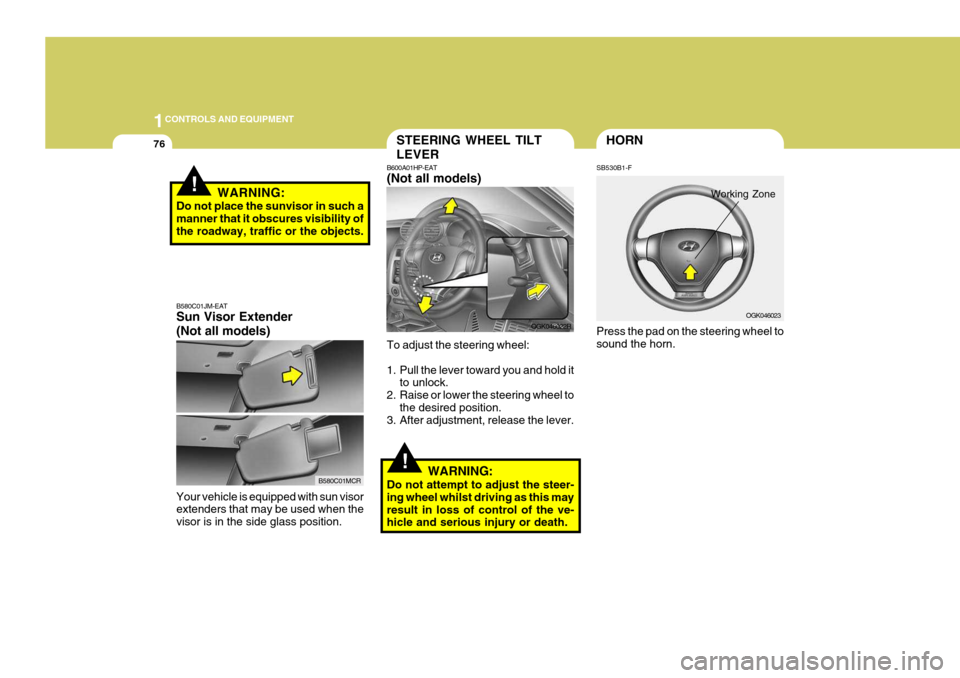
B600A01HP-EAT (Not all models) To adjust the steering wheel:
1. Pull the lever toward you and hold it
to unlock.
2. Raise or lower the steering wheel to
the desired position.
3. After adjustment, release the lever.
WARNING:
Do not attempt to adjust the steer- ing wheel whilst driving as this mayresult in loss of control of the ve- hicle and serious injury or death. OGK046022R
OGK046023
HORN
SB530B1-F Press the pad on the steering wheel to sound the horn.
Working Zone
B580C01JM-EAT Sun Visor Extender (Not all models) Your vehicle is equipped with sun visor extenders that may be used when the visor is in the side glass position.
B580C01MCR
Page 347 of 487
1
CONTROLS AND EQUIPMENT
79
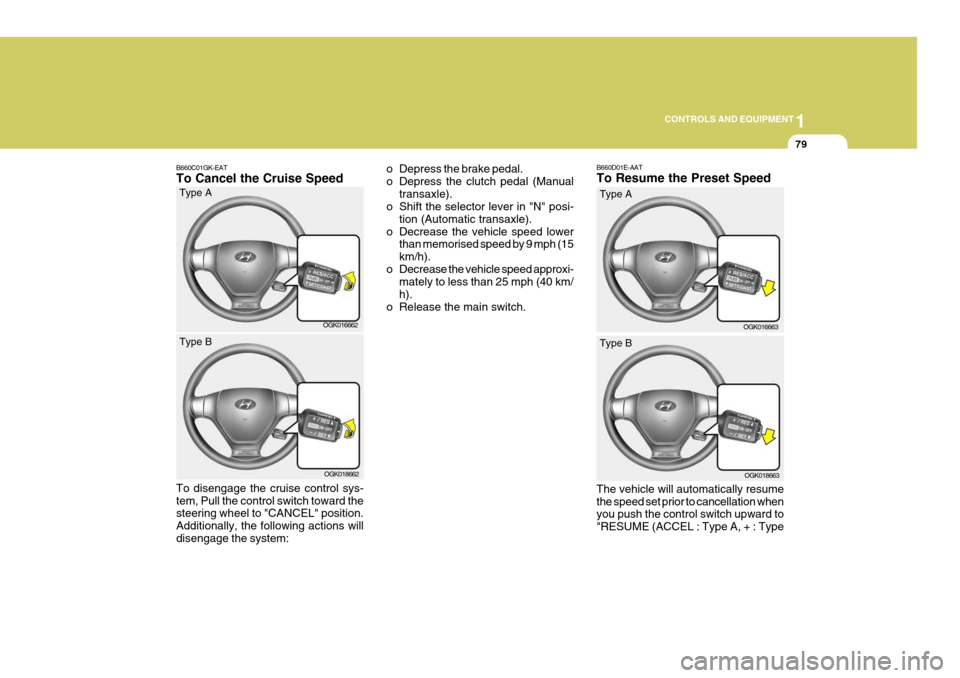
B660C01GK-EAT To Cancel the Cruise Speed o Depress the brake pedal.
o Depress the clutch pedal (Manual
transaxle).
o Shift the selector lever in "N" posi-
tion (Automatic transaxle).
o Decrease the vehicle speed lower than memorised speed by 9 mph (15km/h).
o Decrease the vehicle speed approxi- mately to less than 25 mph (40 km/h).
o Release the main switch.
OGK016662
Type A
OGK018662
Type B
To disengage the cruise control sys- tem, Pull the control switch toward the steering wheel to "CANCEL" position. Additionally, the following actions willdisengage the system: B660D01E-AAT To Resume the Preset Speed The vehicle will automatically resume the speed set prior to cancellation when you push the control switch upward to "RESUME (ACCEL : Type A, + : Type
OGK016663
Type A
OGK018663
Type B
Page 358 of 487
1FEATURES OF YOUR HYUNDAI
90
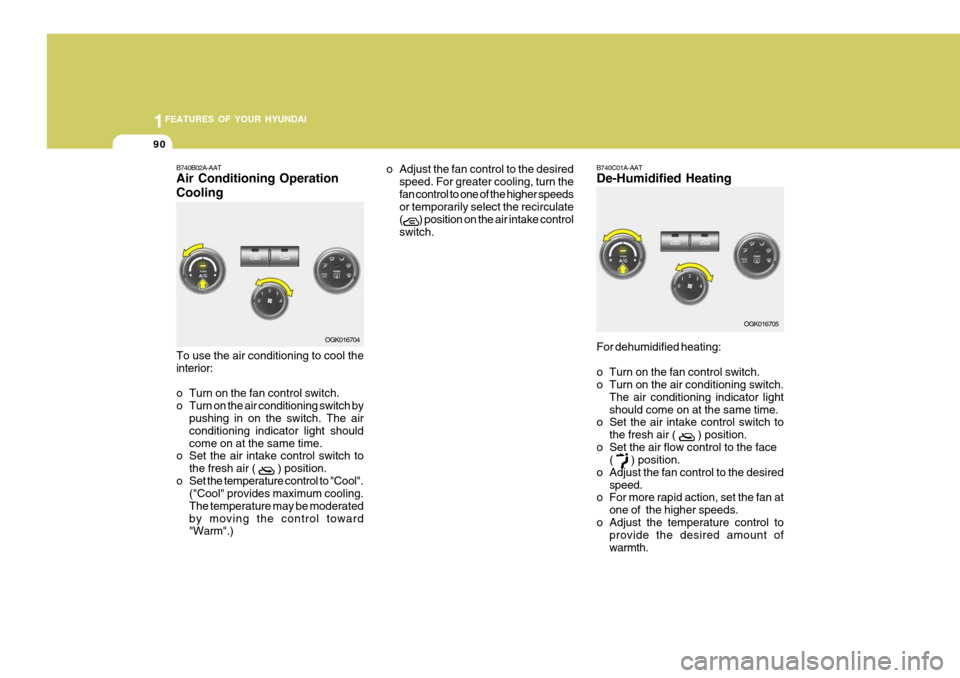
B740B02A-AAT Air Conditioning Operation Cooling To use the air conditioning to cool the interior:
o Turn on the fan control switch.
o Turn on the air conditioning switch by
pushing in on the switch. The airconditioning indicator light shouldcome on at the same time.
o Set the air intake control switch to
the fresh air (
) position.
o Set the temperature control to "Cool". ("Cool" provides maximum cooling. The temperature may be moderatedby moving the control toward "Warm".) o Adjust the fan control to the desired
speed. For greater cooling, turn the fan control to one of the higher speeds or temporarily select the recirculate (
) position on the air intake control
switch.
OGK016704
B740C01A-AAT De-Humidified Heating For dehumidified heating:
o Turn on the fan control switch.
o Turn on the air conditioning switch. The air conditioning indicator light should come on at the same time.
o Set the air intake control switch to
the fresh air (
) position.
o Set the air flow control to the face (
) position.
o Adjust the fan control to the desired
speed.
o For more rapid action, set the fan at
one of the higher speeds.
o Adjust the temperature control to provide the desired amount of warmth. OGK016705
Page 369 of 487
1
FEATURES OF YOUR HYUNDAI
101STEREO SOUND SYSTEM
AM reception
Ionosphere
FM reception
B750A01L
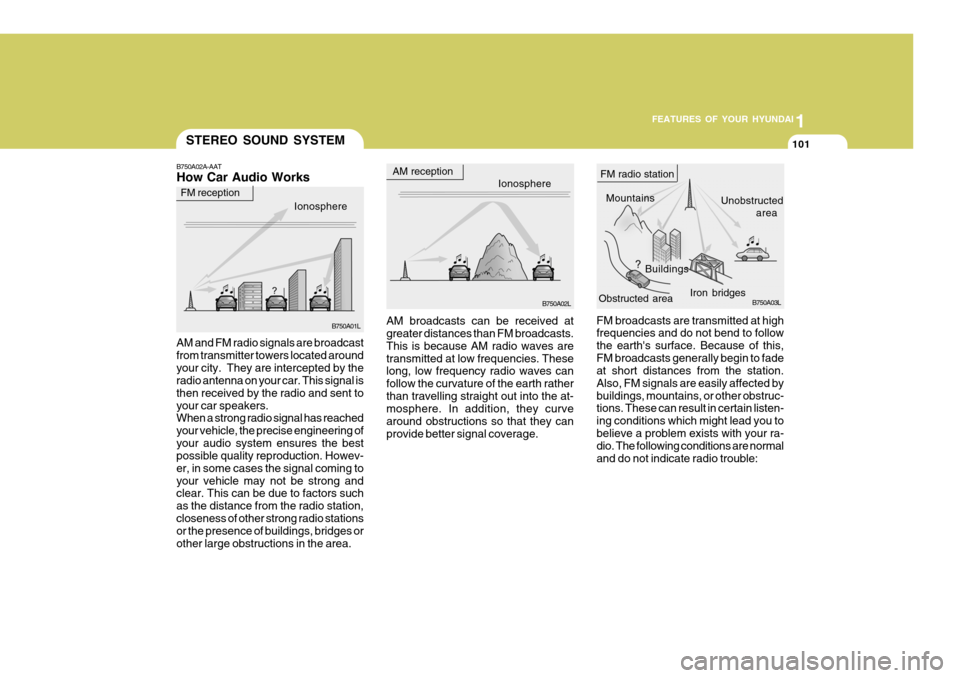
B750A02A-AAT How Car Audio Works
Ionosphere
B750A02L Mountains
Buildings Unobstructed
area
FM radio station
B750A03L
Obstructed area Iron bridges
FM broadcasts are transmitted at high frequencies and do not bend to follow the earth's surface. Because of this,FM broadcasts generally begin to fade at short distances from the station. Also, FM signals are easily affected bybuildings, mountains, or other obstruc- tions. These can result in certain listen- ing conditions which might lead you tobelieve a problem exists with your ra- dio. The following conditions are normal and do not indicate radio trouble:
AM broadcasts can be received at greater distances than FM broadcasts. This is because AM radio waves aretransmitted at low frequencies. These long, low frequency radio waves can follow the curvature of the earth ratherthan travelling straight out into the at- mosphere. In addition, they curve around obstructions so that they canprovide better signal coverage.
AM and FM radio signals are broadcastfrom transmitter towers located aroundyour city. They are intercepted by the radio antenna on your car. This signal is then received by the radio and sent toyour car speakers. When a strong radio signal has reached your vehicle, the precise engineering ofyour audio system ensures the best possible quality reproduction. Howev- er, in some cases the signal coming toyour vehicle may not be strong and clear. This can be due to factors such as the distance from the radio station,closeness of other strong radio stations or the presence of buildings, bridges or other large obstructions in the area.