CD player Hyundai Coupe 2008 User Guide
[x] Cancel search | Manufacturer: HYUNDAI, Model Year: 2008, Model line: Coupe, Model: Hyundai Coupe 2008Pages: 407, PDF Size: 11.03 MB
Page 139 of 407
![Hyundai Coupe 2008 User Guide 1
FEATURES OF YOUR HYUNDAI
127
9. Automatic Previous Track Se- lection Button
Press [TRACK
] button to go to the
beginning of the song you are listening to while playing the CD. Press thebutton agai](/img/35/14495/w960_14495-138.png "Hyundai Coupe 2008 User Guide 1
FEATURES OF YOUR HYUNDAI
127
9. Automatic Previous Track Se- lection Button
Press [TRACK
] button to go to the
beginning of the song you are listening to while playing the CD. Press thebutton agai")
1
FEATURES OF YOUR HYUNDAI
127
9. Automatic Previous Track Se- lection Button
Press [TRACK
] button to go to the
beginning of the song you are listening to while playing the CD. Press thebutton again to go to the beginning of the song before the song you were listening to. 10. Automatic Next Track Selec-
tion Button
Press [SEEK
] button to go to the
beginning of the song next to the song you are listening to while playing theCD. 11. Section Repeat Button (RPT) Press [RPT] button to repeat the song you are listening to. Press this button again to cancel repetition. 12. SCAN Button If you press this button, the player will play 10 seconds of each track. Press itagain to cancel scanning. 13. EQ Button Each time you press this button the sound equalizer setting will switch fromPOP
➟JAZZ ➟ROCK ➟CLASSIC ➟OFF
(Not displayed). 14. BOOKMARK Button This button lets you select the songs you want to listen to in the CD. Move tothe track and press (MARK) for more than 1 second then the screen will display " M " and select the track. Pressthe button less than 1 second to play the songs you selected and the system will display " M " 15. RDM (Random) Button Press [RDM] button to play the songs in random order. NOTE: When you use CD-R or CD-RW, the CD may not be played due to the manufacturing method of CD mak-ers and the recording method of the user. In this case, change CD unless the continuous use of such CDs maycause damage to the system. 16. FILE Search Knob Turn this knob to the left and right while listening to CD to change track number.If you press the button within 5 seconds then the selected track will be played. If you do not press the button within 5seconds then it will display the cur- rently played track. 17. SCROLL Button If the title of MP3 or WMA file is too long, press this button to scroll theentire song title on the LCD screen. 18. Directory Search Button In case the MP3/WMA CD contains more than 2 folders, press this button up and down to search each directory. You can move to the directory and turnthe search knob to search through the tracks. If you do not press the knob within 5 seconds after you select atrack then the system will automati- cally return to the current track.
Page 140 of 407

1FEATURES OF YOUR HYUNDAI
128
CAUTION:
o Do not insert warped or poor qual- ity discs into the CD player as damage to the unit may occur.
o Do not insert anything like coins
into the player slot as damage tothe unit may occur.
o Do not place beverages close to the audio system. The playbackmechanism may be damaged if you spill them.
o Do not strike or allow anything to impact the audio system, damageto the system mechanisms couldoccur.
o Off-road or rough surface driving
may cause the compact disc toskip. Do not use the compact disc when driving in such conditions as damage to the compact discface could occur.
o Do not attempt to grab or pull the
compact disc out while the disc isbeing pulled into the audio unit by the self-loading mechanism. Dam- age to the audio unit and compactdisc could occur.
!o Avoid using recorded compactdiscs in your audio unit. Original compact discs are recommended.
Page 142 of 407
1FEATURES OF YOUR HYUNDAI
130CARE OF CASSETTE TAPES
OGK016062
o Never leave a cassette inserted in
the player when not being played. This could damage the tape player unit and the cassette tape.
o We strongly recommend against the
use of tapes longer than C-60 (60minutes total). Tapes such as C-120 or C-180 are very thin and do notperform as well in the automotive environment. o Be sure that the cassette label is not
loose or peeling off or tape ejection may be difficult.
o Never touch or soil the actual audio
tape surfaces.
o Keep all magnetized objects, such as electric motors, speakers or trans-formers away from your cassettetapes and tape player unit.
o Store cassettes in a cool, dry place
with the open side facing down toprevent dust from setting in the cas- sette body.
o Avoid repeated fast reverse usage to replay one given tune or tape sec-tion. This can cause poor tape wind- ing to occur, and eventually causeexcessive internal drag and poor audio quality in the cassette. If this occurs, it can sometimes be cor-rected by fast winding the tape from end to end several times. If this does not correct the problem, do not con-tinue to use the tape in your vehicle.
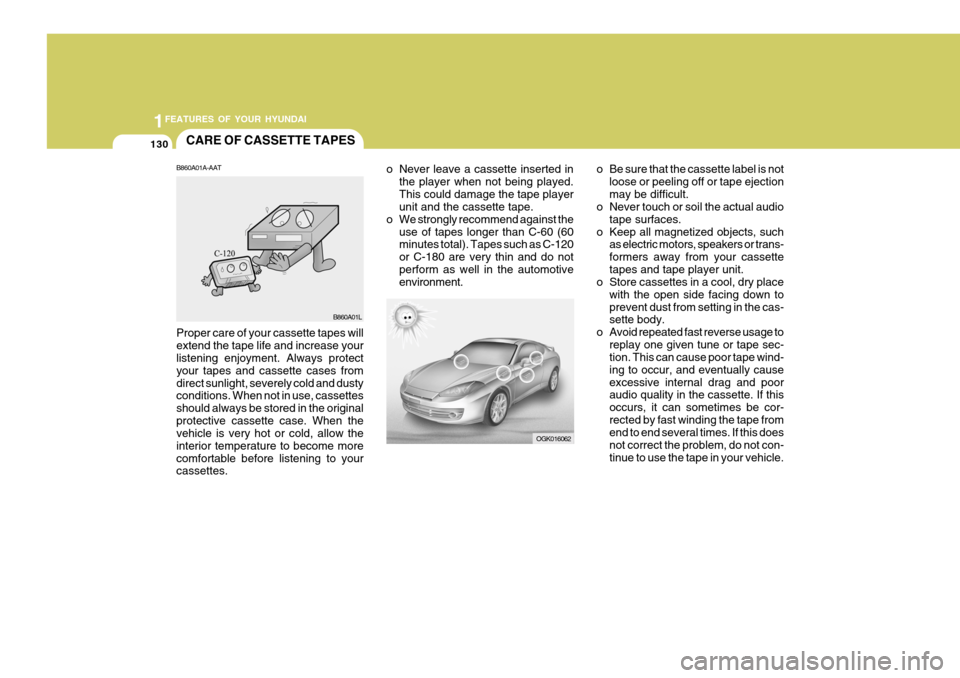
B860A01A-AAT Proper care of your cassette tapes will extend the tape life and increase your listening enjoyment. Always protect your tapes and cassette cases fromdirect sunlight, severely cold and dusty conditions. When not in use, cassettes should always be stored in the originalprotective cassette case. When the vehicle is very hot or cold, allow the interior temperature to become morecomfortable before listening to your cassettes. B860A01L
Page 143 of 407
1
FEATURES OF YOUR HYUNDAI
131
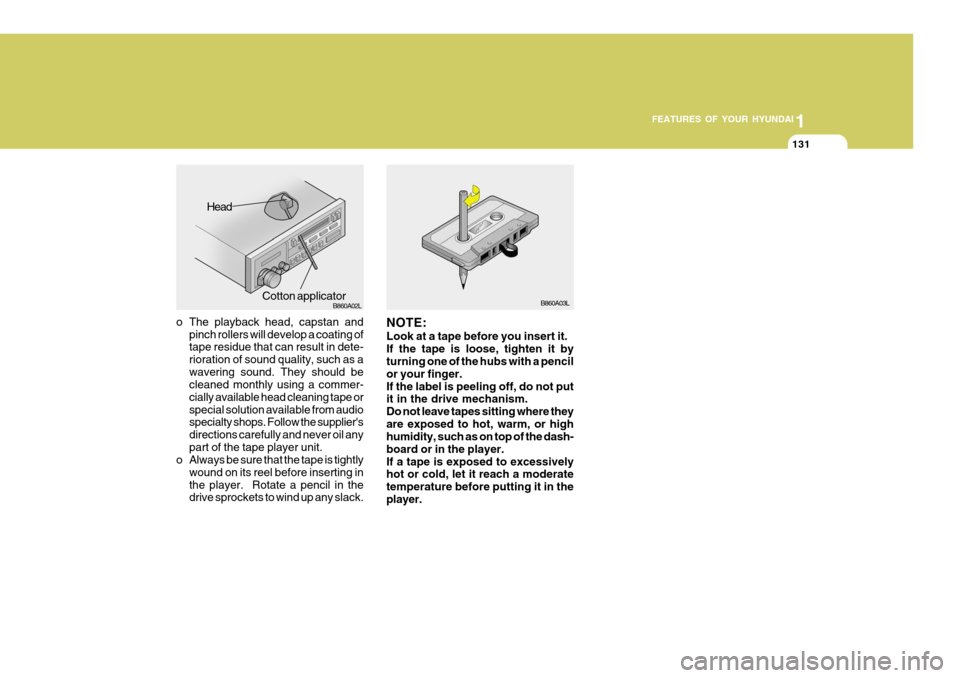
o The playback head, capstan and
pinch rollers will develop a coating of tape residue that can result in dete- rioration of sound quality, such as awavering sound. They should be cleaned monthly using a commer- cially available head cleaning tape orspecial solution available from audio specialty shops. Follow the supplier's directions carefully and never oil anypart of the tape player unit.
o Always be sure that the tape is tightly
wound on its reel before inserting inthe player. Rotate a pencil in the drive sprockets to wind up any slack. B860A03L
NOTE: Look at a tape before you insert it. If the tape is loose, tighten it by turning one of the hubs with a pencil or your finger.If the label is peeling off, do not put it in the drive mechanism. Do not leave tapes sitting where theyare exposed to hot, warm, or high humidity, such as on top of the dash- board or in the player.If a tape is exposed to excessively hot or cold, let it reach a moderate temperature before putting it in theplayer.
Head
Cotton applicator B860A02L
Page 256 of 407

10INDEX
2
A Air bag ........................................................................ 1-34
Air clean er filter .......................................................... 6-11
Air Conditioning
Care ......................................................................... 6-18
Operation ................................................................. 6-19
Switch ...................................................................... 1-87
Air Cond itioner filter .................................................... 1-93
Antenna .................................................................... 1-103
Ashtray ....................................................................... 1-65
Audio Remote Control ................................................. 1-85
Automatic Transaxle .................................................... 2-8
BBattery .............................................................. 2-18, 6-23
Brake
Anti-lock system ...................................................... 2-12
Checking the brakes ................................................ 6-17
Fluid ......................................................................... 6-17
Practices ................................................................. 2-15
Breaking-In your new Hyundai ..................................... 1-3
CCare of Cassette tapes ............................................ 1-130
Care of D iscs ........................................................... 1-129
Cassette Tape Player Operation (H280, H265, H465) .........................1-107, 1-116, 1-121
Catalytic Converter ...................................................... 7-3
Child Restraint system ............................................... 1-25Child Seat Restraint Suitability For Seat Position
Using the Seat Belt .................................................. 1-27
Cigarette Lighter ......................................................... 1-64
Clock .......................................................................... 1-63
Clutch Checking fluid .......................................................... 6-18
Combination Light
Daytime running lights ............................................. 1-56
Headlight flasher ...................................................... 1-57
Headlight swi tch ...................................................... 1-56
High-beam switch .................................................... 1-57
Lane change si gnal .................................................. 1-56
Turn signal operation ............................................... 1-55
Compact Disc Player Operation
(H280, H265, H465) .........................1-113, 1-119, 1-125
Cooling Fans ............................................................... 6-24
Corrosion Protection
Cleaning the interior .................................................. 4-6
Protecting your Hyundai from corrosion ................... 4-2
Washing and waxing ................................................. 4-4
Cruise Control ............................................................. 1-81
DDefrosting/Defogging ................................................... 1-92
Door
Central door lock ...................................................... 1-8
Door locks ................................................................ 1-7 Locking and unlocking front door with a key ............ 1-7
Drink Holder ................................................................ 1-65
Page 292 of 407
1FEATURES OF YOUR HYUNDAI
104CARE OF CASSETTE TAPES
OGK016062M
o Never leave a cassette inserted in
the player when not being played. This could damage the tape player unit and the cassette tape.
o We strongly recommend against the
use of tapes longer than C-60 (60minutes total). Tapes such as C-120 or C-180 are very thin and do notperform as well in the automotive environment. o Be sure that the cassette label is not
loose or peeling off or tape ejection may be difficult.
o Never touch or soil the actual audio
tape surfaces.
o Keep all magnetized objects, such as electric motors, speakers or trans-formers away from your cassettetapes and tape player unit.
o Store cassettes in a cool, dry place
with the open side facing down toprevent dust from setting in the cas- sette body.
o Avoid repeated fast reverse usage to replay one given tune or tape sec-tion. This can cause poor tape wind- ing to occur, and eventually causeexcessive internal drag and poor audio quality in the cassette. If this occurs, it can sometimes be cor-rected by fast winding the tape from end to end several times. If this does not correct the problem, do not con-tinue to use the tape in your vehicle.
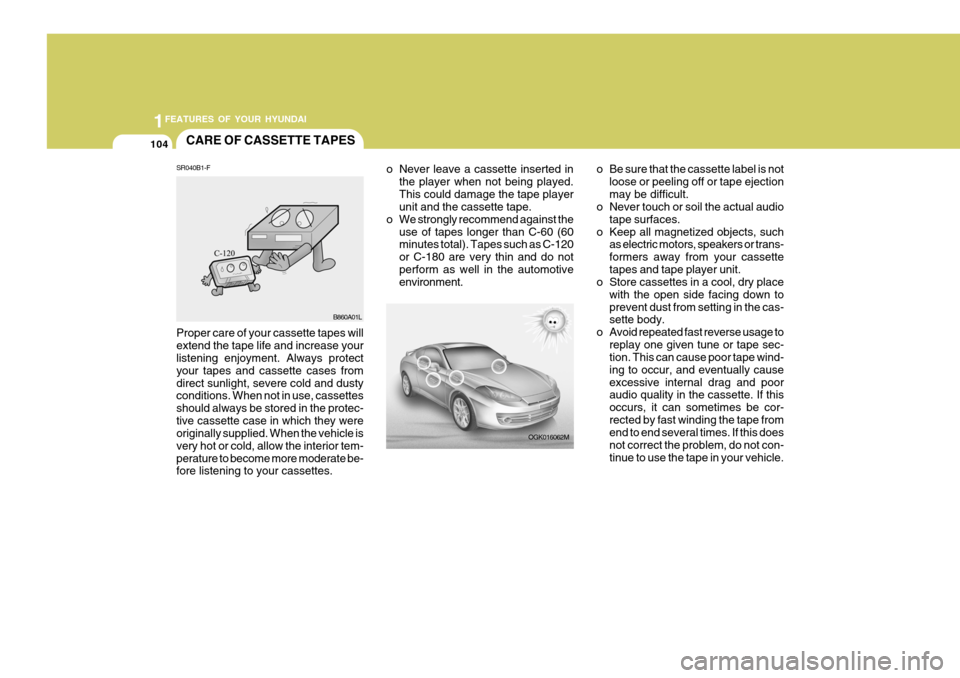
SR040B1-F Proper care of your cassette tapes will extend the tape life and increase your listening enjoyment. Always protect your tapes and cassette cases fromdirect sunlight, severe cold and dusty conditions. When not in use, cassettes should always be stored in the protec-tive cassette case in which they were originally supplied. When the vehicle is very hot or cold, allow the interior tem-perature to become more moderate be- fore listening to your cassettes. B860A01L
Page 293 of 407
1
FEATURES OF YOUR HYUNDAI
105
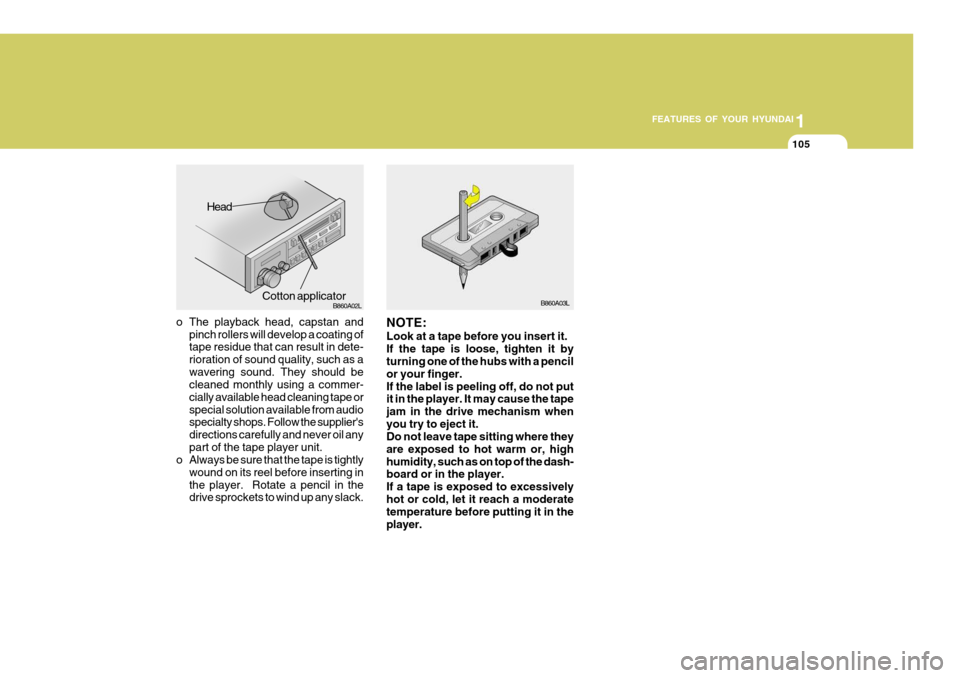
o The playback head, capstan and
pinch rollers will develop a coating of tape residue that can result in dete- rioration of sound quality, such as awavering sound. They should be cleaned monthly using a commer- cially available head cleaning tape orspecial solution available from audio specialty shops. Follow the supplier's directions carefully and never oil anypart of the tape player unit.
o Always be sure that the tape is tightly
wound on its reel before inserting inthe player. Rotate a pencil in the drive sprockets to wind up any slack. B860A03L
NOTE: Look at a tape before you insert it. If the tape is loose, tighten it by turning one of the hubs with a pencil or your finger.If the label is peeling off, do not put it in the player. It may cause the tape jam in the drive mechanism whenyou try to eject it. Do not leave tape sitting where they are exposed to hot warm or, highhumidity, such as on top of the dash- board or in the player. If a tape is exposed to excessivelyhot or cold, let it reach a moderate temperature before putting it in the player.
Head
Cotton applicator B860A02L