stop start HYUNDAI COUPE 2012 User Guide
[x] Cancel search | Manufacturer: HYUNDAI, Model Year: 2012, Model line: COUPE, Model: HYUNDAI COUPE 2012Pages: 391, PDF Size: 6.88 MB
Page 211 of 391
Features of your vehicle
134
4
Using USB device
1. RANDOM Button
Press the button for less than 0.8 second
to start or stop the random playback of
the songs in the current folder.
Press the button for more than 0.8 sec-
ond to randomly play the entire songs in
the USB device. Press the button again
to cancel the mode.
2. REPEAT Button
Repeats current song when the button is
pressed for less than 0.8 second.
Repeats all songs in current folder when
the button is pressed for 0.8 second or
longer.
3. TRACK Button
] button for less
than 0.8 second to play from the begin-
ning of the song currently played. press
the button for less than 0.8 second and
press it again within 1 second to move
and play the previous track. press the
button for 0.8 second or longer to rewind
songs reverse direction in fast speed.
] button for less than 0.8 second to move to the next
track. press the button for 0.8 second or longer to fast forward the song in for-
ward direction in fast speed.
4. USB Button
If USB is connected, it switches to the
USB mode from the CD mode to play the
song files stored in the USB. If there is no
CD or no USB device is connected, then
the message "No Media" will be dis-
played and return to the previous mode.
5. SCAN Button
Plays 10 seconds of each song in the
USB device. Press the button again to
cancel scanning.
6. Display
Displays the current time, mode, play
track number, play time, RDM, RPT and
SCAN status.
7. CAT/FOLDER Button
[CAT/FOLDER ] button to
move to the child folder of the current
folder and display the first song in the
folder. Press [ENTER] button to move to
the folder displayed. It will play the first
song in the folder.
[CAT/FOLDER ] button to move to the parent folder and display the first song in the folder. Press
[ENTER] button to move to the folder
displayed.
8. TUNE/FILE Button
] button to select
the next song and press [ENTER] but-
ton to play.
] button to select the previous song and press [ENTER]
button to play.
9. INFO Button
Displays the information of the file cur-
rently played in the order of FILE NAME
➟TITLE ➟ARTIST ➟ALBUM ➟FOLD-
ER ➟TOTAL FILE ➟NORMAL DISPLAY➟FILE NAME... (Displays no information
if the file has no song information.)
procarmanuals.com
Page 228 of 391
5
Before driving / 5-3
Key / 5-4
Engine Start/Stop button / 5-7
Manual transmission / 5-12
Automatic transmission / 5-16
Brake system / 5-22
Cruise control system / 5-32
Economical operation / 5-36
Special driving conditions / 5-38
Winter driving / 5-42
Vehicle load limit / 5-46
Vehicle weight / 5-51
Trailer towing / 5-52
Driving your vehicle
procarmanuals.com
Page 234 of 391
57
Driving your vehicle
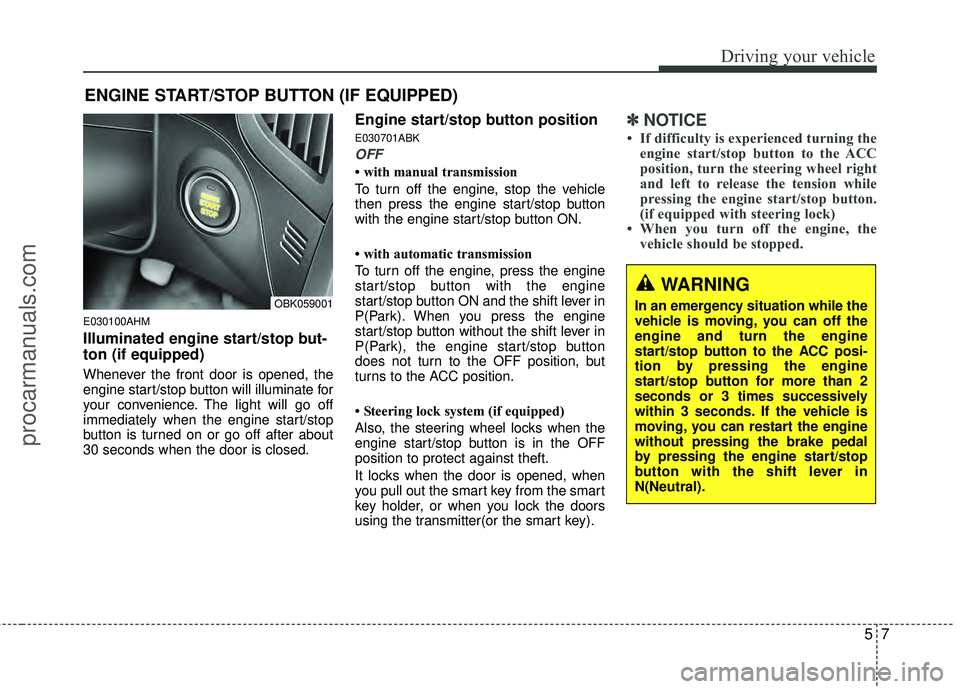
E030100AHM
Illuminated engine start/stop but-
ton (if equipped)
Whenever the front door is opened, the
engine start/stop button will illuminate for
your convenience. The light will go off
immediately when the engine start/stop
button is turned on or go off after about
30 seconds when the door is closed.
Engine start/stop button position
E030701ABK
OFF
• with manual transmission
To turn off the engine, stop the vehicle
then press the engine start/stop button
with the engine start/stop button ON.
• with automatic transmission
To turn off the engine, press the engine
start/stop button with the engine
start/stop button ON and the shift lever in
P(Park). When you press the engine
start/stop button without the shift lever in
P(Park), the engine start/stop button
does not turn to the OFF position, but
turns to the ACC position.
• Steering lock system (if equipped)
Also, the steering wheel locks when the
engine start/stop button is in the OFF
position to protect against theft.
It locks when the door is opened, when
you pull out the smart key from the smart
key holder, or when you lock the doors
using the transmitter(or the smart key).
✽ ✽NOTICE
• If difficulty is experienced turning the
engine start/stop button to the ACC
position, turn the steering wheel right
and left to release the tension while
pressing the engine start/stop button.
(if equipped with steering lock)
• When you turn off the engine, the vehicle should be stopped.
ENGINE START/STOP BUTTON (IF EQUIPPED)
OBK059001
WARNING
In an emergency situation while the
vehicle is moving, you can off the
engine and turn the engine
start/stop button to the ACC posi-
tion by pressing the engine
start/stop button for more than 2
seconds or 3 times successively
within 3 seconds. If the vehicle is
moving, you can restart the engine
without pressing the brake pedal
by pressing the engine start/stop
button with the shift lever in
N(Neutral).
procarmanuals.com
Page 235 of 391
Driving your vehicle
85
E030202ABK
ACC(Accessory)
• with manual transmission
Press the engine start/stop button when
the button is in the OFF position without
depressing the clutch pedal.
• with automatic transmission
Press the engine start/stop button when
the button is in the OFF position without
depressing the brake pedal.
The steering wheel is unlocked and elec-
trical accessories are operative (if
equipped with steering lock).
If you leave the engine start/stop button
in the ACC position for more than 1 hour,
the engine is off automatically to prevent
the battery from discharging.
E030203ABK
ON
• with manual transmission
Press the engine start/stop button when
the button is in the ACC position without
depressing the clutch pedal.
• with automatic transmission
Press the engine start/stop button when
the button is in the ACC position without
depressing the brake pedal.
The warning lights can be checked
before the engine is started. Do not leave
the button in the ON position if the engine
is not running to prevent the battery from
discharging.
E030704ABK
START
• with manual transmission
To start the engine, depress the clutch
pedal and brake pedal, then press the
engine start/stop button with the shift
lever in the N(Neutral) position.
• with automatic transmission
To start the engine, depress the brake
pedal and press the engine start/stop
button with the shift lever in the P(Park)
or the N (Neutral) position.
✽ ✽NOTICE
• If you press the engine start/stop but-
ton without depressing the clutch
pedal on manual transmission vehi-
cles or without depressing the brake
pedal on automatic transmission vehi-
cles, the engine will not start and the
engine start/stop button changes as
follows:
OFF → →
ACC →
→
ON →
→
OFF
• If you leave the engine start/stop but- ton in the ACC or the ON position for
a long time, the battery may be dis-
charged.
procarmanuals.com
Page 236 of 391
59
Driving your vehicle
E030205ABHStarting the engine
E040000ABH
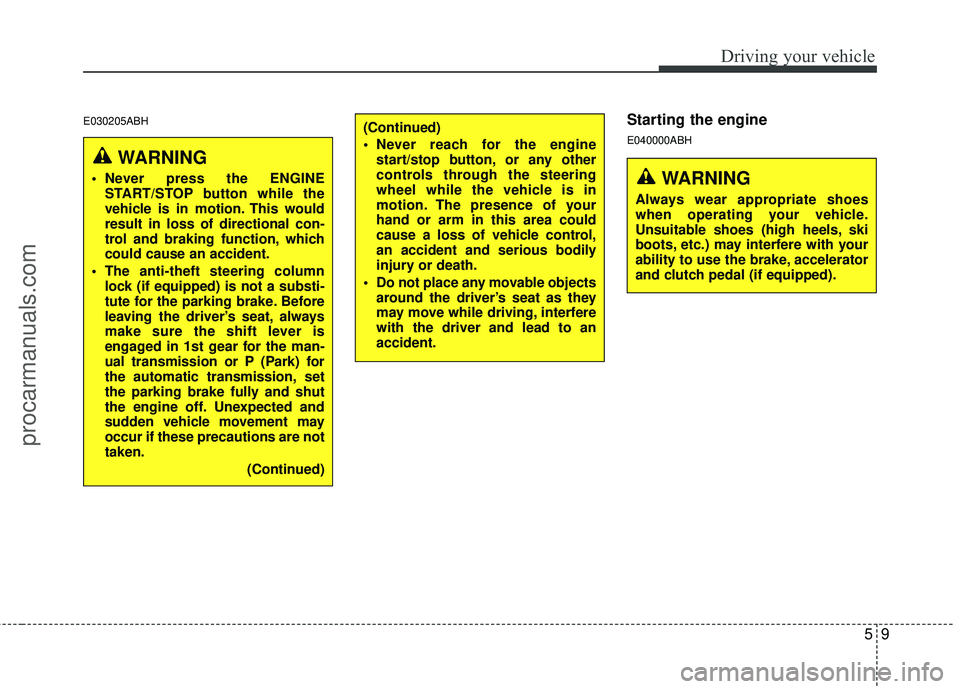
WARNING
Never press the ENGINESTART/STOP button while the
vehicle is in motion. This would
result in loss of directional con-
trol and braking function, which
could cause an accident.
The anti-theft steering column lock (if equipped) is not a substi-
tute for the parking brake. Before
leaving the driver’s seat, always
make sure the shift lever is
engaged in 1st gear for the man-
ual transmission or P (Park) for
the automatic transmission
,set
the parking brake fully and shut
the engine off. Unexpected and
sudden vehicle movement may
occur if these precautions are not
taken.
(Continued)
(Continued)
Never reach for the enginestart/stop button, or any other
controls through the steering
wheel while the vehicle is in
motion. The presence of your
hand or arm in this area could
cause a loss of vehicle control,
an accident and serious bodily
injury or death.
Do not place any movable objects around the driver’s seat as they
may move while driving, interfere
with the driver and lead to an
accident.
WARNING
Always wear appropriate shoes
when operating your vehicle.
Unsuitable shoes (high heels, ski
boots, etc.) may interfere with your
ability to use the brake, accelerator
and clutch pedal (if equipped).
procarmanuals.com
Page 237 of 391
Driving your vehicle
10
5
E040100ABK
1. Carry the smart key or leave it inside
the vehicle.
2. Make sure the parking brake is firmly applied.
3. Manual Transmission - Depress the
clutch pedal fully and shift the trans-
mission into Neutral. Depress the
brake and clutch pedal fully.
Automatic Transmission - Place the
transmission shift lever in P (Park).
Depress the brake pedal fully.
You can also start the engine when the shift lever is in the N (Neutral)position.
4. Press the engine start/stop button.
5. In extremely cold weather (below -
18°C / 0°F) or after the vehicle has not
been operated for several days, let the
engine warm up without depressing
the accelerator.
Whether the engine is cold or warm, itshould be started without depressing
the accelerator.
Even if the smart key is in the vehicle,
if it is far away from you, the engine
may not start.
When the engine start/stop button is in
the ACC or ON position, if any door is
open, the system checks for the smart
key. If the smart key is not in the vehi-
cle, and if all doors are closed, the
chime will sound for about 5 seconds.
Keep the smart key in the vehicle,
when using the ACC position or if the
vehicle engine is on.
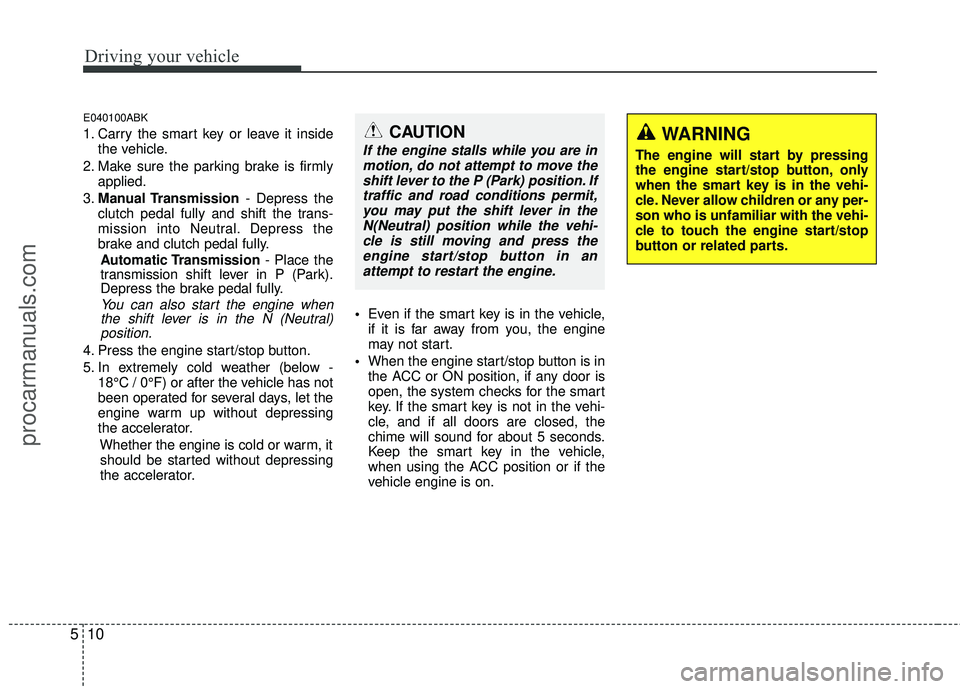
WARNING
The engine will start by pressing
the engine start/stop button, only
when the smart key is in the vehi-
cle. Never allow children or any per-
son who is unfamiliar with the vehi-
cle to touch the engine start/stop
button or related parts.
CAUTION
If the engine stalls while you are in
motion, do not attempt to move theshift lever to the P (Park) position. Iftraffic and road conditions permit,you may put the shift lever in the N(Neutral) position while the vehi-cle is still moving and press theengine start/stop button in anattempt to restart the engine.
procarmanuals.com
Page 238 of 391
511
Driving your vehicle
✽
✽NOTICE
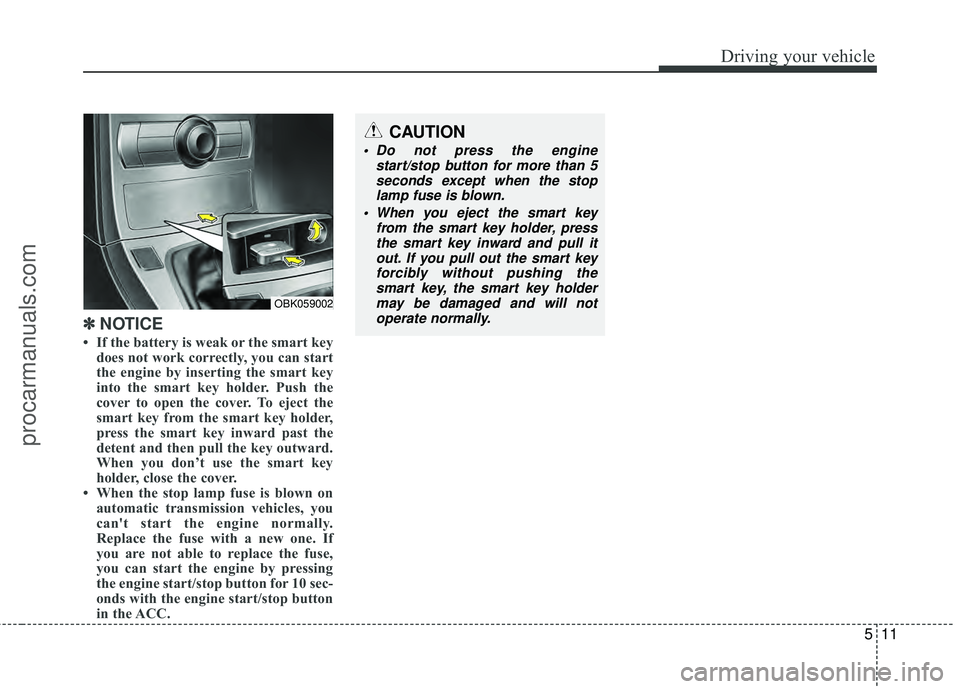
• If the battery is weak or the smart key
does not work correctly, you can start
the engine by inserting the smart key
into the smart key holder. Push the
cover to open the cover. To eject the
smart key from the smart key holder,
press the smart key inward past the
detent and then pull the key outward.
When you don’t use the smart key
holder, close the cover.
• When the stop lamp fuse is blown on automatic transmission vehicles, you
can't start the engine normally.
Replace the fuse with a new one. If
you are not able to replace the fuse,
you can start the engine by pressing
the engine start/stop button for 10 sec-
onds with the engine start/stop button
in the ACC.
CAUTION
Do not press the engine
start/stop button for more than 5seconds except when the stoplamp fuse is blown.
When you eject the smart key from the smart key holder, pressthe smart key inward and pull it out. If you pull out the smart keyforcibly without pushing thesmart key, the smart key holdermay be damaged and will notoperate normally.
OBK059002
procarmanuals.com
Page 239 of 391
Driving your vehicle
12
5
E050100ABK
Manual transmission operation
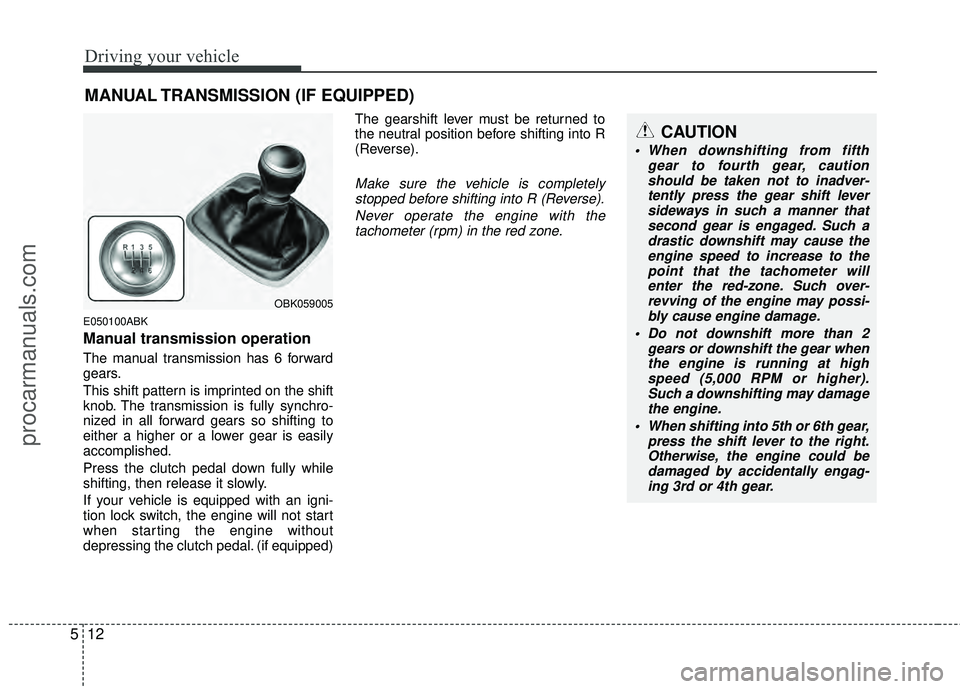
The manual transmission has 6 forward
gears.
This shift pattern is imprinted on the shift
knob. The transmission is fully synchro-
nized in all forward gears so shifting to
either a higher or a lower gear is easily
accomplished.
Press the clutch pedal down fully while
shifting, then release it slowly.
If your vehicle is equipped with an igni-
tion lock switch, the engine will not start
when starting the engine without
depressing the clutch pedal. (if equipped) The gearshift lever must be returned to
the neutral position before shifting into R
(Reverse).
Make sure the vehicle is completely
stopped before shifting into R (Reverse).
Never operate the engine with thetachometer (rpm) in the red zone.
MANUAL TRANSMISSION (IF EQUIPPED)
OBK059005
CAUTION
When downshifting from fifth gear to fourth gear, cautionshould be taken not to inadver- tently press the gear shift leversideways in such a manner thatsecond gear is engaged. Such a drastic downshift may cause theengine speed to increase to the point that the tachometer willenter the red-zone. Such over- revving of the engine may possi-bly cause engine damage.
Do not downshift more than 2 gears or downshift the gear whenthe engine is running at highspeed (5,000 RPM or higher). Such a downshifting may damagethe engine.
When shifting into 5th or 6th gear, press the shift lever to the right.Otherwise, the engine could be damaged by accidentally engag-ing 3rd or 4th gear.
procarmanuals.com
Page 246 of 391
519
Driving your vehicle
✽
✽NOTICE
• In sports mode, the driver must exe-
cute upshifts in accordance with road
conditions, taking care to keep the
engine speed below the red zone.
• In sports mode, only the 5 (or 6) for- ward gears can be selected. To reverse
or park the vehicle, move the shift
lever to the R (Reverse) or P (Park)
position as required.
• In sports mode, downshifts are made automatically when the vehicle slows
down. When the vehicle stops, 1st gear
is automatically selected.
• In sports mode, when the engine rpm approaches the red zone the transaxle
will upshift automatically.
• If the driver press the lever to +(up) or -(Down) position, the transaxle may
not make the requested gear change if
the next gear is outside of the allow-
able engine rpm range.
• When driving on a slippery road, push the shift lever forward into the
+(up) position or pull the right-hand
shift paddle. This causes the transmis-
sion to shift into the 2nd gear which is
better for smooth driving on a slip-
pery road. Push the shift lever to the -
(down) side or pull the left-hand shift
paddle to shift back to the 1st gear.
E060102ABH
Shift lock system (if equipped)
For your safety, the automatic transmis-
sion has a shift lock system which pre-
vents shifting the transmission from P
(Park) or N (Neutral) into R (Reverse)
unless the brake pedal is depressed.
To shift the transmission from P (Park) or
N (Neutral) into R (Reverse):
1. Depress and hold the brake pedal.
2. Start the engine or turn the ignition
switch to the ON position.
3. Move the shift lever.
If the brake pedal is repeatedly
depressed and released with the shift
lever in the P (Park) position, a chattering
noise near the shift lever may be heard.
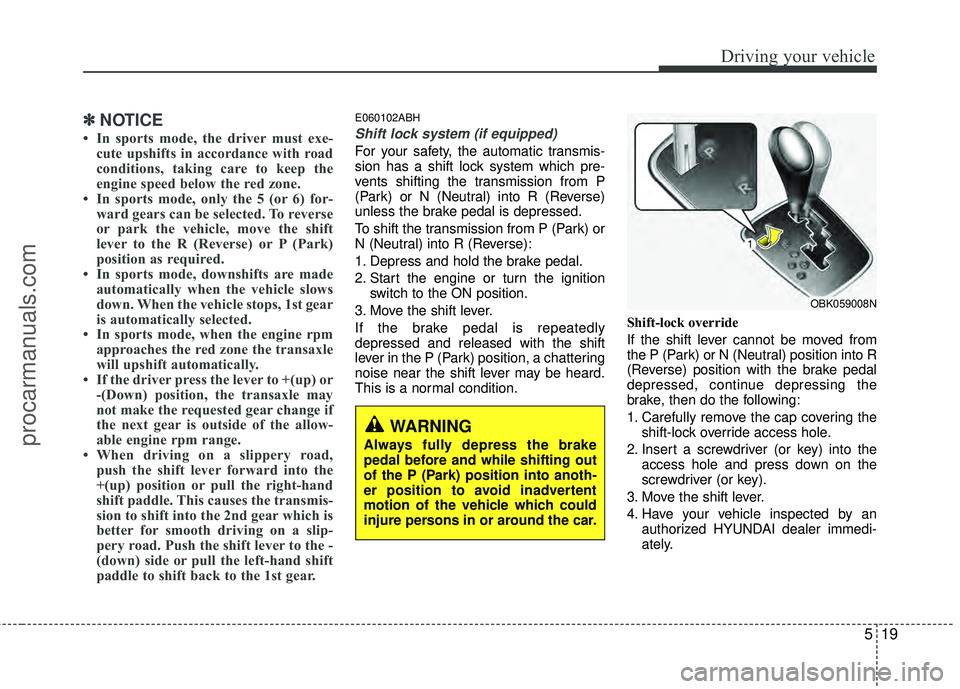
This is a normal condition. Shift-lock override
If the shift lever cannot be moved from
the P (Park) or N (Neutral) position into R
(Reverse) position with the brake pedal
depressed, continue depressing the
brake, then do the following:
1. Carefully remove the cap covering the
shift-lock override access hole.
2. Insert a screwdriver (or key) into the access hole and press down on the
screwdriver (or key).
3. Move the shift lever.
4. Have your vehicle inspected by an authorized HYUNDAI dealer immedi-
ately.
WARNING
Always fully depress the brake
pedal before and while shifting out
of the P (Park) position into anoth-
er position to avoid inadvertent
motion of the vehicle which could
injure persons in or around the car.
OBK059008N
procarmanuals.com
Page 248 of 391
521
Driving your vehicle
E060203ABK
Moving up a steep grade from a stand-ing start
To move up a steep grade from a stand-
ing start, press the brake pedal, shift the
shift lever to D (Drive) and release the
parking brake. Depress the accelerator
gradually while releasing the brake
pedal. When accelerating from a stop on
a steep hill, the vehicle may have a ten-
dency to roll backwards.
WARNING
Always buckle-up! In a collision, an unbelted occupant is signifi-
cantly more likely to be seriously
injured or killed than a properly
belted occupant.
Avoid high speeds when corner- ing or turning.
Do not make quick steering wheel movements, such as sharp
lane changes or fast, sharp turns.
The risk of rollover is greatly increased if you lose control of
your vehicle at highway speeds.
Loss of control often occurs if two or more wheels drop off the
roadway and the driver over-
steers to reenter the roadway.
In the event your vehicle leaves the roadway, do not steer sharply.
Instead, slow down before pulling
back into the travel lanes.
Never exceed posted speed lim- its.
WARNING
If your vehicle becomes stuck in
snow, mud, sand, etc., then you
may attempt to rock the vehicle free
by moving it forward and backward.
Do not attempt this procedure if
people or objects are anywhere
near the vehicle. During the rocking
operation the vehicle may suddenly
move forward or backward as it
becomes unstuck, causing injury
or damage to nearby people or
objects.
procarmanuals.com