ECU HYUNDAI COUPE 2012 Owner's Manual
[x] Cancel search | Manufacturer: HYUNDAI, Model Year: 2012, Model line: COUPE, Model: HYUNDAI COUPE 2012Pages: 391, PDF Size: 6.88 MB
Page 103 of 391
Features of your vehicle
26
4
(Continued)
Use only approved portable plas-
tic fuel containers designed to
carry and store gasoline.
Do not use cellular phones while refueling. Electric current and/or
electronic interference from cel-
lular phones can potentially
ignite fuel vapors causing a fire.
When refueling, always shut the engine off. Sparks produced by
electrical components related to
the engine can ignite fuel vapors
causing a fire. Once refueling is
complete, check to make sure the
filler cap and filler door are
securely closed, before starting
the engine.
DO NOT use matches or a lighter and DO NOT SMOKE or leave a lit
cigarette in your vehicle while at
a gas station especially during
refueling. Automotive fuel is
highly flammable and can, when
ignited, result in fire.
(Continued)(Continued)
Do not get back into a vehicleonce you have begun refueling
since you can generate static
electricity by touching, rubbing
or sliding against any item or fab-
ric (polyester, satin, nylon, etc.)
capable of producing static elec-
tricity. Static electricity discharge
can ignite fuel vapors resulting in
rapid burning. If you must re-
enter the vehicle, you should
once again eliminate potentially
dangerous static electricity dis-
charge by touching a metal part
of the vehicle, away from the fuel
filler neck, nozzle or other gaso-
line source.
When using an approved portable fuel container, be sure to
place the container on the
ground prior to refueling. Static
electricity discharge from the
container can ignite fuel vapors
causing a fire. Once refueling has
begun, contact with the vehicle
should be maintained until the
filling is complete.
(Continued)WARNING - Refueling dan-
gers
Automotive fuels are flammable
materials. When refueling, please
note the following guidelines care-
fully. Failure to follow these guide-
lines may result in severe personal
injury, severe burns or death by fire
or explosion.
Read and follow all warningsposted at the gas station facility.
Before refueling, note the loca- tion of the Emergency Gasoline
Shut-Off, if available, at the gas
station facility.
Before touching the fuel nozzle, you should eliminate potentially
dangerous static electricity dis-
charge by touching another metal
part of the vehicle, a safe dis-
tance away from the fuel filler
neck, nozzle, or other gas source.
(Continued)
procarmanuals.com
Page 104 of 391
427
Features of your vehicle
D100500ABH
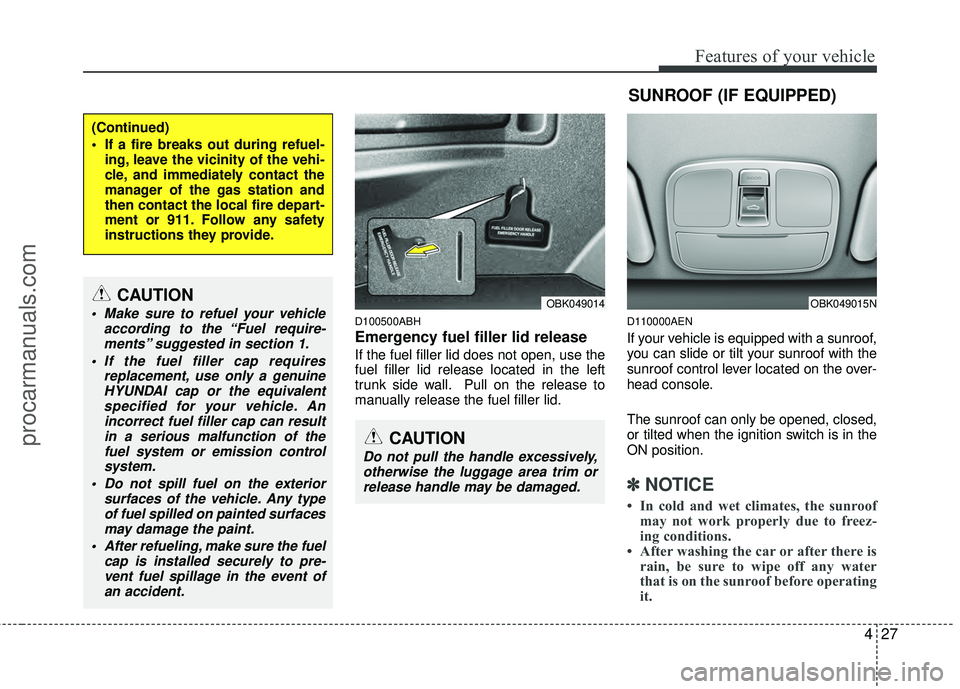
Emergency fuel filler lid release
If the fuel filler lid does not open, use the
fuel filler lid release located in the left
trunk side wall. Pull on the release to
manually release the fuel filler lid.
D110000AEN
If your vehicle is equipped with a sunroof,
you can slide or tilt your sunroof with the
sunroof control lever located on the over-
head console.
The sunroof can only be opened, closed,
or tilted when the ignition switch is in the
ON position.
✽ ✽NOTICE
• In cold and wet climates, the sunroof
may not work properly due to freez-
ing conditions.
• After washing the car or after there is rain, be sure to wipe off any water
that is on the sunroof before operating
it.
(Continued)
If a fire breaks out during refuel-
ing, leave the vicinity of the vehi-
cle, and immediately contact the
manager of the gas station and
then contact the local fire depart-
ment or 911. Follow any safety
instructions they provide.
CAUTION
Make sure to refuel your vehicle according to the “Fuel require-ments” suggested in section 1.
If the fuel filler cap requires replacement, use only a genuineHYUNDAI cap or the equivalentspecified for your vehicle. Anincorrect fuel filler cap can resultin a serious malfunction of the fuel system or emission controlsystem.
Do not spill fuel on the exterior surfaces of the vehicle. Any typeof fuel spilled on painted surfacesmay damage the paint.
After refueling, make sure the fuel cap is installed securely to pre-vent fuel spillage in the event ofan accident.
CAUTION
Do not pull the handle excessively,otherwise the luggage area trim orrelease handle may be damaged.
SUNROOF (IF EQUIPPED)
OBK049015NOBK049014
procarmanuals.com
Page 113 of 391
Features of your vehicle
36
4
To adjust the Zone setting:
1. Determine the desired Zone Number
based upon your current location on
the Zone Map.
2. Press and hold the button for more than 3 but less than 6 seconds, the
current Zone Number will appear on
the display.
3. Pressing and holding the button again will cause the numbers to incre-
ment (Note: they will repeat …13, 14,
15, 1, 2, …). Releasing the button
when the desired Zone Number
appears on the display will set the new
Zone.
4. Within about 5 seconds the compass will start displaying a compass head-
ing again.
There are some conditions that can
cause changes to the vehicle magnets,
such as installing a ski rack or a CB
antenna. Body repair work on the vehicle
can also cause changes to the vehicle's
magnetic field. In these situations, the
compass will need to be re-calibrated to
quickly correct for these changes. To re-
calibrate the compass: 1. Press and hold the button for more
than 6 seconds. When the compass
memory is cleared a "C" will appear in
the display.
2. To calibrate the compass, drive the vehicle in 2 complete circles at less
than 5 mph (8 km/h).
Integrated HomeLink
®Wireless Control
System
The HomeLink® Wireless Control
System provides a convenient way to
replace up to three hand-held radio-fre-
quency (RF) transmitters with a single
built-in device. This innovative feature will
learn the radio frequency codes of most
current transmitters to operate devices
such as gate operators, garage door
openers, entry door locks, security sys-
tems, even home lighting. Both standard
and rolling code-equipped transmitters
can be programmed by following the out-
lined procedures. Additional HomeLink
®
information can be found at: www.home-
link.com or by calling 1-800-355-3515. Retain the original transmitter of the RF
device you are programming for use in
other vehicles as well as for future
HomeLink
®programming. It is also sug-
gested that upon the sale of the vehicle,
the programmed HomeLink
®buttons be
erased for security purposes.
CAUTION
Before programming HomeLink®to
a garage door opener or gate oper- ator, make sure that people and objects are out of the way of thedevice to prevent potential harm ordamage. Do not use HomeLink
®
with any garage door opener thatlacks the safety stop and reverse features required by U.S. federalsafety standards (this includes any garage door opener model manu-factured before April 1, 1982). Agarage door that cannot detect anobject - signaling the door to stop and reverse - does not meet currentU.S. federal safety standards. Using a garage door opener without thesefeatures increases the risk of seri- ous injury or death.
procarmanuals.com
Page 115 of 391
Features of your vehicle
38
4
If there is difficulty locating the training
button, reference the device owner's
manual or please visit our Web site at
www.homelink.com.
2. Firmly press and release the "learn" or "smart" button (which activates the
"training light").
✽ ✽NOTICE
There are 30 seconds in which to initiate
step3.
3. Return to the vehicle and firmly press,
hold for two seconds and then release
the desired HomeLink
®button. Repeat
the "press/hold/release" sequence a
second time to complete the program-
ming. (Some devices may require you
to repeat this sequence a third time to
complete the programming.)
4. Press and hold the just-trained HomeLink
®button and observe the red
Status Indicator LED. If the indicator
light stays on constantly, programming
is complete and your device should
activate.
5. To program the remaining two HomeLink
®buttons, follow either steps
1 through 4 above for other Rolling
Code devices or steps 2 through 5 in
Standard Programming for standard
devices. Gate operator & Canadian program-
ming
During programming, your handheld
transmitter may automatically stop trans-
mitting. Continue to press the Integrated
HomeLink
®Wireless Control System but-
ton (note steps 2 through 4 in the
Standard Programming portion of this
document) while you press and re-press
("cycle") your handheld transmitter every
two seconds until the frequency signal
has been learned. The indicator light will
flash slowly and then rapidly after sever-
al seconds upon successful training.
Operating HomeLink
®
To operate, simply press and release the
programmed HomeLink®button.
Activation will now occur for the trained
device (i.e. garage door opener, gate
operator, security system, entry door
lock, home/office lighting, etc.). For con-
venience, the hand-held transmitter of
the device may also be used at any time. Reprogramming a single HomeLink
®
button
To program a new device to a previously
trained HomeLink
®button, follow these
steps:
1. Press and hold the desired HomeLink
®
button. Do NOT release until step 4
has been completed.
2. When the indicator light begins to flash slowly (after 20 seconds), position the
handheld transmitter 1 to 3 inches
away from the HomeLink
®surface.
3. Press and hold the handheld transmit- ter button. The HomeLink
®indicator
light will flash, first slowly and then rap-
idly.
4. When the indicator light begins to flash rapidly, release both buttons.
5. Press and hold the just-trained HomeLink
®button and observe the red
Status Indicator LED. If the indicator
light stays on constantly, programming
is complete and your new device
should activate.
procarmanuals.com
Page 131 of 391
Features of your vehicle
54
4
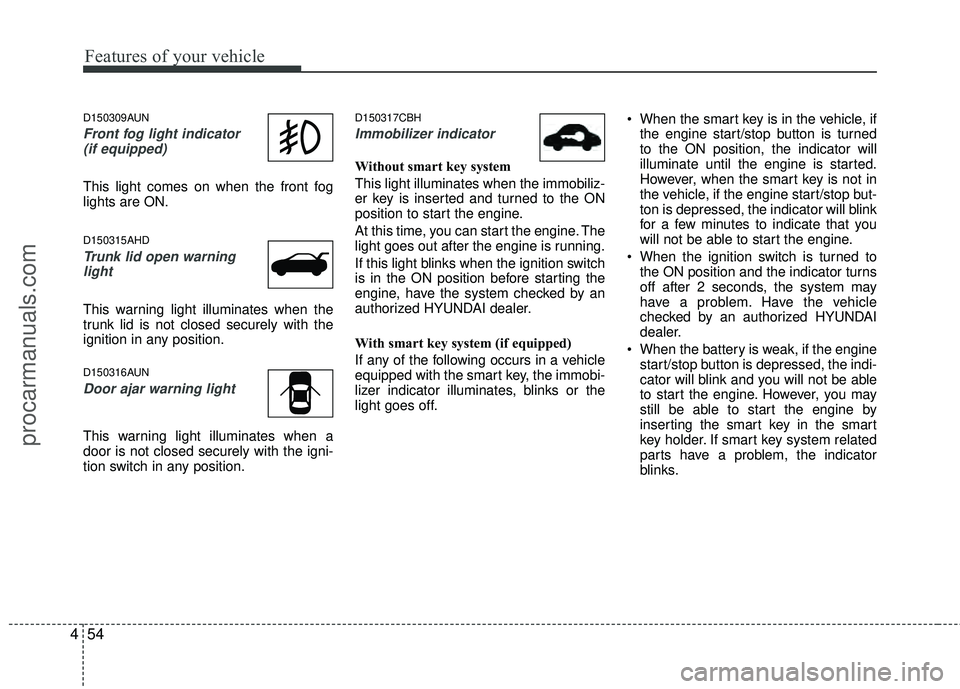
D150309AUN
Front fog light indicator
(if equipped)
This light comes on when the front fog
lights are ON.
D150315AHD
Trunk lid open warninglight
This warning light illuminates when the
trunk lid is not closed securely with the
ignition in any position.
D150316AUN
Door ajar warning light
This warning light illuminates when a
door is not closed securely with the igni-
tion switch in any position.
D150317CBH
Immobilizer indicator
Without smart key system
This light illuminates when the immobiliz-
er key is inserted and turned to the ON
position to start the engine.
At this time, you can start the engine. The
light goes out after the engine is running.
If this light blinks when the ignition switch
is in the ON position before starting the
engine, have the system checked by an
authorized HYUNDAI dealer.
With smart key system (if equipped)
If any of the following occurs in a vehicle
equipped with the smart key, the immobi-
lizer indicator illuminates, blinks or the
light goes off. When the smart key is in the vehicle, if
the engine start/stop button is turned
to the ON position, the indicator will
illuminate until the engine is started.
However, when the smart key is not in
the vehicle, if the engine start/stop but-
ton is depressed, the indicator will blink
for a few minutes to indicate that you
will not be able to start the engine.
When the ignition switch is turned to the ON position and the indicator turns
off after 2 seconds, the system may
have a problem. Have the vehicle
checked by an authorized HYUNDAI
dealer.
When the battery is weak, if the engine start/stop button is depressed, the indi-
cator will blink and you will not be able
to start the engine. However, you may
still be able to start the engine by
inserting the smart key in the smart
key holder. If smart key system related
parts have a problem, the indicator
blinks.
procarmanuals.com
Page 145 of 391
Features of your vehicle
68
4
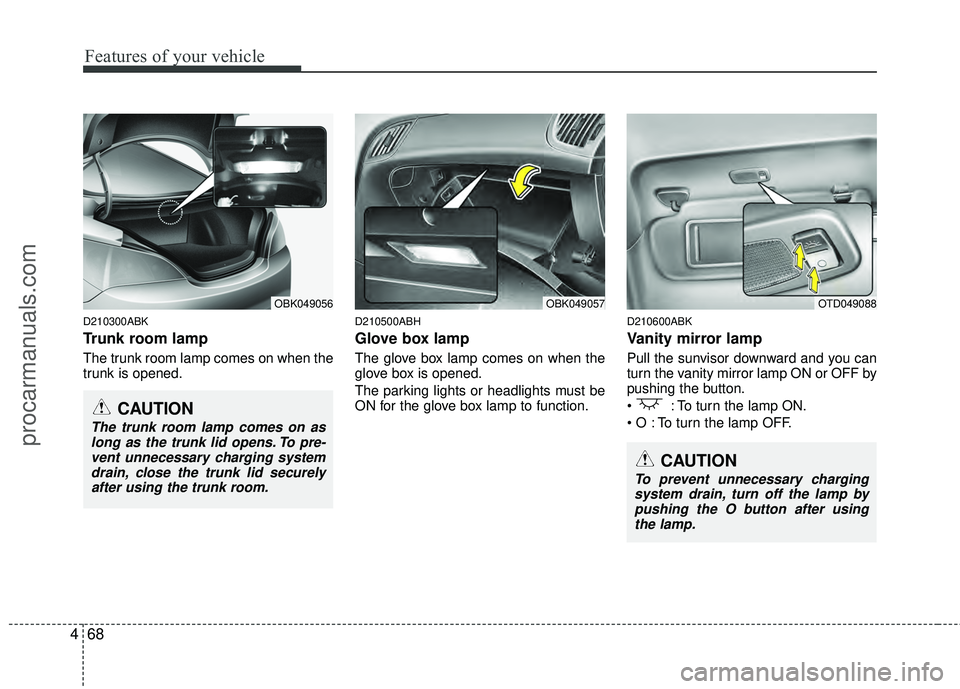
D210300ABK
Trunk room lamp
The trunk room lamp comes on when the
trunk is opened.
D210500ABH
Glove box lamp
The glove box lamp comes on when the
glove box is opened.
The parking lights or headlights must be
ON for the glove box lamp to function.
D210600ABK
Vanity mirror lamp
Pull the sunvisor downward and you can
turn the vanity mirror lamp ON or OFF by
pushing the button.
: To turn the lamp ON.
To turn the lamp OFF.
OBK049056
CAUTION
The trunk room lamp comes on as
long as the trunk lid opens. To pre-vent unnecessary charging systemdrain, close the trunk lid securelyafter using the trunk room.
OBK049057OTD049088
CAUTION
To prevent unnecessary chargingsystem drain, turn off the lamp by pushing the O button after usingthe lamp.
procarmanuals.com
Page 169 of 391
Features of your vehicle
92
4
D270000AUN
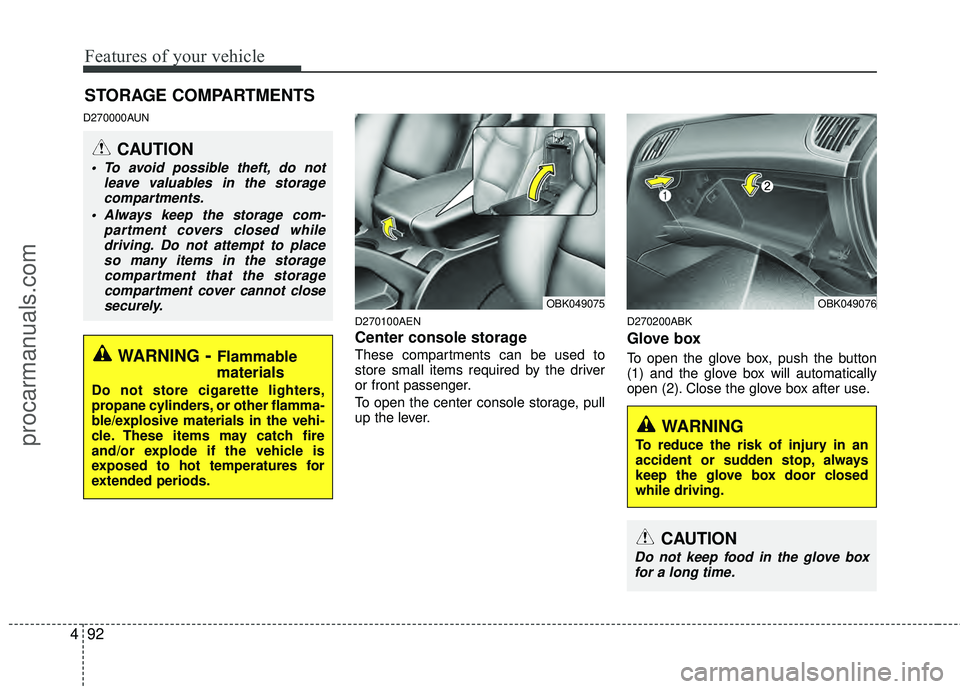
D270100AEN
Center console storage
These compartments can be used to
store small items required by the driver
or front passenger.
To open the center console storage, pull
up the lever.
D270200ABK
Glove box
To open the glove box, push the button
(1) and the glove box will automatically
open (2). Close the glove box after use.
STORAGE COMPARTMENTS
WARNING- Flammable
materials
Do not store cigarette lighters,
propane cylinders, or other flamma-
ble/explosive materials in the vehi-
cle. These items may catch fire
and/or explode if the vehicle is
exposed to hot temperatures for
extended periods.
CAUTION
To avoid possible theft, do not
leave valuables in the storagecompartments.
Always keep the storage com- partment covers closed whiledriving. Do not attempt to placeso many items in the storagecompartment that the storagecompartment cover cannot closesecurely.
OBK049076OBK049075
WARNING
To reduce the risk of injury in an
accident or sudden stop, always
keep the glove box door closed
while driving.
CAUTION
Do not keep food in the glove boxfor a long time.
procarmanuals.com
Page 171 of 391
Features of your vehicle
94
4
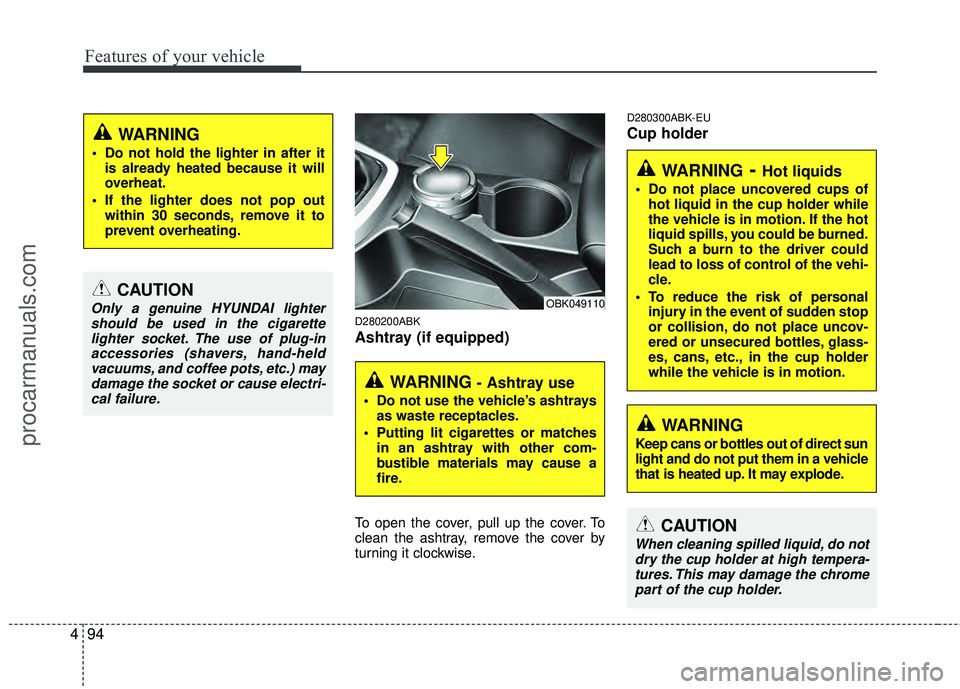
D280200ABK
Ashtray (if equipped)
To open the cover, pull up the cover. To
clean the ashtray, remove the cover by
turning it clockwise.
D280300ABK-EU
Cup holder
CAUTION
Only a genuine HYUNDAI lighter
should be used in the cigarettelighter socket. The use of plug-in accessories (shavers, hand-heldvacuums, and coffee pots, etc.) maydamage the socket or cause electri-cal failure.
WARNING
Do not hold the lighter in after it is already heated because it will
overheat.
If the lighter does not pop out within 30 seconds, remove it to
prevent overheating.
WARNING - Ashtray use
Do not use the vehicle’s ashtraysas waste receptacles.
Putting lit cigarettes or matches in an ashtray with other com-
bustible materials may cause a
fire.
OBK049110
WARNING- Hot liquids
Do not place uncovered cups ofhot liquid in the cup holder while
the vehicle is in motion. If the hot
liquid spills, you could be burned.
Such a burn to the driver could
lead to loss of control of the vehi-
cle.
To reduce the risk of personal injury in the event of sudden stop
or collision, do not place uncov-
ered or unsecured bottles, glass-
es, cans, etc., in the cup holder
while the vehicle is in motion.
WARNING
Keep cans or bottles out of direct sun
light and do not put them in a vehicle
that is heated up. It may explode.
CAUTION
When cleaning spilled liquid, do notdry the cup holder at high tempera-tures. This may damage the chromepart of the cup holder.
procarmanuals.com
Page 172 of 391
495
Features of your vehicle
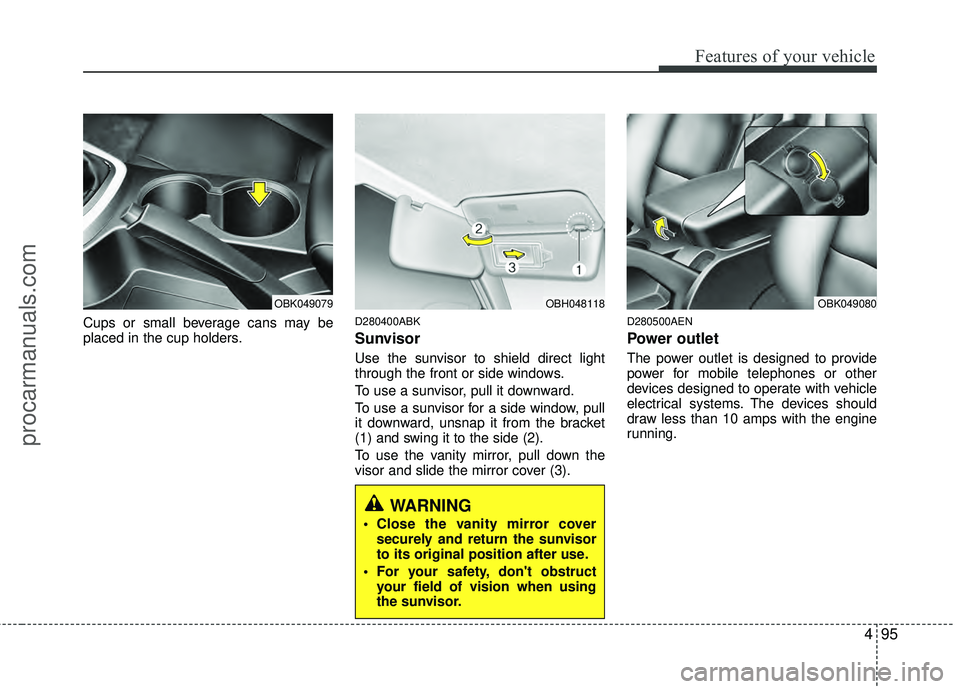
Cups or small beverage cans may be
placed in the cup holders.D280400ABK
Sunvisor
Use the sunvisor to shield direct light
through the front or side windows.
To use a sunvisor, pull it downward.
To use a sunvisor for a side window, pull
it downward, unsnap it from the bracket
(1) and swing it to the side (2).
To use the vanity mirror, pull down the
visor and slide the mirror cover (3).
D280500AEN
Power outlet
The power outlet is designed to provide
power for mobile telephones or other
devices designed to operate with vehicle
electrical systems. The devices should
draw less than 10 amps with the engine
running.
OBK049079OBH048118
WARNING
Close the vanity mirror coversecurely and return the sunvisor
to its original position after use.
For your safety, don't obstruct your field of vision when using
the sunvisor.
OBK049080
procarmanuals.com
Page 175 of 391
Features of your vehicle
98
4
D281000AEN
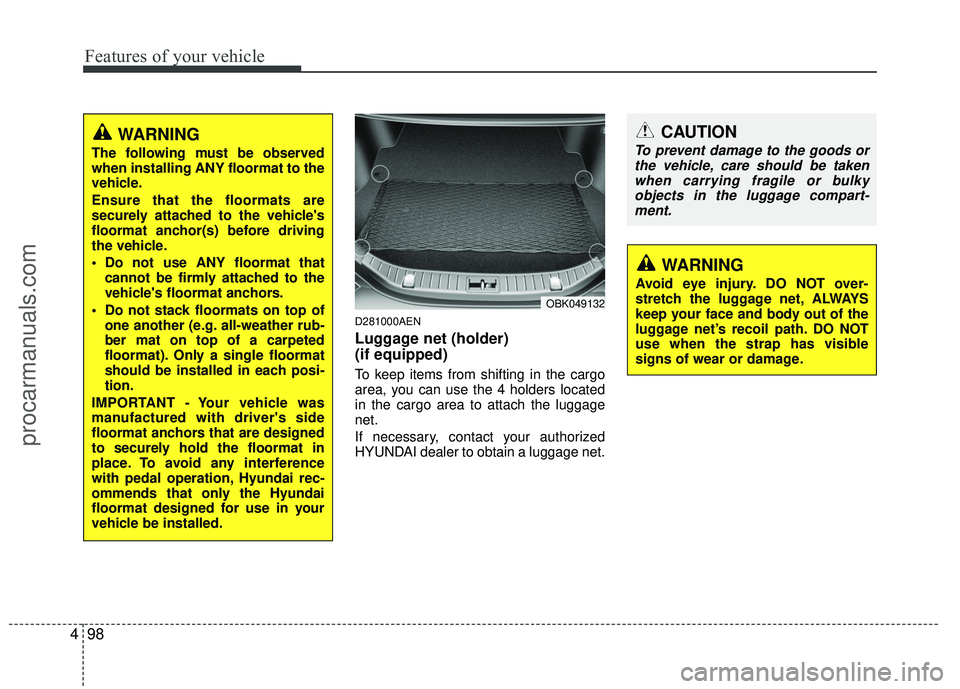
Luggage net (holder)
(if equipped)
To keep items from shifting in the cargo
area, you can use the 4 holders located
in the cargo area to attach the luggage
net.
If necessary, contact your authorized
HYUNDAI dealer to obtain a luggage net.
OBK049132
CAUTION
To prevent damage to the goods or
the vehicle, care should be takenwhen carrying fragile or bulky objects in the luggage compart-ment.
WARNING
Avoid eye injury. DO NOT over-
stretch the luggage net, ALWAYS
keep your face and body out of the
luggage net’s recoil path. DO NOT
use when the strap has visible
signs of wear or damage.
WARNING
The following must be observed
when installing ANY floormat to the
vehicle.
Ensure that the floormats are
securely attached to the vehicle's
floormat anchor(s) before driving
the vehicle.
Do not use ANY floormat that cannot be firmly attached to the
vehicle's floormat anchors.
Do not stack floormats on top of one another (e.g. all-weather rub-
ber mat on top of a carpeted
floormat). Only a single floormat
should be installed in each posi-
tion.
IMPORTANT - Your vehicle was
manufactured with driver's side
floormat anchors that are designed
to securely hold the floormat in
place. To avoid any interference
with pedal operation, Hyundai rec-
ommends that only the Hyundai
floormat designed for use in your
vehicle be installed.
procarmanuals.com