air condition HYUNDAI COUPE 2014 User Guide
[x] Cancel search | Manufacturer: HYUNDAI, Model Year: 2014, Model line: COUPE, Model: HYUNDAI COUPE 2014Pages: 546, PDF Size: 14.38 MB
Page 130 of 546
3-39
Convenient features of your vehicle
3
✽NOTICE
In cold and wet climates, trunk lock
and trunk mechanisms may not
work properly due to freezing condi-
tions.
Power Trunk Non-Opening or
Closing Conditions:
• The Power Trunk will not open or
close automatically, when the vehi-
cle is moving more than 3 km/h
(1.8 mph).
• The Power Trunk can be operated
when the engine is not running.
However, the Power Trunk operation
consumes large amounts of vehicle
electric power. To prevent the bat-
tery from draining, do not operate it
excessively (e.g., more than
approximately 10 times repeatedly.)
• Do not modify or repair any part of
the Power Trunk by yourself. This
must be done by an authorized
HYUNDAI dealer.
• Before jacking up the vehicle to
change a tire or repair the vehicle,
open the Power Trunk. Do not oper-
ate the Power Trunk when the vehi-
cle is raised or this could cause the
Power Trunk to operate improperly.
• If there are obstacles such as snow
on the Power Trunk, it may not open
automatically. After removing the
obstacle, try to open it again.
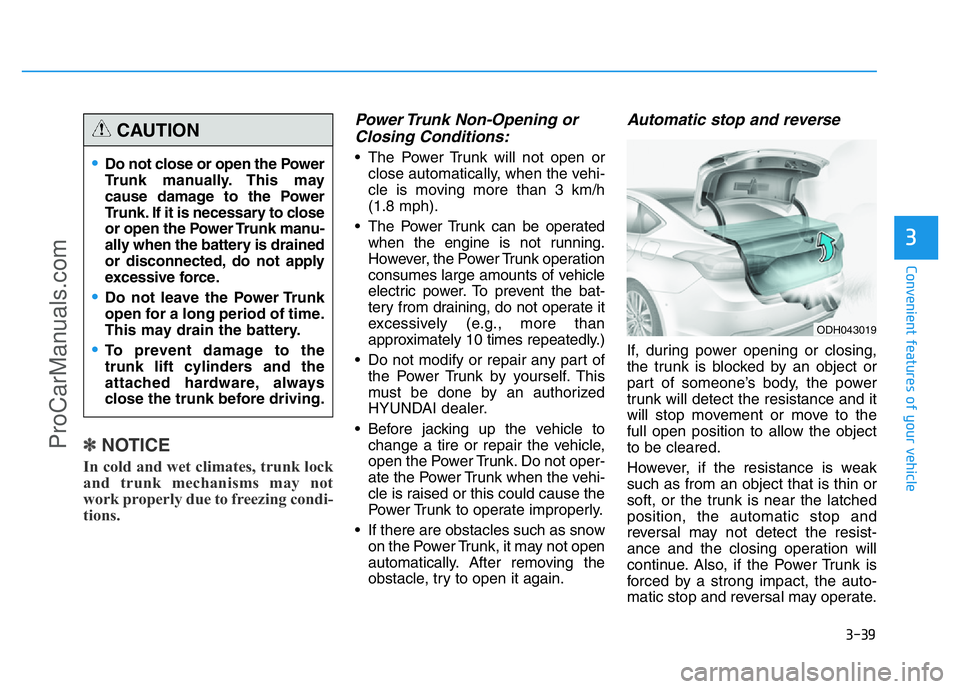
Automatic stop and reverse
If, during power opening or closing,
the trunk is blocked by an object or
part of someone’s body, the power
trunk will detect the resistance and it
will stop movement or move to the
full open position to allow the object
to be cleared.
However, if the resistance is weak
such as from an object that is thin or
soft, or the trunk is near the latched
position, the automatic stop and
reversal may not detect the resist-
ance and the closing operation will
continue. Also, if the Power Trunk is
forced by a strong impact, the auto-
matic stop and reversal may operate.
•Do not close or open the Power
Trunk manually. This may
cause damage to the Power
Trunk. If it is necessary to close
or open the Power Trunk manu-
ally when the battery is drained
or disconnected, do not apply
excessive force.
•Do not leave the Power Trunk
open for a long period of time.
This may drain the battery.
•To prevent damage to the
trunk lift cylinders and the
attached hardware, always
close the trunk before driving.
CAUTION
ODH043019
ProCarManuals.com
Page 146 of 546
3-55
Convenient features of your vehicle
3
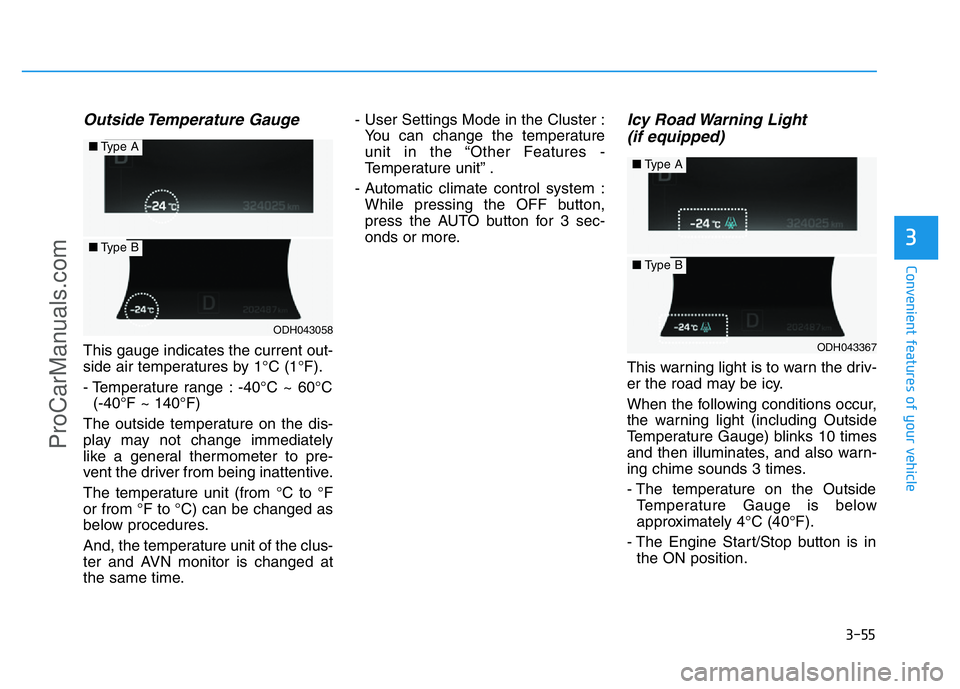
Outside Temperature Gauge
This gauge indicates the current out-
side air temperatures by 1°C (1°F).
- Temperature range : -40°C ~ 60°C
(-40°F ~ 140°F)
The outside temperature on the dis-
play may not change immediately
like a general thermometer to pre-
vent the driver from being inattentive.
The temperature unit (from °C to °F
or from °F to °C) can be changed as
below procedures.
And, the temperature unit of the clus-
ter and AVN monitor is changed at
the same time.- User Settings Mode in the Cluster :
You can change the temperature
unit in the “Other Features -
Temperature unit” .
- Automatic climate control system :
While pressing the OFF button,
press the AUTO button for 3 sec-
onds or more.
Icy Road Warning Light
(if equipped)
This warning light is to warn the driv-
er the road may be icy.
When the following conditions occur,
the warning light (including Outside
Temperature Gauge) blinks 10 times
and then illuminates, and also warn-
ing chime sounds 3 times.
- The temperature on the Outside
Temperature Gauge is below
approximately 4°C (40°F).
- The Engine Start/Stop button is in
the ON position.
ODH043058
■Type A
■Type B
ODH043367
■Type A
■Type B
ProCarManuals.com
Page 195 of 546
3-104
Convenient features of your vehicle
The high beam switches to low beam
in the below conditions.
- When the Smart High Beam is off.
- When the light switch is not in the
AUTO position.
- When the headlamp is detected
from the on-coming vehicle.
- When the tail lamp is detected
from the front vehicle.
- When the surrounding is bright
enough high beams are not need-
ed.
- When streetlights or other lights
are detected.
- When vehicle speed is below
35km/h (22 mph).The system may not operate nor-
mally in the below conditions.
•When the light from the on-
coming or front vehicle is not
detected because of lamp dam-
age, hidden from sight, etc.
•When the lamp of the on-com-
ing or front vehicle is covered
with dust, snow or water.
•When the light from the on-
coming or front vehicle is not
detected because of exhaust
fume, smoke, fog, snow, etc.
•When the front window is cov-
ered with foreign matters such
as ice, dust, fog, or is damaged.
•When there is a similar shape
lamp with the front vehicle’s
lamps.
•When it is hard to see because
of fog, heavy rain or snow.
•When the headlamp is not
repaired or replaced at an
authorized dealer.
(continued)
CAUTION(continued)
•When headlamp aiming is not
properly adjusted.
•When driving on a narrow
curved road or rough road.
•When driving downhill or uphill.
•When only part of the vehicle
in front is visible on a cross-
road or curved road.
•When there is a traffic light,
reflecting sign, flashing sign
or mirror.
•When the road conditions are
bad such as being wet or cov-
ered with snow.
•When the front vehicle’s head-
lamps are off but the fog lamps
on.
•When a vehicle suddenly
appears from a curve.
•When the vehicle is tilted from
a flat tire or being towed.
•When the LDWS (Lane
Departure Warning System)
warning light illuminates. (if
equipped)
ProCarManuals.com
Page 213 of 546
3-122
Convenient features of your vehicle
Non-operational conditions of
Parking Assist System
Parking Assist System may not
operate normally when:
• Moisture is frozen to the sensor.
• Sensor is covered with foreign mat-
ter, such as snow or water, or the
sensor cover is blocked.
There is a possibility of Parking
Assist System malfunction when:
• Driving on uneven road surfaces
such as unpaved roads, gravel,
bumps, or gradient.
• Objects generating excessive noise
such as vehicle horns, loud motor-
cycle engines, or truck air brakes
can interfere with the sensor.
• Heavy rain or water spray is present.
• Wireless transmitters or mobile
phones are present near the sensor.
• The sensor is covered with snow.
• Any non-factory equipment or
accessories have been installed, or
if the vehicle bumper height or sen-
sor installation has been modified.
Detecting range may decrease
when:
• Outside air temperature is
extremely hot or cold.
• Undetectable objects smaller than
1 m and narrower than 14 cm in
diameter.
The following objects may not be
recognized by the sensor:
• Sharp or slim objects such as
ropes, chains or small poles.
• Objects, which tend to absorb sen-
sor frequency such as clothes,
spongy material or snow.
ProCarManuals.com
Page 217 of 546
3-126
Convenient features of your vehicle
• When there is an obstacle such as
a trash can, bicycle, shopping cart,
etc.
• When a vehicle is equipped with a
snow chain or spare tire
• When the tire pressure is lower or
higher than the standard tire pres-
sure
• When a trailer connected to the
vehicle
• When the sensor is positioned incor-
rectly by an impact to the bumper
• When the sensor is covered with
foreign matter, such as snow or
water
• When moisture is frozen on the
sensor
• When an accessory is installed on
the detective area the of sensors
(such as number plate holder)
• When the vehicle is equipped with
an unauthorized sized wheel
• When there is a problem with the
wheel alignment• When the vehicle is leaned severe-
ly to one side
• When there is ultrasonic interfer-
ence from other vehicles such as
horn sounds, motorcycle's engine
noise, air brake noise of heavy vehi-
cles and the Parking Assist System
working from other vehicles.Do not use the Smart Parking
Assist System in the following
conditions for unexpected
results may occur and cause a
serious accident.
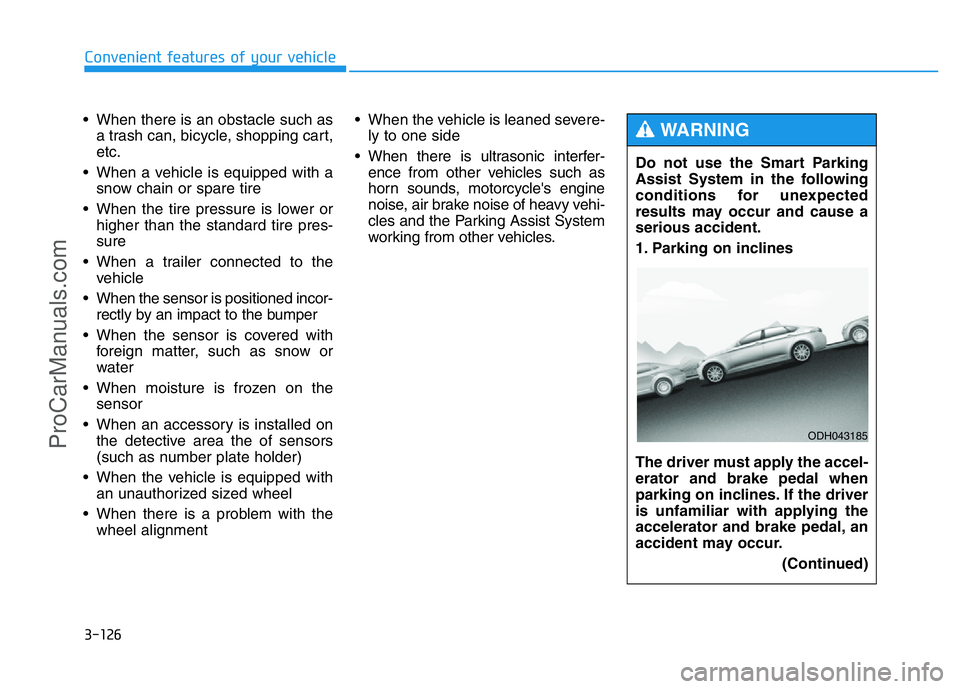
1. Parking on inclines
The driver must apply the accel-
erator and brake pedal when
parking on inclines. If the driver
is unfamiliar with applying the
accelerator and brake pedal, an
accident may occur.
(Continued)
WARNING
ODH043185
ProCarManuals.com
Page 241 of 546
3-150
Convenient features of your vehicle
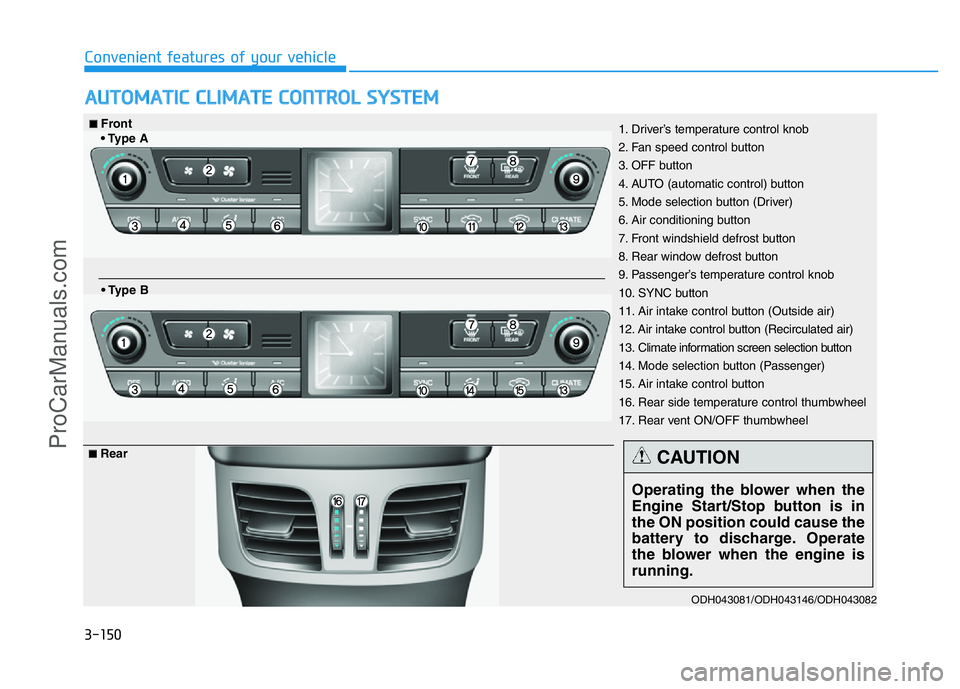
AUTOMATIC CLIMATE CONTROL SYSTEM
ODH043081/ODH043146/ODH043082
1. Driver’s temperature control knob
2. Fan speed control button
3. OFF button
4. AUTO (automatic control) button
5. Mode selection button (Driver)
6. Air conditioning button
7. Front windshield defrost button
8. Rear window defrost button
9. Passenger’s temperature control knob
10. SYNC button
11. Air intake control button (Outside air)
12. Air intake control button (Recirculated air)
13. Climate information screen selection button
14. Mode selection button (Passenger)
15. Air intake control button
16. Rear side temperature control thumbwheel
17. Rear vent ON/OFF thumbwheel■Front
• Type A
• Type B
■Rear
Operating the blower when the
Engine Start/Stop button is in
the ON position could cause the
battery to discharge. Operate
the blower when the engine is
running.
CAUTION
ProCarManuals.com
Page 242 of 546
3-151
Convenient features of your vehicle
3
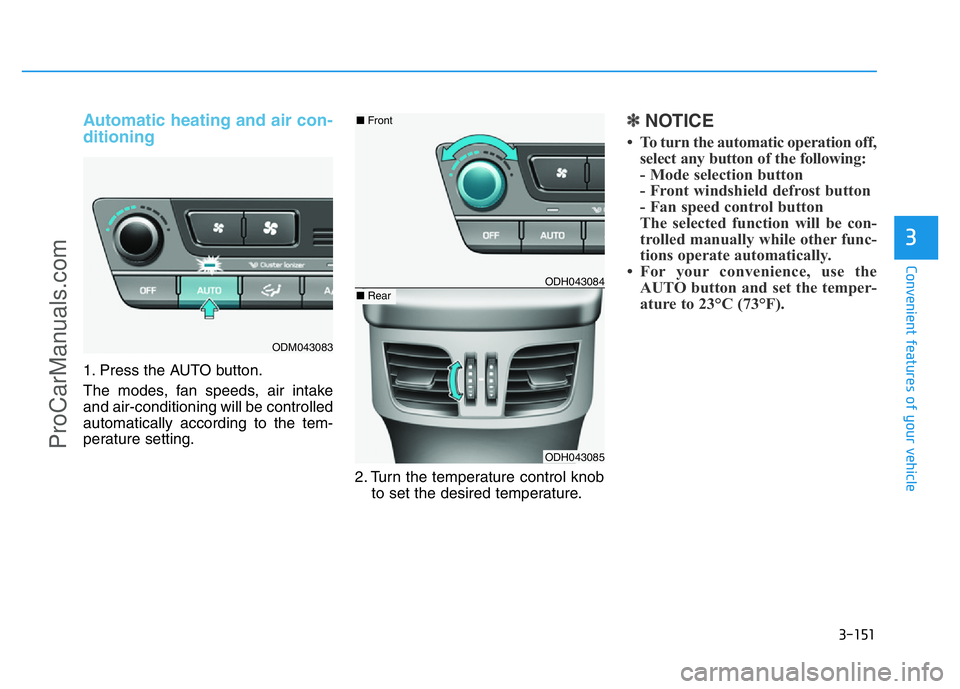
Automatic heating and air con-
ditioning
1. Press the AUTO button.
The modes, fan speeds, air intake
and air-conditioning will be controlled
automatically according to the tem-
perature setting.
2. Turn the temperature control knob
to set the desired temperature.
✽NOTICE
• To turn the automatic operation off,
select any button of the following:
- Mode selection button
- Front windshield defrost button
- Fan speed control button
The selected function will be con-
trolled manually while other func-
tions operate automatically.
• For your convenience, use the
AUTO button and set the temper-
ature to 23°C (73°F).
ODM043083
ODH043084
ODH043085
■Front
■Rear
ProCarManuals.com
Page 243 of 546
3-152
Convenient features of your vehicle
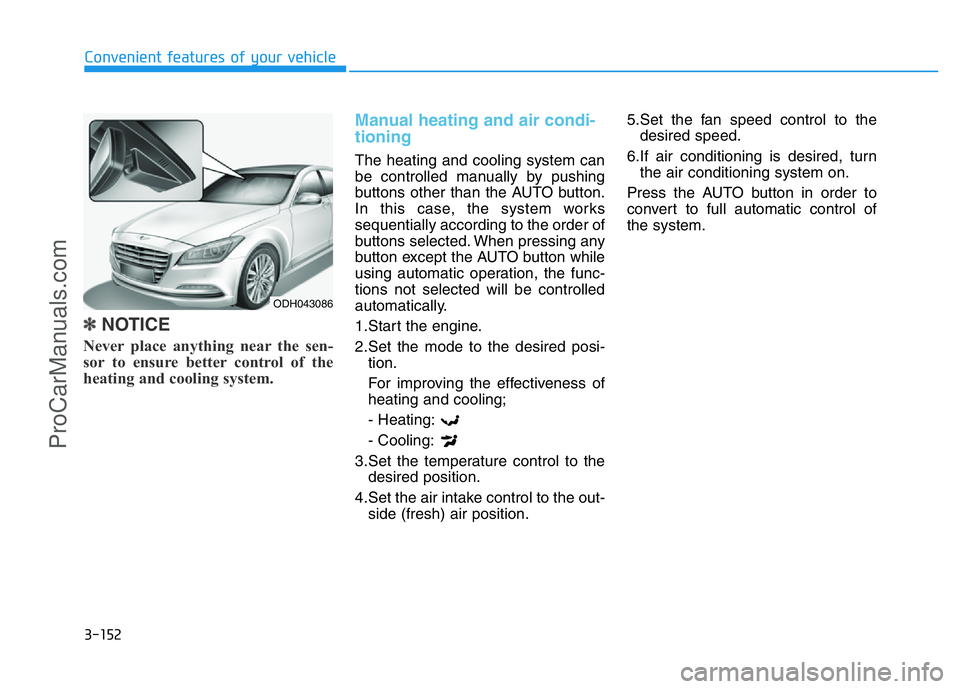
✽NOTICE
Never place anything near the sen-
sor to ensure better control of the
heating and cooling system.
Manual heating and air condi-
tioning
The heating and cooling system can
be controlled manually by pushing
buttons other than the AUTO button.
In this case, the system works
sequentially according to the order of
buttons selected. When pressing any
button except the AUTO button while
using automatic operation, the func-
tions not selected will be controlled
automatically.
1.Start the engine.
2.Set the mode to the desired posi-
tion.
For improving the effectiveness of
heating and cooling;
- Heating:
- Cooling:
3.Set the temperature control to the
desired position.
4.Set the air intake control to the out-
side (fresh) air position.5.Set the fan speed control to the
desired speed.
6.If air conditioning is desired, turn
the air conditioning system on.
Press the AUTO button in order to
convert to full automatic control of
the system.
ODH043086
ProCarManuals.com
Page 248 of 546
3-157
Convenient features of your vehicle
3
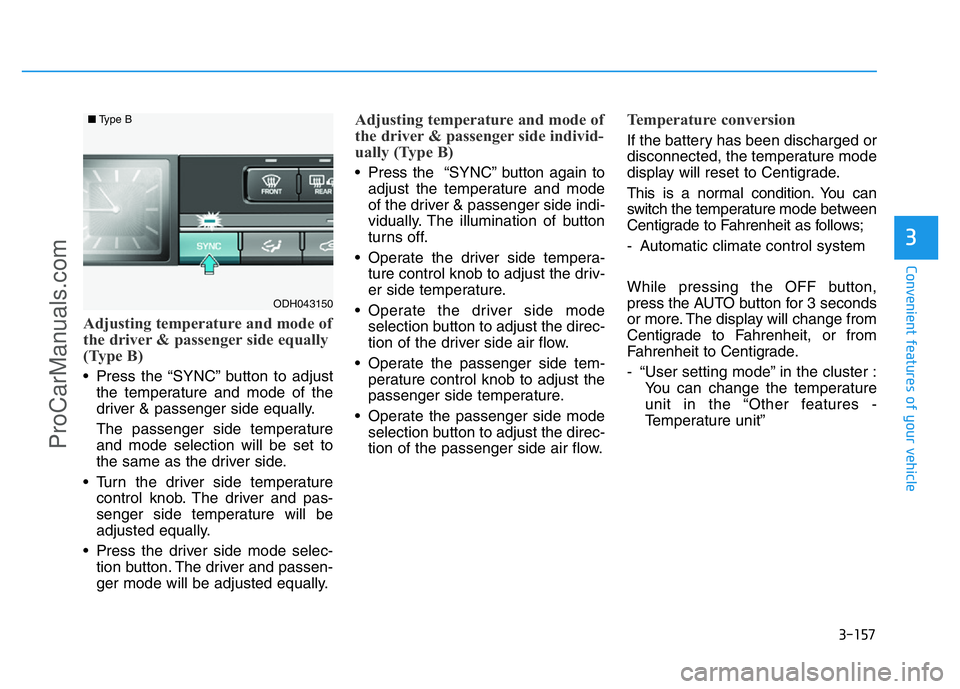
Adjusting temperature and mode of
the driver & passenger side equally
(Type B)
• Press the “SYNC” button to adjust
the temperature and mode of the
driver & passenger side equally.
The passenger side temperature
and mode selection will be set to
the same as the driver side.
• Turn the driver side temperature
control knob. The driver and pas-
senger side temperature will be
adjusted equally.
• Press the driver side mode selec-
tion button. The driver and passen-
ger mode will be adjusted equally.
Adjusting temperature and mode of
the driver & passenger side individ-
ually (Type B)
• Press the “SYNC” button again to
adjust the temperature and mode
of the driver & passenger side indi-
vidually. The illumination of button
turns off.
• Operate the driver side tempera-
ture control knob to adjust the driv-
er side temperature.
• Operate the driver side mode
selection button to adjust the direc-
tion of the driver side air flow.
• Operate the passenger side tem-
perature control knob to adjust the
passenger side temperature.
• Operate the passenger side mode
selection button to adjust the direc-
tion of the passenger side air flow.
Temperature conversion
If the battery has been discharged or
disconnected, the temperature mode
display will reset to Centigrade.
This is a normal condition. You can
switch the temperature mode between
Centigrade to Fahrenheit as follows;
- Automatic climate control system
While pressing the OFF button,
press the AUTO button for 3 seconds
or more. The display will change from
Centigrade to Fahrenheit, or from
Fahrenheit to Centigrade.
- “User setting mode” in the cluster :
You can change the temperature
unit in the “Other features -
Temperature unit”
ODH043150
■Type B
ProCarManuals.com
Page 249 of 546
3-158
Convenient features of your vehicle
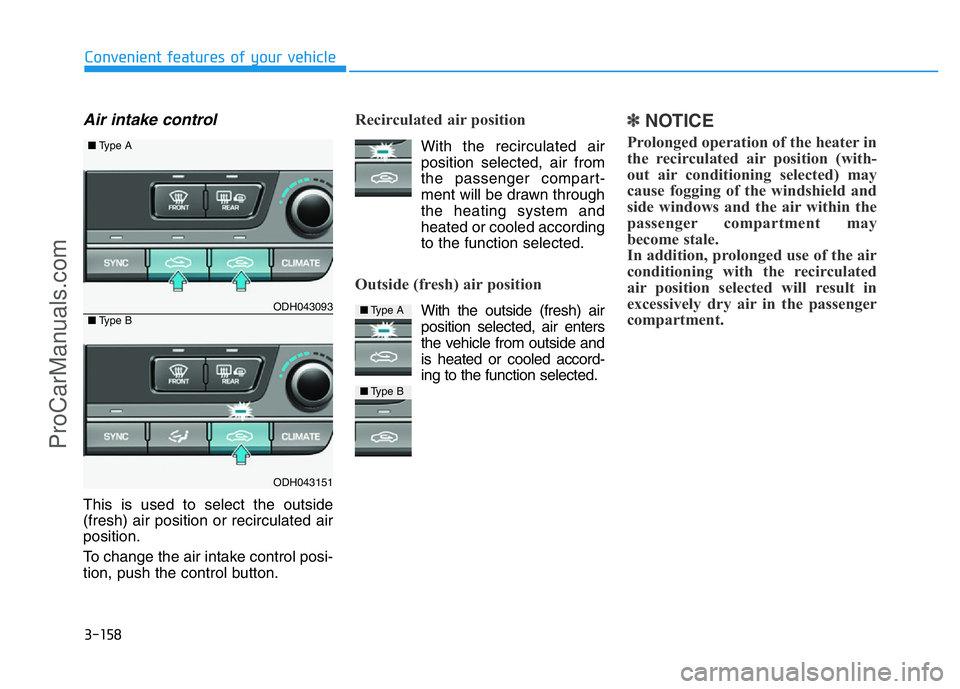
Air intake control
This is used to select the outside
(fresh) air position or recirculated air
position.
To change the air intake control posi-
tion, push the control button.
Recirculated air position
With the recirculated air
position selected, air from
the passenger compart-
ment will be drawn through
the heating system and
heated or cooled according
to the function selected.
Outside (fresh) air position
With the outside (fresh) air
position selected, air enters
the vehicle from outside and
is heated or cooled accord-
ing to the function selected.
✽NOTICE
Prolonged operation of the heater in
the recirculated air position (with-
out air conditioning selected) may
cause fogging of the windshield and
side windows and the air within the
passenger compartment may
become stale.
In addition, prolonged use of the air
conditioning with the recirculated
air position selected will result in
excessively dry air in the passenger
compartment.
ODH043093
ODH043151
■Type A
■Type B■Type A
■Type B
ProCarManuals.com