battery HYUNDAI COUPE 2014 User Guide
[x] Cancel search | Manufacturer: HYUNDAI, Model Year: 2014, Model line: COUPE, Model: HYUNDAI COUPE 2014Pages: 546, PDF Size: 14.38 MB
Page 160 of 546
3-69
Convenient features of your vehicle
3
Warning Messages (if equipped)
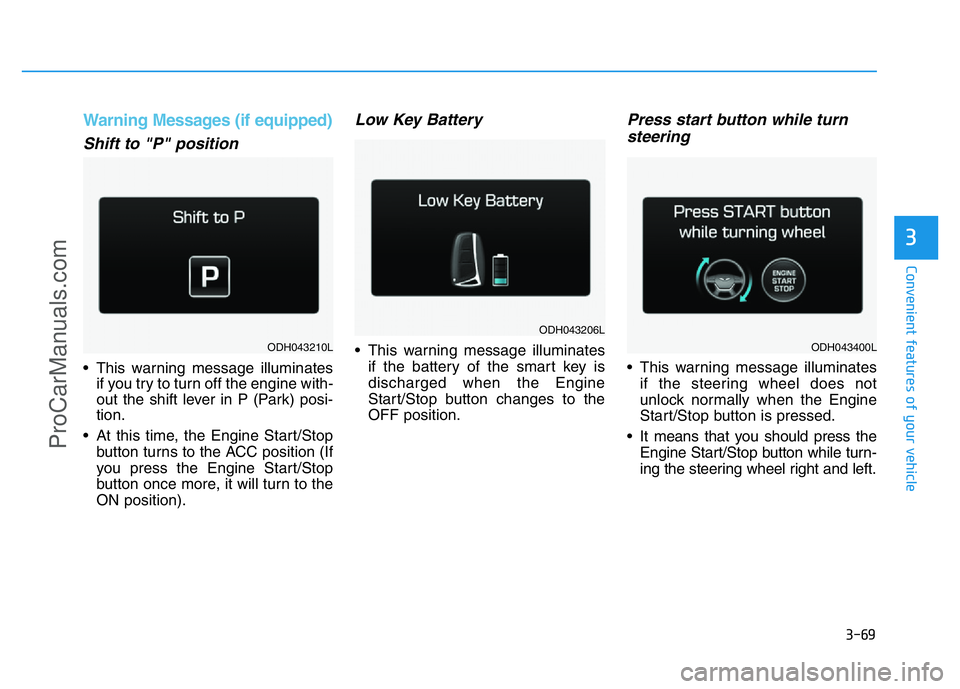
Shift to "P" position
• This warning message illuminates
if you try to turn off the engine with-
out the shift lever in P (Park) posi-
tion.
• At this time, the Engine Start/Stop
button turns to the ACC position (If
you press the Engine Start/Stop
button once more, it will turn to the
ON position).
Low Key Battery
• This warning message illuminates
if the battery of the smart key is
discharged when the Engine
Start/Stop button changes to the
OFF position.
Press start button while turn
steering
• This warning message illuminates
if the steering wheel does not
unlock normally when the Engine
Start/Stop button is pressed.
• It means that you should press the
Engine Start/Stop button while turn-
ing the steering wheel right and left.
ODH043206L
ODH043210LODH043400L
ProCarManuals.com
Page 171 of 546
3-80
Convenient features of your vehicle
Overview
Description
The trip computer is a microcomput-
er-controlled driver information sys-
tem that displays information related
to driving.
✽NOTICE
Some driving information stored in
the trip computer (for example
Average Vehicle Speed) resets if the
battery is disconnected.
Trip Modes
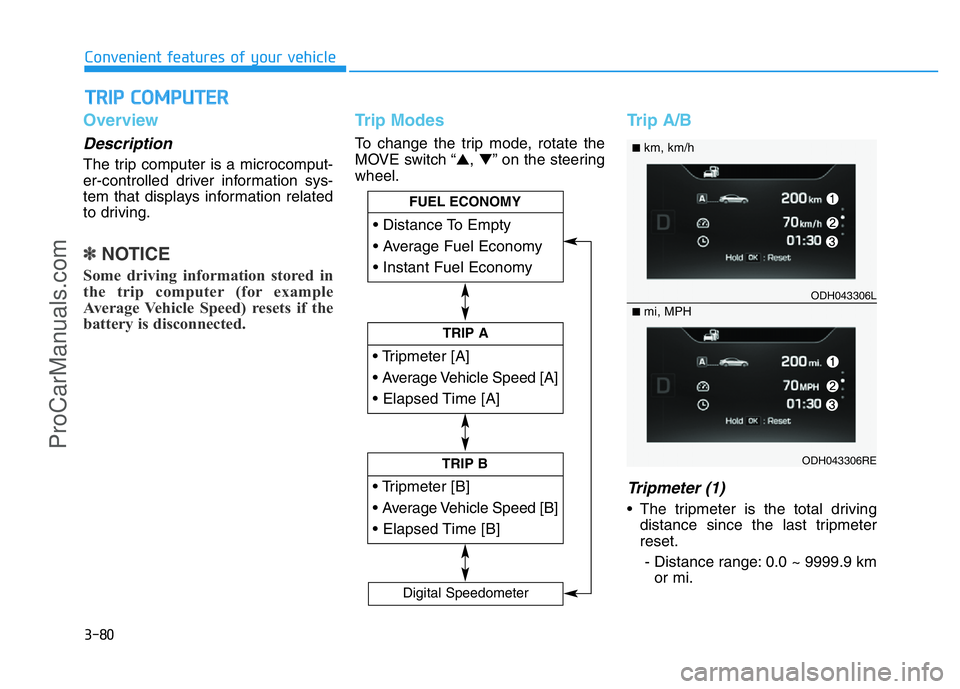
To change the trip mode, rotate the
MOVE switch “▲,▼” on the steering
wheel.
Trip A/B
Tripmeter (1)
• The tripmeter is the total driving
distance since the last tripmeter
reset.
- Distance range: 0.0 ~ 9999.9 km
or mi.
TRIP COMPUTER
Page 173 of 546
3-82
Convenient features of your vehicle
• If the estimated distance is below
1 km (1 mi.), the trip computer will
display “---” as distance to empty.
✽NOTICE
• If the vehicle is not on level ground
or the battery power has been
interrupted, the distance to empty
function may not operate correctly.
• The distance to empty may differ
from the actual driving distance as
it is an estimate of the available
driving distance.
• The trip computer may not regis-
ter additional fuel if less than 6
liters (1.6 gallons) of fuel are
added to the vehicle.
• The fuel economy and distance to
empty may vary significantly based
on driving conditions, driving
habits, and condition of the vehicle.
Average Fuel Economy (2)
• The average fuel economy is calcu-
lated by the total driving distance
and fuel consumption since the last
average fuel economy reset.
- Fuel economy range: 0.0 ~ 99.9
L/100km or MPG
• The average fuel economy can be
reset both manually and automati-
cally.
Manual reset
To clear the average fuel economy
manually, press the [OK] button on
the steering wheel for more than 1
second when the average fuel econo-
my is displayed.
Automatic reset
To make the average fuel economy
be reset automatically whenever refu-
eling, select the “Auto Reset” mode in
User Setting menu of the LCD display
(Refer to “LCD Display”).
Under “Auto Reset” mode, the aver-
age fuel economy will be cleared to
zero (---) when the vehicle speed
exceeds 1 km/h after refueling more
than 6 liters (1.6 gallons).
✽NOTICE
The average fuel economy is not dis-
played for more accurate calculation
if the vehicle does not drive more
than 10 seconds or 300 meters (0.19
miles) since the Engine Start/Stop
button is turned to ON.
Instant Fuel Economy (3)
• This mode displays the instant fuel
economy during the last few sec-
onds when the vehicle speed is
more than 10 km/h (6.2 MPH).
- Fuel economy range: 0 ~ 30
L/100km or 0 ~ 50 MPG
ProCarManuals.com
Page 185 of 546
3-94
Convenient features of your vehicle
This indicator light illuminates for
2 seconds and goes off:
• When the vehicle can not detect
the smart key which is in the vehi-
cle while the Engine Start/Stop
button is ON.
In this case, we recommend that
you have the vehicle inspected by
an authorized HYUNDAI dealer.
This indicator light blinks:
• When the battery of the smart key
is weak.
- At this time, you can not start the
engine. However, you can start
the engine if you press the Engine
Start/Stop button with the smart
key. (For more details, refer to
“Starting the Engine” in section 5).
• When there is a malfunction with
the immobilizer system.
In this case, we recommend that
you have the vehicle inspected by
an authorized HYUNDAI dealer.
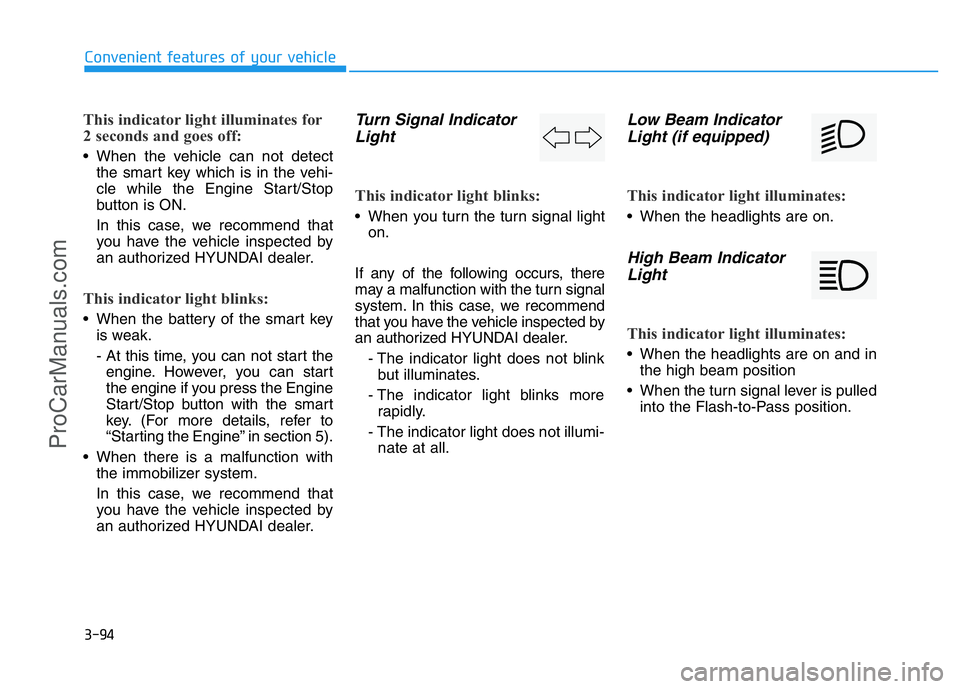
Turn Signal Indicator
Light
This indicator light blinks:
• When you turn the turn signal light
on.
If any of the following occurs, there
may a malfunction with the turn signal
system. In this case, we recommend
that you have the vehicle inspected by
an authorized HYUNDAI dealer.
- The indicator light does not blink
but illuminates.
- The indicator light blinks more
rapidly.
- The indicator light does not illumi-
nate at all.
Low Beam Indicator
Light (if equipped)
This indicator light illuminates:
• When the headlights are on.
High Beam Indicator
Light
This indicator light illuminates:
• When the headlights are on and in
the high beam position
• When the turn signal lever is pulled
into the Flash-to-Pass position.
ProCarManuals.com
Page 198 of 546
3-107
Convenient features of your vehicle
3
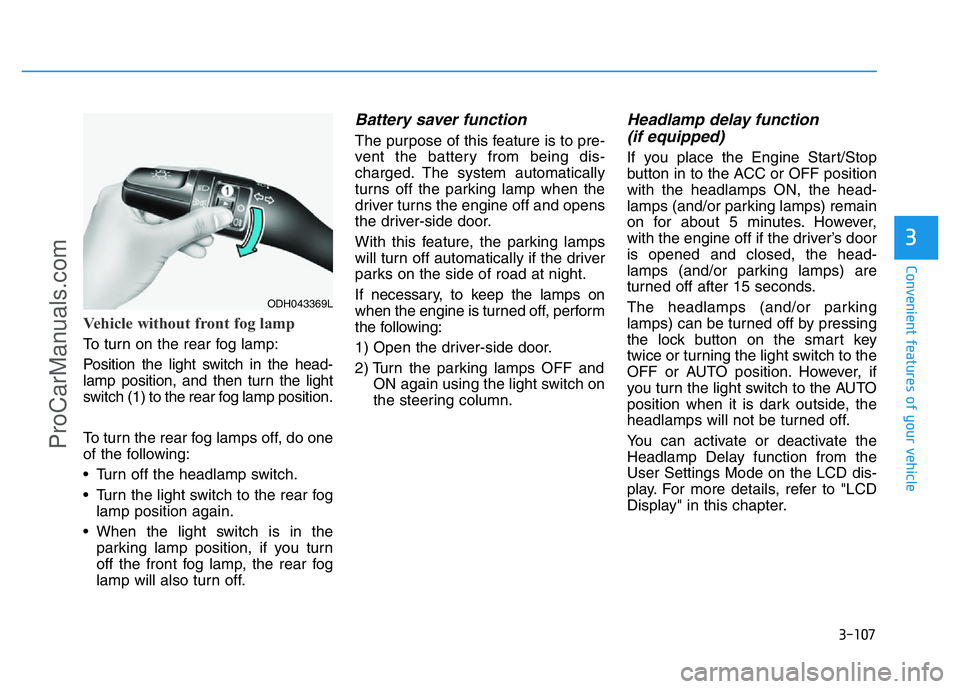
Vehicle without front fog lamp
To turn on the rear fog lamp:
Position the light switch in the head-
lamp position, and then turn the light
switch (1) to the rear fog lamp position.
To turn the rear fog lamps off, do one
of the following:
• Turn off the headlamp switch.
• Turn the light switch to the rear fog
lamp position again.
• When the light switch is in the
parking lamp position, if you turn
off the front fog lamp, the rear fog
lamp will also turn off.
Battery saver function
The purpose of this feature is to pre-
vent the battery from being dis-
charged. The system automatically
turns off the parking lamp when the
driver turns the engine off and opens
the driver-side door.
With this feature, the parking lamps
will turn off automatically if the driver
parks on the side of road at night.
If necessary, to keep the lamps on
when the engine is turned off, perform
the following:
1) Open the driver-side door.
2) Turn the parking lamps OFF and
ON again using the light switch on
the steering column.
Headlamp delay function
(if equipped)
If you place the Engine Start/Stop
button in to the ACC or OFF position
with the headlamps ON, the head-
lamps (and/or parking lamps) remain
on for about 5 minutes. However,
with the engine off if the driver’s door
is opened and closed, the head-
lamps (and/or parking lamps) are
turned off after 15 seconds.
The headlamps (and/or parking
lamps) can be turned off by pressing
the lock button on the smart key
twice or turning the light switch to the
OFF or AUTO position. However, if
you turn the light switch to the AUTO
position when it is dark outside, the
headlamps will not be turned off.
You can activate or deactivate the
Headlamp Delay function from the
User Settings Mode on the LCD dis-
play. For more details, refer to "LCD
Display" in this chapter.
ODH043369L
ProCarManuals.com
Page 199 of 546
3-108
Convenient features of your vehicle
Daytime running light (DRL)
(if equipped)
The Daytime Running Lights (DRL)
can make it easier for others to see
the front of your vehicle during the
day, especially after dawn and before
sunset.
The DRL system will turn the dedi-
cated lamp OFF when:
1. The light switch is in the front fog
lamp or headlamp position, includ-
ing the operation that the head-
lamp is turned on automatically in
the AUTO light position.
2. The engine is turned off.
3. The hazard warning flasher is on.
4. You turn the turn signal light on.
- If you turn on the turn signal light,
only the corresponding daytime
running lights will turn off.
- If you turn on turn signal light with
the position light turned on, the
daytime running lights will turn off
but the position light remains on.
Headlamp leveling device
(if equipped)
It automatically adjusts the headlamp
beam level according to the number
of passengers and loading weight in
the luggage area.
And it offers proper headlamp beam
under various conditions. If the driver gets out of the vehi-
cle through other doors (except
driver's door), the battery saver
function does not operate and
the headlamp delay function
does not turn off automatically.
Therefore, It causes the battery
to be discharged. In this case,
make sure to turn off the lamp
before getting out of the vehicle.
CAUTION
If it does not work properly even
though your car is inclined
backward according to passen-
ger's posture, or the headlight
beam is irradiated to the high or
low position, we recommend
that the system be inspected by
an authorized HYUNDAI dealer.
Do not attempt to inspect or
replace the wiring yourself.
WARNING
ProCarManuals.com
Page 241 of 546
3-150
Convenient features of your vehicle
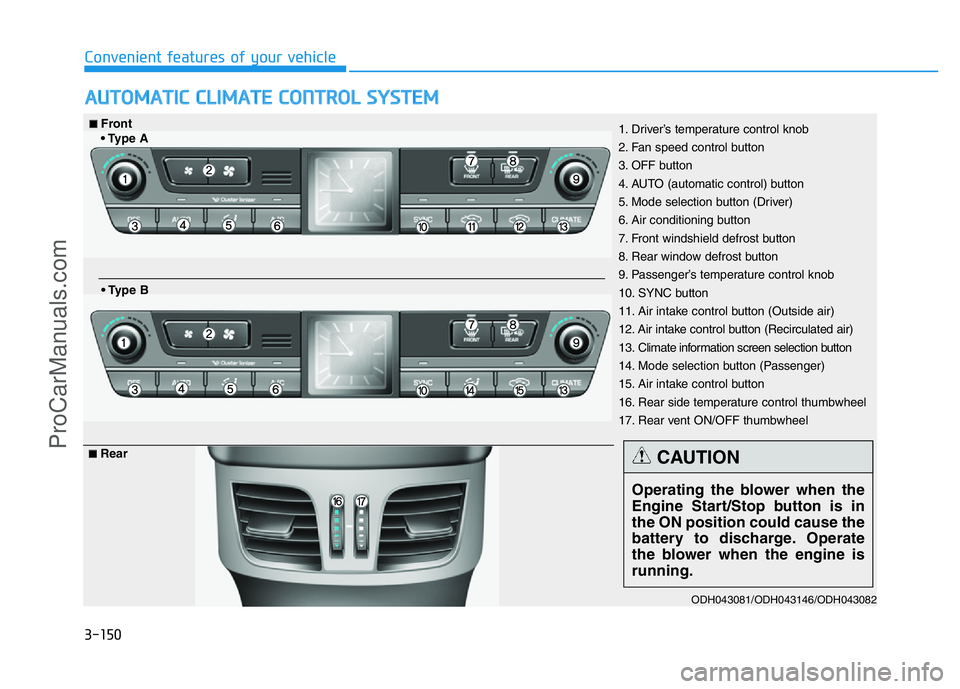
AUTOMATIC CLIMATE CONTROL SYSTEM
ODH043081/ODH043146/ODH043082
1. Driver’s temperature control knob
2. Fan speed control button
3. OFF button
4. AUTO (automatic control) button
5. Mode selection button (Driver)
6. Air conditioning button
7. Front windshield defrost button
8. Rear window defrost button
9. Passenger’s temperature control knob
10. SYNC button
11. Air intake control button (Outside air)
12. Air intake control button (Recirculated air)
13. Climate information screen selection button
14. Mode selection button (Passenger)
15. Air intake control button
16. Rear side temperature control thumbwheel
17. Rear vent ON/OFF thumbwheel■Front
• Type A
• Type B
■Rear
Operating the blower when the
Engine Start/Stop button is in
the ON position could cause the
battery to discharge. Operate
the blower when the engine is
running.
CAUTION
ProCarManuals.com
Page 248 of 546
3-157
Convenient features of your vehicle
3
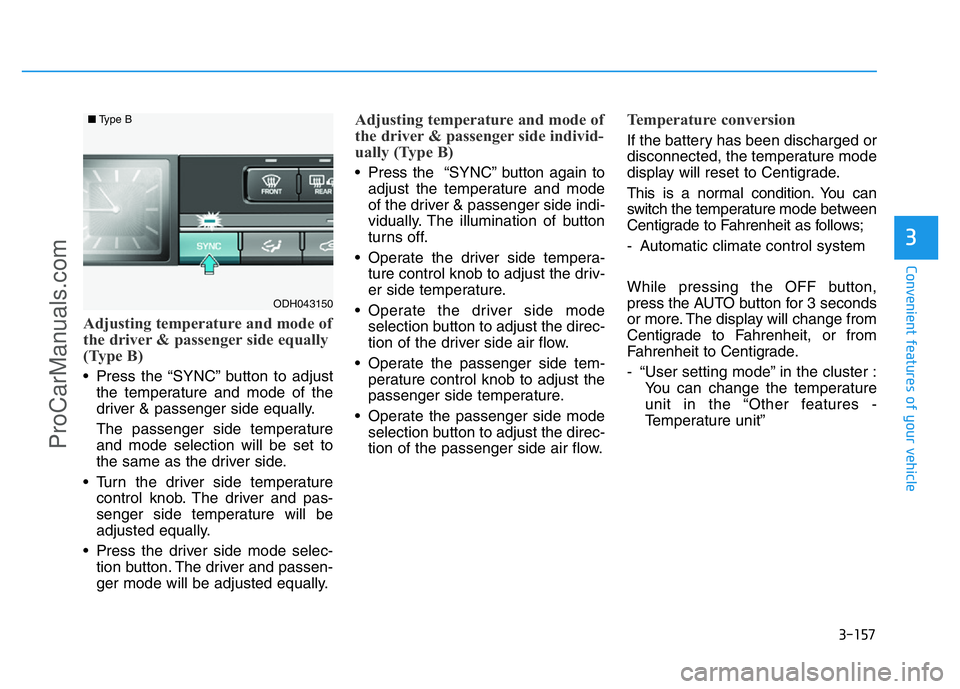
Adjusting temperature and mode of
the driver & passenger side equally
(Type B)
• Press the “SYNC” button to adjust
the temperature and mode of the
driver & passenger side equally.
The passenger side temperature
and mode selection will be set to
the same as the driver side.
• Turn the driver side temperature
control knob. The driver and pas-
senger side temperature will be
adjusted equally.
• Press the driver side mode selec-
tion button. The driver and passen-
ger mode will be adjusted equally.
Adjusting temperature and mode of
the driver & passenger side individ-
ually (Type B)
• Press the “SYNC” button again to
adjust the temperature and mode
of the driver & passenger side indi-
vidually. The illumination of button
turns off.
• Operate the driver side tempera-
ture control knob to adjust the driv-
er side temperature.
• Operate the driver side mode
selection button to adjust the direc-
tion of the driver side air flow.
• Operate the passenger side tem-
perature control knob to adjust the
passenger side temperature.
• Operate the passenger side mode
selection button to adjust the direc-
tion of the passenger side air flow.
Temperature conversion
If the battery has been discharged or
disconnected, the temperature mode
display will reset to Centigrade.
This is a normal condition. You can
switch the temperature mode between
Centigrade to Fahrenheit as follows;
- Automatic climate control system
While pressing the OFF button,
press the AUTO button for 3 seconds
or more. The display will change from
Centigrade to Fahrenheit, or from
Fahrenheit to Centigrade.
- “User setting mode” in the cluster :
You can change the temperature
unit in the “Other features -
Temperature unit”
ODH043150
■Type B
ProCarManuals.com
Page 258 of 546
3-167
Convenient features of your vehicle
3
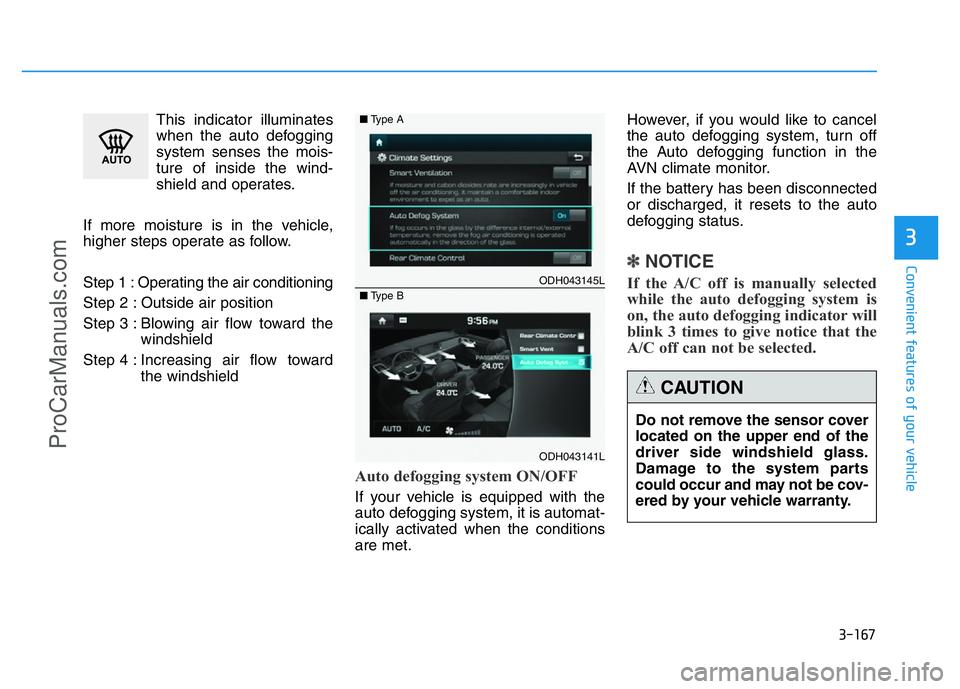
This indicator illuminates
when the auto defogging
system senses the mois-
ture of inside the wind-
shield and operates.
If more moisture is in the vehicle,
higher steps operate as follow.
Step 1 : Operating the air conditioning
Step 2 : Outside air position
Step 3 : Blowing air flow toward the
windshield
Step 4 : Increasing air flow toward
the windshield
Auto defogging system ON/OFF
If your vehicle is equipped with the
auto defogging system, it is automat-
ically activated when the conditions
are met.However, if you would like to cancel
the auto defogging system, turn off
the Auto defogging function in the
AVN climate monitor.
If the battery has been disconnected
or discharged, it resets to the auto
defogging status.
✽NOTICE
If the A/C off is manually selected
while the auto defogging system is
on, the auto defogging indicator will
blink 3 times to give notice that the
A/C off can not be selected. ODH043145L
ODH043141L ■Type A
■Type B
Do not remove the sensor cover
located on the upper end of the
driver side windshield glass.
Damage to the system parts
could occur and may not be cov-
ered by your vehicle warranty.
CAUTION
ProCarManuals.com
Page 266 of 546
3-175
Convenient features of your vehicle
3
Clock
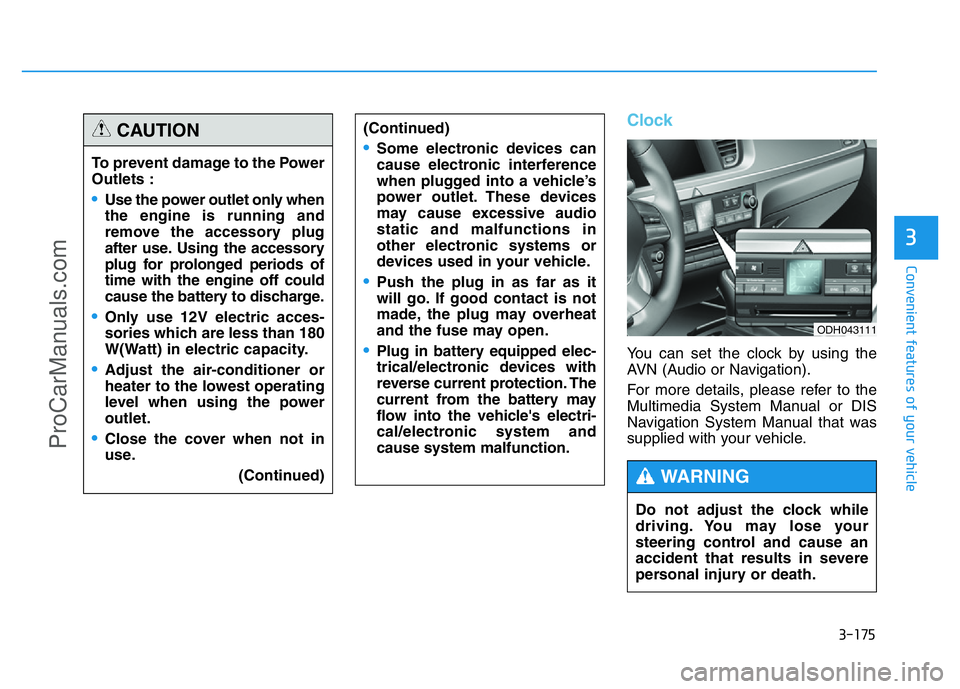
You can set the clock by using the
AVN (Audio or Navigation).
For more details, please refer to the
Multimedia System Manual or DIS
Navigation System Manual that was
supplied with your vehicle. To prevent damage to the Power
Outlets :
•Use the power outlet only when
the engine is running and
remove the accessory plug
after use. Using the accessory
plug for prolonged periods of
time with the engine off could
cause the battery to discharge.
•Only use 12V electric acces-
sories which are less than 180
W(Watt) in electric capacity.
•Adjust the air-conditioner or
heater to the lowest operating
level when using the power
outlet.
•Close the cover when not in
use.
(Continued)
(Continued)
•Some electronic devices can
cause electronic interference
when plugged into a vehicle’s
power outlet. These devices
may cause excessive audio
static and malfunctions in
other electronic systems or
devices used in your vehicle.
•Push the plug in as far as it
will go. If good contact is not
made, the plug may overheat
and the fuse may open.
•Plug in battery equipped elec-
trical/electronic devices with
reverse current protection. The
current from the battery may
flow into the vehicle's electri-
cal/electronic system and
cause system malfunction.
CAUTION
Do not adjust the clock while
driving. You may lose your
steering control and cause an
accident that results in severe
personal injury or death.
WARNING
ODH043111
ProCarManuals.com