brake HYUNDAI COUPE 2014 Repair Manual
[x] Cancel search | Manufacturer: HYUNDAI, Model Year: 2014, Model line: COUPE, Model: HYUNDAI COUPE 2014Pages: 546, PDF Size: 14.38 MB
Page 316 of 546
5-40
Driving your vehicle
ESC OFF usage
When inspecting
The ESC should be off when
inspecting the vehicle.
To turn ESC off while inspecting,
select ESC OFF from the User
Settings Mode (Driving Assist) on
the LCD display. The ESC OFF indi-
cator light will illuminate and warning
chime will sound.
After inspection, turn the ESC on by
selecting ESC ON from the User
Settings Mode (Driving Assist) on
the LCD display.
When Driving
The ESC OFF mode should only be
used briefly to help free the vehicle if
stuck in snow or mud by temporarily
stopping operation of the ESC to
maintain wheel torque.
To turn ESC off while driving, select
ESC OFF from the User Settings
Mode (Driving Assist) on the LCD
display.
✽NOTICE
Turning the ESC off does not affect
ABS or standard brake system oper-
ation.
Hill-Start Assist Control (HAC)
(if equipped)
The Hill-Start Assist Control (HAC)
prevents the vehicle from rolling
backwards when starting a vehicle
from a stop on a hill. The system
operates the brakes automatically for
approximately 2 seconds and releas-
es the brake when the accelerator
pedal is depressed or after 2 sec-
onds. To prevent damage to the trans-
mission:
•Do not allow wheel(s) of one
axle to spin excessively while
the ESC, ABS, and brake
warning lights are displayed.
The repairs would not be cov-
ered by the vehicle warranty.
Reduce engine power and do
not spin the wheel(s) exces-
sively while these lights are
displayed.
•When operating the vehicle
on a dynamometer, ensure the
ESC is turned off (ESC OFF
light illuminated).
CAUTION
Always be ready to depress the
accelerator pedal when starting
off on a incline. The HAC acti-
vates only for approximately 2
seconds.
WARNING
ProCarManuals.com
Page 317 of 546
5-41
Driving your vehicle
5
✽NOTICE
• The HAC does not operate when
the shift lever is in P (Park) or N
(Neutral)
• The HAC activates even though
the ESC (Electronic Stability
Control) is off but does not acti-
vate when the ESC has malfunc-
tioned.
Emergency Stop Signal (ESS)
(if equipped)
The Emergency Stop Signal system
alerts the driver behind by blinking
the stop light when the vehicle is
braked rapidly and severely.
The system is activated when:
• The vehicle suddenly stops (vehi-
cle speed is over 55km/h and the
vehicle deceleration is greater than
7 m/s
2)
• The ABS is activating
When vehicle speed is under 40
km/h and the ABS deactivates or the
sudden stop situation is over, the
stop light will stop blinking. Instead,
the hazard warning flasher will turn
on automatically.
The hazard warning flasher will turn
off when vehicle speed is over
10km/h after the vehicle has
stopped. Also, it will turn off when the
vehicle is driven at low speed for
some time. You can turn it off manu-
ally by pushing the hazard warning
flasher switch.
✽NOTICE
The Emergency Stop Signal (ESS)
system will not work if the hazard
warning flasher is already on.
ProCarManuals.com
Page 318 of 546
5-42
Driving your vehicle
Good braking practices Wet brakes can be dangerous! The
brakes may get wet if the vehicle is
driven through standing water or if it
is washed. Your vehicle will not stop
as quickly if the brakes are wet. Wet
brakes may cause the vehicle to pull
to one side.
To dry the brakes, apply the brakes
lightly until the braking action returns
to normal, taking care to keep the
vehicle under control at all times. If
the braking action does not return to
normal, stop as soon as it is safe to
do so and we recommend that you
call an authorized HYUNDAI dealer
for assistance.
DO NOT drive with your foot resting
on the brake pedal. Even light, but
constant pedal pressure can result in
the brakes overheating, brake wear,
and possibly even brake failure.If a tire goes flat while you are driv-
ing, apply the brakes gently and
keep the vehicle pointed straight
ahead while you slow down. When
you are moving slowly enough for it
to be safe to do so, pull off the road
and stop in a safe location.
Keep your foot firmly on the brake
pedal when the vehicle is stopped to
prevent the vehicle from rolling for-
ward. Whenever leaving the vehicle or
parking, always come to a com-
plete stop and continue to
depress the brake pedal. Move
the shift lever into the P (Park)
position, then apply the parking
brake, and place the Engine
Start/Stop button in the OFF
position.
Vehicles with the parking brake
not fully engaged are at risk for
moving inadvertently and caus-
ing injury to yourself or others.
WARNING
ProCarManuals.com
Page 322 of 546
5-46
Driving your vehicle
The Autonomous Emergency Braking
(AEB) helps avoid accidents by iden-
tifying critical situations early and
warning the driver.
AUTONOMOUS EMERGENCY BRAKING (AEB) (IF EQUIPPED)
Take the following precautions
when using the Autonomous
Emergency Braking (AEB):
•This system is only a supple-
mental system and it is not
intended to, nor does it replace
the need for extreme care and
attention of the driver. The
sensing range and objects
detectable by the sensors are
limited. Pay attention to the
road conditions at all times.
•NEVER drive too fast for the
road conditions or too quickly
when cornering.
•Always drive cautiously to pre-
vent unexpected and sudden
situations from occurring. AEB
does not stop the vehicle com-
pletely and does not avoid col-
lisions.
(Continued)
(Continued)
•AEB operates according to the
distance from the vehicle
ahead, relative velocity, and dri-
ver's operation of the brake or
accelerator pedal. Do not drive
dangerously to intentionally
operate the AEB.
•ALWAYS check the speed and
the distance to the vehicle
ahead. The AEB is not a substi-
tute for safe driving practices.
WARNING
ProCarManuals.com
Page 323 of 546
5-47
Driving your vehicle
5
AEB Operation
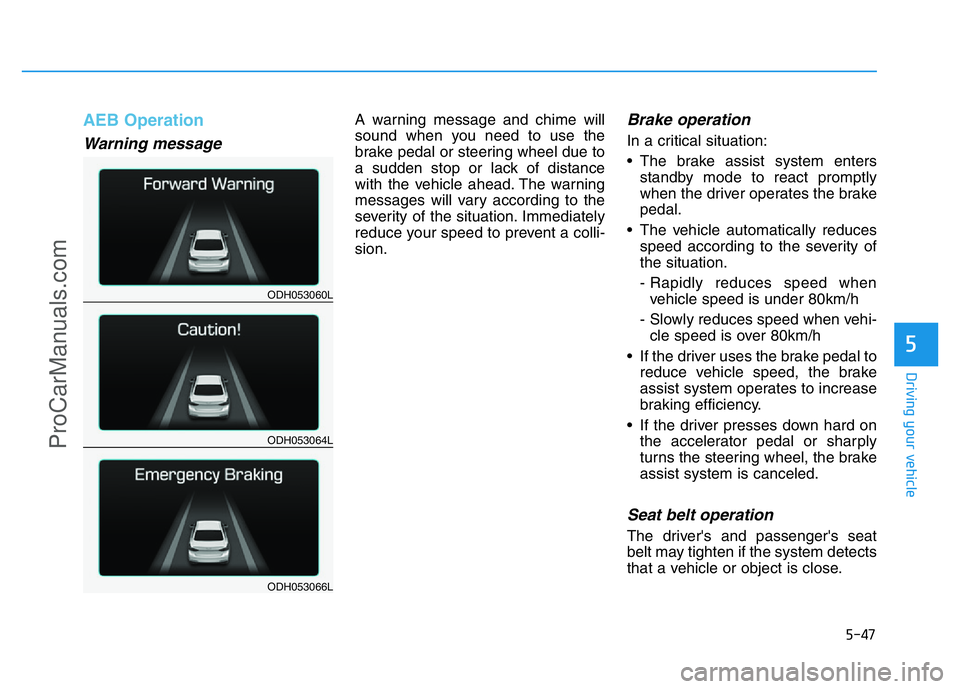
Warning message
A warning message and chime will
sound when you need to use the
brake pedal or steering wheel due to
a sudden stop or lack of distance
with the vehicle ahead. The warning
messages will vary according to the
severity of the situation. Immediately
reduce your speed to prevent a colli-
sion.Brake operation
In a critical situation:
• The brake assist system enters
standby mode to react promptly
when the driver operates the brake
pedal.
• The vehicle automatically reduces
speed according to the severity of
the situation.
- Rapidly reduces speed when
vehicle speed is under 80km/h
- Slowly reduces speed when vehi-
cle speed is over 80km/h
• If the driver uses the brake pedal to
reduce vehicle speed, the brake
assist system operates to increase
braking efficiency.
• If the driver presses down hard on
the accelerator pedal or sharply
turns the steering wheel, the brake
assist system is canceled.
Seat belt operation
The driver's and passenger's seat
belt may tighten if the system detects
that a vehicle or object is close.
ODH053060L
ODH053064L
ODH053066L
ProCarManuals.com
Page 326 of 546
5-50
Driving your vehicle
•Even if there is a malfunction to
the brake operation of the AEB,
when you depress the brake
pedal, the brake operates nor-
mally. AEB brake operation
does not operate in certain haz-
ardous situations.
•The AEB is designed to func-
tion above approximately 8
km/h and below approximately
180 km/h.
•The AEB does not detect:
- Persons or animals.
- Oncoming vehicles in the
opposite lane or a vehicle in
an intersection.
- Stopped objects.
(Continued)
(Continued)
•The AEB cannot detect objects,
when:
- The sensors are covered with
dirt.
- There is heavy rain or heavy
snow.
- There is interference by elec-
tromagnetic waves.
- There are strong radar reflec-
tions.
- Driving in a curve.
- Driving uphill or downhill.
- Driving in areas under con-
struction.
- An object ahead is very nar-
row such as motorcycles or
bicycles.
- A vehicle suddenly enters
your lane.
- The camera cannot secure a
clear view.
- The camera cannot catch the
whole vehicle.
(Continued)
(Continued)
- An unusual shape vehicle is
ahead such as a trailer, spe-
cial access vehicle or a truck
with unique shaped cargo.
- Driving at night, the tail lamp
of the vehicle ahead is miss-
ing, installed on an unusual
place or installed unevenly.
- Coming in or out a tunnel,
where the illumination intensi-
ty is high.WARNING
ProCarManuals.com
Page 329 of 546
5-53
Driving your vehicle
5
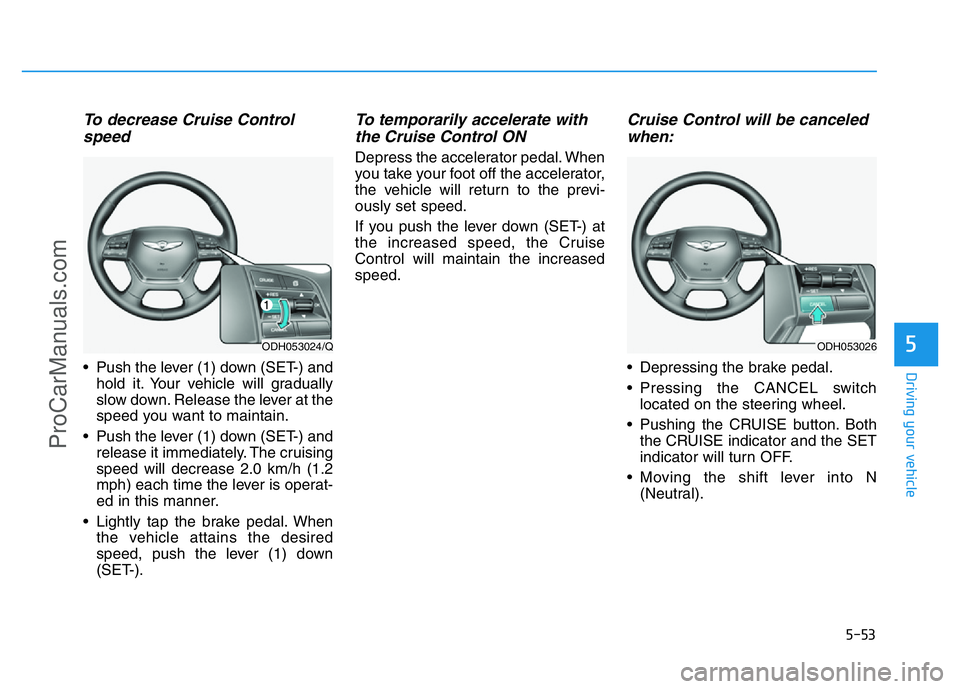
To decrease Cruise Control
speed
• Push the lever (1) down (SET-) and
hold it. Your vehicle will gradually
slow down. Release the lever at the
speed you want to maintain.
• Push the lever (1) down (SET-) and
release it immediately. The cruising
speed will decrease 2.0 km/h (1.2
mph) each time the lever is operat-
ed in this manner.
• Lightly tap the brake pedal. When
the vehicle attains the desired
speed, push the lever (1) down
(SET-).
To temporarily accelerate with
the Cruise Control ON
Depress the accelerator pedal. When
you take your foot off the accelerator,
the vehicle will return to the previ-
ously set speed.
If you push the lever down (SET-) at
the increased speed, the Cruise
Control will maintain the increased
speed.
Cruise Control will be canceled
when:
• Depressing the brake pedal.
• Pressing the CANCEL switch
located on the steering wheel.
• Pushing the CRUISE button. Both
the CRUISE indicator and the SET
indicator will turn OFF.
• Moving the shift lever into N
(Neutral).
ODH053024/QODH053026
ProCarManuals.com
Page 332 of 546
5-56
Driving your vehicle
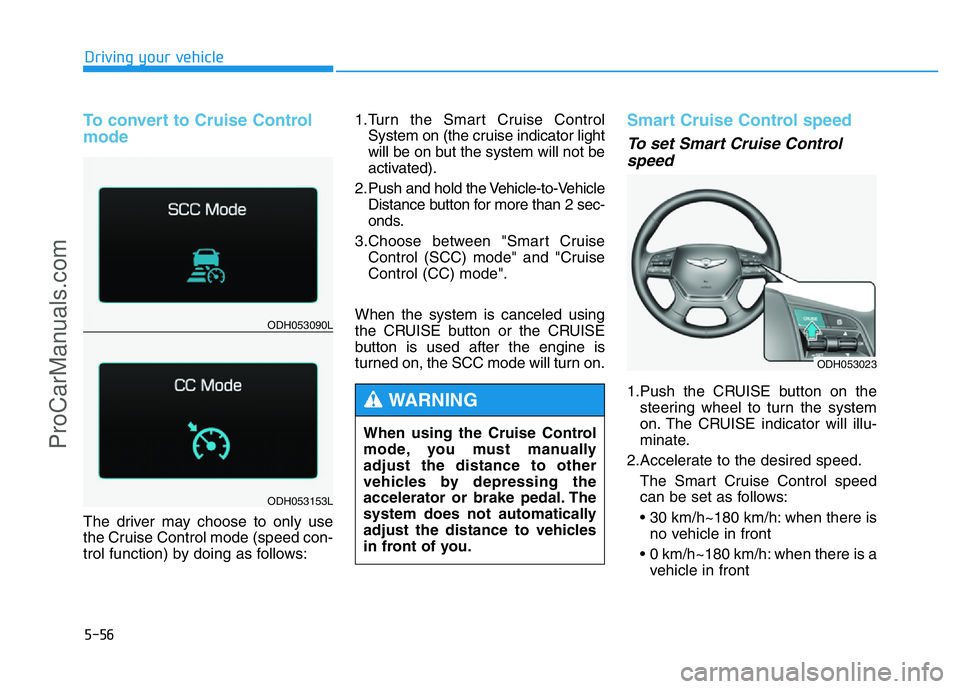
To convert to Cruise Control
mode
The driver may choose to only use
the Cruise Control mode (speed con-
trol function) by doing as follows:1.Turn the Smart Cruise Control
System on (the cruise indicator light
will be on but the system will not be
activated).
2. Push and hold the Vehicle-to-Vehicle
Distance button for more than 2 sec-
onds.
3.Choose between "Smart Cruise
Control (SCC) mode" and "Cruise
Control (CC) mode".
When the system is canceled using
the CRUISE button or the CRUISE
button is used after the engine is
turned on, the SCC mode will turn on.
Smart Cruise Control speed
To set Smart Cruise Control
speed
1.Push the CRUISE button on the
steering wheel to turn the system
on. The CRUISE indicator will illu-
minate.
2.Accelerate to the desired speed.
The Smart Cruise Control speed
can be set as follows:
• 30 km/h~180 km/h: when there is
no vehicle in front
• 0 km/h~180 km/h: when there is a
vehicle in front
ODH053023
ODH053090L
ODH053153L
When using the Cruise Control
mode, you must manually
adjust the distance to other
vehicles by depressing the
accelerator or brake pedal. The
system does not automatically
adjust the distance to vehicles
in front of you.
WARNING
ProCarManuals.com
Page 334 of 546
5-58
Driving your vehicle
To temporarily accelerate with
the Smart Cruise Control on
If you want to speed up temporarily
when the Smart Cruise Control is on,
depress the accelerator pedal.
Increased speed will not interfere
with Smart Cruise Control operation
or change the set speed.
To return to the set speed, take your
foot off the accelerator.
If you push the lever down (SET-) at
increased speed, the cruising speed
will be set again.
✽NOTICE
Be careful when accelerating tem-
porarily, because the speed is not
controlled automatically at this
time even if there is a vehicle in front
of you.
Smart Cruise Control will be
temporarily canceled when:
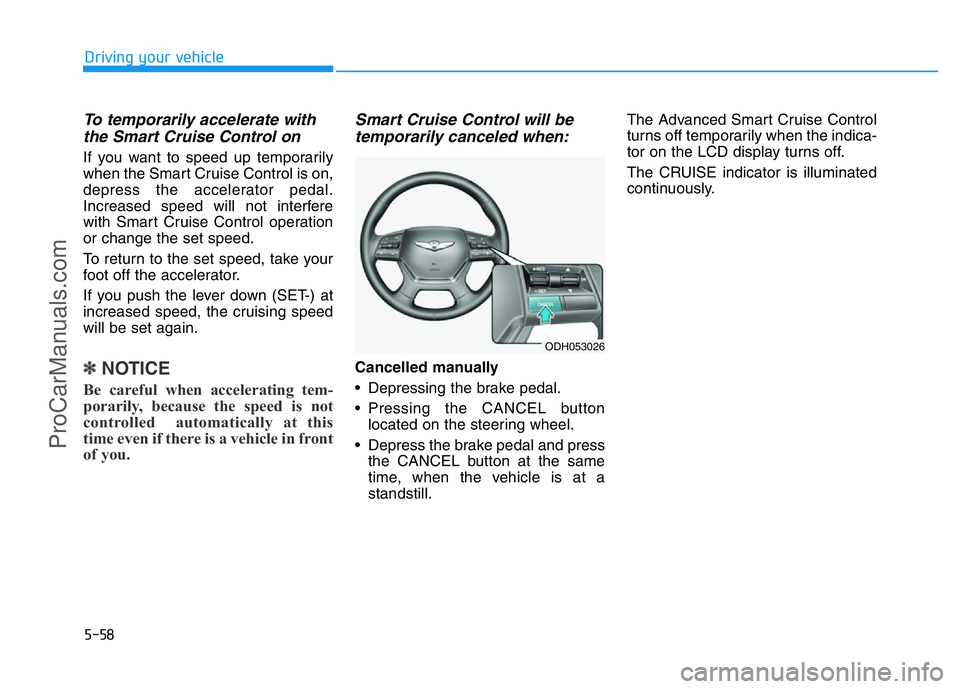
Cancelled manually
• Depressing the brake pedal.
• Pressing the CANCEL button
located on the steering wheel.
• Depress the brake pedal and press
the CANCEL button at the same
time, when the vehicle is at a
standstill.The Advanced Smart Cruise Control
turns off temporarily when the indica-
tor on the LCD display turns off.
The CRUISE indicator is illuminated
continuously.
ODH053026
ProCarManuals.com
Page 335 of 546
5-59
Driving your vehicle
5
Cancelled automatically
• The driver's door is opened.
• The shift lever is shifted to N
(Neutral), R (Reverse) or P (Park).
• The EPB (Electric Parking Brake)
is applied.
• The vehicle speed is over 180km/h
(113mph)
• The vehicle stops on a steep
incline.
• The ESC, TCS or ABS is operat-
ing.
• The ESC is turned off.
• The sensor or the cover is dirty or
blocked with foreign matter.
• When the vehicle is stopped for
more than 5 minutes.
• The vehicle stops and goes repeat-
edly for a long period of time.
• The driver starts driving by pushing
the lever up (RES +) or down
(SET -), approximately 3 minutes
after the vehicle is stopped by the
Smart Cruise Control System with
no other vehicle ahead.• The driver starts driving by pushing
the lever up (RES +) or down
(SET -), after stopping the vehicle
with a vehicle stopped far away in
front.
• The accelerator pedal is continu-
ously depressed for more than one
minute.
Each of these actions will cancel
the Smart Cruise Control opera-
tion. (the Set Speed and Vehicle-
to-Vehicle Distance on the LCD
display will go off.)
In a condition the Smart Cruise
Control is cancelled automatically,
the Smart Cruise Control will not
resume even though the RES+ or
SET- lever is pushed. Also, the
EPB will be applied when the vehi-
cle is stopped.
✽NOTICE
If the Smart Cruise Control is can-
celled by other than the reasons
mentioned, we recommend that the
system be checked by an authorized
HYUNDAI dealer.
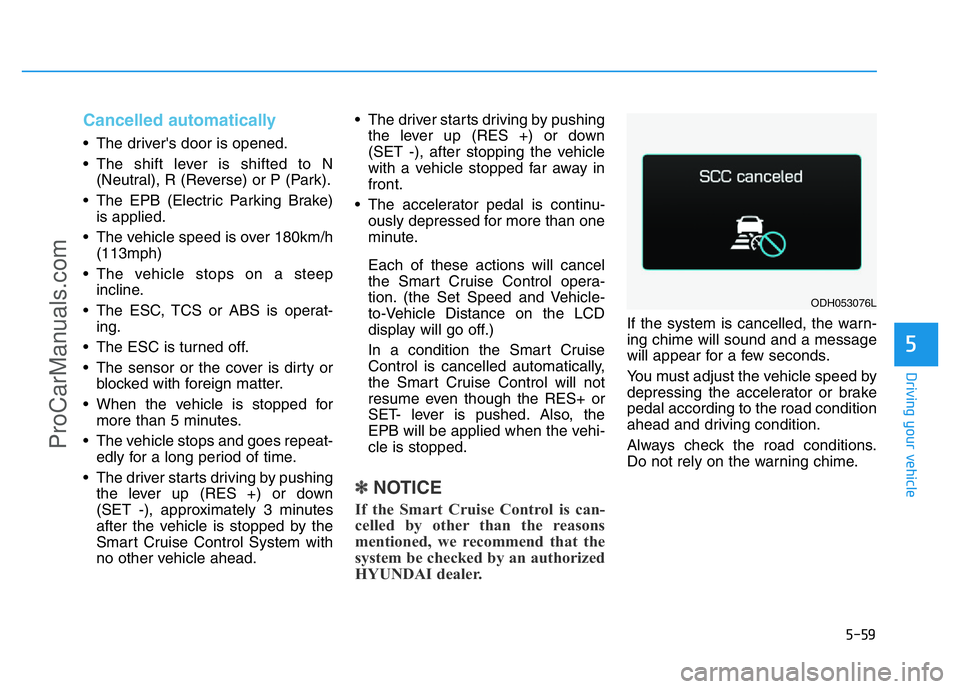
If the system is cancelled, the warn-
ing chime will sound and a message
will appear for a few seconds.
You must adjust the vehicle speed by
depressing the accelerator or brake
pedal according to the road condition
ahead and driving condition.
Always check the road conditions.
Do not rely on the warning chime.
ODH053076L
ProCarManuals.com