turn signal HYUNDAI COUPE 2014 Owners Manual
[x] Cancel search | Manufacturer: HYUNDAI, Model Year: 2014, Model line: COUPE, Model: HYUNDAI COUPE 2014Pages: 546, PDF Size: 14.38 MB
Page 16 of 546
1-5
Your vehicle at a glance
1
INSTRUMENT PANEL OVERVIEW (I)
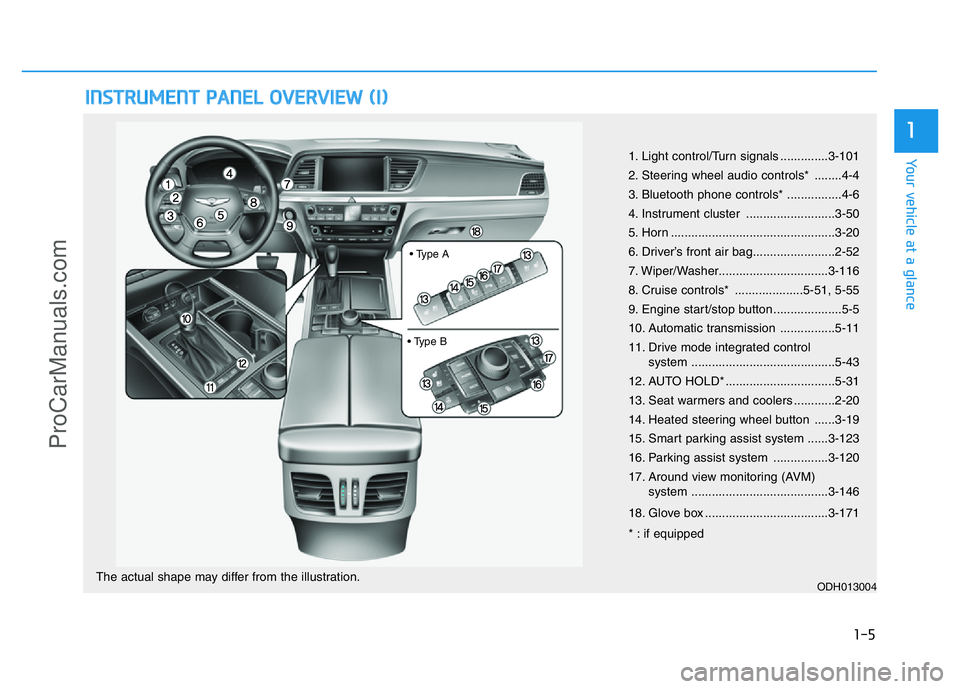
1. Light control/Turn signals ..............3-101
2. Steering wheel audio controls* ........4-4
3. Bluetooth phone controls* ................4-6
4. Instrument cluster ..........................3-50
5. Horn ................................................3-20
6. Driver’s front air bag........................2-52
7. Wiper/Washer................................3-116
8. Cruise controls* ....................5-51, 5-55
9. Engine start/stop button ....................5-5
10. Automatic transmission ................5-11
11. Drive mode integrated control
system ..........................................5-43
12. AUTO HOLD* ................................5-31
13. Seat warmers and coolers ............2-20
14. Heated steering wheel button ......3-19
15. Smart parking assist system ......3-123
16. Parking assist system ................3-120
17. Around view monitoring (AVM)
system ........................................3-146
18. Glove box ....................................3-171
* : if equipped
ODH013004The actual shape may differ from the illustration.
• Type A
• Type B
ProCarManuals.com
Page 17 of 546
1-6
INSTRUMENT PANEL OVERVIEW (II)
Your vehicle at a glance
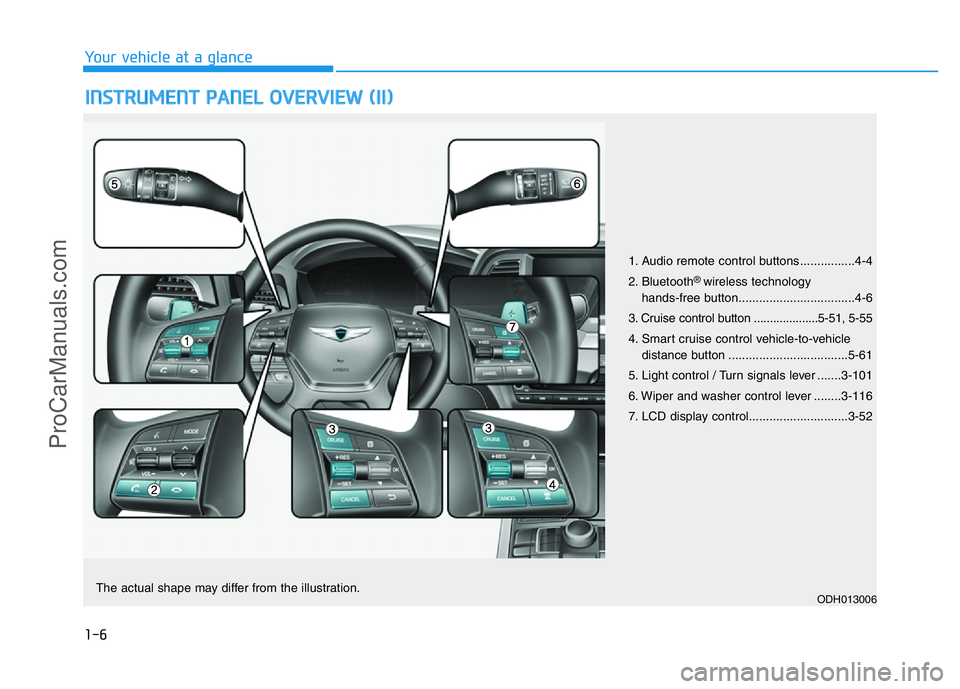
1. Audio remote control buttons ................4-4
2. Bluetooth
® wireless technology
hands-free button..................................4-6
3. Cruise control button ....................5-51, 5-55
4. Smart cruise control vehicle-to-vehicle
distance button ...................................5-61
5. Light control / Turn signals lever .......3-101
6. Wiper and washer control lever ........3-116
7. LCD display control.............................3-52
ODH013006The actual shape may differ from the illustration.
ProCarManuals.com
Page 156 of 546
3-65
Convenient features of your vehicle
3
Light
ItemsExplanation
One Touch Turn Signal
• Off: The one touch turn signal function will be deactivated.
• 3, 5, 7 Flashing : The lane change signals will blink 3, 5, or 7 times when the turn signal lever is
moved slightly.
For more details, refer to “Light” in this chapter.
Ambient Light
• Off : The ambient light of interior will turn off.
• Auto : The ambient light of interior will turn automatically on or off.
• On : The ambient light of interior will turn on.
Head Lamp Delay
• On: The head lamp delay function will be activated.
• Off: The headlamp delay function will be deactivated.
For more details, refer to “Light” in this chapter.
Welcome Light
• On: The welcome light function will be activated.
• Off: The welcome light function will be deactivated.
For more details, refer to “Welcome System” in this chapter.
ProCarManuals.com
Page 185 of 546
3-94
Convenient features of your vehicle
This indicator light illuminates for
2 seconds and goes off:
• When the vehicle can not detect
the smart key which is in the vehi-
cle while the Engine Start/Stop
button is ON.
In this case, we recommend that
you have the vehicle inspected by
an authorized HYUNDAI dealer.
This indicator light blinks:
• When the battery of the smart key
is weak.
- At this time, you can not start the
engine. However, you can start
the engine if you press the Engine
Start/Stop button with the smart
key. (For more details, refer to
“Starting the Engine” in section 5).
• When there is a malfunction with
the immobilizer system.
In this case, we recommend that
you have the vehicle inspected by
an authorized HYUNDAI dealer.
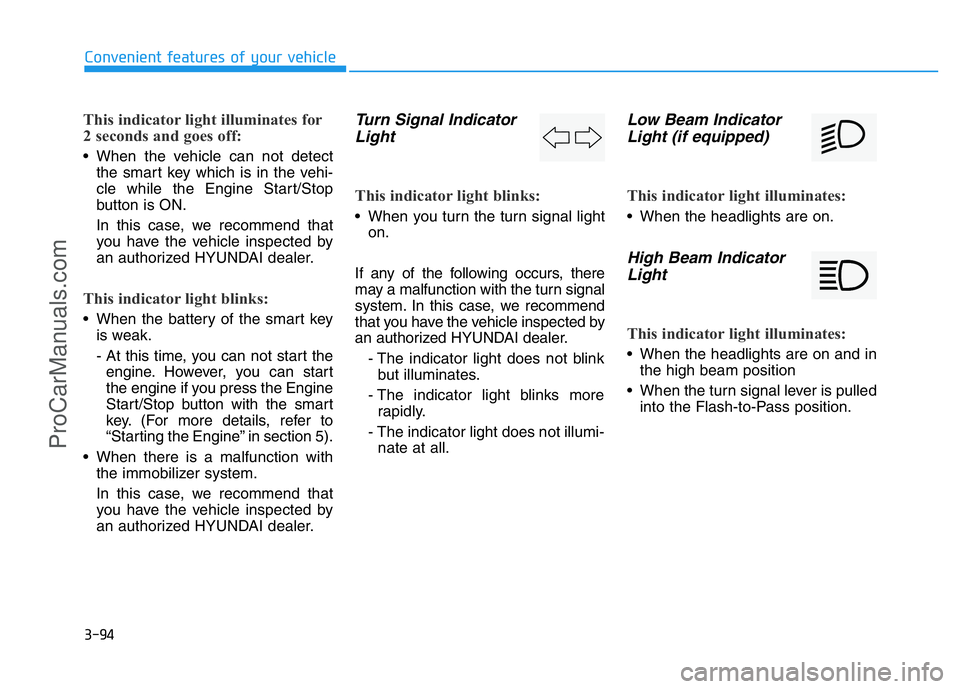
Turn Signal Indicator
Light
This indicator light blinks:
• When you turn the turn signal light
on.
If any of the following occurs, there
may a malfunction with the turn signal
system. In this case, we recommend
that you have the vehicle inspected by
an authorized HYUNDAI dealer.
- The indicator light does not blink
but illuminates.
- The indicator light blinks more
rapidly.
- The indicator light does not illumi-
nate at all.
Low Beam Indicator
Light (if equipped)
This indicator light illuminates:
• When the headlights are on.
High Beam Indicator
Light
This indicator light illuminates:
• When the headlights are on and in
the high beam position
• When the turn signal lever is pulled
into the Flash-to-Pass position.
ProCarManuals.com
Page 196 of 546
3-105
Convenient features of your vehicle
3
Turn signals and lane change
signals
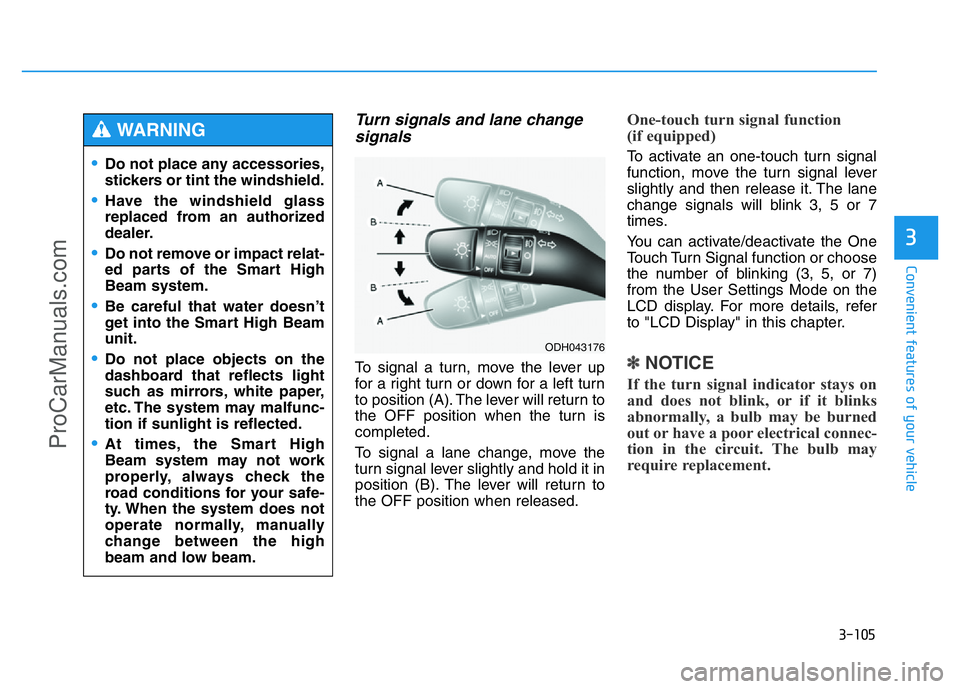
To signal a turn, move the lever up
for a right turn or down for a left turn
to position (A). The lever will return to
the OFF position when the turn is
completed.
To signal a lane change, move the
turn signal lever slightly and hold it in
position (B). The lever will return to
the OFF position when released.
One-touch turn signal function
(if equipped)
To activate an one-touch turn signal
function, move the turn signal lever
slightly and then release it. The lane
change signals will blink 3, 5 or 7
times.
You can activate/deactivate the One
Touch Turn Signal function or choose
the number of blinking (3, 5, or 7)
from the User Settings Mode on the
LCD display. For more details, refer
to "LCD Display" in this chapter.
✽NOTICE
If the turn signal indicator stays on
and does not blink, or if it blinks
abnormally, a bulb may be burned
out or have a poor electrical connec-
tion in the circuit. The bulb may
require replacement.
•Do not place any accessories,
stickers or tint the windshield.
•Have the windshield glass
replaced from an authorized
dealer.
•Do not remove or impact relat-
ed parts of the Smart High
Beam system.
•Be careful that water doesn’t
get into the Smart High Beam
unit.
•Do not place objects on the
dashboard that reflects light
such as mirrors, white paper,
etc. The system may malfunc-
tion if sunlight is reflected.
•At times, the Smart High
Beam system may not work
properly, always check the
road conditions for your safe-
ty. When the system does not
operate normally, manually
change between the high
beam and low beam.
WARNING
ODH043176
ProCarManuals.com
Page 199 of 546
3-108
Convenient features of your vehicle
Daytime running light (DRL)
(if equipped)
The Daytime Running Lights (DRL)
can make it easier for others to see
the front of your vehicle during the
day, especially after dawn and before
sunset.
The DRL system will turn the dedi-
cated lamp OFF when:
1. The light switch is in the front fog
lamp or headlamp position, includ-
ing the operation that the head-
lamp is turned on automatically in
the AUTO light position.
2. The engine is turned off.
3. The hazard warning flasher is on.
4. You turn the turn signal light on.
- If you turn on the turn signal light,
only the corresponding daytime
running lights will turn off.
- If you turn on turn signal light with
the position light turned on, the
daytime running lights will turn off
but the position light remains on.
Headlamp leveling device
(if equipped)
It automatically adjusts the headlamp
beam level according to the number
of passengers and loading weight in
the luggage area.
And it offers proper headlamp beam
under various conditions. If the driver gets out of the vehi-
cle through other doors (except
driver's door), the battery saver
function does not operate and
the headlamp delay function
does not turn off automatically.
Therefore, It causes the battery
to be discharged. In this case,
make sure to turn off the lamp
before getting out of the vehicle.
CAUTION
If it does not work properly even
though your car is inclined
backward according to passen-
ger's posture, or the headlight
beam is irradiated to the high or
low position, we recommend
that the system be inspected by
an authorized HYUNDAI dealer.
Do not attempt to inspect or
replace the wiring yourself.
WARNING
ProCarManuals.com
Page 232 of 546
3-141
Convenient features of your vehicle
3
✽NOTICE
• In the below conditions the system
will be cancelled. Park your vehi-
cle manually.
- When the ABS (Anti-lock Brake
System) is activated
- When the TCS (Traction Control
System) /ESC (Electronic Stability
Control) is turned off
• In the below condition the system
will not activate
- When the TCS/ESC is turned off
System malfunction
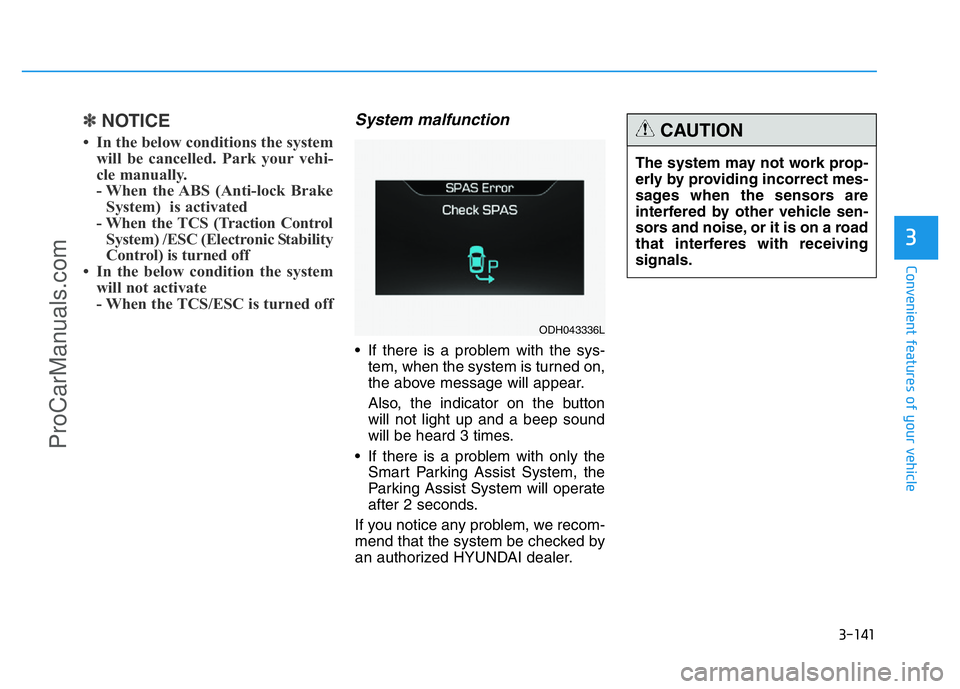
• If there is a problem with the sys-
tem, when the system is turned on,
the above message will appear.
Also, the indicator on the button
will not light up and a beep sound
will be heard 3 times.
• If there is a problem with only the
Smart Parking Assist System, the
Parking Assist System will operate
after 2 seconds.
If you notice any problem, we recom-
mend that the system be checked by
an authorized HYUNDAI dealer.The system may not work prop-
erly by providing incorrect mes-
sages when the sensors are
interfered by other vehicle sen-
sors and noise, or it is on a road
that interferes with receiving
signals.
CAUTION
ODH043336L
ProCarManuals.com
Page 317 of 546
5-41
Driving your vehicle
5
✽NOTICE
• The HAC does not operate when
the shift lever is in P (Park) or N
(Neutral)
• The HAC activates even though
the ESC (Electronic Stability
Control) is off but does not acti-
vate when the ESC has malfunc-
tioned.
Emergency Stop Signal (ESS)
(if equipped)
The Emergency Stop Signal system
alerts the driver behind by blinking
the stop light when the vehicle is
braked rapidly and severely.
The system is activated when:
• The vehicle suddenly stops (vehi-
cle speed is over 55km/h and the
vehicle deceleration is greater than
7 m/s
2)
• The ABS is activating
When vehicle speed is under 40
km/h and the ABS deactivates or the
sudden stop situation is over, the
stop light will stop blinking. Instead,
the hazard warning flasher will turn
on automatically.
The hazard warning flasher will turn
off when vehicle speed is over
10km/h after the vehicle has
stopped. Also, it will turn off when the
vehicle is driven at low speed for
some time. You can turn it off manu-
ally by pushing the hazard warning
flasher switch.
✽NOTICE
The Emergency Stop Signal (ESS)
system will not work if the hazard
warning flasher is already on.
ProCarManuals.com
Page 349 of 546
5-73
Driving your vehicle
5
The LDWS does not operate when:
• The driver turns on the turn signal
to change lanes or operates the
hazard warning flasher.
• Operating the wiper switch with HI
mode due to heavy rain.
• Driving on the lane line.
✽NOTICE
Always operate the turn signal
before changing lanes.
DRIVER'S ATTENTION
The LDWS may not warn you even
if the vehicle leaves the lane, or may
warn you even if the vehicle does not
leave the lane when:
• The lane can't be visible due to
snow, rain, stain, a puddle or other
factors.
• The brightness outside changes
suddenly such as tunnel enter/exit.
• The headlamps are not on at night
or in a tunnel, or light level is low.
• It is difficult to distinguish the
color of the lane marking from the
road or the lane line is damaged or
indistinct.
• Driving on a steep grade or a
curve.
• Light such as street light, sunlight
or oncoming vehicle light reflects
from the water on the road.
• The lens or windshield is covered
with foreign matter.
• The sensor cannot detect the lane
because of fog, heavy rain, or
heavy snow.
(Continued)(Continued)
• The surrounding of the inside rear
view mirror temperature is high
due to direct sun light.
• The lane is very wide or narrow.
• The windshield is fogged by
humid air in the vehicle.
• A shadow is on the lane line.
• There is a mark that looks like a
lane line.
• There is a boundary structure,
such as a concrete barrier.
• The distance from the vehicle
ahead is very short or the vehicle
ahead drives covering the lane
line.
• The vehicle vibrates heavily due to
road conditions.
• The number of lanes increases or
decreases or the lane lines are
crossing.
• Putting something on the dash-
board.
• Driving with the sun in front of
you.
• Driving in areas under construc-
tion.
• There are more than two lane
lines.
ProCarManuals.com
Page 355 of 546
5-79
Driving your vehicle
5
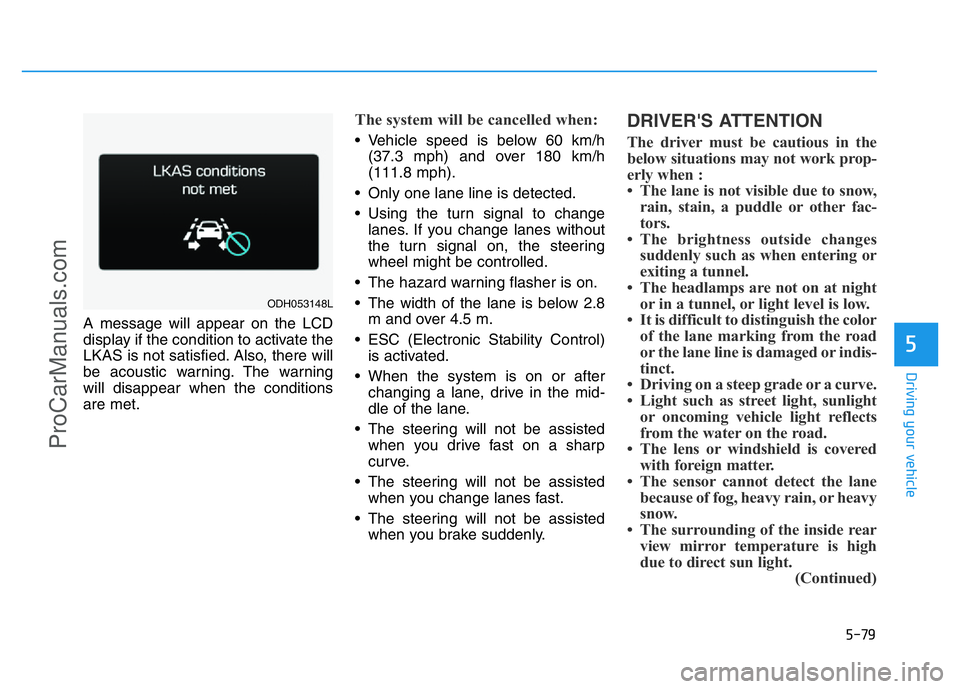
A message will appear on the LCD
display if the condition to activate the
LKAS is not satisfied. Also, there will
be acoustic warning. The warning
will disappear when the conditions
are met.
The system will be cancelled when:
• Vehicle speed is below 60 km/h
(37.3 mph) and over 180 km/h
(111.8 mph).
• Only one lane line is detected.
• Using the turn signal to change
lanes. If you change lanes without
the turn signal on, the steering
wheel might be controlled.
• The hazard warning flasher is on.
• The width of the lane is below 2.8
m and over 4.5 m.
• ESC (Electronic Stability Control)
is activated.
• When the system is on or after
changing a lane, drive in the mid-
dle of the lane.
• The steering will not be assisted
when you drive fast on a sharp
curve.
• The steering will not be assisted
when you change lanes fast.
• The steering will not be assisted
when you brake suddenly.
DRIVER'S ATTENTION
The driver must be cautious in the
below situations may not work prop-
erly when :
• The lane is not visible due to snow,
rain, stain, a puddle or other fac-
tors.
• The brightness outside changes
suddenly such as when entering or
exiting a tunnel.
• The headlamps are not on at night
or in a tunnel, or light level is low.
• It is difficult to distinguish the color
of the lane marking from the road
or the lane line is damaged or indis-
tinct.
• Driving on a steep grade or a curve.
• Light such as street light, sunlight
or oncoming vehicle light reflects
from the water on the road.
• The lens or windshield is covered
with foreign matter.
• The sensor cannot detect the lane
because of fog, heavy rain, or heavy
snow.
• The surrounding of the inside rear
view mirror temperature is high
due to direct sun light.
(Continued)
ODH053148L
ProCarManuals.com