lights Hyundai Creta 2018 User Guide
[x] Cancel search | Manufacturer: HYUNDAI, Model Year: 2018, Model line: Creta, Model: Hyundai Creta 2018Pages: 472, PDF Size: 11.87 MB
Page 124 of 472
3-39
Convenient features of your vehicle
3
Electrochromic mirror (ECM)
(if equipped)
The electric rearview mirror automati-
cally controls the glare from the head-
lights of the car behind you in night-
time or low light driving conditions.
When the engine is running, the
glare is automatically controlled by
the sensor mounted in the rearview
mirror. The sensor detects the light
level around the vehicle, and auto-
matically adjusts to control the head-
light glare from vehicles behind you.
Whenever the shift lever is placed in
R (Reverse), the mirror will automat-
ically go to the brightest setting in
order to improve the drivers view
behind the vehicle.
To operate the electric rearview
mirror:
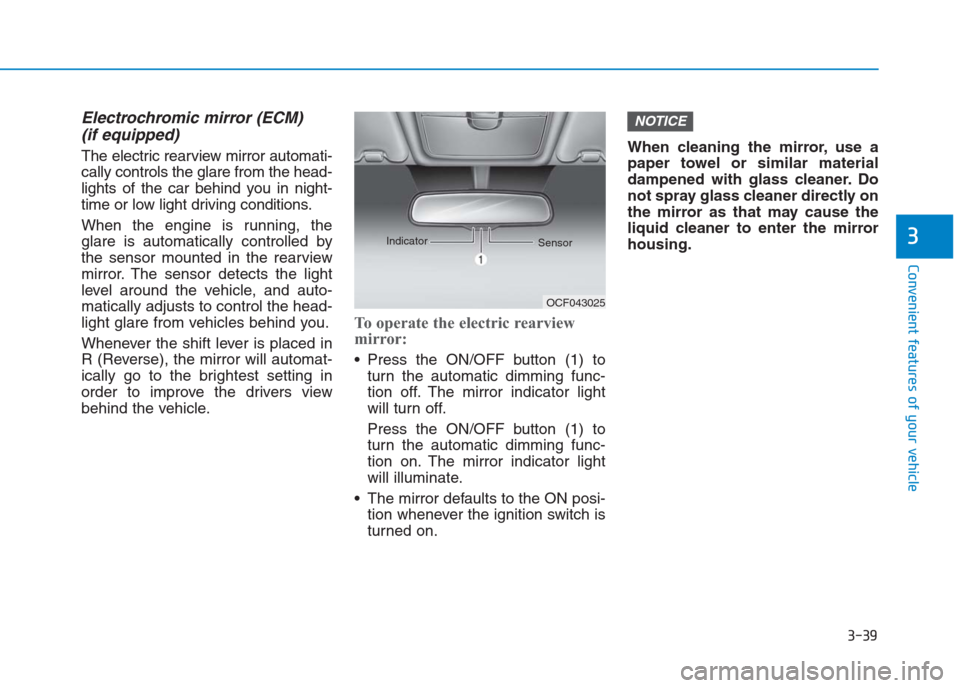
Press the ON/OFF button (1) to
turn the automatic dimming func-
tion off. The mirror indicator light
will turn off.
Press the ON/OFF button (1) to
turn the automatic dimming func-
tion on. The mirror indicator light
will illuminate.
The mirror defaults to the ON posi-
tion whenever the ignition switch is
turned on.When cleaning the mirror, use a
paper towel or similar material
dampened with glass cleaner. Do
not spray glass cleaner directly on
the mirror as that may cause the
liquid cleaner to enter the mirror
housing.
NOTICE
OCF043025 Indicator
Sensor
Page 128 of 472
3-43
Convenient features of your vehicle
3
I IN
NS
ST
TR
RU
UM
ME
EN
NT
T
C
CL
LU
US
ST
TE
ER
R
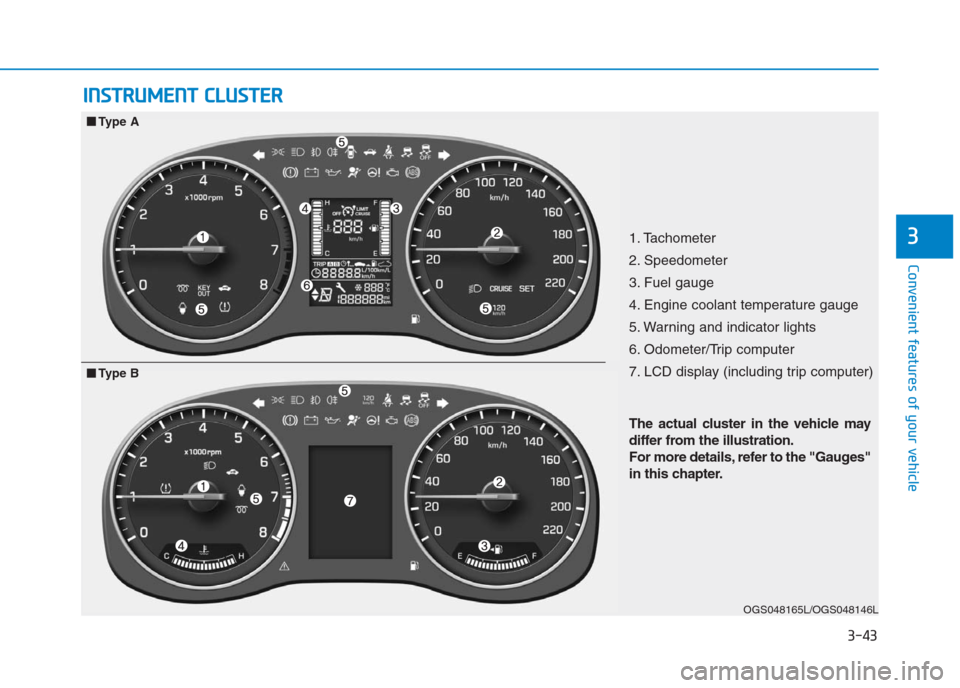
1. Tachometer
2. Speedometer
3. Fuel gauge
4. Engine coolant temperature gauge
5. Warning and indicator lights
6. Odometer/Trip computer
7. LCD display (including trip computer)
OGS048165L/OGS048146L
■ ■
Type A
The actual cluster in the vehicle may
differ from the illustration.
For more details, refer to the "Gauges"
in this chapter.
■ ■
Type B
Page 129 of 472
3-44
Convenient features of your vehicle
Instrument Cluster ControlAdjusting Instrument Cluster
Illumination (if equipped)
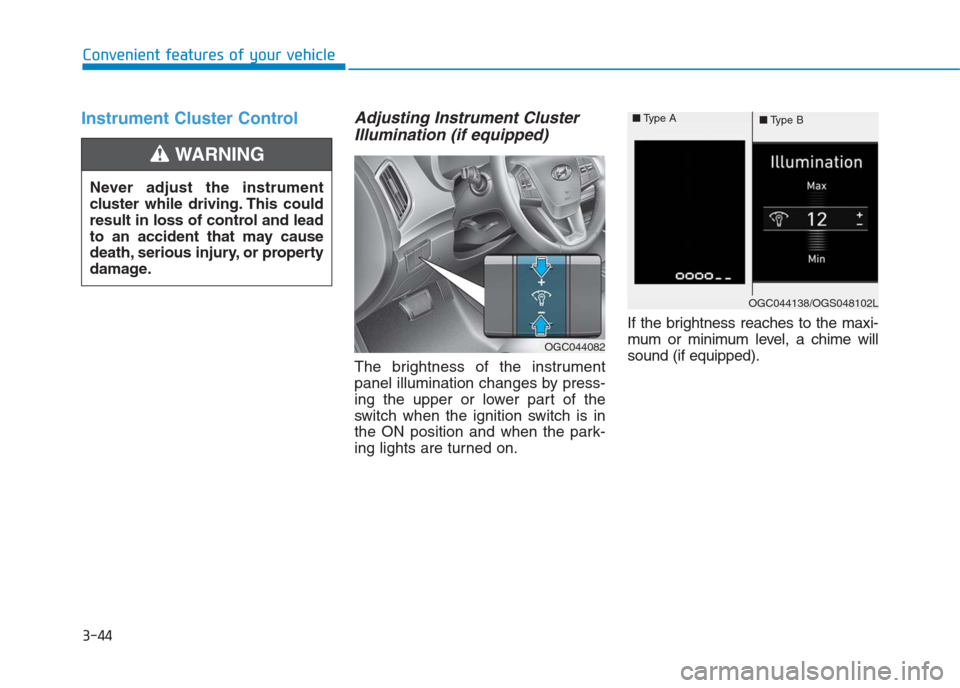
The brightness of the instrument
panel illumination changes by press-
ing the upper or lower part of the
switch when the ignition switch is in
the ON position and when the park-
ing lights are turned on.If the brightness reaches to the maxi-
mum or minimum level, a chime will
sound (if equipped). Never adjust the instrument
cluster while driving. This could
result in loss of control and lead
to an accident that may cause
death, serious injury, or property
damage.
WARNING
OGC044082
OGC044138/OGS048102L ■Type A
■Type B
Page 135 of 472
3-50
Convenient features of your vehicle
Warning and indicator lights
Information -
Warning lights
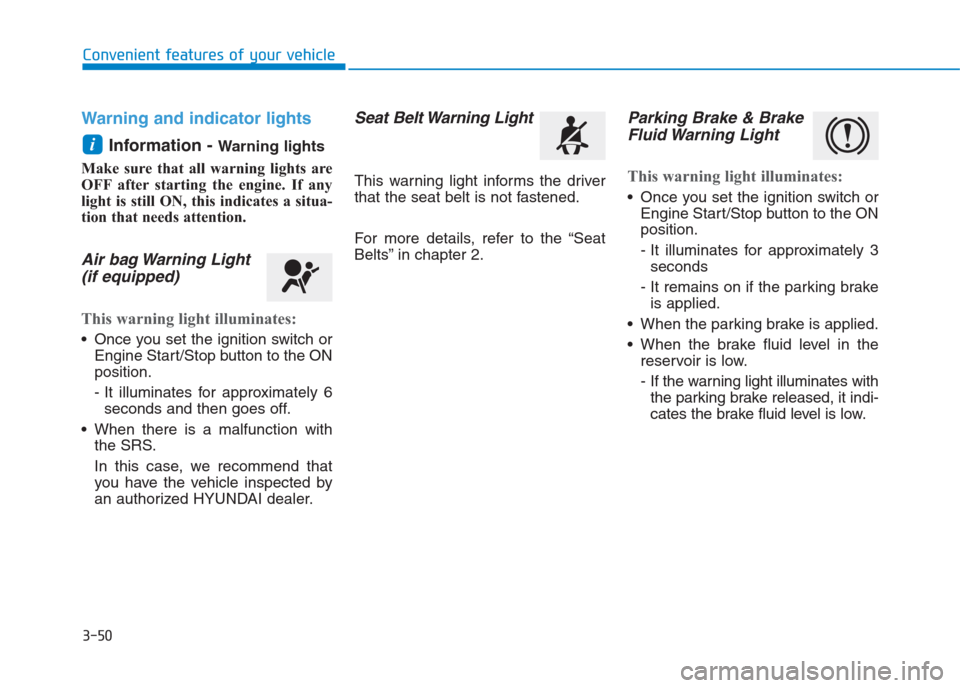
Make sure that all warning lights are
OFF after starting the engine. If any
light is still ON, this indicates a situa-
tion that needs attention.
Air bag Warning Light
(if equipped)
This warning light illuminates:
Once you set the ignition switch or
Engine Start/Stop button to the ON
position.
- It illuminates for approximately 6
seconds and then goes off.
When there is a malfunction with
the SRS.
In this case, we recommend that
you have the vehicle inspected by
an authorized HYUNDAI dealer.
Seat Belt Warning Light
This warning light informs the driver
that the seat belt is not fastened.
For more details, refer to the “Seat
Belts” in chapter 2.
Parking Brake & Brake
Fluid Warning Light
This warning light illuminates:
Once you set the ignition switch or
Engine Start/Stop button to the ON
position.
- It illuminates for approximately 3
seconds
- It remains on if the parking brake
is applied.
When the parking brake is applied.
When the brake fluid level in the
reservoir is low.
- If the warning light illuminates with
the parking brake released, it indi-
cates the brake fluid level is low.
i
Page 144 of 472
3-59
Convenient features of your vehicle
3
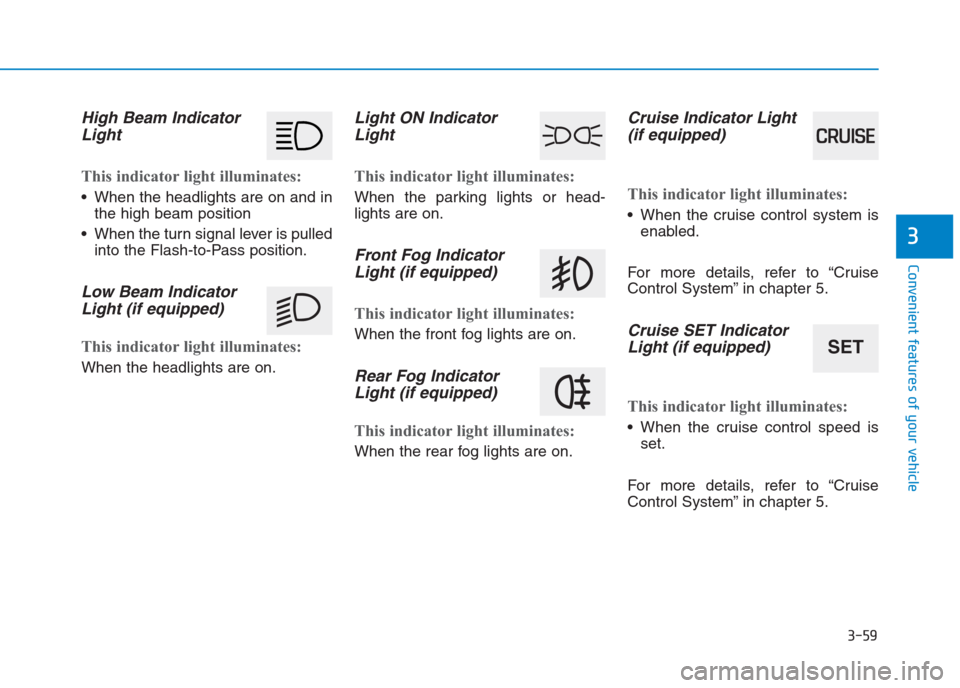
High Beam Indicator
Light
This indicator light illuminates:
When the headlights are on and in
the high beam position
When the turn signal lever is pulled
into the Flash-to-Pass position.
Low Beam Indicator
Light (if equipped)
This indicator light illuminates:
When the headlights are on.
Light ON Indicator
Light
This indicator light illuminates:
When the parking lights or head-
lights are on.
Front Fog Indicator
Light (if equipped)
This indicator light illuminates:
When the front fog lights are on.
Rear Fog Indicator
Light (if equipped)
This indicator light illuminates:
When the rear fog lights are on.
Cruise Indicator Light
(if equipped)
This indicator light illuminates:
When the cruise control system is
enabled.
For more details, refer to “Cruise
Control System” in chapter 5.
Cruise SET Indicator
Light (if equipped)
This indicator light illuminates:
When the cruise control speed is
set.
For more details, refer to “Cruise
Control System” in chapter 5.
SET
Page 157 of 472

3-72
Convenient features of your vehicle
ItemsExplanation
Wiper/Lights Display
You can activate or deactivate the Wiper/ Light mode.
When activated, the LCD display shows the selected Wiper/Light mode whenever you changed the
mode.
Auto Rear Wiper (reverse)You can activate or deactivate the rear wiper while the vehicle is in reverse with the front wiper ON.
Gear Position Pop-up
If you select this function, the current shift gear position is displayed in the cluster for about 2 sec-
onds when shifting into other positions (P/R/N/D).
If you do not select this function, the shift gear Pop-up is not displayed in the cluster.
Convenience Lights
ItemsExplanation
One Touch Turn Signal
The one touch turn signal function will be deactivated.
The turn signal indicator will blink 3, 5, or 7 times when the turn signal lever is
moved slightly.
For more details, refer to “Light” in this chapter.
Headlamp Delay
The headlamp delay function will be activated.
The headlamp delay function will be deactivated.
For more details, refer to “Light” in this chapter.
Page 163 of 472
3-78
Convenient features of your vehicle
L LI
IG
GH
HT
T
Exterior lights
Lighting control
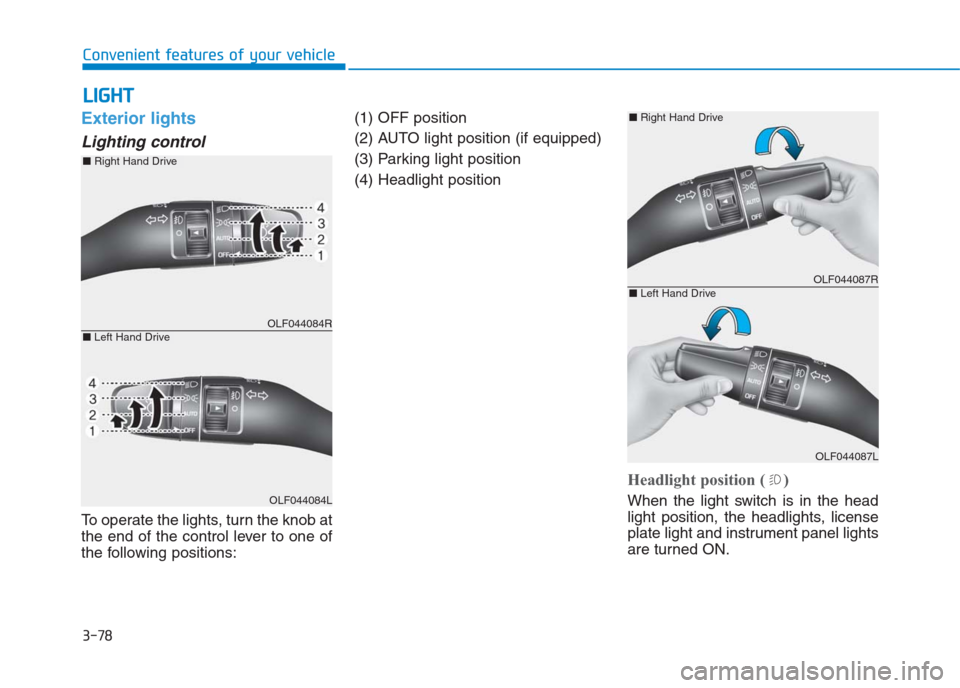
To operate the lights, turn the knob at
the end of the control lever to one of
the following positions:(1) OFF position
(2) AUTO light position (if equipped)
(3) Parking light position
(4) Headlight position
Headlight position ( )
When the light switch is in the head
light position, the headlights, license
plate light and instrument panel lights
are turned ON.
OLF044084R
OLF044084L
■Right Hand Drive
■Left Hand Drive
OLF044087R
OLF044087L
■Right Hand Drive
■Left Hand Drive
Page 164 of 472
3-79
Convenient features of your vehicle
3
Information
The ignition switch must be in the ON
position to turn on the headlights.
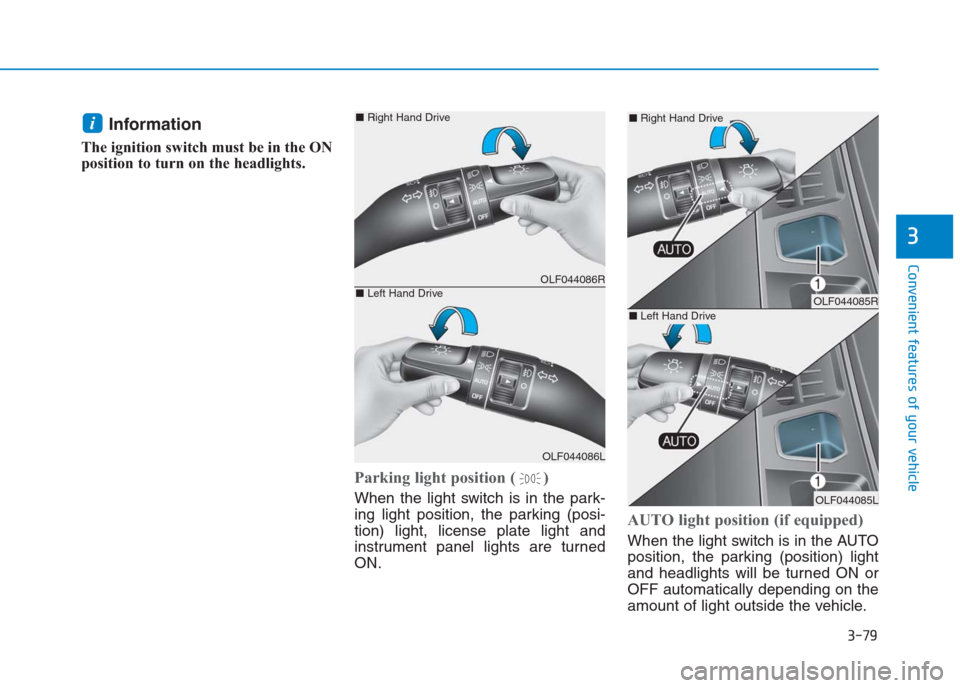
Parking light position ( )
When the light switch is in the park-
ing light position, the parking (posi-
tion) light, license plate light and
instrument panel lights are turned
ON.
AUTO light position (if equipped)
When the light switch is in the AUTO
position, the parking (position) light
and headlights will be turned ON or
OFF automatically depending on the
amount of light outside the vehicle.
i
OLF044086R
OLF044086L
■Right Hand Drive
■Left Hand DriveOLF044085R
OLF044085L
■Right Hand Drive
■Left Hand Drive
Page 165 of 472
3-80
Convenient features of your vehicle
Even with the AUTO light feature in
operation, it is recommended to
manually turn ON the lights when
driving at night or in a fog, or when
you enter dark areas, such as tun-
nels and parking facilities.
• Do not cover or spill anything on
the sensor (1) located on the
instrument panel.
Do not clean the sensor using a
window cleaner, the cleanser may
leave a light film which could
interfere with sensor operation.
If your vehicle has window tint
or other types of metallic coat-
ing on the front windshield, the
AUTO light system may not work
properly.
High beam operation
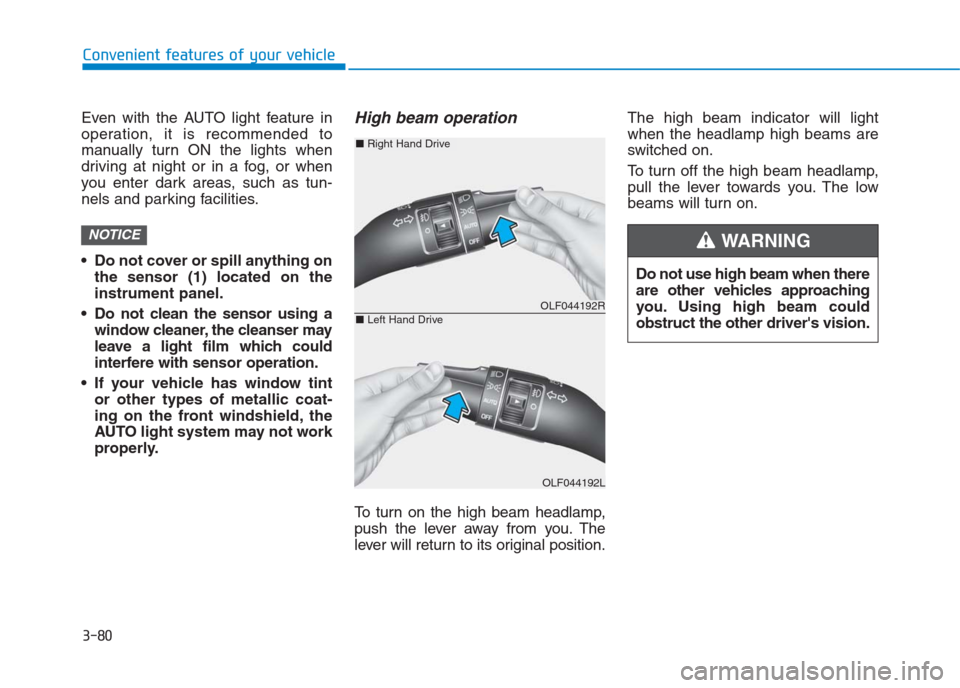
To turn on the high beam headlamp,
push the lever away from you. The
lever will return to its original position.The high beam indicator will light
when the headlamp high beams are
switched on.
To turn off the high beam headlamp,
pull the lever towards you. The low
beams will turn on.
NOTICE
Do not use high beam when there
are other vehicles approaching
you. Using high beam could
obstruct the other driver's vision.
WARNING
OLF044192R
OLF044192L
■Right Hand Drive
■Left Hand Drive
Page 166 of 472
3-81
Convenient features of your vehicle
3
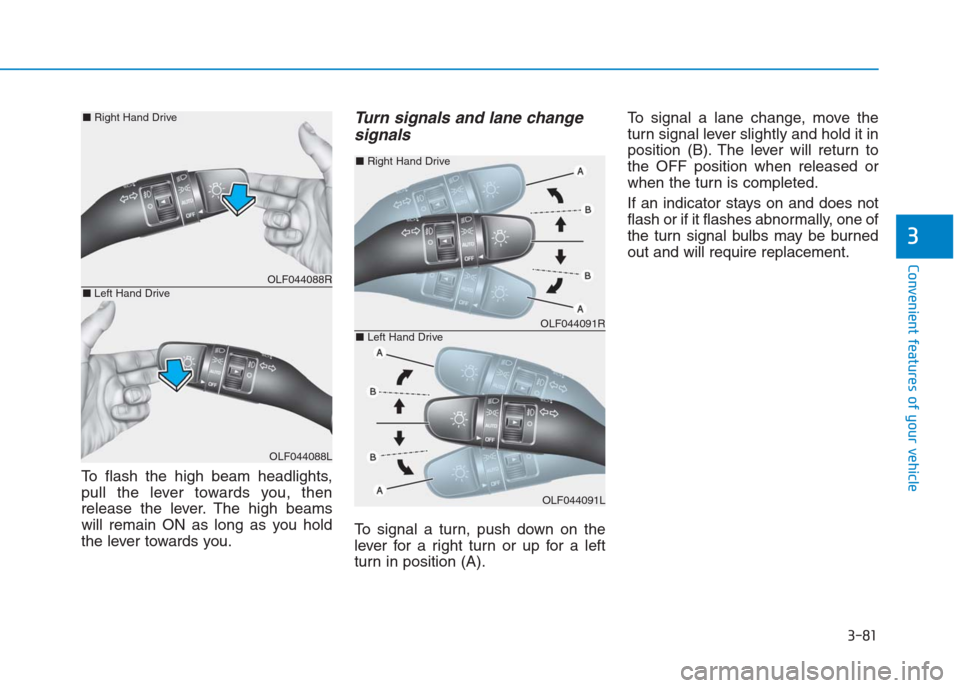
To flash the high beam headlights,
pull the lever towards you, then
release the lever. The high beams
will remain ON as long as you hold
the lever towards you.
Turn signals and lane change
signals
To signal a turn, push down on the
lever for a right turn or up for a left
turn in position (A).To signal a lane change, move the
turn signal lever slightly and hold it in
position (B). The lever will return to
the OFF position when released or
when the turn is completed.
If an indicator stays on and does not
flash or if it flashes abnormally, one of
the turn signal bulbs may be burned
out and will require replacement.
OLF044088R
OLF044088L
■Right Hand Drive
■Left Hand Drive
OLF044091R
OLF044091L
■Right Hand Drive
■Left Hand Drive