Check Hyundai Creta 2018 Owner's Guide
[x] Cancel search | Manufacturer: HYUNDAI, Model Year: 2018, Model line: Creta, Model: Hyundai Creta 2018Pages: 472, PDF Size: 11.87 MB
Page 141 of 472
3-56
Convenient features of your vehicle
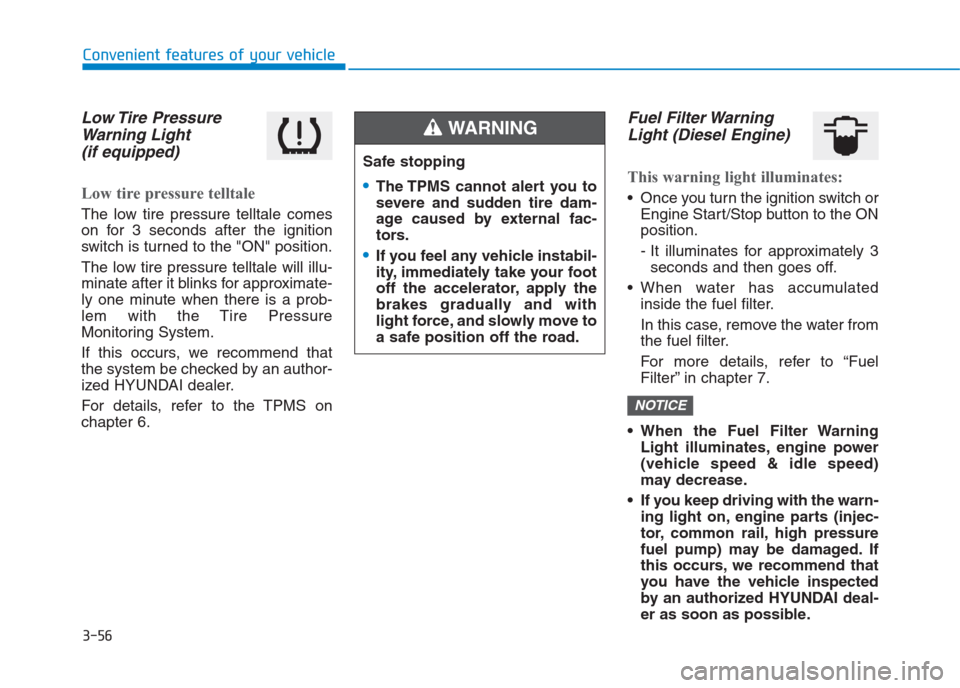
Low Tire Pressure
Warning Light
(if equipped)
Low tire pressure telltale
The low tire pressure telltale comes
on for 3 seconds after the ignition
switch is turned to the "ON" position.
The low tire pressure telltale will illu-
minate after it blinks for approximate-
ly one minute when there is a prob-
lem with the Tire Pressure
Monitoring System.
If this occurs, we recommend that
the system be checked by an author-
ized HYUNDAI dealer.
For details, refer to the TPMS on
chapter 6.
Fuel Filter Warning
Light (Diesel Engine)
This warning light illuminates:
Once you turn the ignition switch or
Engine Start/Stop button to the ON
position.
- It illuminates for approximately 3
seconds and then goes off.
When water has accumulated
inside the fuel filter.
In this case, remove the water from
the fuel filter.
For more details, refer to “Fuel
Filter” in chapter 7.
When the Fuel Filter Warning
Light illuminates, engine power
(vehicle speed & idle speed)
may decrease.
If you keep driving with the warn-
ing light on, engine parts (injec-
tor, common rail, high pressure
fuel pump) may be damaged. If
this occurs, we recommend that
you have the vehicle inspected
by an authorized HYUNDAI deal-
er as soon as possible.
NOTICE
Safe stopping
The TPMS cannot alert you to
severe and sudden tire dam-
age caused by external fac-
tors.
If you feel any vehicle instabil-
ity, immediately take your foot
off the accelerator, apply the
brakes gradually and with
light force, and slowly move to
a safe position off the road.
WARNING
Page 146 of 472
3-61
Convenient features of your vehicle
3
KEY OUT Indicator
Light (if equipped)
When the Engine Start/Stop button
is in the ACC or ON position, if any
door is open, the system checks for
the smart key.
This indicator light blinks:
When the smart key is not in the
vehicle and any door is open with the
ignition switch or Engine Start/Stop
button in the ACC or ON position.
- At this time, if you close all doors,
the chime will also sound for
approximately 5 seconds.
- The indicator will go off while the
vehicle is moving.
Warning Messages
(for Type B, if equipped)
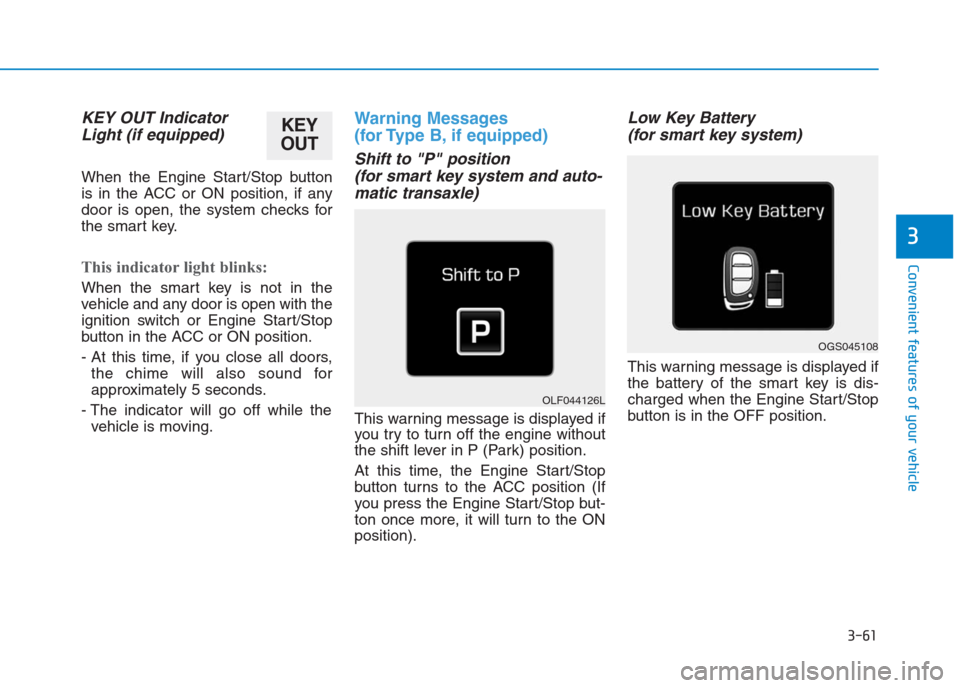
Shift to "P" position
(for smart key system and auto-
matic transaxle)
This warning message is displayed if
you try to turn off the engine without
the shift lever in P (Park) position.
At this time, the Engine Start/Stop
button turns to the ACC position (If
you press the Engine Start/Stop but-
ton once more, it will turn to the ON
position).
Low Key Battery
(for smart key system)
This warning message is displayed if
the battery of the smart key is dis-
charged when the Engine Start/Stop
button is in the OFF position.
OGS045108
OLF044126L
KEY
OUT
Page 147 of 472
3-62
Convenient features of your vehicle
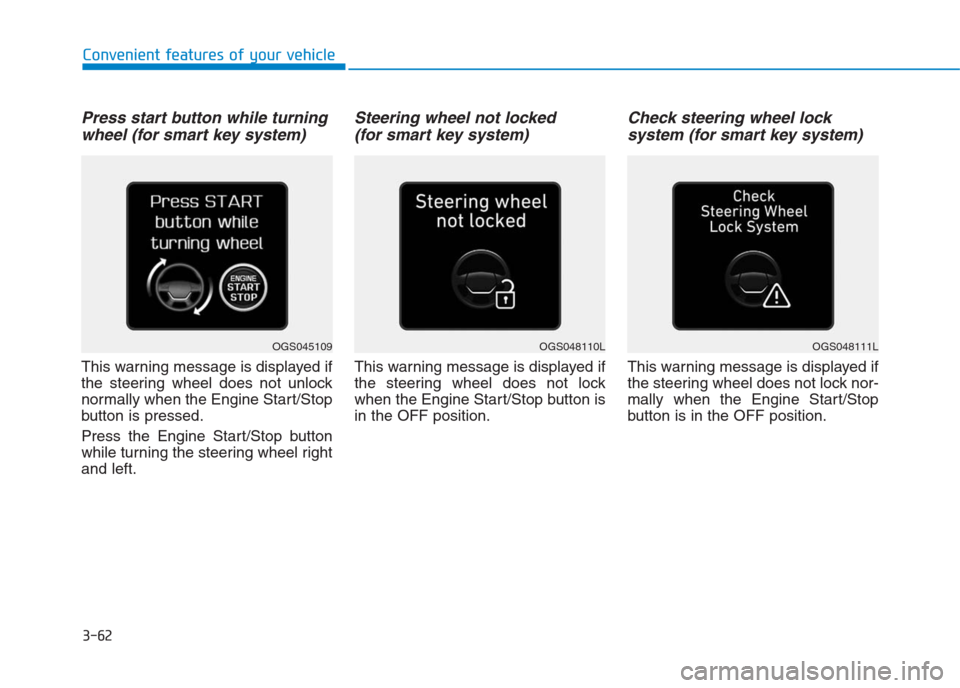
Press start button while turning
wheel (for smart key system)
This warning message is displayed if
the steering wheel does not unlock
normally when the Engine Start/Stop
button is pressed.
Press the Engine Start/Stop button
while turning the steering wheel right
and left.
Steering wheel not locked
(for smart key system)
This warning message is displayed if
the steering wheel does not lock
when the Engine Start/Stop button is
in the OFF position.
Check steering wheel lock
system (for smart key system)
This warning message is displayed if
the steering wheel does not lock nor-
mally when the Engine Start/Stop
button is in the OFF position.
OGS048110LOGS048111LOGS045109
Page 150 of 472
3-65
Convenient features of your vehicle
3
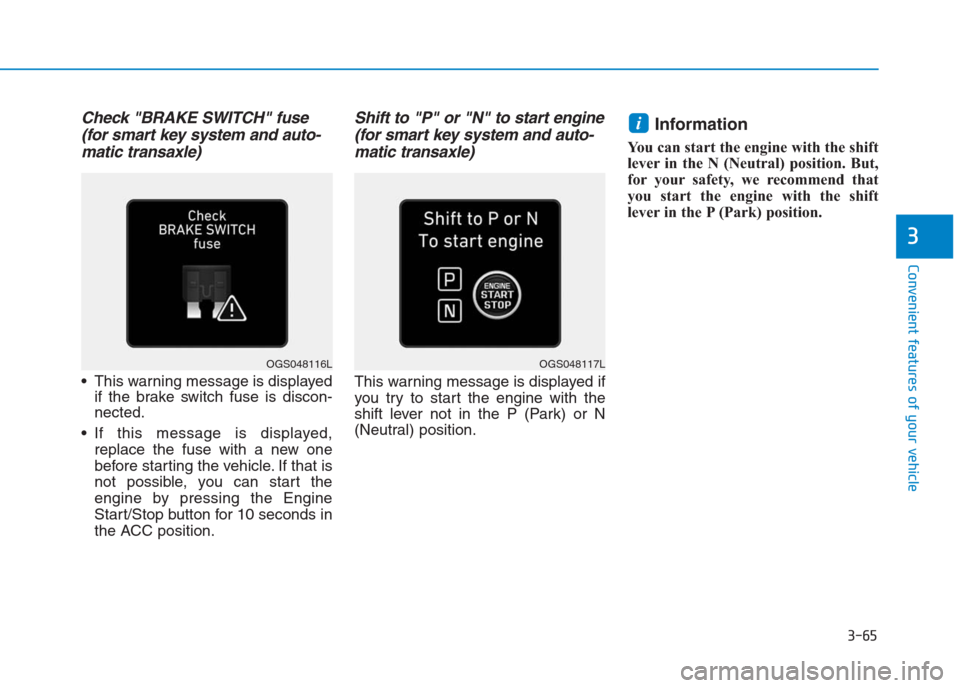
Check "BRAKE SWITCH" fuse
(for smart key system and auto-
matic transaxle)
This warning message is displayed
if the brake switch fuse is discon-
nected.
If this message is displayed,
replace the fuse with a new one
before starting the vehicle. If that is
not possible, you can start the
engine by pressing the Engine
Start/Stop button for 10 seconds in
the ACC position.
Shift to "P" or "N" to start engine
(for smart key system and auto-
matic transaxle)
This warning message is displayed if
you try to start the engine with the
shift lever not in the P (Park) or N
(Neutral) position.
Information
You can start the engine with the shift
lever in the N (Neutral) position. But,
for your safety, we recommend that
you start the engine with the shift
lever in the P (Park) position.
i
OGS048117LOGS048116L
Page 174 of 472
3-89
Convenient features of your vehicle
3
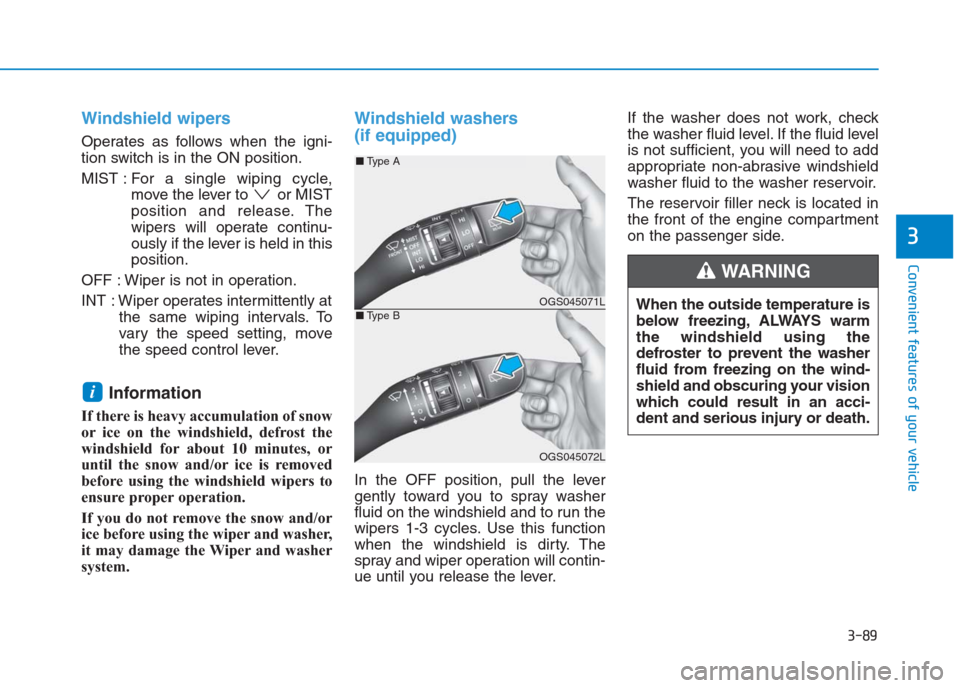
Windshield wipers
Operates as follows when the igni-
tion switch is in the ON position.
MIST : For a single wiping cycle,
move the lever to or MIST
position and release. The
wipers will operate continu-
ously if the lever is held in this
position.
OFF : Wiper is not in operation.
INT : Wiper operates intermittently at
the same wiping intervals. To
vary the speed setting, move
the speed control lever.
Information
If there is heavy accumulation of snow
or ice on the windshield, defrost the
windshield for about 10 minutes, or
until the snow and/or ice is removed
before using the windshield wipers to
ensure proper operation.
If you do not remove the snow and/or
ice before using the wiper and washer,
it may damage the Wiper and washer
system.
Windshield washers
(if equipped)
In the OFF position, pull the lever
gently toward you to spray washer
fluid on the windshield and to run the
wipers 1-3 cycles. Use this function
when the windshield is dirty. The
spray and wiper operation will contin-
ue until you release the lever.If the washer does not work, check
the washer fluid level. If the fluid level
is not sufficient, you will need to add
appropriate non-abrasive windshield
washer fluid to the washer reservoir.
The reservoir filler neck is located in
the front of the engine compartment
on the passenger side.
i
OGS045071L
OGS045072L
■Type A
■Type B
When the outside temperature is
below freezing, ALWAYS warm
the windshield using the
defroster to prevent the washer
fluid from freezing on the wind-
shield and obscuring your vision
which could result in an acci-
dent and serious injury or death.
WARNING
Page 178 of 472
3-93
Convenient features of your vehicle
3
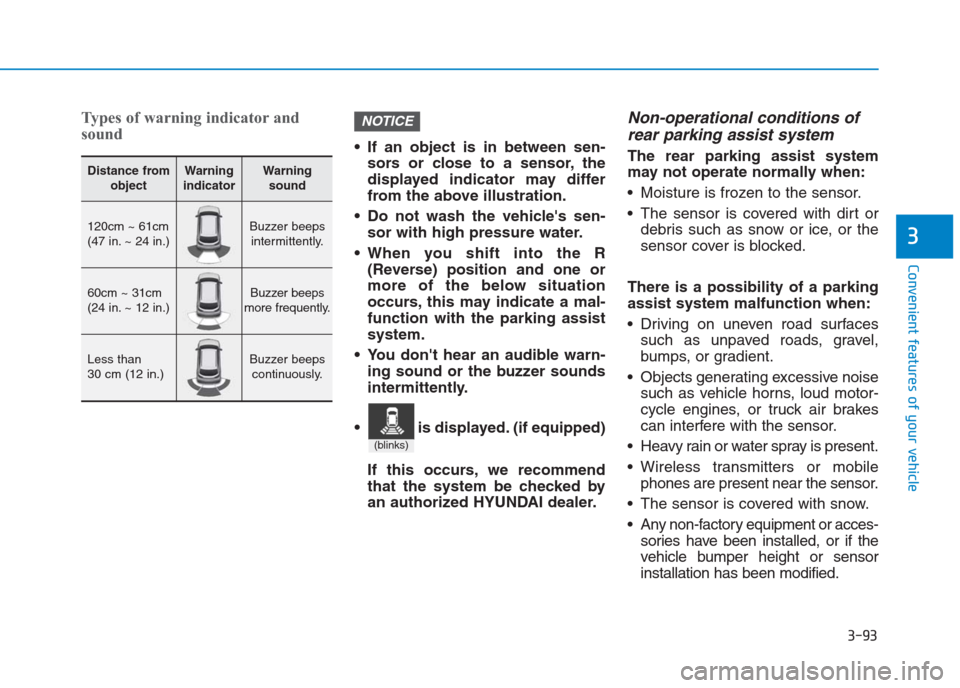
Types of warning indicator and
sound
If an object is in between sen-
sors or close to a sensor, the
displayed indicator may differ
from the above illustration.
Do not wash the vehicle's sen-
sor with high pressure water.
When you shift into the R
(Reverse) position and one or
more of the below situation
occurs, this may indicate a mal-
function with the parking assist
system.
You don't hear an audible warn-
ing sound or the buzzer sounds
intermittently.
If this occurs, we recommend
that the system be checked by
an authorized HYUNDAI dealer.
Non-operational conditions of
rear parking assist system
The rear parking assist system
may not operate normally when:
Moisture is frozen to the sensor.
The sensor is covered with dirt or
debris such as snow or ice, or the
sensor cover is blocked.
There is a possibility of a parking
assist system malfunction when:
Driving on uneven road surfaces
such as unpaved roads, gravel,
bumps, or gradient.
Objects generating excessive noise
such as vehicle horns, loud motor-
cycle engines, or truck air brakes
can interfere with the sensor.
Heavy rain or water spray is present.
Wireless transmitters or mobile
phones are present near the sensor.
The sensor is covered with snow.
Any non-factory equipment or acces-
sories have been installed, or if the
vehicle bumper height or sensor
installation has been modified.
NOTICE
Distance from
objectWarning
indicatorWarning
sound
120cm ~ 61cm
(47 in. ~ 24 in.)Buzzer beeps
intermittently.
60cm ~ 31cm
(24 in. ~ 12 in.)Buzzer beeps
more frequently.
Less than
30 cm (12 in.)Buzzer beeps
continuously.
(blinks)
is displayed. (if equipped)
Page 189 of 472
3-104
Convenient features of your vehicle
If the air flow rate suddenly decreas-
es, we recommendthe system be
checked at an authorized HYUNDAI
dealer.
Checking the amount of air
conditioner refrigerant and
compressor lubricant
When the amount of refrigerant is
low, the performance of the air con-
ditioning is reduced. Overfilling also
has a bad influence on the air condi-
tioning system.
Therefore, if abnormal operation is
found, we recommend that the system
be inspected by an authorized
HYUNDAI dealer.
Information
It is important that the correct type
and amount of oil and refrigerant is
used. Otherwise, damage to the com-
pressor and abnormal system opera-
tion may occur.We recommend the air conditioning
system be serviced by an authorized
HYUNDAI dealer.
i
Because the refriger-
ant is at very high
pressure, the air con-
ditioning system
should only be serv-
iced by trained and certified
technicians. It is important that
the correct type and amount of
oil and refrigerant is used, oth-
erwise damage to the vehicle
and personal injury may occur.
WARNING
Page 200 of 472
3-115
Convenient features of your vehicle
3
System maintenance
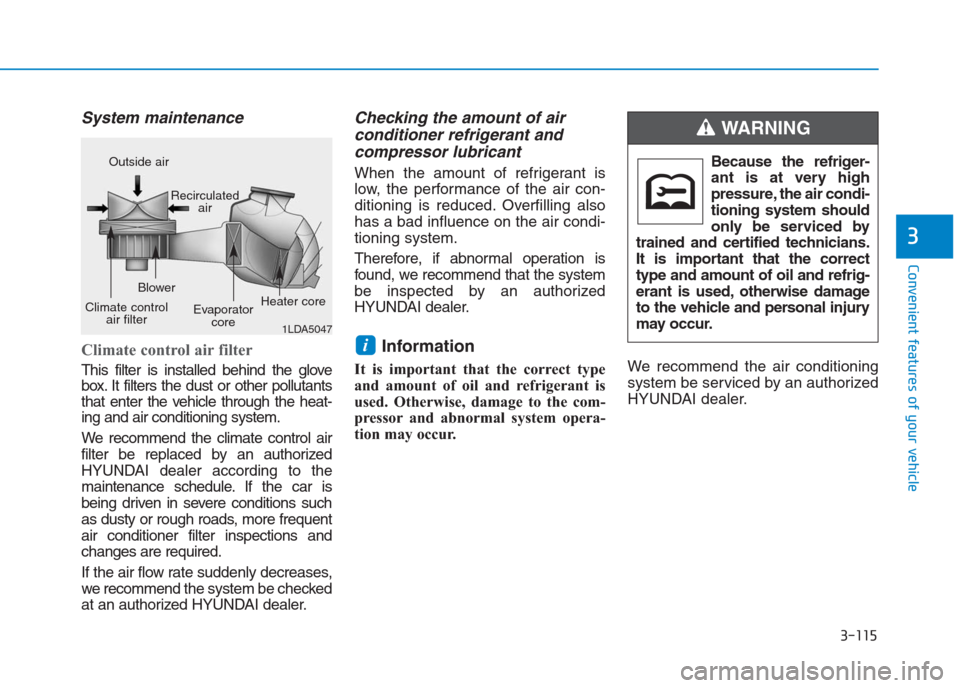
Climate control air filter
This filter is installed behind the glove
box. It filters the dust or other pollutants
that enter the vehicle through the heat-
ing and air conditioning system.
We recommend the climate control air
filter be replaced by an authorized
HYUNDAI dealer according to the
maintenance schedule. If the car is
being driven in severe conditions such
as dusty or rough roads, more frequent
air conditioner filter inspections and
changes are required.
If the air flow rate suddenly decreases,
we recommendthe system be checked
at an authorized HYUNDAI dealer.
Checking the amount of air
conditioner refrigerant and
compressor lubricant
When the amount of refrigerant is
low, the performance of the air con-
ditioning is reduced. Overfilling also
has a bad influence on the air condi-
tioning system.
Therefore, if abnormal operation is
found, we recommend that the system
be inspected by an authorized
HYUNDAI dealer.
Information
It is important that the correct type
and amount of oil and refrigerant is
used. Otherwise, damage to the com-
pressor and abnormal system opera-
tion may occur.We recommend the air conditioning
system be serviced by an authorized
HYUNDAI dealer.
i
1LDA5047
Outside air
Recirculated
air
Climate control
air filterBlower
Evaporator
coreHeater coreBecause the refriger-
ant is at very high
pressure, the air condi-
tioning system should
only be serviced by
trained and certified technicians.
It is important that the correct
type and amount of oil and refrig-
erant is used, otherwise damage
to the vehicle and personal injury
may occur.
WARNING
Page 236 of 472
![Hyundai Creta 2018 Owners Guide 4-22
Multimedia System
Bluetooth®(BT) Audio
Displays Menu Popup when pressing
the [MENU]button.
Sound Settings
Moves to Sound Settings.
Information
• Depending on the connected
Bluetooth device, mo](/img/35/14530/w960_14530-235.png "Hyundai Creta 2018 Owners Guide 4-22
Multimedia System
Bluetooth®(BT) Audio
Displays Menu Popup when pressing
the [MENU]button.
Sound Settings
Moves to Sound Settings.
Information
• Depending on the connected
Bluetooth device, mo")
4-22
Multimedia System
Bluetooth®(BT) Audio
Displays Menu Popup when pressing
the [MENU]button.
Sound Settings
Moves to Sound Settings.
Information
• Depending on the connected
Bluetooth device, mobile phone, or
the music player you are using,
playback controls may differ.
• Depending on the music player you
are using, streaming may not be
supported.
• Audio may not automatically start
playing in some Bluetooth
®devices.
If the music in the Bluetooth®device
is not played after changing to audio
streaming mode, press the TUNE
knob. Check if the music is playing
in the Bluetooth
®device after
changing to audio streaming mode.
• Audio streaming may not be sup-
ported for some Bluetooth
®devices.
• If Bluetooth
®device is disconnected,
Bluetooth®(BT) Audio is ended.
• Bluetooth
®connection is required to
use Bluetooth®(BT) Audio. Refer to
the Bluetooth®manual for more
information.
Phone
Information
- Using Bluetooth®(BT) Phone
What is Bluetooth®Wireless Technology?
Bluetooth®refers to a short-dis-
tance wireless networking technol-
ogy which uses a 2.45GHz fre-
quency to connect various devices
within a certain distance.
Supported within PCs, external
devices, Bluetooth
®phones, PDAs,
various electronic devices, and auto-
motive environments, Bluetooth
®to
be transmitted at high speeds with-
out having to use a connector cable.
Bluetooth
®Handsfree refers to a
device which allows the user to
conveniently make phone calls
with Bluetooth
®devices through
the Multimedia system.
The Bluetooth
®Handsfree feature
may not be supported in some
Bluetooth
®devices.
i
i
Page 237 of 472
4-23
Multimedia System
4
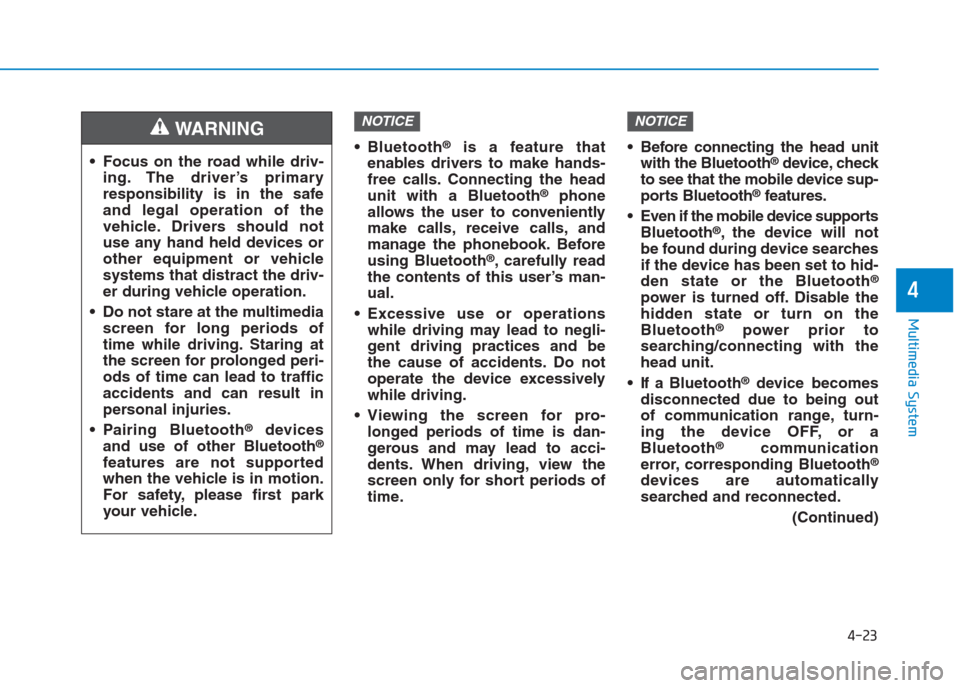
Bluetooth®is a feature that
enables drivers to make hands-
free calls. Connecting the head
unit with a Bluetooth
®phone
allows the user to conveniently
make calls, receive calls, and
manage the phonebook. Before
using Bluetooth
®, carefully read
the contents of this user’s man-
ual.
Excessive use or operations
while driving may lead to negli-
gent driving practices and be
the cause of accidents. Do not
operate the device excessively
while driving.
Viewing the screen for pro-
longed periods of time is dan-
gerous and may lead to acci-
dents. When driving, view the
screen only for short periods of
time. Before connecting the head unit
with the Bluetooth
®device, check
to see that the mobile device sup-
ports Bluetooth
®features.
Even if the mobile device supports
Bluetooth
®, the device will not
be found during device searches
if the device has been set to hid-
den state or the Bluetooth
®
power is turned off. Disable the
hidden state or turn on the
Bluetooth
®power prior to
searching/connecting with the
head unit.
If a Bluetooth
®device becomes
disconnected due to being out
of communication range, turn-
ing the device OFF, or a
Bluetooth
®communication
error, corresponding Bluetooth®
devices are automatically
searched and reconnected.
(Continued)
NOTICENOTICE
Focus on the road while driv-
ing. The driver’s primary
responsibility is in the safe
and legal operation of the
vehicle. Drivers should not
use any hand held devices or
other equipment or vehicle
systems that distract the driv-
er during vehicle operation.
Do not stare at the multimedia
screen for long periods of
time while driving. Staring at
the screen for prolonged peri-
ods of time can lead to traffic
accidents and can result in
personal injuries.
Pairing Bluetooth
®devices
and use of other Bluetooth®
features are not supported
when the vehicle is in motion.
For safety, please first park
your vehicle.
WARNING