brake Hyundai Creta 2019 User Guide
[x] Cancel search | Manufacturer: HYUNDAI, Model Year: 2019, Model line: Creta, Model: Hyundai Creta 2019Pages: 472, PDF Size: 13.39 MB
Page 135 of 472
3-50
Convenient features of your vehicle
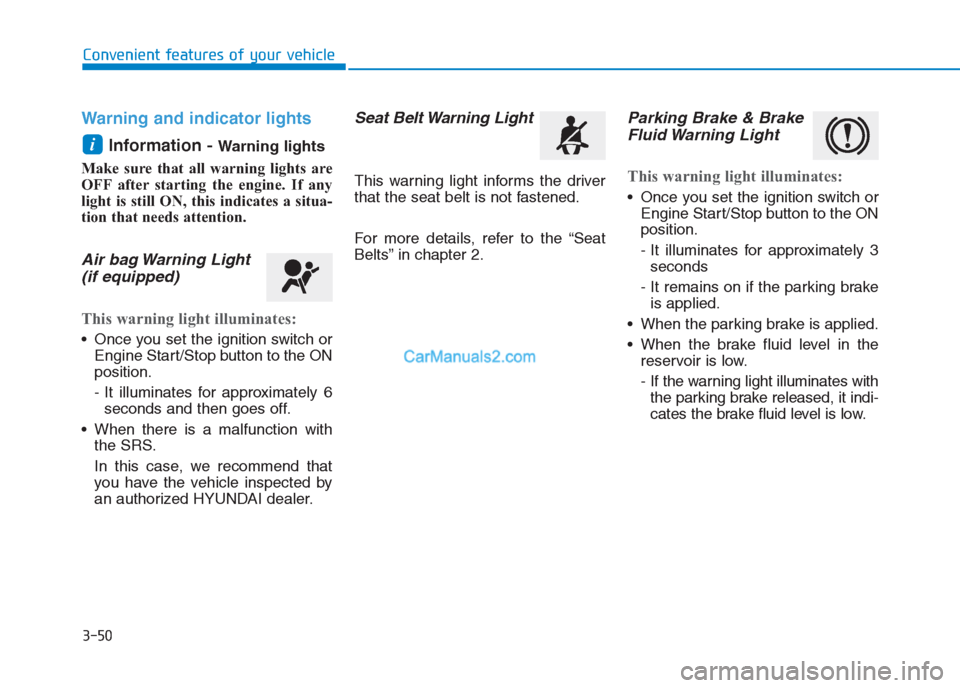
Warning and indicator lights
Information -
Warning lights
Make sure that all warning lights are
OFF after starting the engine. If any
light is still ON, this indicates a situa-
tion that needs attention.
Air bag Warning Light
(if equipped)
This warning light illuminates:
Once you set the ignition switch or
Engine Start/Stop button to the ON
position.
- It illuminates for approximately 6
seconds and then goes off.
When there is a malfunction with
the SRS.
In this case, we recommend that
you have the vehicle inspected by
an authorized HYUNDAI dealer.
Seat Belt Warning Light
This warning light informs the driver
that the seat belt is not fastened.
For more details, refer to the “Seat
Belts” in chapter 2.
Parking Brake & Brake
Fluid Warning Light
This warning light illuminates:
Once you set the ignition switch or
Engine Start/Stop button to the ON
position.
- It illuminates for approximately 3
seconds
- It remains on if the parking brake
is applied.
When the parking brake is applied.
When the brake fluid level in the
reservoir is low.
- If the warning light illuminates with
the parking brake released, it indi-
cates the brake fluid level is low.
i
Page 136 of 472
3-51
Convenient features of your vehicle
3
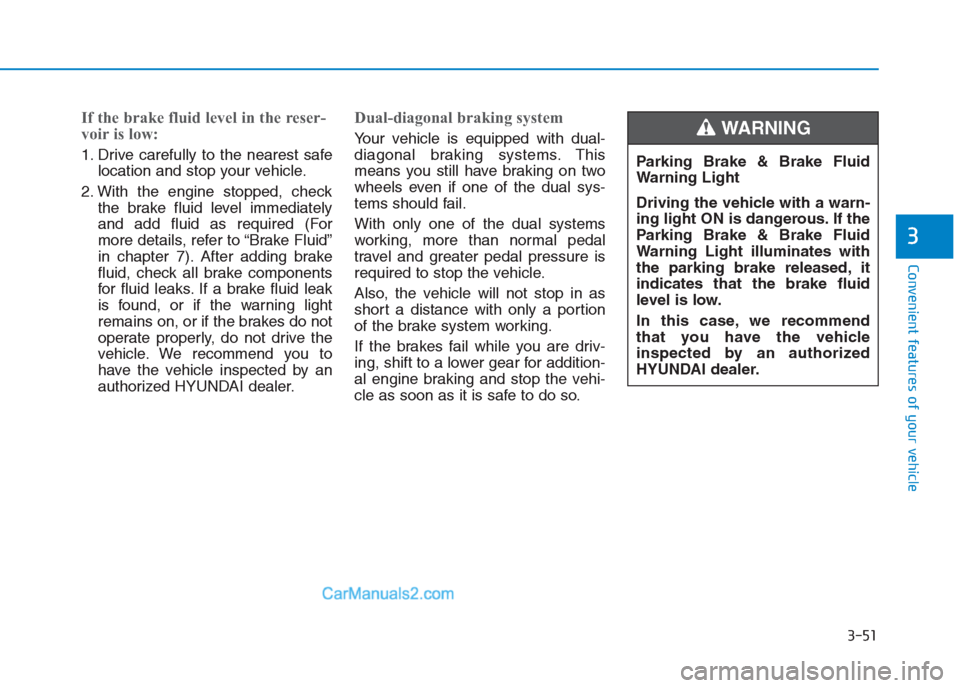
If the brake fluid level in the reser-
voir is low:
1. Drive carefully to the nearest safe
location and stop your vehicle.
2. With the engine stopped, check
the brake fluid level immediately
and add fluid as required (For
more details, refer to “Brake Fluid”
in chapter 7). After adding brake
fluid, check all brake components
for fluid leaks. If a brake fluid leak
is found, or if the warning light
remains on, or if the brakes do not
operate properly, do not drive the
vehicle. We recommend you to
have the vehicle inspected by an
authorized HYUNDAI dealer.
Dual-diagonal braking system
Your vehicle is equipped with dual-
diagonal braking systems. This
means you still have braking on two
wheels even if one of the dual sys-
tems should fail.
With only one of the dual systems
working, more than normal pedal
travel and greater pedal pressure is
required to stop the vehicle.
Also, the vehicle will not stop in as
short a distance with only a portion
of the brake system working.
If the brakes fail while you are driv-
ing, shift to a lower gear for addition-
al engine braking and stop the vehi-
cle as soon as it is safe to do so.Parking Brake & Brake Fluid
Warning Light
Driving the vehicle with a warn-
ing light ON is dangerous. If the
Parking Brake & Brake Fluid
Warning Light illuminates with
the parking brake released, it
indicates that the brake fluid
level is low.
In this case, we recommend
that you have the vehicle
inspected by an authorized
HYUNDAI dealer.WARNING
Page 137 of 472
3-52
Convenient features of your vehicle
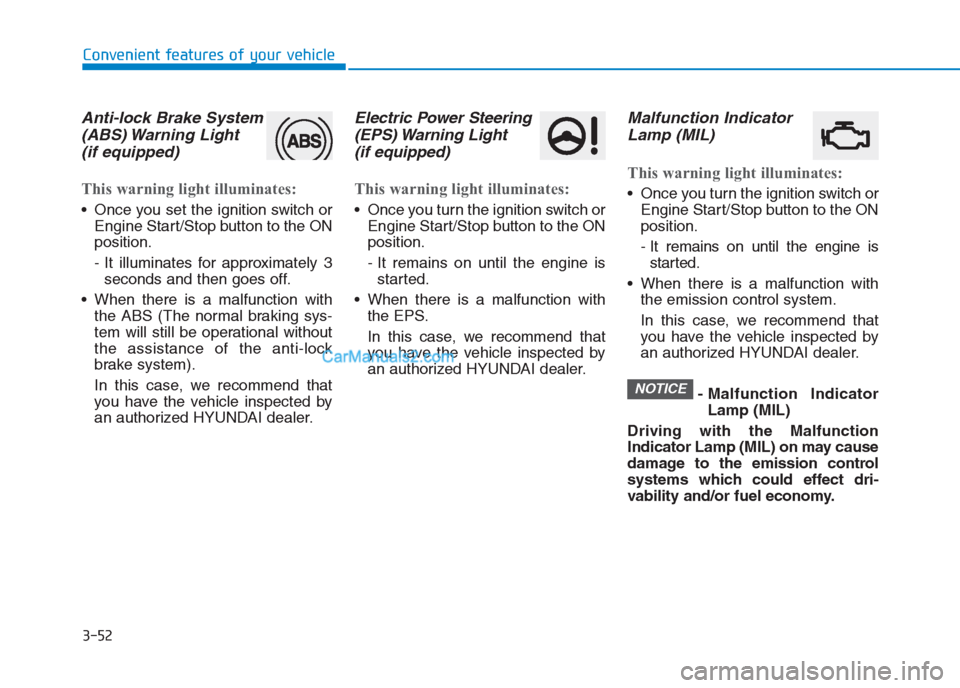
Anti-lock Brake System
(ABS) Warning Light
(if equipped)
This warning light illuminates:
Once you set the ignition switch or
Engine Start/Stop button to the ON
position.
- It illuminates for approximately 3
seconds and then goes off.
When there is a malfunction with
the ABS (The normal braking sys-
tem will still be operational without
the assistance of the anti-lock
brake system).
In this case, we recommend that
you have the vehicle inspected by
an authorized HYUNDAI dealer.
Electric Power Steering
(EPS) Warning Light
(if equipped)
This warning light illuminates:
Once you turn the ignition switch or
Engine Start/Stop button to the ON
position.
- It remains on until the engine is
started.
When there is a malfunction with
the EPS.
In this case, we recommend that
you have the vehicle inspected by
an authorized HYUNDAI dealer.
Malfunction Indicator
Lamp (MIL)
This warning light illuminates:
Once you turn the ignition switch or
Engine Start/Stop button to the ON
position.
- It remains on until the engine is
started.
When there is a malfunction with
the emission control system.
In this case, we recommend that
you have the vehicle inspected by
an authorized HYUNDAI dealer.
- Malfunction Indicator
Lamp (MIL)
Driving with the Malfunction
Indicator Lamp (MIL) on may cause
damage to the emission control
systems which could effect dri-
vability and/or fuel economy.
NOTICE
Page 141 of 472
3-56
Convenient features of your vehicle
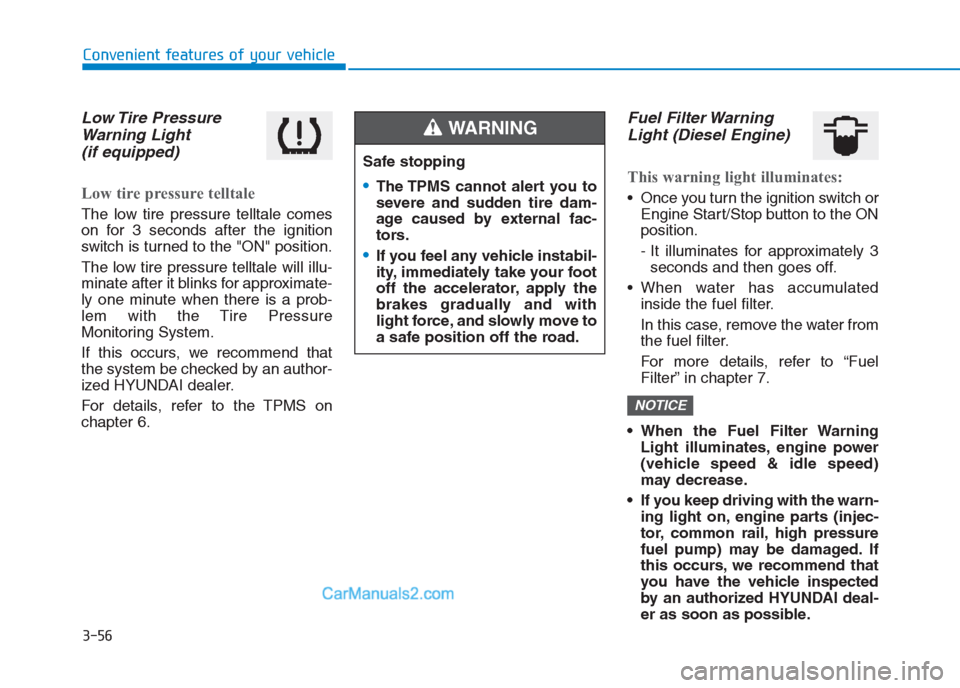
Low Tire Pressure
Warning Light
(if equipped)
Low tire pressure telltale
The low tire pressure telltale comes
on for 3 seconds after the ignition
switch is turned to the "ON" position.
The low tire pressure telltale will illu-
minate after it blinks for approximate-
ly one minute when there is a prob-
lem with the Tire Pressure
Monitoring System.
If this occurs, we recommend that
the system be checked by an author-
ized HYUNDAI dealer.
For details, refer to the TPMS on
chapter 6.
Fuel Filter Warning
Light (Diesel Engine)
This warning light illuminates:
Once you turn the ignition switch or
Engine Start/Stop button to the ON
position.
- It illuminates for approximately 3
seconds and then goes off.
When water has accumulated
inside the fuel filter.
In this case, remove the water from
the fuel filter.
For more details, refer to “Fuel
Filter” in chapter 7.
When the Fuel Filter Warning
Light illuminates, engine power
(vehicle speed & idle speed)
may decrease.
If you keep driving with the warn-
ing light on, engine parts (injec-
tor, common rail, high pressure
fuel pump) may be damaged. If
this occurs, we recommend that
you have the vehicle inspected
by an authorized HYUNDAI deal-
er as soon as possible.
NOTICE
Safe stopping
The TPMS cannot alert you to
severe and sudden tire dam-
age caused by external fac-
tors.
If you feel any vehicle instabil-
ity, immediately take your foot
off the accelerator, apply the
brakes gradually and with
light force, and slowly move to
a safe position off the road.
WARNING
Page 148 of 472
3-63
Convenient features of your vehicle
3
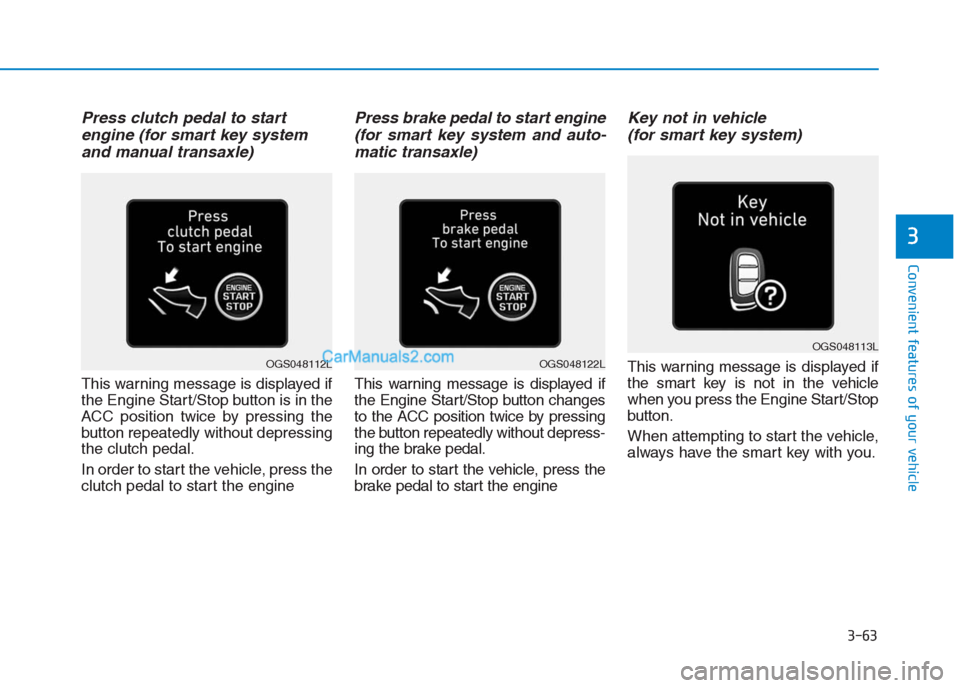
Press clutch pedal to start
engine (for smart key system
and manual transaxle)
This warning message is displayed if
the Engine Start/Stop button is in the
ACC position twice by pressing the
button repeatedly without depressing
the clutch pedal.
In order to start the vehicle, press the
clutch pedal to start the engine
Press brake pedal to start engine
(for smart key system and auto-
matic transaxle)
This warning message is displayed if
the Engine Start/Stop button changes
to the ACC position twice by pressing
the button repeatedly without depress-
ing the brake pedal.
In order to start the vehicle, press the
brake pedal to start the engine
Key not in vehicle
(for smart key system)
This warning message is displayed if
the smart key is not in the vehicle
when you press the Engine Start/Stop
button.
When attempting to start the vehicle,
always have the smart key with you.
OGS048113L
OGS048122LOGS048112L
Page 150 of 472
3-65
Convenient features of your vehicle
3
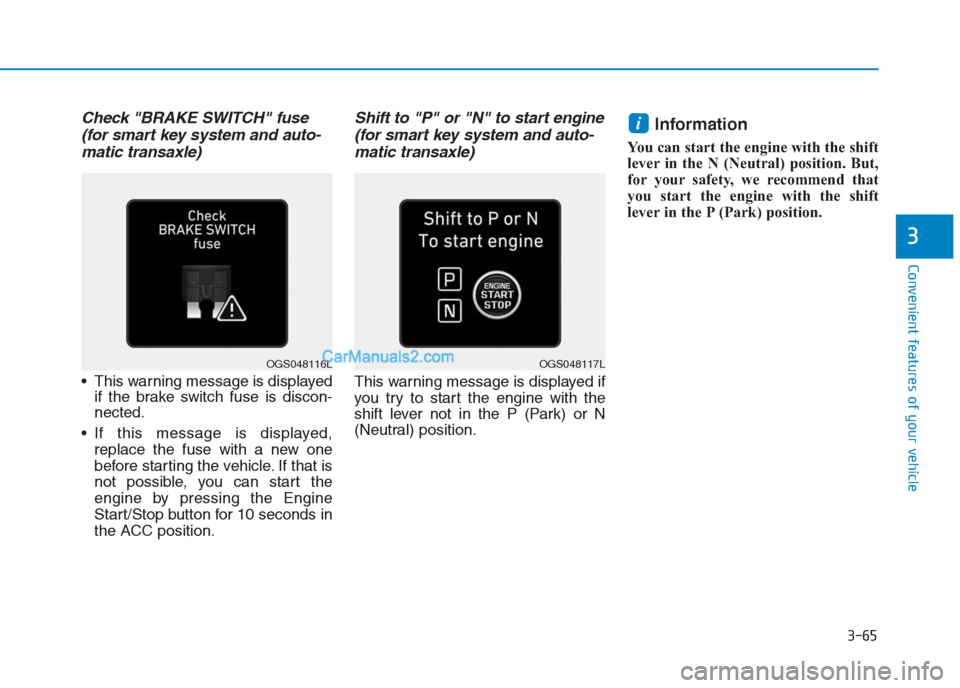
Check "BRAKE SWITCH" fuse
(for smart key system and auto-
matic transaxle)
This warning message is displayed
if the brake switch fuse is discon-
nected.
If this message is displayed,
replace the fuse with a new one
before starting the vehicle. If that is
not possible, you can start the
engine by pressing the Engine
Start/Stop button for 10 seconds in
the ACC position.
Shift to "P" or "N" to start engine
(for smart key system and auto-
matic transaxle)
This warning message is displayed if
you try to start the engine with the
shift lever not in the P (Park) or N
(Neutral) position.
Information
You can start the engine with the shift
lever in the N (Neutral) position. But,
for your safety, we recommend that
you start the engine with the shift
lever in the P (Park) position.
i
OGS048117LOGS048116L
Page 153 of 472
3-68
Convenient features of your vehicle
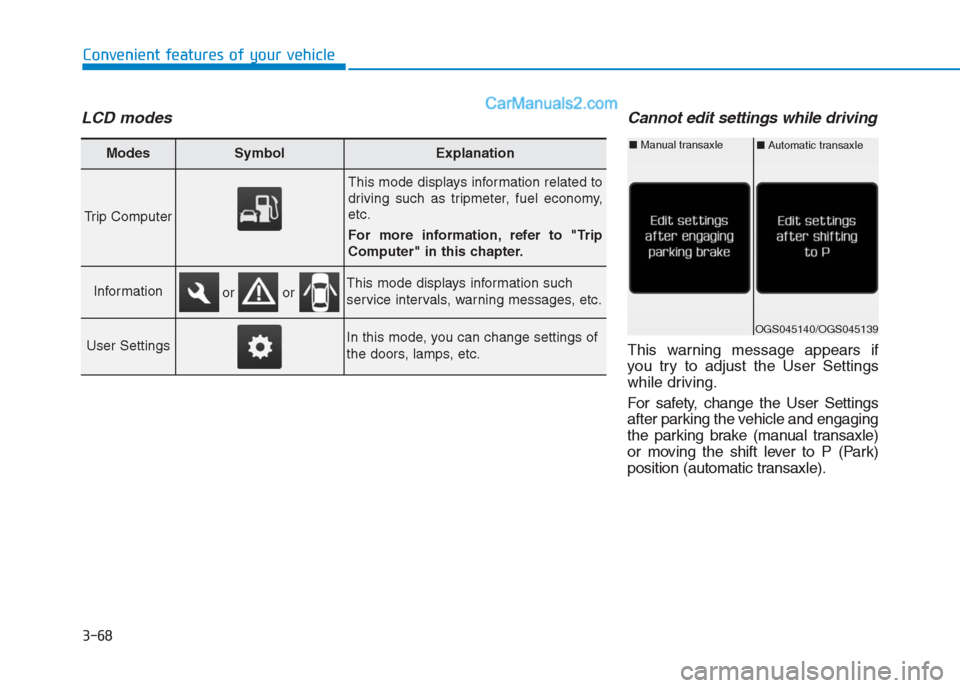
LCD modesCannot edit settings while driving
This warning message appears if
you try to adjust the User Settings
while driving.
For safety, change the User Settings
after parking the vehicle and engaging
the parking brake (manual transaxle)
or moving the shift lever to P (Park)
position (automatic transaxle).
Modes SymbolExplanation
Trip Computer
This mode displays information related to
driving such as tripmeter, fuel economy,
etc.
For more information, refer to "Trip
Computer" in this chapter.
InformationThis mode displays information such
service intervals, warning messages, etc.
User SettingsIn this mode, you can change settings of
the doors, lamps, etc.
or or
OGS045140/OGS045139
■Automatic transaxle■Manual transaxle
Page 178 of 472
3-93
Convenient features of your vehicle
3
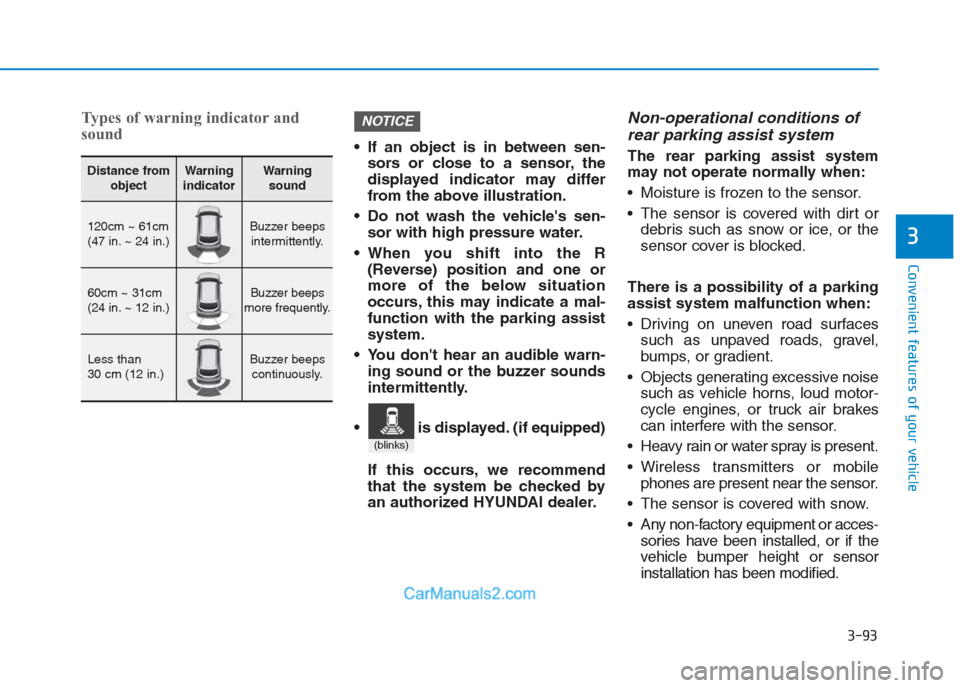
Types of warning indicator and
sound
If an object is in between sen-
sors or close to a sensor, the
displayed indicator may differ
from the above illustration.
Do not wash the vehicle's sen-
sor with high pressure water.
When you shift into the R
(Reverse) position and one or
more of the below situation
occurs, this may indicate a mal-
function with the parking assist
system.
You don't hear an audible warn-
ing sound or the buzzer sounds
intermittently.
If this occurs, we recommend
that the system be checked by
an authorized HYUNDAI dealer.
Non-operational conditions of
rear parking assist system
The rear parking assist system
may not operate normally when:
Moisture is frozen to the sensor.
The sensor is covered with dirt or
debris such as snow or ice, or the
sensor cover is blocked.
There is a possibility of a parking
assist system malfunction when:
Driving on uneven road surfaces
such as unpaved roads, gravel,
bumps, or gradient.
Objects generating excessive noise
such as vehicle horns, loud motor-
cycle engines, or truck air brakes
can interfere with the sensor.
Heavy rain or water spray is present.
Wireless transmitters or mobile
phones are present near the sensor.
The sensor is covered with snow.
Any non-factory equipment or acces-
sories have been installed, or if the
vehicle bumper height or sensor
installation has been modified.
NOTICE
Distance from
objectWarning
indicatorWarning
sound
120cm ~ 61cm
(47 in. ~ 24 in.)Buzzer beeps
intermittently.
60cm ~ 31cm
(24 in. ~ 12 in.)Buzzer beeps
more frequently.
Less than
30 cm (12 in.)Buzzer beeps
continuously.
(blinks)
is displayed. (if equipped)
Page 276 of 472
Driving your vehicle
5
Before driving.........................................................5-3
Before entering the vehicle ...........................................5-3
Before starting...................................................................5-3
Ignition switch ........................................................5-5
Key ignition switch ............................................................5-5
Engine Start/Stop button ................................................5-9
Manual transaxle .................................................5-19
Manual transaxle operation .........................................5-19
Good driving practices ...................................................5-21
Automatic transaxle ............................................5-23
Automatic transaxle operation ....................................5-24
Parking ...............................................................................5-28
Good driving practices ...................................................5-28
Braking system.....................................................5-30
Power brakes ...................................................................5-30
Disc brakes wear indicator ...........................................5-31
Rear drum brakes ...........................................................5-31
Parking brake ...................................................................5-31
Anti-lock Brake System (ABS) ....................................5-34
Electronic Stability Control (ESC)................................5-36
Vehicle Stability Management......................................5-40
Hill-Start Assist Control (HAC) ....................................5-41
Good braking practices..................................................5-42
Cruise control .......................................................5-43
Cruise control operation................................................5-43
Special driving conditions ...................................5-48
Hazardous driving conditions.......................................5-48
Rocking the vehicle ........................................................5-48
Smooth cornering ...........................................................5-49
Driving at night ................................................................5-49
Driving in the rain ...........................................................5-50
Driving in flooded areas ................................................5-50
Highway driving ...............................................................5-51
Winter driving .......................................................5-52
Snow or icy conditions ..................................................5-52
Winter precautions .........................................................5-54
Vehicle weight ......................................................5-56
Overloading.......................................................................5-56
Page 280 of 472
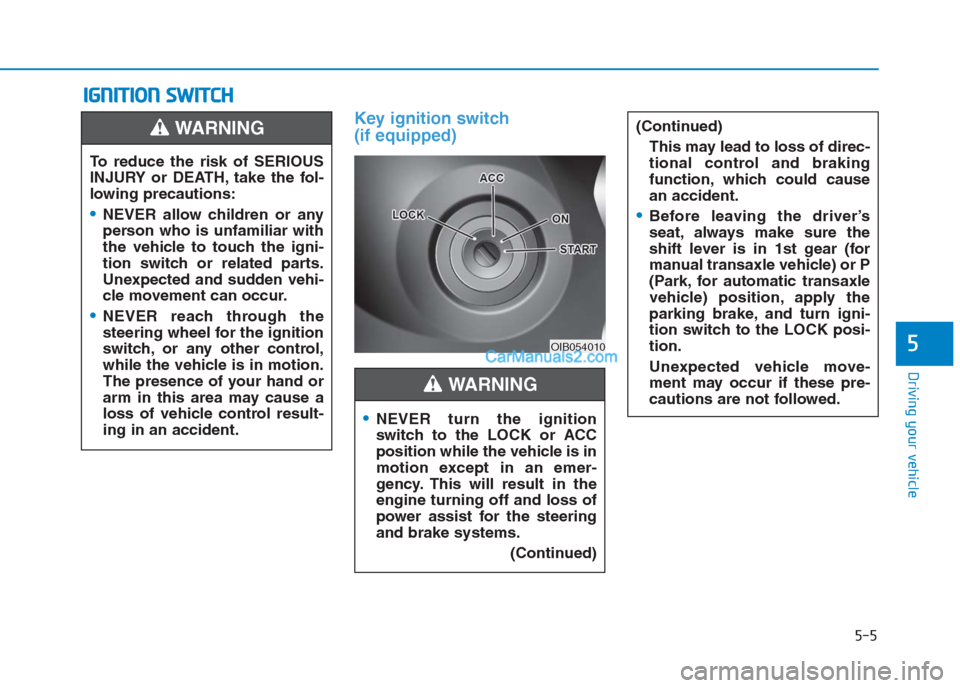
Key ignition switch
(if equipped)
I IG
GN
NI
IT
TI
IO
ON
N
S
SW
WI
IT
TC
CH
H
5-5
Driving your vehicle
5OIB054010
To reduce the risk of SERIOUS
INJURY or DEATH, take the fol-
lowing precautions:
NEVER allow children or any
person who is unfamiliar with
the vehicle to touch the igni-
tion switch or related parts.
Unexpected and sudden vehi-
cle movement can occur.
NEVER reach through the
steering wheel for the ignition
switch, or any other control,
while the vehicle is in motion.
The presence of your hand or
arm in this area may cause a
loss of vehicle control result-
ing in an accident.
WARNING
NEVER turn the ignition
switch to the LOCK or ACC
position while the vehicle is in
motion except in an emer-
gency. This will result in the
engine turning off and loss of
power assist for the steering
and brake systems.
(Continued)
(Continued)
This may lead to loss of direc-
tional control and braking
function, which could cause
an accident.
Before leaving the driver’s
seat, always make sure the
shift lever is in 1st gear (for
manual transaxle vehicle) or P
(Park, for automatic transaxle
vehicle) position, apply the
parking brake, and turn igni-
tion switch to the LOCK posi-
tion.
Unexpected vehicle move-
ment may occur if these pre-
cautions are not followed.
WARNING