car battery Hyundai Creta 2019 Owner's Manual
[x] Cancel search | Manufacturer: HYUNDAI, Model Year: 2019, Model line: Creta, Model: Hyundai Creta 2019Pages: 472, PDF Size: 13.39 MB
Page 39 of 472
2-19
Safety system of your vehicle
2
S SE
EA
AT
T
B
BE
EL
LT
TS
S
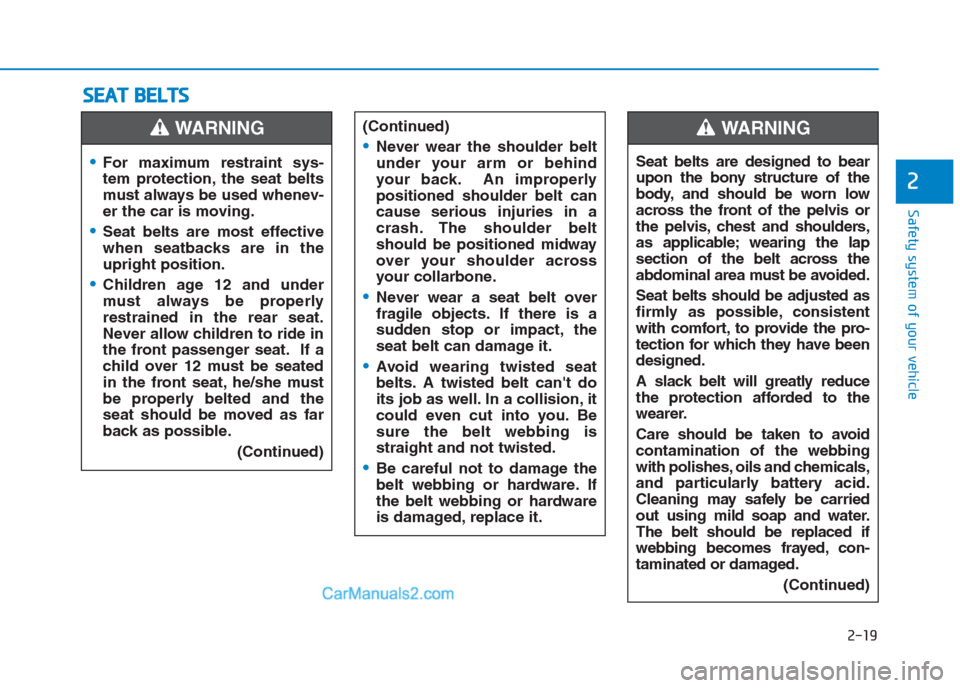
For maximum restraint sys-
tem protection, the seat belts
must always be used whenev-
er the car is moving.
Seat belts are most effective
when seatbacks are in the
upright position.
Children age 12 and under
must always be properly
restrained in the rear seat.
Never allow children to ride in
the front passenger seat. If a
child over 12 must be seated
in the front seat, he/she must
be properly belted and the
seat should be moved as far
back as possible.
(Continued)
WARNING (Continued)
Never wear the shoulder belt
under your arm or behind
your back. An improperly
positioned shoulder belt can
cause serious injuries in a
crash. The shoulder belt
should be positioned midway
over your shoulder across
your collarbone.
Never wear a seat belt over
fragile objects. If there is a
sudden stop or impact, the
seat belt can damage it.
Avoid wearing twisted seat
belts. A twisted belt can't do
its job as well. In a collision, it
could even cut into you. Be
sure the belt webbing is
straight and not twisted.
Be careful not to damage the
belt webbing or hardware. If
the belt webbing or hardware
is damaged, replace it.
Seat belts are designed to bear
upon the bony structure of the
body, and should be worn low
across the front of the pelvis or
the pelvis, chest and shoulders,
as applicable; wearing the lap
section of the belt across the
abdominal area must be avoided.
Seat belts should be adjusted as
firmly as possible, consistent
with comfort, to provide the pro-
tection for which they have been
designed.
A slack belt will greatly reduce
the protection afforded to the
wearer.
Care should be taken to avoid
contamination of the webbing
with polishes, oils and chemicals,
and particularly battery acid.
Cleaning may safely be carried
out using mild soap and water.
The belt should be replaced if
webbing becomes frayed, con-
taminated or damaged.
(Continued)
WARNING
Page 227 of 472
4-13
Multimedia System
4
Operating the device while driv-
ing could lead to accidents due
to a lack of attention to external
surroundings. First park the
vehicle before operating the
device.
Adjust the volume to levels that
allow the driver to hear sounds
from outside of the vehicle.
Driving in a state where external
sounds cannot be heard may
lead to accidents.
Pay attention to the volume set-
ting when turning the device on.
A sudden output of extreme vol-
ume upon turning the device on
could lead to hearing impair-
ment. (Adjust the volume to a
suitable level before turning off
the device.)
Turn on the car engine before
using this device. Do not oper-
ate the audio system for long
periods of time only with the
ignition turned on as such oper-
ations may lead to battery dis-
charge.
(Continued)(Continued)
Do not subject the device to
severe shock or impact. Direct
pressure onto the front side of
the monitor may cause damage
to the LCD.
When cleaning the device, make
sure to turn off the device and
use a dry and smooth cloth.
Never use tough materials,
chemical cloths, or solvents
(alcohol, benzene, thinners, etc.).
As such materials may damage
the device panel or cause
color/quality deterioration.
Do not place beverages close to
the audio system. Spilling bever-
ages may lead to system mal-
function.
In this case of product malfunc-
tion, please contact your place of
purchase or After Service center.
Placing the audio system within
an electromagnetic environment
may result in noise interference.
Prevent caustic solutions such
as perfume and cosmetic oil
from contacting the dashboard
because they may cause dam-
age or discoloration.
NOTICE
Driving while distracted can
result in a loss of vehicle con-
trol that may lead to an acci-
dent, severe personal injury,
and death. The driver’s primary
responsibility is in the safe and
legal operation of a vehicle, and
use of any handheld devices,
other equipment, or vehicle sys-
tems which take the driver’s
eyes, attention and focus away
from the safe operation of a
vehicle or which are not permis-
sible by law should never be
used during operation of the
vehicle.
WARNING
Page 238 of 472
4-24
Multimedia System
(Continued)
If you do not want automatic
connection with your Bluetooth
®
device, turn the Bluetooth®fea-
ture off in the Bluetooth®device.
Only one Bluetooth
®device can
be connected at a time.
Bluetooth
®connection may
become intermittently discon-
nected in some Bluetooth
®
devices. Follow these steps to
try again.
1. Turn the Bluetooth
®function
within the Bluetooth®device
OFF/ON and try again.
2. Turn the Bluetooth
®device
power OFF/ON and try again.
3. Completely remove the
Bluetooth
®device battery,
reboot, and then again.
4. Reboot the Multimedia System
and try again.
5. Delete all paired devices from
both of Bluetooth
®device and
Head Unit sides and then try
again. If the Bluetooth
®device is not
connected, it is not possible to
enter Phone mode. After con-
necting your Bluetooth
®device
to your car, use the Bluetooth®
features.
You will not be able to use the
handsfree feature when your
phone is outside of the cellular
service area (e.g. in a tunnel, in a
underground, in a mountainous
area, etc.).
If the cellular phone signal is
poor or the vehicles interior
noise is too loud, it may be diffi-
cult to hear the other person’s
voice during a call.
Do not place the Bluetooth
®
device near or inside metallic
objects, otherwise communica-
tions with Bluetooth
®system or
cellular service stations can be
disturbed.
Placing the audio system within
an electromagnetic environment
may result in noise interference.
(Continued)(Continued)
Some Bluetooth
®devices may
cause interference noise or mal-
function to audio system. In this
case, store the device in a differ-
ent location may resolve the
condition.
While a device is connected
through Bluetooth
®, your device
may discharge quicker than
usual for additional Bluetooth
®-
related operations.
The handsfree call volume and
quality may differ depending on
the Bluetooth
®device.
If Connection Priority is set
upon vehicle ignition (IGN/ACC
ON), the Bluetooth
®device will
be automatically connected.
Even if you are outside, the
Bluetooth
®device will be auto-
matically connected once you
are in the vicinity of the vehicle.
If you do not want to automati-
cally connect your Bluetooth
®
device, turn off the Bluetooth®
feature in your Bluetooth®
device.
(Continued)
NOTICE
Page 251 of 472
4-37
Multimedia System
4
Operating the device while driv-
ing could lead to accidents due
to a lack of attention to external
surroundings. First park the
vehicle before operating the
device.
Adjust the volume to levels that
allow the driver to hear sounds
from outside of the vehicle.
Driving in a state where external
sounds cannot be heard may
lead to accidents.
Pay attention to the volume set-
ting when turning the device on.
A sudden output of extreme vol-
ume upon turning the device on
could lead to hearing impair-
ment. (Adjust the volume to a
suitable level before turning off
the device.)
Turn on the car engine before
using this device. Do not oper-
ate the audio system for long
periods of time only with the
ignition turned on as such oper-
ations may lead to battery dis-
charge.
(Continued)(Continued)
Do not subject the device to
severe shock or impact. Direct
pressure onto the front side of
the monitor may cause damage
to the LCD.
When cleaning the device, make
sure to turn off the device and
use a dry and smooth cloth.
Never use tough materials,
chemical cloths, or solvents
(alcohol, benzene, thinners,
etc.). As such materials may
damage the device panel or
cause color/quality deterioration
Do not place beverages close to
the audio system. Spilling bever-
ages may lead to system mal-
function.
In this case of product malfunc-
tion, please contact your place of
purchase or After Service center.
Placing the audio system within
an electromagnetic environment
may result in noise interference.
Prevent caustic solutions such
as perfume and cosmetic oil
from contacting the dashboard
because they may cause dam-
age or discoloration.
NOTICE
Driving while distracted can
result in a loss of vehicle con-
trol that may lead to an acci-
dent, severe personal injury,
and death. The driver’s primary
responsibility is in the safe and
legal operation of a vehicle, and
use of any handheld devices,
other equipment, or vehicle sys-
tems which take the driver’s
eyes, attention and focus away
from the safe operation of a
vehicle or which are not permis-
sible by law should never be
used during operation of the
vehicle.
WARNING
Page 311 of 472
5-36
Driving your vehicle
Information
When you jump start your vehicle
because of a drained battery, the ABS
warning light ( ) may turn on at the
same time. This happens because of
the low battery voltage. It does not
mean your ABS is malfunctioning.
Have the battery recharged before
driving the vehicle.
Electronic Stability Control
(ESC) (if equipped)
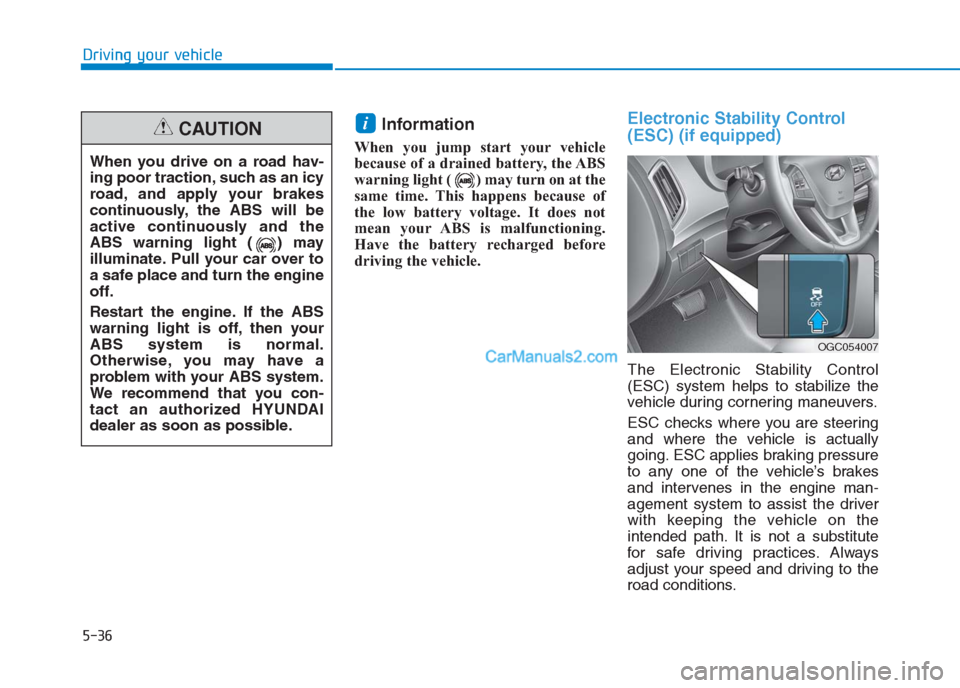
The Electronic Stability Control
(ESC) system helps to stabilize the
vehicle during cornering maneuvers.
ESC checks where you are steering
and where the vehicle is actually
going. ESC applies braking pressure
to any one of the vehicle’s brakes
and intervenes in the engine man-
agement system to assist the driver
with keeping the vehicle on the
intended path. It is not a substitute
for safe driving practices. Always
adjust your speed and driving to the
road conditions.
i
When you drive on a road hav-
ing poor traction, such as an icy
road, and apply your brakes
continuously, the ABS will be
active continuously and the
ABS warning light ( ) may
illuminate. Pull your car over to
a safe place and turn the engine
off.
Restart the engine. If the ABS
warning light is off, then your
ABS system is normal.
Otherwise, you may have a
problem with your ABS system.
We recommend that you con-
tact an authorized HYUNDAI
dealer as soon as possible.
CAUTION
OGC054007
Page 336 of 472
Jump starting can be dangerous if
done incorrectly. Follow the jump
starting procedure in this section to
avoid serious injury or damage to
your vehicle. If in doubt about how to
properly jump start your vehicle, we
strongly recommend that you have a
service technician or towing service
do it for you.
J JU
UM
MP
P
S
ST
TA
AR
RT
TI
IN
NG
G
6-5
What to do in an emergency
6
To prevent SERIOUS INJURY or
DEATH to you or bystanders,
always follow these precautions
when working near or handling
the battery:
Always read and follow
instructions carefully
when handling a battery.
Wear eye protection
designed to protect the
eyes from acid splashes.
Keep all flames, sparks,
or smoking materials
away from the battery.
Hydrogen is always
present in battery cells,
is highly combustible,
and may explode if ignit-
ed.
Keep batteries out of
reach of children.
(Continued)
(Continued)
Batteries contain sulfu-
ric acid which is highly
corrosive. Do not allow
acid to contact your
eyes, skin or clothing.
If acid gets into your eyes, flush
your eyes with clean water for at
least 15 minutes and get imme-
diate medical attention. If acid
gets on your skin, thoroughly
wash the area. If you feel pain or
a burning sensation, get med-
ical attention immediately.
•When lifting a plastic-cased
battery, excessive pressure
on the case may cause battery
acid to leak. Lift with a battery
carrier or with your hands on
opposite corners.
Do not attempt to jump start
your vehicle if your battery is
frozen.
(Continued)
WARNING
Improper jump starting proce-
dure can result in battery
explosion and acid burn haz-
ard.
Loosely connected battery
cables could damage the elec-
tronic control units.
To disconnect battery termi-
nals wait for at least 2 minutes
to allow discharge of high
voltage or it could lead to per-
sonal injury.
While disconnecting, always
disconnect the -VE terminal
first and while connecting,
always connect the -VE termi-
nal last.
CAUTION
Page 358 of 472
7
Maintenance
7
Maintenance
Engine compartment .............................................7-3
Maintenance services ...........................................7-5
Owner's responsibility ......................................................7-5
Owner maintenance precautions ................................7-5
Owner maintenance ...............................................7-8
Owner maintenance schedule ......................................7-8
Scheduled maintenance service ........................7-10
Explanation of scheduled maintenance items..7-28
Engine oil ..............................................................7-32
Checking the engine oil level ....................................7-32
Changing the engine oil and filter ..............................7-33
Engine coolant......................................................7-34
Checking the coolant level ...........................................7-34
Recommended engine coolant.....................................7-36
Changing the coolant .....................................................7-36
Brake/clutch fluid ................................................7-37
Checking the brake/clutch fluid level ........................7-37
Washer fluid .........................................................7-39
Checking the washer fluid level ..................................7-39
Parking brake .......................................................7-39
Checking the parking brake .........................................7-39
Fuel filter (For Diesel) ........................................7-40
Draining water from fuel filter ....................................7-40
Extracting air from the fuel filter ..............................7-40
Air cleaner ............................................................7-41
Filter replacement ........................................................7-41
Climate control air filter .....................................7-42
Filter inspection ...............................................................7-42
Filter replacement ...........................................................7-42
Wiper blades .........................................................7-44
Blade inspection ..............................................................7-44
Blade replacement ..........................................................7-44
Battery...................................................................7-47
For best battery service................................................7-47
Battery capacity label ....................................................7-49
Battery recharging .........................................................7-49
Reset items .......................................................................7-50
Tires and wheels ..................................................7-51
Tire care ............................................................................7-51
Recommended cold tire inflation pressures.............7-51
Checking tire inflation pressure ..................................7-53
Tire rotation .....................................................................7-54
Wheel alignment and tire balance ..............................7-55
Tire replacement .............................................................7-55
Wheel replacement ........................................................7-56
Tire traction ......................................................................7-57
Tire maintenance ...........................................................7-57
Tire sidewall labeling ......................................................7-57
Low aspect ratio tire ......................................................7-61
7
Page 363 of 472
7-6
Maintenance
• Do not put heavy objects or
apply excessive force on top of
the engine cover (if equipped) or
fuel related parts.
When you inspect the fuel sys-
tem (fuel lines and fuel injection
devices), we recommend that
you contact an authorized
HYUNDAI dealer.
Do not drive long time with
the engine cover (if equipped)
removed.
When checking the engine
room, do not go near fire. Fuel,
washer fluid, etc. are flammable
oils that may cause fire.
Before touching the battery,
ignition cables and electrical
wiring, you should disconnect
the battery "-" terminal. You may
get an electric shock from the
electric current.
(Continued)
NOTICE
Maintenance work
Performing maintenance work
on a vehicle can be danger-
ous. You can be seriously
injured while performing some
maintenance procedures. If
you lack sufficient knowledge
and experience or the proper
tools and equipment to do the
work, we recommend that the
system be serviced by an
authorized HYUNDAI dealer.
Working under the hood with
the engine running is danger-
ous. It becomes even more
dangerous when you wear
jewelry or loose clothing.
These can become entangled
in moving parts and result in
injury.
(Continued)
WARNING (Continued)
Therefore, if you must run the
engine while working under the
hood, make certain that you
remove all jewelry (especially
rings, bracelets, watches, and
necklaces) and all neckties,
scarves, and similar loose
clothing before getting near the
engine or cooling fans.
Do not leave gloves, rags or any
other combustible material in
the engine compartment. Doing
so may cause a heat-induced
fire.
WARNING
Page 404 of 472
7-47
7
Maintenance
B BA
AT
TT
TE
ER
RY
Y
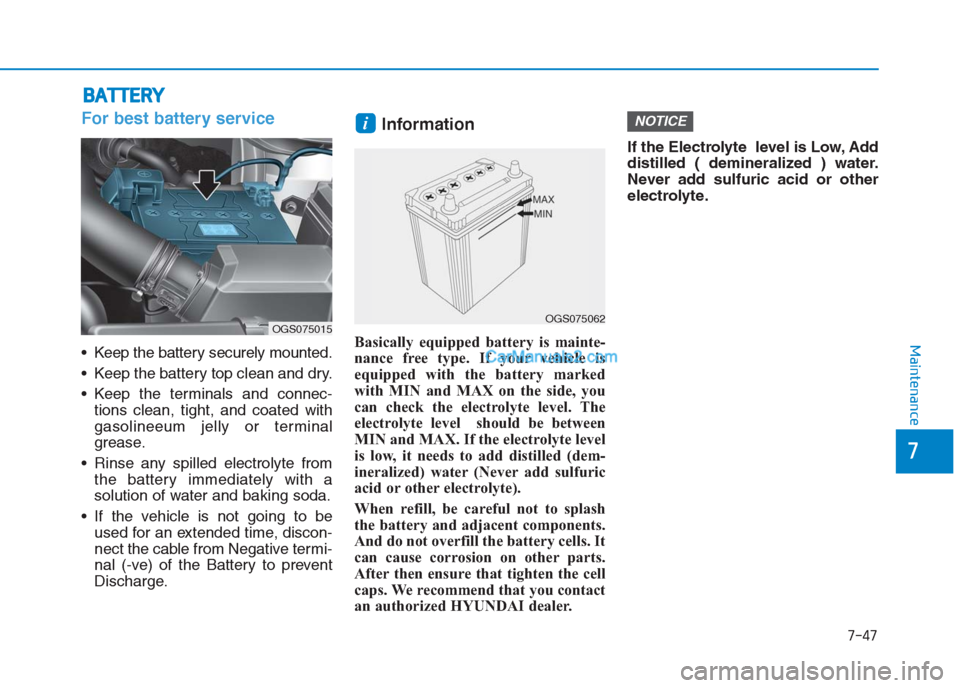
For best battery service
Keep the battery securely mounted.
Keep the battery top clean and dry.
Keep the terminals and connec-
tions clean, tight, and coated with
gasolineeum jelly or terminal
grease.
Rinse any spilled electrolyte from
the battery immediately with a
solution of water and baking soda.
If the vehicle is not going to be
used for an extended time, discon-
nect the cable from Negative termi-
nal (-ve) of the Battery to prevent
Discharge.
Information
Basically equipped battery is mainte-
nance free type. If your vehicle is
equipped with the battery marked
with MIN and MAX on the side, you
can check the electrolyte level. The
electrolyte level should be between
MIN and MAX. If the electrolyte level
is low, it needs to add distilled (dem-
ineralized) water (Never add sulfuric
acid or other electrolyte).
When refill, be careful not to splash
the battery and adjacent components.
And do not overfill the battery cells. It
can cause corrosion on other parts.
After then ensure that tighten the cell
caps. We recommend that you contact
an authorized HYUNDAI dealer.If the Electrolyte level is Low, Add
distilled ( demineralized ) water.
Never add sulfuric acid or other
electrolyte.
NOTICEi
OGS075062OGS075015
Page 405 of 472
7-48
Maintenance
(Continued)
If any electrolyte gets
into your eyes, flush
your eyes with clean
water for at least 15
minutes and get
immediate medical
attention. If electrolyte
gets on your skin,
thoroughly wash the
contacted area. If you
feel a pain or a burning
sensation, get medical
attention immediately.
Wear eye protection
when charging or
working near a battery.
Always provide venti-
lation when working in
an enclosed space.
(Continued)
(Continued)
An inappropriately
disposed battery can
be harmful to the envi-
ronment and human
health. Dispose the
battery according to
your local law(s) or
regulation.
The battery contains
lead. Do not dispose of
it after use. Please
return the battery to an
authorized HYUNDAI
dealer to be recycled.
When lifting a plastic-cased
battery, excessive pressure
on the case may cause battery
acid to leak, resulting in per-
sonal injury. Lift with a battery
carrier or with your hands on
opposite corners.
(Continued)
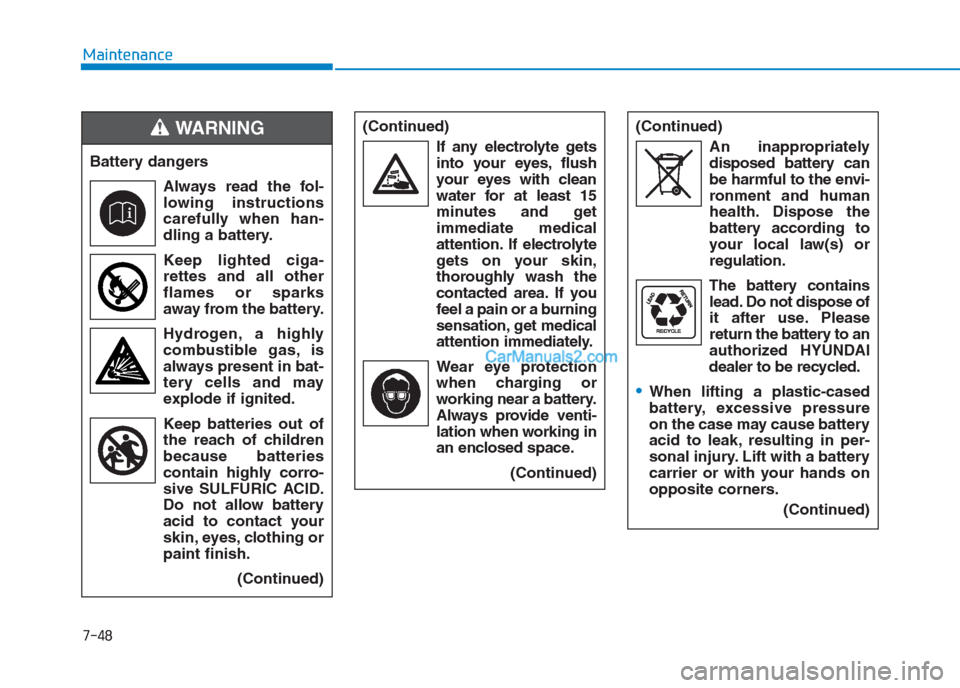
Battery dangers
Always read the fol-
lowing instructions
carefully when han-
dling a battery.
Keep lighted ciga-
rettes and all other
flames or sparks
away from the battery.
Hydrogen, a highly
combustible gas, is
always present in bat-
tery cells and may
explode if ignited.
Keep batteries out of
the reach of children
because batteries
contain highly corro-
sive SULFURIC ACID.
Do not allow battery
acid to contact your
skin, eyes, clothing or
paint finish.
(Continued)
WARNING