wheel Hyundai Elantra 2007 User Guide
[x] Cancel search | Manufacturer: HYUNDAI, Model Year: 2007, Model line: Elantra, Model: Hyundai Elantra 2007Pages: 339, PDF Size: 11.19 MB
Page 71 of 339
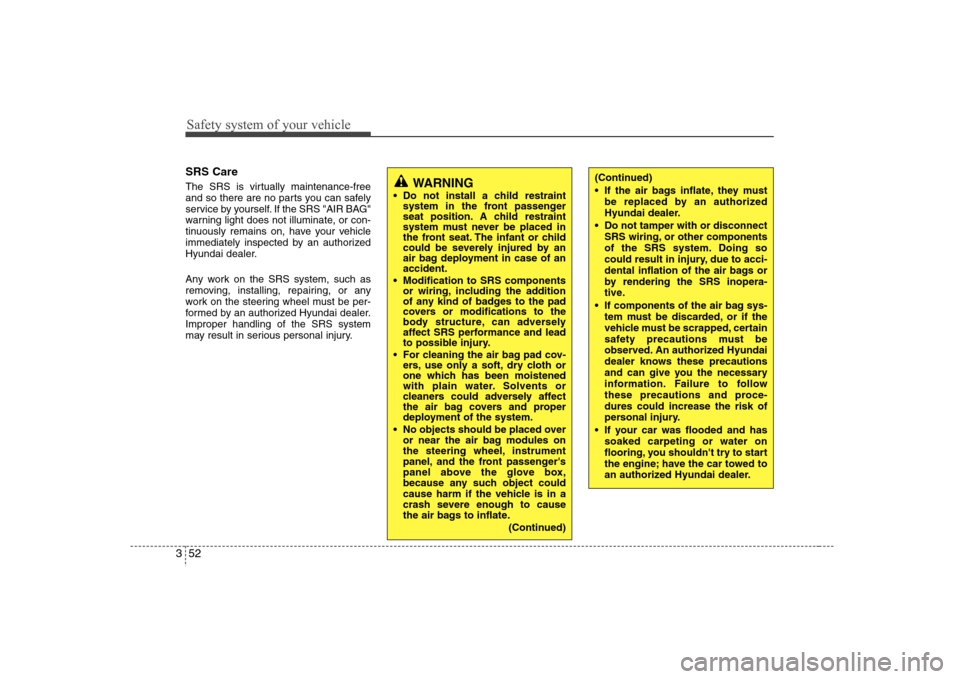
Safety system of your vehicle52 3SRS CareThe SRS is virtually maintenance-free
and so there are no parts you can safely
service by yourself. If the SRS "AIR BAG"
warning light does not illuminate, or con-
tinuously remains on, have your vehicle
immediately inspected by an authorized
Hyundai dealer.
Any work on the SRS system, such as
removing, installing, repairing, or any
work on the steering wheel must be per-
formed by an authorized Hyundai dealer.
Improper handling of the SRS system
may result in serious personal injury.
WARNING
Do not install a child restraint
system in the front passenger
seat position. A child restraint
system must never be placed in
the front seat. The infant or child
could be severely injured by an
air bag deployment in case of an
accident.
Modification to SRS components
or wiring, including the addition
of any kind of badges to the pad
covers or modifications to the
body structure, can adversely
affect SRS performance and lead
to possible injury.
For cleaning the air bag pad cov-
ers, use only a soft, dry cloth or
one which has been moistened
with plain water. Solvents or
cleaners could adversely affect
the air bag covers and proper
deployment of the system.
No objects should be placed over
or near the air bag modules on
the steering wheel, instrument
panel, and the front passenger's
panel above the glove box,
because any such object could
cause harm if the vehicle is in a
crash severe enough to cause
the air bags to inflate.
(Continued)
(Continued)
If the air bags inflate, they must
be replaced by an authorized
Hyundai dealer.
Do not tamper with or disconnect
SRS wiring, or other components
of the SRS system. Doing so
could result in injury, due to acci-
dental inflation of the air bags or
by rendering the SRS inopera-
tive.
If components of the air bag sys-
tem must be discarded, or if the
vehicle must be scrapped, certain
safety precautions must be
observed. An authorized Hyundai
dealer knows these precautions
and can give you the necessary
information. Failure to follow
these precautions and proce-
dures could increase the risk of
personal injury.
If your car was flooded and has
soaked carpeting or water on
flooring, you shouldn't try to start
the engine; have the car towed to
an authorized Hyundai dealer.
Page 74 of 339
4
Keys / 4-2
Remote keyless entry / 4-3
Theft-alarm system / 4-6
Door locks / 4-8
Trunk / 4-12
Windows / 4-14
Hood / 4-18
Fuel filler lid / 4-20
Sunroof / 4-23
Steering wheel / 4-28
Mirrors / 4-30
Instrument cluster / 4-38
Hazard warning flasher / 4-50
Lighting / 4-51
Wipers and washers / 4-54
Interior light / 4-56
Defroster / 4-59
Manual climate control system / 4-60
Automatic climate control system / 4-69
Windshield defrosting and defogging / 4-77
Storage compartment / 4-80
Interior features / 4-82
Audio system / 4-87
Features of your vehicle
Page 101 of 339
Features of your vehicle28 4Electronic power steering Power steering uses the motor to assist
you in steering the vehicle. If the engine
is off or if the power steering system
becomes inoperative, the vehicle may
still be steered, but it will require
increased steering effort.
The motor driven power steering is con-
trolled by power steering control unit
which sense the steering wheel torque,
steering wheel position and vehicle
speed to command the motor.
The steering wheel becomes heavier as
the vehicle’s speed increases and
becomes lighter as the vehicle’s speed
decreases for the better control of the
steering wheel.
Should you notice any change in the
effort required to steer during normal
vehicle operation, have the power steer-
ing checked by an authorized Hyundai
dealer.
✽ ✽
NOTICEThe following symptoms may occur dur-
ing normal vehicle operation:
• The EPS warning light does not illumi-
nate.
• The steering wheel becomes heavier
after turning the ignition switch on.
This happens as the system performs
the EPS system diagnostics. When the
diagnostics is completed, the steering
wheel will return to its normal condi-
tion.
• Click noise may be heard from the
EPS relay after the ignition switch is
turned to the ON or LOCK position.
• Motor noise may be heard when the
vehicle is at a stop or at a low driving
speed.
• The steering effort can suddenly
increase, if the operation of EPS sys-
tem is stopped to prevent serious acci-
dents when the malfunction of EPS
system is detected by self-diagnosis.
Tilt steering A tilt steering wheel allows you to adjust
the steering wheel before you drive. You
can also raise it to the highest level to
give your legs more room when you exit
and enter the vehicle.
The steering wheel should be positioned
so that it is comfortable for you to drive,
while permitting you to see the instru-
ment panel warning lights and gauges.
STEERING WHEEL
Page 102 of 339
429
Features of your vehicle
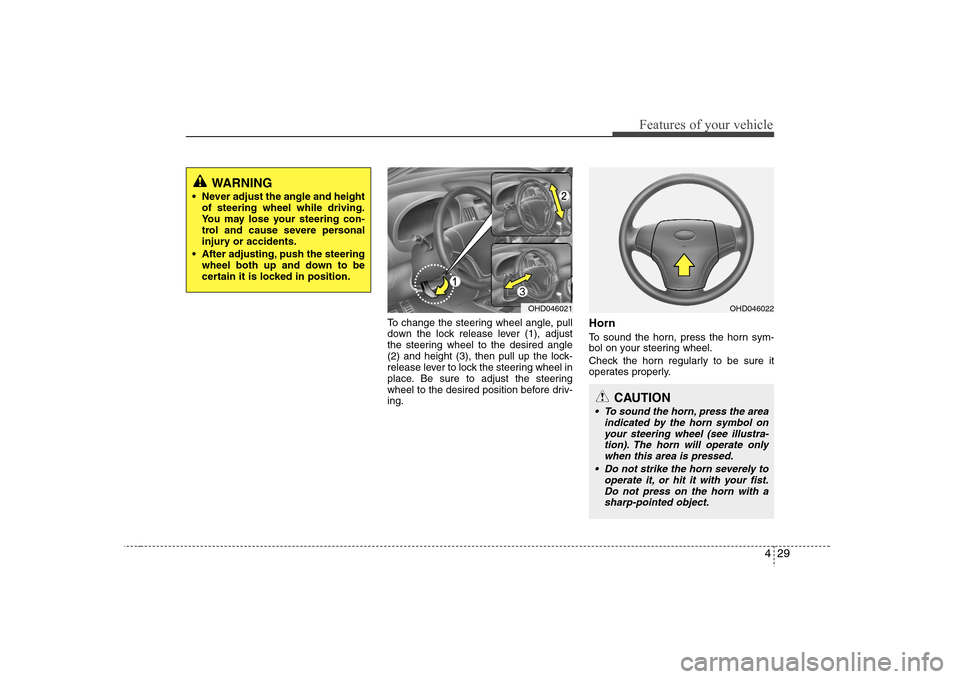
To change the steering wheel angle, pull
down the lock release lever (1), adjust
the steering wheel to the desired angle
(2) and height (3), then pull up the lock-
release lever to lock the steering wheel in
place. Be sure to adjust the steering
wheel to the desired position before driv-
ing.
HornTo sound the horn, press the horn sym-
bol on your steering wheel.
Check the horn regularly to be sure it
operates properly.
WARNING
Never adjust the angle and height
of steering wheel while driving.
You may lose your steering con-
trol and cause severe personal
injury or accidents.
After adjusting, push the steering
wheel both up and down to be
certain it is locked in position.
OHD046021
CAUTION
To sound the horn, press the area
indicated by the horn symbol on
your steering wheel (see illustra-
tion). The horn will operate only
when this area is pressed.
Do not strike the horn severely to
operate it, or hit it with your fist.
Do not press on the horn with a
sharp-pointed object.
OHD046022
Page 120 of 339
447
Features of your vehicle
Your vehicle is equipped with dual-diago-
nal braking systems. This means you still
have braking on two wheels even if one
of the dual systems should fail. With only
one of the dual systems working, more
than normal pedal travel and greater
pedal pressure are required to stop the
car. Also, the car will not stop in as short
a distance with only a portion of the
brake system working. If the brakes fail
while you are driving, shift to a lower gear
for additional engine braking and stop the
car as soon as it is safe to do so.
To check bulb operation, check whether
the parking brake and brake fluid warning
light illuminates when the ignition switch
is in the ON position.
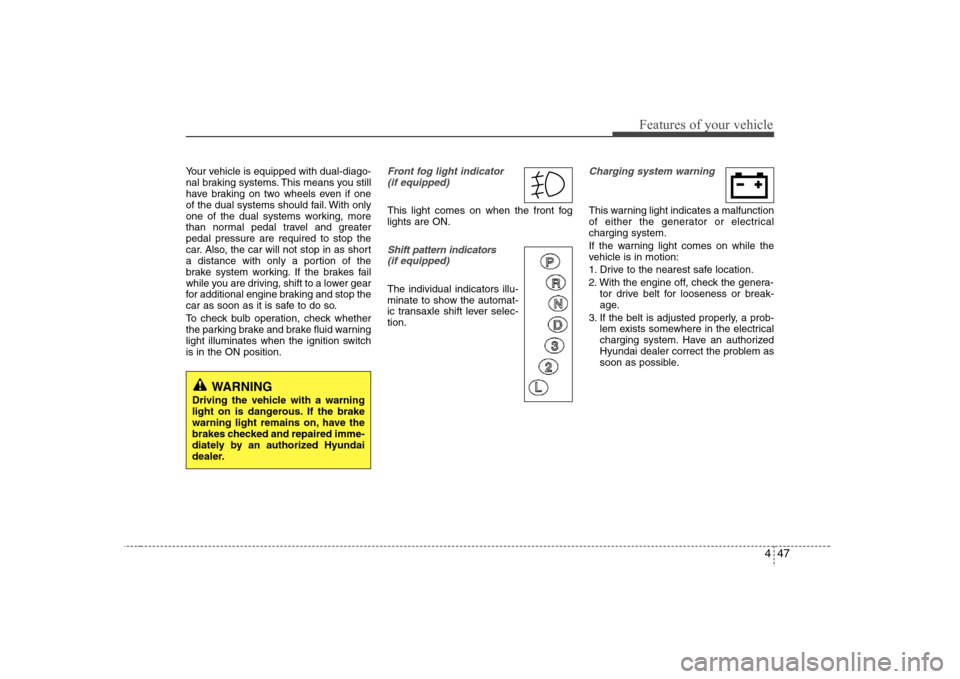
Front fog light indicator
(if equipped) This light comes on when the front fog
lights are ON.Shift pattern indicators
(if equipped)The individual indicators illu-
minate to show the automat-
ic transaxle shift lever selec-
tion.
Charging system warning This warning light indicates a malfunction
of either the generator or electrical
charging system.
If the warning light comes on while the
vehicle is in motion:
1. Drive to the nearest safe location.
2. With the engine off, check the genera-
tor drive belt for looseness or break-
age.
3. If the belt is adjusted properly, a prob-
lem exists somewhere in the electrical
charging system. Have an authorized
Hyundai dealer correct the problem as
soon as possible.
WARNING
Driving the vehicle with a warning
light on is dangerous. If the brake
warning light remains on, have the
brakes checked and repaired imme-
diately by an authorized Hyundai
dealer.
Page 122 of 339
449
Features of your vehicle
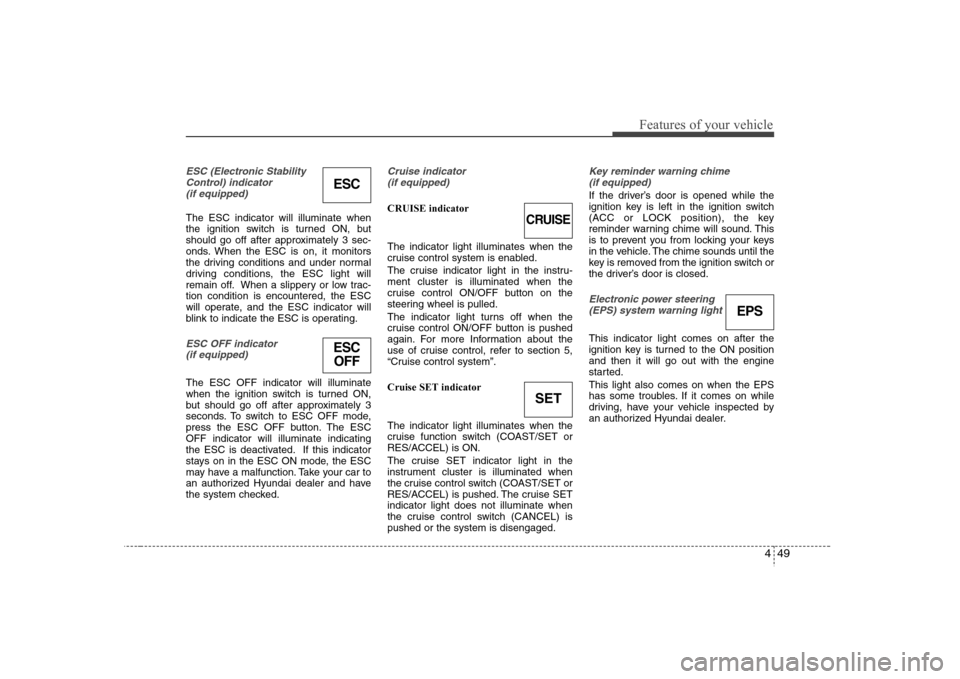
ESC (Electronic Stability
Control) indicator
(if equipped)The ESC indicator will illuminate when
the ignition switch is turned ON, but
should go off after approximately 3 sec-
onds. When the ESC is on, it monitors
the driving conditions and under normal
driving conditions, the ESC light will
remain off. When a slippery or low trac-
tion condition is encountered, the ESC
will operate, and the ESC indicator will
blink to indicate the ESC is operating.ESC OFF indicator
(if equipped)The ESC OFF indicator will illuminate
when the ignition switch is turned ON,
but should go off after approximately 3
seconds. To switch to ESC OFF mode,
press the ESC OFF button. The ESC
OFF indicator will illuminate indicating
the ESC is deactivated. If this indicator
stays on in the ESC ON mode, the ESC
may have a malfunction. Take your car to
an authorized Hyundai dealer and have
the system checked.
Cruise indicator
(if equipped)CRUISE indicator
The indicator light illuminates when the
cruise control system is enabled.
The cruise indicator light in the instru-
ment cluster is illuminated when the
cruise control ON/OFF button on the
steering wheel is pulled.
The indicator light turns off when the
cruise control ON/OFF button is pushed
again. For more Information about the
use of cruise control, refer to section 5,
“Cruise control system”.
Cruise SET indicator
The indicator light illuminates when the
cruise function switch (COAST/SET or
RES/ACCEL) is ON.
The cruise SET indicator light in the
instrument cluster is illuminated when
the cruise control switch (COAST/SET or
RES/ACCEL) is pushed. The cruise SET
indicator light does not illuminate when
the cruise control switch (CANCEL) is
pushed or the system is disengaged.
Key reminder warning chime
(if equipped)If the driver’s door is opened while the
ignition key is left in the ignition switch
(ACC or LOCK position), the key
reminder warning chime will sound. This
is to prevent you from locking your keys
in the vehicle. The chime sounds until the
key is removed from the ignition switch or
the driver’s door is closed.Electronic power steering
(EPS) system warning light This indicator light comes on after the
ignition key is turned to the ON position
and then it will go out with the engine
started.
This light also comes on when the EPS
has some troubles. If it comes on while
driving, have your vehicle inspected by
an authorized Hyundai dealer.
ESC
CRUISE
ESC
OFF
SET
EPS
Page 136 of 339
463
Features of your vehicle
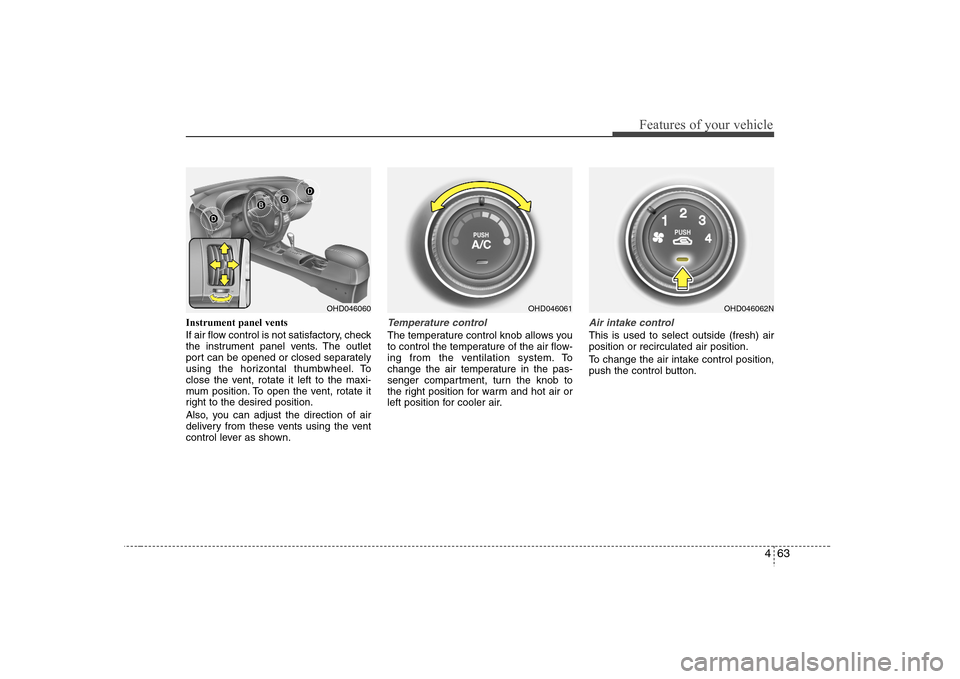
Instrument panel vents
If air flow control is not satisfactory, check
the instrument panel vents. The outlet
port can be opened or closed separately
using the horizontal thumbwheel. To
close the vent, rotate it left to the maxi-
mum position. To open the vent, rotate it
right to the desired position.
Also, you can adjust the direction of air
delivery from these vents using the vent
control lever as shown.
Temperature controlThe temperature control knob allows you
to control the temperature of the air flow-
ing from the ventilation system. To
change the air temperature in the pas-
senger compartment, turn the knob to
the right position for warm and hot air or
left position for cooler air.
Air intake control This is used to select outside (fresh) air
position or recirculated air position.
To change the air intake control position,
push the control button.
OHD046061
OHD046060
OHD046062N
Page 145 of 339
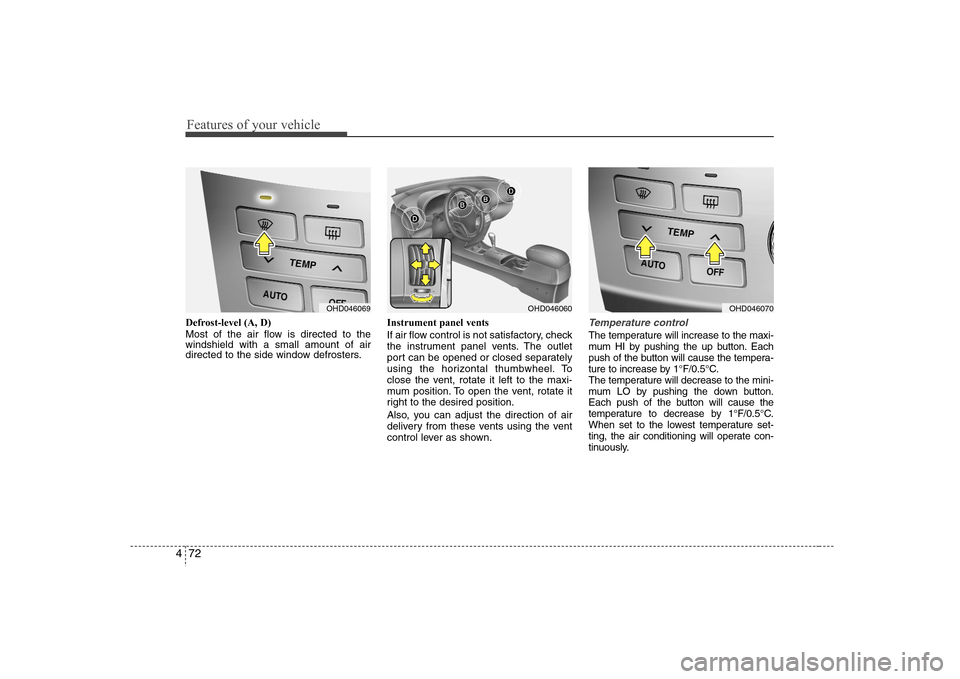
Features of your vehicle72 4Defrost-level (A, D)
Most of the air flow is directed to the
windshield with a small amount of air
directed to the side window defrosters.Instrument panel vents
If air flow control is not satisfactory, check
the instrument panel vents. The outlet
port can be opened or closed separately
using the horizontal thumbwheel. To
close the vent, rotate it left to the maxi-
mum position. To open the vent, rotate it
right to the desired position.
Also, you can adjust the direction of air
delivery from these vents using the vent
control lever as shown.
Temperature controlThe temperature will increase to the maxi-
mum HI by pushing the up button. Each
push of the button will cause the tempera-
ture to increase by 1°F/0.5°C.
The temperature will decrease to the mini-
mum LO by pushing the down button.
Each push of the button will cause the
temperature to decrease by 1°F/0.5°C.
When set to the lowest temperature set-
ting, the air conditioning will operate con-
tinuously.
OHD046069
OHD046060
OHD046070
Page 161 of 339
Features of your vehicle88 4Audio remote control
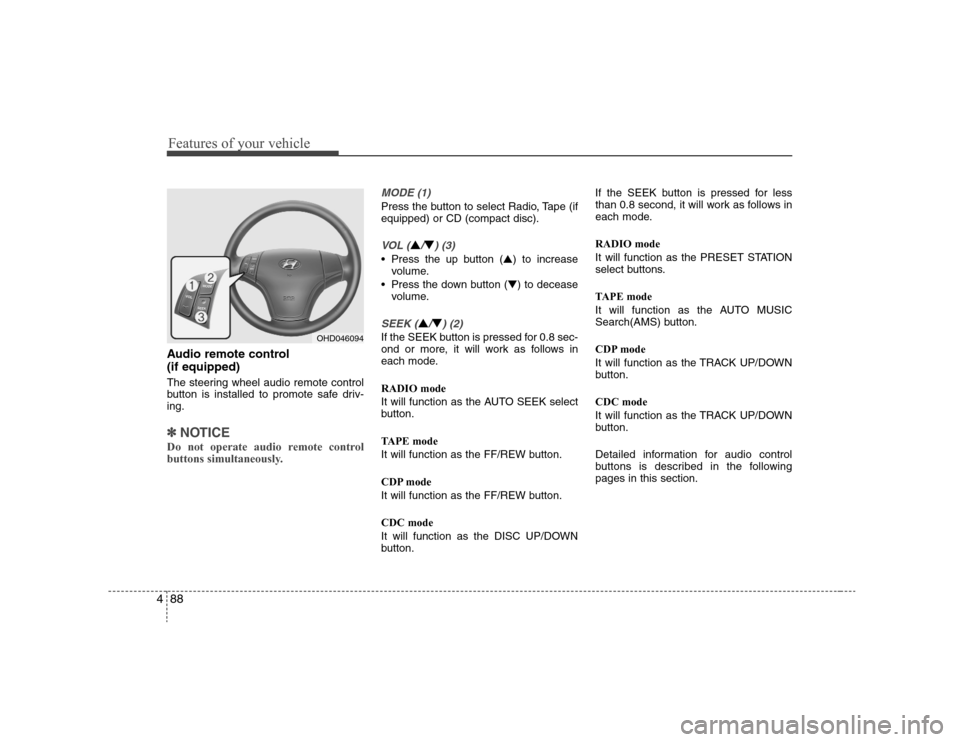
(if equipped) The steering wheel audio remote control
button is installed to promote safe driv-
ing.✽ ✽
NOTICEDo not operate audio remote control
buttons simultaneously.
MODE (1)Press the button to select Radio, Tape (if
equipped) or CD (compact disc).VOL (
▲/▼) (3)
• Press the up button (▲) to increase
volume.
Press the down button (▼) to decease
volume.SEEK (
▲/▼) (2)
If the SEEK button is pressed for 0.8 sec-
ond or more, it will work as follows in
each mode.
RADIO mode
It will function as the AUTO SEEK select
button.
TAPE mode
It will function as the FF/REW button.
CDP mode
It will function as the FF/REW button.
CDC mode
It will function as the DISC UP/DOWN
button.If the SEEK button is pressed for less
than 0.8 second, it will work as follows in
each mode.
RADIO mode
It will function as the PRESET STATION
select buttons.
TAPE mode
It will function as the AUTO MUSIC
Search(AMS) button.
CDP mode
It will function as the TRACK UP/DOWN
button.
CDC mode
It will function as the TRACK UP/DOWN
button.
Detailed information for audio control
buttons is described in the following
pages in this section.
OHD046094
Page 189 of 339
Driving your vehicle4 5
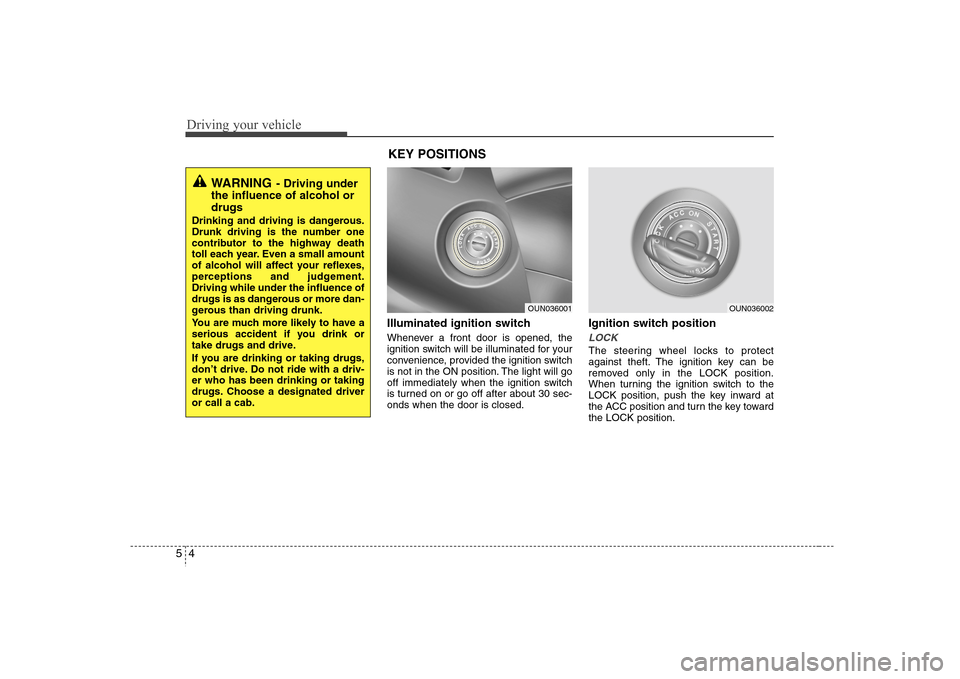
Illuminated ignition switch Whenever a front door is opened, the
ignition switch will be illuminated for your
convenience, provided the ignition switch
is not in the ON position. The light will go
off immediately when the ignition switch
is turned on or go off after about 30 sec-
onds when the door is closed.
Ignition switch positionLOCKThe steering wheel locks to protect
against theft. The ignition key can be
removed only in the LOCK position.
When turning the ignition switch to the
LOCK position, push the key inward at
the ACC position and turn the key toward
the LOCK position.
OUN036001
OUN036002
WARNING
- Driving under
the influence of alcohol or
drugs
Drinking and driving is dangerous.
Drunk driving is the number one
contributor to the highway death
toll each year. Even a small amount
of alcohol will affect your reflexes,
perceptions and judgement.
Driving while under the influence of
drugs is as dangerous or more dan-
gerous than driving drunk.
You are much more likely to have a
serious accident if you drink or
take drugs and drive.
If you are drinking or taking drugs,
don’t drive. Do not ride with a driv-
er who has been drinking or taking
drugs. Choose a designated driver
or call a cab.
KEY POSITIONS