light Hyundai Elantra 2007 Repair Manual
[x] Cancel search | Manufacturer: HYUNDAI, Model Year: 2007, Model line: Elantra, Model: Hyundai Elantra 2007Pages: 339, PDF Size: 11.19 MB
Page 164 of 339
491
Features of your vehicle
Care of cassette tapes
(if equipped) Because the thickness of a cassette
tape with the total playback time of
over 60 minutes (C-60) are too thin, we
suggest that you do not use any of
them to avoid having tapes being tan-
gled.
To achieve better sound quality, period-
ically clean the tape head using a cot-
ton stick with colorless alcohol (once
per month).
If a tape is too loose, fasten it to reel by
winding with objects like a pencil.
Because dust or foreign objects on a
cassette tape may damage the play-
back head, always store tapes in their
cases when not in use.
Make sure cassette tapes are kept
away from magnetic devices (TV,
stereo system, etc) in order to achieve
better sound quality.
Be certain that no objects or substances
other than cassette tapes are inserted
into the cassette tape player. Because tape media can be distorted
when exposed to direct sunlight, Do
not leave cassette tapes on the seats,
dashboard or near the back wind-
shield.
Care of disc (if equipped) If the temperature inside the car is too
high, open the car windows for ventilation
before using your car audio.
It is illegal to copy and use
MP3/WMA/AAC/WAVE files without
permission(If equipped with M465, use
only MP3/WMA, If equipped with M445,
use only CD-DA). Use CDs that are cre-
ated only by lawful means.
Do not apply volatile agents such as
benzene and thinner, normal cleaners
and magnetic sprays made for ana-
logue disc onto CDs.
To prevent the disc surface from get-
ting damaged. Hold and carry CDs by
the edges or the edges of the center
hole only.
Clean the disc surface with a piece of
soft cloth before playback (wipe it from
the center to the outside edge).
Do not damage the disc surface or
attach pieces of sticky tape or paper
onto it.
Make sure on undesirable matter other
than CDs are inserted into the CD
player (Do not insert more than one
CD at a time).
Keep CDs in their cases after use to
protect them from scratches or dirt. Depending on the type of CD-R/CD-
RW CDs, certain CDs may not operate
normally according to manufacturing
companies or making and recording
methods. In such circumstances, if you
still continue to use those CDs, they
may cause the malfunction of your car
audio system.
✽ ✽
NOTICE
- Playing an
Incompatible Copy-Protected
Audio CD
Some copy-protected CDs, which do not
comply with the international audio CD
standards(Red Book), may not play on
your car audio. Please note that if you
try to play copy protected CDs and the
CD player of your car audio is not per-
forming to your expectation, this may be
caused by those CDs and not a defect in
the device itself. Please replace those
CDs.
Page 182 of 339
4109
Features of your vehicle
1. LOAD ButtonThis compact disc player will accommo-
date up to six compact discs.
To insert one disc into the player, do the
following:
1. Press and release the LOAD Button.
2. Blue light on the slot will be illuminated
and the lowest number of empty slot
will blink on the display. After "WAIT" is
displayed on the LCD, the slot will open
with "INSERT" displayed on the LCD.
3. Insert a disc partway into the slot, label
side up. The player will pull the disc in.
When the disc is inserted, the disc will
begin to play automatically.✽ ✽
NOTICE• Playback of MP3, AAC, and WMA
file formats are supported. Load to
play time for these formats may be
longer due to the compressed nature
of these discs.
• The disc can be only inserted while the
green light is blinking on the slot.
• This CD player is suitable only for 12
cm discs, do not use irregular shaped
CDs.
To insert multiple discs into the player, do
the followings:
1. Press and hold the LOAD button for
one second or more. You will then hear
a beep sound and the green light on
the slot will be illuminated, and the
numbers of empty disc will blink on the
display.
2. After "WAIT" is displayed on the LCD
with the lowest number of empty slot
blinking, the slot will open with
"INSERT" displayed on the LCD.
3. Insert a disc partway into the slot, label
side up. The player will pull the disc in.
Once the disc is loaded, the numbers
of the empty disc will blink on the dis-
play continuously. If the next "DISC
NO." is displayed when the slot is illu-
minated, you can then load another
disc.
4. Load the remaining disc by following
the same procedures 1 and 2. When
you finished loading 6 discs, the CD
player will begin to play the last CD
loaded.5. To load more than one disc but less
than six, complete Steps 1 and 2.
When you have finished loading discs,
press LOAD button to cancel the load-
ing function or wait for 10 seconds.
The CD player will begin to play the
last CD loaded. As each CD starts to
play, the DISC number will appear on
the display.
✽ ✽
NOTICEThe disc player takes up to six discs.
Do not try to load more than six.2. CD(AUDIO/MP3)/AUX Select
Button Press the CD Button to start CD play-
back, during radio operation or cas-
sette tape playing.
When discs are in the CD deck, if you
press the CD button, the CD player will
begin playing even if the radio or cas-
sette player is being used.
The CD player can be used when the
ignition switch is in either the "ON" or
"ACC" position.
Push the CD button to start CD play-
back without pushing Power ON-OFF
control knob. (Only when a CD is in the
deck.
Page 188 of 339
53
Driving your vehicle
Before entering vehicle• Be sure that all windows, outside mir-
ror(s), and outside lights are clean.
Check the condition of the tires.
Check under the vehicle for any sign of
leaks.
Be sure there are no obstacles behind
you if you intend to back up.Necessary inspections Fluid levels, such as engine oil, engine
coolant, brake fluid, and washer fluid
should be checked on a regular basis,
with the exact interval depending on the
fluid. Further details are provided in
Section 7, “Maintenance”.Before starting Close and lock all doors.
Position the seat so that all controls are
easily reached.
Adjust the inside and outside rearview
mirrors. Be sure that all lights work.
Check all gauges.
Check the operation of warning lights
when the ignition switch is turned to
the ON position.
Release the parking brake and make
sure the brake warning light goes out.
For safe operation, be sure you are famil-
iar with your vehicle and its equipment.BEFORE DRIVING
WARNING
All passengers must be properly
belted whenever the vehicle is mov-
ing. Refer to “Seat belts” in section
3 for more information on their
proper use.
WARNING
Always check the surrounding
areas near your vehicle for people,
especially children, before putting a
car into “Drive” or “Reverse”.
PROPOSITION 65 WARN-
ING
Engine exhaust and a wide variety
of automobile components and
parts, including components found
in the interior furnishings in a vehi-
cle, contain or emit chemicals
known to the State of California to
cause cancer and birth defects and
reproductive harm. In addition, cer-
tain fluids contained in vehicles
and certain products of component
wear contain or emit chemicals
known to the State of California to
cause cancer and birth defects or
other reproductive harm.
Page 189 of 339
Driving your vehicle4 5
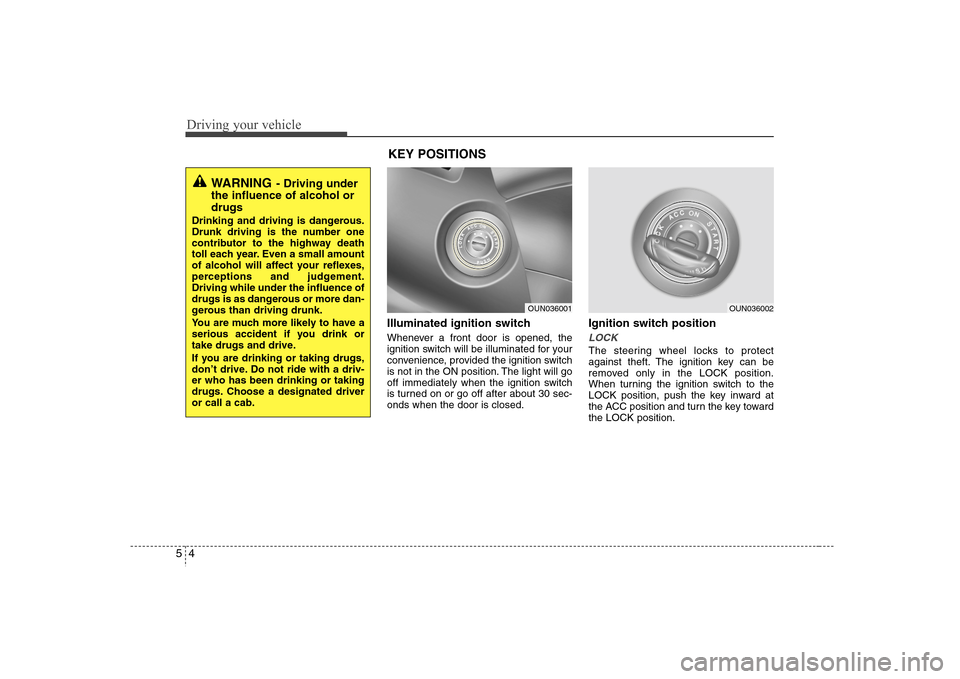
Illuminated ignition switch Whenever a front door is opened, the
ignition switch will be illuminated for your
convenience, provided the ignition switch
is not in the ON position. The light will go
off immediately when the ignition switch
is turned on or go off after about 30 sec-
onds when the door is closed.
Ignition switch positionLOCKThe steering wheel locks to protect
against theft. The ignition key can be
removed only in the LOCK position.
When turning the ignition switch to the
LOCK position, push the key inward at
the ACC position and turn the key toward
the LOCK position.
OUN036001
OUN036002
WARNING
- Driving under
the influence of alcohol or
drugs
Drinking and driving is dangerous.
Drunk driving is the number one
contributor to the highway death
toll each year. Even a small amount
of alcohol will affect your reflexes,
perceptions and judgement.
Driving while under the influence of
drugs is as dangerous or more dan-
gerous than driving drunk.
You are much more likely to have a
serious accident if you drink or
take drugs and drive.
If you are drinking or taking drugs,
don’t drive. Do not ride with a driv-
er who has been drinking or taking
drugs. Choose a designated driver
or call a cab.
KEY POSITIONS
Page 190 of 339
55
Driving your vehicle
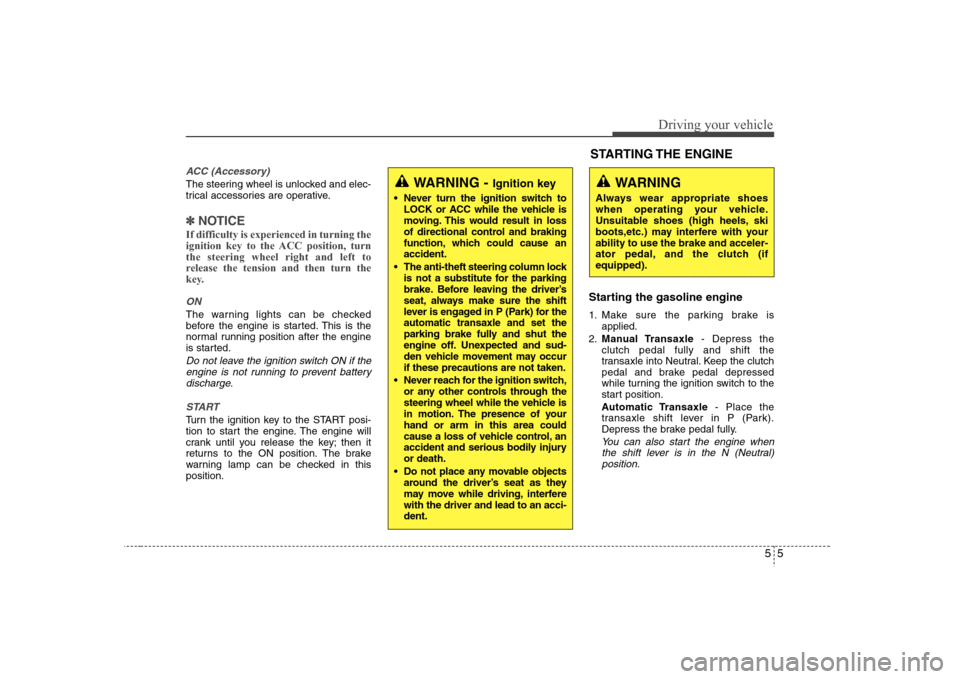
ACC (Accessory)The steering wheel is unlocked and elec-
trical accessories are operative.✽ ✽
NOTICEIf difficulty is experienced in turning the
ignition key to the ACC position, turn
the steering wheel right and left to
release the tension and then turn the
key.ONThe warning lights can be checked
before the engine is started. This is the
normal running position after the engine
is started.Do not leave the ignition switch ON if the
engine is not running to prevent battery
discharge.
STARTTurn the ignition key to the START posi-
tion to start the engine. The engine will
crank until you release the key; then it
returns to the ON position. The brake
warning lamp can be checked in this
position.
Starting the gasoline engine 1. Make sure the parking brake is
applied.
2.Manual Transaxle- Depress the
clutch pedal fully and shift the
transaxle into Neutral. Keep the clutch
pedal and brake pedal depressed
while turning the ignition switch to the
start position.
Automatic Transaxle- Place the
transaxle shift lever in P (Park).
Depress the brake pedal fully.
You can also start the engine when
the shift lever is in the N (Neutral)
position.
WARNING -
Ignition key
Never turn the ignition switch to
LOCK or ACC while the vehicle is
moving. This would result in loss
of directional control and braking
function, which could cause an
accident.
The anti-theft steering column lock
is not a substitute for the parking
brake. Before leaving the driver’s
seat, always make sure the shift
lever is engaged in P (Park) for the
automatic transaxle and set the
parking brake fully and shut the
engine off. Unexpected and sud-
den vehicle movement may occur
if these precautions are not taken.
Never reach for the ignition switch,
or any other controls through the
steering wheel while the vehicle is
in motion. The presence of your
hand or arm in this area could
cause a loss of vehicle control, an
accident and serious bodily injury
or death.
Do not place any movable objects
around the driver’s seat as they
may move while driving, interfere
with the driver and lead to an acci-
dent.
WARNING
Always wear appropriate shoes
when operating your vehicle.
Unsuitable shoes (high heels, ski
boots,etc.) may interfere with your
ability to use the brake and acceler-
ator pedal, and the clutch (if
equipped).STARTING THE ENGINE
Page 193 of 339
Driving your vehicle8 5
To shift into reverse, rest the lever in
neutral for at least 3 seconds after your
car is completely stopped. Then move
the lever into the reverse position.
During cold weather, shifting may be
difficult until the transaxle lubricant has
warmed up. This is normal and not
harmful to the transaxle.
If you've come to a complete stop and
it's hard to shift into 1st or R (Reverse),
put the shift lever in N (Neutral) posi-
tion and release the clutch. Press the
clutch pedal back down, and then shift
into 1st or R (Reverse) gear position.
CAUTION
When downshifting from fifth
gear to fourth gear, caution
should be taken not to inadver-
tently press the gear shift lever
sideways in such a manner that
second gear is engaged. Such a
drastic downshift may cause the
engine speed to increase to the
point that the tachometer will
enter the red-zone. Such over-
revving of the engine may possi-
bly cause engine damage.
Do not downshift more than 2
gears or downshift the gear when
the engine is running at high
speed (5,000 RPM or higher).
Such a downshifting may damage
the engine.
CAUTION
To avoid premature clutch wear
and damage, do not drive with
your foot resting on the clutch
pedal. Also, don’t use the clutch
to hold the vehicle stopped on an
uphill grade, while waiting for a
traffic light, etc.
Do not use the shift lever as a
handrest during driving, as this
can result in premature wear of
the transaxle shift forks.
WARNING
Before leaving the driver’s seat,
always set the parking brake fully
and shut the engine off. Then make
sure the transaxle is shifted into 1st
gear when the vehicle is parked on
a level or uphill grade, and shifted
into R (Reverse) on a downhill
grade. Unexpected and sudden
vehicle movement can occur if
these precautions are not followed
in the order identified.
Page 197 of 339
Driving your vehicle12 5Transaxle rangesThe indicator lights in the instrument
cluster indicate the shift lever position
when the ignition switch is in the ON
position.
P (Park)
Always come to a complete stop before
shifting into P (Park). This position locks
the transaxle and prevents the front
wheels from rotating.R (Reverse)
Use this position to drive the vehicle
backward.
N (Neutral)
The wheels and transaxle are not locked.
The vehicle will roll freely even on the
slightest incline unless the parking brake
or service brakes are applied.
D (Drive)
This is the normal forward driving posi-
tion. The transaxle will automatically shift
through a 4-gear sequence, providing the
best fuel economy and power.
For extra power when passing another
vehicle or climbing grades, depress the
accelerator fully, at which time the
transaxle will automatically downshift to
the next lower gear.
(Continued)
Before leaving the driver’s seat,
always make sure the shift lever
is in the P (Park) position. Set the
parking brake fully, shut the
engine off and take the key with
you. Unexpected and sudden
vehicle movement can occur if
you do not follow these precau-
tions in the order specified.
Never leave a child unattended in
a vehicle.
WARNING
Shifting into P (Park) while the
vehicle is in motion will cause the
drive wheels to lock which will
cause you to lose control of the
vehicle.
Do not use the P (Park) position
in place of the parking brake.
Always make sure the shift lever
is latched in the P (Park) position
and set the parking brake fully.
(Continued)
CAUTION
The transaxle may be damaged if
you shift into P (Park) while the
vehicle is in motion.
CAUTION
Always come to a complete stop
before shifting into or out of R
(Reverse); you may damage the
transaxle if you shift into R while
the vehicle is in motion, except as
explained in “Rocking the Vehicle”,
in this manual.
Page 201 of 339
Driving your vehicle16 5Power brakes Your vehicle has power-assisted brakes
that adjust automatically through normal
usage.
In the event that the power-assisted
brakes lose power because of a stalled
engine or some other reason, you can
still stop your vehicle by applying greater
force to the brake pedal than you nor-
mally would. The stopping distance, how-
ever, will be longer.
When the engine is not running, the
reserve brake power is partially depleted
each time the brake pedal is applied. Do
not pump the brake pedal when the
power assist has been interrupted.
Pump the brake pedal only when neces-
sary to maintain steering control on slip-
pery surfaces.
In the event of brake failure If service brakes fail to operate while the
vehicle is in motion, you can make an
emergency stop with the parking brake.
The stopping distance, however, will be
much greater than normal.
BRAKE SYSTEM
(Continued)
When descending a long or steep
hill, shift to a lower gear and
avoid continuous application of
the brakes. Continuous brake
application will cause the brakes
to overheat and could result in a
temporary loss of braking per-
formance.
Wet brakes may result the vehicle
not to slow down at the usual rate
and pull it to one side when the
brakes are applied. Applying the
brakes lightly will indicate
whether they have been affected
in this way. Always test your
brakes in this fashion after driv-
ing through deep water. To dry
the brakes, apply them lightly
while maintaining a safe forward
speed until brake performance
returns to normal.
WARNING
- Parking brake
Applying the parking brake while
the vehicle is moving at normal
speeds can cause a sudden loss of
control of the vehicle. If you must
use the parking brake to stop the
vehicle, use great caution in apply-
ing the brake.
WARNING -
Brakes
Do not drive with your foot rest-
ing on the brake pedal. This will
create abnormal high brake tem-
peratures, excessive brake lining
and pad wear, and increased
stopping distances.
(Continued)
Page 202 of 339
517
Driving your vehicle
Disc brakes wear indicator Your vehicle has disc brakes.
When your brake pads are worn and new
pads are required, you will hear a high-
pitched warning sound from your front
brakes or rear brakes (if equipped). You
may hear this sound come and go or it
may occur whenever you depress the
brake pedal.
Please remember that some driving con-
ditions or climates may cause a brake
squeal when you first apply (or lightly
apply) the brakes. This is normal and
does not indicate a problem with your
brakes.
Rear drum brakesYour rear drum brakes do not have wear
indicators.Therefore, have the rear brake
linings inspected if you hear a rear brake
rubbing noise. Also have your rear
brakes inspected each time you change
or rotate your tires and when you have
the front brakes replaced.
WARNING
- Brake wear
This brake wear warning sound
means your vehicle needs service.
If you ignore this audible warning,
you will eventually lose braking
performance, which could lead to a
serious accident.
CAUTION
Always replace brake pads as com-
plete front or rear axle sets.
CAUTION
To avoid costly brake repairs, do
not continue to drive with worn
brake pads.
Page 203 of 339
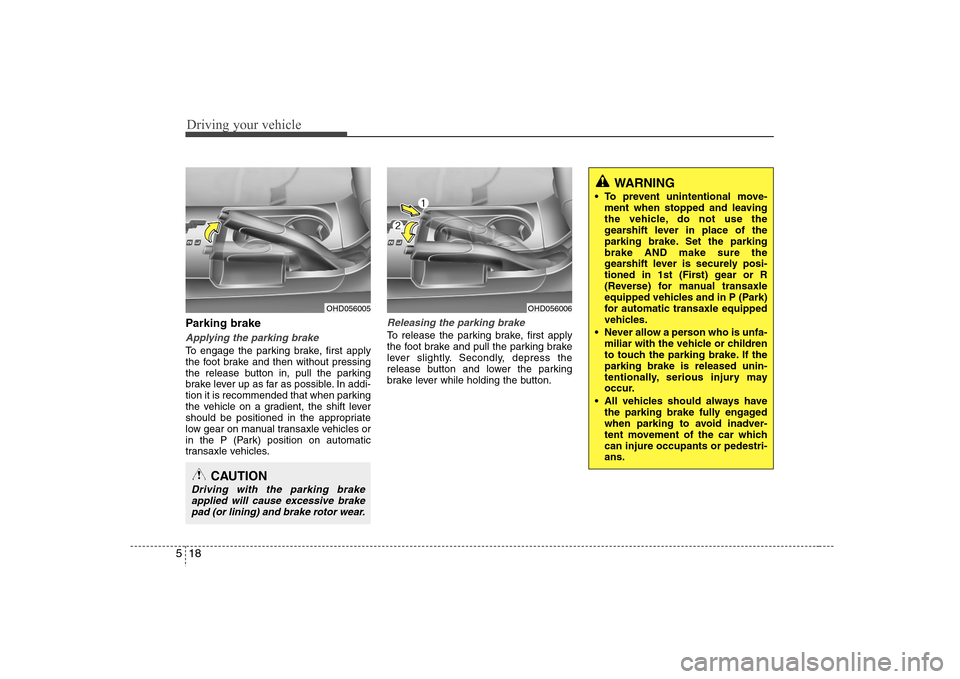
Driving your vehicle18 5Parking brake Applying the parking brakeTo engage the parking brake, first apply
the foot brake and then without pressing
the release button in, pull the parking
brake lever up as far as possible. In addi-
tion it is recommended that when parking
the vehicle on a gradient, the shift lever
should be positioned in the appropriate
low gear on manual transaxle vehicles or
in the P (Park) position on automatic
transaxle vehicles.
Releasing the parking brakeTo release the parking brake, first apply
the foot brake and pull the parking brake
lever slightly. Secondly, depress the
release button and lower the parking
brake lever while holding the button.
CAUTION
Driving with the parking brake
applied will cause excessive brake
pad (or lining) and brake rotor wear.
WARNING
To prevent unintentional move-
ment when stopped and leaving
the vehicle, do not use the
gearshift lever in place of the
parking brake. Set the parking
brake AND make sure the
gearshift lever is securely posi-
tioned in 1st (First) gear or R
(Reverse) for manual transaxle
equipped vehicles and in P (Park)
for automatic transaxle equipped
vehicles.
Never allow a person who is unfa-
miliar with the vehicle or children
to touch the parking brake. If the
parking brake is released unin-
tentionally, serious injury may
occur.
All vehicles should always have
the parking brake fully engaged
when parking to avoid inadver-
tent movement of the car which
can injure occupants or pedestri-
ans.
OHD056005
OHD056006