display Hyundai Elantra 2008 User Guide
[x] Cancel search | Manufacturer: HYUNDAI, Model Year: 2008, Model line: Elantra, Model: Hyundai Elantra 2008Pages: 360, PDF Size: 12.2 MB
Page 177 of 360
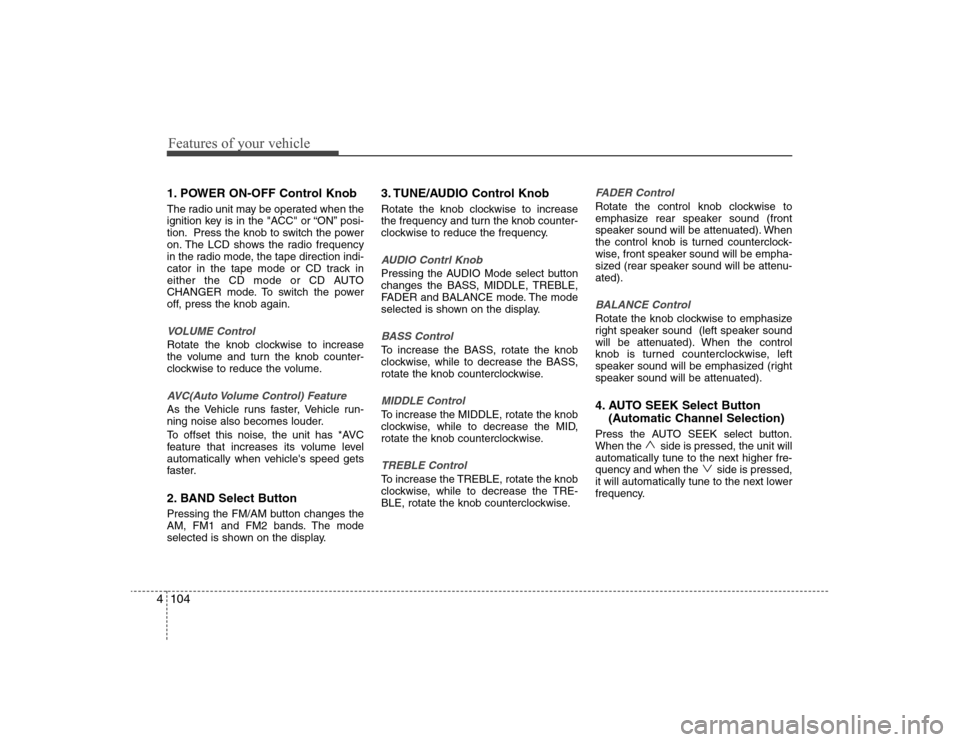
Features of your vehicle104 41. POWER ON-OFF Control KnobThe radio unit may be operated when the
ignition key is in the "ACC" or “ON” posi-
tion. Press the knob to switch the power
on. The LCD shows the radio frequency
in the radio mode, the tape direction indi-
cator in the tape mode or CD track in
either the CD mode or CD AUTO
CHANGER mode. To switch the power
off, press the knob again.VOLUME ControlRotate the knob clockwise to increase
the volume and turn the knob counter-
clockwise to reduce the volume.AVC(Auto Volume Control) FeatureAs the Vehicle runs faster, Vehicle run-
ning noise also becomes louder.
To offset this noise, the unit has *AVC
feature that increases its volume level
automatically when vehicle's speed gets
faster.2. BAND Select ButtonPressing the FM/AM button changes the
AM, FM1 and FM2 bands. The mode
selected is shown on the display.
3. TUNE/AUDIO Control KnobRotate the knob clockwise to increase
the frequency and turn the knob counter-
clockwise to reduce the frequency.AUDIO Contrl KnobPressing the AUDIO Mode select button
changes the BASS, MIDDLE, TREBLE,
FADER and BALANCE mode. The mode
selected is shown on the display.BASS ControlTo increase the BASS, rotate the knob
clockwise, while to decrease the BASS,
rotate the knob counterclockwise.MIDDLE ControlTo increase the MIDDLE, rotate the knob
clockwise, while to decrease the MID,
rotate the knob counterclockwise.TREBLE ControlTo increase the TREBLE, rotate the knob
clockwise, while to decrease the TRE-
BLE, rotate the knob counterclockwise.
FADER ControlRotate the control knob clockwise to
emphasize rear speaker sound (front
speaker sound will be attenuated). When
the control knob is turned counterclock-
wise, front speaker sound will be empha-
sized (rear speaker sound will be attenu-
ated).BALANCE ControlRotate the knob clockwise to emphasize
right speaker sound (left speaker sound
will be attenuated). When the control
knob is turned counterclockwise, left
speaker sound will be emphasized (right
speaker sound will be attenuated).4. AUTO SEEK Select Button
(Automatic Channel Selection)Press the AUTO SEEK select button.
When the side is pressed, the unit will
automatically tune to the next higher fre-
quency and when the side is pressed,
it will automatically tune to the next lower
frequency.
Page 178 of 360
4105
Features of your vehicle
5. CD SCAN Button To playback the first 10 seconds of
each track, press the CD SCAN button.
Press the CD SCAN button again with-
in 10 sec. when you have reached the
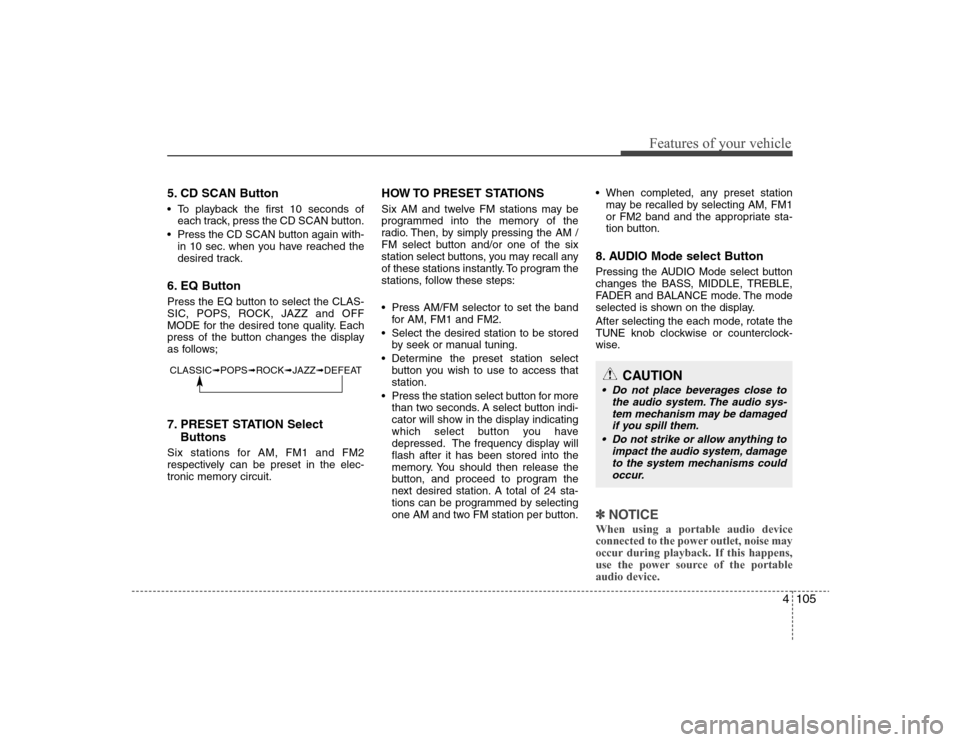
desired track.6. EQ ButtonPress the EQ button to select the CLAS-
SIC, POPS, ROCK, JAZZ and OFF
MODE for the desired tone quality. Each
press of the button changes the display
as follows;7. PRESET STATION Select
ButtonsSix stations for AM, FM1 and FM2
respectively can be preset in the elec-
tronic memory circuit.
HOW TO PRESET STATIONSSix AM and twelve FM stations may be
programmed into the memory of the
radio. Then, by simply pressing the AM /
FM select button and/or one of the six
station select buttons, you may recall any
of these stations instantly. To program the
stations, follow these steps:
Press AM/FM selector to set the band
for AM, FM1 and FM2.
Select the desired station to be stored
by seek or manual tuning.
Determine the preset station select
button you wish to use to access that
station.
Press the station select button for more
than two seconds. A select button indi-
cator will show in the display indicating
which select button you have
depressed. The frequency display will
flash after it has been stored into the
memory. You should then release the
button, and proceed to program the
next desired station. A total of 24 sta-
tions can be programmed by selecting
one AM and two FM station per button. When completed, any preset station
may be recalled by selecting AM, FM1
or FM2 band and the appropriate sta-
tion button.
8. AUDIO Mode select ButtonPressing the AUDIO Mode select button
changes the BASS, MIDDLE, TREBLE,
FADER and BALANCE mode. The mode
selected is shown on the display.
After selecting the each mode, rotate the
TUNE knob clockwise or counterclock-
wise.✽ ✽
NOTICEWhen using a portable audio device
connected to the power outlet, noise may
occur during playback. If this happens,
use the power source of the portable
audio device.
CLASSIC➟POPS➟ROCK➟JAZZ➟DEFEAT
CAUTION
Do not place beverages close to
the audio system. The audio sys-
tem mechanism may be damaged
if you spill them.
Do not strike or allow anything to
impact the audio system, damage
to the system mechanisms could
occur.
Page 180 of 360
4107
Features of your vehicle
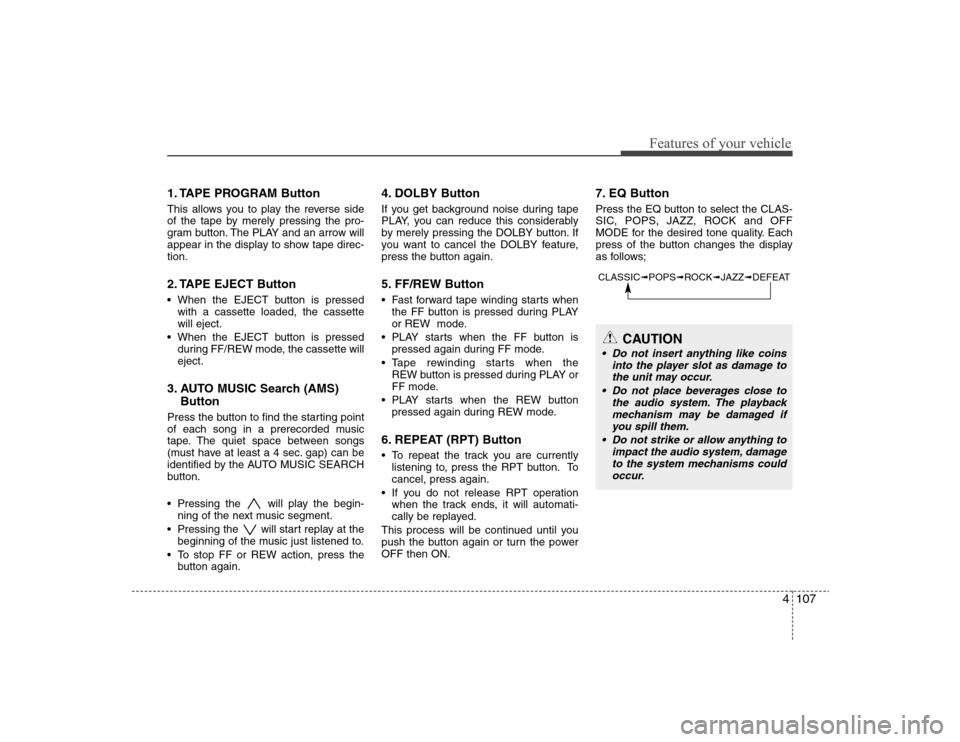
1. TAPE PROGRAM ButtonThis allows you to play the reverse side
of the tape by merely pressing the pro-
gram button. The PLAY and an arrow will
appear in the display to show tape direc-
tion.2. TAPE EJECT Button When the EJECT button is pressed
with a cassette loaded, the cassette
will eject.
When the EJECT button is pressed
during FF/REW mode, the cassette will
eject.3. AUTO MUSIC Search (AMS)
ButtonPress the button to find the starting point
of each song in a prerecorded music
tape. The quiet space between songs
(must have at least a 4 sec. gap) can be
identified by the AUTO MUSIC SEARCH
button.
Pressing the will play the begin-
ning of the next music segment.
Pressing the will start replay at the
beginning of the music just listened to.
To stop FF or REW action, press the
button again.
4. DOLBY ButtonIf you get background noise during tape
PLAY, you can reduce this considerably
by merely pressing the DOLBY button. If
you want to cancel the DOLBY feature,
press the button again.5. FF/REW Button Fast forward tape winding starts when
the FF button is pressed during PLAY
or REW mode.
PLAY starts when the FF button is
pressed again during FF mode.
Tape rewinding starts when the
REW button is pressed during PLAY or
FF mode.
PLAY starts when the REW button
pressed again during REW mode.6. REPEAT (RPT) Button To repeat the track you are currently
listening to, press the RPT button. To
cancel, press again.
If you do not release RPT operation
when the track ends, it will automati-
cally be replayed.
This process will be continued until you
push the button again or turn the power
OFF then ON.
7. EQ ButtonPress the EQ button to select the CLAS-
SIC, POPS, JAZZ, ROCK and OFF
MODE for the desired tone quality. Each
press of the button changes the display
as follows;CLASSIC➟POPS➟ROCK➟JAZZ➟DEFEAT
CAUTION
Do not insert anything like coins
into the player slot as damage to
the unit may occur.
Do not place beverages close to
the audio system. The playback
mechanism may be damaged if
you spill them.
Do not strike or allow anything to
impact the audio system, damage
to the system mechanisms could
occur.
Page 182 of 360
4109
Features of your vehicle
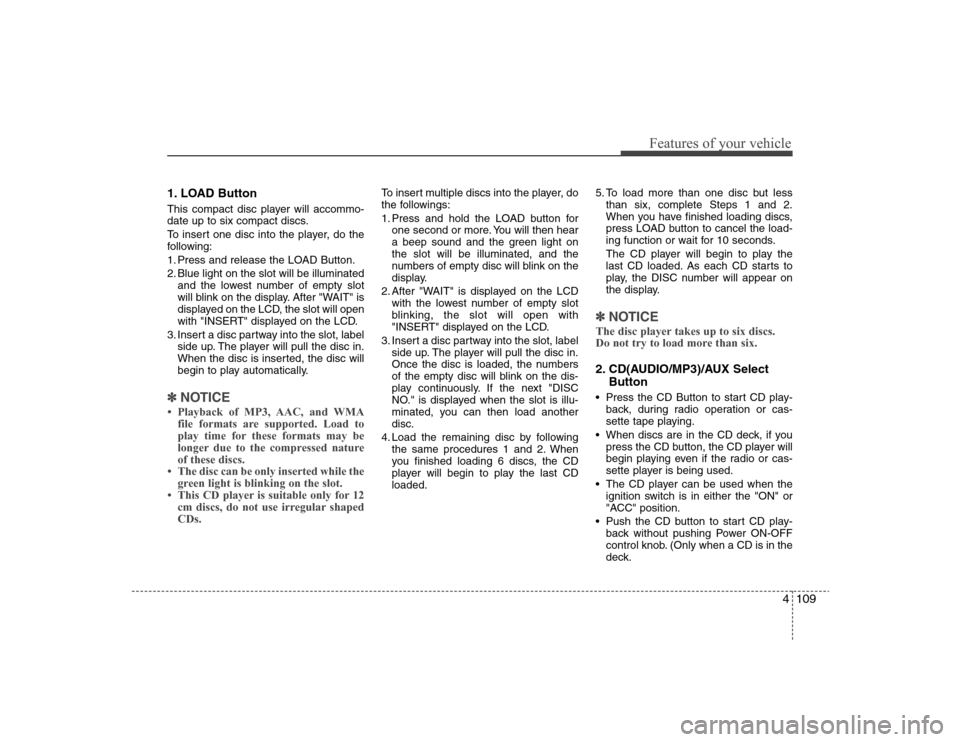
1. LOAD ButtonThis compact disc player will accommo-
date up to six compact discs.
To insert one disc into the player, do the
following:
1. Press and release the LOAD Button.
2. Blue light on the slot will be illuminated
and the lowest number of empty slot
will blink on the display. After "WAIT" is
displayed on the LCD, the slot will open
with "INSERT" displayed on the LCD.
3. Insert a disc partway into the slot, label
side up. The player will pull the disc in.
When the disc is inserted, the disc will
begin to play automatically.✽ ✽
NOTICE• Playback of MP3, AAC, and WMA
file formats are supported. Load to
play time for these formats may be
longer due to the compressed nature
of these discs.
• The disc can be only inserted while the
green light is blinking on the slot.
• This CD player is suitable only for 12
cm discs, do not use irregular shaped
CDs.
To insert multiple discs into the player, do
the followings:
1. Press and hold the LOAD button for
one second or more. You will then hear
a beep sound and the green light on
the slot will be illuminated, and the
numbers of empty disc will blink on the
display.
2. After "WAIT" is displayed on the LCD
with the lowest number of empty slot
blinking, the slot will open with
"INSERT" displayed on the LCD.
3. Insert a disc partway into the slot, label
side up. The player will pull the disc in.
Once the disc is loaded, the numbers
of the empty disc will blink on the dis-
play continuously. If the next "DISC
NO." is displayed when the slot is illu-
minated, you can then load another
disc.
4. Load the remaining disc by following
the same procedures 1 and 2. When
you finished loading 6 discs, the CD
player will begin to play the last CD
loaded.5. To load more than one disc but less
than six, complete Steps 1 and 2.
When you have finished loading discs,
press LOAD button to cancel the load-
ing function or wait for 10 seconds.
The CD player will begin to play the
last CD loaded. As each CD starts to
play, the DISC number will appear on
the display.
✽ ✽
NOTICEThe disc player takes up to six discs.
Do not try to load more than six.2. CD(AUDIO/MP3)/AUX Select
Button Press the CD Button to start CD play-
back, during radio operation or cas-
sette tape playing.
When discs are in the CD deck, if you
press the CD button, the CD player will
begin playing even if the radio or cas-
sette player is being used.
The CD player can be used when the
ignition switch is in either the "ON" or
"ACC" position.
Push the CD button to start CD play-
back without pushing Power ON-OFF
control knob. (Only when a CD is in the
deck.
Page 183 of 360
Features of your vehicle110 4 If you press this button. you can
change to AUX mode.
AUX mode is available only when AUX
jack is plugged in and change back to
last mode if you pull it out.3. CD EJECT Button When the EJECT button is pressed
with a CD loaded, the CD will eject.
To eject all of the discs, press this but-
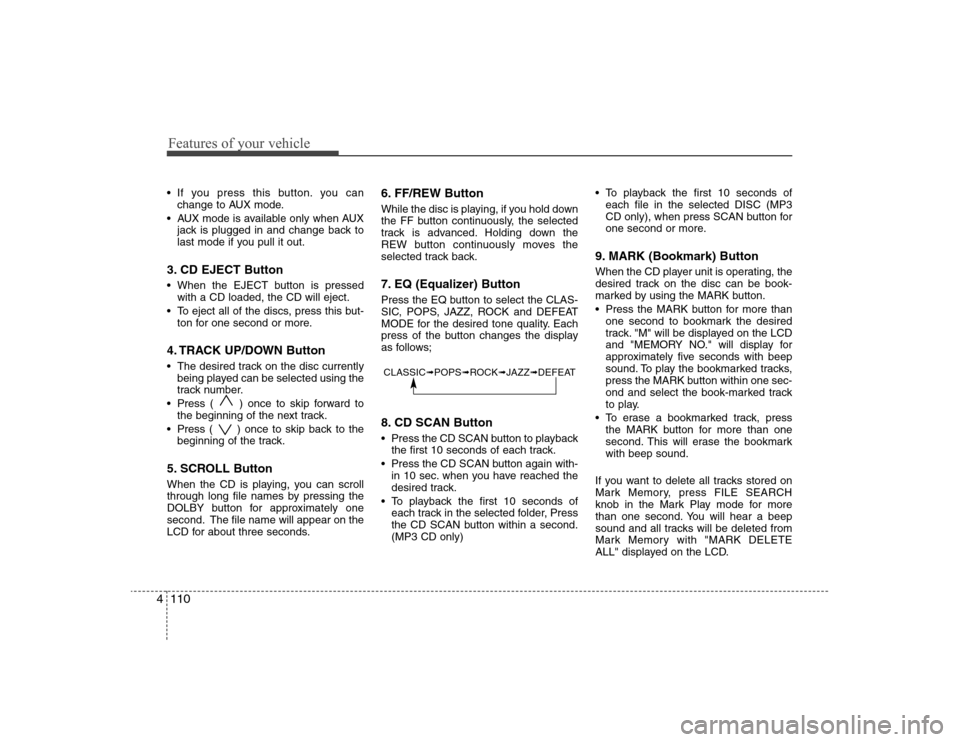
ton for one second or more.4. TRACK UP/DOWN Button The desired track on the disc currently
being played can be selected using the
track number.
Press ( ) once to skip forward to
the beginning of the next track.
Press ( ) once to skip back to the
beginning of the track.5. SCROLL ButtonWhen the CD is playing, you can scroll
through long file names by pressing the
DOLBY button for approximately one
second. The file name will appear on the
LCD for about three seconds.
6. FF/REW ButtonWhile the disc is playing, if you hold down
the FF button continuously, the selected
track is advanced. Holding down the
REW button continuously moves the
selected track back.7. EQ (Equalizer) ButtonPress the EQ button to select the CLAS-
SIC, POPS, JAZZ, ROCK and DEFEAT
MODE for the desired tone quality. Each
press of the button changes the display
as follows;8. CD SCAN Button Press the CD SCAN button to playback
the first 10 seconds of each track.
Press the CD SCAN button again with-
in 10 sec. when you have reached the
desired track.
To playback the first 10 seconds of
each track in the selected folder, Press
the CD SCAN button within a second.
(MP3 CD only) To playback the first 10 seconds of
each file in the selected DISC (MP3
CD only), when press SCAN button for
one second or more.
9. MARK (Bookmark) ButtonWhen the CD player unit is operating, the
desired track on the disc can be book-
marked by using the MARK button.
Press the MARK button for more than
one second to bookmark the desired
track. "M" will be displayed on the LCD
and "MEMORY NO." will display for
approximately five seconds with beep
sound. To play the bookmarked tracks,
press the MARK button within one sec-
ond and select the book-marked track
to play.
To erase a bookmarked track, press
the MARK button for more than one
second. This will erase the bookmark
with beep sound.
If you want to delete all tracks stored on
Mark Memory, press FILE SEARCH
knob in the Mark Play mode for more
than one second. You will hear a beep
sound and all tracks will be deleted from
Mark Memory with "MARK DELETE
ALL" displayed on the LCD.
CLASSIC➟POPS➟ROCK➟JAZZ➟DEFEAT
Page 186 of 360
4113
Features of your vehicle
HD445XM
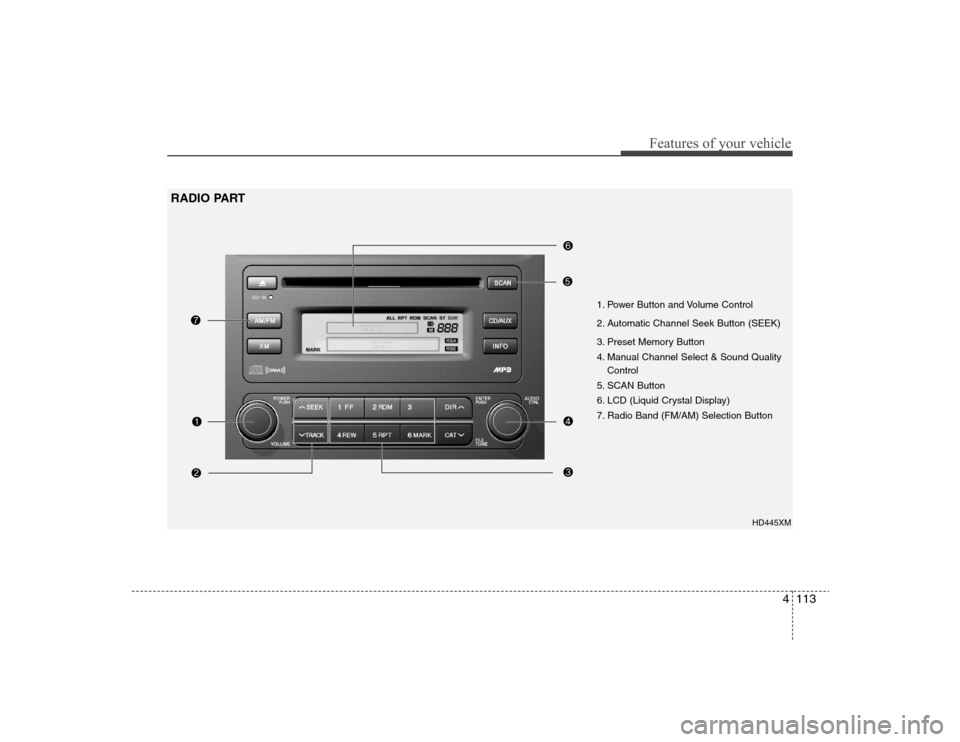
1. Power Button and Volume Control
2. Automatic Channel Seek Button (SEEK)
3. Preset Memory Button
4. Manual Channel Select & Sound Quality
Control
5. SCAN Button
6. LCD (Liquid Crystal Display)
7. Radio Band (FM/AM) Selection Button
RADIO PART
Page 187 of 360
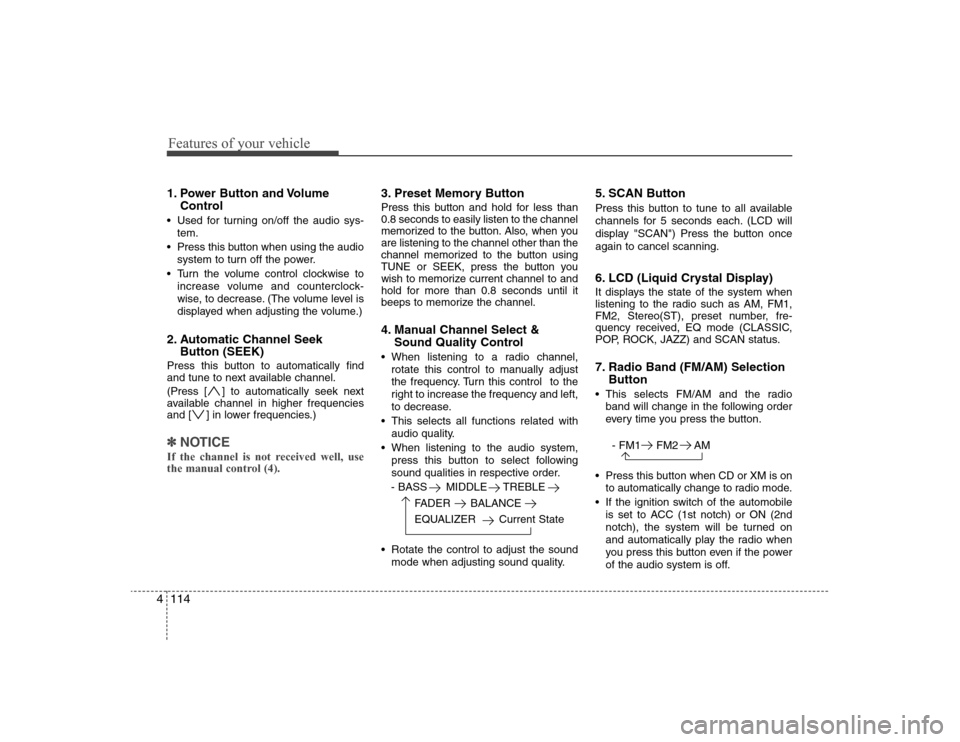
Features of your vehicle114 41. Power Button and Volume
Control Used for turning on/off the audio sys-
tem.
Press this button when using the audio
system to turn off the power.
Turn the volume control clockwise to
increase volume and counterclock-
wise, to decrease. (The volume level is
displayed when adjusting the volume.)2. Automatic Channel Seek
Button (SEEK)Press this button to automatically find
and tune to next available channel.
(Press [ ] to automatically seek next
available channel in higher frequencies
and [ ] in lower frequencies.)✽ ✽
NOTICEIf the channel is not received well, use
the manual control (4).
3. Preset Memory ButtonPress this button and hold for less than
0.8 seconds to easily listen to the channel
memorized to the button. Also, when you
are listening to the channel other than the
channel memorized to the button using
TUNE or SEEK, press the button you
wish to memorize current channel to and
hold for more than 0.8 seconds until it
beeps to memorize the channel.4. Manual Channel Select &
Sound Quality Control When listening to a radio channel,
rotate this control to manually adjust
the frequency. Turn this control to the
right to increase the frequency and left,
to decrease.
This selects all functions related with
audio quality.
When listening to the audio system,
press this button to select following
sound qualities in respective order.
- BASS MIDDLE TREBLE
FADER BALANCE
EQUALIZER Current State
Rotate the control to adjust the sound
mode when adjusting sound quality.
5. SCAN ButtonPress this button to tune to all available
channels for 5 seconds each. (LCD will
display "SCAN") Press the button once
again to cancel scanning.6. LCD (Liquid Crystal Display)It displays the state of the system when
listening to the radio such as AM, FM1,
FM2, Stereo(ST), preset number, fre-
quency received, EQ mode (CLASSIC,
POP, ROCK, JAZZ) and SCAN status.7. Radio Band (FM/AM) Selection
Button This selects FM/AM and the radio
band will change in the following order
every time you press the button.
- FM1 FM2 AM
Press this button when CD or XM is on
to automatically change to radio mode.
If the ignition switch of the automobile
is set to ACC (1st notch) or ON (2nd
notch), the system will be turned on
and automatically play the radio when
you press this button even if the power
of the audio system is off.
Page 188 of 360
4115
Features of your vehicle
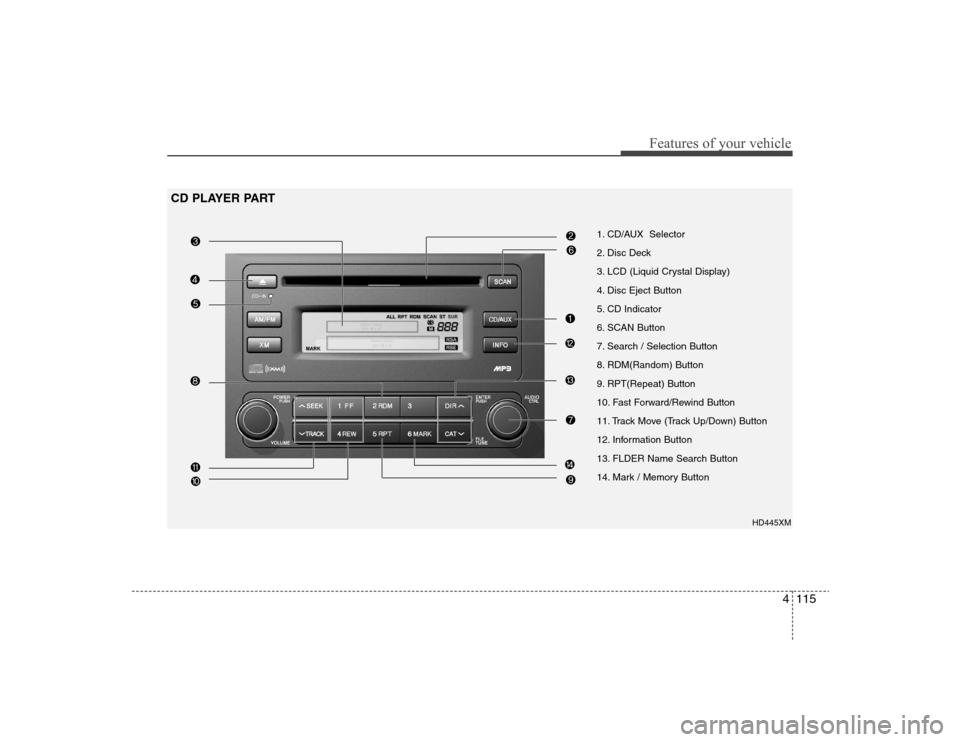
1. CD/AUX Selector
2. Disc Deck
3. LCD (Liquid Crystal Display)
4. Disc Eject Button
5. CD Indicator
6. SCAN Button
7. Search / Selection Button
8. RDM(Random) Button
9. RPT(Repeat) Button
10. Fast Forward/Rewind Button
11. Track Move (Track Up/Down) Button
12. Information Button
13. FLDER Name Search Button
14. Mark / Memory Button
HD445XM
CD PLAYER PART
Page 189 of 360
Features of your vehicle116 41. CD/AUX Selector The system will start playing the CD
when you press this button while radio
or XM is on. (If no CD is found, the LCD
will display "NO DISC" for 3 seconds.)
If the ignition switch of the automobile
is set to ACC (1st notch) or ON (2nd
notch), the system will be turned on
and automatically play the CD from the
last played part when you press this
button even if the power of the audio
system is off. (However, only when the
disc is placed inside the system)2. Disc DeckThis is the place you insert or eject the
CD. When the ignition switch of the auto-
mobile is set to ACC (1st notch) or ON
(2nd notch), if you push the disc in, the
power will be turned on and the CD will
be played. The CD player can play both
12cm and 8cm audio discs. if you insert
a video CD or Data CD then the LCD will
display "ERROR7" and it will turn to the
previous mode (radio or XM).✽ ✽
NOTICEMake sure the printed side of the disk
faces upward when you insert the disk.
3. LCD (Liquid Crystal Display)It displays the state of the song currently
played as well as the information of the
disc including the track, number, CD,
RPT, RDM, SCAN, runtime, and EQ
mode (CLASSIC, POP, ROCK, JAZZ).4. Disc Eject ButtonPress this button to eject the disk when
the disk is in the deck. If no CD is in the
deck, LCD will display “NO DISC” for 3
seconds. (The disk will be ejected when
you press this button even when the igni-
tion switch (ACC) of the automobile is set
to OFF or when the power of the audio
system is off.)✽ ✽
NOTICEForced Eject: When you press and hold
this button for more than 3 seconds, the
disk will be ejected by all means. (Use
this function only when the disk is not
ejected in the abnormal state.)
5. CD IndicatorThis indicator light will be on if the CD is
inside the deck whether the audio sys-
tem is on or off if the ignition switch of the
automobile is set to ACC (1st notch) or
ON (2nd notch). This light will go off
when the CD is ejected.6. SCAN ButtonWhen you press this button, the player
will play 10 seconds of each track (LCD
will display “SCAN”). Press it again to
cancel scanning.7. Search / Selection ButtonTurn the search control to the left or right
while playing CD then the track number
on the LCD will change correspondingly.
When you find the track you want to lis-
ten to, press the button to play the select-
ed song. (The search will be canceled
when you do not select the track within 5
seconds after searching the track.)8. RDM(Random) ButtonPress this button to play the songs in ran-
dom order regardless of the order of
tracks (LCD will display “RDM”). Press it
again to cancel random play.
Page 190 of 360
4117
Features of your vehicle
9. RPT ButtonThis lets you listen to the song or CD you
like repeatedly. Simply press this button
when the song or the CD you want to
repeat is played.(LCD will display “RPT”)
Press this button again to cancel repeti-
tion.10. Fast Forward/Rewind ButtonPress and hold "FF" button while the CD
is played to quickly search through the
latter part of the song and "REW", the
front part. When you release the button,
the song will be played from current posi-
tion.11. Track Move (Track Up/Down)
Button Press [ ] (Track Up) button while
playing CD to play from the beginning
of the next song. (If you hold this but-
ton, it will continue to move to the next
song.)
Press [ ] (Track Down) button while
playing CD to move to the beginning of
the song and press again to move to
the beginning of the previous song. (If
you hold this button, it will continue to
move to the previous song.)
12. Information ButtonIf the song title is long while playing an
MP3 file, press this button to scroll the
song title to the end.13. FOLDER Name Search ButtonPress "FLDR "(Folder Up) button while
playing an MP3 file to display the next
available folder name and "FLDR
"(Folder Down) button, the previous folder
name. Find the folder you searched for
and press 7 to play the songs inside the
folder from the top of the list. (If you do not
take any action after searching for the
folder for 5 or more seconds, this search
will be canceled.)14. Mark / Memory ButtonYou can choose only the songs you want
to listen to and play them in respective
order. (Refer to the operation method.)
Press again to cancel.