battery Hyundai Elantra 2012 - RHD (UK. Australia) User Guide
[x] Cancel search | Manufacturer: HYUNDAI, Model Year: 2012, Model line: Elantra, Model: Hyundai Elantra 2012Pages: 384, PDF Size: 26.92 MB
Page 130 of 384
Features of your vehicle
56
4
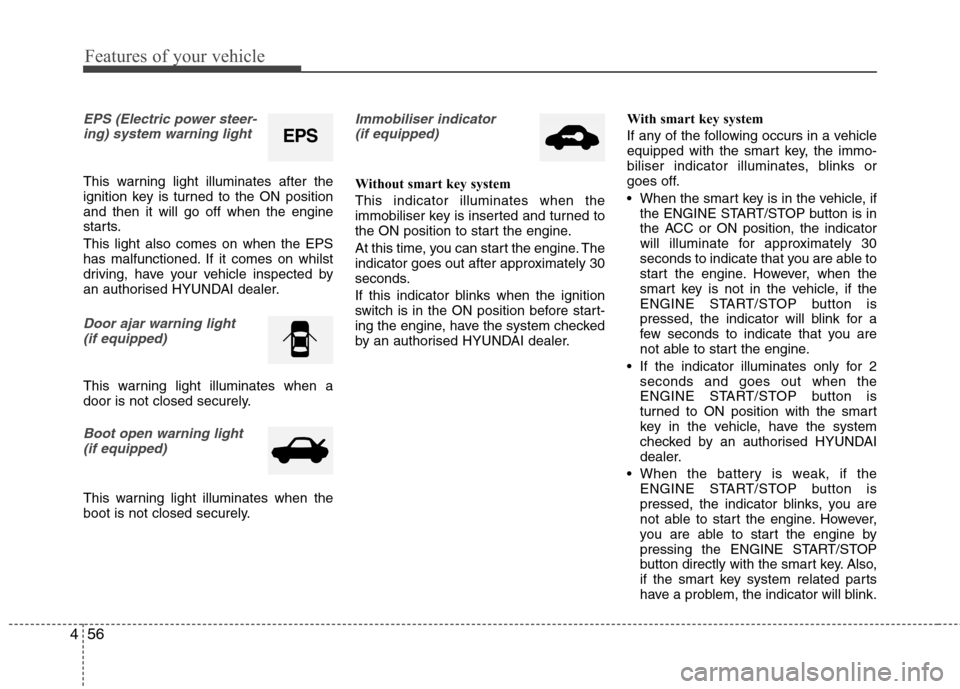
EPS (Electric power steer-
ing) system warning light
This warning light illuminates after the
ignition key is turned to the ON positionand then it will go off when the engine
starts. This light also comes on when the EPS
has malfunctioned. If it comes on whilst
driving, have your vehicle inspected by
an authorised HYUNDAI dealer.
Door ajar warning light (if equipped)
This warning light illuminates when a
door is not closed securely.
Boot open warning light(if equipped)
This warning light illuminates when the
boot is not closed securely.
Immobiliser indicator (if equipped)
Without smart key system This indicator illuminates when the
immobiliser key is inserted and turned to
the ON position to start the engine.
At this time, you can start the engine. The
indicator goes out after approximately 30
seconds.
If this indicator blinks when the ignition
switch is in the ON position before start-
ing the engine, have the system checked
by an authorised HYUNDAI dealer. With smart key system
If any of the following occurs in a vehicle
equipped with the smart key, the immo-
biliser indicator illuminates, blinks or
goes off.
When the smart key is in the vehicle, if
the ENGINE START/STOP button is in
the ACC or ON position, the indicator
will illuminate for approximately 30
seconds to indicate that you are able to
start the engine. However, when the
smart key is not in the vehicle, if the
ENGINE START/STOP button is
pressed, the indicator will blink for a
few seconds to indicate that you are
not able to start the engine.
If the indicator illuminates only for 2 seconds and goes out when the
ENGINE START/STOP button is
turned to ON position with the smart
key in the vehicle, have the system
checked by an authorised HYUNDAI
dealer.
When the battery is weak, if the ENGINE START/STOP button is
pressed, the indicator blinks, you are
not able to start the engine. However,
you are able to start the engine by
pressing the ENGINE START/STOP
button directly with the smart key. Also,
if the smart key system related parts
have a problem, the indicator will blink.
EPS
Page 135 of 384
461
Features of your vehicle
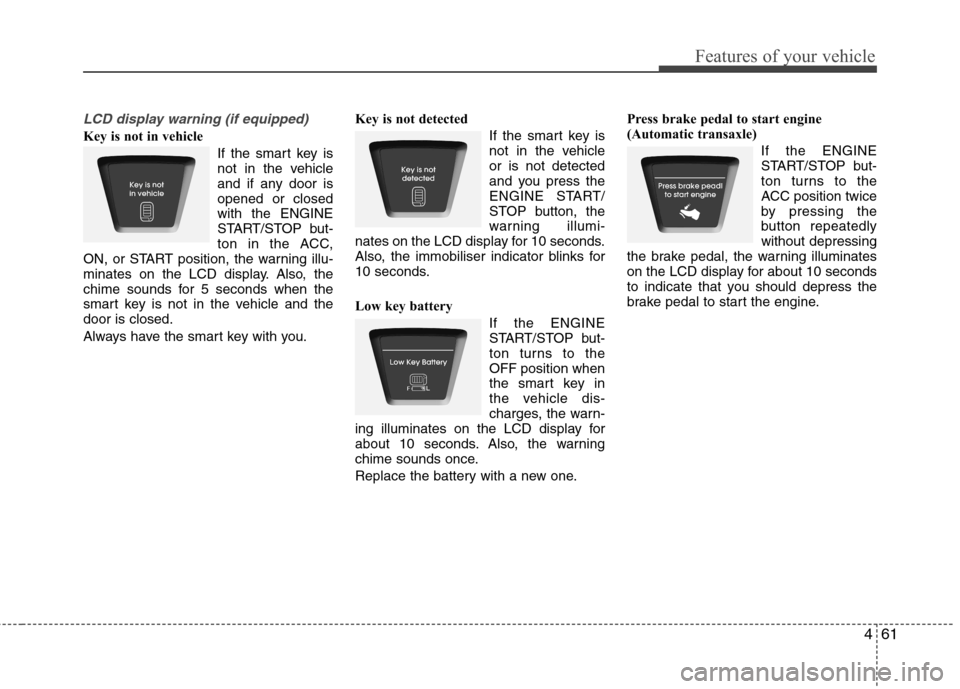
LCD display warning (if equipped)
Key is not in vehicle If the smart key is
not in the vehicle
and if any door isopened or closedwith the ENGINE
START/STOP but-
ton in the ACC,
ON, or START position, the warning illu-
minates on the LCD display. Also, the
chime sounds for 5 seconds when the
smart key is not in the vehicle and thedoor is closed.
Always have the smart key with you. Key is not detected
If the smart key is
not in the vehicleor is not detected
and you press the
ENGINE START/
STOP button, the
warning illumi-
nates on the LCD display for 10 seconds.
Also, the immobiliser indicator blinks for
10 seconds.
Low key battery
If the ENGINE
START/STOP but-
ton turns to theOFF position when
the smart key in
the vehicle dis-
charges, the warn-
ing illuminates on the LCD display for
about 10 seconds. Also, the warning
chime sounds once.
Replace the battery with a new one. Press brake pedal to start engine
(Automatic transaxle)
If the ENGINE
START/STOP but-
ton turns to the
ACC position twice
by pressing the
button repeatedlywithout depressing
the brake pedal, the warning illuminates
on the LCD display for about 10 seconds
to indicate that you should depress the
brake pedal to start the engine.
Page 144 of 384
Features of your vehicle
70
4
Battery saver function
The purpose of this feature is to pre-
vent the battery from being dis-
charged. The system automatically
turns off the parking lights when the
driver removes the ignition key and
opens the driver-side door.
With this feature, the parking lights will turn off automatically if the driver parkson the side of road at night.
If necessary, to keep the lights on
when the ignition key is removed, per-
form the following:
1) Open the driver-side door.
2) Turn the parking lights OFF and ON again using the light switch on the
steering column. Headlamp delay function (if equipped)
If you turn the ignition switch to the ACC or OFF position with the headlights ON,the headlights (and/or tail lights) remain
on for about 20 minutes. However, with
the engine off if the driver’s door isopened and closed, the headlights
(and/or tail lights) are turned off after 30
seconds. The headlights (and/or tail lights) can be
turned off by pressing the lock button on
the transmitter (or smart key) twice or
turning the light switch to the OFF or
Auto position.
However, if you turn the light switch to the
Auto position when it is dark outside, the
headlights will not be turned off.
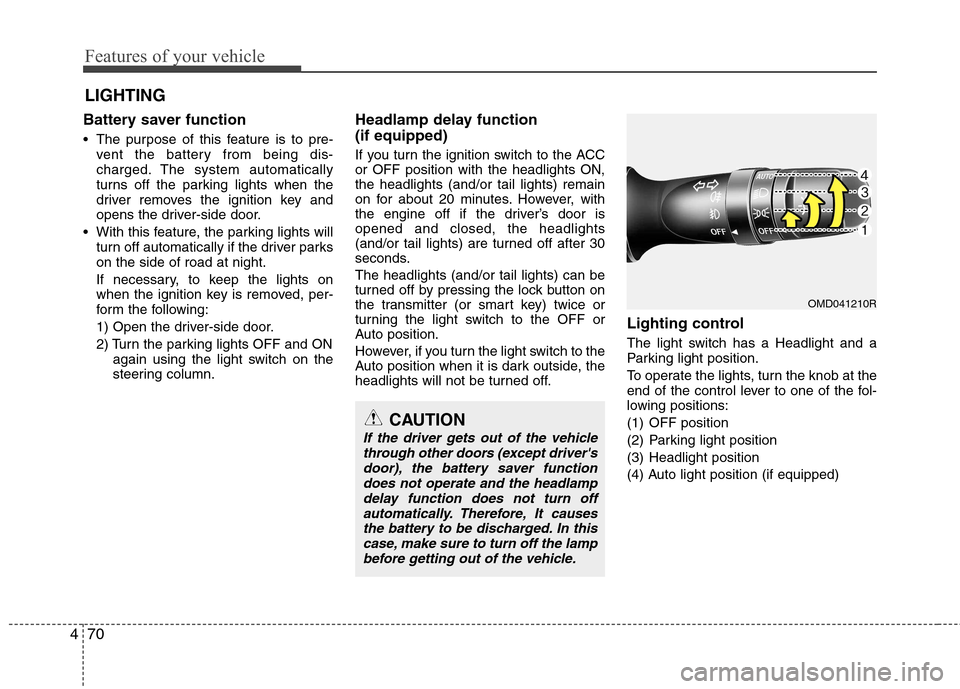
Lighting control
The light switch has a Headlight and a
Parking light position.
To operate the lights, turn the knob at the
end of the control lever to one of the fol-
lowing positions:
(1) OFF position
(2) Parking light position
(3) Headlight position
(4) Auto light position (if equipped)
LIGHTING
CAUTION
If the driver gets out of the vehicle
through other doors (except driver'sdoor), the battery saver functiondoes not operate and the headlampdelay function does not turn off
automatically. Therefore, It causes the battery to be discharged. In thiscase, make sure to turn off the lamp
before getting out of the vehicle.
OMD041210R
Page 146 of 384
Features of your vehicle
72
4
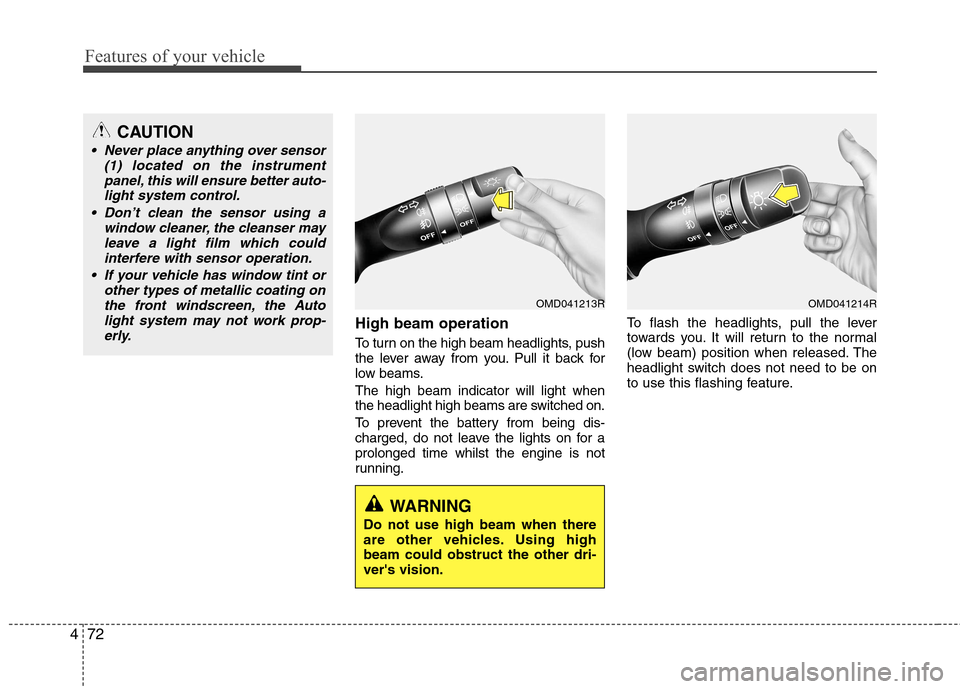
High beam operation
To turn on the high beam headlights, push
the lever away from you. Pull it back for
low beams. The high beam indicator will light when
the headlight high beams are switched on.
To prevent the battery from being dis-
charged, do not leave the lights on for aprolonged time whilst the engine is not
running. To flash the headlights, pull the lever
towards you. It will return to the normal
(low beam) position when released. The
headlight switch does not need to be on
to use this flashing feature.
CAUTION
Never place anything over sensor
(1) located on the instrument
panel, this will ensure better auto-light system control.
Don’t clean the sensor using a window cleaner, the cleanser may
leave a light film which could interfere with sensor operation.
If your vehicle has window tint or other types of metallic coating onthe front windscreen, the Auto
light system may not work prop-erly.
OMD041213R
WARNING
Do not use high beam when there
are other vehicles. Using highbeam could obstruct the other dri-ver's vision.
OMD041214R
Page 152 of 384
Features of your vehicle
78
4
Interior lamp AUTO cut
When all entrances are closed, if you
lock the vehicle by using the transmit-
ter or the smart key, all interior lamp
will be off within 5 seconds.
If you do not operate anything in the vehicle after turning off the engine, the
lights will turn off after 20 minutes. Map lamp (if equipped)
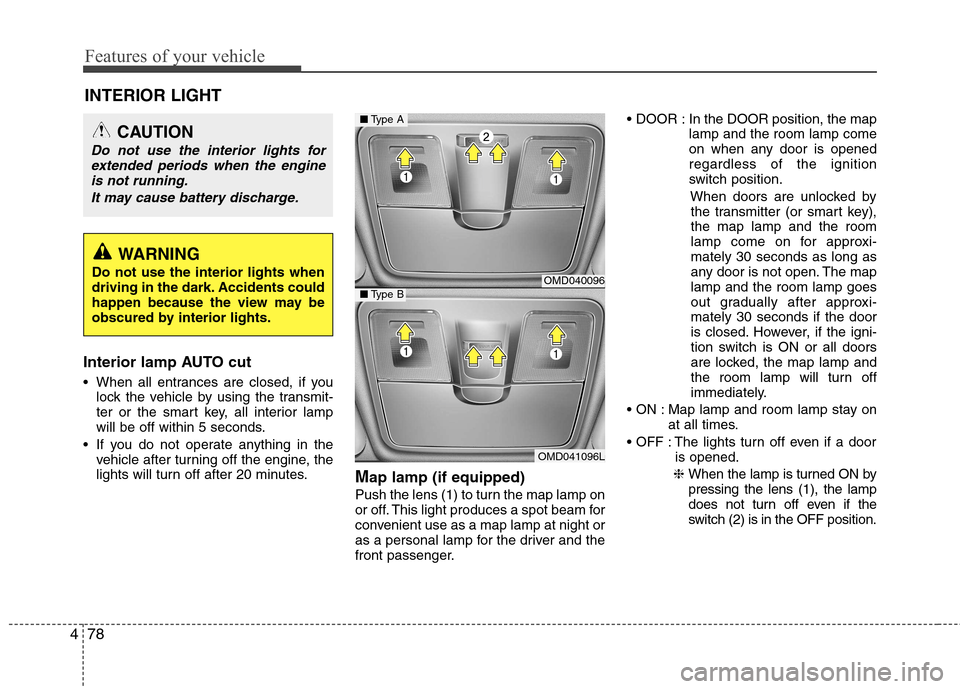
Push the lens (1) to turn the map lamp on
or off. This light produces a spot beam for
convenient use as a map lamp at night or
as a personal lamp for the driver and the
front passenger. In the DOOR position, the map
lamp and the room lamp come
on when any door is openedregardless of the ignition
switch position.
When doors are unlocked bythe transmitter (or smart key),the map lamp and the room
lamp come on for approxi-mately 30 seconds as long as
any door is not open. The maplamp and the room lamp goes
out gradually after approxi-mately 30 seconds if the door
is closed. However, if the igni-
tion switch is ON or all doors
are locked, the map lamp and
the room lamp will turn off
immediately.
Map lamp and room lamp stay on at all times.
The lights turn off even if a door is opened.
❈ When the lamp is turned ON bypressing the lens (1), the lamp
does not turn off even if the
switch (2) is in the OFF position.
INTERIOR LIGHT
CAUTION
Do not use the interior lights for
extended periods when the engine
is not running.
It may cause battery discharge.
WARNING
Do not use the interior lights when
driving in the dark. Accidents could
happen because the view may be
obscured by interior lights.
OMD040096
OMD041096L
■ Type A
■Type B
Page 168 of 384
Features of your vehicle
94
4
Adjusting the driver and passenger side
temperature individually
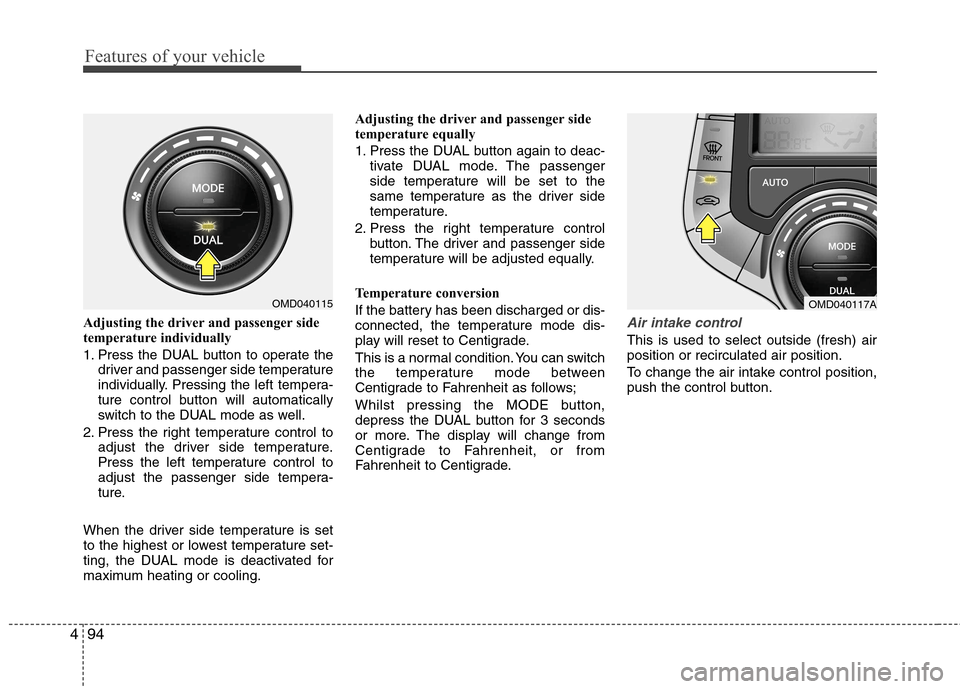
1. Press the DUAL button to operate the
driver and passenger side temperature
individually. Pressing the left tempera-
ture control button will automatically
switch to the DUAL mode as well.
2. Press the right temperature control to adjust the driver side temperature.
Press the left temperature control to
adjust the passenger side tempera-
ture.
When the driver side temperature is set
to the highest or lowest temperature set-
ting, the DUAL mode is deactivated for
maximum heating or cooling. Adjusting the driver and passenger side
temperature equally
1. Press the DUAL button again to deac-
tivate DUAL mode. The passenger
side temperature will be set to the
same temperature as the driver side
temperature.
2. Press the right temperature control button. The driver and passenger side
temperature will be adjusted equally.
Temperature conversion
If the battery has been discharged or dis-
connected, the temperature mode dis-
play will reset to Centigrade.
This is a normal condition. You can switch
the temperature mode between
Centigrade to Fahrenheit as follows;
Whilst pressing the MODE button,
depress the DUAL button for 3 seconds
or more. The display will change from
Centigrade to Fahrenheit, or from
Fahrenheit to Centigrade.Air intake control
This is used to select outside (fresh) air position or recirculated air position.
To change the air intake control position,
push the control button.
OMD040115OMD040117A
Page 174 of 384
Features of your vehicle
100
4
Defogging logic (if equipped)
To reduce the probability of fogging up the inside of the windscreen, the air
intake or air conditioning are controlled
automatically according to certain condi-
tions such as or position. To
cancel or return the defogging logic, do
the following.
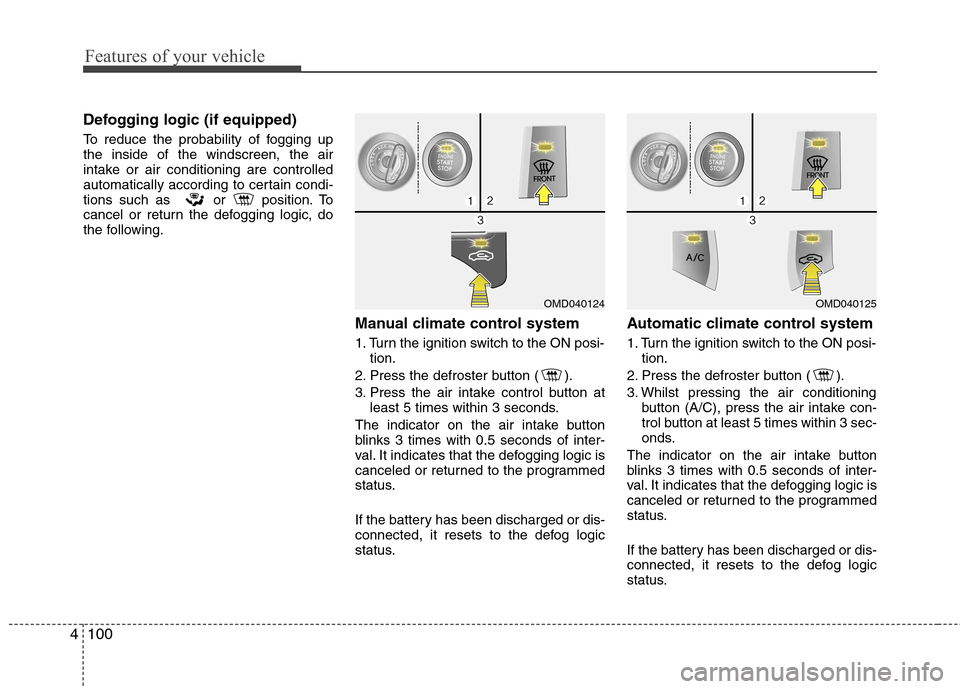
Manual climate control system
1. Turn the ignition switch to the ON posi-tion.
2. Press the defroster button ( ).
3. Press the air intake control button at least 5 times within 3 seconds.
The indicator on the air intake button
blinks 3 times with 0.5 seconds of inter-
val. It indicates that the defogging logic is
canceled or returned to the programmed
status.
If the battery has been discharged or dis-
connected, it resets to the defog logic
status. Automatic climate control system
1. Turn the ignition switch to the ON posi-
tion.
2. Press the defroster button ( ).
3. Whilst pressing the air conditioning button (A/C), press the air intake con-
trol button at least 5 times within 3 sec-
onds.
The indicator on the air intake button
blinks 3 times with 0.5 seconds of inter-
val. It indicates that the defogging logic is
canceled or returned to the programmed
status.
If the battery has been discharged or dis-
connected, it resets to the defog logic
status.
OMD040125OMD040124
Page 178 of 384
Features of your vehicle
104
4
INTERIOR FEATURES
LCD monitor (Clock and outside temperature) (if equipped)
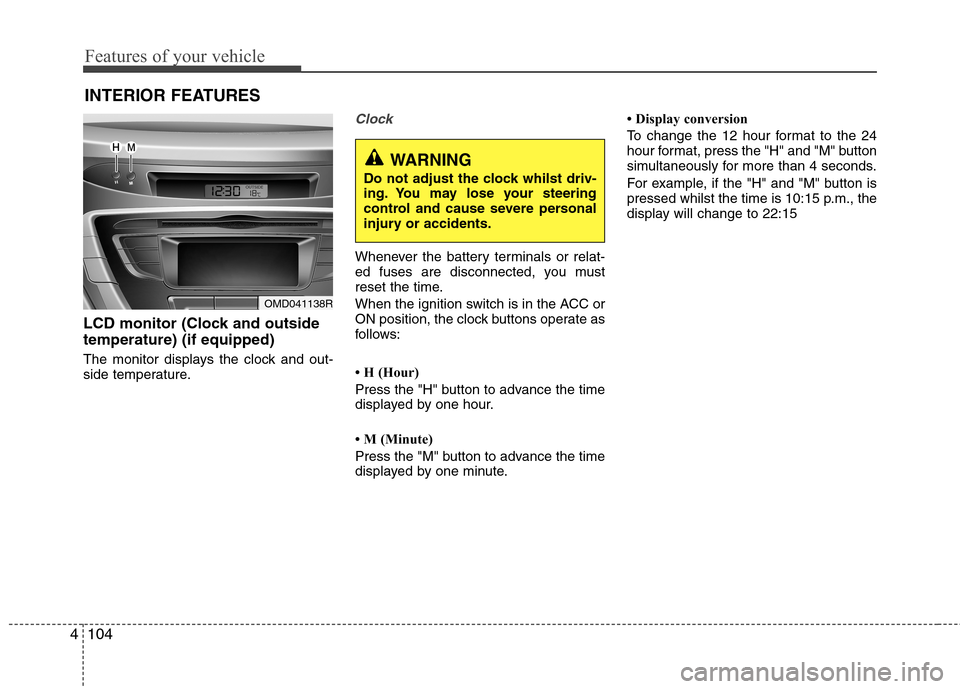
The monitor displays the clock and out-
side temperature.
Clock
Whenever the battery terminals or relat-
ed fuses are disconnected, you must
reset the time.
When the ignition switch is in the ACC or
ON position, the clock buttons operate as
follows:
H (Hour)
Press the "H" button to advance the time
displayed by one hour.
M (Minute)
Press the "M" button to advance the time
displayed by one minute. Display conversion
To change the 12 hour format to the 24
hour format, press the "H" and "M" button
simultaneously for more than 4 seconds.
For example, if the "H" and "M" button is
pressed whilst the time is 10:15 p.m., the
display will change to 22:15
OMD041138R
WARNING
Do not adjust the clock whilst driv-
ing. You may lose your steering
control and cause severe personal
injury or accidents.
Page 181 of 384
4107
Features of your vehicle
Sunvisor
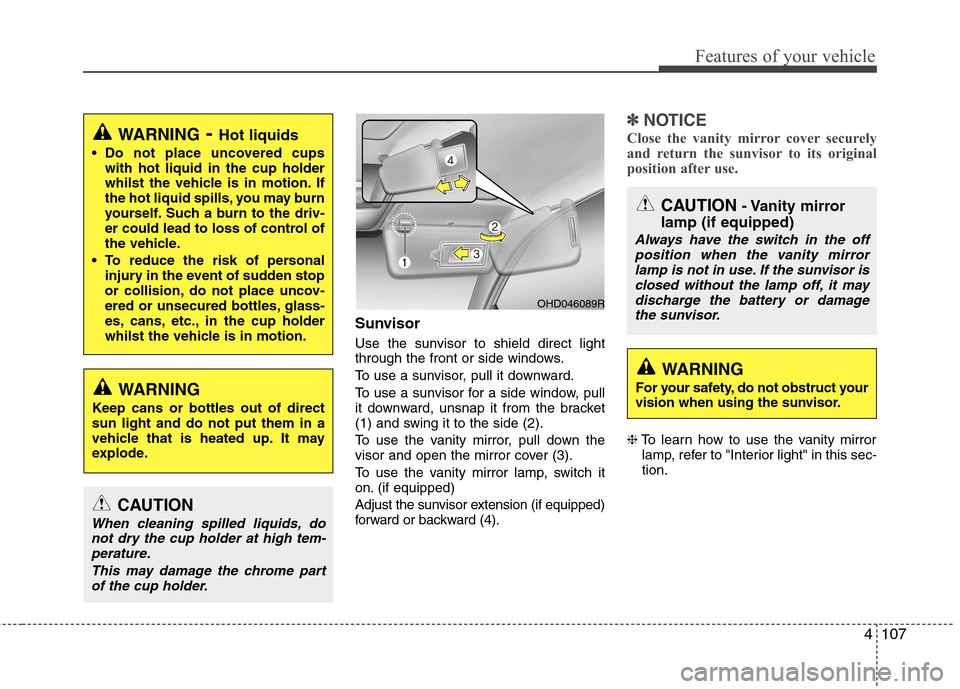
Use the sunvisor to shield direct light
through the front or side windows.
To use a sunvisor, pull it downward.
To use a sunvisor for a side window, pull
it downward, unsnap it from the bracket
(1) and swing it to the side (2).
To use the vanity mirror, pull down the
visor and open the mirror cover (3).
To use the vanity mirror lamp, switch it
on. (if equipped)
Adjust the sunvisor extension (if equipped)
forward or backward (4).
✽✽NOTICE
Close the vanity mirror cover securely
and return the sunvisor to its original
position after use.
❈ To learn how to use the vanity mirror
lamp, refer to "Interior light" in this sec- tion.
WARNING - Hot liquids
Do not place uncovered cups with hot liquid in the cup holder
whilst the vehicle is in motion. If
the hot liquid spills, you may burn
yourself. Such a burn to the driv-
er could lead to loss of control of
the vehicle.
To reduce the risk of personal injury in the event of sudden stop
or collision, do not place uncov-
ered or unsecured bottles, glass-
es, cans, etc., in the cup holder
whilst the vehicle is in motion.
WARNING
Keep cans or bottles out of direct sun light and do not put them in a
vehicle that is heated up. It may
explode.
OHD046089R
CAUTION - Vanity mirror
lamp (if equipped)
Always have the switch in the off position when the vanity mirror
lamp is not in use. If the sunvisor is closed without the lamp off, it maydischarge the battery or damage the sunvisor.
WARNING
For your safety, do not obstruct your
vision when using the sunvisor.
CAUTION
When cleaning spilled liquids, do not dry the cup holder at high tem-perature.
This may damage the chrome partof the cup holder.
Page 203 of 384
4129
Features of your vehicle
✽✽NOTICE FOR USING THE
iPod DEVICE
Some iPod models might not support the communication protocol and the
files will not be played.
Supported iPod models:
- iPod Mini
- iPod 4th(Photo) ~ 6th(Classic) gen-eration
- iPod Nano 1st~4th generation
- iPod Touch 1st~2nd generation
The order of search or playback of songs in the iPod can be different
from the order searched in the audio
system.
If the iPod disabled due to its own malfunction, reset the iPod. (Reset:
Refer to iPod manual)
An iPod may not operate normally on
low battery.
Some iPod devices, such as the
iPhone, can be connected through the
Bluetooth ®
interface. The device must
have audio Bluetooth ®
capability
(such as for stereo headphone
Bluetooth ®
). The device can play, but
it will not be controlled by the audio
system.CAUTION IN USING THE
iPod DEVICE
The HYUNDAI iPod Power Cable
is needed in order to operate iPod
with the audio buttons on theaudio system. The USB cable pro- vided by Apple may cause mal-function and should not be used
for HYUNDAI vehicles.
❋
❋ The HYUNDAI iPod Power
Cable may be purchasedthrough your HYUNDAI
Dealership.
When connecting iPod with the iPod Power Cable, insert the con-nector to the multimedia socket completely. If not inserted com-
pletely, communications betweeniPod and audio may be interrupt- ed.
When adjusting the sound effects of the iPod and the audio system,
the sound effects of both devices will overlap and might reduce ordistort the quality of the sound.
(Continued)
(Continued) Deactivate (turn off) the equalizer function of an iPod when adjust-ing the audio system’s volume,and turn off the equalizer of the
audio system when using theequalizer of an iPod.
When the iPod cable is connect- ed, the system can be switched to
AUX mode even without iPoddevice and may cause noise.Disconnect the iPod cable whenyou are not using the iPod device.
When not using iPod with car audio, detach the iPod cable fromiPod. Otherwise, iPod may remain in accessory mode, and may notwork properly.
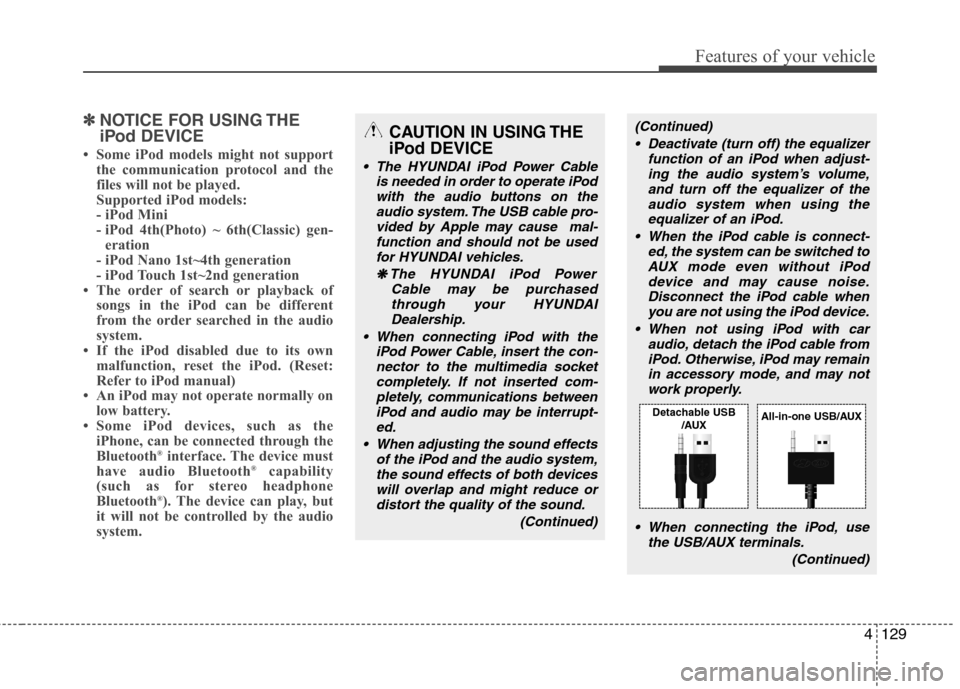
When connecting the iPod, use the USB/AUX terminals.
(Continued)
Detachable USB/AUXAll-in-one USB/AUX