seconds Hyundai Elantra 2012 User Guide
[x] Cancel search | Manufacturer: HYUNDAI, Model Year: 2012, Model line: Elantra, Model: Hyundai Elantra 2012Pages: 383, PDF Size: 8.94 MB
Page 86 of 383
Features of your vehicle
8 4
Trunk unlocking
Using the trunk handle button
1. Carry the smart key.
2. Press the trunk handle button.
3. When all doors are locked, the hazard
warning lights will blink two times.
Once the trunk is opened and then
closed, the trunk will lock automatical-
ly.
✽ ✽
NOTICE
The button will only operate when the
smart key is within 28~40in. (0.7~1m)
from the trunk handle.
Using the button on the smart key
1. Press the trunk unlock button(3) for
more than 1 second.
2. When all doors are locked, the hazard
warning lights will blink two times.
Panic
1. Press the panic button(4) for more than
1.5 second.
2. The horn sounds and hazard warning
light flash for about 30 seconds.
✽ ✽
NOTICE
To stop the horn and lights, press any
button on the smart key.
Start-up
You can start the engine without inserting
the key. For detailed information refer to
the “Engine start/stop button” in section 5.
Loss of the smart key
A maximum of 2 smart keys can be reg-
istered to a single vehicle.
If you happen to lose your smart key, you
will not be able to start the engine. You
should immediately take the vehicle and
remaining key to your authorized
HYUNDAI dealer(tow the vehicle, if nec-
essary) to protect it from potential theft.
Smart key precautions
The smart key will not work if any of
the following occur:
- The smart key is close to a radio
transmitter such as a radio station or
an airport which can interfere with
normal operation of the smart key.
- The smart key is near a mobile two
way radio system or a cellular phone.
- Another vehicle’s smart key is being
operated close to your vehicle.
When the smart key does not work cor-
rectly, open and close the door with the
mechanical key and contact an author-
ized HYUNDAI dealer.
CAUTION
Keep the smart key away from
water or any liquid. If the keyless
entry system is inoperative due to
exposure to water or other liquids,
it will not be covered by your manu-
facturer’s vehicle warranty.
Page 90 of 383
Features of your vehicle
12 4
Remote keyless entry system
operations
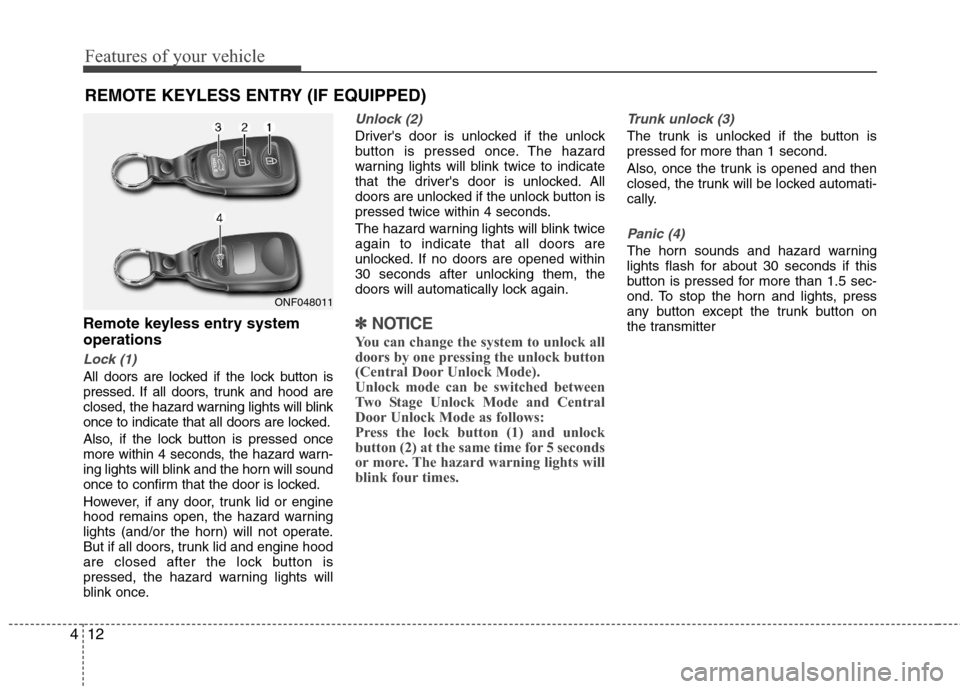
Lock (1)
All doors are locked if the lock button is
pressed. If all doors, trunk and hood are
closed, the hazard warning lights will blink
once to indicate that all doors are locked.
Also, if the lock button is pressed once
more within 4 seconds, the hazard warn-
ing lights will blink and the horn will sound
once to confirm that the door is locked.
However, if any door, trunk lid or engine
hood remains open, the hazard warning
lights (and/or the horn) will not operate.
But if all doors, trunk lid and engine hood
are closed after the lock button is
pressed, the hazard warning lights will
blink once.
Unlock (2)
Driver's door is unlocked if the unlock
button is pressed once. The hazard
warning lights will blink twice to indicate
that the driver's door is unlocked. All
doors are unlocked if the unlock button is
pressed twice within 4 seconds.
The hazard warning lights will blink twice
again to indicate that all doors are
unlocked. If no doors are opened within
30 seconds after unlocking them, the
doors will automatically lock again.
✽ ✽
NOTICE
You can change the system to unlock all
doors by one pressing the unlock button
(Central Door Unlock Mode).
Unlock mode can be switched between
Two Stage Unlock Mode and Central
Door Unlock Mode as follows:
Press the lock button (1) and unlock
button (2) at the same time for 5 seconds
or more. The hazard warning lights will
blink four times.
Trunk unlock (3)
The trunk is unlocked if the button is
pressed for more than 1 second.
Also, once the trunk is opened and then
closed, the trunk will be locked automati-
cally.
Panic (4)
The horn sounds and hazard warning
lights flash for about 30 seconds if this
button is pressed for more than 1.5 sec-
ond. To stop the horn and lights, press
any button except the trunk button on
the transmitter
REMOTE KEYLESS ENTRY (IF EQUIPPED)
ONF048011
Page 94 of 383
Features of your vehicle
16 4
Using the transmitter (if equipped)
Park the vehicle and stop the engine.
Arm the system as described below.
1. Turn off the engine and remove the
ignition key from the ignition switch.
2. Make sure that all doors, the engine
hood and trunk lid are closed and
latched.
3. Lock the doors by pressing the lock
button on the transmitter.
After completion of the steps above, the
hazard warning lights will blink once to
indicate that the system is armed. If the
lock button is pressed once more within 4
seconds, hazard warning lights blink and
the horn sounds once to confirm that the
system is armed.
If any door, trunk lid or engine hood
remains open, the hazard warning lights
(or/and horn) won't operate and theft-
alarm will not arm. After you close all
doors, trunk lid and engine hood, the
hazard warning lights blink once.
Using the mechanical key
Park the vehicle and stop the engine.
Arm the system as described below.
1. Turn off the engine and remove the key
from the ignition switch(if equipped).
2. Make sure that all doors, the engine
hood and trunk lid are closed and
latched.
3. Lock the doors by inserting the key into
the key hole on the front outside door
handle and turning the key toward the
front of the vehicle.
If any door, trunk lid or engine hood
remains open, the theft-alarm will not
arm.
✽ ✽
NOTICE
If you lock or unlock the doors by using
the mechanical key, the hazard warning
light won't operate.
Do not arm the system until all pas-
sengers have left the vehicle. If the
system is armed while a passenger(s)
remains in the vehicle, the alarm may
be activated when the remaining pas-
senger(s) leave the vehicle. If any
door (or trunk) or engine hood is
opened within 30 seconds after the
system enters the armed stage, the
system is disarmed to prevent an
unnecessary alarm.
Page 95 of 383
417
Features of your vehicle
Theft-alarm stage
The alarm will be activated if any of the
following occurs while the system is
armed.
A door is opened without using the
transmitter (or smart key or mechani-
cal key).
The trunk is opened without using the
transmitter (or smart key).
The engine hood is opened.
The horn will sound and the hazard
warning lights will blink continuously for
approximately 30 seconds. The alarm will
repeat once more unless the system is
disarmed. To turn off the system, unlock
the doors with the mechanical key or
transmitter or smart key.
Opening the trunk with the alarm
armed (if equipped)
When the alarm is armed, the alarm will
not sound if the trunk lid is opened with
the transmitter (or smart key).
Once the trunk is opened and then
closed, the trunk will be locked automati-
cally and the system will be armed again.
Also, if any of the doors or hood is
opened while the trunk lid is open and
the alarm is armed, the alarm will sound.
Disarmed stage
Using the smart key (if equipped)
The system will be disarmed when the
doors are unlocked by pressing the
unlock button on the smart key or press-
ing the lock/unlock button of the front out-
side door handle with the smart key in
your possession.
After unlocking the doors, the hazard
warning lights and chime will operate
twice to indicate that the system is dis-
armed.
After unlocking the doors, if any door is
not opened within 30 seconds, the sys-
tem will be rearmed.
Using the transmitter (if equipped)
The system will be disarmed when the
doors are unlocked by pressing the
unlock button on the transmitter.
After unlocking the doors, the hazard
warning lights will blink twice to indicate
that the system is disarmed.
After unlocking the doors, if any door is
not opened within 30 seconds, the sys-
tem will be rearmed.
Page 96 of 383
Features of your vehicle
18 4
Using the mechanical key
The system will be disarmed when the
doors are unlocked with the mechanical
key.
✽ ✽
NOTICE
If you lock or unlock the doors by using
the mechanical key, the hazard warning
light and chime sound won't operate.
✽ ✽
NOTICE
• Avoid trying to start the engine while
the alarm is activated. The vehicle
starting motor is disabled during the
theft-alarm stage.
If the system is not disarmed with the
transmitter, insert the key into the
ignition switch, turn the ignition
switch to the ON position and wait for
30 seconds. Then the system will be
disarmed.
• If you lose your keys, consult your
authorized HYUNDAI dealer.CAUTION
Do not change, alter or adjust the
theft-alarm system because it could
cause the theft-alarm system to
malfunction and should only be
serviced by an authorized HYUNDAI
dealer.
Malfunctions caused by improper
alterations, adjustments or modifi-
cations to the theft-alarm system
are not covered by your vehicle
manufacturer warranty.
Page 97 of 383
419
Features of your vehicle
Operating door locks from out-
side the vehicle
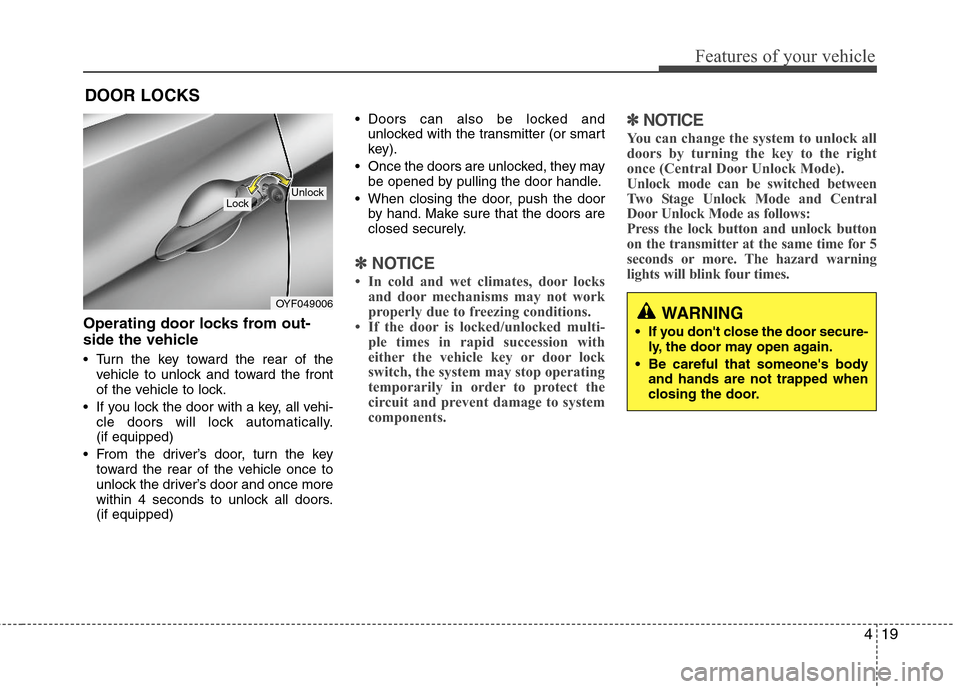
Turn the key toward the rear of the
vehicle to unlock and toward the front
of the vehicle to lock.
If you lock the door with a key, all vehi-
cle doors will lock automatically.
(if equipped)
From the driver’s door, turn the key
toward the rear of the vehicle once to
unlock the driver’s door and once more
within 4 seconds to unlock all doors.
(if equipped) Doors can also be locked and
unlocked with the transmitter (or smart
key).
Once the doors are unlocked, they may
be opened by pulling the door handle.
When closing the door, push the door
by hand. Make sure that the doors are
closed securely.
✽ ✽
NOTICE
• In cold and wet climates, door locks
and door mechanisms may not work
properly due to freezing conditions.
• If the door is locked/unlocked multi-
ple times in rapid succession with
either the vehicle key or door lock
switch, the system may stop operating
temporarily in order to protect the
circuit and prevent damage to system
components.
✽ ✽
NOTICE
You can change the system to unlock all
doors by turning the key to the right
once (Central Door Unlock Mode).
Unlock mode can be switched between
Two Stage Unlock Mode and Central
Door Unlock Mode as follows:
Press the lock button and unlock button
on the transmitter at the same time for 5
seconds or more. The hazard warning
lights will blink four times.
DOOR LOCKS
OYF049006
LockUnlock
WARNING
If you don't close the door secure-
ly, the door may open again.
Be careful that someone's body
and hands are not trapped when
closing the door.
Page 104 of 383
Features of your vehicle
26 4
Power windows
The ignition switch must be in the ON
position for power windows to operate.
Each door has a power window switch
that controls that door's window. The driv-
er has a power window lock switch which
can block the operation of passenger
windows. The driver’s door has a master
power window switch that controls all the
windows in the vehicle. The power win-
dows can be operated for approximately
30 seconds after the ignition key is
removed or turned to the ACC or LOCK
position. However, if the front doors
open, the power windows cannot be
operated within the 30 second period.
✽ ✽
NOTICE
While driving with the rear windows
down or with the sunroof (if equipped) in
an open (or partially open) position, your
vehicle may demonstrate a wind buffet-
ing or pulsation noise. This noise is a
normal occurrence and can be reduced
or eliminated by taking the following
actions. 1If the noise occurs with one or
both of the rear windows down, partially
lower both front windows approximate-
ly one inch. If you experience the noise
with the sunroof open, slightly reduce the
size of the sunroof opening.
Window opening and closing
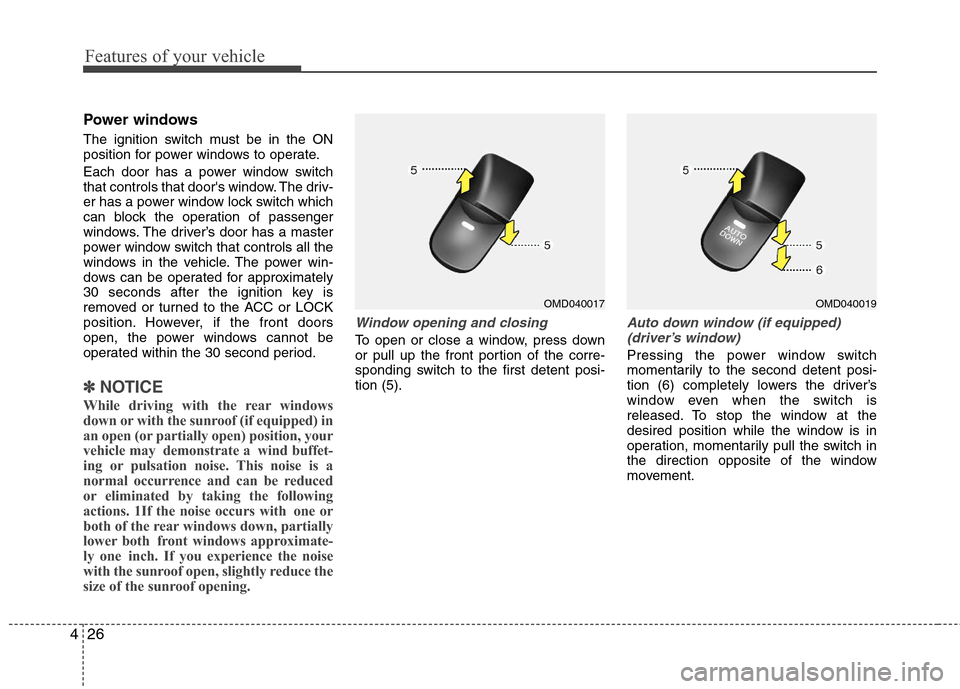
To open or close a window, press down
or pull up the front portion of the corre-
sponding switch to the first detent posi-
tion (5).
Auto down window (if equipped)
(driver’s window)
Pressing the power window switch
momentarily to the second detent posi-
tion (6) completely lowers the driver’s
window even when the switch is
released. To stop the window at the
desired position while the window is in
operation, momentarily pull the switch in
the direction opposite of the window
movement.
OMD040017OMD040019
Page 105 of 383
427
Features of your vehicle
Auto up/down window (if equipped)
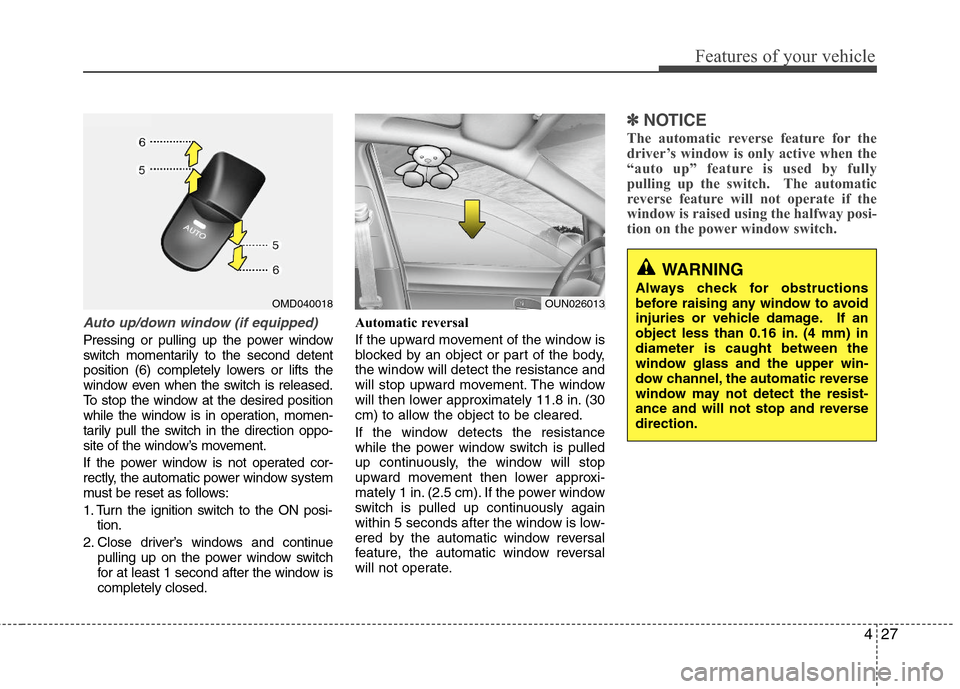
Pressing or pulling up the power window
switch momentarily to the second detent
position (6) completely lowers or lifts the
window even when the switch is released.
To stop the window at the desired position
while the window is in operation, momen-
tarily pull the switch in the direction oppo-
site of the window’s movement.
If the power window is not operated cor-
rectly, the automatic power window system
must be reset as follows:
1. Turn the ignition switch to the ON posi-
tion.
2. Close driver’s windows and continue
pulling up on the power window switch
for at least 1 second after the window is
completely closed.Automatic reversal
If the upward movement of the window is
blocked by an object or part of the body,
the window will detect the resistance and
will stop upward movement. The window
will then lower approximately 11.8 in. (30
cm) to allow the object to be cleared.
If the window detects the resistance
while the power window switch is pulled
up continuously, the window will stop
upward movement then lower approxi-
mately 1 in. (2.5 cm). If the power window
switch is pulled up continuously again
within 5 seconds after the window is low-
ered by the automatic window reversal
feature, the automatic window reversal
will not operate.
✽ ✽
NOTICE
The automatic reverse feature for the
driver’s window is only active when the
“auto up” feature is used by fully
pulling up the switch. The automatic
reverse feature will not operate if the
window is raised using the halfway posi-
tion on the power window switch.
WARNING
Always check for obstructions
before raising any window to avoid
injuries or vehicle damage. If an
object less than 0.16 in. (4 mm) in
diameter is caught between the
window glass and the upper win-
dow channel, the automatic reverse
window may not detect the resist-
ance and will not stop and reverse
direction.OUN026013OMD040018
Page 115 of 383
437
Features of your vehicle
Sunshade
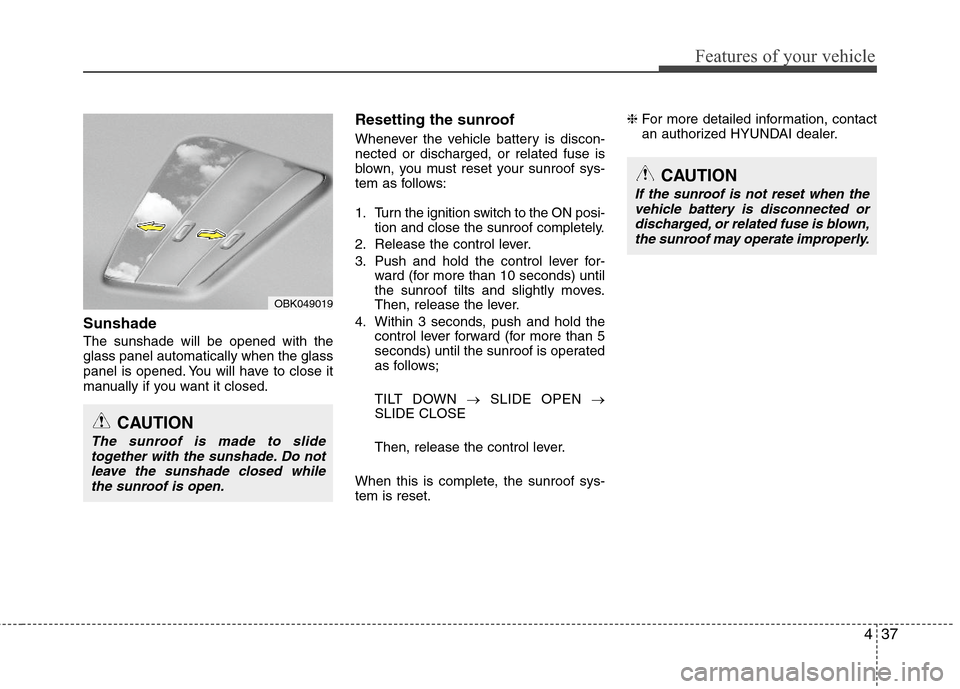
The sunshade will be opened with the
glass panel automatically when the glass
panel is opened. You will have to close it
manually if you want it closed.
Resetting the sunroof
Whenever the vehicle battery is discon-
nected or discharged, or related fuse is
blown, you must reset your sunroof sys-
tem as follows:
1. Turn the ignition switch to the ON posi-
tion and close the sunroof completely.
2. Release the control lever.
3. Push and hold the control lever for-
ward (for more than 10 seconds) until
the sunroof tilts and slightly moves.
Then, release the lever.
4. Within 3 seconds, push and hold the
control lever forward (for more than 5
seconds) until the sunroof is operated
as follows;
TILT DOWN →SLIDE OPEN →
SLIDE CLOSE
Then, release the control lever.
When this is complete, the sunroof sys-
tem is reset.❈For more detailed information, contact
an authorized HYUNDAI dealer.
CAUTION
The sunroof is made to slide
together with the sunshade. Do not
leave the sunshade closed while
the sunroof is open.
OBK049019
CAUTION
If the sunroof is not reset when the
vehicle battery is disconnected or
discharged, or related fuse is blown,
the sunroof may operate improperly.
Page 128 of 383
Features of your vehicle
50 4
Warnings and indicators
All warning lights are checked by turning
the ignition switch ON (do not start the
engine). Any light that does not illuminate
should be checked by an authorized
HYUNDAI dealer.
After starting the engine, check to make
sure that all warning lights are off. If any
are still on, this indicates a situation that
needs attention. When releasing the
parking brake, the brake system warning
light should go off. The fuel warning light
will stay on if the fuel level is low.
ECO indicator
(if equipped)
Active ECO system (if equipped)
When the active ECO is operating the
ECO indicator is green.
For more detailed information, refer to
“Active ECO” in chapter 5.
Air bag warning light
This warning light will illuminate for
approximately 6 seconds each time you
turn the ignition switch to the ON posi-
tion.
This light also comes on when the
Supplemental Restraint System (SRS) is
not working properly. If the SRS air bag
warning light does not come on, or
continuously remains on after operating
for about 6 seconds when you turned the
ignition switch to the ON position or start-
ed the engine, or if it comes on while
driving, have the SRS inspected by an
authorized HYUNDAI dealer.
Anti-lock brake system
(ABS) warning light
This light illuminates if the ignition switch
is turned ON and goes off in approxi-
mately 3 seconds if the system is operat-
ing normally.
If the ABS warning light remains on,
comes on while driving, or does not
come on when the ignition switch is
turned to the ON position, this indicates
that there may be a malfunction with the
ABS.
If this occurs, have your vehicle checked
by an authorized HYUNDAI dealer as
soon as possible. The normal braking
system will still be operational, but with-
out the assistance of the anti-lock brake
system.
ECO