key Hyundai Elantra 2014 Owner's Manual
[x] Cancel search | Manufacturer: HYUNDAI, Model Year: 2014, Model line: Elantra, Model: Hyundai Elantra 2014Pages: 668, PDF Size: 35.58 MB
Page 355 of 668
![Hyundai Elantra 2014 Owners Manual 4269
Features of your vehicle
MENU
Within key are the A.Store
(Auto Store) and Info functions.A.Store
Press the key Set [A.Store]
through TUNE knob or key
Saves broadcasts with superior
reception](/img/35/14572/w960_14572-354.png "Hyundai Elantra 2014 Owners Manual 4269
Features of your vehicle
MENU
Within key are the A.Store
(Auto Store) and Info functions.A.Store
Press the key Set [A.Store]
through TUNE knob or key
Saves broadcasts with superior
reception")
4269
Features of your vehicle
MENU
Within key are the A.Store
(Auto Store) and Info functions.A.Store
Press the key Set [A.Store]
through TUNE knob or key
Saves broadcasts with superior
reception to ~ keys. If no
frequencies are received, then the
most recently received frequency will
be broadcast.61
1
MENU
MENU
UD(FL) HMA 4C(254~AUDIO2).QXP 8/28/2014 5:26 PM Page 269
Page 356 of 668
Features of your vehicle
270
4
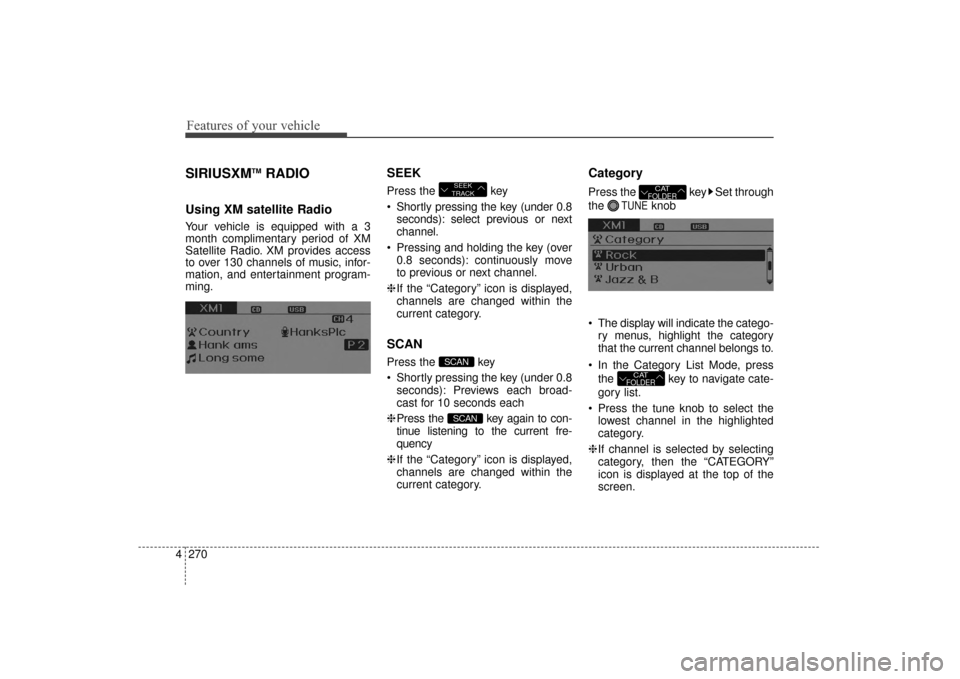
SIRIUSXMTMRADIO
Using XM satellite Radio
Your vehicle is equipped with a 3
month complimentary period of XM
Satellite Radio. XM provides access
to over 130 channels of music, infor-
mation, and entertainment program-
ming.
SEEK
Press the key
Shortly pressing the key (under 0.8
seconds): select previous or next
channel.
Pressing and holding the key (over 0.8 seconds): continuously move
to previous or next channel.
❈ If the “Category” icon is displayed,
channels are changed within the
current category.
SCAN
Press the key
Shortly pressing the key (under 0.8 seconds): Previews each broad-
cast for 10 seconds each
❈ Press the key again to con-
tinue listening to the current fre-
quency
❈ If the “Category” icon is displayed,
channels are changed within the
current category.
Category
Press the key Set through
the
TUNEknob
The display will indicate the catego- ry menus, highlight the category
that the current channel belongs to.
In the Category List Mode, press the key to navigate cate-
gory list.
Press the tune knob to select the lowest channel in the highlighted
category.
❈ If channel is selected by selecting
category, then the “CATEGORY”
icon is displayed at the top of the
screen.
CATFOLDER
CATFOLDER
SCAN
SCAN
SEEK
TRACK
UD(FL) HMA 4C(254~AUDIO2).QXP 8/28/2014 5:26 PM Page 270
Page 357 of 668
4271
Features of your vehicle
Preset
Press the ~ key
Shortly pressing the key (under 0.8seconds): Plays the frequency
saved in the corresponding key.
Pressing and holding the key (over 0.8 seconds): Pressing and holding
the desired key from ~
will save the current broadcast to
the selected key and sound a
BEEP.
Tune
Rotate TUNE knob : Changes
the channel number or scrolls cate-
gory list.
Press TUNE knob : Selects the menu.
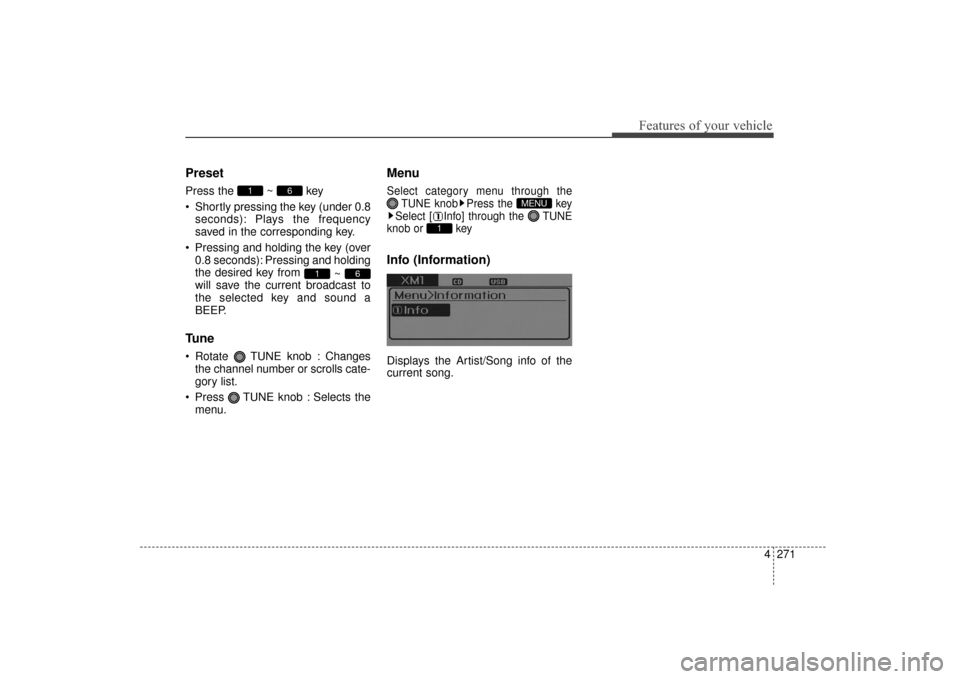
Menu
Select category menu through the TUNE knob Press the key
Select [ Info] through the TUNE
knob or key
Info (Information)
Displays the Artist/Song info of the
current song.
1
MENU
61
61
UD(FL) HMA 4C(254~AUDIO2).QXP 8/28/2014 5:26 PM Page 271
Page 358 of 668
Features of your vehicle
272
4
BASIC METHOD OF USE :
Audio CD / MP3 CD / USB /
iPod
®/ My Music
Press the key to change the
mod mode in order of CD
➟
USB(iPod®) ➟ AUX ➟ My Music ➟ BT
Audio.
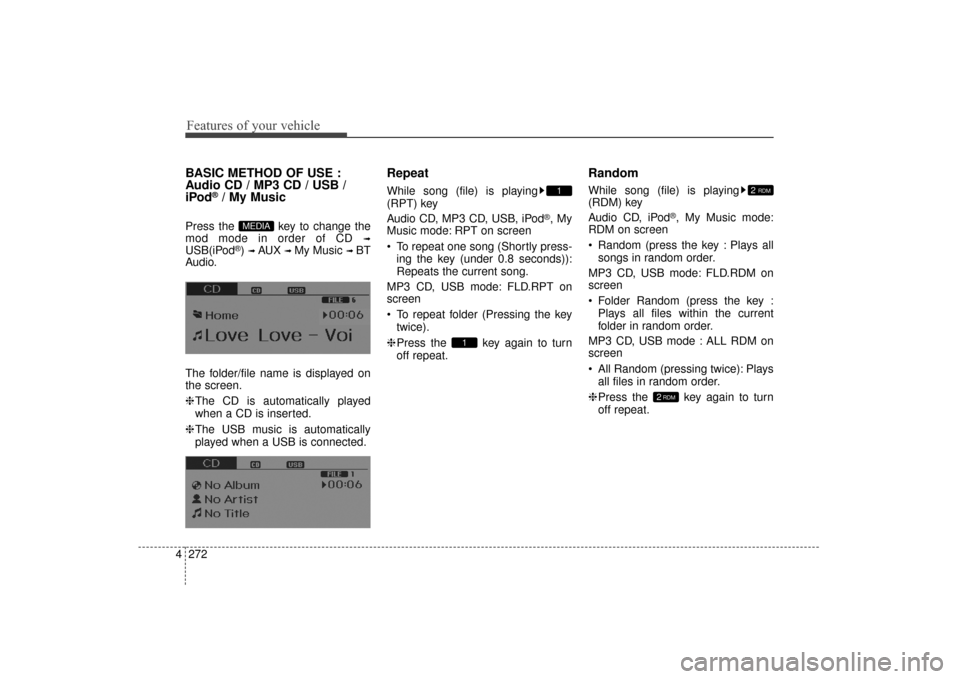
The folder/file name is displayed on
the screen.
❈ The CD is automatically played
when a CD is inserted.
❈ The USB music is automatically
played when a USB is connected.
Repeat
While song (file) is playing
(RPT) key
Audio CD, MP3 CD, USB, iPod
®, My
Music mode: RPT on screen
To repeat one song (Shortly press-
ing the key (under 0.8 seconds)):
Repeats the current song.
MP3 CD, USB mode: FLD.RPT on
screen
To repeat folder (Pressing the key twice).
❈ Press the key again to turn
off repeat.
Random
While song (file) is playing
(RDM) key
Audio CD, iPod
®, My Music mode:
RDM on screen
Random (press the key : Plays all
songs in random order.
MP3 CD, USB mode: FLD.RDM on
screen
Folder Random (press the key : Plays all files within the current
folder in random order.
MP3 CD, USB mode : ALL RDM on
screen
All Random (pressing twice): Plays all files in random order.
❈ Press the key again to turn
off repeat.
2RDM
2 RDM
1
1
MEDIA
UD(FL) HMA 4C(254~AUDIO2).QXP 8/28/2014 5:26 PM Page 272
Page 359 of 668
4273
Features of your vehicle
Changing Song/File
While song (file) is playing
key
Shortly pressing the key (under 0.8seconds): Plays the current song
from the beginning.
❈ If the key is pressed
again within 1 second, the previous
song is played.
Pressing and holding the key (over 0.8 seconds): Rewinds the song.
While song (file) is playing
key
Shortly pressing the key (under 0.8seconds): Plays the next song.
Pressing and holding the key (over 0.8 seconds): Fast forwards the
song.
Scan
While song (file) is playing key
Scans all songs for 10 seconds start-
ing from the next song.
❈Press the key again to turn
off.
❈ The SCAN function is not support-
ed in iPod mode.
Folder Search : MP3 CD, USB
Mode
While file is playing
(Folder Up) key
Searches the next folder.
While file is playing
(Folder Down) key
Searches the previous folder.
❈ If a folder is selected by pressing
the TUNE knob, the first file
within the selected folder will be
played.
Searching Songs (File)
Turning TUNE knob : Searches for songs (files)
Pressing TUNE knob : Plays selected song (file).
CAT
FOLDER
CAT
FOLDER
SCAN
SCAN
SEEK
TRACK
SEEK
TRACK
SEEK
TRACK
UD(FL) HMA 4C(254~AUDIO2).QXP 8/28/2014 5:26 PM Page 273
Page 360 of 668
![Hyundai Elantra 2014 Owners Manual Features of your vehicle
274
4
MENU : Audio CD
Press the CD MP3 mode key
to set the Repeat, Random,
Information features.
Repeat
Press the key Set [ RPT]
through the
TUNEknob or
key to repeat the](/img/35/14572/w960_14572-359.png "Hyundai Elantra 2014 Owners Manual Features of your vehicle
274
4
MENU : Audio CD
Press the CD MP3 mode key
to set the Repeat, Random,
Information features.
Repeat
Press the key Set [ RPT]
through the
TUNEknob or
key to repeat the")
Features of your vehicle
274
4
MENU : Audio CD
Press the CD MP3 mode key
to set the Repeat, Random,
Information features.
Repeat
Press the key Set [ RPT]
through the
TUNEknob or
key to repeat the current song.
❈ Press RPT again to turn off.
Random
Press the key Set [ RDM]
through the
TUNEknob or
key to randomly play songs within
the current folder.
❈ Press RDM again to turn off.
Information
Press the key Set [ Info]
through the
TUNEknob or
key to display information of the cur-
rent song.
❈ Press the key to turn off
info display.
MENU
3
MENU
2
MENU
1
MENU
MENU
UD(FL) HMA 4C(254~AUDIO2).QXP 8/28/2014 5:26 PM Page 274
Page 361 of 668
4275
Features of your vehicle
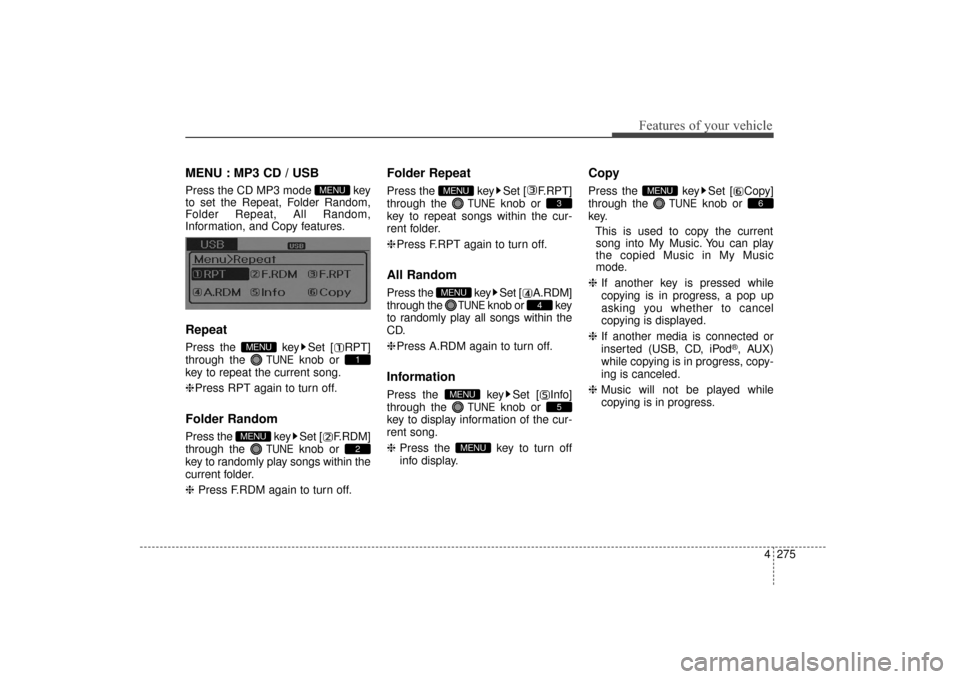
MENU : MP3 CD / USB
Press the CD MP3 mode key
to set the Repeat, Folder Random,
Folder Repeat, All Random,
Information, and Copy features.
Repeat
Press the key Set [ RPT]
through the
TUNEknob or
key to repeat the current song.
❈ Press RPT again to turn off.
Folder Random
Press the key Set [ F.RDM]
through the
TUNEknob or
key to randomly play songs within the
current folder.
❈ Press F.RDM again to turn off.
Folder Repeat
Press the key Set [ F.RPT]
through the
TUNEknob or
key to repeat songs within the cur-
rent folder.
❈ Press F.RPT again to turn off.
All Random
Press the key Set [ A.RDM]
through the
TUNEknob or key
to randomly play all songs within the
CD.
❈ Press A.RDM again to turn off.
Information
Press the key Set [ Info]
through the
TUNEknob or
key to display information of the cur-
rent song.
❈ Press the key to turn off
info display.
Copy
Press the key Set [ Copy]
through the
TUNEknob or
key.
This is used to copy the currentsong into My Music. You can play
the copied Music in My Music
mode.
❈ If another key is pressed while
copying is in progress, a pop up
asking you whether to cancel
copying is displayed.
❈ If another media is connected or
inserted (USB, CD, iPod
®, AUX)
while copying is in progress, copy-
ing is canceled.
❈ Music will not be played while
copying is in progress.
6
MENU
MENU
5
MENU
4
MENU
3
MENU
2
MENU
1
MENU
MENU
UD(FL) HMA 4C(254~AUDIO2).QXP 8/28/2014 5:26 PM Page 275
Page 362 of 668
![Hyundai Elantra 2014 Owners Manual Features of your vehicle
276
4
MENU : iPod®
In iPod®mode, press the key
to set the Repeat, Random,
Information and Search features.
Repeat
Press the key Set [ RPT]
through the
TUNEknob or
key to](/img/35/14572/w960_14572-361.png "Hyundai Elantra 2014 Owners Manual Features of your vehicle
276
4
MENU : iPod®
In iPod®mode, press the key
to set the Repeat, Random,
Information and Search features.
Repeat
Press the key Set [ RPT]
through the
TUNEknob or
key to")
Features of your vehicle
276
4
MENU : iPod®
In iPod®mode, press the key
to set the Repeat, Random,
Information and Search features.
Repeat
Press the key Set [ RPT]
through the
TUNEknob or
key to repeat the current song.
❈ Press RPT again to turn repeat off.
Random
Press the key Set [ RDM]
through the TUNEknob or
key.
Plays all songs within the currently
playing category in random order.
❈ Press RDM again to turn off.
Information
Press the key Set [ Info]
through the
TUNEknob or
key.
Displays information of the current
song.
❈ Press the key to turn off
info display.
Search
Press the key Set [ Search]
through the
TUNEknob or
key.
Displays iPod
®category list.
❈ Searching iPod
®category is
key pressed, move to par-
ent category.
MENU : My Music Mode
In My Music mode, press the
key to set the Repeat, Random,
Information, Delete, Delete All, and
Delete Selection features.
Repeat
Press the key Set [ RPT]
through the TUNE knob or key.
Repeats the currently playing song.
❈ Press RPT again to turn repeat off.
Random
Press the key Set [ RDM]
through the TUNEknob or key.
Plays all songs within the currently
playing folder in random order.
❈Press RDM again to turn random
off.
2
MENU
1
MENU
MENU
MENU
4
MENU
MENU
3
MENU
2 RDMMENU
1 RPTMENU
MENU
UD(FL) HMA 4C(254~AUDIO2).QXP 8/28/2014 5:26 PM Page 276
Page 363 of 668
![Hyundai Elantra 2014 Owners Manual 4277
Features of your vehicle
Information
Press the key Set [ Info]
through the
TUNEknob or key.
Displays information of the current
song.
❈ Press the key to turn off
info display.
Delete
Press](/img/35/14572/w960_14572-362.png "Hyundai Elantra 2014 Owners Manual 4277
Features of your vehicle
Information
Press the key Set [ Info]
through the
TUNEknob or key.
Displays information of the current
song.
❈ Press the key to turn off
info display.
Delete
Press")
4277
Features of your vehicle
Information
Press the key Set [ Info]
through the
TUNEknob or key.
Displays information of the current
song.
❈ Press the key to turn off
info display.
Delete
Press the key Set [ Delete]
through the TUNEknob or key.
Deletes currently playing file
In the play screen, pressing delete
will delete the currently playing song.
Deletes file from list
➀Select the file you wish to delete by
using the TUNE knob.
➁ Press the key and select
the delete menu to delete the
selected file.
Delete All
Press the key Set [ Del.All]
through the TUNEknob or key.
Deletes all songs of My Music.
Delete Selection
Press the key Set [ Del.Sel]
through the TUNEknob or key.
Songs within My Music are selected
and deleted.
➀Select the songs you wish to
delete from the list.
➁ After selecting, press the
key and select the delete menu.
AUX
AUX is used to play external MEDIA
currently connected with the AUX
terminal.
AUX mode will automatically start
when an external device is connect-
ed to the AUX terminal.
If an external device is connected,
you can also press the key to
change to AUX mode.
❈AUX mode cannot be started
unless there is an external device
connected to the AUX terminal.
MEDIA
MENU
6
MENU
5
MENU
MENU
4
MENU
MENU
3
MENU
UD(FL) HMA 4C(254~AUDIO2).QXP 8/28/2014 5:26 PM Page 277
Page 364 of 668
Features of your vehicle
278
4
Bluetooth®Wireless
Technology AUDIO
What is
Bluetooth®Wireless
Technology?
Bluetooth®Wireless Technology allows
devices to be connected in a short dis-
tance, including hands-free devices,
stereo headsets, wireless remote con-
trollers, etc. For more information, visit
the
Bluetooth®Wireless Technology
website
at www.Bluetooth.com
Before using Bluetooth®Wireless
Technology audio features
Bluetooth®Wireless Technology
audio may not be supported
depending on the compatibility of
your
Bluetooth®Wireless
Technology mobile phone.
In order to use
Bluetooth®Wireless
Technology audio, you must first
pair and connect the
Bluetooth®
Wireless Technology mobile phone.
Bluetooth®Wireless Technology
audio can be used only when the
[Audio Streaming] of Phone is
turned .
❈ Setting
Bluetooth®Wireless
Technology Audio Streaming :
Press the key Select
[Phone] through the tune knob or key Select [Audio Streaming]
through the TUNE knob Set
/
Starting Bluetooth®Wireless
Technology Audio
Press the key to change
the mode in order of CD ➟ USB ➟
AUX ➟ My Music ➟ BT Audio.
If BT Audio is selected,
Bluetooth®
Wireless Technology audio will
start playing.
❈ Audio may not automatically start
playing in some mobile phones.
Using the Bluetooth®Wireless
Technology audio features
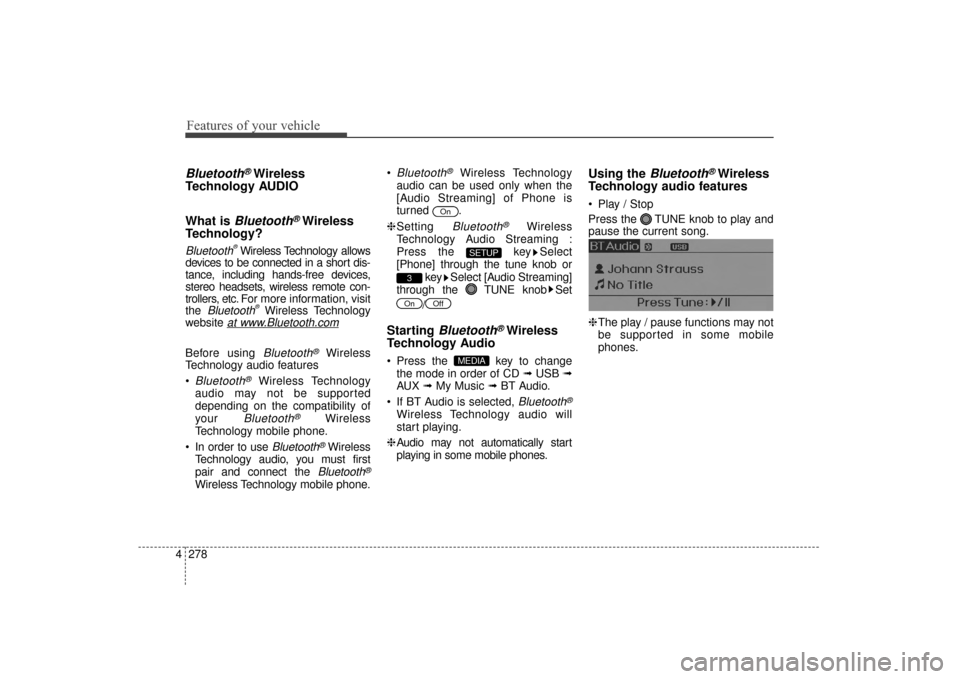
Play / Stop
Press the TUNE knob to play and
pause the current song.
❈ The play / pause functions may not
be supported in some mobile
phones.
MEDIA
OffOn
3
SETUP
On
UD(FL) HMA 4C(254~AUDIO2).QXP 8/28/2014 5:26 PM Page 278