tail light Hyundai Elantra 2014 User Guide
[x] Cancel search | Manufacturer: HYUNDAI, Model Year: 2014, Model line: Elantra, Model: Hyundai Elantra 2014Pages: 668, PDF Size: 35.58 MB
Page 155 of 668
469
Features of your vehicle
This indicator light illuminates for 2
seconds and goes off:
When the vehicle can not detect the
smart key which is in the vehicle
while the Engine Start/Stop Button is
ON.
In this case, have your vehicle
inspected by an authorized
HYUNDAI dealer.This indicator light blinks:
When the battery of the smart key
is weak.
- At this time, you can not start theengine. However, you can start
the engine if you press the Engine
Start/Stop Button with the smart
key. (For more details, refer to
“Starting the Engine” in section 5).
When there is a malfunction with the immobilizer system.
In this case, have your vehicle
inspected by an authorized
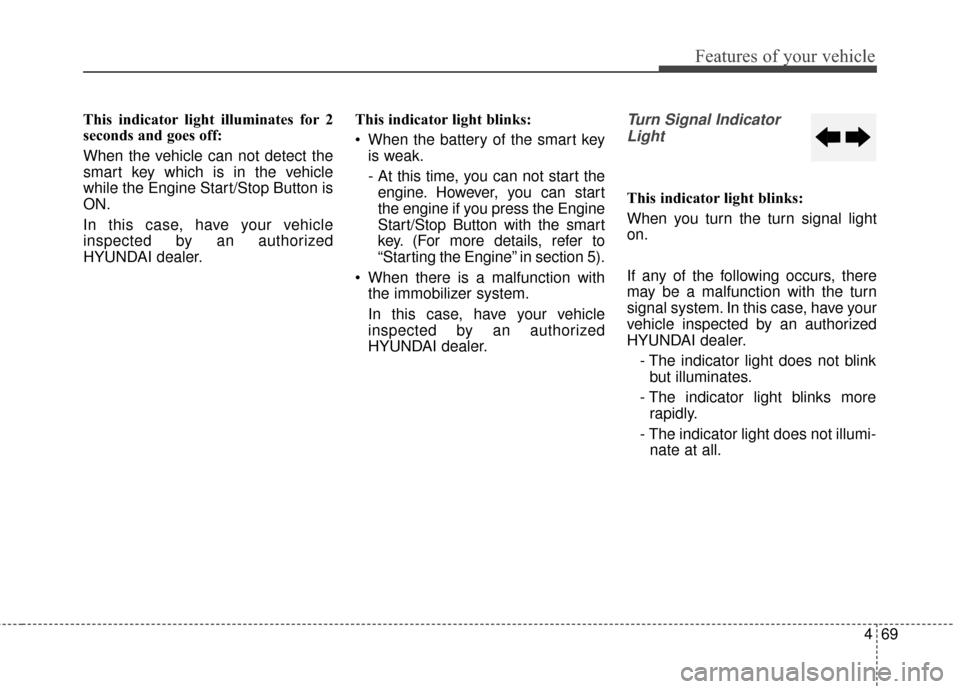
HYUNDAI dealer.Turn Signal Indicator
Light
This indicator light blinks:
When you turn the turn signal light
on.
If any of the following occurs, there
may be a malfunction with the turn
signal system. In this case, have your
vehicle inspected by an authorized
HYUNDAI dealer.
- The indicator light does not blinkbut illuminates.
- The indicator light blinks more rapidly.
- The indicator light does not illumi- nate at all.
Page 156 of 668
Features of your vehicle
70
4
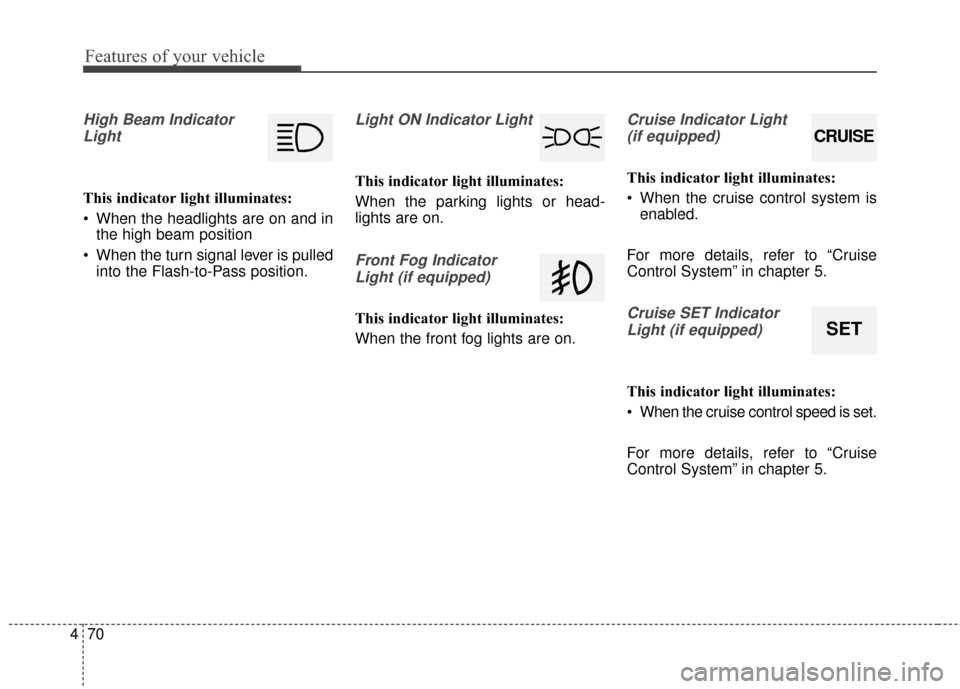
High Beam Indicator
Light
This indicator light illuminates:
When the headlights are on and in the high beam position
When the turn signal lever is pulled into the Flash-to-Pass position.
Light ON Indicator Light
This indicator light illuminates:
When the parking lights or head-
lights are on.
Front Fog Indicator
Light (if equipped)
This indicator light illuminates:
When the front fog lights are on.
Cruise Indicator Light (if equipped)
This indicator light illuminates:
When the cruise control system is enabled.
For more details, refer to “Cruise
Control System” in chapter 5.
Cruise SET Indicator Light (if equipped)
This indicator light illuminates:
When the cruise control speed is set.
For more details, refer to “Cruise
Control System” in chapter 5.
CRUISE
SET
Page 158 of 668
Features of your vehicle
72
4
LIGHT
Exterior lights
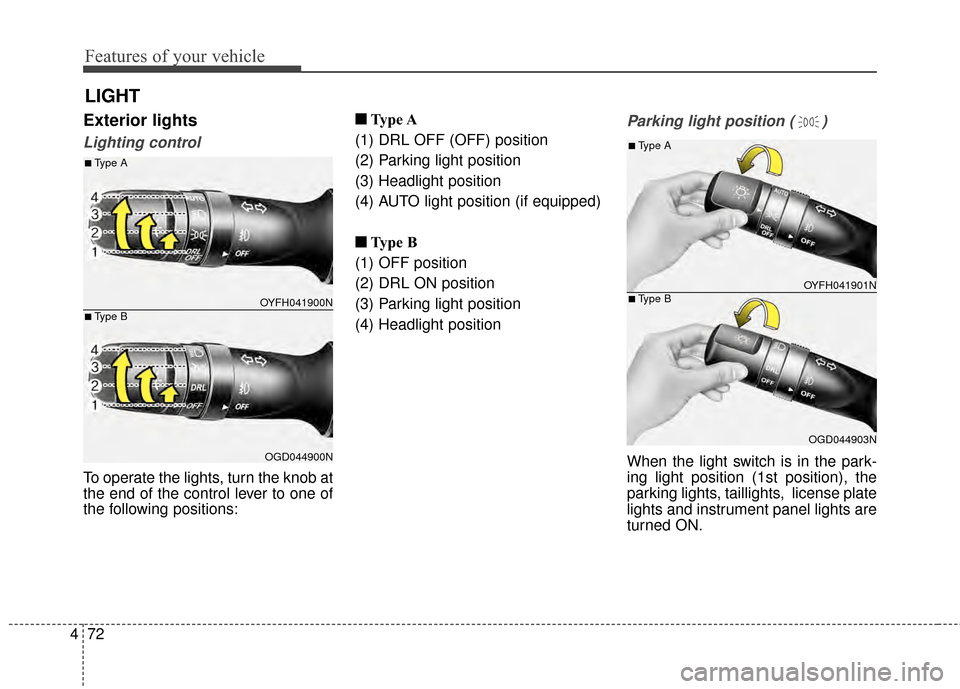
Lighting control
To operate the lights, turn the knob at
the end of the control lever to one of
the following positions: ■ ■
Type A
(1) DRL OFF (OFF) position
(2) Parking light position
(3) Headlight position
(4) AUTO light position (if equipped)
■ ■ Type B
(1) OFF position
(2) DRL ON position
(3) Parking light position
(4) Headlight position
Parking light position ( )
When the light switch is in the park-
ing light position (1st position), the
parking lights, taillights, license plate
lights and instrument panel lights are
turned ON.
OYFH041900N
OGD044900N
■Type A
■Type B
OYFH041901N
OGD044903N
■Type A
■Type B
Page 159 of 668
473
Features of your vehicle
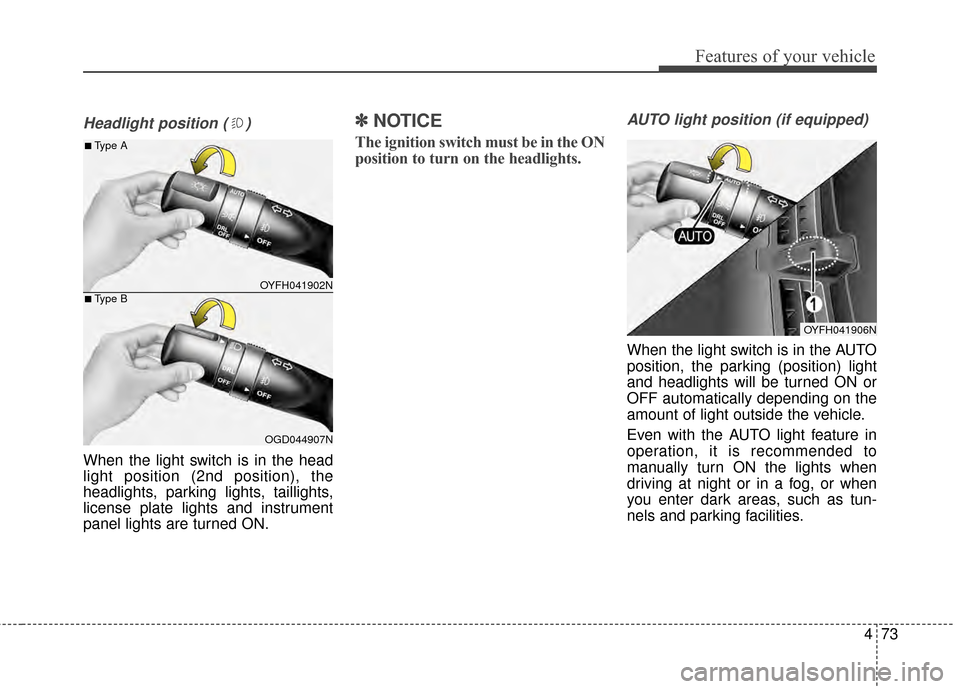
Headlight position ( )
When the light switch is in the head
light position (2nd position), the
headlights, parking lights, taillights,
license plate lights and instrument
panel lights are turned ON.
✽ ✽NOTICE
The ignition switch must be in the ON
position to turn on the headlights.
AUTO light position (if equipped)
When the light switch is in the AUTO
position, the parking (position) light
and headlights will be turned ON or
OFF automatically depending on the
amount of light outside the vehicle.
Even with the AUTO light feature in
operation, it is recommended to
manually turn ON the lights when
driving at night or in a fog, or when
you enter dark areas, such as tun-
nels and parking facilities.
OYFH041902N
OGD044907N
■Type A
■Type B
OYFH041906N
Page 624 of 668
Maintenance
76
7
LIGHT BULBS
Consult an authorized HYUNDAI
dealer to replace most vehicle light
bulbs. It is difficult to replace vehicle
light bulbs because other parts of the
vehicle must be removed before you
can get to the bulb. This is especially
true for removing the headlight
assembly to get to the bulb(s).
Removing/installing the headlight
assembly can result in damage to
the vehicle.
✽ ✽
NOTICE
After heavy driving, rain or wash-
ing, headlight and taillight lenses
could appear frosty. This condition
is caused by the temperature differ-
ence between the lamp inside and
the outside temperature. This is sim-
ilar to the condensation on your win-
dows inside your vehicle during the
rain and doesn’t indicate a problem
with your vehicle. If the water leaks
into the lamp bulb circuitry, have
your vehicle checked by an author-
ized HYUNDAI dealer.
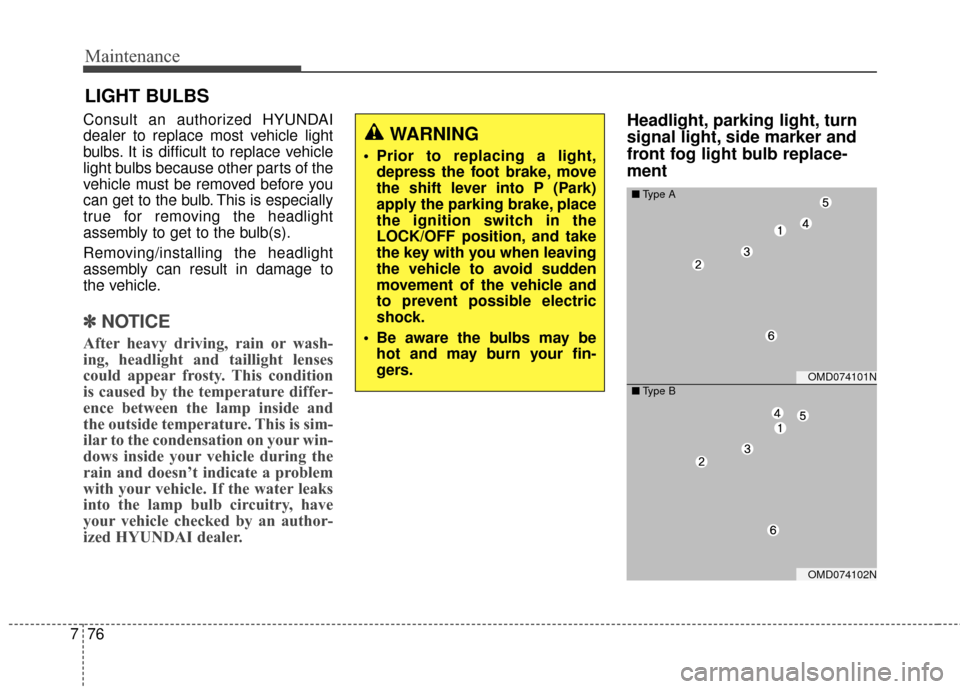
Headlight, parking light, turn
signal light, side marker and
front fog light bulb replace-
ment WARNING
Prior to replacing a light,
depress the foot brake, move
the shift lever into P (Park)
apply the parking brake, place
the ignition switch in the
LOCK/OFF position, and take
the key with you when leaving
the vehicle to avoid sudden
movement of the vehicle and
to prevent possible electric
shock.
Be aware the bulbs may be hot and may burn your fin-
gers.
OMD074101N
■ Type A
OMD074102N
■Type B
Page 629 of 668
781
Maintenance
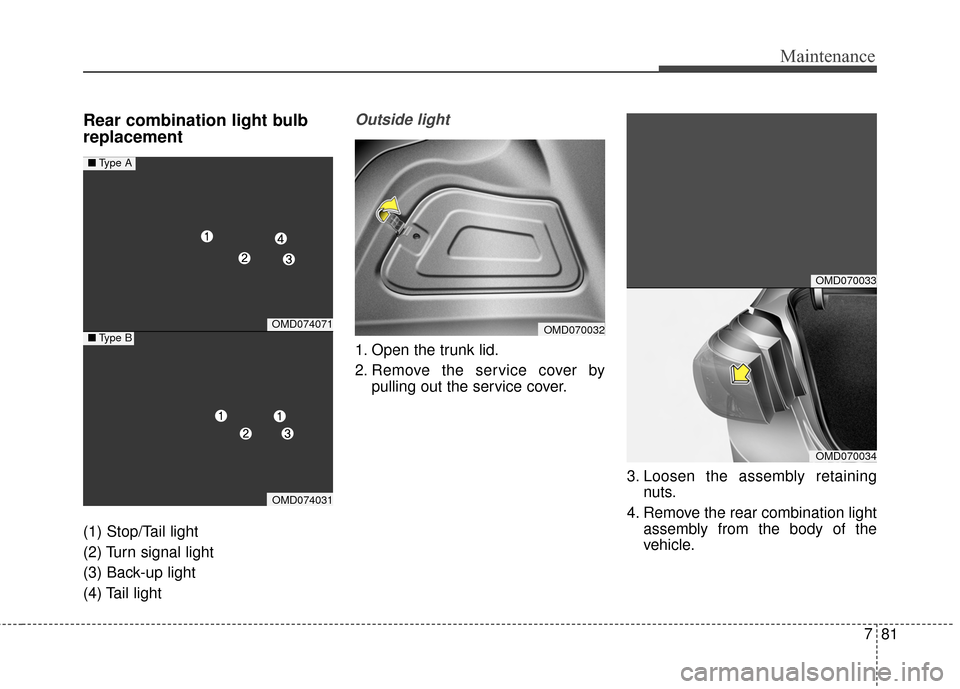
Rear combination light bulb
replacement
(1) Stop/Tail light
(2) Turn signal light
(3) Back-up light
(4) Tail light
Outside light
1. Open the trunk lid.
2. Remove the service cover bypulling out the service cover.
3. Loosen the assembly retainingnuts.
4. Remove the rear combination light assembly from the body of the
vehicle.
OMD074071
OMD074031
■Type A
■Type BOMD070032
OMD070033
OMD070034
Page 630 of 668
Maintenance
82
7
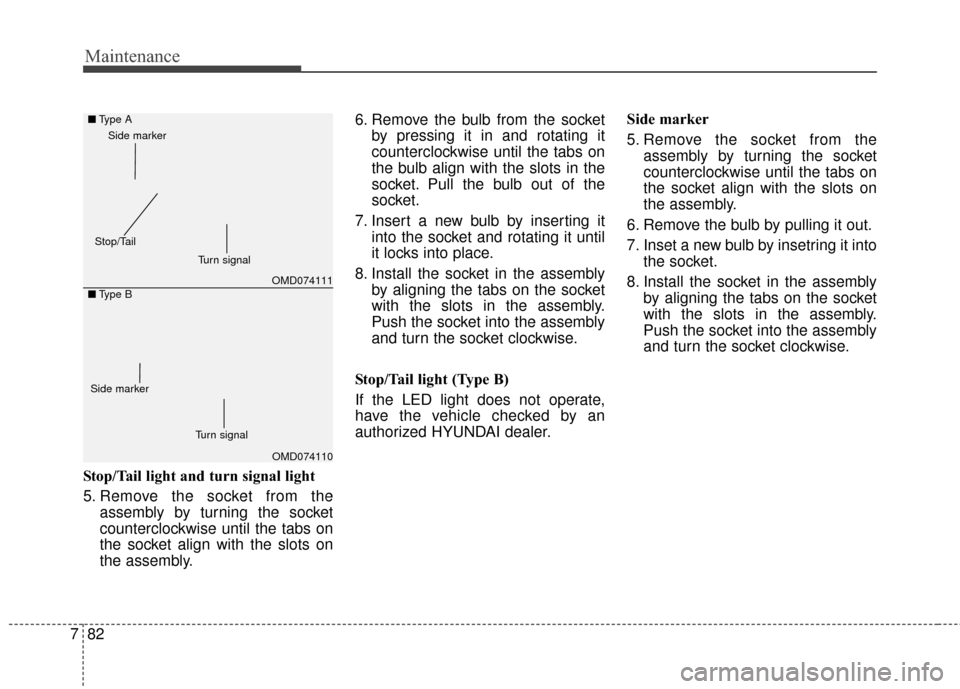
Stop/Tail light and turn signal light
5. Remove the socket from the
assembly by turning the socket
counterclockwise until the tabs on
the socket align with the slots on
the assembly. 6. Remove the bulb from the socket
by pressing it in and rotating it
counterclockwise until the tabs on
the bulb align with the slots in the
socket. Pull the bulb out of the
socket.
7. Insert a new bulb by inserting it into the socket and rotating it until
it locks into place.
8. Install the socket in the assembly by aligning the tabs on the socket
with the slots in the assembly.
Push the socket into the assembly
and turn the socket clockwise.
Stop/Tail light (Type B)
If the LED light does not operate,
have the vehicle checked by an
authorized HYUNDAI dealer. Side marker
5. Remove the socket from the
assembly by turning the socket
counterclockwise until the tabs on
the socket align with the slots on
the assembly.
6. Remove the bulb by pulling it out.
7. Inset a new bulb by insetring it into the socket.
8. Install the socket in the assembly by aligning the tabs on the socket
with the slots in the assembly.
Push the socket into the assembly
and turn the socket clockwise.
OMD074111
OMD074110
■
Type A
■ Type B
Turn signal
Side marker
Stop/Tail
Turn signal
Side marker
Page 631 of 668
783
Maintenance
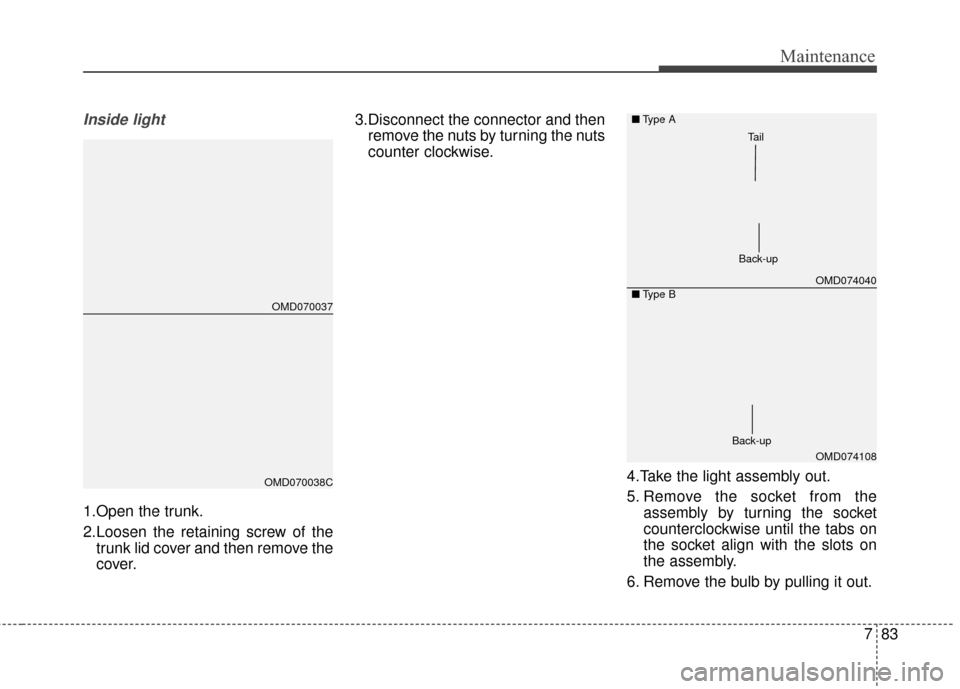
Inside light
1.Open the trunk.
2.Loosen the retaining screw of thetrunk lid cover and then remove the
cover. 3.Disconnect the connector and then
remove the nuts by turning the nuts
counter clockwise.
4.Take the light assembly out.
5. Remove the socket from theassembly by turning the socket
counterclockwise until the tabs on
the socket align with the slots on
the assembly.
6. Remove the bulb by pulling it out.
OMD070037
OMD070038C
OMD074040
OMD074108
■
Type A
■ Type B
Back-up
Tail
Back-up
Page 632 of 668
Maintenance
84
7
7.Insert a new bulb by inserting it into
the socket.
8.Install the light assembly to the trunk.
9.Reinstall the nuts and connector and then the trunk lid cover by
pushing in the screw.
Stop/Tail light (Type B)
If the LED light does not operate,
have the vehicle checked by an
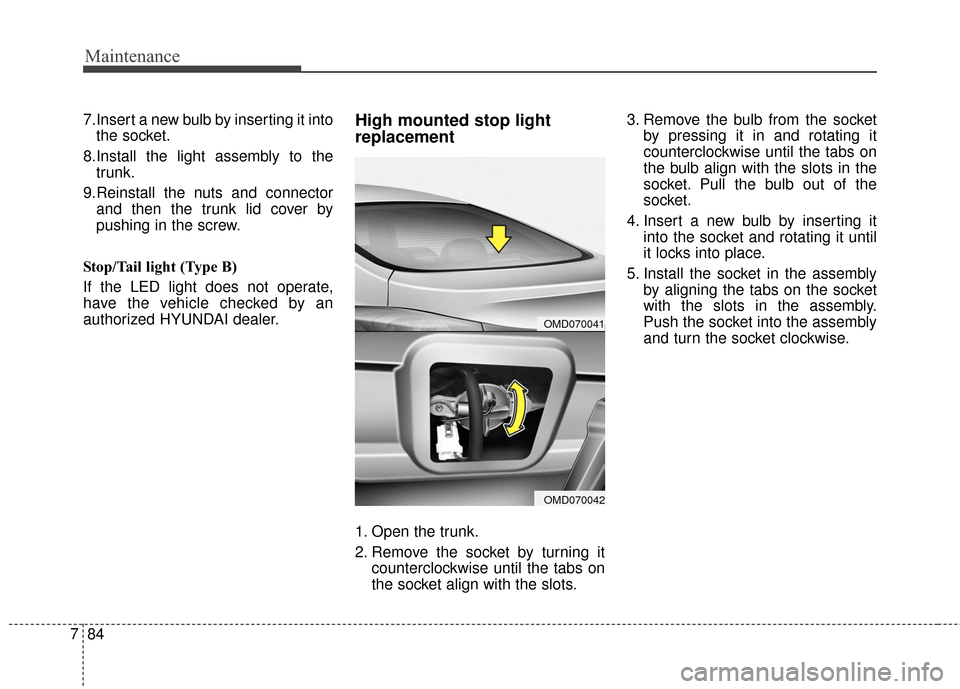
authorized HYUNDAI dealer.High mounted stop light
replacement
1. Open the trunk.
2. Remove the socket by turning it counterclockwise until the tabs on
the socket align with the slots. 3. Remove the bulb from the socket
by pressing it in and rotating it
counterclockwise until the tabs on
the bulb align with the slots in the
socket. Pull the bulb out of the
socket.
4. Insert a new bulb by inserting it into the socket and rotating it until
it locks into place.
5. Install the socket in the assembly by aligning the tabs on the socket
with the slots in the assembly.
Push the socket into the assembly
and turn the socket clockwise.
OMD070041
OMD070042
Page 648 of 668
Specifications, Consumer information, Reporting safety defects
28
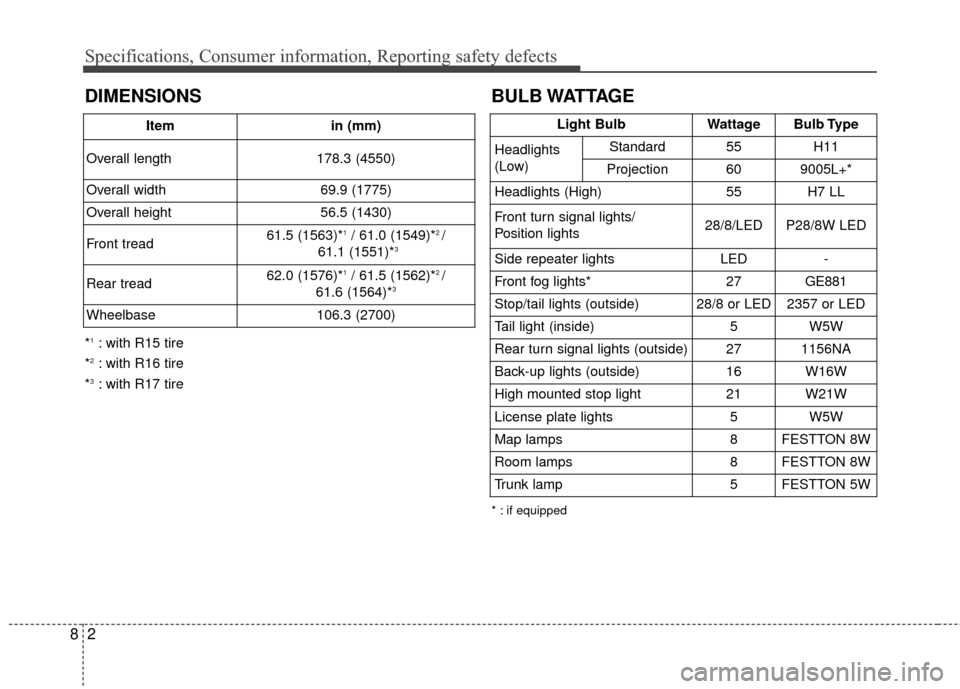
BULB WATTAGE
* : if equipped
Light BulbWattageBulb Type
Headlights
(Low)Standard55H11
Projection609005L+*
Headlights (High)55H7 LL
Front turn signal lights/
Position lights28/8/LEDP28/8W LED
Side repeater lightsLED-
Front fog lights*27GE881
Stop/tail lights (outside)28/8 or LED2357 or LED
Tail light (inside)5W5W
Rear turn signal lights (outside)271156NA
Back-up lights (outside)16W16W
High mounted stop light21W21W
License plate lights5W5W
Map lamps8FESTTON 8W
Room lamps8FESTTON 8W
Trunk lamp5FESTTON 5W
DIMENSIONS
*1: with R15 tire
*
2: with R16 tire
*
3: with R17 tire Item
in (mm)
Overall length 178.3 (4550)
Overall width 69.9 (1775)
Overall height 56.5 (1430)
Front tread 61.5 (1563)*
1/ 61.0 (1549)*2 /
61.1 (1551)*3
Rear tread 62.0 (1576)*1/ 61.5 (1562)*2 /
61.6 (1564)*3
Wheelbase 106.3 (2700)