reset Hyundai Elantra 2015 - RHD (UK. Australia) Owner's Guide
[x] Cancel search | Manufacturer: HYUNDAI, Model Year: 2015, Model line: Elantra, Model: Hyundai Elantra 2015Pages: 498, PDF Size: 9.45 MB
Page 219 of 498
4139
Features of your vehicle
✽NOTICE - USING THE iPod®
DEVICE
• Some iPod®models may not sup-
port communication protocol and
files may not play properly.
Supported iPod
®models:
- iPod®Mini
- iPod®4th (Photo) ~ 6th (Classic)
generation
- iPod
®Nano 1st~4th generation
- iPod®Touch 1st~2nd generation
• The order of search or playback of
songs in the iPod
®can be different
from the order searched in the
audio system.
• If the iPod
®is disabled due to its
own malfunction, reset the iPod®
(Reset: Refer to the iPod®manu-
al).
• An iPod
®may not operate nor-
mally on low battery.
(Continued)(Continued)
• Some iPod
®devices, such as the
iPhone®, can be connected through
the Bluetooth®Wireless Technology
interface. The device must have
audio Bluetooth
®Wireless
Technology capability (such as for
stereo headphone Bluetooth
®
Wireless Technology). The device
can play, but it will not be con-
trolled by the audio system.
• To use iPod
®features within the
audio, use the cable provided upon
purchasing an iPod
®device.
• Skipping or improper operation may
occur depending on the characteris-
tics of your iPod
®/iPhone®device.
• If your iPhone®is connected to both
the Bluetooth®Wireless Technology
and USB, the sound may not be cor-
rectly played. In your iPhone
®, select
the Dock connector orBluetooth®
Wireless Technology to change the
sound output (source).
(Continued)
(Continued)
• When connecting an iPod®with the
iPod®Power Cable, insert the con-
nector to the multimedia socket
completely. If not inserted com-
pletely, communications between
the iPod
®and audio may be inter-
rupted.
• When adjusting the sound effects
of the iPod
®and the audio system,
the sound effects of both devices
will overlap and might reduce or
distort the quality of the sound.
• Deactivate (turn off) the equalizer
function of an iPod
®when adjust-
ing the audio system’s volume, and
turn off the equalizer of the audio
system when using the equalizer of
an iPod
®.
• When not using an iPod®with the
vehicle's audio system, detach the
iPod
®cable from the iPod®.
Otherwise, the iPod®may remain
in accessory mode, and may not
play properly.
Page 222 of 498
Features of your vehicle
142 4
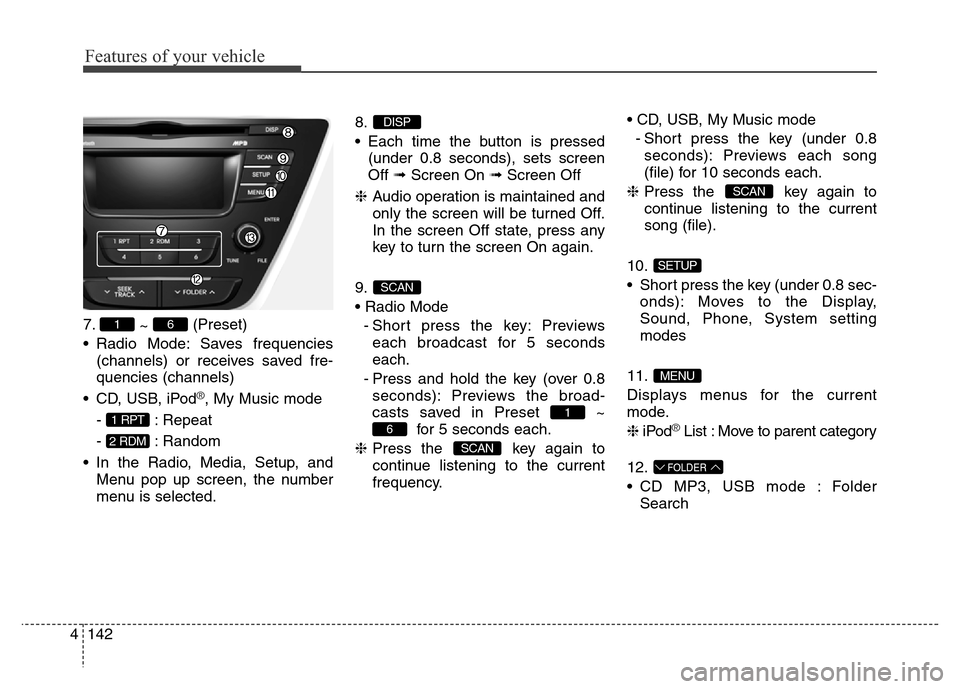
7.
~ (Preset)
• Radio Mode: Saves frequencies
(channels) or receives saved fre-
quencies (channels)
• CD, USB, iPod
®, My Music mode
- : Repeat
- : Random
• In the Radio, Media, Setup, and
Menu pop up screen, the number
menu is selected.8.
• Each time the button is pressed
(under 0.8 seconds), sets screen
Off ➟Screen On ➟Screen Off
❈Audio operation is maintained and
only the screen will be turned Off.
In the screen Off state, press any
key to turn the screen On again.
9.
• Radio Mode
- Short press the key: Previews
each broadcast for 5 seconds
each.
- Press and hold the key (over 0.8
seconds): Previews the broad-
casts saved in Preset ~
for 5 seconds each.
❈Press the key again to
continue listening to the current
frequency.• CD, USB, My Music mode
- Short press the key (under 0.8
seconds): Previews each song
(file) for 10 seconds each.
❈Press the key again to
continue listening to the current
song (file).
10.
• Short press the key (under 0.8 sec-
onds): Moves to the Display,
Sound, Phone, System setting
modes
11.
Displays menus for the current
mode.
❈iPod
®List : Move to parent category
12.
• CD MP3, USB mode : Folder
Search
FOLDER
MENU
SETUP
SCAN
SCAN
6
1
SCAN
DISP
2 RDM
1 RPT
61
Page 232 of 498
Features of your vehicle
152 4
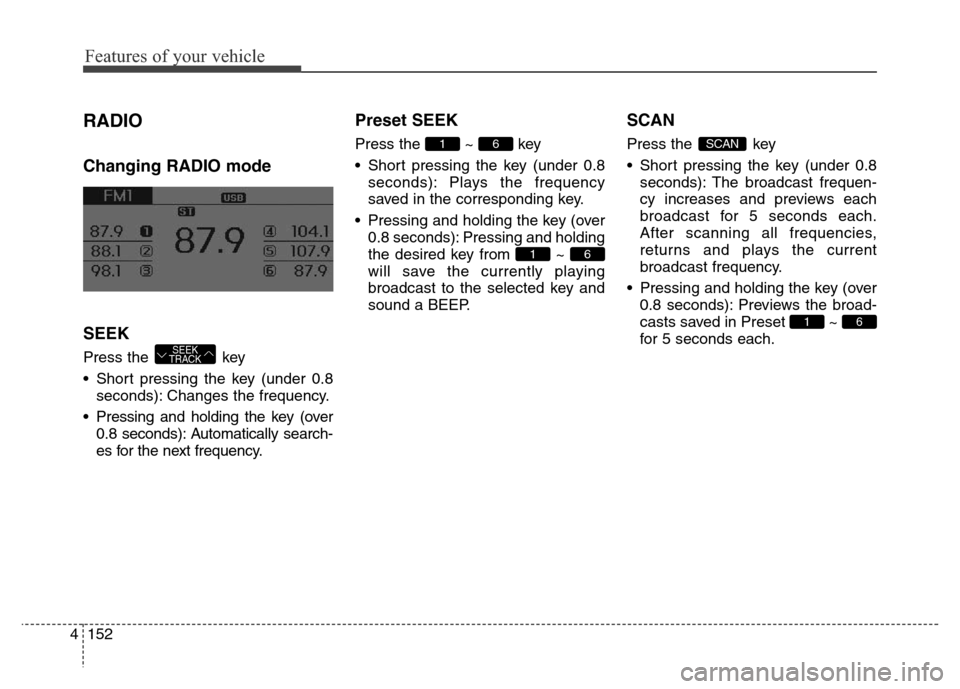
RADIO
Changing RADIO mode
SEEK
Press the key
• Short pressing the key (under 0.8
seconds): Changes the frequency.
• Pressing and holding the key (over
0.8 seconds): Automatically search-
es for the next frequency.
Preset SEEK
Press the ~ key
• Short pressing the key (under 0.8
seconds): Plays the frequency
saved in the corresponding key.
• Pressing and holding the key (over
0.8 seconds): Pressing and holding
the desired key from ~
will save the currently playing
broadcast to the selected key and
sound a BEEP.
SCAN
Press the key
• Short pressing the key (under 0.8
seconds): The broadcast frequen-
cy increases and previews each
broadcast for 5 seconds each.
After scanning all frequencies,
returns and plays the current
broadcast frequency.
• Pressing and holding the key (over
0.8 seconds): Previews the broad-
casts saved in Preset ~
for 5 seconds each.
61
SCAN
61
61
SEEK
TRACK
Page 251 of 498
![Hyundai Elantra 2015 - RHD (UK. Australia) Owners Guide 4171
Features of your vehicle
RADIO MODE
Basic Mode Screen
1. Mode Display
Displays currently operating mode
2. Frequency
Displays the current frequency
3. Preset
Displays current preset number [1] ~](/img/35/14563/w960_14563-250.png "Hyundai Elantra 2015 - RHD (UK. Australia) Owners Guide 4171
Features of your vehicle
RADIO MODE
Basic Mode Screen
1. Mode Display
Displays currently operating mode
2. Frequency
Displays the current frequency
3. Preset
Displays current preset number [1] ~")
4171
Features of your vehicle
RADIO MODE
Basic Mode Screen
1. Mode Display
Displays currently operating mode
2. Frequency
Displays the current frequency
3. Preset
Displays current preset number [1] ~
[6]
4. Preset Display
Displays preset buttons
5. Autostore
Automatically saves frequencies with
superior reception to Preset buttonsSwitching to Radio Mode
Pressing the key will change
the operating mode in order of FM1
➟FM2➟AM
Press the or key to
change the mode in order of FM1
➟
FM2 and AM.
If [Mode Pop-up] is turned on within
[Display], then pressing the
key will display the Radio
Pop-up Mode screen.
Turn the TUNE knob to move to
another radio mode. Press the knob
to select.
RADIO
SETUP
AMFM
RADIO
Page 252 of 498
Features of your vehicle
172 4
Searching Radio Frequencies
Using Seek
Press the key to play the
previous/next frequency.
Using TUNE
Turn the TUNE knob to select the
desired frequency.
• FM : Increases/decreased by 100kHz
• AM : Increases/decreased by 9kHz
Using Radio Mode
Selecting/Saving Presets
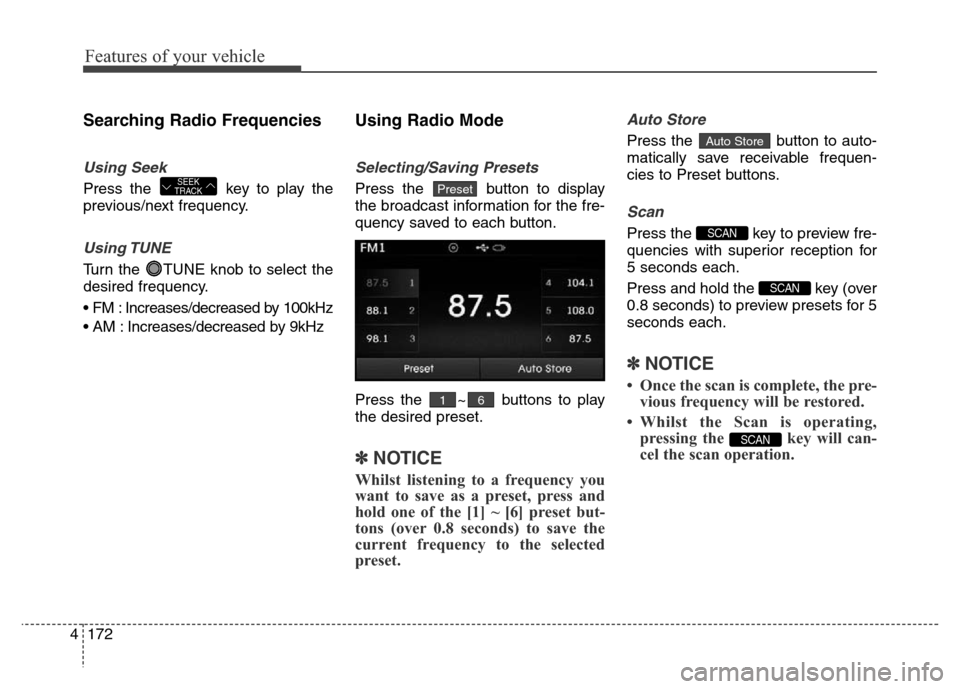
Press the button to display
the broadcast information for the fre-
quency saved to each button.
Press the ~ buttons to play
the desired preset.
✽NOTICE
Whilst listening to a frequency you
want to save as a preset, press and
hold one of the [1] ~ [6] preset but-
tons (over 0.8 seconds) to save the
current frequency to the selected
preset.
Auto Store
Press the button to auto-
matically save receivable frequen-
cies to Preset buttons.
Scan
Press the key to preview fre-
quencies with superior reception for
5 seconds each.
Press and hold the key (over
0.8 seconds) to preview presets for 5
seconds each.
✽NOTICE
• Once the scan is complete, the pre-
vious frequency will be restored.
• Whilst the Scan is operating,
pressing the key will can-
cel the scan operation.
SCAN
SCAN
SCAN
Auto Store
61
PresetSEEK
TRACK
Page 274 of 498
Features of your vehicle
194 4
(Continued)
• If the iPod
®malfunctions due to
an iPod®device defect, reset the
iPod®and try again. To learn
more, refer to your iPod®manual.
• Some iPods may not sync with the
System depending on its version.
If the Media is removed before the
Media is recognised, then the sys-
tem may not properly restore the
previously operated mode.
•iPod
® charging is not supported.
Page 297 of 498
4217
Features of your vehicle
SETUP
(for
Bluetooth®Wireless
Technologyequipped model)
- AM910MDMG, AM911MDMG,
AM910MDMN, AM910MDEE,
AM911MDMN, AM910MDXN
Starting Mode
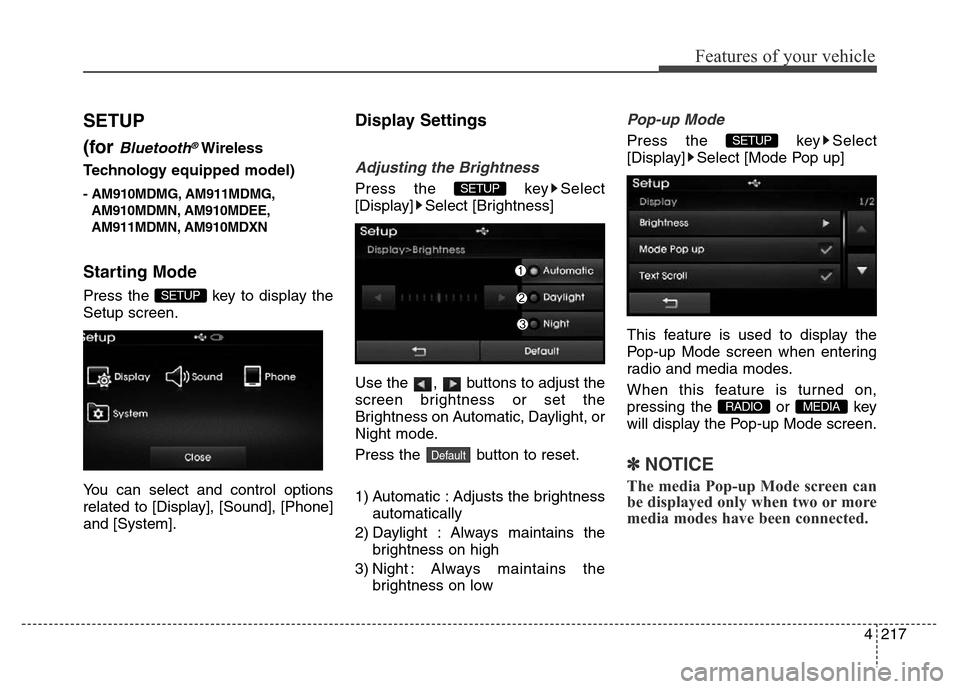
Press the key to display the
Setup screen.
You can select and control options
related to [Display], [Sound], [Phone]
and [System].
Display Settings
Adjusting the Brightness
Press the key Select
[Display] Select [Brightness]
Use the , buttons to adjust the
screen brightness or set the
Brightness on Automatic, Daylight, or
Night mode.
Press the button to reset.
1) Automatic : Adjusts the brightness
automatically
2) Daylight : Always maintains the
brightness on high
3) Night : Always maintains the
brightness on low
Pop-up Mode
Press the key Select
[Display] Select [Mode Pop up]
This feature is used to display the
Pop-up Mode screen when entering
radio and media modes.
When this feature is turned on,
pressing the or key
will display the Pop-up Mode screen.
✽NOTICE
The media Pop-up Mode screen can
be displayed only when two or more
media modes have been connected.
MEDIA RADIO
SETUP
Default
SETUP
SETUP
Page 298 of 498
![Hyundai Elantra 2015 - RHD (UK. Australia) Owners Guide Features of your vehicle
218 4
Text Scroll
Press the key Select
[Display] Select [Text Scroll]
This feature is used to scroll text dis-
played on the screen when it is too
long to be displayed at onc](/img/35/14563/w960_14563-297.png "Hyundai Elantra 2015 - RHD (UK. Australia) Owners Guide Features of your vehicle
218 4
Text Scroll
Press the key Select
[Display] Select [Text Scroll]
This feature is used to scroll text dis-
played on the screen when it is too
long to be displayed at onc")
Features of your vehicle
218 4
Text Scroll
Press the key Select
[Display] Select [Text Scroll]
This feature is used to scroll text dis-
played on the screen when it is too
long to be displayed at once.
When turned on, the text is repeat-
edly scrolled. When turned off, the
text is scrolled just once.
MP3 Information Display
Press the key Select
[Display] Select [Media Display]
This feature is used to change the
information displayed within USB
and MP3 CD modes.
1) Folder File : Displays file name
and folder name
2) Album Artist Song : Displays
album name/artist name/song
Sound Settings
Sound Settings
Press the key Select
[Sound] Select [Sound Setting]
Use the , , , buttons to
adjust the Fader/Balance settings.
Use the , buttons to adjust the
Bass/Middle/Treble settings.
Press the button to reset.
Default
SETUP
SETUP SETUP
Page 304 of 498
Features of your vehicle
224 4
APPENDIX
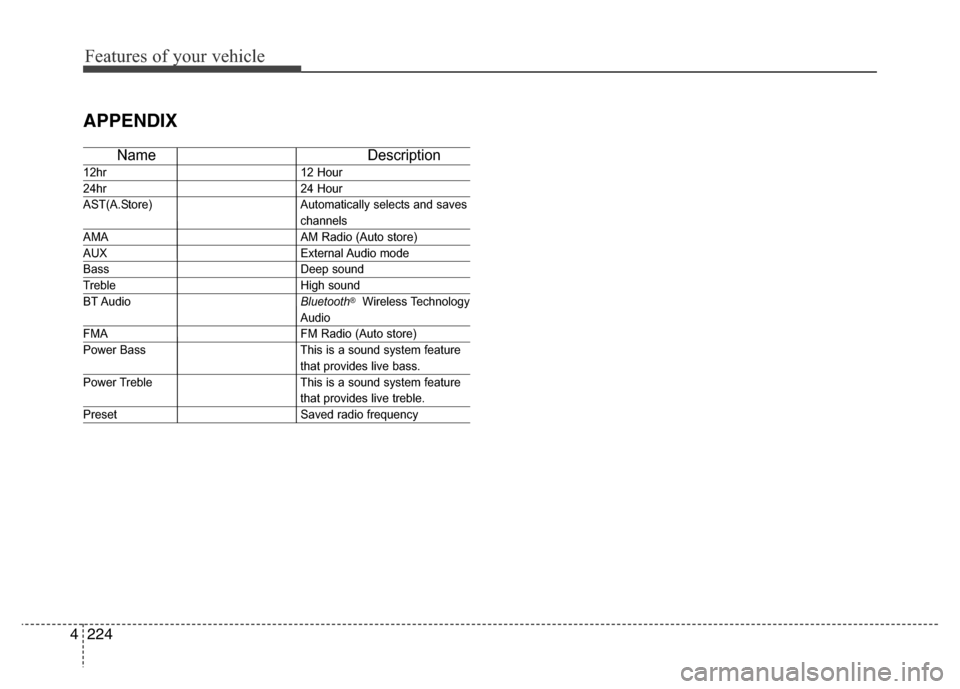
Name Description
12hr 12 Hour
24hr 24 Hour
AST(A.Store) Automatically selects and saves
channels
AMA AM Radio (Auto store)
AUX External Audio mode
Bass Deep sound
Treble High sound
BT AudioBluetooth®Wireless Technology
Audio
FMA FM Radio (Auto store)
Power Bass This is a sound system feature
that provides live bass.
Power Treble This is a sound system feature
that provides live treble.
Preset Saved radio frequency
Page 357 of 498
553
Driving your vehicle
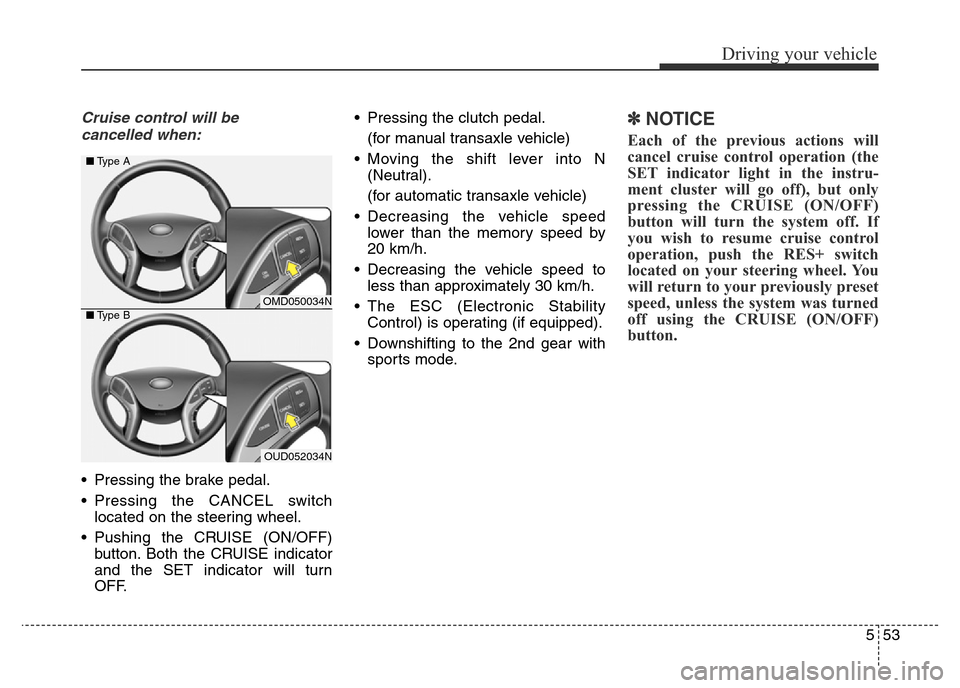
Cruise control will be
cancelled when:
• Pressing the brake pedal.
• Pressing the CANCEL switch
located on the steering wheel.
• Pushing the CRUISE (ON/OFF)
button. Both the CRUISE indicator
and the SET indicator will turn
OFF.• Pressing the clutch pedal.
(for manual transaxle vehicle)
• Moving the shift lever into N
(Neutral).
(for automatic transaxle vehicle)
• Decreasing the vehicle speed
lower than the memory speed by
20 km/h.
• Decreasing the vehicle speed to
less than approximately 30 km/h.
• The ESC (Electronic Stability
Control) is operating (if equipped).
• Downshifting to the 2nd gear with
sports mode.
✽NOTICE
Each of the previous actions will
cancel cruise control operation (the
SET indicator light in the instru-
ment cluster will go off), but only
pressing the CRUISE (ON/OFF)
button will turn the system off. If
you wish to resume cruise control
operation, push the RES+ switch
located on your steering wheel. You
will return to your previously preset
speed, unless the system was turned
off using the CRUISE (ON/OFF)
button.
OMD050034N
OUD052034N ■Type A
■Type B