engine light Hyundai Elantra 2015 Owner's Guide
[x] Cancel search | Manufacturer: HYUNDAI, Model Year: 2015, Model line: Elantra, Model: Hyundai Elantra 2015Pages: 668, PDF Size: 35.58 MB
Page 153 of 668
467
Features of your vehicle
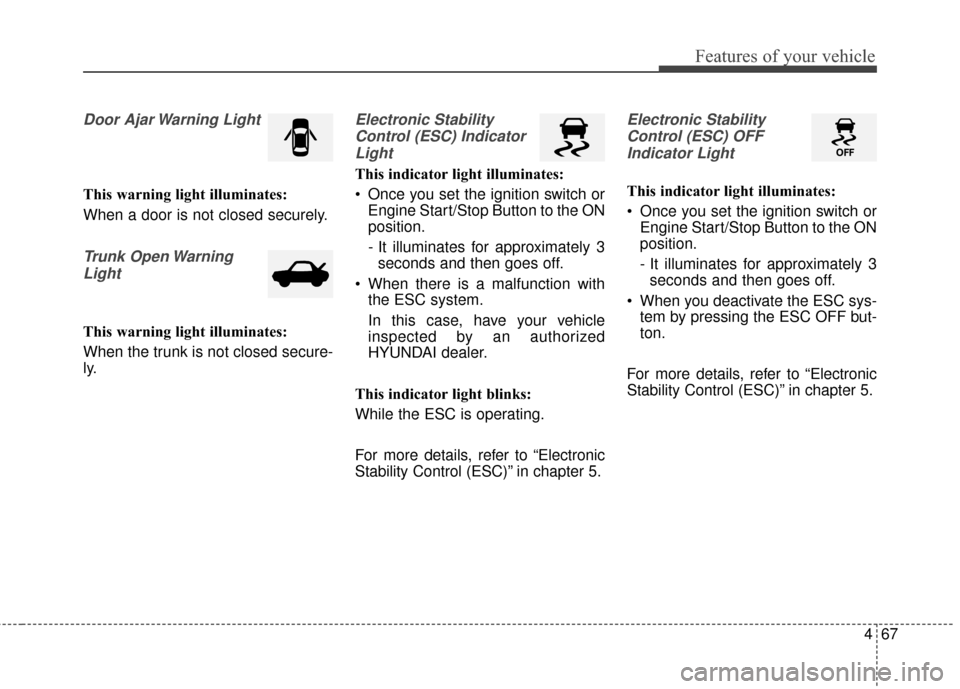
Door Ajar Warning Light
This warning light illuminates:
When a door is not closed securely.
Trunk Open WarningLight
This warning light illuminates:
When the trunk is not closed secure-
ly.
Electronic StabilityControl (ESC) IndicatorLight
This indicator light illuminates:
Once you set the ignition switch or Engine Start/Stop Button to the ON
position.
- It illuminates for approximately 3seconds and then goes off.
When there is a malfunction with the ESC system.
In this case, have your vehicle
inspected by an authorized
HYUNDAI dealer.
This indicator light blinks:
While the ESC is operating.
For more details, refer to “Electronic
Stability Control (ESC)” in chapter 5.
Electronic Stability Control (ESC) OFFIndicator Light
This indicator light illuminates:
Once you set the ignition switch or Engine Start/Stop Button to the ON
position.
- It illuminates for approximately 3seconds and then goes off.
When you deactivate the ESC sys- tem by pressing the ESC OFF but-
ton.
For more details, refer to “Electronic
Stability Control (ESC)” in chapter 5.
Page 154 of 668
Features of your vehicle
68
4
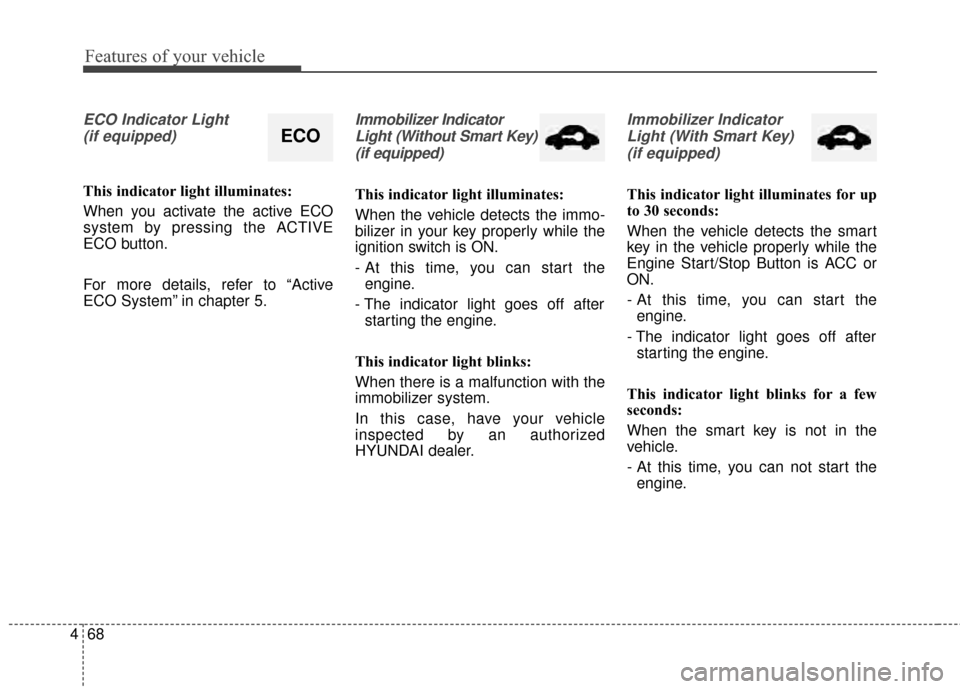
ECO Indicator Light
(if equipped)
This indicator light illuminates:
When you activate the active ECO
system by pressing the ACTIVE
ECO button.
For more details, refer to “Active
ECO System” in chapter 5.
Immobilizer IndicatorLight (Without Smart Key)(if equipped)
This indicator light illuminates:
When the vehicle detects the immo-
bilizer in your key properly while the
ignition switch is ON.
- At this time, you can start the engine.
- The indicator light goes off after starting the engine.
This indicator light blinks:
When there is a malfunction with the
immobilizer system.
In this case, have your vehicle
inspected by an authorized
HYUNDAI dealer.
Immobilizer Indicator Light (With Smart Key) (if equipped)
This indicator light illuminates for up
to 30 seconds:
When the vehicle detects the smart
key in the vehicle properly while the
Engine Start/Stop Button is ACC or
ON.
- At this time, you can start the engine.
- The indicator light goes off after starting the engine.
This indicator light blinks for a few
seconds:
When the smart key is not in the
vehicle.
- At this time, you can not start the engine.
ECO
Page 155 of 668
469
Features of your vehicle
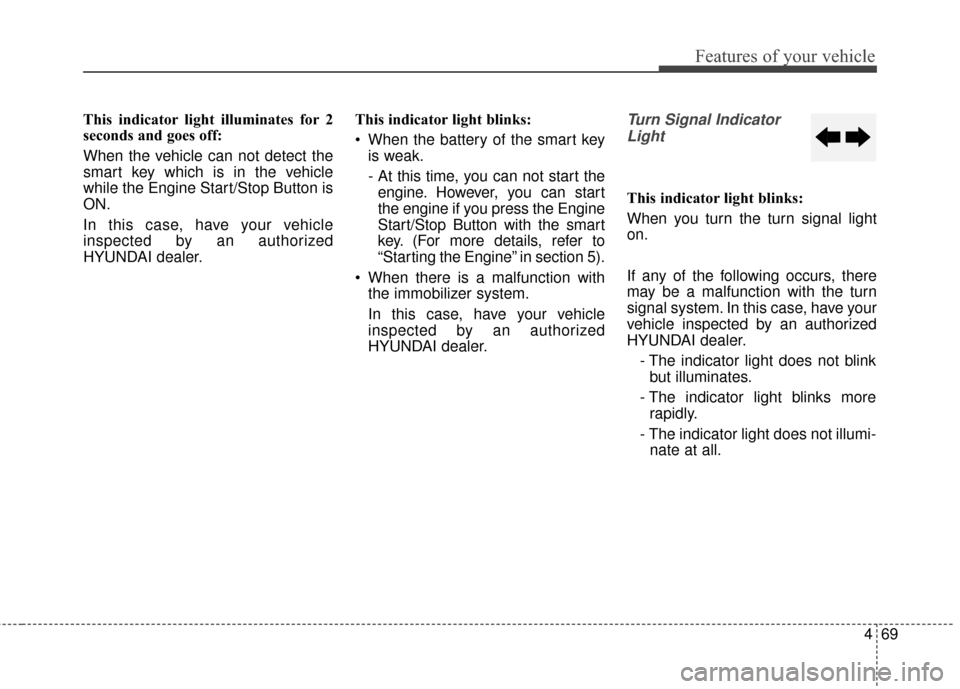
This indicator light illuminates for 2
seconds and goes off:
When the vehicle can not detect the
smart key which is in the vehicle
while the Engine Start/Stop Button is
ON.
In this case, have your vehicle
inspected by an authorized
HYUNDAI dealer.This indicator light blinks:
When the battery of the smart key
is weak.
- At this time, you can not start theengine. However, you can start
the engine if you press the Engine
Start/Stop Button with the smart
key. (For more details, refer to
“Starting the Engine” in section 5).
When there is a malfunction with the immobilizer system.
In this case, have your vehicle
inspected by an authorized
HYUNDAI dealer.Turn Signal Indicator
Light
This indicator light blinks:
When you turn the turn signal light
on.
If any of the following occurs, there
may be a malfunction with the turn
signal system. In this case, have your
vehicle inspected by an authorized
HYUNDAI dealer.
- The indicator light does not blinkbut illuminates.
- The indicator light blinks more rapidly.
- The indicator light does not illumi- nate at all.
Page 157 of 668
471
Features of your vehicle
KEY OUT Indicator Light(if equipped)
When the ENGINE START/STOP
button is in the ACC or ON position,
if any door is open, the system
checks for the smart key.
This indicator light blinks:
When the smart key is not in the
vehicle and any door is open with the
ignition switch or Engine Start/Stop
button in the ACC or ON position.
- At this time, if you close all doors, the chime will also sound for
approximately 5 seconds.
- The indicator will go off while the vehicle is moving.
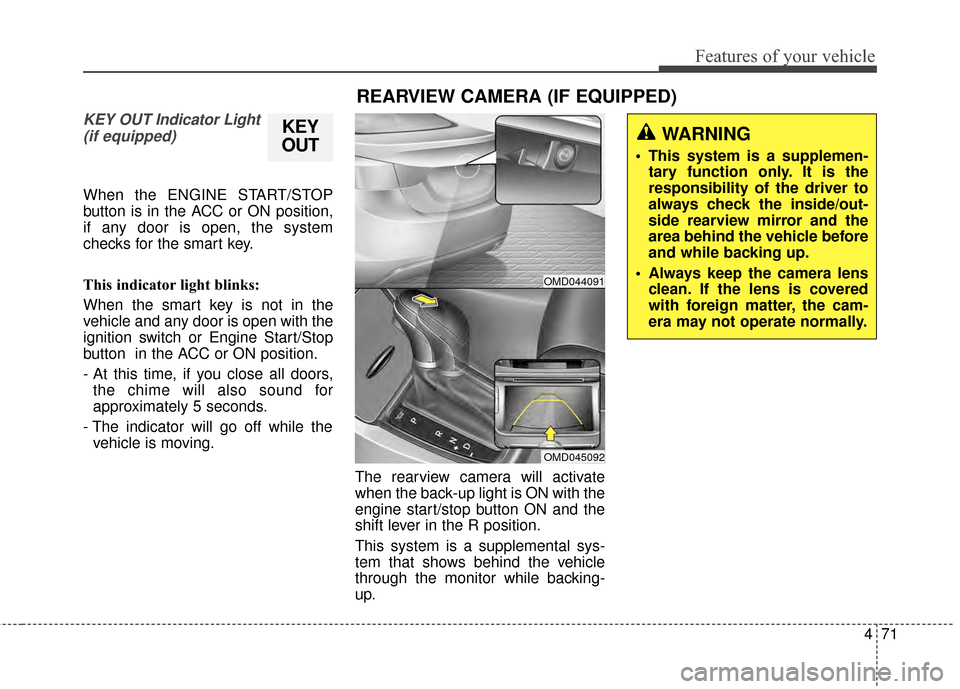
The rearview camera will activate
when the back-up light is ON with the
engine start/stop button ON and the
shift lever in the R position.
This system is a supplemental sys-
tem that shows behind the vehicle
through the monitor while backing-
up.
KEY
OUT
REARVIEW CAMERA (IF EQUIPPED)
WARNING
This system is a supplemen-
tary function only. It is the
responsibility of the driver to
always check the inside/out-
side rearview mirror and the
area behind the vehicle before
and while backing up.
Always keep the camera lens clean. If the lens is covered
with foreign matter, the cam-
era may not operate normally.
OMD044091
OMD045092
Page 160 of 668
Features of your vehicle
74
4
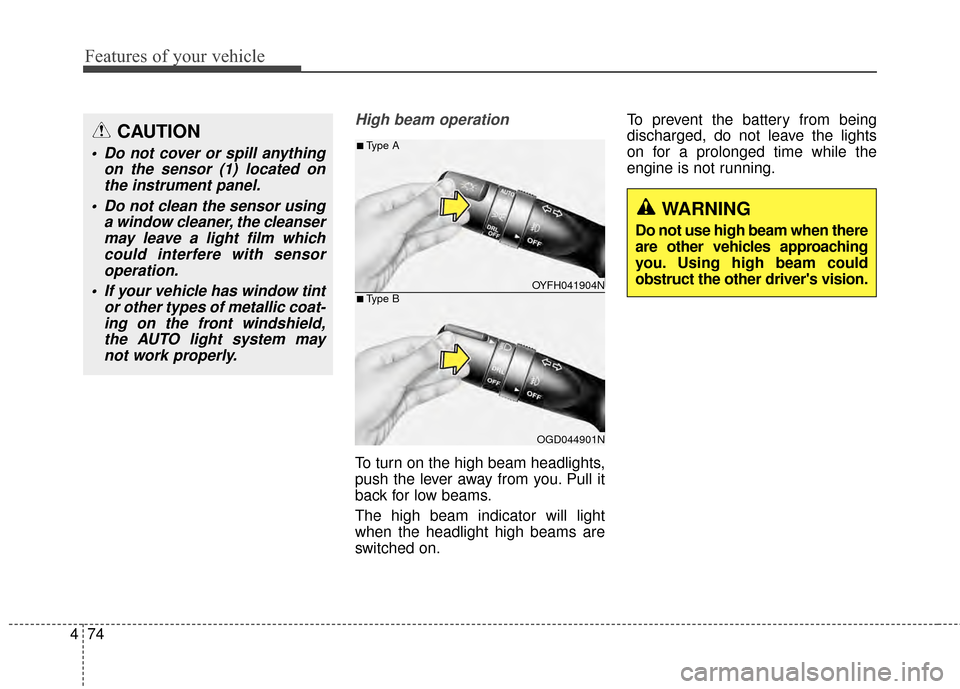
High beam operation
To turn on the high beam headlights,
push the lever away from you. Pull it
back for low beams.
The high beam indicator will light
when the headlight high beams are
switched on. To prevent the battery from being
discharged, do not leave the lights
on for a prolonged time while the
engine is not running.
CAUTION
Do not cover or spill anything
on the sensor (1) located onthe instrument panel.
Do not clean the sensor using a window cleaner, the cleansermay leave a light film whichcould interfere with sensoroperation.
If your vehicle has window tint or other types of metallic coat-ing on the front windshield,the AUTO light system maynot work properly.
OYFH041904N
OGD044901N
■Type A
■Type B
WARNING
Do not use high beam when there
are other vehicles approaching
you. Using high beam could
obstruct the other driver's vision.
Page 163 of 668
477
Features of your vehicle
Battery saver function
The purpose of this feature is to pre-
vent the battery from being dis-
charged. The system automatically
turns off the parking lights when the
driver removes the ignition key or
turns the engine off (for smart key)
and opens the driver-side door.
With this feature, the parking lights
will turn off automatically if the driver
parks on the side of road at night.
If necessary, to keep the lights on
when the ignition key is removed or
the engine is turned off (for smart
key), perform the following:
1) Open the driver-side door.
2) Turn the parking lights OFF andON again using the light switch on
the steering column.
Headlight escort function
If the key is removed from the ignition
switch or placed in the ACC position
or the LOCK/OFF position with the
headlights ON, the headlights (and/or
parking lights) remain on for about 5
minutes. However, if the driver’s door
is opened and closed, the headlights
are turned off after 15 seconds.
The headlights can be turned off by
pressing the LOCK button on the
remote key or smart key twice or
turning the light switch to the OFF or
AUTO position. However, if you turn
the light switch to the AUTO position
when it is dark outside, the head-
lights will not be turned off.
CAUTION
If the driver gets out of the vehi-cle through other doors (exceptdriver's door), the battery saverfunction does not operate andthe headlamp delay functiondoes not turn off automatically.Therefore, It causes the batteryto be discharged. In this case,make sure to turn off the lampbefore getting out of the vehicle.
Page 164 of 668
Features of your vehicle
78
4
Daytime running light (DRL)
(if equipped)
The Daytime Running Lights (DRL)
can make it easier for others to see
the front of your vehicle during the
day, especially after dawn and before
sunset.
Type A
The DRL will turn off when:
1. The headlight is ON.
2. The light switch is in the DRL OFF position.
3. The parking brake is applied.
4. The engine is turned OFF.
Type B
The DRL will turn off when:
1. The headlight is ON.
2. The light switch is in the OFF posi- tion.
3. The parking brake is applied.
4. The engine is turned OFF.
Interior lightsAutomatic turn off function (if equipped)
When all doors are closed, if you lock
the vehicle by using the remote key
or smart key, all interior lamp will be
off within 5 seconds.
If you do not operate anything in the
vehicle after turning off the engine,
the lights will turn off after 20 minutes.
CAUTION
Do not use the interior lights forextended periods when theengine is turned off or the bat-tery will discharge.
WARNING
Do not use the interior lights
when driving in the dark. The
interior lights may obscure your
view and cause an accident.
Page 166 of 668
Features of your vehicle
80
4
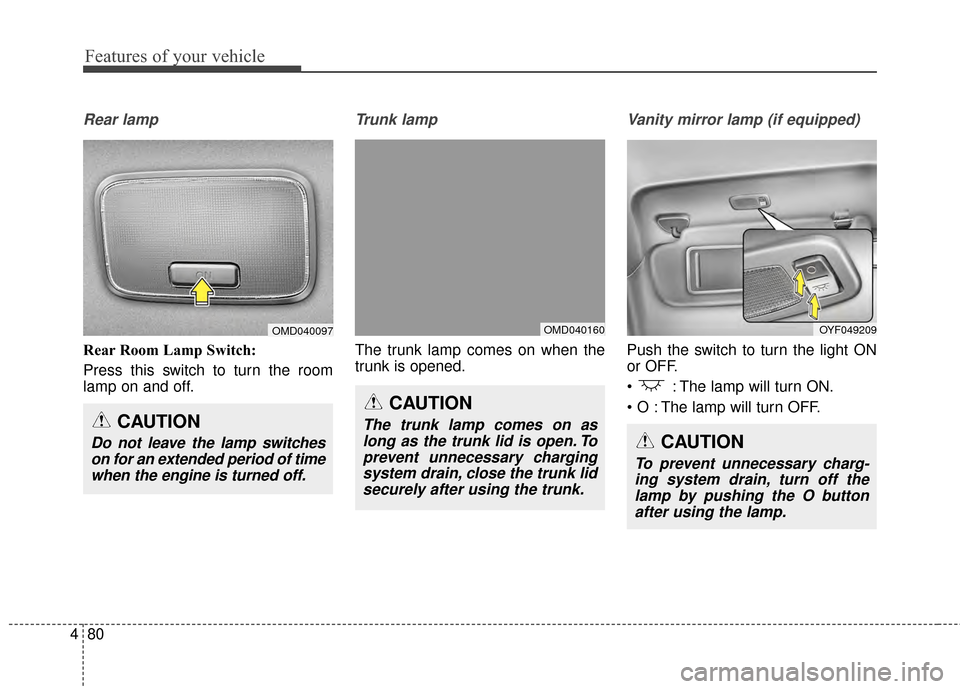
Rear lamp
Rear Room Lamp Switch:
Press this switch to turn the room
lamp on and off.
Trunk lamp
The trunk lamp comes on when the
trunk is opened.
Vanity mirror lamp (if equipped)
Push the switch to turn the light ON
or OFF.
: The lamp will turn ON.
The lamp will turn OFF.
CAUTION
Do not leave the lamp switches
on for an extended period of timewhen the engine is turned off.
OMD040097
CAUTION
The trunk lamp comes on aslong as the trunk lid is open. Toprevent unnecessary chargingsystem drain, close the trunk lidsecurely after using the trunk.
OMD040160OYF049209
CAUTION
To prevent unnecessary charg-ing system drain, turn off thelamp by pushing the O buttonafter using the lamp.
Page 177 of 668
491
Features of your vehicle
Air conditioning
HYUNDAI Air Conditioning Systems
are filled with environmentally friendly
R-134a refrigerant.
1. Start the engine. Push the air con-ditioning button.
2. Set the mode to the position.
3. Set the air intake control to the recirculated air position. However,
prolonged operation of the recircu-
lated air position will excessively
dry the air. In this case, change the
air position.
4. Adjust the fan speed control and temperature control to maintain
maximum comfort.
When maximum cooling is desired, set the temperature control to the
extreme left position then set the fan
speed control to the highest speed.
✽ ✽ NOTICE
• While using the air conditioning
system, monitor the engine tem-
perature gauge closely while driv-
ing up hills or in heavy traffic
when outside temperatures are
high. Air conditioning system
operation may cause engine over-
heating. Continue to use the blow-
er fan but turn the air condition-
ing system off if the engine tem-
perature gauge indicates engine
overheating.
• Opening the windows in humid weather while air conditioning
operates may create water
droplets inside the vehicle. Since
excessive water droplets may
cause damage to electrical equip-
ment, air conditioning should only
be used with the windows closed.
Air conditioning system operation tips
If the vehicle has been parked in
direct sunlight during hot weather,
open the windows for a short time
to let the hot air inside the vehicle
escape.
To help reduce moisture inside of the windows on rainy or humid
days, decrease the humidity inside
the vehicle by operating the air
conditioning system.
During air conditioning system operation, you may occasionally
notice a slight change in engine
speed as the air conditioning com-
pressor cycles. This is a normal
system operation characteristic.
Use the air conditioning system every month only for a few minutes
to ensure maximum system per-
formance.
When using the air conditioning system, you may notice clear water
dripping (or even puddling) on the
ground under the passenger side
of the vehicle. This is a normal sys-
tem operation characteristic.
Page 188 of 668
Features of your vehicle
102
4
Air conditioning
HYUNDAI Air Conditioning Systems
are filled with environmentally friendly
R-134a refrigerant.
1. Start the engine. Push the air con-
ditioning button.
2. Set the mode to the position.
3. Set the air intake control to the recirculated air position. However,
prolonged operation of the recircu-
lated air position will excessively
dry the air. In this case, change the
air position.
4. Adjust the fan speed control and temperature control to maintain
maximum comfort.
When maximum cooling is desired, set the temperature control to the
extreme left position then set the
fan speed control to the highest
speed.
✽ ✽ NOTICE
• While using the air conditioning
system, monitor the engine tem-
perature gauge closely while driv-
ing up hills or in heavy traffic
when outside temperatures are
high. Air conditioning system
operation may cause engine over-
heating. Continue to use the blow-
er fan but turn the air condition-
ing system off if the engine tem-
perature gauge indicates engine
overheating.
• Opening the windows in humid weather while air conditioning
operates may create water
droplets inside the vehicle. Since
excessive water droplets may
cause damage to electrical equip-
ment, air conditioning should only
be used with the windows closed.
Air conditioning system operation tips
If the vehicle has been parked in
direct sunlight during hot weather,
open the windows for a short time
to let the hot air inside the vehicle
escape.
To help reduce moisture inside of the windows on rainy or humid
days, decrease the humidity inside
the vehicle by operating the air
conditioning system.
During air conditioning system operation, you may occasionally
notice a slight change in engine
speed as the air conditioning com-
pressor cycles. This is a normal
system operation characteristic.
Use the air conditioning system every month only for a few minutes
to ensure maximum system per-
formance.
When using the air conditioning system, you may notice clear water
dripping (or even puddling) on the
ground under the passenger side
of the vehicle. This is a normal sys-
tem operation characteristic.