Air Hyundai Elantra 2015 Repair Manual
[x] Cancel search | Manufacturer: HYUNDAI, Model Year: 2015, Model line: Elantra, Model: Hyundai Elantra 2015Pages: 668, PDF Size: 35.58 MB
Page 187 of 668
4101
Features of your vehicle
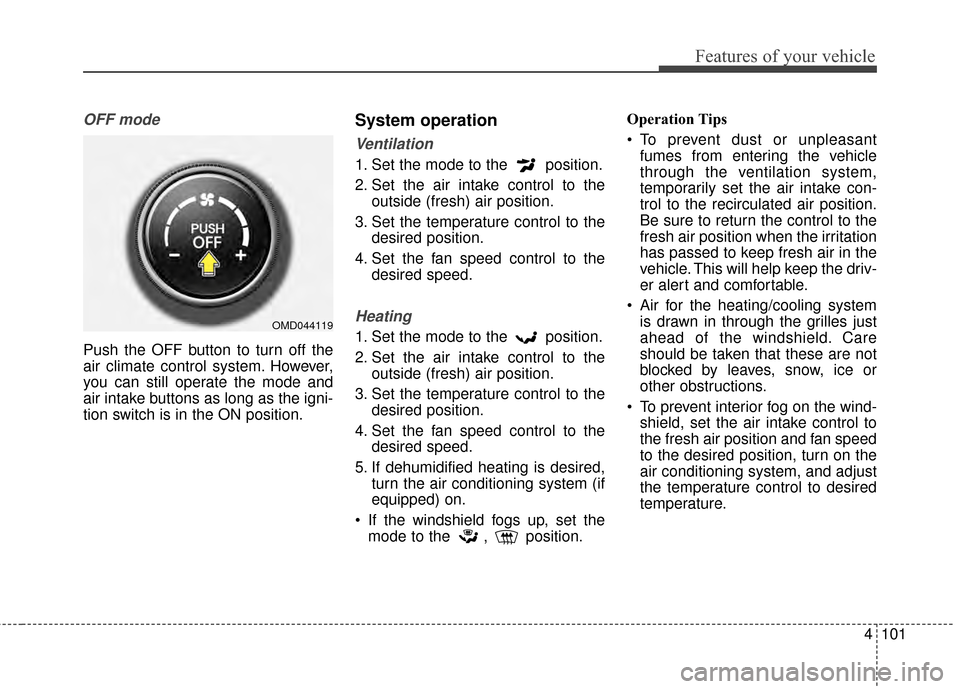
OFF mode
Push the OFF button to turn off the
air climate control system. However,
you can still operate the mode and
air intake buttons as long as the igni-
tion switch is in the ON position.
System operation
Ventilation
1. Set the mode to the position.
2. Set the air intake control to theoutside (fresh) air position.
3. Set the temperature control to the desired position.
4. Set the fan speed control to the desired speed.
Heating
1. Set the mode to the position.
2. Set the air intake control to theoutside (fresh) air position.
3. Set the temperature control to the desired position.
4. Set the fan speed control to the desired speed.
5. If dehumidified heating is desired, turn the air conditioning system (if
equipped) on.
If the windshield fogs up, set the mode to the , position. Operation Tips
To prevent dust or unpleasant
fumes from entering the vehicle
through the ventilation system,
temporarily set the air intake con-
trol to the recirculated air position.
Be sure to return the control to the
fresh air position when the irritation
has passed to keep fresh air in the
vehicle. This will help keep the driv-
er alert and comfortable.
Air for the heating/cooling system is drawn in through the grilles just
ahead of the windshield. Care
should be taken that these are not
blocked by leaves, snow, ice or
other obstructions.
To prevent interior fog on the wind- shield, set the air intake control to
the fresh air position and fan speed
to the desired position, turn on the
air conditioning system, and adjust
the temperature control to desired
temperature.OMD044119
Page 188 of 668
Features of your vehicle
102
4
Air conditioning
HYUNDAI Air Conditioning Systems
are filled with environmentally friendly
R-134a refrigerant.
1. Start the engine. Push the air con-
ditioning button.
2. Set the mode to the position.
3. Set the air intake control to the recirculated air position. However,
prolonged operation of the recircu-
lated air position will excessively
dry the air. In this case, change the
air position.
4. Adjust the fan speed control and temperature control to maintain
maximum comfort.
When maximum cooling is desired, set the temperature control to the
extreme left position then set the
fan speed control to the highest
speed.
✽ ✽ NOTICE
• While using the air conditioning
system, monitor the engine tem-
perature gauge closely while driv-
ing up hills or in heavy traffic
when outside temperatures are
high. Air conditioning system
operation may cause engine over-
heating. Continue to use the blow-
er fan but turn the air condition-
ing system off if the engine tem-
perature gauge indicates engine
overheating.
• Opening the windows in humid weather while air conditioning
operates may create water
droplets inside the vehicle. Since
excessive water droplets may
cause damage to electrical equip-
ment, air conditioning should only
be used with the windows closed.
Air conditioning system operation tips
If the vehicle has been parked in
direct sunlight during hot weather,
open the windows for a short time
to let the hot air inside the vehicle
escape.
To help reduce moisture inside of the windows on rainy or humid
days, decrease the humidity inside
the vehicle by operating the air
conditioning system.
During air conditioning system operation, you may occasionally
notice a slight change in engine
speed as the air conditioning com-
pressor cycles. This is a normal
system operation characteristic.
Use the air conditioning system every month only for a few minutes
to ensure maximum system per-
formance.
When using the air conditioning system, you may notice clear water
dripping (or even puddling) on the
ground under the passenger side
of the vehicle. This is a normal sys-
tem operation characteristic.
Page 189 of 668
4103
Features of your vehicle
Operating the air conditioning sys-tem in the recirculated air position
provides maximum cooling, how-
ever, continual operation in this
mode may cause the air inside the
vehicle to become stale.
During cooling operation, you may occasionally notice a misty air flow
because of rapid cooling and
humid air intake. This is a normal
system operation characteristic.
If you operate air conditioner excessively, the difference
between the temperature of the
outside air and that of the wind-
shield could cause the outer sur-
face of the windshield to fog up,
causing loss of visibility. In this
case, set the mode selection knob
or button to the position and
fan speed control to the lower
speed.Climate control air filter
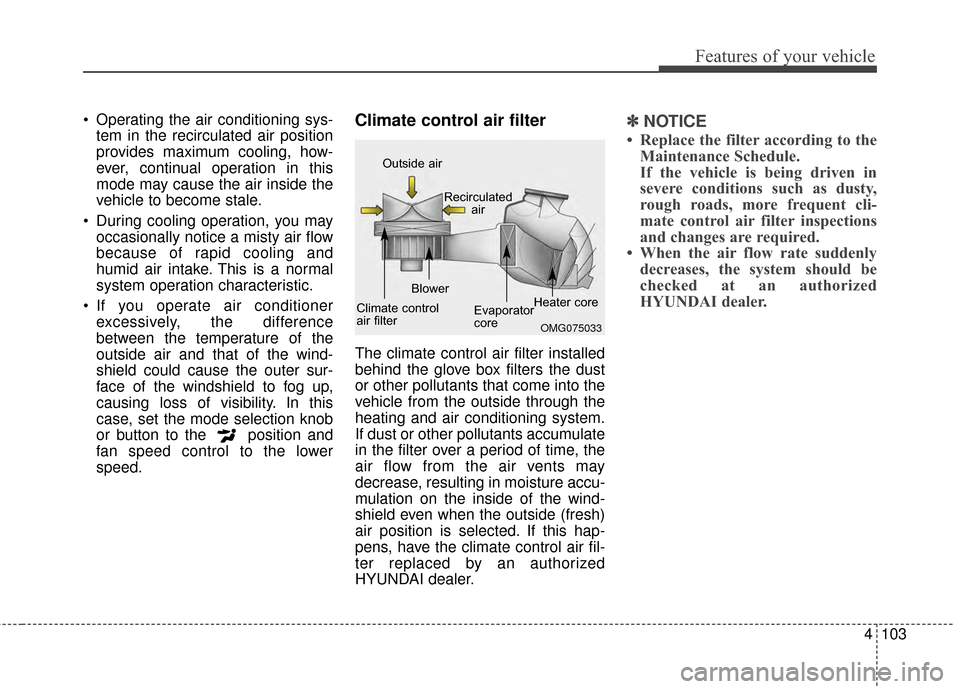
The climate control air filter installed
behind the glove box filters the dust
or other pollutants that come into the
vehicle from the outside through the
heating and air conditioning system.
If dust or other pollutants accumulate
in the filter over a period of time, the
air flow from the air vents may
decrease, resulting in moisture accu-
mulation on the inside of the wind-
shield even when the outside (fresh)
air position is selected. If this hap-
pens, have the climate control air fil-
ter replaced by an authorized
HYUNDAI dealer.
✽ ✽ NOTICE
• Replace the filter according to the
Maintenance Schedule.
If the vehicle is being driven in
severe conditions such as dusty,
rough roads, more frequent cli-
mate control air filter inspections
and changes are required.
• When the air flow rate suddenly decreases, the system should be
checked at an authorized
HYUNDAI dealer.
OMG075033
Outside air
Recirculatedair
Climate control
air filter Blower
Evaporator
coreHeater core
Page 190 of 668
Features of your vehicle
104
4
Checking the amount of air
conditioner refrigerant and
compressor lubricant
When the amount of refrigerant is
low, the performance of the air con-
ditioning is reduced. Overfilling also
has a negative influence on the air
conditioning system.
Therefore, if abnormal operation is
found, have the system inspected by
an authorized HYUNDAI dealer.
The air conditioning system should
be serviced by an authorized
HYUNDAI dealer.
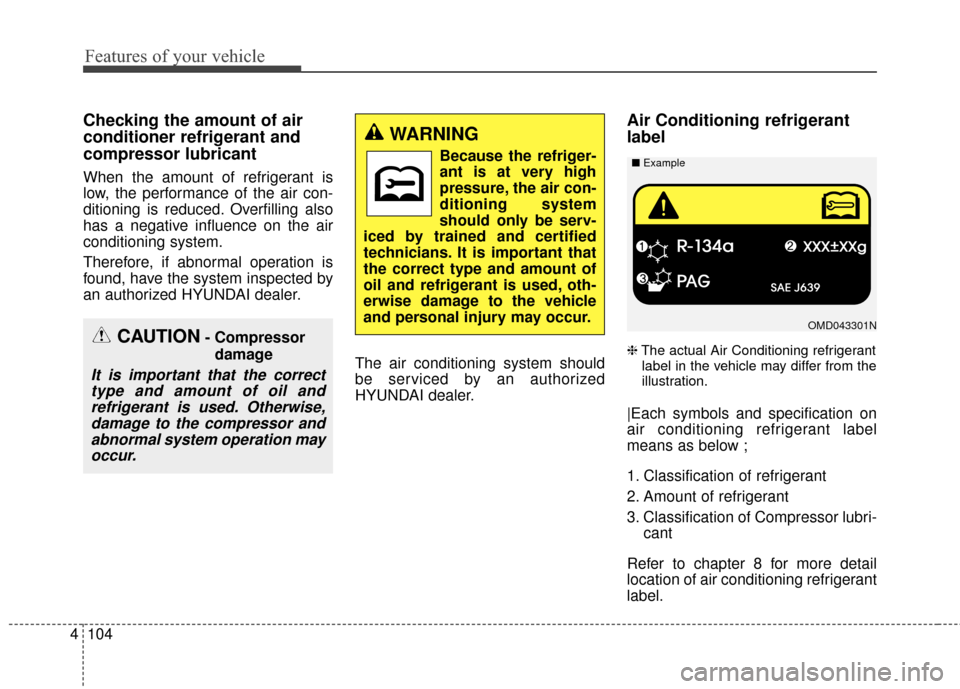
Air Conditioning refrigerant
label
❈The actual Air Conditioning refrigerant
label in the vehicle may differ from the
illustration.
|Each symbols and specification on
air conditioning refrigerant label
means as below ;
1. Classification of refrigerant
2. Amount of refrigerant
3. Classification of Compressor lubri- cant
Refer to chapter 8 for more detail
location of air conditioning refrigerant
label.
CAUTION- Compressor damage
It is important that the correcttype and amount of oil andrefrigerant is used. Otherwise,damage to the compressor andabnormal system operation mayoccur.
WARNING
Because the refriger-
ant is at very high
pressure, the air con-
ditioning system
should only be serv-
iced by trained and certified
technicians. It is important that
the correct type and amount of
oil and refrigerant is used, oth-
erwise damage to the vehicle
and personal injury may occur.
OMD043301N
■
Example
Page 191 of 668
4105
Features of your vehicle
WINDSHIELD DEFROSTING AND DEFOGGING
For maximum defrosting, set thetemperature control to the extreme
right/hot position and the fan speed
control to the highest speed.
If warm air to the floor is desired while defrosting or defogging, set
the mode to the floor-defrost posi-
tion.
Before driving, clear all snow and ice from the windshield, rear win-
dow, outside rear view mirrors, and
all side windows.
Clear all snow and ice from the hood and air inlet in the cowl grill to
improve heater and defroster effi-
ciency and to reduce the probabili-
ty of fogging up the inside of the
windshield.
✽ ✽ NOTE
Be sure to keep the interior surface
of the windshield clean by wiping it
with a clean cloth and glass cleaner.
This will help reduce the tendency of
the glass fogging and also improve
visibility.Manual climate control system
To defog inside windshield
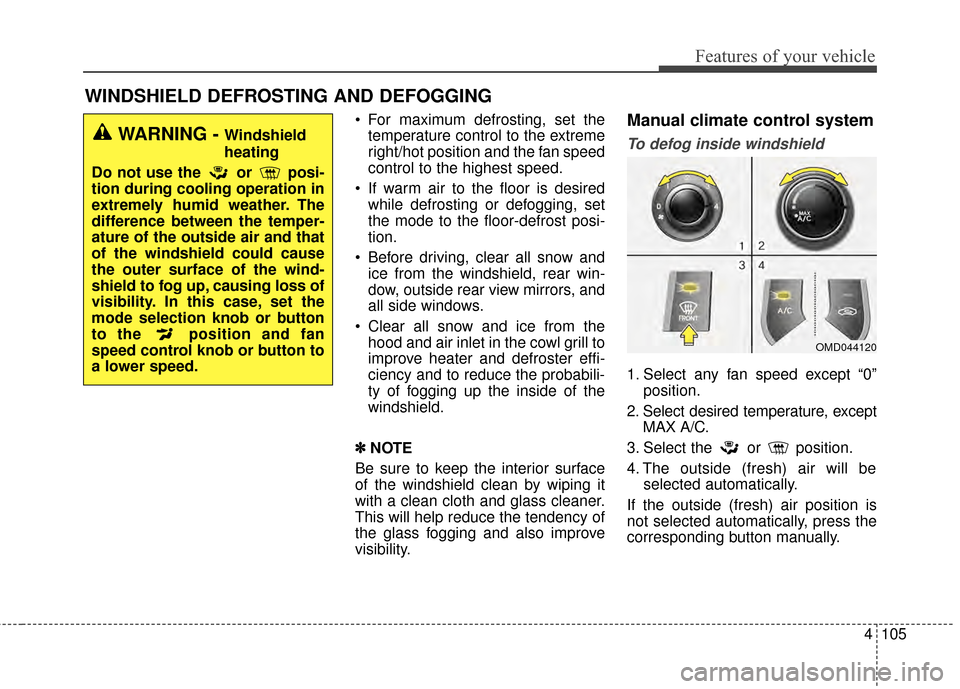
1. Select any fan speed except “0” position.
2. Select desired temperature, except MAX A/C.
3. Select the or position.
4. The outside (fresh) air will be selected automatically.
If the outside (fresh) air position is
not selected automatically, press the
corresponding button manually.
WARNING - Windshield
heating
Do not use the or posi-
tion during cooling operation in
extremely humid weather. The
difference between the temper-
ature of the outside air and that
of the windshield could cause
the outer surface of the wind-
shield to fog up, causing loss of
visibility. In this case, set the
mode selection knob or button
to the position and fan
speed control knob or button to
a lower speed.
OMD044120
Page 192 of 668
Features of your vehicle
106
4
To defrost outside windshield
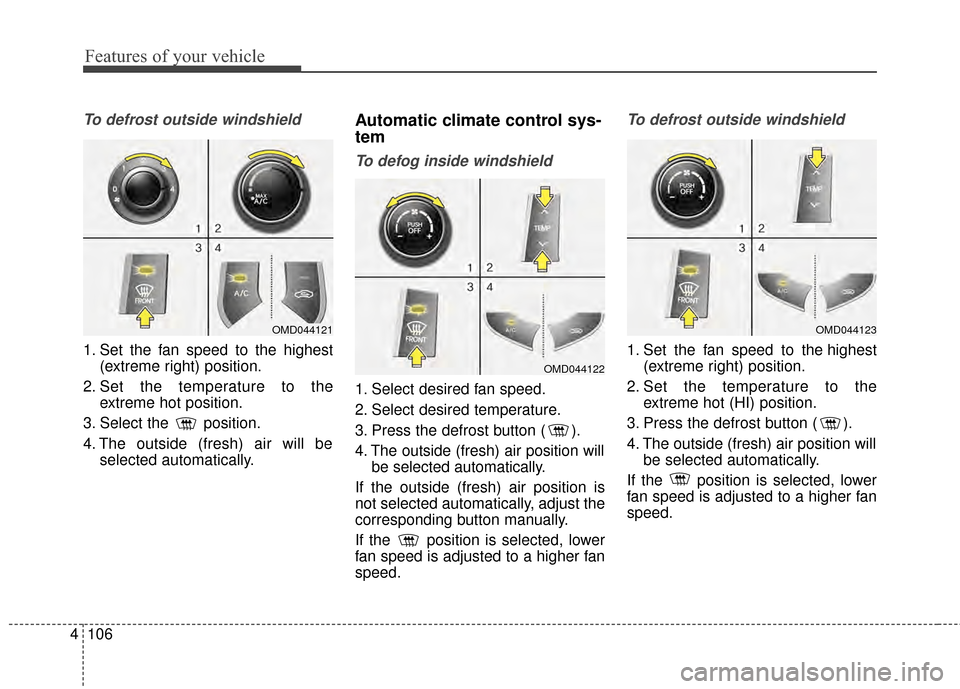
1. Set the fan speed to the highest
(extreme right) position.
2. Set the temperature to the extreme hot position.
3. Select the position.
4. The outside (fresh) air will be selected automatically.
Automatic climate control sys-
tem
To defog inside windshield
1. Select desired fan speed.
2. Select desired temperature.
3. Press the defrost button ( ).
4. The outside (fresh) air position willbe selected automatically.
If the outside (fresh) air position is
not selected automatically, adjust the
corresponding button manually.
If the position is selected, lower
fan speed is adjusted to a higher fan
speed.
To defrost outside windshield
1. Set the fan speed to the highest (extreme right) position.
2. Set the temperature to the extreme hot (HI) position.
3. Press the defrost button ( ).
4. The outside (fresh) air position will be selected automatically.
If the position is selected, lower
fan speed is adjusted to a higher fan
speed.
OMD044121
OMD044122
OMD044123
Page 193 of 668
4107
Features of your vehicle
Defogging logic
When defogging logic is operating,
the air intake is controlled automati-
cally (You can’t control the air intake)
according to certain conditions such
as or position to reduce the
probability of fogging up the inside of
the windshield. To cancel or return
the defogging logic, perform the fol-
lowing steps.
Manual climate control system
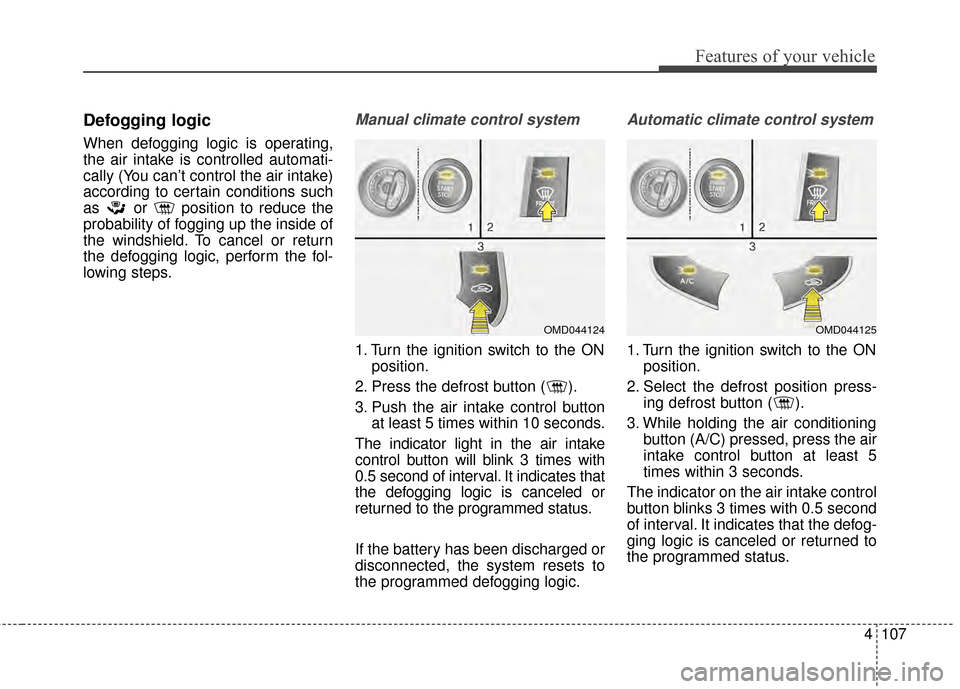
1. Turn the ignition switch to the ONposition.
2. Press the defrost button ( ).
3. Push the air intake control button at least 5 times within 10 seconds.
The indicator light in the air intake
control button will blink 3 times with
0.5 second of interval. It indicates that
the defogging logic is canceled or
returned to the programmed status.
If the battery has been discharged or
disconnected, the system resets to
the programmed defogging logic.
Automatic climate control system
1. Turn the ignition switch to the ON position.
2. Select the defrost position press- ing defrost button ( ).
3. While holding the air conditioning button (A/C) pressed, press the air
intake control button at least 5
times within 3 seconds.
The indicator on the air intake control
button blinks 3 times with 0.5 second
of interval. It indicates that the defog-
ging logic is canceled or returned to
the programmed status.
OMD044125OMD044124
Page 194 of 668
Features of your vehicle
108
4
If the battery has been discharged or
disconnected, the system resets to
the programmed defogging logic.Auto defogging system
(if equipped)
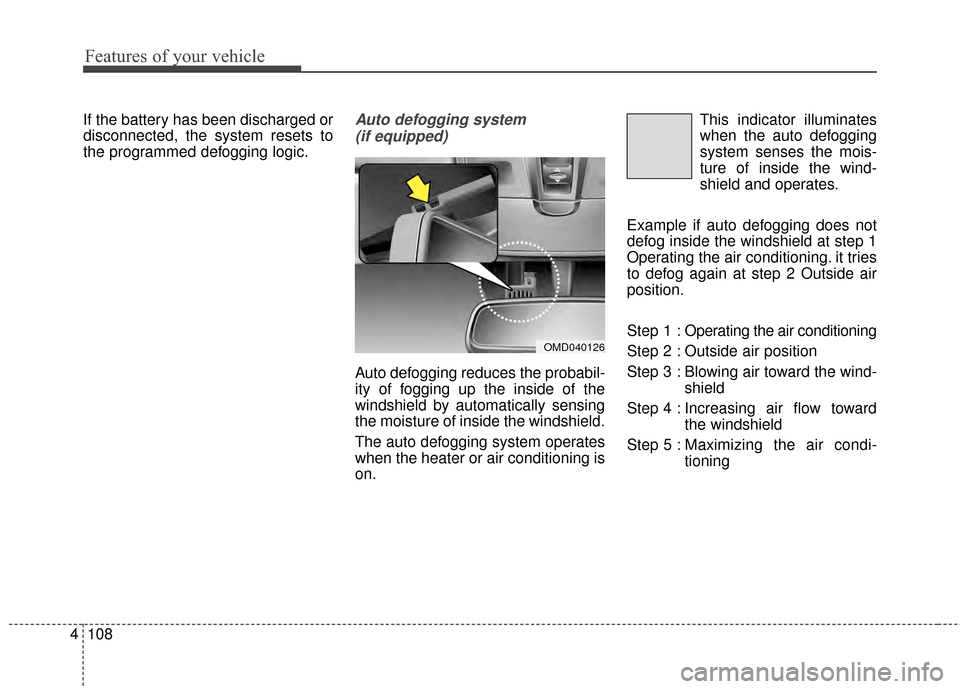
Auto defogging reduces the probabil-
ity of fogging up the inside of the
windshield by automatically sensing
the moisture of inside the windshield.
The auto defogging system operates
when the heater or air conditioning is
on. This indicator illuminates
when the auto defogging
system senses the mois-
ture of inside the wind-
shield and operates.
Example if auto defogging does not
defog inside the windshield at step 1
Operating the air conditioning. it tries
to defog again at step 2 Outside air
position.
Step 1 : Operating the air conditioning
Step 2 : Outside air position
Step 3 : Blowing air toward the wind- shield
Step 4 : Increasing air flow toward the windshield
Step 5 : Maxim izing the air condi-
tioning
OMD040126
Page 195 of 668
4109
Features of your vehicle
If your vehicle is equipped with the
auto defogging system, it is automat-
ically activated when the conditions
are met. However, if you would like to
cancel the auto defogging system,
press the front defroster button for 3
seconds. The indicator will blink 3
times to notify you that the system is
cancelled. To use the auto defogging
system again, follow the procedures
mentioned above.
If the battery has been disconnected
or discharged, it resets to the auto
defogging status.✽ ✽NOTICE
• When the air conditioning is
turned on by Auto defogging sys-
tem, if you try to turn off the air
conditioning, the indicator will
blink 3 times and the air condi-
tioning will not be turned off.
• For efficiency, do not select recir- culated air position while Auto
defogging system is operating.
CAUTION
Do not remove the sensor cover
located on the upper end of thedriver side windshield glass.Damage to system parts couldoccur and may not be coveredby your vehicle warranty.
Page 203 of 668
4117
Features of your vehicle
Clothes hanger (if equipped)
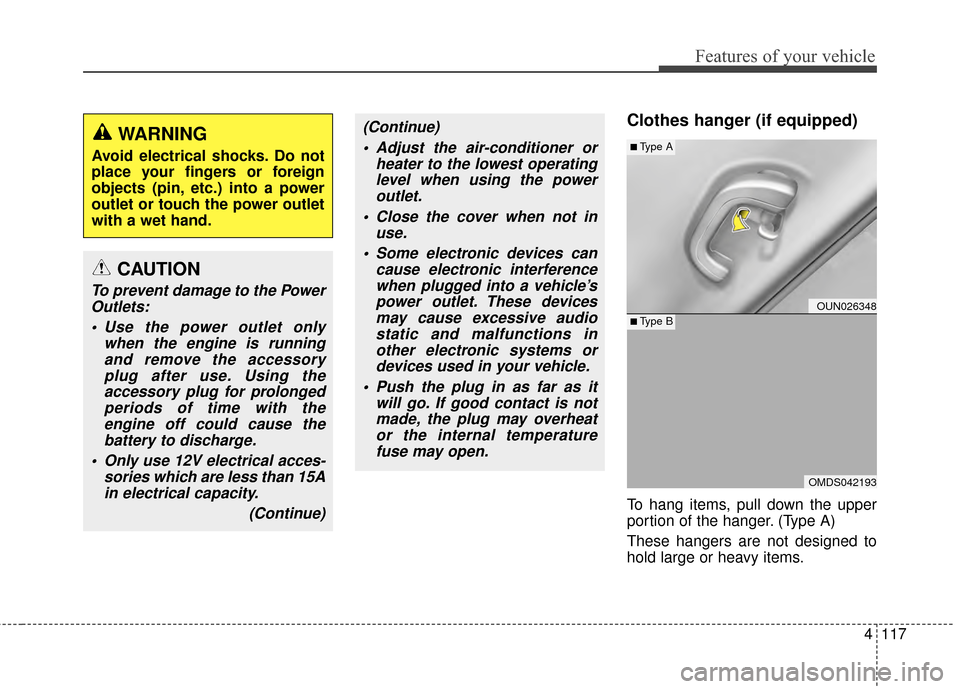
To hang items, pull down the upper
portion of the hanger. (Type A)
These hangers are not designed to
hold large or heavy items.
CAUTION
To prevent damage to the PowerOutlets:
Use the power outlet only when the engine is runningand remove the accessoryplug after use. Using theaccessory plug for prolongedperiods of time with theengine off could cause thebattery to discharge.
Only use 12V electrical acces- sories which are less than 15Ain electrical capacity.
(Continue)
(Continue) Adjust the air-conditioner or heater to the lowest operatinglevel when using the poweroutlet.
Close the cover when not in use.
Some electronic devices can cause electronic interferencewhen plugged into a vehicle’spower outlet. These devicesmay cause excessive audiostatic and malfunctions inother electronic systems ordevices used in your vehicle.
Push the plug in as far as it will go. If good contact is notmade, the plug may overheator the internal temperaturefuse may open.WARNING
Avoid electrical shocks. Do not
place your fingers or foreign
objects (pin, etc.) into a power
outlet or touch the power outlet
with a wet hand.
OUN026348
OMDS042193
■Type A
■Type B