light Hyundai Elantra 2015 Repair Manual
[x] Cancel search | Manufacturer: HYUNDAI, Model Year: 2015, Model line: Elantra, Model: Hyundai Elantra 2015Pages: 668, PDF Size: 35.58 MB
Page 176 of 668
Features of your vehicle
90
4
Air conditioning
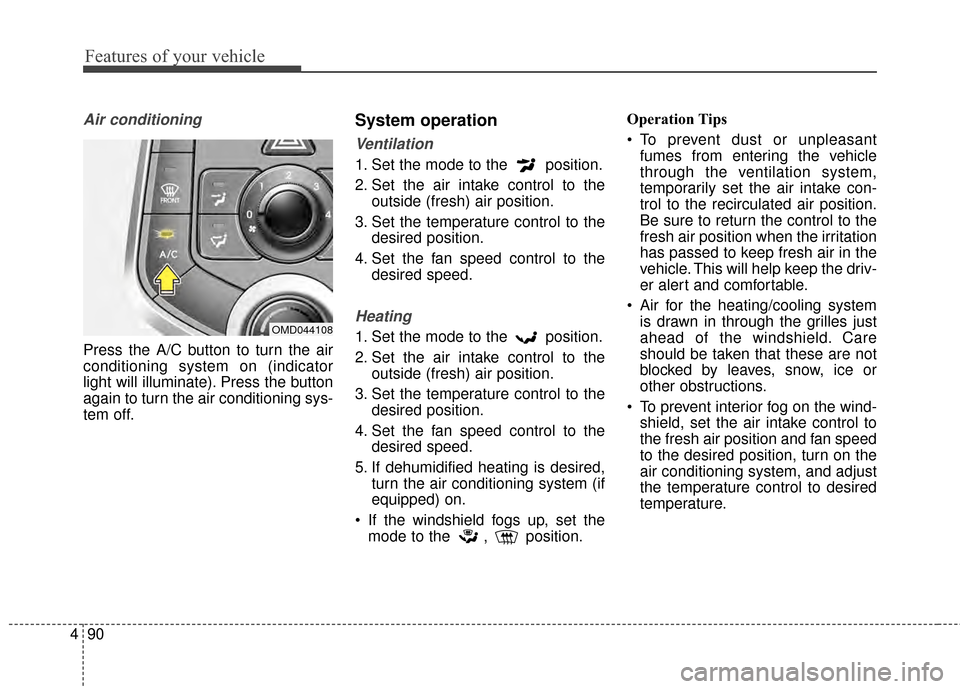
Press the A/C button to turn the air
conditioning system on (indicator
light will illuminate). Press the button
again to turn the air conditioning sys-
tem off.
System operation
Ventilation
1. Set the mode to the position.
2. Set the air intake control to the
outside (fresh) air position.
3. Set the temperature control to the desired position.
4. Set the fan speed control to the desired speed.
Heating
1. Set the mode to the position.
2. Set the air intake control to theoutside (fresh) air position.
3. Set the temperature control to the desired position.
4. Set the fan speed control to the desired speed.
5. If dehumidified heating is desired, turn the air conditioning system (if
equipped) on.
If the windshield fogs up, set the mode to the , position. Operation Tips
To prevent dust or unpleasant
fumes from entering the vehicle
through the ventilation system,
temporarily set the air intake con-
trol to the recirculated air position.
Be sure to return the control to the
fresh air position when the irritation
has passed to keep fresh air in the
vehicle. This will help keep the driv-
er alert and comfortable.
Air for the heating/cooling system is drawn in through the grilles just
ahead of the windshield. Care
should be taken that these are not
blocked by leaves, snow, ice or
other obstructions.
To prevent interior fog on the wind- shield, set the air intake control to
the fresh air position and fan speed
to the desired position, turn on the
air conditioning system, and adjust
the temperature control to desired
temperature.OMD044108
Page 177 of 668
491
Features of your vehicle
Air conditioning
HYUNDAI Air Conditioning Systems
are filled with environmentally friendly
R-134a refrigerant.
1. Start the engine. Push the air con-ditioning button.
2. Set the mode to the position.
3. Set the air intake control to the recirculated air position. However,
prolonged operation of the recircu-
lated air position will excessively
dry the air. In this case, change the
air position.
4. Adjust the fan speed control and temperature control to maintain
maximum comfort.
When maximum cooling is desired, set the temperature control to the
extreme left position then set the fan
speed control to the highest speed.
✽ ✽ NOTICE
• While using the air conditioning
system, monitor the engine tem-
perature gauge closely while driv-
ing up hills or in heavy traffic
when outside temperatures are
high. Air conditioning system
operation may cause engine over-
heating. Continue to use the blow-
er fan but turn the air condition-
ing system off if the engine tem-
perature gauge indicates engine
overheating.
• Opening the windows in humid weather while air conditioning
operates may create water
droplets inside the vehicle. Since
excessive water droplets may
cause damage to electrical equip-
ment, air conditioning should only
be used with the windows closed.
Air conditioning system operation tips
If the vehicle has been parked in
direct sunlight during hot weather,
open the windows for a short time
to let the hot air inside the vehicle
escape.
To help reduce moisture inside of the windows on rainy or humid
days, decrease the humidity inside
the vehicle by operating the air
conditioning system.
During air conditioning system operation, you may occasionally
notice a slight change in engine
speed as the air conditioning com-
pressor cycles. This is a normal
system operation characteristic.
Use the air conditioning system every month only for a few minutes
to ensure maximum system per-
formance.
When using the air conditioning system, you may notice clear water
dripping (or even puddling) on the
ground under the passenger side
of the vehicle. This is a normal sys-
tem operation characteristic.
Page 185 of 668
499
Features of your vehicle
Air intake control
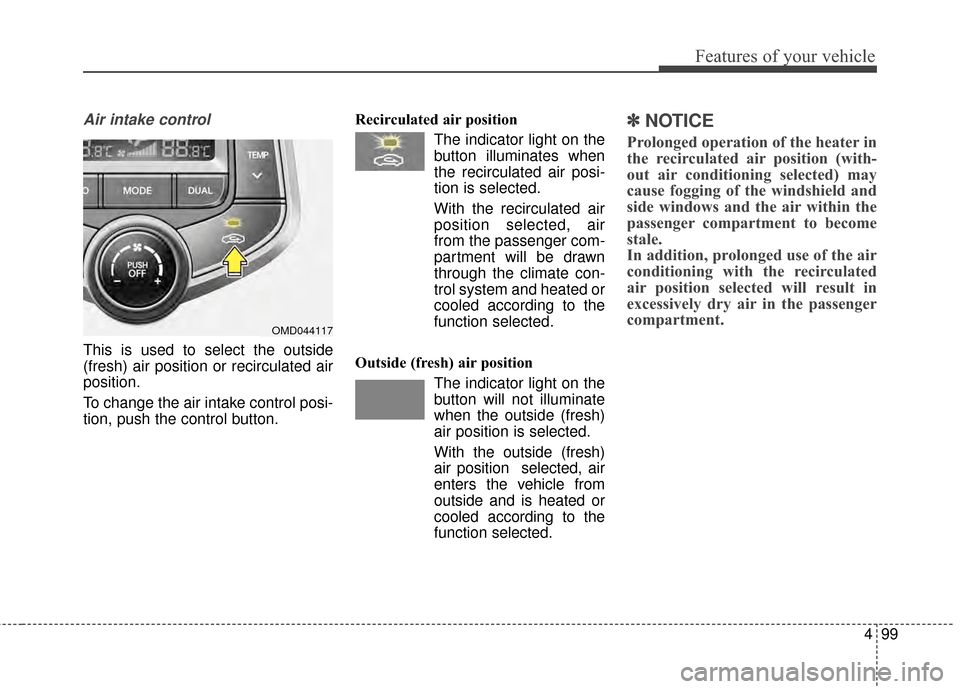
This is used to select the outside
(fresh) air position or recirculated air
position.
To change the air intake control posi-
tion, push the control button.Recirculated air position
The indicator light on the
button illuminates when
the recirculated air posi-
tion is selected.
With the recirculated air position selected, air
from the passenger com-
partment will be drawn
through the climate con-
trol system and heated or
cooled according to the
function selected.
Outside (fresh) air position The indicator light on the
button will not illuminate
when the outside (fresh)
air position is selected.
With the outside (fresh)
air position selected, air
enters the vehicle from
outside and is heated or
cooled according to the
function selected.
✽ ✽NOTICE
Prolonged operation of the heater in
the recirculated air position (with-
out air conditioning selected) may
cause fogging of the windshield and
side windows and the air within the
passenger compartment to become
stale.
In addition, prolonged use of the air
conditioning with the recirculated
air position selected will result in
excessively dry air in the passenger
compartment.
OMD044117
Page 186 of 668
Features of your vehicle
100
4
Fan speed control
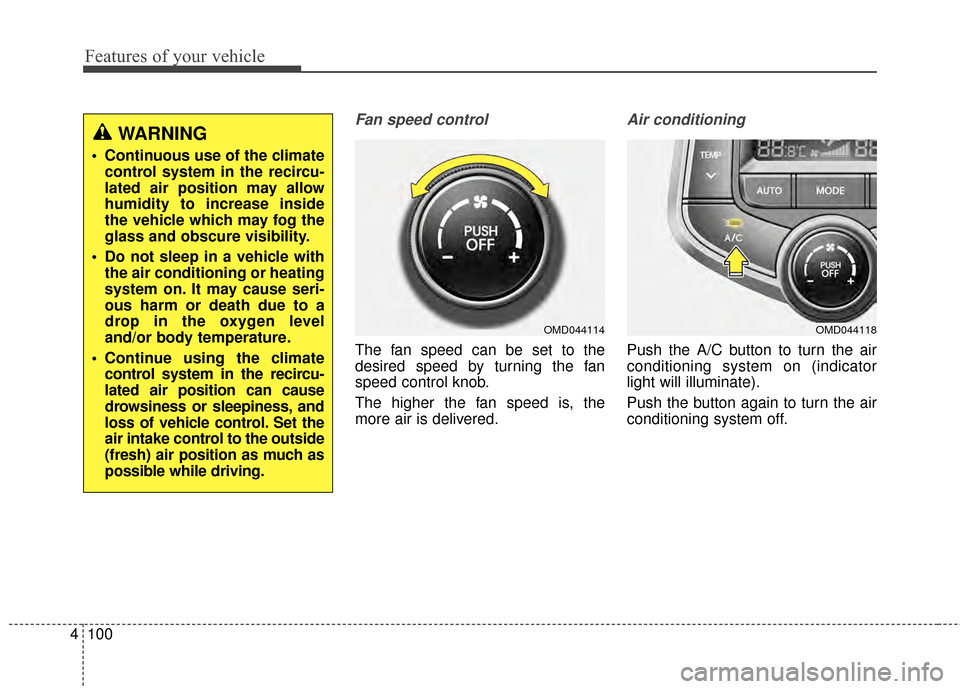
The fan speed can be set to the
desired speed by turning the fan
speed control knob.
The higher the fan speed is, the
more air is delivered.
Air conditioning
Push the A/C button to turn the air
conditioning system on (indicator
light will illuminate).
Push the button again to turn the air
conditioning system off.
WARNING
Continuous use of the climate
control system in the recircu-
lated air position may allow
humidity to increase inside
the vehicle which may fog the
glass and obscure visibility.
Do not sleep in a vehicle with the air conditioning or heating
system on. It may cause seri-
ous harm or death due to a
drop in the oxygen level
and/or body temperature.
Continue using the climate control system in the recircu-
lated air position can cause
drowsiness or sleepiness, and
loss of vehicle control. Set the
air intake control to the outside
(fresh) air position as much as
possible while driving.
OMD044118OMD044114
Page 188 of 668
Features of your vehicle
102
4
Air conditioning
HYUNDAI Air Conditioning Systems
are filled with environmentally friendly
R-134a refrigerant.
1. Start the engine. Push the air con-
ditioning button.
2. Set the mode to the position.
3. Set the air intake control to the recirculated air position. However,
prolonged operation of the recircu-
lated air position will excessively
dry the air. In this case, change the
air position.
4. Adjust the fan speed control and temperature control to maintain
maximum comfort.
When maximum cooling is desired, set the temperature control to the
extreme left position then set the
fan speed control to the highest
speed.
✽ ✽ NOTICE
• While using the air conditioning
system, monitor the engine tem-
perature gauge closely while driv-
ing up hills or in heavy traffic
when outside temperatures are
high. Air conditioning system
operation may cause engine over-
heating. Continue to use the blow-
er fan but turn the air condition-
ing system off if the engine tem-
perature gauge indicates engine
overheating.
• Opening the windows in humid weather while air conditioning
operates may create water
droplets inside the vehicle. Since
excessive water droplets may
cause damage to electrical equip-
ment, air conditioning should only
be used with the windows closed.
Air conditioning system operation tips
If the vehicle has been parked in
direct sunlight during hot weather,
open the windows for a short time
to let the hot air inside the vehicle
escape.
To help reduce moisture inside of the windows on rainy or humid
days, decrease the humidity inside
the vehicle by operating the air
conditioning system.
During air conditioning system operation, you may occasionally
notice a slight change in engine
speed as the air conditioning com-
pressor cycles. This is a normal
system operation characteristic.
Use the air conditioning system every month only for a few minutes
to ensure maximum system per-
formance.
When using the air conditioning system, you may notice clear water
dripping (or even puddling) on the
ground under the passenger side
of the vehicle. This is a normal sys-
tem operation characteristic.
Page 193 of 668
4107
Features of your vehicle
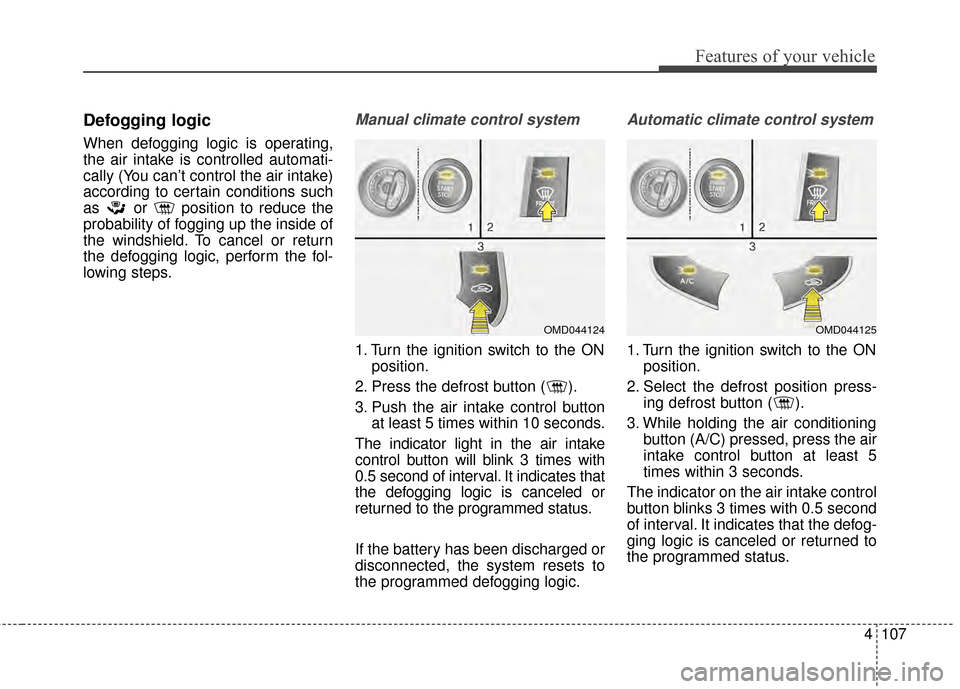
Defogging logic
When defogging logic is operating,
the air intake is controlled automati-
cally (You can’t control the air intake)
according to certain conditions such
as or position to reduce the
probability of fogging up the inside of
the windshield. To cancel or return
the defogging logic, perform the fol-
lowing steps.
Manual climate control system
1. Turn the ignition switch to the ONposition.
2. Press the defrost button ( ).
3. Push the air intake control button at least 5 times within 10 seconds.
The indicator light in the air intake
control button will blink 3 times with
0.5 second of interval. It indicates that
the defogging logic is canceled or
returned to the programmed status.
If the battery has been discharged or
disconnected, the system resets to
the programmed defogging logic.
Automatic climate control system
1. Turn the ignition switch to the ON position.
2. Select the defrost position press- ing defrost button ( ).
3. While holding the air conditioning button (A/C) pressed, press the air
intake control button at least 5
times within 3 seconds.
The indicator on the air intake control
button blinks 3 times with 0.5 second
of interval. It indicates that the defog-
ging logic is canceled or returned to
the programmed status.
OMD044125OMD044124
Page 196 of 668
Features of your vehicle
110
4
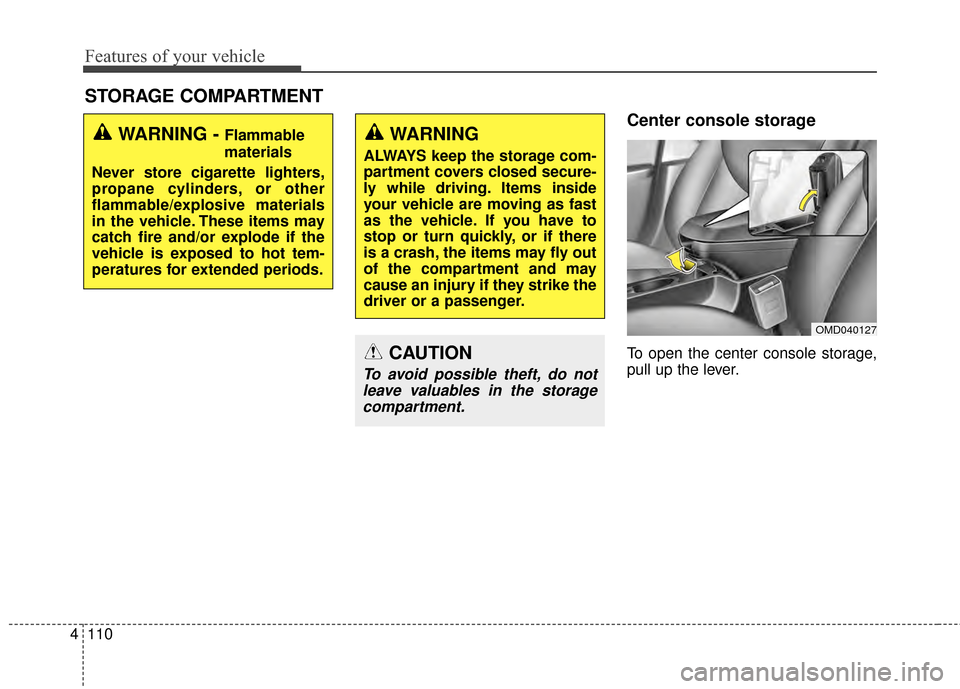
Center console storage
To open the center console storage,
pull up the lever.
STORAGE COMPARTMENT
WARNING - Flammable
materials
Never store cigarette lighters,
propane cylinders, or other
flammable/explosive materials
in the vehicle. These items may
catch fire and/or explode if the
vehicle is exposed to hot tem-
peratures for extended periods.WARNING
ALWAYS keep the storage com-
partment covers closed secure-
ly while driving. Items inside
your vehicle are moving as fast
as the vehicle. If you have to
stop or turn quickly, or if there
is a crash, the items may fly out
of the compartment and may
cause an injury if they strike the
driver or a passenger.
CAUTION
To avoid possible theft, do not leave valuables in the storagecompartment.
OMD040127
Page 201 of 668
4115
Features of your vehicle
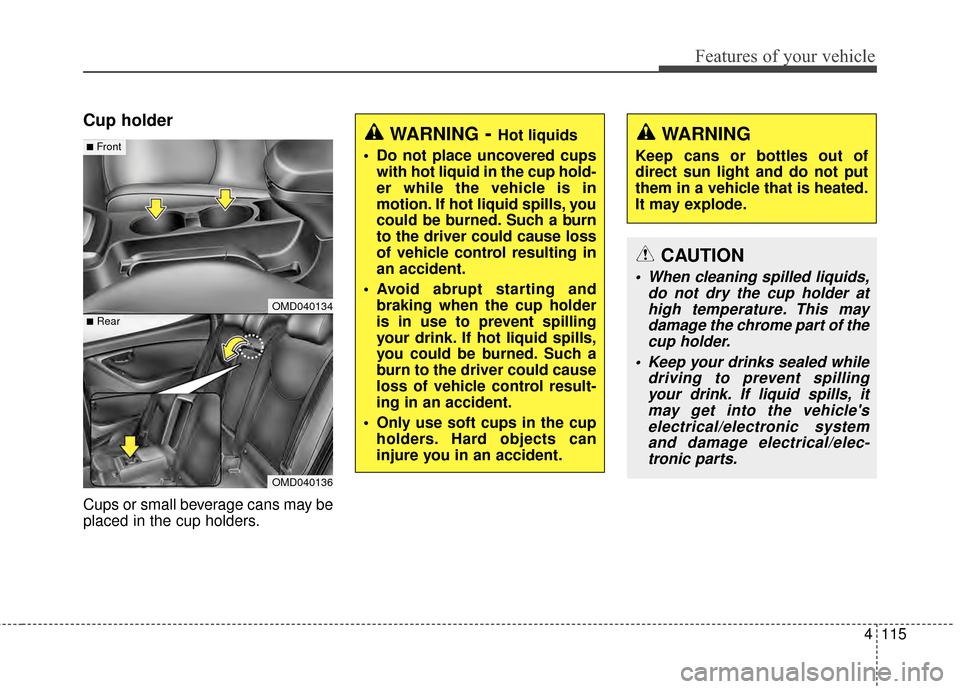
Cup holder
Cups or small beverage cans may be
placed in the cup holders.
OMD040134
OMD040136
■Rear
■FrontWARNING- Hot liquids
Do not place uncovered cups with hot liquid in the cup hold-
er while the vehicle is in
motion. If hot liquid spills, you
could be burned. Such a burn
to the driver could cause loss
of vehicle control resulting in
an accident.
Avoid abrupt starting and braking when the cup holder
is in use to prevent spilling
your drink. If hot liquid spills,
you could be burned. Such a
burn to the driver could cause
loss of vehicle control result-
ing in an accident.
Only use soft cups in the cup holders. Hard objects can
injure you in an accident.WARNING
Keep cans or bottles out of
direct sun light and do not put
them in a vehicle that is heated.
It may explode.
CAUTION
When cleaning spilled liquids, do not dry the cup holder athigh temperature. This maydamage the chrome part of thecup holder.
Keep your drinks sealed while driving to prevent spillingyour drink. If liquid spills, itmay get into the vehicle'selectrical/electronic systemand damage electrical/elec-tronic parts.
Page 212 of 668
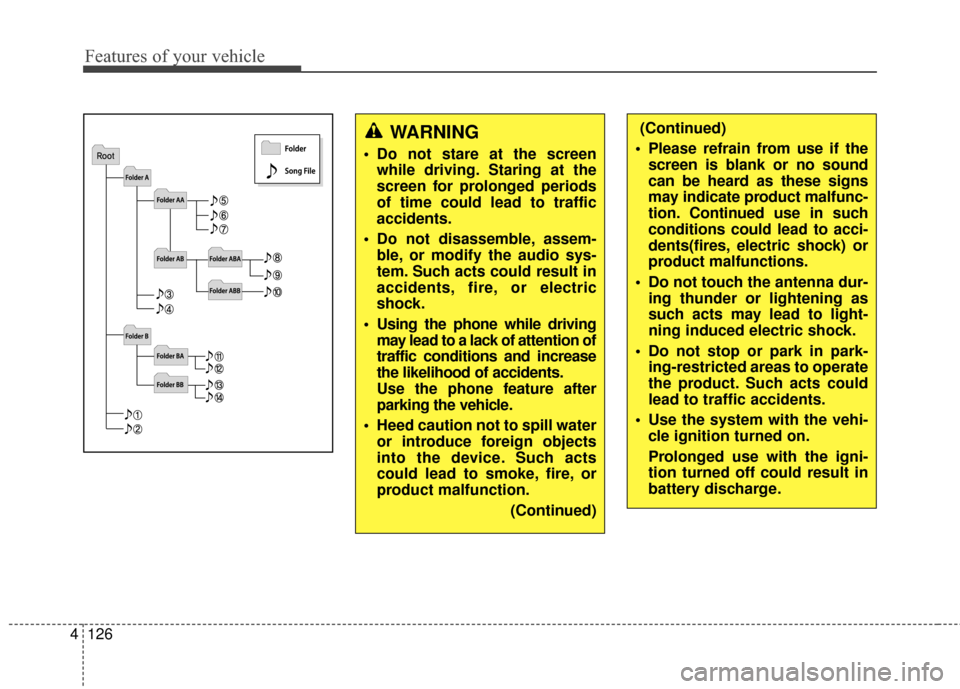
Features of your vehicle
126
4
WARNING
Do not stare at the screen
while driving. Staring at the
screen for prolonged periods
of time could lead to traffic
accidents.
Do not disassemble, assem- ble, or modify the audio sys-
tem. Such acts could result in
accidents, fire, or electric
shock.
Using the phone while driving may lead to a lack of attention of
traffic conditions and increase
the likelihood of accidents.
Use the phone feature after
parking the vehicle.
Heed caution not to spill water or introduce foreign objects
into the device. Such acts
could lead to smoke, fire, or
product malfunction.
(Continued)
(Continued)
Please refrain from use if the screen is blank or no sound
can be heard as these signs
may indicate product malfunc-
tion. Continued use in such
conditions could lead to acci-
dents(fires, electric shock) or
product malfunctions.
Do not touch the antenna dur- ing thunder or lightening as
such acts may lead to light-
ning induced electric shock.
Do not stop or park in park- ing-restricted areas to operate
the product. Such acts could
lead to traffic accidents.
Use the system with the vehi- cle ignition turned on.
Prolonged use with the igni-
tion turned off could result in
battery discharge.
Page 237 of 668
4151
Features of your vehicle
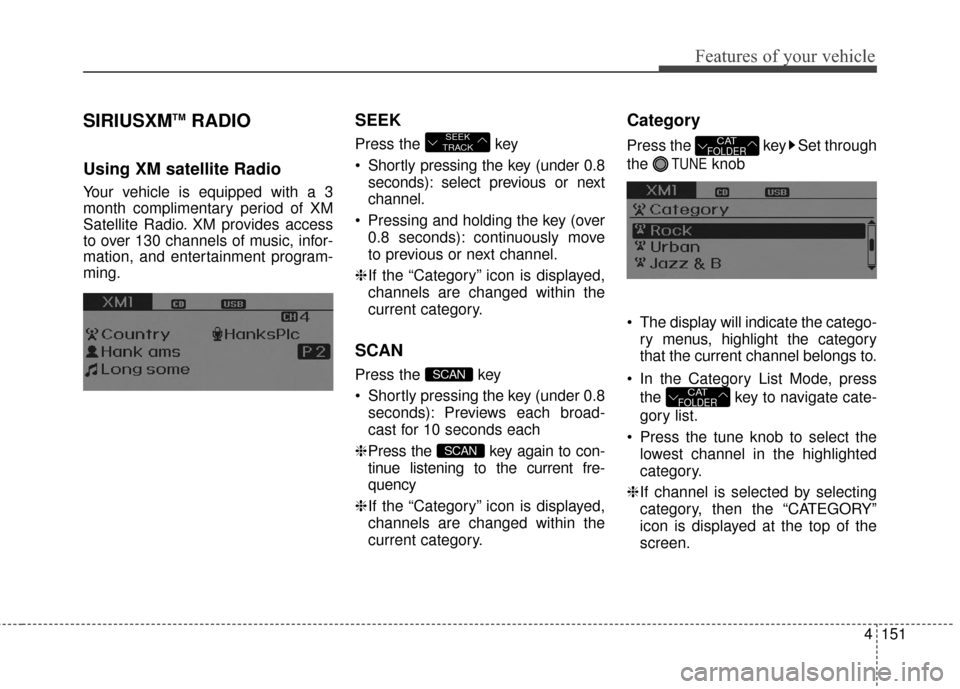
SIRIUSXMTMRADIO
Using XM satellite Radio
Your vehicle is equipped with a 3
month complimentary period of XM
Satellite Radio. XM provides access
to over 130 channels of music, infor-
mation, and entertainment program-
ming.
SEEK
Press the key
Shortly pressing the key (under 0.8seconds): select previous or next
channel.
Pressing and holding the key (over 0.8 seconds): continuously move
to previous or next channel.
❈ If the “Category” icon is displayed,
channels are changed within the
current category.
SCAN
Press the key
Shortly pressing the key (under 0.8 seconds): Previews each broad-
cast for 10 seconds each
❈ Press the key again to con-
tinue listening to the current fre-
quency
❈ If the “Category” icon is displayed,
channels are changed within the
current category.
Category
Press the key Set through
the
TUNEknob
The display will indicate the catego- ry menus, highlight the category
that the current channel belongs to.
In the Category List Mode, press the key to navigate cate-
gory list.
Press the tune knob to select the lowest channel in the highlighted
category.
❈ If channel is selected by selecting
category, then the “CATEGORY”
icon is displayed at the top of the
screen.
CATFOLDER
CATFOLDER
SCAN
SCAN
SEEK
TRACK