Defroster Hyundai Elantra 2015 Owner's Manual
[x] Cancel search | Manufacturer: HYUNDAI, Model Year: 2015, Model line: Elantra, Model: Hyundai Elantra 2015Pages: 668, PDF Size: 35.58 MB
Page 88 of 668
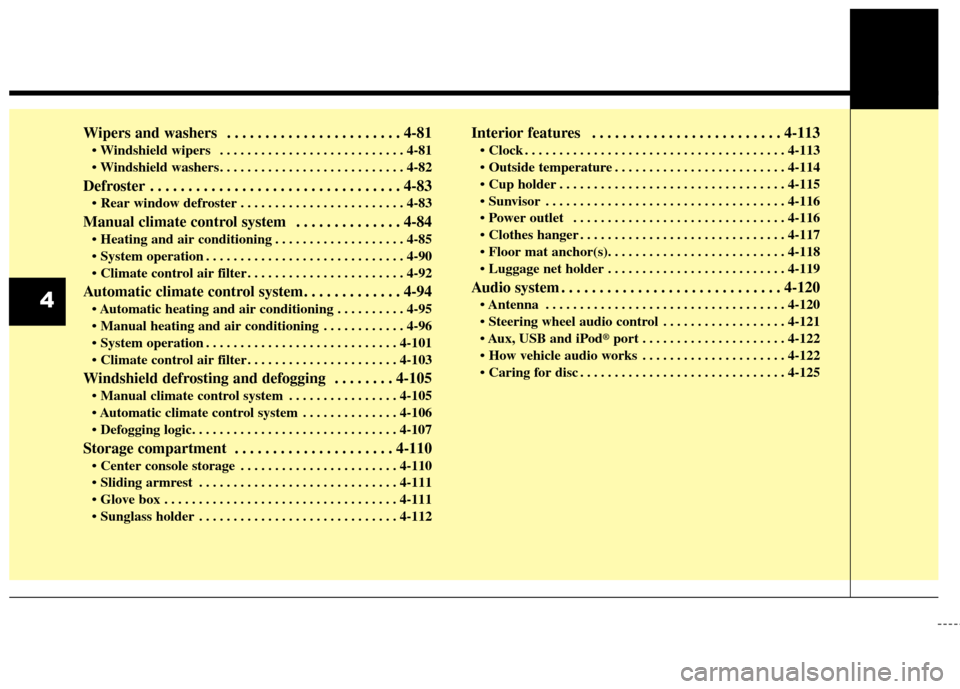
Wipers and washers . . . . . . . . . . . . . . . . . . . . . . . 4-81
. . . . . . . . . . . . . . . . . . . . . . . . . . . 4-81
Defroster . . . . . . . . . . . . . . . . . . . . . . . . . . . . . . . . . 4-83
. . . . . . . . . . . . . . . . . . . . . . . . 4-83
Manual climate control system . . . . . . . . . . . . . . 4-84
. . . . . . . . . . . . . . . . . . . 4-85
. . . . . . . . . . . . . . . . . . . . . . . . . . . . . 4-90
. . . . . . . . . . . . . . . . . . . . . . . 4-92
Automatic climate control system. . . . . . . . . . . . . 4-94
. . . . . . . . . . 4-95
. . . . . . . . . . . . 4-96
. . . . . . . . . . . . . . . . . . . . . . . . . . . . 4-101
. . . . . . . . . . . . . . . . . . . . . . 4-103
Windshield defrosting and defogging . . . . . . . . 4-105
. . . . . . . . . . . . . . . . 4-105
. . . . . . . . . . . . . . 4-106
Storage compartment . . . . . . . . . . . . . . . . . . . . . 4-110
. . . . . . . . . . . . . . . . . . . . . . . 4-110
. . . . . . . . . . . . . . . . . . . . . . . . . . . . . 4-111
. . . . . . . . . . . . . . . . . . . . . . . . . . . . . . . . . . 4-11\
1
. . . . . . . . . . . . . . . . . . . . . . . . . . . . . 4-112
Interior features . . . . . . . . . . . . . . . . . . . . . . . . . 4-113
. . . . . . . . . . . . . . . . . . . . . . . . . . . . . . . . . . . . \
. . 4-113
. . . . . . . . . . . . . . . . . . . . . . . . . 4-114
. . . . . . . . . . . . . . . . . . . . . . . . . . . . . . . . . 4-115
. . . . . . . . . . . . . . . . . . . . . . . . . . . . . . . . . . . 4-\
116
. . . . . . . . . . . . . . . . . . . . . . . . . . . . . . . 4-116
. . . . . . . . . . . . . . . . . . . . . . . . . . . . . . 4-117
. . . . . . . . . . . . . . . . . . . . . . . . . . 4-119
Audio system . . . . . . . . . . . . . . . . . . . . . . . . . . . . . 4-120
. . . . . . . . . . . . . . . . . . . . . . . . . . . . . . . . . . . 4-\
120
. . . . . . . . . . . . . . . . . . 4-121
USB and iPod
®port . . . . . . . . . . . . . . . . . . . . . 4-122
. . . . . . . . . . . . . . . . . . . . . 4-122
. . . . . . . . . . . . . . . . . . . . . . . . . . . . . . 4-125
4
Page 168 of 668
Features of your vehicle
82
4
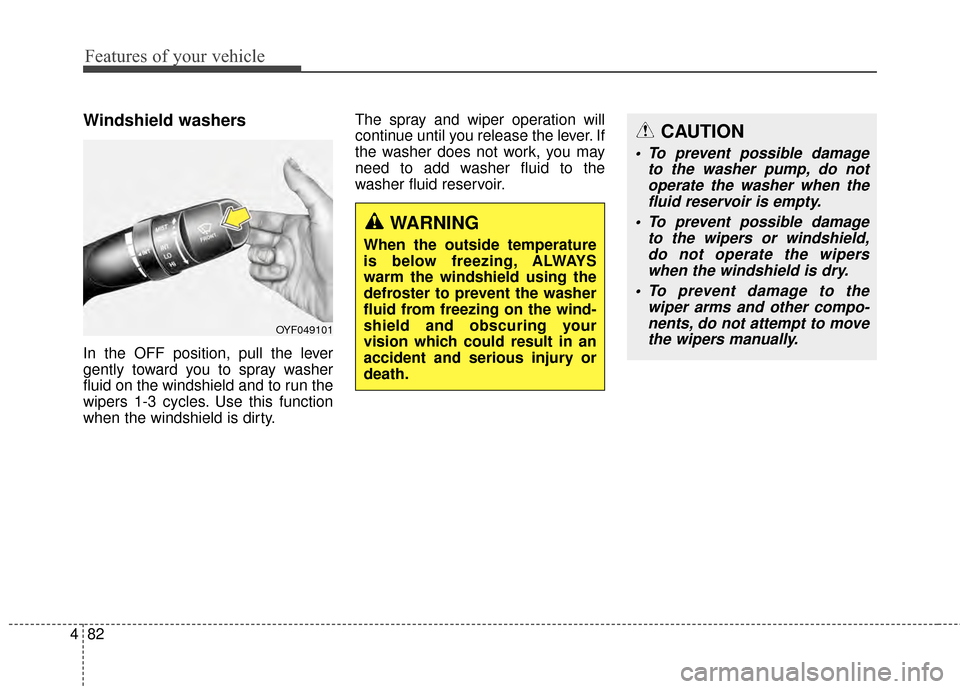
Windshield washers
In the OFF position, pull the lever
gently toward you to spray washer
fluid on the windshield and to run the
wipers 1-3 cycles. Use this function
when the windshield is dirty. The spray and wiper operation will
continue until you release the lever. If
the washer does not work, you may
need to add washer fluid to the
washer fluid reservoir.
WARNING
When the outside temperature
is below freezing, ALWAYS
warm the windshield using the
defroster to prevent the washer
fluid from freezing on the wind-
shield and obscuring your
vision which could result in an
accident and serious injury or
death.
CAUTION
To prevent possible damage
to the washer pump, do notoperate the washer when thefluid reservoir is empty.
To prevent possible damage to the wipers or windshield,do not operate the wiperswhen the windshield is dry.
To prevent damage to the wiper arms and other compo-nents, do not attempt to movethe wipers manually.
OYF049101
Page 169 of 668
483
Features of your vehicle
✽
✽NOTICE
If you want to defrost and defog the
front windshield, refer to
“Windshield defrosting and defog-
ging” in this chapter.
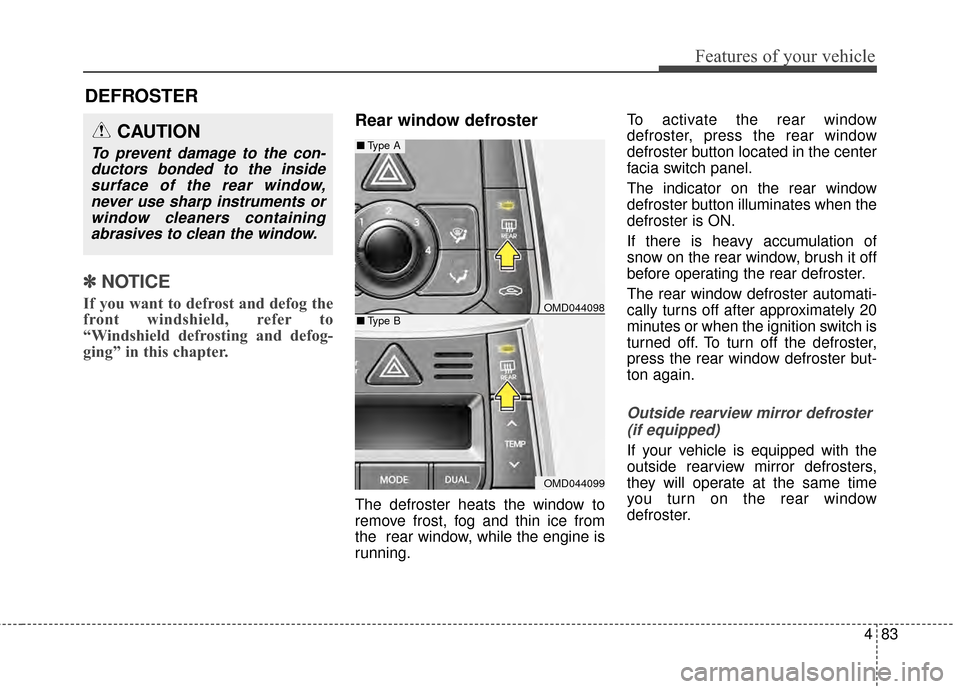
Rear window defroster
The defroster heats the window to
remove frost, fog and thin ice from
the rear window, while the engine is
running. To activate the rear window
defroster, press the rear window
defroster button located in the center
facia switch panel.
The indicator on the rear window
defroster button illuminates when the
defroster is ON.
If there is heavy accumulation of
snow on the rear window, brush it off
before operating the rear defroster.
The rear window defroster automati-
cally turns off after approximately 20
minutes or when the ignition switch is
turned off. To turn off the defroster,
press the rear window defroster but-
ton again.
Outside rearview mirror defroster
(if equipped)
If your vehicle is equipped with the
outside rearview mirror defrosters,
they will operate at the same time
you turn on the rear window
defroster.
CAUTION
To prevent damage to the con-ductors bonded to the insidesurface of the rear window,never use sharp instruments orwindow cleaners containingabrasives to clean the window.
DEFROSTER
OMD044098
OMD044099
■ Type A
■Type B
Page 170 of 668
Features of your vehicle
84
4
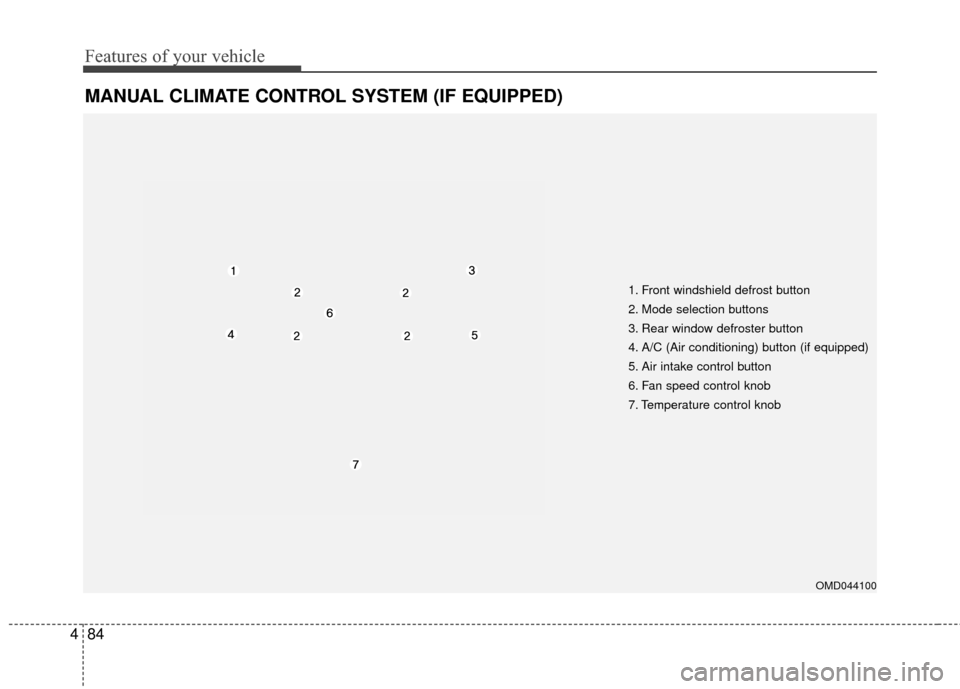
MANUAL CLIMATE CONTROL SYSTEM (IF EQUIPPED)
1. Front windshield defrost button
2. Mode selection buttons
3. Rear window defroster button
4. A/C (Air conditioning) button (if equipped)
5. Air intake control button
6. Fan speed control knob
7. Temperature control knob
OMD044100
Page 172 of 668
Features of your vehicle
86
4
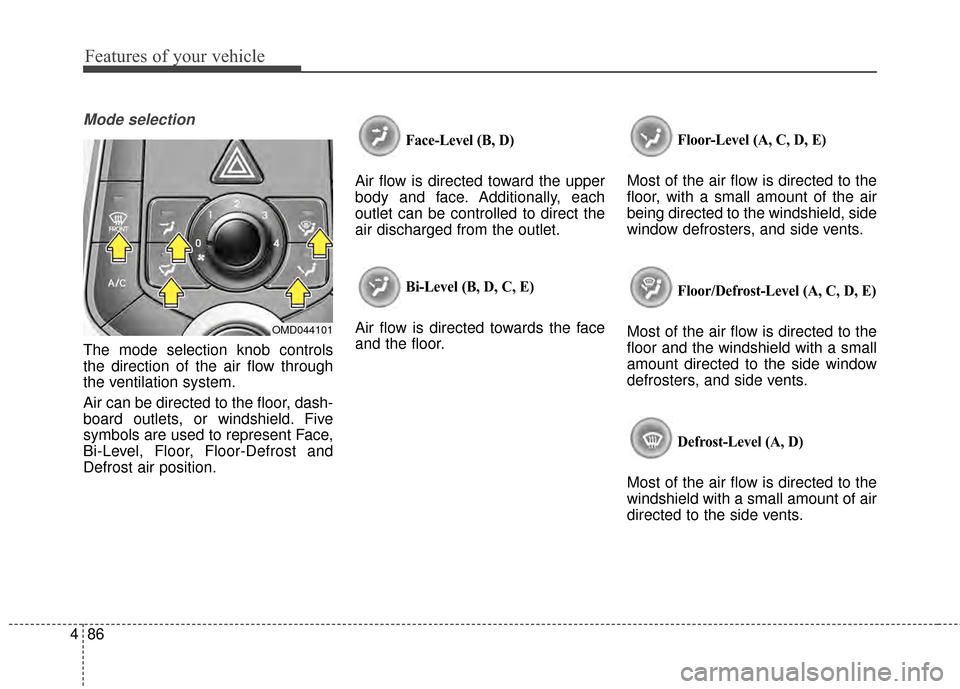
Mode selection
The mode selection knob controls
the direction of the air flow through
the ventilation system.
Air can be directed to the floor, dash-
board outlets, or windshield. Five
symbols are used to represent Face,
Bi-Level, Floor, Floor-Defrost and
Defrost air position.
Face-Level (B, D)
Air flow is directed toward the upper
body and face. Additionally, each
outlet can be controlled to direct the
air discharged from the outlet.
Bi-Level (B, D, C, E)
Air flow is directed towards the face
and the floor.
Floor-Level (A, C, D, E)
Most of the air flow is directed to the
floor, with a small amount of the air
being directed to the windshield, side
window defrosters, and side vents.
Floor/Defrost-Level (A, C, D, E)
Most of the air flow is directed to the
floor and the windshield with a small
amount directed to the side window
defrosters, and side vents.
Defrost-Level (A, D)
Most of the air flow is directed to the
windshield with a small amount of air
directed to the side vents.
OMD044101
Page 182 of 668
Features of your vehicle
96
4
Manual heating and air condi-
tioning
The heating and cooling system can
be controlled manually by pressing
buttons or turning knob(s) other than
the AUTO button. In this case, the
system works sequentially according
to the order of buttons or knob(s)
selected.
1. Start the engine.
2. Set the mode to the desired posi-
tion.
For improving the effectiveness of
heating and cooling;- Heating:
- Cooling:
3. Set the temperature control to the desired position.
4. Set the air intake control to the outside (fresh) air position.
5. Set the fan speed control to the desired speed.
6. If air conditioning is desired, turn the air conditioning system on.
Press the AUTO button in order to
convert to full automatic control of
the system.
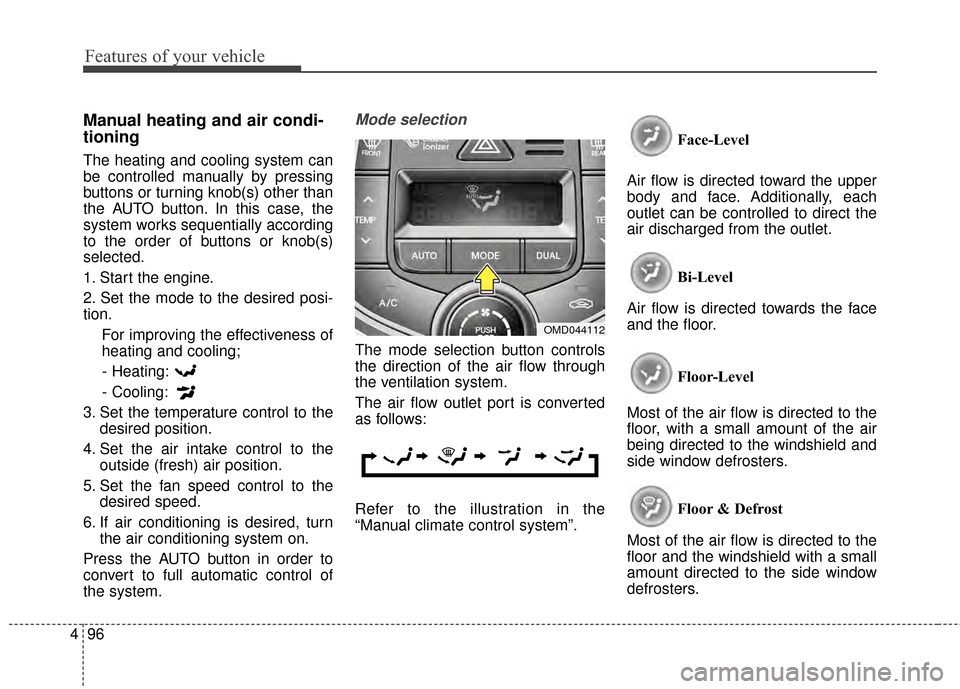
Mode selection
The mode selection button controls
the direction of the air flow through
the ventilation system.
The air flow outlet port is converted
as follows:
Refer to the illustration in the
“Manual climate control system”. Face-Level
Air flow is directed toward the upper
body and face. Additionally, each
outlet can be controlled to direct the
air discharged from the outlet.
Bi-Level
Air flow is directed towards the face
and the floor.
Floor-Level
Most of the air flow is directed to the
floor, with a small amount of the air
being directed to the windshield and
side window defrosters.
Floor & Defrost
Most of the air flow is directed to the
floor and the windshield with a small
amount directed to the side window
defrosters.
OMD044112
Page 183 of 668
497
Features of your vehicle
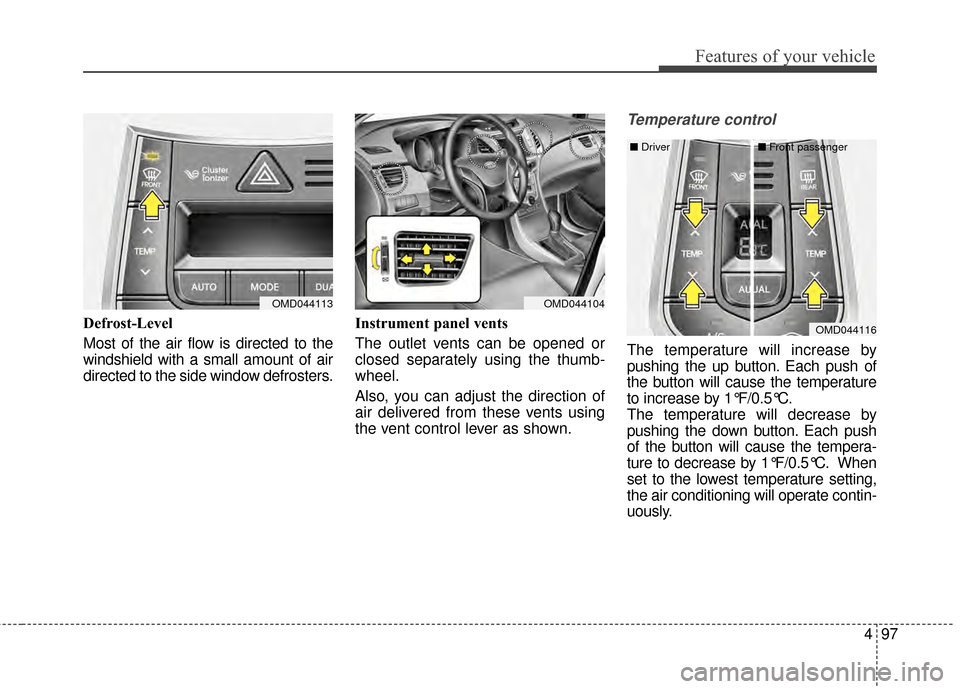
Defrost-Level
Most of the air flow is directed to the
windshield with a small amount of air
directed to the side window defrosters.Instrument panel vents
The outlet vents can be opened or
closed separately using the thumb-
wheel.
Also, you can adjust the direction of
air delivered from these vents using
the vent control lever as shown.
Temperature control
The temperature will increase by
pushing the up button. Each push of
the button will cause the temperature
to increase by 1°F/0.5°C.
The temperature will decrease by
pushing the down button. Each push
of the button will cause the tempera-
ture to decrease by 1°F/0.5°C. When
set to the lowest temperature setting,
the air conditioning will operate contin-
uously.
OMD044113OMD044104
OMD044116
■
Driver ■Front passenger
Page 191 of 668
4105
Features of your vehicle
WINDSHIELD DEFROSTING AND DEFOGGING
For maximum defrosting, set thetemperature control to the extreme
right/hot position and the fan speed
control to the highest speed.
If warm air to the floor is desired while defrosting or defogging, set
the mode to the floor-defrost posi-
tion.
Before driving, clear all snow and ice from the windshield, rear win-
dow, outside rear view mirrors, and
all side windows.
Clear all snow and ice from the hood and air inlet in the cowl grill to
improve heater and defroster effi-
ciency and to reduce the probabili-
ty of fogging up the inside of the
windshield.
✽ ✽ NOTE
Be sure to keep the interior surface
of the windshield clean by wiping it
with a clean cloth and glass cleaner.
This will help reduce the tendency of
the glass fogging and also improve
visibility.Manual climate control system
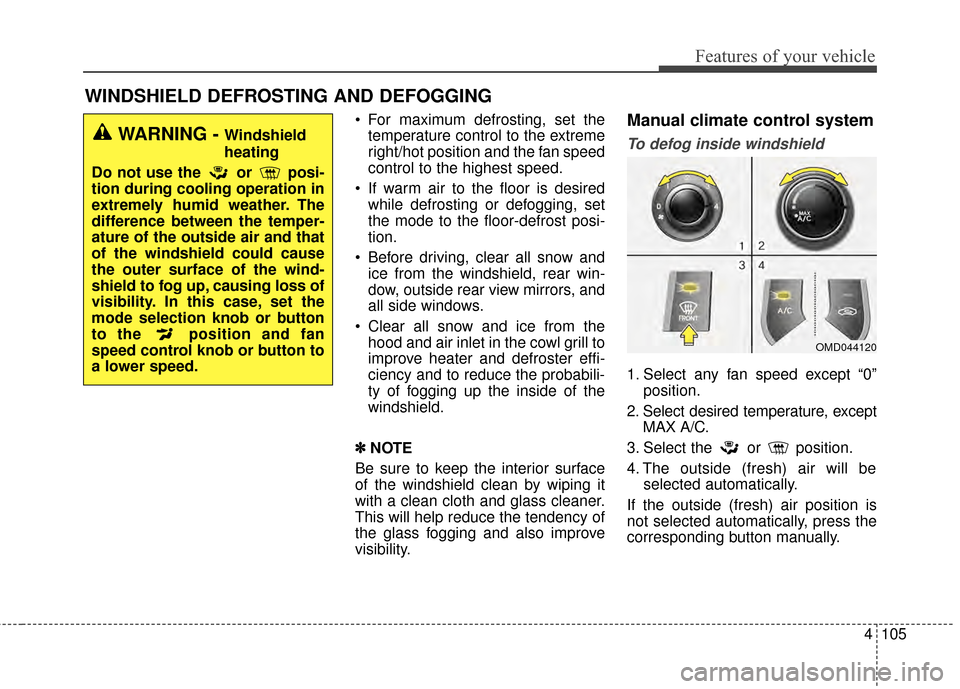
To defog inside windshield
1. Select any fan speed except “0” position.
2. Select desired temperature, except MAX A/C.
3. Select the or position.
4. The outside (fresh) air will be selected automatically.
If the outside (fresh) air position is
not selected automatically, press the
corresponding button manually.
WARNING - Windshield
heating
Do not use the or posi-
tion during cooling operation in
extremely humid weather. The
difference between the temper-
ature of the outside air and that
of the windshield could cause
the outer surface of the wind-
shield to fog up, causing loss of
visibility. In this case, set the
mode selection knob or button
to the position and fan
speed control knob or button to
a lower speed.
OMD044120
Page 195 of 668
4109
Features of your vehicle
If your vehicle is equipped with the
auto defogging system, it is automat-
ically activated when the conditions
are met. However, if you would like to
cancel the auto defogging system,
press the front defroster button for 3
seconds. The indicator will blink 3
times to notify you that the system is
cancelled. To use the auto defogging
system again, follow the procedures
mentioned above.
If the battery has been disconnected
or discharged, it resets to the auto
defogging status.✽ ✽NOTICE
• When the air conditioning is
turned on by Auto defogging sys-
tem, if you try to turn off the air
conditioning, the indicator will
blink 3 times and the air condi-
tioning will not be turned off.
• For efficiency, do not select recir- culated air position while Auto
defogging system is operating.
CAUTION
Do not remove the sensor cover
located on the upper end of thedriver side windshield glass.Damage to system parts couldoccur and may not be coveredby your vehicle warranty.
Page 641 of 668
793
Maintenance
Cleaning the upholstery and inte-rior trim
Vinyl
Remove dust and loose dirt from
vinyl with a whisk broom or vacuum
cleaner. Clean vinyl surfaces with a
vinyl cleaner.
Fabric
Remove dust and loose dirt from fab-
ric with a whisk broom or vacuum
cleaner. Clean with a mild soap solu-
tion recommended for upholstery or
carpets. Remove fresh spots imme-
diately with a fabric spot cleaner. If
fresh spots do not receive immediate
attention, the fabric can be stained
and its color can be affected. Also, its
fire-resistant properties can be
reduced if the material is not proper-
ly maintained.
Cleaning the seat belt webbing
Clean the belt webbing with any mild
soap solution recommended for
cleaning upholstery or carpet. Follow
the instructions provided with the
soap. Do not bleach or re-dye the
webbing because this may weaken
the seat belt.
Cleaning the interior windowglass
If the interior glass surfaces of the
vehicle become fogged (that is, cov-
ered with an oily, greasy or waxy
film), they should be cleaned with
glass cleaner. Follow the directions
on the glass cleaner container.
CAUTION
Using anything but recommend-ed cleaners and proceduresmay affect the fabric's appear-ance and fire-resistant proper-ties.
CAUTION
Do not scrape or scratch theinside of the rear window. Thismay result in damage to the rearwindow defroster grid.