manual transmission Hyundai Elantra 2017 Owner's Manual - RHD (UK. Australia)
[x] Cancel search | Manufacturer: HYUNDAI, Model Year: 2017, Model line: Elantra, Model: Hyundai Elantra 2017Pages: 571, PDF Size: 65.66 MB
Page 4 of 571
F4
FOREWORD
Thank you for choosing HYUNDAI. We are pleased to welcome you to the growing number of discriminating people who
drive HYUNDAI. The advanced engineering and high-quality construction of each HYUNDAI we build is something of
which we're very proud.
Yo u r O w n e r ' s M a n u a l w i l l i n t r o d u c e y o u t o t h e f e a t u r e s a n d o p e r a t i o n o f y o u r n e w H Y U N D A I . I t i s s u g g e s t e d t h a t y o u r e a d
it carefully because the information it contains can contribute greatly to the satisfaction you receive from your new vehi-
cle.
The manufacturer also recommends that service and maintenance on your vehicle be performed by an authorised
HYUNDAI dealer.
HYUNDAI MOTOR COMPANY
Note :Because future owners will also need the information included in this manual, if you sell this HYUNDAI, please
leave the manual in the vehicle for their use. Thank you.
Copyright 2015 HYUNDAI Motor Company. All rights reserved. No part of this publication may be reproduced, stored
in any retrieval system or transmitted in any form or by any means without the prior written permission of HYUNDAI
Motor Company.
Severe engine and transmission damage may result from the use of poor quality fuels and lubricants that
do not meet HYUNDAI specifications. You must always use high quality fuels and lubricants that meet the
specifications listed on Page 8-6 in the Vehicle Specifications section of this Owner's Manual.
CAUTION
Page 17 of 571
F17F17
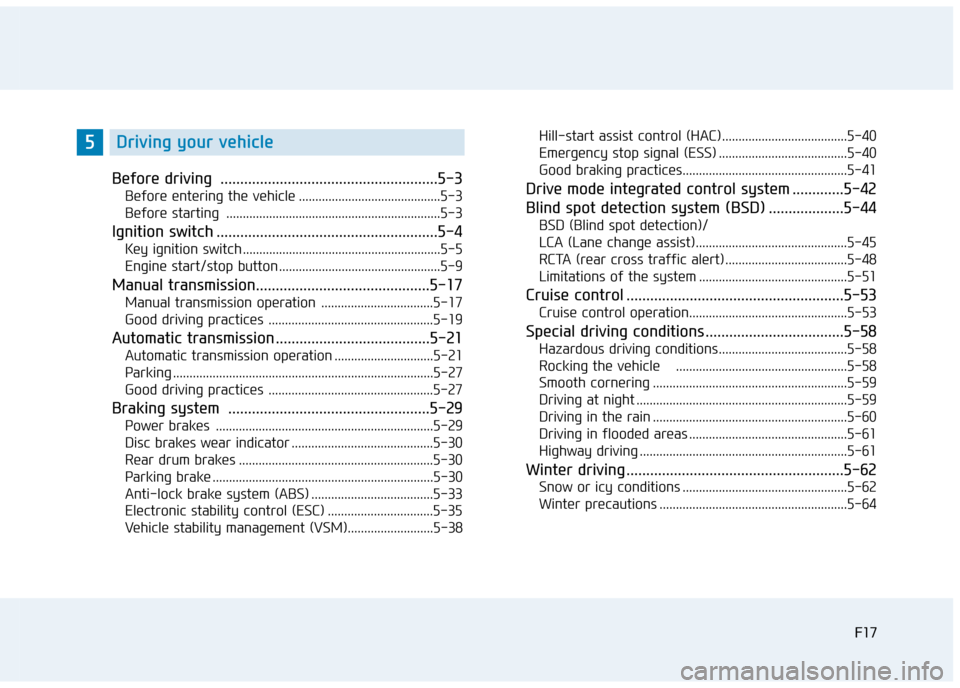
Before driving .......................................................5-3
Before entering the vehicle ...........................................5-3
Before starting .................................................................5-3
Ignition switch ........................................................5-4
Key ignition switch ............................................................5-5
Engine start/stop button .................................................5-9
Manual transmission............................................5-17
Manual transmission operation ..................................5-17
Good driving practices ..................................................5-19
Automatic transmission .......................................5-21
Automatic transmission operation ..............................5-21
Parking ...............................................................................5-27
Good driving practices ..................................................5-27
Braking system ...................................................5-29
Power brakes ..................................................................5-29
Disc brakes wear indicator ...........................................5-30
Rear drum brakes ...........................................................5-30
Parking brake ...................................................................5-30
Anti-lock brake system (ABS) .....................................5-33
Electronic stability control (ESC) ................................5-35
Ve h i c l e s tab i l i t y m a n a g e m e n t ( V S M ) . . . . . . . . . . . . . . . . . . . . . . . . . . 5 - 3 8
Hill-start assist control (HAC) ......................................5-40
Emergency stop signal (ESS) .......................................5-40
Good braking practices..................................................5-41
Drive mode integrated control system .............5-42
Blind spot detection system (BSD) ...................5-44
BSD (Blind spot detection)/
LCA (Lane change assist)..............................................5-45
RCTA (rear cross traffic alert) .....................................5-48
Limitations of the system .............................................5-51
Cruise control .......................................................5-53
Cruise control operation................................................5-53
Special driving conditions ...................................5-58
Hazardous driving conditions.......................................5-58
Rocking the vehicle ....................................................5-58
Smooth cornering ...........................................................5-59
Driving at night ................................................................5-59
Driving in the rain ...........................................................5-60
Driving in flooded areas ................................................5-61
Highway driving ...............................................................5-61
Winter driving .......................................................5-62
Snow or icy conditions ..................................................5-62
Winter precautions .........................................................5-64
5Driving your vehicle
Page 26 of 571
1-5
Yo u r v e h i c l e a t a g l a n c e
1
IINNSSTTRRUUMMEENNTT PPAANNEELL OOVVEERRVVIIEEWW
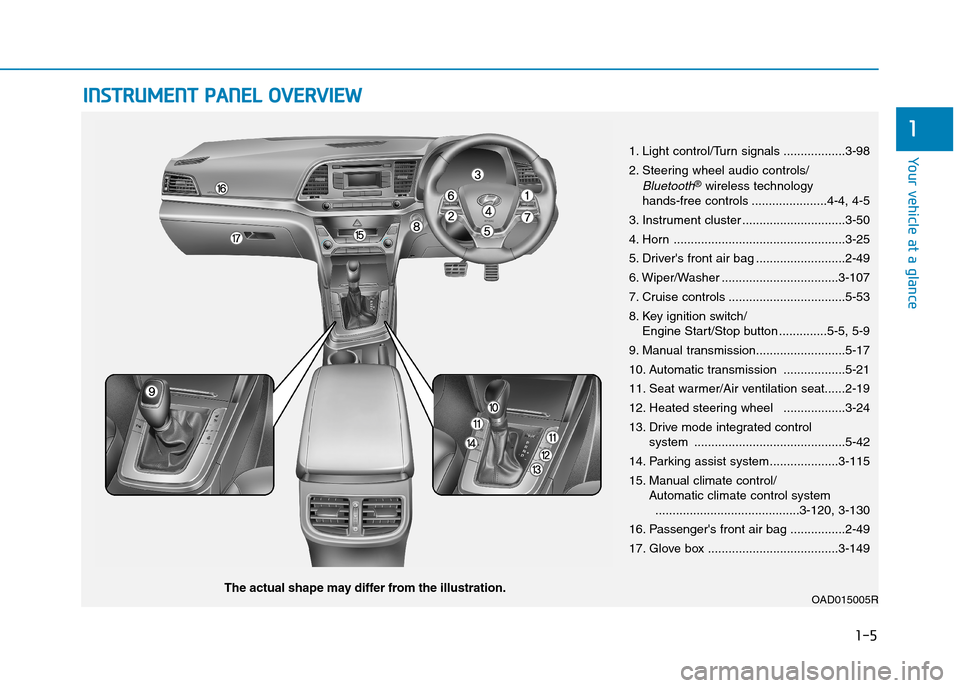
1. Light control/Turn signals ..................3-98
2. Steering wheel audio controls/
Bluetooth®wireless technology hands-free controls ......................4-4, 4-5
3. Instrument cluster ..............................3-50
4. Horn ..................................................3-25
5. Driver's front air bag ..........................2-49
6. Wiper/Washer ..................................3-107
7. Cruise controls ..................................5-53
8. Key ignition switch/Engine Start/Stop button ..............5-5, 5-9
9. Manual transmission..........................5-17
10. Automatic transmission ..................5-21
11. Seat warmer/Air ventilation seat......2-19
12. Heated steering wheel ..................3-24
13. Drive mode integrated control system ............................................5-42
14. Parking assist system....................3-115
15. Manual climate control/Automatic climate control system..........................................3-120, 3-130
16. Passenger's front air bag ................2-49
17. Glove box ......................................3-149
OAD015005RThe actual shape may differ from the illustration.
Page 110 of 571
3-18
Convenient features of your vehicle
Auto door lock/unlock features
Impact sensing door unlock
system
All doors will be automatically
unlocked when an impact causes the
air bags to deploy.
Speed sensing door lock system
All doors will be automatically locked
when vehicle speed exceeds 15
km/h.
Yo u c a n a c t i v a t e o r d e a c t i v a t e t h e
Auto Door Lock/Unlock features from
the User Settings Mode on the LCD
display.For more details, refer to
"LCD Display" in this chapter.
Always secure your vehicle.
Leaving your vehicle unlocked
can invite theft or entry into the
vehicle.
To s e c u r e y o u r v e h i c l e , w h i l s t
depressing the brake, move the
shift lever to the P (Park) posi-
tion (for automatic transmis-
sion) or first gear or R (Reverse,
for manual transmission),
engage the parking brake, and
place the ignition switch in the
LOCK/OFF position, close all
windows, lock all doors, and
always take the key with you.
WA R N I N G
Opening a door when something
is approaching may cause dam-
age or injury. Be careful when
opening doors and watch for
vehicles, motorcycles, bicycles
or pedestrians approaching the
vehicle in the path of the door.
WA R N I N G
Page 113 of 571
3-21
Convenient features of your vehicle
3
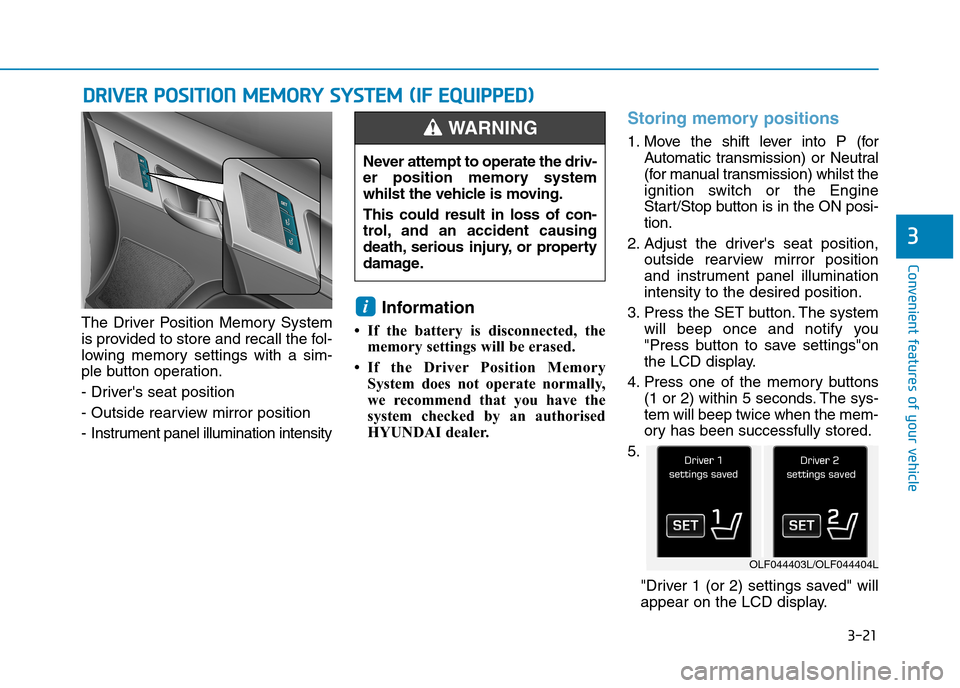
The Driver Position Memory System
is provided to store and recall the fol-
lowing memory settings with a sim-
ple button operation.
- Driver's seat position
- Outside rearview mirror position
- Instrument panel illumination intensity
Information
• If the battery is disconnected, the
memory settings will be erased.
•If the Driver Position Memory
System does not operate normally,
we recommend that you have the
system checked by an authorised
HYUNDAI dealer.
Storing memory positions
1. Move the shift lever into P (for
Automatic transmission) or Neutral
(for manual transmission) whilst the
ignition switch or the Engine
Start/Stop button is in the ON posi-
tion.
2. Adjust the driver's seat position,
outside rearview mirror position
and instrument panel illumination
intensity to the desired position.
3. Press the SET button. The system
will beep once and notify you
"Press button to save settings"on
the LCD display.
4. Press one of the memory buttons
(1 or 2) within 5 seconds. The sys-
tem will beep twice when the mem-
ory has been successfully stored.
5.
"Driver 1 (or 2) settings saved" will
appear on the LCD display.
i
DDRRIIVVEERR PPOOSSIITTIIOONN MMEEMMOORRYY SSYYSSTTEEMM ((IIFF EEQQUUIIPPPPEEDD))
Never attempt to operate the driv-
er position memory system
whilst the vehicle is moving.
This could result in loss of con-
trol, and an accident causing
death, serious injury, or property
damage.
WA R N I N G
OLF044403L/OLF044404L
Page 114 of 571
3-22
Convenient features of your vehicle
Recalling memory position
1. Move the shift lever into P (for
Automatic transmission) or Neutral
(for manual transmission) whilst the
ignition switch or the Engine
Start/Stop button is in the ON posi-
tion.
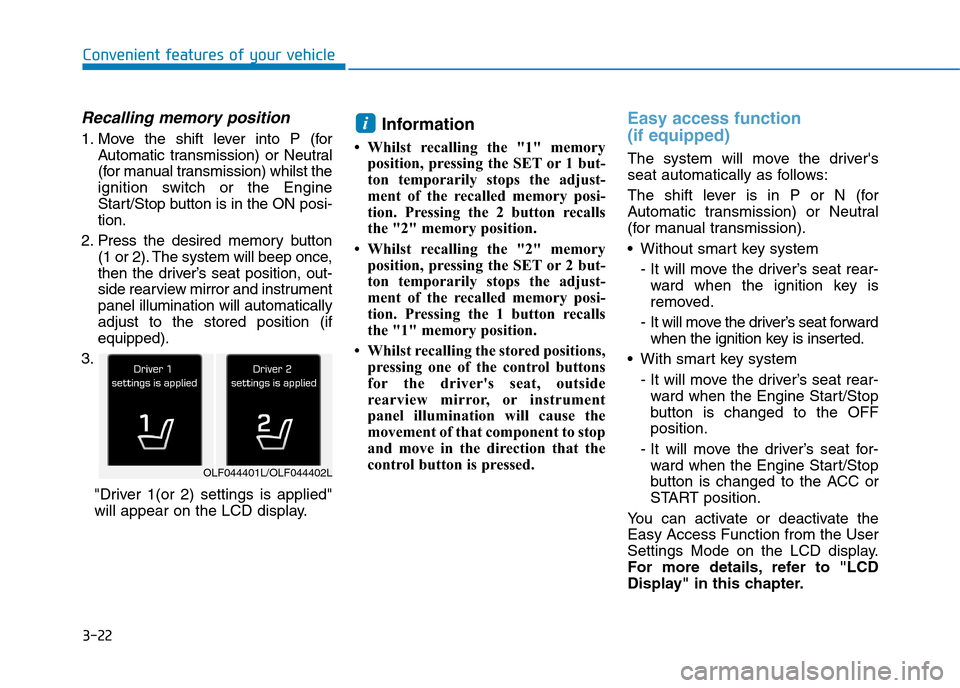
2. Press the desired memory button
(1 or 2). The system will beep once,
then the driver’s seat position, out-
side rearview mirror and instrument
panel illumination will automatically
adjust to the stored position (if
equipped).
3.
"Driver 1(or 2) settings is applied"
will appear on the LCD display.
Information
• Whilst recalling the "1" memory
position, pressing the SET or 1 but-
ton temporarily stops the adjust-
ment of the recalled memory posi-
tion. Pressing the 2 button recalls
the "2" memory position.
• Whilst recalling the "2" memory
position, pressing the SET or 2 but-
ton temporarily stops the adjust-
ment of the recalled memory posi-
tion. Pressing the 1 button recalls
the "1" memory position.
• Whilst recalling the stored positions,
pressing one of the control buttons
for the driver's seat, outside
rearview mirror, or instrument
panel illumination will cause the
movement of that component to stop
and move in the direction that the
control button is pressed.
Easy access function
(if equipped)
The system will move the driver's
seat automatically as follows:
The shift lever is in P or N (for
Automatic transmission) or Neutral
(for manual transmission).
•Without smart key system
- It will move the driver’s seat rear-
ward when the ignition key is
removed.
- It will move the driver’s seat forward
when the ignition key is inserted.
•With smart key system
- It will move the driver’s seat rear-
ward when the Engine Star t/Stop
button is changed to the OFF
position.
- It will move the driver’s seat for-
ward when the Engine Star t/Stop
button is changed to the ACC or
START position.
Yo u c a n a c t i v a t e o r d e a c t i v a t e t h e
Easy Access Function from the User
Settings Mode on the LCD display.
For more details, refer to "LCD
Display" in this chapter.
i
OLF044401L/OLF044402L
Page 134 of 571
3-42
Convenient features of your vehicle
Boot
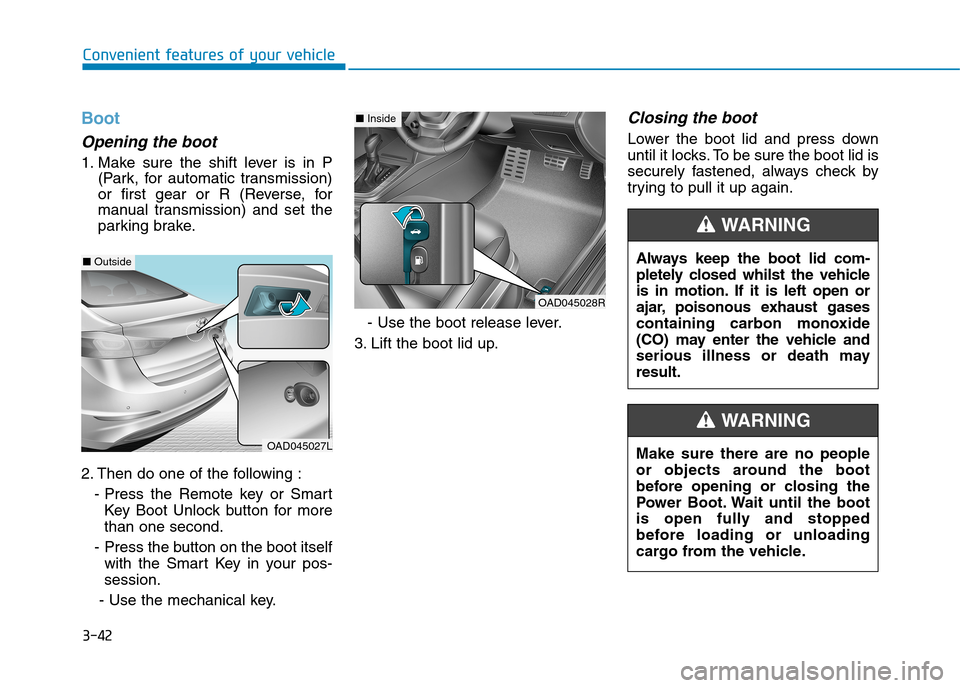
Opening the boot
1. Make sure the shift lever is in P
(Park, for automatic transmission)
or first gear or R (Reverse, for
manual transmission) and set the
parking brake.
2. Then do one of the following :
- Press the Remote key or Smart
Key Boot Unlock button for more
than one second.
- Press the button on the boot itself
with the Smart Key in your pos-
session.
- Use the mechanical key.
- Use the boot release lever.
3. Lift the boot lid up.
Closing the boot
Lower the boot lid and press down
until it locks. To be sure the boot lid is
securely fastened, always check by
trying to pull it up again.
Always keep the boot lid com-
pletely closed whilst the vehicle
is in motion. If it is left open or
ajar, poisonous exhaust gases
containing carbon monoxide
(CO) may enter the vehicle and
serious illness or death may
result.
WA R N I N G
Make sure there are no people
or objects around the boot
before opening or closing the
Power Boot. Wait until the boot
is open fully and stopped
before loading or unloading
cargo from the vehicle.
WA R N I N G
OAD045028R
■Inside
OAD045027L
■Outside
Page 163 of 571
3-71
Convenient features of your vehicle
3
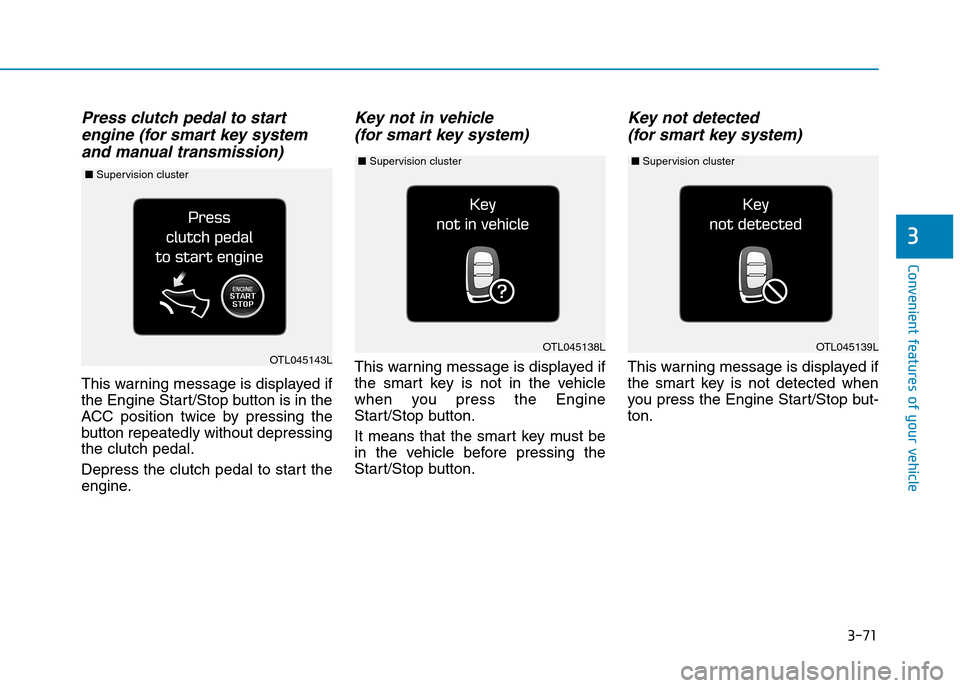
Press clutch pedal to start
engine (for smart key system
and manual transmission)
This warning message is displayed if
the Engine Start/Stop button is in the
ACC position twice by pressing the
button repeatedly without depressing
the clutch pedal.
Depress the clutch pedal to start the
engine.
Key not in vehicle
(for smart key system)
This warning message is displayed if
the smart key is not in the vehicle
when you press the Engine
Start/Stop button.
It means that the smart key must be
in the vehicle before pressing the
Start/Stop button.
Key not detected
(for smart key system)
This warning message is displayed if
the smart key is not detected when
you press the Engine Star t/Stop but-
ton.
OTL045139LOTL045138LOTL045143L
■Supervision cluster ■Supervision cluster ■Supervision cluster
Page 167 of 571
3-75
Convenient features of your vehicle
3
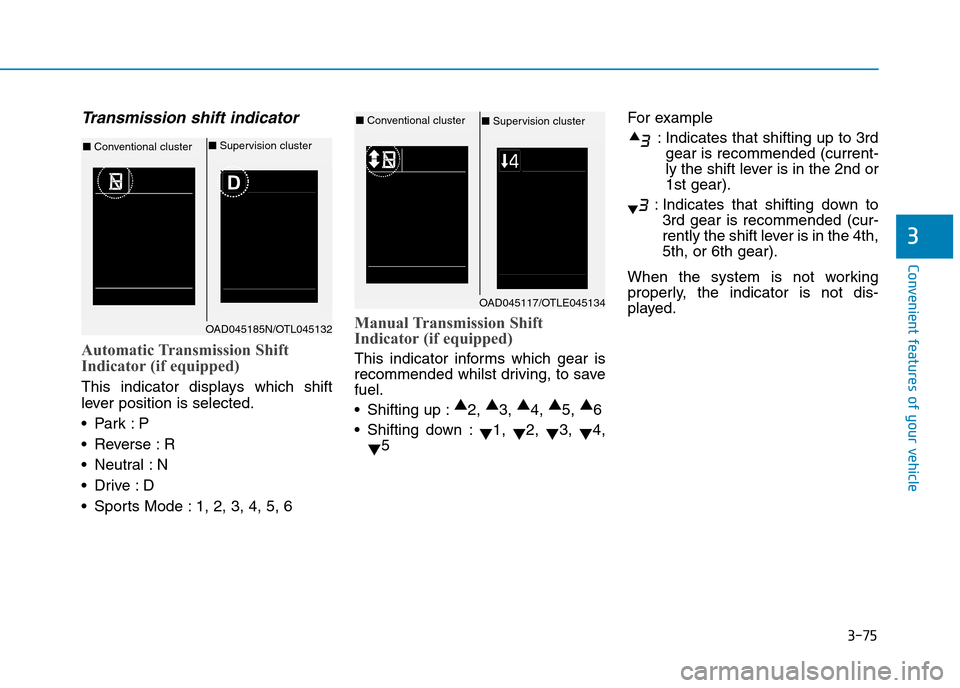
Tr a n s m i s s i o n s h i f t i n d i c a t o r
Automatic Transmission Shift
Indicator (if equipped)
This indicator displays which shift
lever position is selected.
•Park :P
•Reverse :R
•Neutral :N
•Drive :D
•Sports Mode :1, 2, 3, 4, 5, 6
Manual Transmission Shift
Indicator (if equipped)
This indicator informs which gear is
recommended whilst driving, to save
fuel.
•Shifting up :▲2, ▲3, ▲4, ▲5, ▲6
•Shifting down :▼1, ▼2, ▼3, ▼4,
▼5
For example
:Indicates that shifting up to 3rd
gear is recommended (current-
ly the shift lever is in the 2nd or
1st gear).
:Indicates that shifting down to
3rd gear is recommended (cur-
rently the shift lever is in the 4th,
5th, or 6th gear).
When the system is not working
properly, the indicator is not dis-
played.OAD045117/OTLE045134
■Conventional cluster ■Supervision cluster
OAD045185N/OTL045132
■Conventional cluster ■Supervision cluster
Page 173 of 571
3-81
Convenient features of your vehicle
3
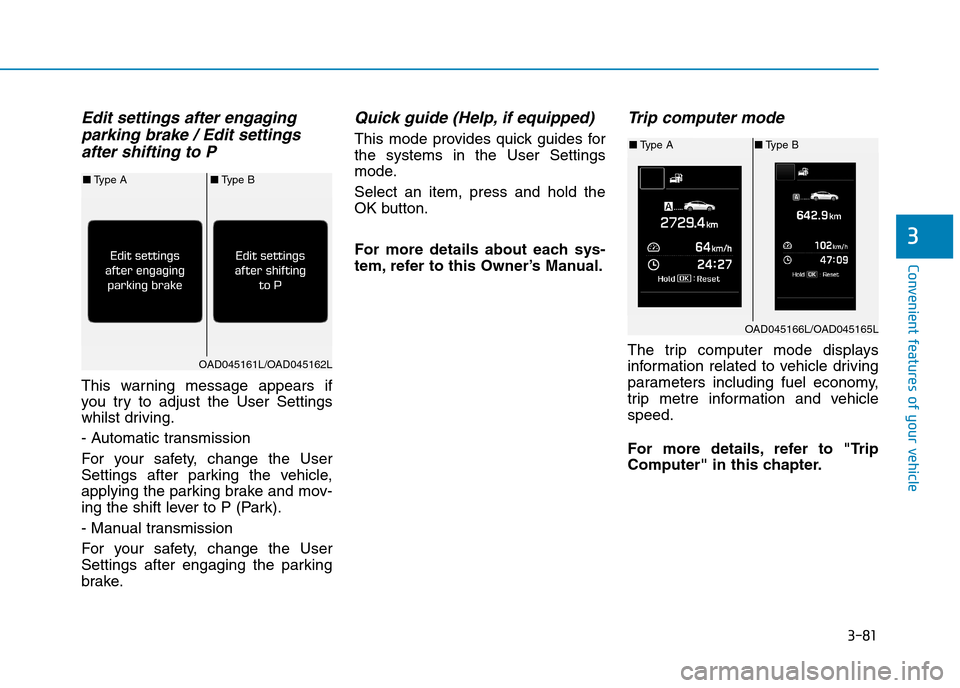
Edit settings after engaging
parking brake / Edit settings
after shifting to P
This warning message appears if
you try to adjust the User Settings
whilst driving.
- Automatic transmission
For your safety, change the User
Settings after parking the vehicle,
applying the parking brake and mov-
ing the shift lever to P (Park).
- Manual transmission
For your safety, change the User
Settings after engaging the parking
brake.
Quick guide (Help, if equipped)
This mode provides quick guides for
the systems in the User Settings
mode.
Select an item, press and hold the
OK button.
For more details about each sys-
tem, refer to this Owner’s Manual.
Tr i p c o m p u t e r m o d e
The trip computer mode displays
information related to vehicle driving
parameters including fuel economy,
trip metre information and vehicle
speed.
For more details, refer to "Trip
Computer" in this chapter.
OAD045166L/OAD045165L
■Ty p e A■Ty p e B
OAD045161L/OAD045162L
■Ty p e A■Ty p e B