lcd Hyundai Elantra 2017 Owner's Guide
[x] Cancel search | Manufacturer: HYUNDAI, Model Year: 2017, Model line: Elantra, Model: Hyundai Elantra 2017Pages: 637, PDF Size: 15.02 MB
Page 279 of 637
• Operating the device while driving
could lead to accidents due to a
lack of attention to external sur-
roundings. First park the vehicle
before operating the device.
• Adjust the volume to levels that
allow the driver to hear sounds
from outside of the vehicle.
Driving in a state where external
sounds cannot be heard may lead
to accidents.
• Pay attention to the volume set-
ting when turning the device on. A
sudden output of extreme volume
upon turning the device on could
lead to hearing impairment.
(Adjust the volume to a suitable
levels before turning off the
device.)
• If you want to change the position
of device installation, please
inquire with your place of pur-
chase or service maintenance
center. Technical expertise is
required to install or disassemble
the device.
(Continued)(Continued)
• Turn on the car ignition before
using this device. Do not operate
the audio system for long periods
of time with the ignition turned off
as such operations may lead to
battery discharge.
• Do not subject the device to
severe shock or impact. Direct
pressure onto the front side of the
monitor may cause damage to the
LCD or touch screen.
• When cleaning the device, make
sure to turn off the device and use
a dry and smooth cloth. Never use
tough materials, chemical cloths,
or solvents (alcohol, benzene,
thinners, etc.) as such materials
may damage the device panel or
cause color/quality deterioration
• Do not place beverages close to
the audio system. Spilling bever-
ages may lead to system malfunc-
tion.
• In case of product malfunction,
please contact your place of pur-
chase or After Service center.
• Placing the audio system within
an electromagnetic environment
may result in noise interference.
NOTICE
4-22
Multimedia System
Driving while distracted can
result in a loss of vehicle con-
trol that may lead to an acci-
dent, severe personal injury,
and death. The driver’s primary
responsibility is in the safe and
legal operation of a vehicle, and
use of any handheld devices,
other equipment, or vehicle sys-
tems which take the driver’s
eyes, attention and focus away
from the safe operation of a
vehicle or which are not permis-
sible by law should never be
used during operation of the
vehicle.
WARNING
Page 419 of 637
5-33
Driving your vehicle
• When rapidly accelerating from a
lower vehicle speed, the engine
rpm may increase dramatically as
a result of clutch slip as the dual
clutch transmission selects the cor-
rect gear. This is a normal condi-
tion.
• When accelerating from a stop on
an incline, press the accelerator
smoothly and gradually to avoid
any shudder feeling or jerkiness.
• When traveling at a lower vehicle
speed, if you release the accelera-
tor pedal quickly, you may feel
engine braking before the trans-
mission changes gears. This
engine braking feeling is similar to
operating a manual transmission at
low speed.• When driving downhill, you may
wish to move the gear shift lever to
Manual Shift mode and downshift
to a lower gear in order to control
your speed without using the brake
pedal excessively.
• When you turn the engine on and
off, you may hear clicking sounds
as the system goes through a self
test. This is a normal sound for the
dual clutch transmission.
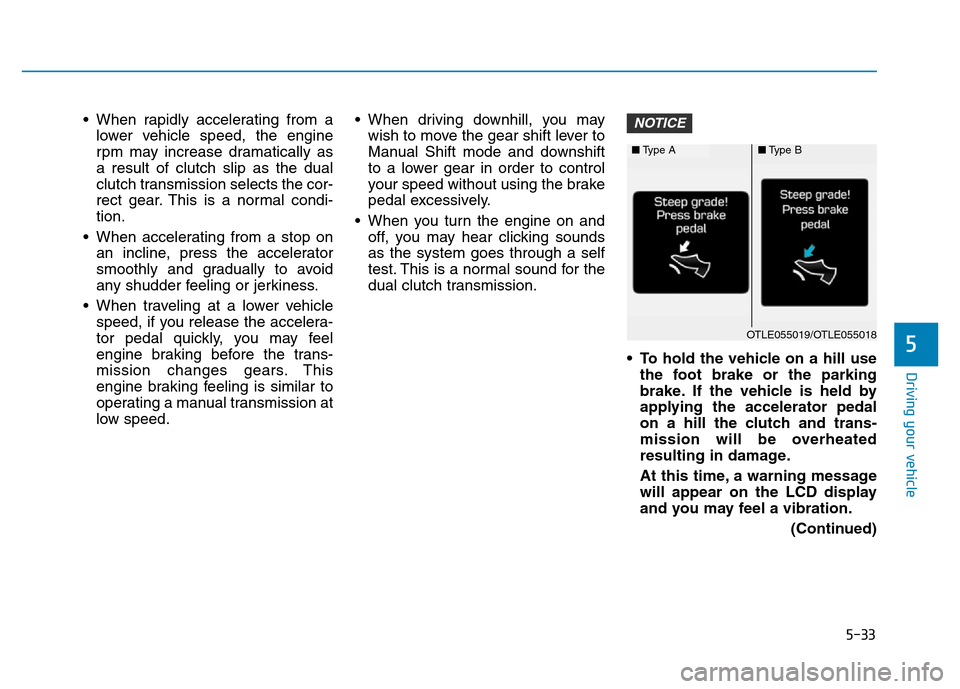
• To hold the vehicle on a hill use
the foot brake or the parking
brake. If the vehicle is held by
applying the accelerator pedal
on a hill the clutch and trans-
mission will be overheated
resulting in damage.
At this time, a warning message
will appear on the LCD display
and you may feel a vibration.
(Continued)NOTICE
5
■Type A■Type B
OTLE055019/OTLE055018
Page 420 of 637
5-34
(Continued)
• If the clutch becomes overheat-
ed by excessive use of the
clutch to hold on a hill, you may
notice a shudder feeling and a
blinking display on the instru-
ment cluster. When this occurs,
the clutch is disabled until the
clutch cools to normal tempera-
tures. If this occurs, pull over to
a safe location, shift into P
(Park) and apply the foot brake
for a few minutes.
• If the LCD warning is active, the
foot brake must be applied.
• Ignoring the warnings can lead
to damage to the transmission.
• If the display continues to blink,
for your safety, we recommend
that you contact an authorized
HYUNDAI dealer and have the
system checked.
(Continued)(Continued)
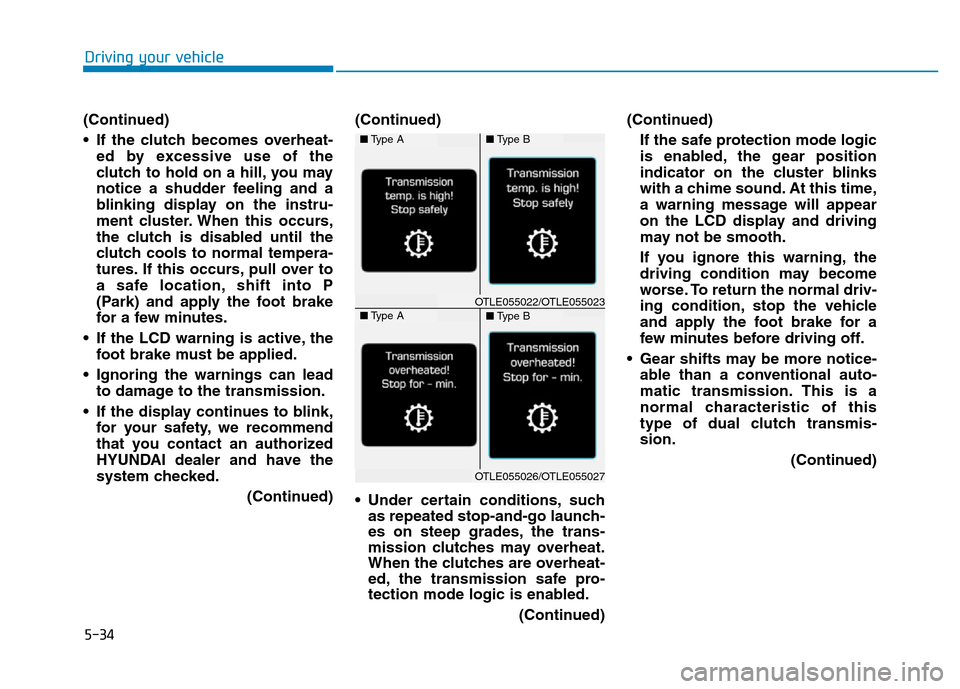
• Under certain conditions, such
as repeated stop-and-go launch-
es on steep grades, the trans-
mission clutches may overheat.
When the clutches are overheat-
ed, the transmission safe pro-
tection mode logic is enabled.
(Continued)(Continued)
If the safe protection mode logic
is enabled, the gear position
indicator on the cluster blinks
with a chime sound. At this time,
a warning message will appear
on the LCD display and driving
may not be smooth.
If you ignore this warning, the
driving condition may become
worse. To return the normal driv-
ing condition, stop the vehicle
and apply the foot brake for a
few minutes before driving off.
• Gear shifts may be more notice-
able than a conventional auto-
matic transmission. This is a
normal characteristic of this
type of dual clutch transmis-
sion.
(Continued)
Driving your vehicle
■Type A■Type B
■Type A■Type BOTLE055022/OTLE055023
OTLE055026/OTLE055027
Page 441 of 637
5-55
Driving your vehicle
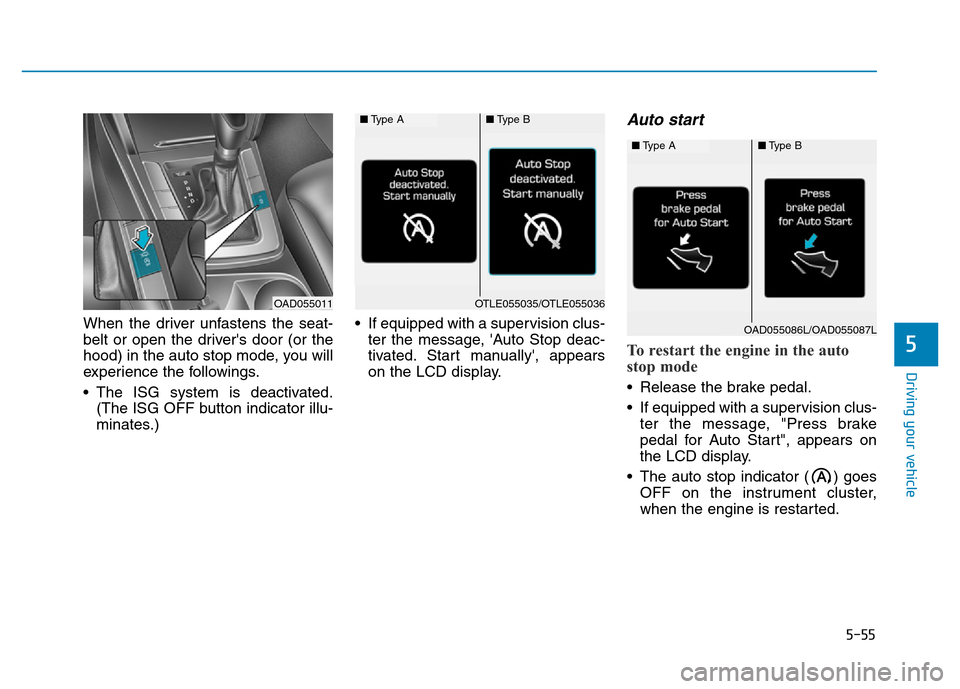
When the driver unfastens the seat-
belt or open the driver's door (or the
hood) in the auto stop mode, you will
experience the followings.
• The ISG system is deactivated.
(The ISG OFF button indicator illu-
minates.)• If equipped with a supervision clus-
ter the message, 'Auto Stop deac-
tivated. Start manually', appears
on the LCD display.
Auto start
To restart the engine in the auto
stop mode
• Release the brake pedal.
• If equipped with a supervision clus-
ter the message, "Press brake
pedal for Auto Start", appears on
the LCD display.
• The auto stop indicator ( ) goes
OFF on the instrument cluster,
when the engine is restarted.
5
OAD055011
■Type A■Type B
OTLE055035/OTLE055036
■Type A■Type B
OAD055086L/OAD055087L
Page 443 of 637

5-57
Driving your vehicle
Information
• The ISG system is not activated,
when the prerequisites to activate
the ISG system are unsatisfied. In
this case, the ISG OFF button indi-
cator illuminates, and if equipped
with a supervision cluster the mes-
sage, "Auto Stop conditions not
met", appears on the LCD display.
• When the above indicator remains
ON, or when the above message
remains displayed, we recommend
you to have the IGS system checked
by an authorized HYUNDAI dealer.
To deactivate the ISG system
• Press the ISG OFF button to deac-
tivate the ISG system. Then, the
ISG OFF button indicator illumi-
nates, and if equipped with a
supervision cluster the message,
"Auto Stop Off", appears on the
LCD display.
• Press the ISG OFF button again to
reactivate the ISG system. Then,
the ISG OFF button indicator turns
OFF.
ISG system malfunction
The ISG system may not operate:
When there is a malfunction with the
ISG sensors or the ISG system.
The followings occur, when there is
a malfunction with the ISG system:
• The auto stop indicator ( ) will
blink in yellow.
i
5
OAD055012L
OAD055011L
Page 451 of 637

5-65
Driving your vehicle
5
• The second stage alarm may be
deactivated.
- To activate the warning chime:
Go to the User Settings Mode →
Sound and select "BSD" on the
LCD display.
- To deactivate the warning chime:
Go to the User Settings Mode →
Sound and deselect "BSD" on the
LCD display.
Information
The warning chime function helps
alert the driver. Deactivate this func-
tion only when it is necessary
Detecting sensor
The sensors are located inside the
rear bumper.
Always keep the rear bumper clean
for proper operation of the system.
Warning message
BSD canceled
• This warning message may appear
when :
- One or both of the sensors on the
rear bumper is blocked by dirt or
snow or a foreign object.
- Driving in rural areas where the
BSD sensor does not detect
another vehicle for an extended
period of time.
- When there is inclement weather
such as heavy snow or rain.
If any of these conditions occur, the
light on the BSD switch and the sys-
tem will turn off automatically.
i
OAD055031
■ Type A■ Type B
OAD055090L/OLF054217N
Page 453 of 637

5-67
Driving your vehicle
5
Operating conditions
To operate:
Go to the User Settings mode
(Driving Assist) and select Rear
Cross Traffic Alert on the LCD dis-
play (For more details, refer to
"LCD Display" in chapter 3.). The
system will turn on and standby to
activate. The system will activate
when vehicle speed is below 10 km/h
(6.2 mph) and with the shift lever in R
(Reverse).
Information
The Rear Cross Traffic Alert (RCTA)
detecting range is approximately
0.5 m ~ 20 m (1 ft ~ 65 ft). An
approaching vehicle will be detected if
their vehicle speed is within 4 km/h ~
36 km/h (2.5 ~ 22.5 mph ).
Note that the detecting range may
vary under certain conditions. As
always, use caution and pay close
attention to your surroundings when
backing up your vehicle.
Warning type
If the vehicle detected by the sensors
approaches your vehicle, the warn-
ing chime will sound, the warning
light on the outside rearview mirror
will blink and a message will appear
on the LCD display.
i
• Type A■ Left
■ Right
• Type B
• Type A• Type B
OAD055046L/OAD055048L
OAD055047L/OAD055049L
OAD055092L/OAD055093L
■ Type A■ Type B
Page 480 of 637
5-94
Driving your vehicle
To prevent engine and/or transmis-
sion (transmission) overheating:
• When towing a trailer on steep
grades (in excess of 6%) pay
close attention to the engine
coolant temperature gauge to
ensure the engine does not
overheat. If the needle of the
coolant temperature gauge
moves towards “130 or H(Hot)” ,
pull over and stop as soon as it
is safe to do so, and allow the
engine to idle until it cools
down. You may proceed once the
engine has cooled sufficiently.
• When towing a trailer, your vehi-
cle speed may be much slower
than the general flow of traffic,
especially when climbing an
uphill grade. Use the right hand
lane when towing a trailer on an
uphill grade. Choose your vehi-
cle speed according to the max-
imum posted speed limit for
vehicles with trailers, the steep-
ness of the grade, and your trail-
er weight.
(Continued)(Continued)
• For vehicles equipped with the
dual clutch transmission, some
extra precaution should be
taken when towing a trailer. Due
to the added load on the trans-
mission when towing a trailer,
the clutches may get hot if the
vehicle experiences excessive
upshifting and downshifting.
Under certain conditions, such
as repeated stop-and-go launch-
es on steep grades, the trans-
mission clutches may become
overheated. When the clutches
start to become overheated, the
transmission safe protection
mode logic is enabled. If the safe
protection mode logic is
enabled, the gear position indi-
cator on the cluster LCD display
blinks, a chime sounds, and a
warning message will appear.
(Continued)(Continued)
If the dual clutch transmission
starts to become overheated,
the gear shift characteristics
may change. Gear shifts may
become more abrupt. If contin-
ued operation while towing a
trailer includes frequent and
continuous upshifts and down-
shifts, the overheat warning
message on the cluster LCD dis-
play may illuminate. If this
occurs, stop the vehicle, apply
the brakes or shift the vehicle to
(P) Park, and allow the transmis-
sion to cool.
NOTICE
Page 493 of 637
6-10
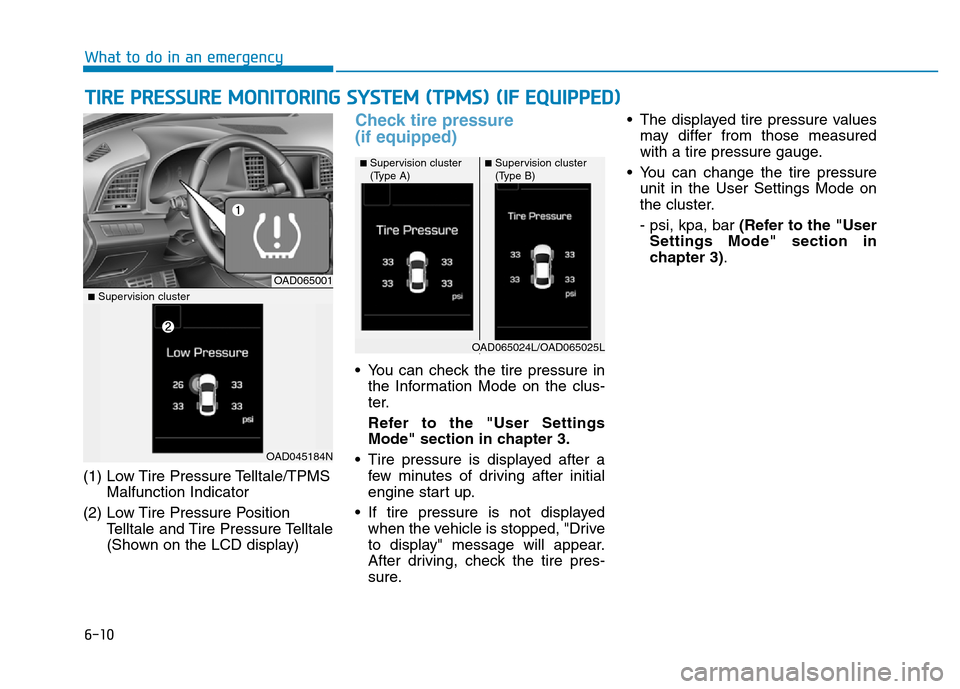
(1) Low Tire Pressure Telltale/TPMS
Malfunction Indicator
(2) Low Tire Pressure Position
Telltale and Tire Pressure Telltale
(Shown on the LCD display)
Check tire pressure
(if equipped)
• You can check the tire pressure in
the Information Mode on the clus-
ter.
Refer to the "User Settings
Mode" section in chapter 3.
• Tire pressure is displayed after a
few minutes of driving after initial
engine start up.
• If tire pressure is not displayed
when the vehicle is stopped, "Drive
to display" message will appear.
After driving, check the tire pres-
sure.• The displayed tire pressure values
may differ from those measured
with a tire pressure gauge.
• You can change the tire pressure
unit in the User Settings Mode on
the cluster.
- psi, kpa, bar (Refer to the "User
Settings Mode" section in
chapter 3).
TIRE PRESSURE MONITORING SYSTEM (TPMS) (IF EQUIPPED)
What to do in an emergency
OAD065001
■Supervision cluster
(Type A)
■Supervision cluster
■Supervision cluster
(Type B)
OAD045184N
OAD065024L/OAD065025L
Page 495 of 637
6-12
If any of the below happens, have
the system checked by an author-
ized HYUNDAI dealer.
1. The Low Tire Pressure Telltale/
TPMS Malfunction Indicator
does not illuminate for 3 sec-
onds when the ignition switch
is placed to the ON position or
engine is running.
2. The TPMS Malfunction Indicator
remains illuminated after blink-
ing for approximately 1 minute.
3. The Low Tire Pressure Position
Telltale remains illuminated.
Low tire pressure
telltale
Low tire pressure position and
tire pressure telltale
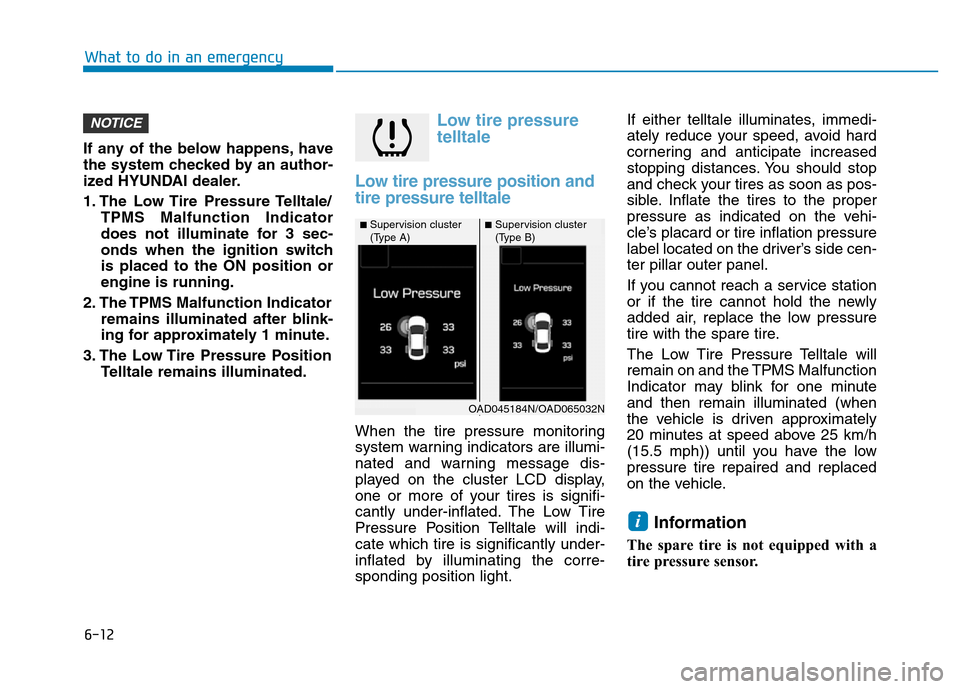
When the tire pressure monitoring
system warning indicators are illumi-
nated and warning message dis-
played on the cluster LCD display,
one or more of your tires is signifi-
cantly under-inflated. The Low Tire
Pressure Position Telltale will indi-
cate which tire is significantly under-
inflated by illuminating the corre-
sponding position light.If either telltale illuminates, immedi-
ately reduce your speed, avoid hard
cornering and anticipate increased
stopping distances. You should stop
and check your tires as soon as pos-
sible. Inflate the tires to the proper
pressure as indicated on the vehi-
cle’s placard or tire inflation pressure
label located on the driver’s side cen-
ter pillar outer panel.
If you cannot reach a service station
or if the tire cannot hold the newly
added air, replace the low pressure
tire with the spare tire.
The Low Tire Pressure Telltale will
remain on and the TPMS Malfunction
Indicator may blink for one minute
and then remain illuminated (when
the vehicle is driven approximately
20 minutes at speed above 25 km/h
(15.5 mph)) until you have the low
pressure tire repaired and replaced
on the vehicle.
Information
The spare tire is not equipped with a
tire pressure sensor.
i
NOTICE
What to do in an emergency
■Supervision cluster
(Type A)■Supervision cluster
(Type B)
OAD045184N/OAD065032N