key Hyundai Elantra 2017 Owner's Guide
[x] Cancel search | Manufacturer: HYUNDAI, Model Year: 2017, Model line: Elantra, Model: Hyundai Elantra 2017Pages: 637, PDF Size: 15.02 MB
Page 142 of 637

3-47
Convenient features of your vehicle
3
Information
• If you press the door unlock button
(2), the Smart Trunk function will
be deactivated temporarily. But, if
you do not open any door for 30 sec-
onds, the smart trunk function will
be activated again.
• If you press the trunk open button
(3) for more than 1 second, the
trunk opens.
• If you press the door lock button (1)
or trunk open button (3) when the
Smart Trunk function is not in the
Detect and Alert stage, the smart
trunk function will not be deactivated.
• In case you have deactivated the
Smart Trunk function by pressing
the smart key button and opened a
door, the smart trunk function can
be activated again by closing and
locking all doors.
Detecting area
• The Smart Trunk operates with a
welcome alert if the smart key is
detected within 50~100 cm from
the trunk.
• The alert stops at once if the smart
key is positioned outside the
detecting area during the Detect
and Alert stage.
Information
• The Smart Trunk function will not
work if any of the following occurs:
- The smart key is close to a radio
transmitter such as a radio station
or an airport which can interfere
with normal operation of the
transmitter.
- The smart key is near a mobile two
way radio system or a cellular
phone.
- Another vehicle's smart key is
being operated close to your vehi-
cle.
• The detecting range may decrease
or increase when :
- One side of the tire is raised to
replace a tire or to inspect the vehi-
cle.
- The vehicle is slantingly parked on
a slope or unpaved road, etc.
ii
OAD045033
Page 162 of 637
3-67
Convenient features of your vehicle
3
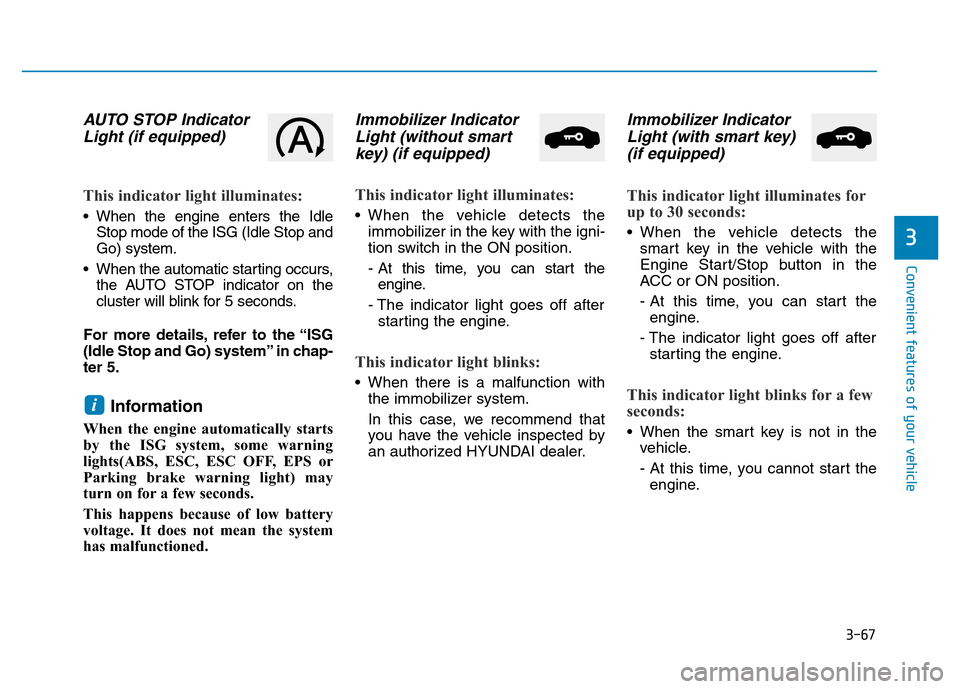
AUTO STOP Indicator
Light (if equipped)
This indicator light illuminates:
• When the engine enters the Idle
Stop mode of the ISG (Idle Stop and
Go) system.
• When the automatic starting occurs,
the AUTO STOP indicator on the
cluster will blink for 5 seconds.
For more details, refer to the “ISG
(Idle Stop and Go) system” in chap-
ter 5.
Information
When the engine automatically starts
by the ISG system, some warning
lights(ABS, ESC, ESC OFF, EPS or
Parking brake warning light) may
turn on for a few seconds.
This happens because of low battery
voltage. It does not mean the system
has malfunctioned.
Immobilizer Indicator
Light (without smart
key) (if equipped)
This indicator light illuminates:
• When the vehicle detects the
immobilizer in the key with the igni-
tion switch in the ON position.
- At this time, you can start the
engine.
- The indicator light goes off after
starting the engine.
This indicator light blinks:
• When there is a malfunction with
the immobilizer system.
In this case, we recommend that
you have the vehicle inspected by
an authorized HYUNDAI dealer.
Immobilizer Indicator
Light (with smart key)
(if equipped)
This indicator light illuminates for
up to 30 seconds:
• When the vehicle detects the
smart key in the vehicle with the
Engine Start/Stop button in the
ACC or ON position.
- At this time, you can start the
engine.
- The indicator light goes off after
starting the engine.
This indicator light blinks for a few
seconds:
• When the smart key is not in the
vehicle.
- At this time, you cannot start the
engine.
i
Page 163 of 637
3-68
Convenient features of your vehicle
This indicator light illuminates for
2 seconds and goes off:
• If the smart key is in the vehicle
and the Engine Start/Stop button is
ON., but the vehicle cannot detect
the smart key.
In this case, we recommend that
you have the vehicle inspected by
an authorized HYUNDAI dealer.
This indicator light blinks:
• When the battery voltage of the
smart key is low.
- At this time, you can not start the
engine. However, you can start
the engine if you press the
Engine Start/Stop button with the
smart key.(For more details,
refer to "Starting the Engine"
in chapter 5).
• When there is a malfunction with
the immobilizer system.
In this case, we recommend that
you have the vehicle inspected by
an authorized HYUNDAI dealer.
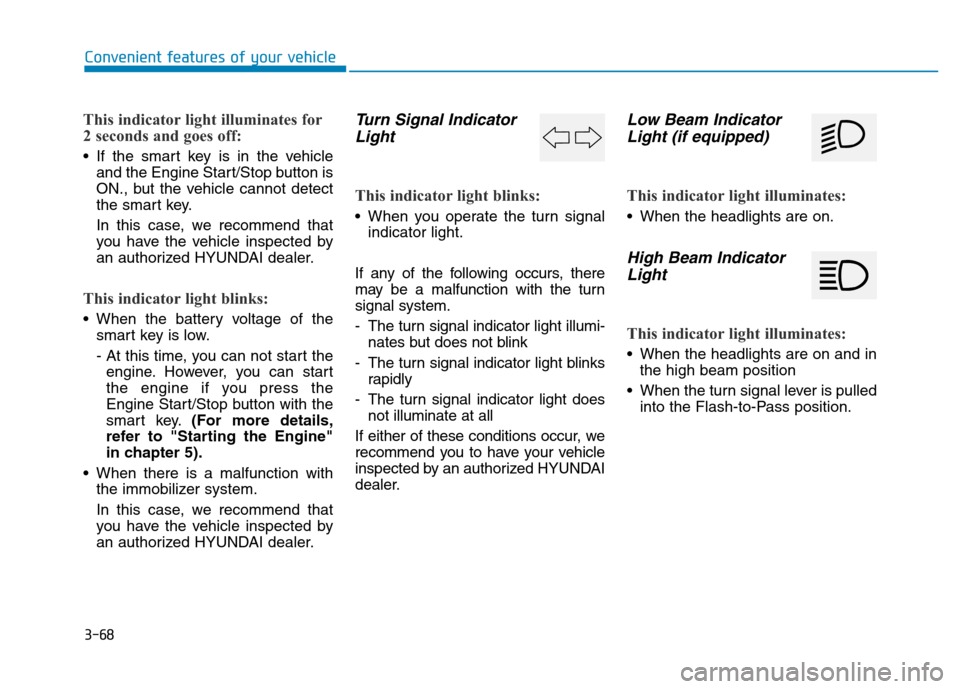
Turn Signal Indicator
Light
This indicator light blinks:
• When you operate the turn signal
indicator light.
If any of the following occurs, there
may be a malfunction with the turn
signal system.
- The turn signal indicator light illumi-
nates but does not blink
- The turn signal indicator light blinks
rapidly
- The turn signal indicator light does
not illuminate at all
If either of these conditions occur, we
recommend you to have your vehicle
inspected by an authorized HYUNDAI
dealer.
Low Beam Indicator
Light (if equipped)
This indicator light illuminates:
• When the headlights are on.
High Beam Indicator
Light
This indicator light illuminates:
• When the headlights are on and in
the high beam position
• When the turn signal lever is pulled
into the Flash-to-Pass position.
Page 166 of 637
3-71
Convenient features of your vehicle
3
LCD display messages
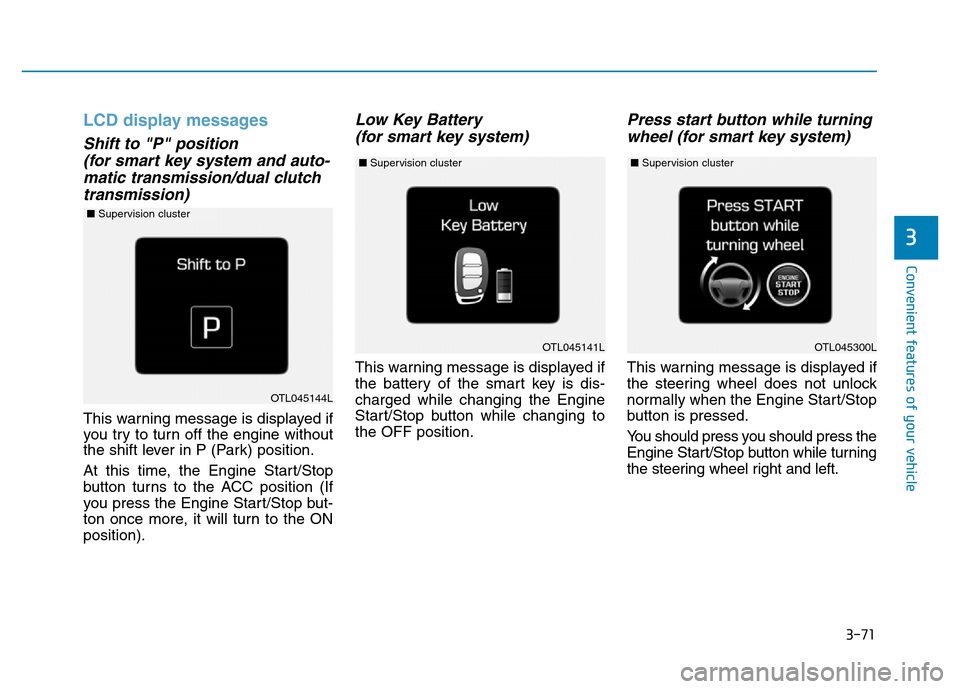
Shift to "P" position
(for smart key system and auto-
matic transmission/dual clutch
transmission)
This warning message is displayed if
you try to turn off the engine without
the shift lever in P (Park) position.
At this time, the Engine Start/Stop
button turns to the ACC position (If
you press the Engine Start/Stop but-
ton once more, it will turn to the ON
position).
Low Key Battery
(for smart key system)
This warning message is displayed if
the battery of the smart key is dis-
charged while changing the Engine
Start/Stop button while changing to
the OFF position.
Press start button while turning
wheel (for smart key system)
This warning message is displayed if
the steering wheel does not unlock
normally when the Engine Start/Stop
button is pressed.
You should press you should press the
Engine Start/Stop button while turning
the steering wheel right and left.
OTL045141L
OTL045144L
OTL045300L
■Supervision cluster
■Supervision cluster ■Supervision cluster
Page 167 of 637
3-72
Convenient features of your vehicle
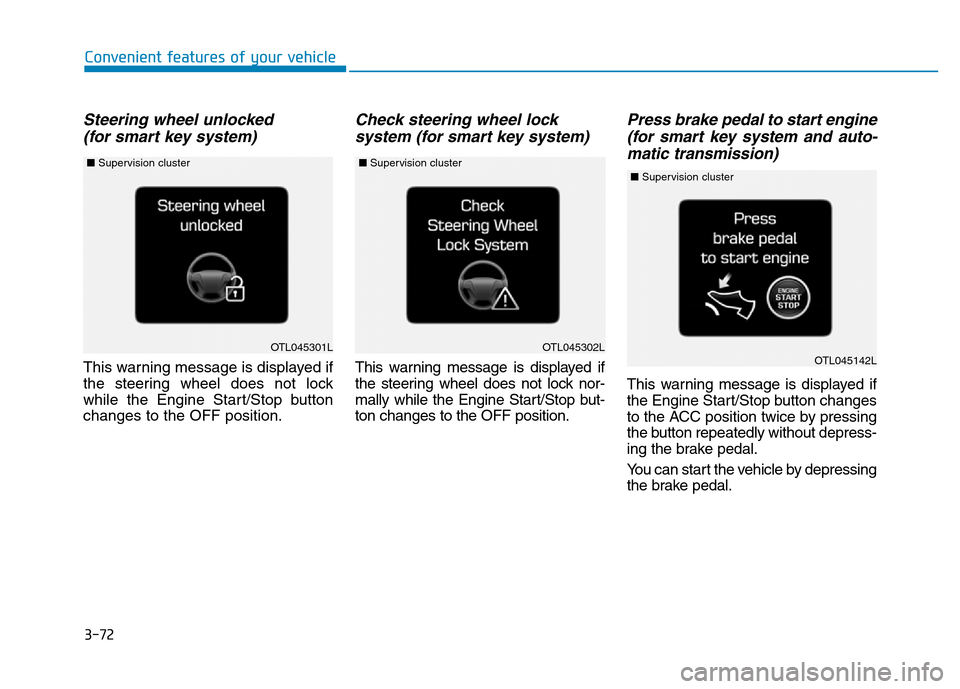
Steering wheel unlocked
(for smart key system)
This warning message is displayed if
the steering wheel does not lock
while the Engine Start/Stop button
changes to the OFF position.
Check steering wheel lock
system (for smart key system)
This warning message is displayed if
the steering wheel does not lock nor-
mally while the Engine Start/Stop but-
ton changes to the OFF position.
Press brake pedal to start engine
(for smart key system and auto-
matic transmission)
This warning message is displayed if
the Engine Start/Stop button changes
to the ACC position twice by pressing
the button repeatedly without depress-
ing the brake pedal.
You can start the vehicle by depressing
the brake pedal.
OTL045301LOTL045302LOTL045142L
■Supervision cluster ■Supervision cluster ■Supervision cluster
Page 168 of 637
3-73
Convenient features of your vehicle
3
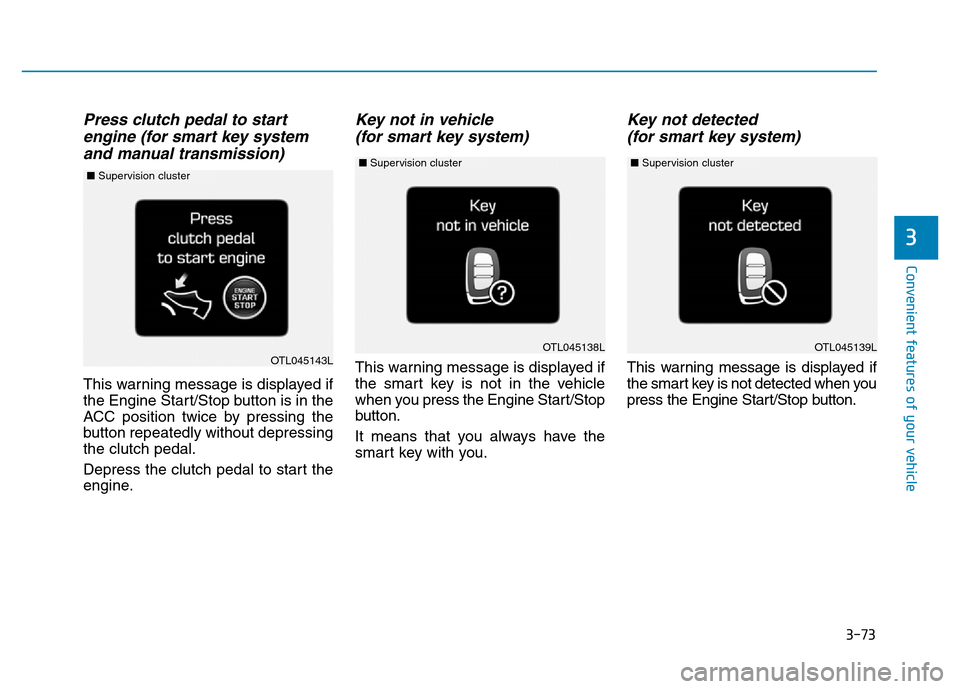
Press clutch pedal to start
engine (for smart key system
and manual transmission)
This warning message is displayed if
the Engine Start/Stop button is in the
ACC position twice by pressing the
button repeatedly without depressing
the clutch pedal.
Depress the clutch pedal to start the
engine.
Key not in vehicle
(for smart key system)
This warning message is displayed if
the smart key is not in the vehicle
when you press the Engine Start/Stop
button.
It means that you always have the
smart key with you.
Key not detected
(for smart key system)
This warning message is displayed if
the smart key is not detected when you
press the Engine Start/Stop button.
OTL045139LOTL045138LOTL045143L
■Supervision cluster ■Supervision cluster ■Supervision cluster
Page 169 of 637
3-74
Convenient features of your vehicle
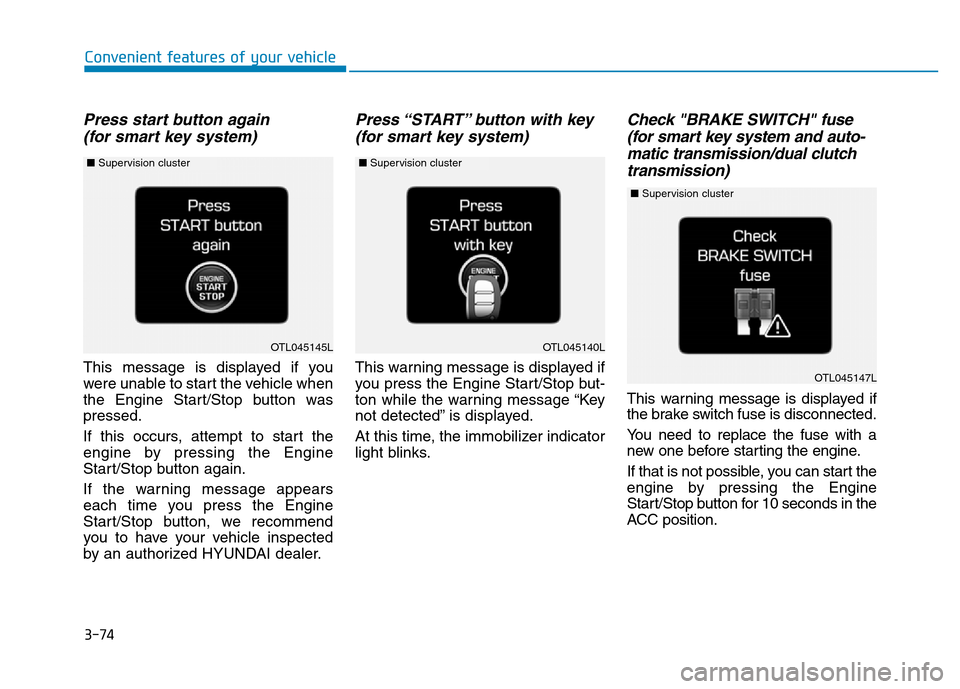
Press start button again
(for smart key system)
This message is displayed if you
were unable to start the vehicle when
the Engine Start/Stop button was
pressed.
If this occurs, attempt to start the
engine by pressing the Engine
Start/Stop button again.
If the warning message appears
each time you press the Engine
Start/Stop button, we recommend
you to have your vehicle inspected
by an authorized HYUNDAI dealer.
Press “START” button with key
(for smart key system)
This warning message is displayed if
you press the Engine Start/Stop but-
ton while the warning message “Key
not detected” is displayed.
At this time, the immobilizer indicator
light blinks.
Check "BRAKE SWITCH" fuse
(for smart key system and auto-
matic transmission/dual clutch
transmission)
This warning message is displayed if
the brake switch fuse is disconnected.
You need to replace the fuse with a
new one before starting the engine.
If that is not possible, you can start the
engine by pressing the Engine
Start/Stop button for 10 seconds in the
ACC position.
OTL045140L
OTL045147L
OTL045145L
■Supervision cluster ■Supervision cluster
■Supervision cluster
Page 170 of 637
3-75
Convenient features of your vehicle
3
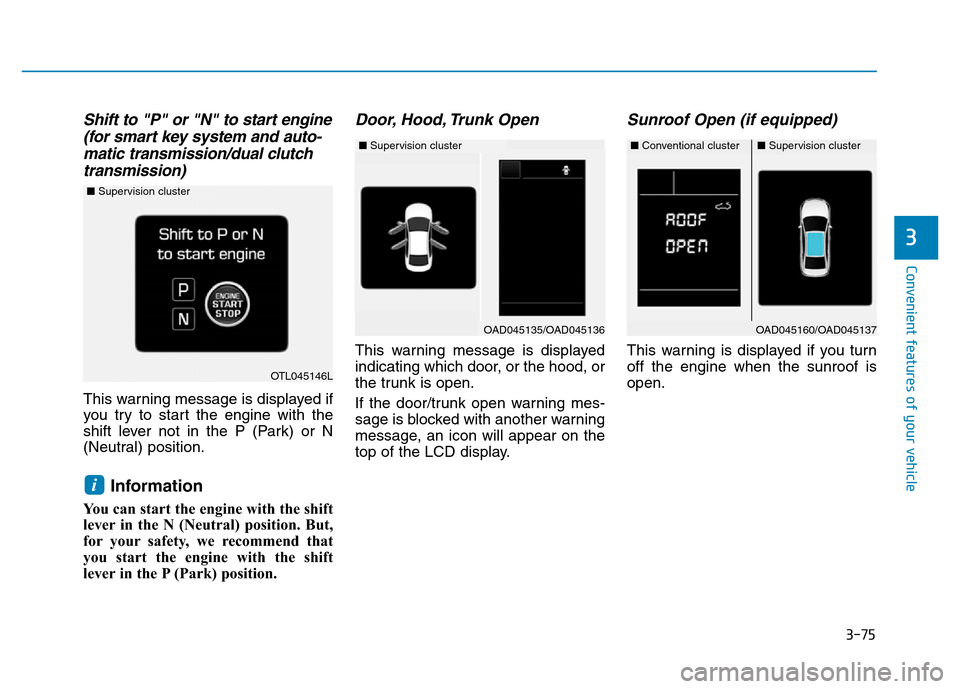
Shift to "P" or "N" to start engine
(for smart key system and auto-
matic transmission/dual clutch
transmission)
This warning message is displayed if
you try to start the engine with the
shift lever not in the P (Park) or N
(Neutral) position.
Information
You can start the engine with the shift
lever in the N (Neutral) position. But,
for your safety, we recommend that
you start the engine with the shift
lever in the P (Park) position.
Door, Hood, Trunk Open
This warning message is displayed
indicating which door, or the hood, or
the trunk is open.
If the door/trunk open warning mes-
sage is blocked with another warning
message, an icon will appear on the
top of the LCD display.
Sunroof Open (if equipped)
This warning is displayed if you turn
off the engine when the sunroof is
open.
i
OAD045160/OAD045137
OTL045146L
■Supervision cluster
■Conventional cluster■Supervision cluster
OAD045135/OAD045136
■Supervision cluster
Page 181 of 637
3-86
Convenient features of your vehicle
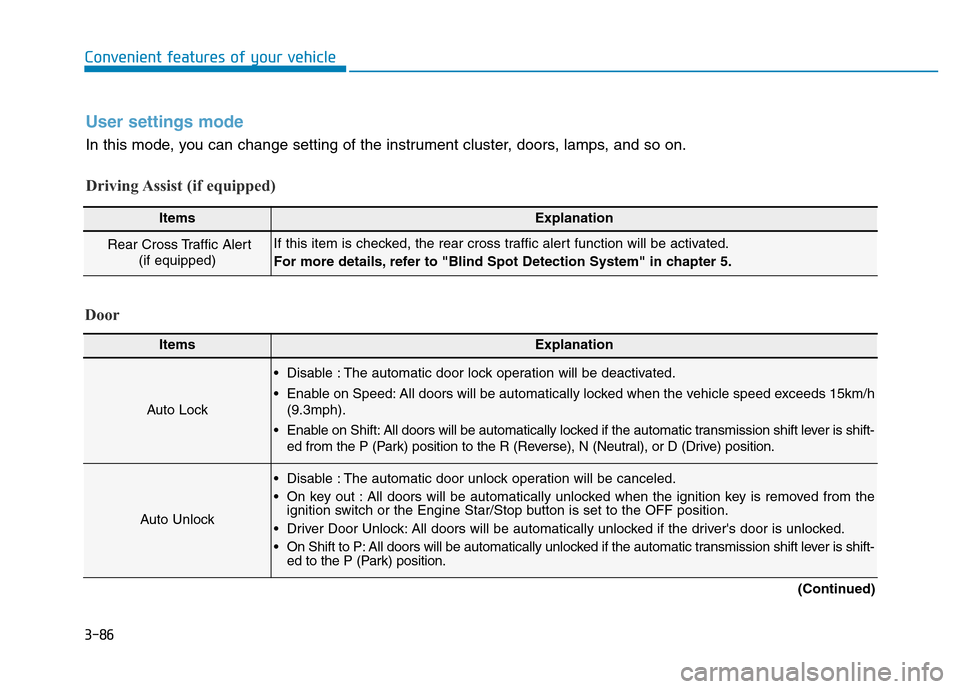
User settings mode
In this mode, you can change setting of the instrument cluster, doors, lamps, and so on.
Driving Assist (if equipped)
ItemsExplanation
Rear Cross Traffic Alert
(if equipped)If this item is checked, the rear cross traffic alert function will be activated.
For more details, refer to "Blind Spot Detection System" in chapter 5.
Door
ItemsExplanation
Auto Lock
• Disable : The automatic door lock operation will be deactivated.
• Enable on Speed: All doors will be automatically locked when the vehicle speed exceeds 15km/h
(9.3mph).
• Enable on Shift: All doors will be automatically locked if the automatic transmission shift lever is shift-
ed from the P (Park) position to the R (Reverse), N (Neutral), or D (Drive) position.
Auto Unlock
• Disable : The automatic door unlock operation will be canceled.
• On key out : All doors will be automatically unlocked when the ignition key is removed from the
ignition switch or the Engine Star/Stop button is set to the OFF position.
• Driver Door Unlock: All doors will be automatically unlocked if the driver's door is unlocked.
• On Shift to P: All doors will be automatically unlocked if the automatic transmission shift lever is shift-
ed to the P (Park) position.
(Continued)
Page 182 of 637
3-87
Convenient features of your vehicle
3
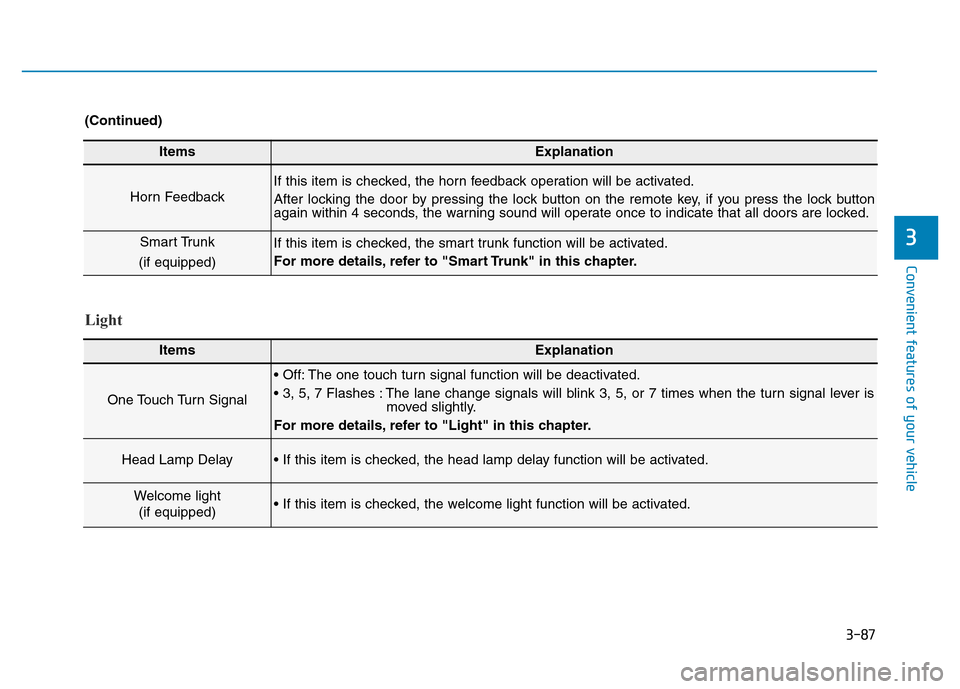
ItemsExplanation
Horn Feedback
If this item is checked, the horn feedback operation will be activated.
After locking the door by pressing the lock button on the remote key, if you press the lock button
again within 4 seconds, the warning sound will operate once to indicate that all doors are locked.
Smart Trunk
(if equipped)If this item is checked, the smart trunk function will be activated.
For more details, refer to "Smart Trunk" in this chapter.
(Continued)
Light
ItemsExplanation
One Touch Turn Signal
• Off: The one touch turn signal function will be deactivated.
• 3, 5, 7 Flashes : The lane change signals will blink 3, 5, or 7 times when the turn signal lever is
moved slightly.
For more details, refer to "Light" in this chapter.
Head Lamp Delay• If this item is checked, the head lamp delay function will be activated.
Welcome light
(if equipped)• If this item is checked, the welcome light function will be activated.