User manual Hyundai Elantra 2017 Owner's Manual
[x] Cancel search | Manufacturer: HYUNDAI, Model Year: 2017, Model line: Elantra, Model: Hyundai Elantra 2017Pages: 637, PDF Size: 15.02 MB
Page 14 of 637
F14F14
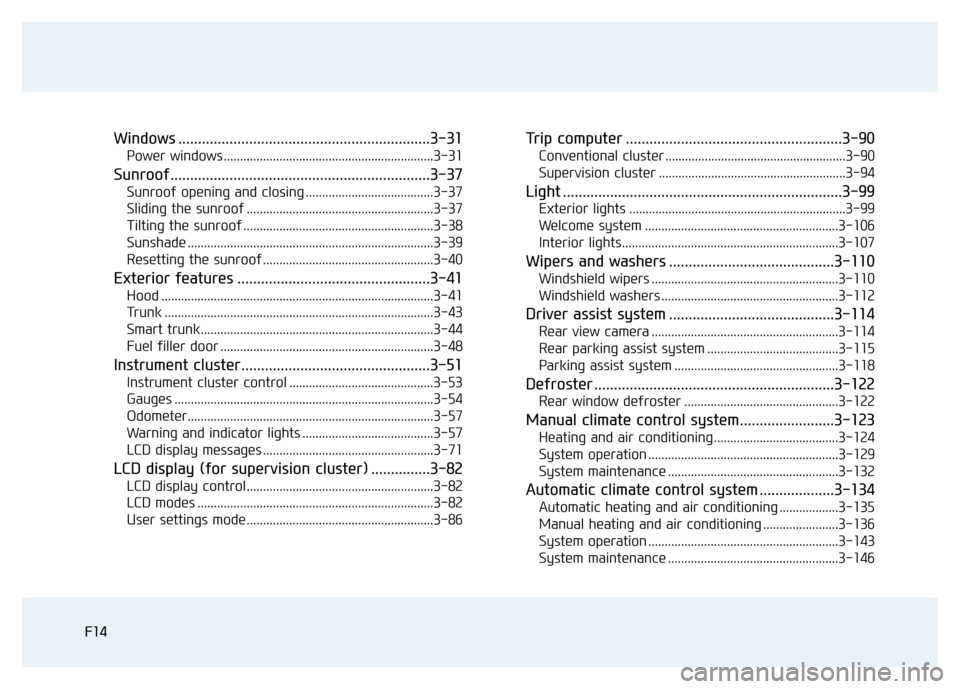
Windows ................................................................3-31
Power windows ................................................................3-31
Sunroof..................................................................3-37
Sunroof opening and closing .......................................3-37
Sliding the sunroof .........................................................3-37
Tilting the sunroof ..........................................................3-38
Sunshade ...........................................................................3-39
Resetting the sunroof ....................................................3-40
Exterior features .................................................3-41
Hood ...................................................................................3-41
Trunk ..................................................................................3-43
Smart trunk.......................................................................3-44
Fuel filler door .................................................................3-48
Instrument cluster................................................3-51
Instrument cluster control ............................................3-53
Gauges ...............................................................................3-54
Odometer...........................................................................3-57
Warning and indicator lights ........................................3-57
LCD display messages ....................................................3-71
LCD display (for supervision cluster) ...............3-82
LCD display control.........................................................3-82
LCD modes ........................................................................3-82
User settings mode.........................................................3-86
Trip computer .......................................................3-90
Conventional cluster .......................................................3-90
Supervision cluster .........................................................3-94
Light .......................................................................3-99
Exterior lights ..................................................................3-99
Welcome system ...........................................................3-106
Interior lights..................................................................3-107
Wipers and washers ..........................................3-110
Windshield wipers .........................................................3-110
Windshield washers ......................................................3-112
Driver assist system ..........................................3-114
Rear view camera .........................................................3-114
Rear parking assist system ........................................3-115
Parking assist system ..................................................3-118
Defroster .............................................................3-122
Rear window defroster ...............................................3-122
Manual climate control system........................3-123
Heating and air conditioning......................................3-124
System operation ..........................................................3-129
System maintenance ....................................................3-132
Automatic climate control system ...................3-134
Automatic heating and air conditioning ..................3-135
Manual heating and air conditioning .......................3-136
System operation ..........................................................3-143
System maintenance ....................................................3-146
Page 113 of 637
3-18
Convenient features of your vehicle
Auto door lock/unlock features
Impact sensing door unlock
system (if equipped)
All doors will be automatically
unlocked when an impact causes the
air bags to deploy.
Speed sensing door lock system
(if equipped)
All doors will be automatically locked
when vehicle speed exceeds 15
km/h (9 mph).
You can activate or deactivate the
Auto Door Lock/Unlock features from
the User Settings Mode on the LCD
display.For more details, refer to
"LCD Display" in this chapter. Always secure your vehicle
Leaving your vehicle unlocked
increases the potential risk to
you or others from someone
hiding in your vehicle.
To secure your vehicle, while
depressing the brake, move the
shift lever to the P (Park) posi-
tion (for automatic transmis-
sion/dual clutch transmission)
or first gear or R (Reverse, for
manual transmission), engage
the parking brake, and place the
ignition switch in the LOCK/OFF
position, close all windows,
lock all doors, and always take
the key with you.
WARNING
Opening a door when something
is approaching may cause dam-
age or injury. Be careful when
opening doors and watch for
vehicles, motorcycles, bicycles
or pedestrians approaching the
vehicle in the path of the door.
WARNING
Page 117 of 637
3-22
Convenient features of your vehicle
Recalling memory position
1. Move the shift lever into P (for auto-
matic transmission/dual clutch
transmission) or Neutral (for manu-
al transmission) while the ignition
switch or the Engine Start/Stop but-
ton is in the ON position.
2. Press the desired memory button
(1 or 2). The system will beep
once, then the driver’s seat posi-
tion, outside rearview mirror and
instrument panel illumination will
automatically adjust to the stored
position (if equipped).
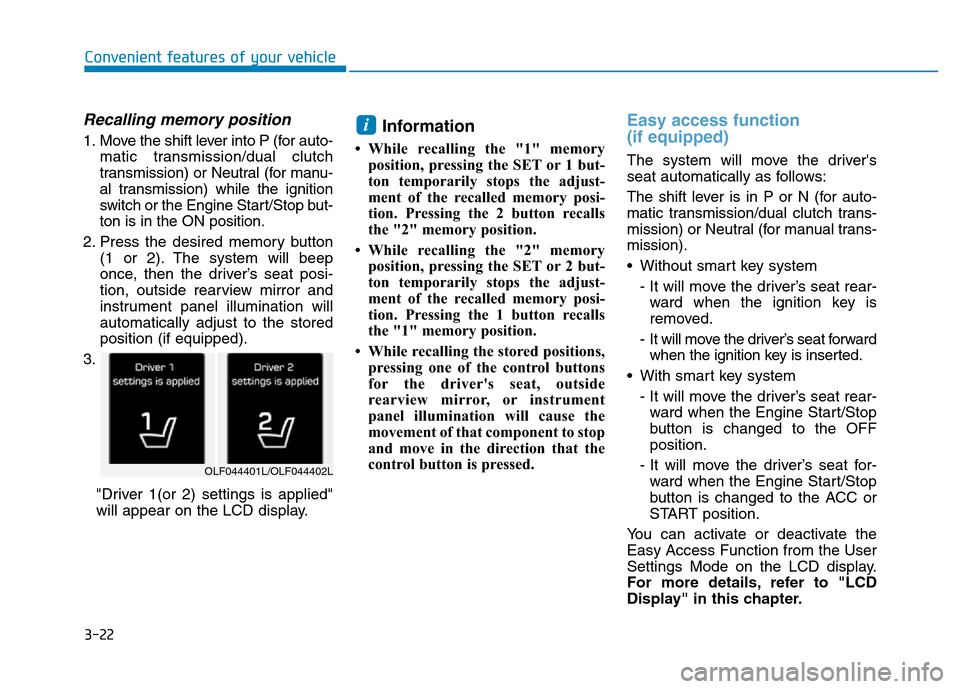
3.
"Driver 1(or 2) settings is applied"
will appear on the LCD display.Information
• While recalling the "1" memory
position, pressing the SET or 1 but-
ton temporarily stops the adjust-
ment of the recalled memory posi-
tion. Pressing the 2 button recalls
the "2" memory position.
• While recalling the "2" memory
position, pressing the SET or 2 but-
ton temporarily stops the adjust-
ment of the recalled memory posi-
tion. Pressing the 1 button recalls
the "1" memory position.
• While recalling the stored positions,
pressing one of the control buttons
for the driver's seat, outside
rearview mirror, or instrument
panel illumination will cause the
movement of that component to stop
and move in the direction that the
control button is pressed.
Easy access function
(if equipped)
The system will move the driver's
seat automatically as follows:
The shift lever is in P or N (for auto-
matic transmission/dual clutch trans-
mission) or Neutral (for manual trans-
mission).
• Without smart key system
- It will move the driver’s seat rear-
ward when the ignition key is
removed.
- It will move the driver’s seat forward
when the ignition key is inserted.
• With smart key system
- It will move the driver’s seat rear-
ward when the Engine Start/Stop
button is changed to the OFF
position.
- It will move the driver’s seat for-
ward when the Engine Start/Stop
button is changed to the ACC or
START position.
You can activate or deactivate the
Easy Access Function from the User
Settings Mode on the LCD display.
For more details, refer to "LCD
Display" in this chapter.
i
OLF044401L/OLF044402L
Page 178 of 637
3-83
Convenient features of your vehicle
3
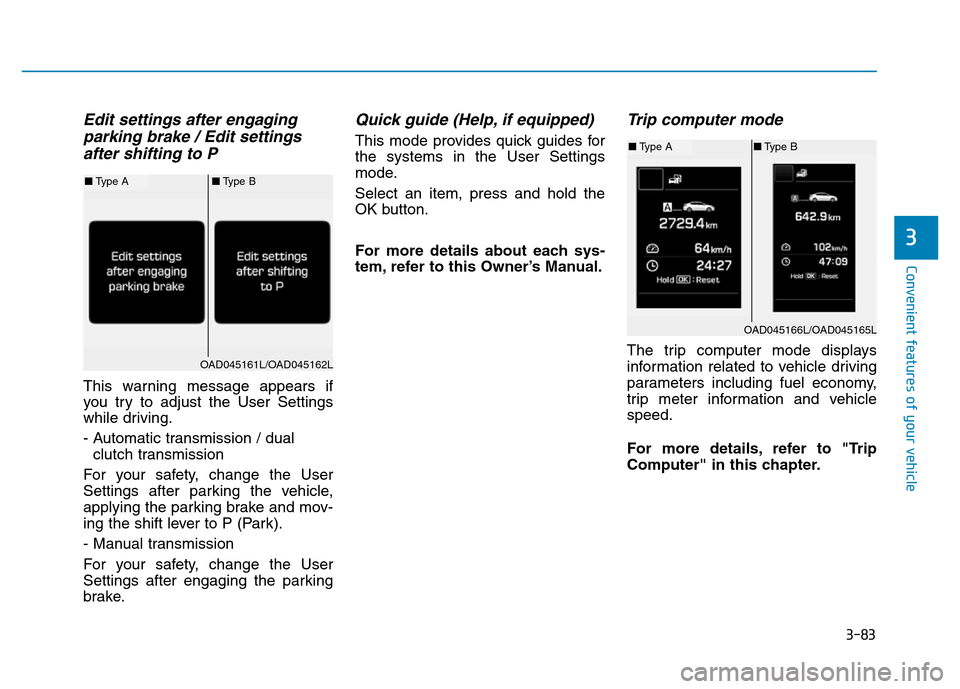
Edit settings after engaging
parking brake / Edit settings
after shifting to P
This warning message appears if
you try to adjust the User Settings
while driving.
- Automatic transmission / dual
clutch transmission
For your safety, change the User
Settings after parking the vehicle,
applying the parking brake and mov-
ing the shift lever to P (Park).
- Manual transmission
For your safety, change the User
Settings after engaging the parking
brake.
Quick guide (Help, if equipped)
This mode provides quick guides for
the systems in the User Settings
mode.
Select an item, press and hold the
OK button.
For more details about each sys-
tem, refer to this Owner’s Manual.
Trip computer mode
The trip computer mode displays
information related to vehicle driving
parameters including fuel economy,
trip meter information and vehicle
speed.
For more details, refer to "Trip
Computer" in this chapter.
OAD045166L/OAD045165L
■Type A■Type B
OAD045161L/OAD045162L
■Type A■Type B
Page 283 of 637
4-26
Multimedia System
(Continued)
• The Bluetooth
®word mark and
logos are registered trademarks
owned by Bluetooth
®SIG, Inc. and
any use of such marks by Hyundai is
under license. Other trademarks
and trade names are those of their
respective owners. A Bluetooth
®
enabled cell phone is required to use
Bluetooth®Wireless Technology.
•Bluetooth
®Wireless Technology fea-
tures supported within the vehicle
are as follows. Some features may
not be supported depending on your
Bluetooth
®Wireless Technology
device.
- Answering and placing Bluetooth
®
Wireless Technology Handsfree
calls
- Menu operation during call
(Switch to Private, Switch to call
waiting, Outgoing volume)
- Download Call History
- Download Mobile Phone book
- Phone book/Call History Auto
Download
-Bluetooth
®Wireless Technology
device auto connection
(Continued)(Continued)
-Bluetooth
®Wireless Technology
Audio
• Before using Bluetooth
®Wireless
Technology related features of the
audio system, refer your phone’s
User’s Manual for phone-side
Bluetooth
®Wireless Technology
operations.
• The phone must be paired to the
audio system to use Bluetooth
®
Wireless Technology related fea-
tures.
• Pairing and connecting a Bluetooth
®
Wireless Technology enabled mobile
phone will work only when the
Bluetooth
®Wireless Technology
option within your mobile phone
has been turned on. (Methods of
turning on the Bluetooth
®Wireless
Technology enabled feature may
differ depending on the mobile
phone.)
• Do not use a cellular phone or per-
form Bluetooth
®Wireless Technology
settings (e.g. pairing a phone) while
driving.
(Continued)(Continued)
• Even if the phone supports
Bluetooth
®Wireless Technology, the
phone will not be found during
device searches if the phone has
been set to hidden state or the
Bluetooth
®Wireless Technology
power is turned off. Disable the hid-
den state or turn on the Bluetooth
®
Wireless Technology power prior to
searching/connecting with the car
audio system.
• You will not be able to use the
hands-free feature when your phone
(in the car) is outside of the cellular
service area (e.g. in a tunnel, in a
underground, in a mountainous
area, etc.).
• If the cellular phone signal is poor
or the vehicles interior noise is too
loud, it may be difficult to hear the
other person’s voice during a call.
• Do not place the phone near or
inside metallic objects, otherwise
communications with Bluetooth
®
Wireless Technology system or cel-
lular service stations can be dis-
turbed.
(Continued)
Page 285 of 637
4-28
Multimedia System
•
Bluetooth®Wireless Technology
Handsfree is a feature that
enables drivers to practice safe
driving. Connecting the car
audio system with a
Bluetooth®
Wireless Technology phone
allows the user to conveniently
make calls, receive calls, and
manage the phone book. Before
using the
Bluetooth®Wireless
Technology, carefully read the
contents of this user’s manual.
• Excessive use or operations
while driving may lead to negli-
gent driving practices and be
the cause of accidents.
• Do not operate the device exces-
sively while driving.
• Viewing the screen for pro-
longed periods of time is dan-
gerous and may lead to acci-
dents.
• When driving, view the screen
only for short periods of time.
Radio Mode
(Type A-1, Type A-2, Type A-3,
Type A-4 with RDS)
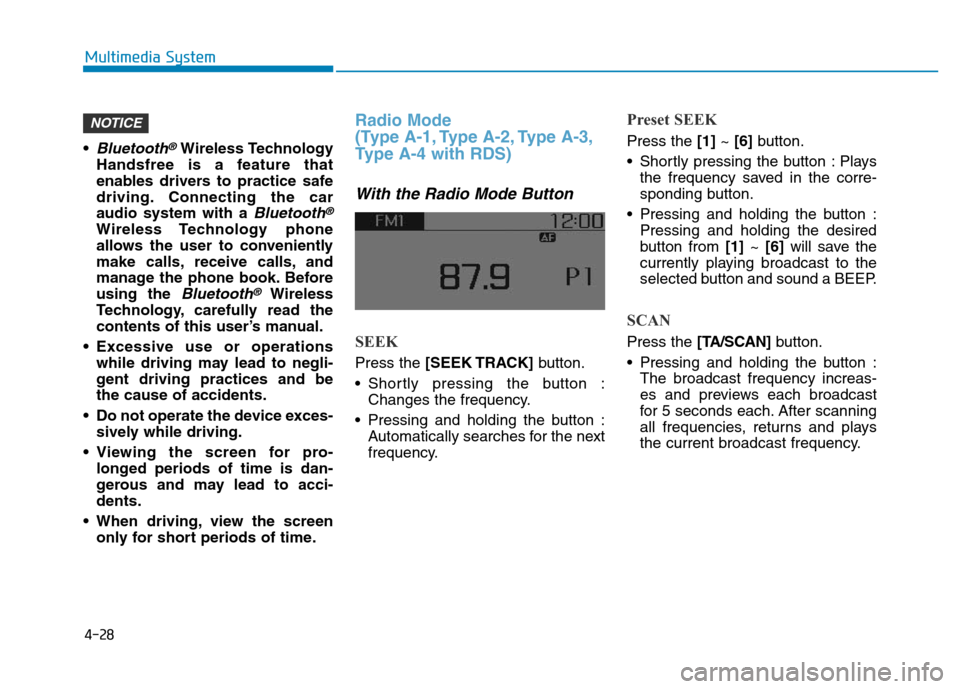
With the Radio Mode Button
SEEK
Press the [SEEK TRACK]button.
• Shortly pressing the button :
Changes the frequency.
• Pressing and holding the button :
Automatically searches for the next
frequency.
Preset SEEK
Press the [1]~ [6]button.
• Shortly pressing the button : Plays
the frequency saved in the corre-
sponding button.
• Pressing and holding the button :
Pressing and holding the desired
button from [1]~ [6]will save the
currently playing broadcast to the
selected button and sound a BEEP.
SCAN
Press the [TA/SCAN]button.
• Pressing and holding the button :
The broadcast frequency increas-
es and previews each broadcast
for 5 seconds each. After scanning
all frequencies, returns and plays
the current broadcast frequency.
NOTICE
Page 326 of 637
4-69
Multimedia System
4
(Continued)
• When returning to Bluetooth
®
Wireless Technology Audio mode
after ending a call, the mode may
not automatically restart in some
mobile phones.
• Receiving an incoming call or mak-
ing an outgoing call while playing
Bluetooth
®Wireless Technology
Audio may result in audio interfer-
ence.
Information
- Using the Bluetooth®Wireless
Technology Cellular Phone
•Bluetooth
®Wireless Technology
Handsfree refers to a device which
allows the user to conveniently
make phone calls with Bluetooth
®
Wireless Technology mobile phones
through the audio system.
•Bluetooth
®Wireless Technology
allows devices to be connected in a
short distance, including hands-free
devices, stereo headsets, wireless
remote controllers, etc. For more
information, visit the Bluetooth
®
Wireless Technology website at
www
.Bluetooth.com. Before using
Bluetooth®Wireless Technology
audio features.
• The Bluetooth
®word mark and
logos are registered trademarks
owned by Bluetooth
®SIG, Inc. and
any use of such marks by Hyundai is
under license. Other trademarks
and trade names are those of their
respective owners. A Bluetooth
®
enabled cell phone is required to use
Bluetooth®Wireless Technology.
(Continued)(Continued)
•Bluetooth
®Wireless Technology fea-
tures supported within the vehicle
are as follows. Some features may
not be supported depending on your
Bluetooth
®Wireless Technology
device.
- Answering and placing
Bluetooth
®Wireless Technology
Handsfree calls
- Menu operation during call
(Switch to Private, Switch to call
waiting, Outgoing volume)
- Download Call History
- Download Mobile Phone book
- Phone book/Call History Auto
Download
-Bluetooth
®Wireless Technology
device auto connection
-Bluetooth
®Wireless Technology
Audio
• Before using Bluetooth
®Wireless
Technology related features of the
audio system, refer your phone’s
User’s Manual for phone-side
Bluetooth
®Wireless Technology
operations.
(Continued)
i
Page 328 of 637
4-71
Multimedia System
4
(Continued)
1) Turn off the Bluetooth
®Wireless
Technology feature in your
mobile phone.
2) Turn off the Bluetooth
®Wireless
Technology feature in your car
audio system.
- To turn off the Bluetooth
®
Wireless Technology feature in
your car audio system, go to
[SETUP]> [Phone] and [turn off]
the Bluetooth
®Wireless Technology
feature.
•Bluetooth
®Wireless Technology
connection may become intermit-
tently disconnected in some mobile
phones. Follow these steps to try
again.
1) Turn the Bluetooth
®Wireless
Technology function within the
mobile phone off/on and try
again.
2) Turn the mobile phone power
Off/On and try again.
3) Completely remove the mobile
phone battery, reboot, and then
again.
(Continued)(Continued)
4) Reboot the audio system and try
again.
5) Delete all paired devices, pair and
try again.
• It is possible to pair up to five
Bluetooth
®Wireless Technology
devices to the car system.
• Phone contact names should be
saved in English or they may not be
displayed correctly.
• The Handsfree call volume and
quality may differ depending on the
mobile phone.
• Only one Bluetooth
®Wireless
Technology device can be connected
at a time.
• In some mobile phones, starting the
ignition while talking through
Bluetooth
®Wireless Technology
enabled handsfree call will result in
the call becoming disconnected.
(Switch the call back to your mobile
phone when starting the ignition.)
• If the mobile phone is not paired or
connected, it is not possible to enter
Phone mode. Once a phone is paired
or connected, the guidance screen
will be displayed.•
Bluetooth®Wireless Technology
Handsfree is a feature that
enables drivers to practice safe
driving. Connecting the car
audio system with a
Bluetooth®
Wireless Technologyphone
allows the user to conveniently
make calls, receive calls, and
manage the phone book. Before
using the
Bluetooth®Wireless
Technology,carefully read the
contents of this user’s manual.
• Excessive use or operations
while driving may lead to negli-
gent driving practices and be
the cause of accidents.
• Do not operate the device exces-
sively while driving.
• Viewing the screen for pro-
longed periods of time is dan-
gerous and may lead to acci-
dents.
• When driving, view the screen
only for short periods of time.
NOTICE
Page 351 of 637
![Hyundai Elantra 2017 Owners Manual 4-94
Multimedia System
Information
• If you press the [Call History] but-
ton but there is no call history data,
a prompt is displayed which asks
whether to download call history
data.
• If you pr](/img/35/14543/w960_14543-350.png "Hyundai Elantra 2017 Owners Manual 4-94
Multimedia System
Information
• If you press the [Call History] but-
ton but there is no call history data,
a prompt is displayed which asks
whether to download call history
data.
• If you pr")
4-94
Multimedia System
Information
• If you press the [Call History] but-
ton but there is no call history data,
a prompt is displayed which asks
whether to download call history
data.
• If you press the [Phone book] button
but there is no phone book data, a
prompt is displayed which asks
whether to download phone book
data.
• This feature may not be supported
in some mobile phones. For more
information on download support,
refer to your mobile phone user’s
manual.
Calling by Dialing a Number
• Dial Pad : Used to enter phone
number.
• Call : If a number has been
entered, calls the number If no
number has been entered, switch-
es to call history screen.
• End : Deletes the entered phone
number.
• Delete : Deletes entered numbers
one digit at a time.Answering a Call
Answering a call with a Bluetooth®
Wireless Technology device connect-
ed will display the following screen.
• Caller : Displays the other party’s
name when the incoming caller is
saved within your phone book.
• Incoming Number : Displays the
incoming number.
• Accept : Accepts the incoming call.
• Reject : Rejects the incoming call.
i
Page 357 of 637
![Hyundai Elantra 2017 Owners Manual 4-100
Multimedia System
Phone Menu Screen
Phone Menus
With a Bluetooth®Wireless Technology
device connected, press the
[PHONE]button to display the
Phone menu screen.
• Dial Number : Displays the d](/img/35/14543/w960_14543-356.png "Hyundai Elantra 2017 Owners Manual 4-100
Multimedia System
Phone Menu Screen
Phone Menus
With a Bluetooth®Wireless Technology
device connected, press the
[PHONE]button to display the
Phone menu screen.
• Dial Number : Displays the d")
4-100
Multimedia System
Phone Menu Screen
Phone Menus
With a Bluetooth®Wireless Technology
device connected, press the
[PHONE]button to display the
Phone menu screen.
• Dial Number : Displays the dial
screen where numbers can be
dialed to make calls.
• Call History : Displays the call his-
tory list screen.
• Contacts : Displays the Contacts
list screen.
• Setup : Displays Phone related set-
tings.
Information
• If you press the [Call History] but-
ton but there is no call history data,
a prompt is displayed which asks
whether to download call history
data.
• If you press the [Contacts] button
but there is no contacts data stored,
a prompt is displayed which asks
whether to download contacts data.
• This feature may not be supported
in some mobile phones. For more
information on download support,
refer to your mobile phone user’s
manual.
Calling by Dialing a Number
• Dial Pad : Used to enter phone
number.
• Call : If a number has been
entered, calls the number If no
number has been entered, switch-
es to call history screen.
• End : Deletes the entered phone
number.
• Delete : Deletes entered numbers
one digit at a time.
i