brake change Hyundai Elantra 2017 Owner's Manual
[x] Cancel search | Manufacturer: HYUNDAI, Model Year: 2017, Model line: Elantra, Model: Hyundai Elantra 2017Pages: 637, PDF Size: 15.02 MB
Page 17 of 637
F17F17
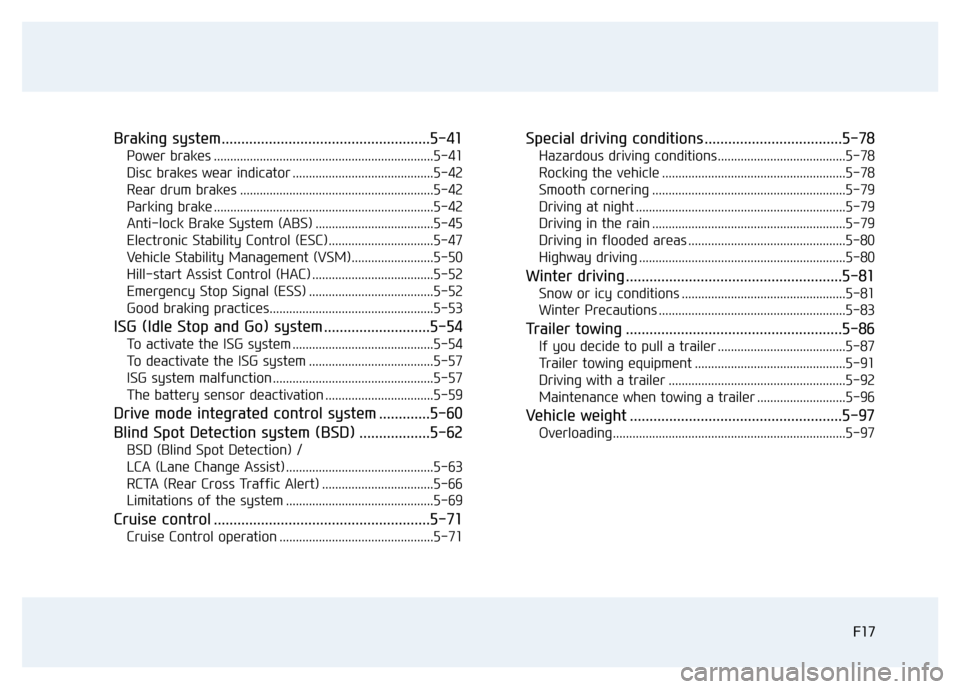
Braking system.....................................................5-41
Power brakes ...................................................................5-41
Disc brakes wear indicator ...........................................5-42
Rear drum brakes ...........................................................5-42
Parking brake ...................................................................5-42
Anti-lock Brake System (ABS) ....................................5-45
Electronic Stability Control (ESC)................................5-47
Vehicle Stability Management (VSM).........................5-50
Hill-start Assist Control (HAC) .....................................5-52
Emergency Stop Signal (ESS) ......................................5-52
Good braking practices..................................................5-53
ISG (Idle Stop and Go) system ...........................5-54
To activate the ISG system ...........................................5-54
To deactivate the ISG system ......................................5-57
ISG system malfunction .................................................5-57
The battery sensor deactivation .................................5-59
Drive mode integrated control system .............5-60
Blind Spot Detection system (BSD) ..................5-62
BSD (Blind Spot Detection) /
LCA (Lane Change Assist) .............................................5-63
RCTA (Rear Cross Traffic Alert) ..................................5-66
Limitations of the system .............................................5-69
Cruise control .......................................................5-71
Cruise Control operation ...............................................5-71
Special driving conditions ...................................5-78
Hazardous driving conditions.......................................5-78
Rocking the vehicle ........................................................5-78
Smooth cornering ...........................................................5-79
Driving at night ................................................................5-79
Driving in the rain ...........................................................5-79
Driving in flooded areas ................................................5-80
Highway driving ...............................................................5-80
Winter driving .......................................................5-81
Snow or icy conditions ..................................................5-81
Winter Precautions .........................................................5-83
Trailer towing .......................................................5-86
If you decide to pull a trailer .......................................5-87
Trailer towing equipment ..............................................5-91
Driving with a trailer ......................................................5-92
Maintenance when towing a trailer ...........................5-96
Vehicle weight ......................................................5-97
Overloading.......................................................................5-97
Page 167 of 637
3-72
Convenient features of your vehicle
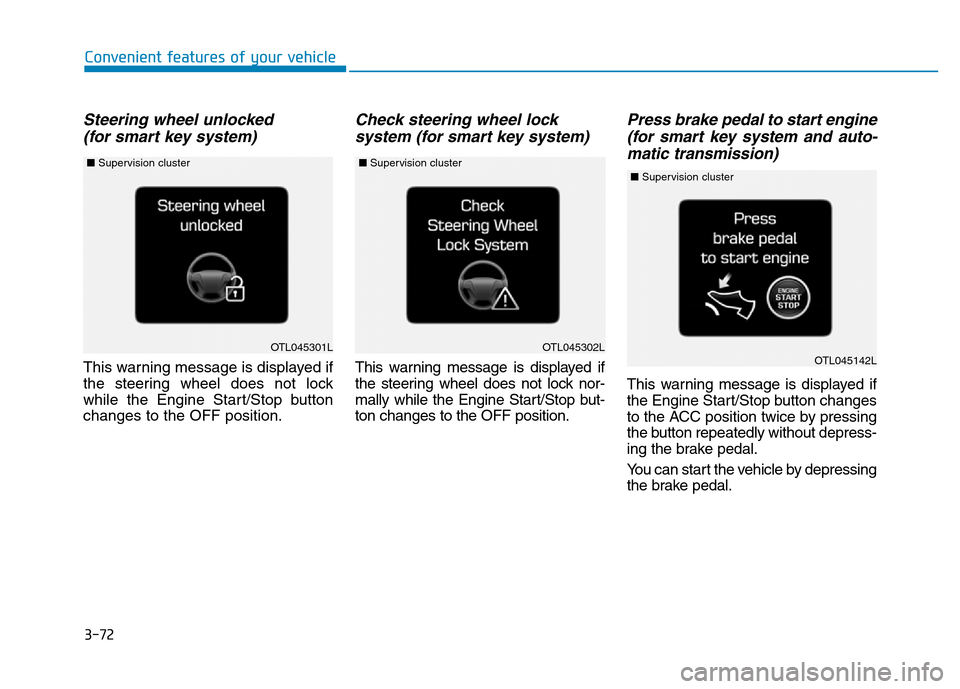
Steering wheel unlocked
(for smart key system)
This warning message is displayed if
the steering wheel does not lock
while the Engine Start/Stop button
changes to the OFF position.
Check steering wheel lock
system (for smart key system)
This warning message is displayed if
the steering wheel does not lock nor-
mally while the Engine Start/Stop but-
ton changes to the OFF position.
Press brake pedal to start engine
(for smart key system and auto-
matic transmission)
This warning message is displayed if
the Engine Start/Stop button changes
to the ACC position twice by pressing
the button repeatedly without depress-
ing the brake pedal.
You can start the vehicle by depressing
the brake pedal.
OTL045301LOTL045302LOTL045142L
■Supervision cluster ■Supervision cluster ■Supervision cluster
Page 178 of 637
3-83
Convenient features of your vehicle
3
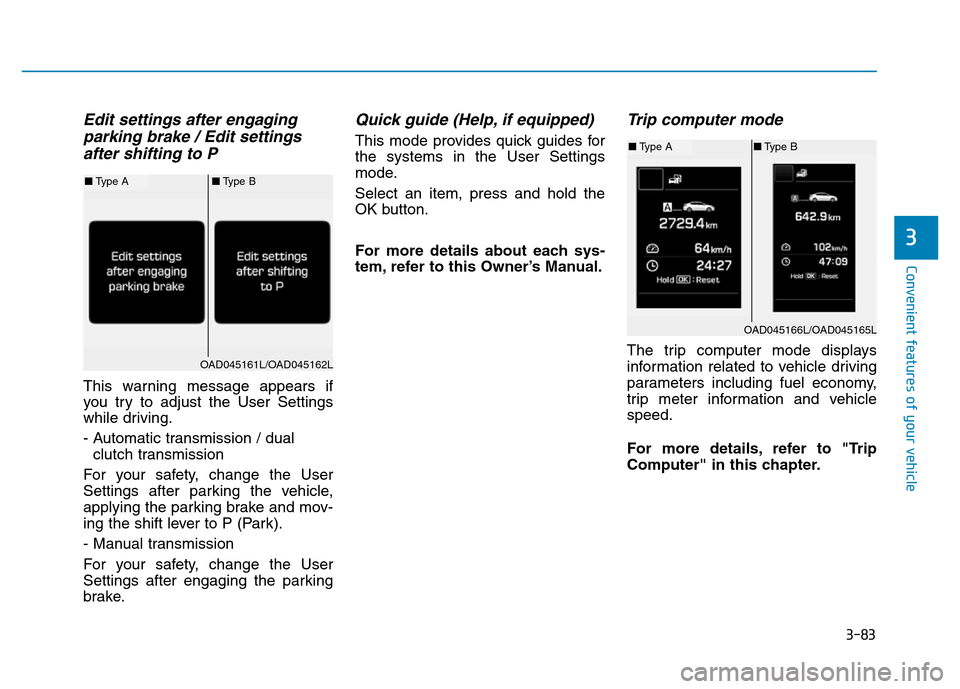
Edit settings after engaging
parking brake / Edit settings
after shifting to P
This warning message appears if
you try to adjust the User Settings
while driving.
- Automatic transmission / dual
clutch transmission
For your safety, change the User
Settings after parking the vehicle,
applying the parking brake and mov-
ing the shift lever to P (Park).
- Manual transmission
For your safety, change the User
Settings after engaging the parking
brake.
Quick guide (Help, if equipped)
This mode provides quick guides for
the systems in the User Settings
mode.
Select an item, press and hold the
OK button.
For more details about each sys-
tem, refer to this Owner’s Manual.
Trip computer mode
The trip computer mode displays
information related to vehicle driving
parameters including fuel economy,
trip meter information and vehicle
speed.
For more details, refer to "Trip
Computer" in this chapter.
OAD045166L/OAD045165L
■Type A■Type B
OAD045161L/OAD045162L
■Type A■Type B
Page 387 of 637
Driving your vehicle
Before driving.........................................................5-4
Before entering the vehicle ...........................................5-4
Before starting...................................................................5-4
Ignition switch ........................................................5-5
Key ignition switch ............................................................5-6
Engine Start/Stop button ..............................................5-11
Manual transmission............................................5-20
Manual transmission operation ...................................5-20
Good driving practices ...................................................5-22
Automatic transmission .......................................5-24
Automatic transmission operation ..............................5-24
Parking ...............................................................................5-29
Good driving practices ...................................................5-29
Dual clutch transmission .....................................5-31
Dual clutch transmission operation ............................5-31
Parking ...............................................................................5-39
Good driving practices ...................................................5-39
Braking system.....................................................5-41
Power brakes ...................................................................5-41
Disc brakes wear indicator ...........................................5-42
Rear drum brakes ...........................................................5-42
Parking brake ...................................................................5-42
Anti-lock Brake System (ABS) ....................................5-45
Electronic Stability Control (ESC)................................5-47
Vehicle Stability Management (VSM).........................5-50Hill-start Assist Control (HAC) .....................................5-52
Emergency Stop Signal (ESS) ......................................5-52
Good braking practices..................................................5-53
ISG (Idle Stop and Go) system ...........................5-54
To activate the ISG system ...........................................5-54
To deactivate the ISG system ......................................5-57
ISG system malfunction .................................................5-57
The battery sensor deactivation .................................5-59
Drive mode integrated control system .............5-60
Blind Spot Detection system (BSD) ..................5-62
BSD (Blind Spot Detection) /
LCA (Lane Change Assist) .............................................5-63
RCTA (Rear Cross Traffic Alert) ..................................5-66
Limitations of the system .............................................5-69
Cruise control .......................................................5-71
Cruise Control operation ...............................................5-71
Special driving conditions ...................................5-78
Hazardous driving conditions.......................................5-78
Rocking the vehicle ........................................................5-78
Smooth cornering ...........................................................5-79
Driving at night ................................................................5-79
Driving in the rain ...........................................................5-79
Driving in flooded areas ................................................5-80
Highway driving ...............................................................5-80
5
Page 399 of 637
5-13
Driving your vehicle
5
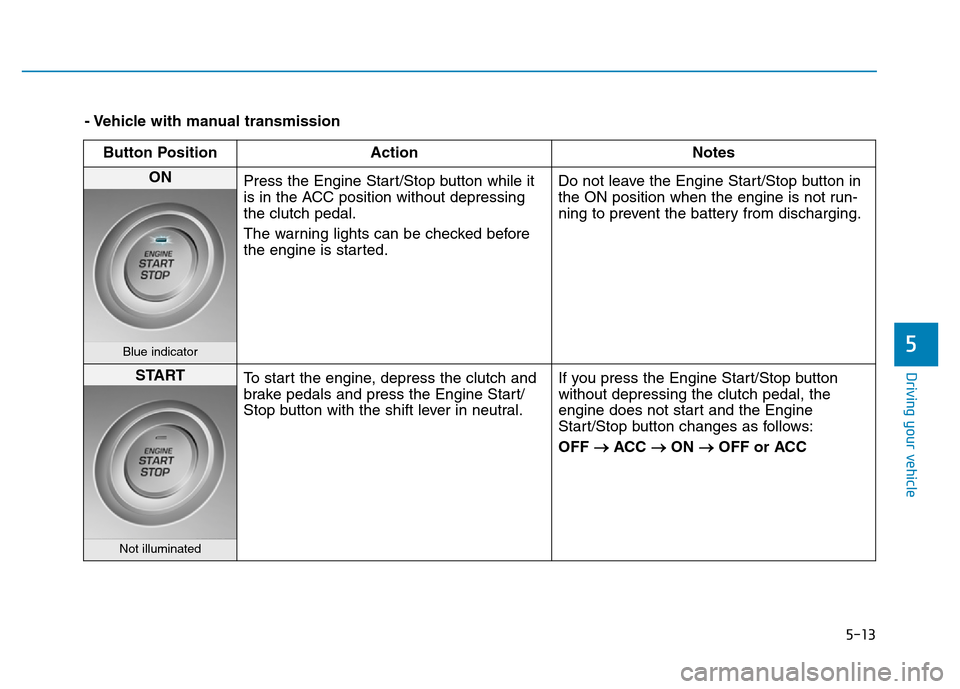
- Vehicle with manual transmission
Button Position Action Notes
ON
Press the Engine Start/Stop button while it
is in the ACC position without depressing
the clutch pedal.
The warning lights can be checked before
the engine is started.Do not leave the Engine Start/Stop button in
the ON position when the engine is not run-
ning to prevent the battery from discharging.
Blue indicator
START
To start the engine, depress the clutch and
brake pedals and press the Engine Start/
Stop button with the shift lever in neutral.If you press the Engine Start/Stop button
without depressing the clutch pedal, the
engine does not start and the Engine
Start/Stop button changes as follows:
OFF
→ACC →ON →OFF or ACC
Not illuminated
Page 401 of 637
5-15
Driving your vehicle
5
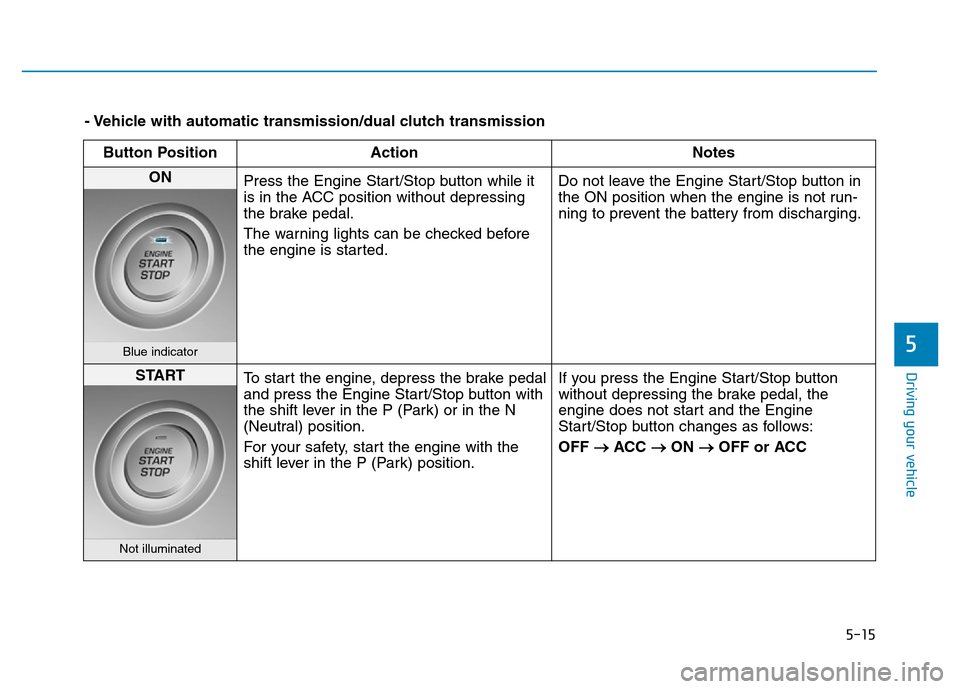
- Vehicle with automatic transmission/dual clutch transmission
Button Position Action Notes
ON
Press the Engine Start/Stop button while it
is in the ACC position without depressing
the brake pedal.
The warning lights can be checked before
the engine is started.Do not leave the Engine Start/Stop button in
the ON position when the engine is not run-
ning to prevent the battery from discharging.
Blue indicator
START
To start the engine, depress the brake pedal
and press the Engine Start/Stop button with
the shift lever in the P (Park) or in the N
(Neutral) position.
For your safety, start the engine with the
shift lever in the P (Park) position.If you press the Engine Start/Stop button
without depressing the brake pedal, the
engine does not start and the Engine
Start/Stop button changes as follows:
OFF
→ACC →ON →OFF or ACC
Not illuminated
Page 408 of 637
5-22
Driving your vehicle
To prevent damage to the engine,
clutch and transmission:
• When downshifting from 5
thgear
to 4thgear, be careful not to inad-
vertently push the shift lever
sideways engaging the 2
ndgear.
A drastic downshift may cause
the engine speed to increase to
the point the tachometer will
enter the red-zone and may
cause engine damage.
• Do not downshift more than two
gear at a time or downshift the
gear when the engine is running
at high speed (5,000 RPM or
higher). Such downshifting may
damage the engine, clutch and
the transmission.
Good driving practices
• Never take the vehicle out of gear
and coast down a hill. This is
extremely dangerous.
• Don't "ride" the brakes. This can
cause the brakes and related parts
to overheat and malfunction.
When you are driving down a long
hill, slow down and shift to a lower
gear. Engine braking will help slow
down the vehicle.
• Slow down before shifting to a
lower gear. This will help avoid
over-revving the engine, which can
cause damage.
• Slow down when you encounter
cross winds. This gives you much
better control of your vehicle.
• Be sure the vehicle is completely
stopped before you shift into R
(Reverse) to prevent damage to
the transmission.• Exercise extreme caution when
driving on a slippery surface. Be
especially careful when braking,
accelerating or shifting gears. On a
slippery surface, an abrupt change
in vehicle speed can cause the
drive wheels to lose traction and
may cause loss of vehicle control
resulting in an accident
NOTICE
Do not use the engine brake
(shifting from a higher gear to
lower gear) rapidly on slippery
roads. The vehicle may slip
causing an accident.
WARNING
Page 416 of 637
5-30
Driving your vehicle
• Always apply the parking brake
when leaving the vehicle. Do not
depend on placing the transmis-
sion in P (Park) to keep the vehicle
from moving.
• Exercise extreme caution when
driving on a slippery surface. Be
especially careful when braking,
accelerating or shifting gears. On a
slippery surface, an abrupt change
in vehicle speed can cause the
drive wheels to lose traction and
may cause loss of vehicle control
resulting in an accident
• Optimum vehicle performance and
economy is obtained by smoothly
depressing and releasing the
accelerator.(Continued)
•In the event your vehicle
leaves the roadway, do not
steer sharply. Instead, slow
down before pulling back into
the travel lanes.
•HYUNDAI recommends you
follow all posted speed limits.
To reduce the risk of SERIOUS
INJURY or DEATH:
•ALWAYS wear your seatbelt.
In a collision, an unbelted
occupant is significantly more
likely to be seriously injured
or killed than a properly belt-
ed occupant.
•Avoid high speeds when cor-
nering or turning.
•Do not make quick steering
wheel movements, such as
sharp lane changes or fast,
sharp turns.
•The risk of rollover is greatly
increased if you lose control
of your vehicle at highway
speeds.
•Loss of control often occurs if
two or more wheels drop off
the roadway and the driver
over steers to reenter the
roadway.
(Continued)
WARNING
Page 419 of 637
5-33
Driving your vehicle
• When rapidly accelerating from a
lower vehicle speed, the engine
rpm may increase dramatically as
a result of clutch slip as the dual
clutch transmission selects the cor-
rect gear. This is a normal condi-
tion.
• When accelerating from a stop on
an incline, press the accelerator
smoothly and gradually to avoid
any shudder feeling or jerkiness.
• When traveling at a lower vehicle
speed, if you release the accelera-
tor pedal quickly, you may feel
engine braking before the trans-
mission changes gears. This
engine braking feeling is similar to
operating a manual transmission at
low speed.• When driving downhill, you may
wish to move the gear shift lever to
Manual Shift mode and downshift
to a lower gear in order to control
your speed without using the brake
pedal excessively.
• When you turn the engine on and
off, you may hear clicking sounds
as the system goes through a self
test. This is a normal sound for the
dual clutch transmission.
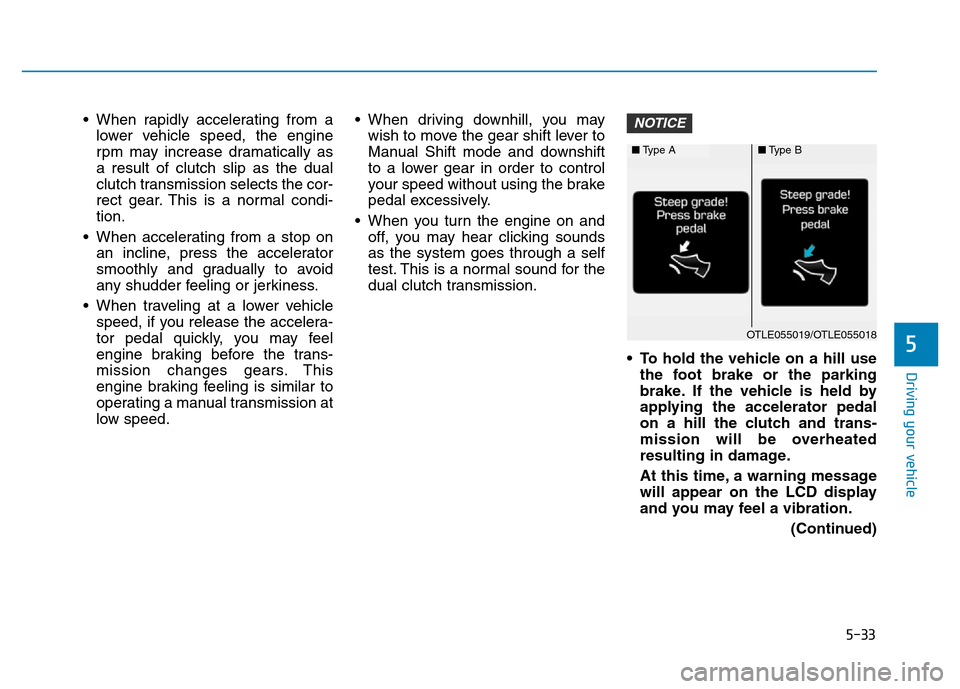
• To hold the vehicle on a hill use
the foot brake or the parking
brake. If the vehicle is held by
applying the accelerator pedal
on a hill the clutch and trans-
mission will be overheated
resulting in damage.
At this time, a warning message
will appear on the LCD display
and you may feel a vibration.
(Continued)NOTICE
5
■Type A■Type B
OTLE055019/OTLE055018
Page 423 of 637
5-37
Driving your vehicle
Information
• Only the seven forward gears can be
selected. To reverse or park the
vehicle, move the shift lever to the R
(Reverse) or P (Park) position as
required.
• Downshifts are made automatically
when the vehicle slows down. When
the vehicle stops, 1
stgear is automat-
ically selected.
• When the engine rpm approaches
the red zone the transmission will
upshift automatically.
• If the driver presses the lever to
+ (Up) or - (Down) position, the
transmission may not make the
requested gear change if the next
gear is outside of the allowable
engine rpm range. The driver must
execute upshifts in accordance with
road conditions, taking care to keep
the engine rpms below the red zone.
(Continued)(Continued)
• When driving on a slippery road,
push the shift lever forward into the
+ (Up) position. This causes the
transmission to shift into the 2
nd
gear which is better for smooth driv-
ing on a slippery road. Push the shift
lever to the - (Down) side to shift
back to the 1
stgear.
• When driving in manual shift mode,
slow down before shifting to a lower
gear. Otherwise, the lower gear may
not be engaged if the engine rpms
are outside of the allowable range.
Shift-lock system
For your safety, the dual clutch trans-
mission has a shift-lock system
which prevents shifting the transmis-
sion from P (Park) into R (Reverse)
unless the brake pedal is depressed.
To shift the transmission from P
(Park) into R (Reverse):
1. Depress and hold the brake pedal.
2. Start the engine or place the igni-
tion switch in the ON position.
3. Move the shift lever.
Shift-lock release
If the shift lever cannot be moved
from the P (Park) position into R
(Reverse) position with the brake
pedal depressed, continue depress-
ing the brake, and then do the follow-
ing:
i
5