display Hyundai Elantra 2018 Owner's Manual
[x] Cancel search | Manufacturer: HYUNDAI, Model Year: 2018, Model line: Elantra, Model: Hyundai Elantra 2018Pages: 526, PDF Size: 17.2 MB
Page 347 of 526
5-64
Driving your vehicle
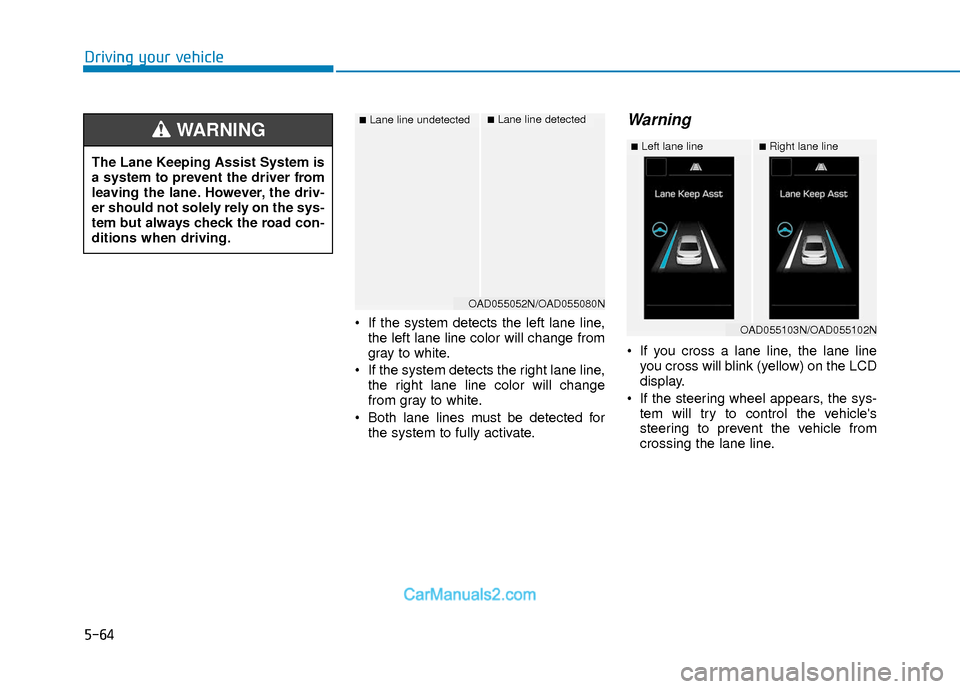
If the system detects the left lane line,the left lane line color will change from
gray to white.
If the system detects the right lane line, the right lane line color will change
from gray to white.
Both lane lines must be detected for the system to fully activate.
Warning
If you cross a lane line, the lane lineyou cross will blink (yellow) on the LCD
display.
If the steering wheel appears, the sys- tem will try to control the vehicle's
steering to prevent the vehicle from
crossing the lane line.
■Lane line undetected■Lane line detected
OAD055052N/OAD055080N
The Lane Keeping Assist System is
a system to prevent the driver from
leaving the lane. However, the driv-
er should not solely rely on the sys-
tem but always check the road con-
ditions when driving.
WARNING ■Left lane line■Right lane line
OAD055103N/OAD055102N
Page 351 of 526
5-68
Driving your vehicle
Lane Departure Warning System(LDWS)
LDWS alerts the driver with a visual
warning and a warning alarm when the
system detects the vehicle departing the
lane. The steering wheel will not be con-
trolled.
Standard LKA
The Standard LKA mode guides the driv-
er to keep the vehicle within the lanes. It
rarely controls the steering wheel, when
the vehicle drives well inside the lanes.
However, it starts to control the steering
wheel, when the vehicle is about to devi-
ate out of the lanes.
Active LKA
The Active LKA mode provides more fre-
quent steering wheel control in compari-
son with the Standard LKA mode. The
driver may not feel the onset of the steer-
ing wheel control, because the Active
LKA may be constantly controlling the
steering with lighter corrections.
Information
This device complies with Part 15 of the
FCC rules.
Operation is subject to the following two
conditions:
1. This device may not cause harmful
interference, and
2. This device must accept any interfer- ence received, including interference
that may cause undesired operation.
i
OTLE055031/OTLE055032/OTLE055033
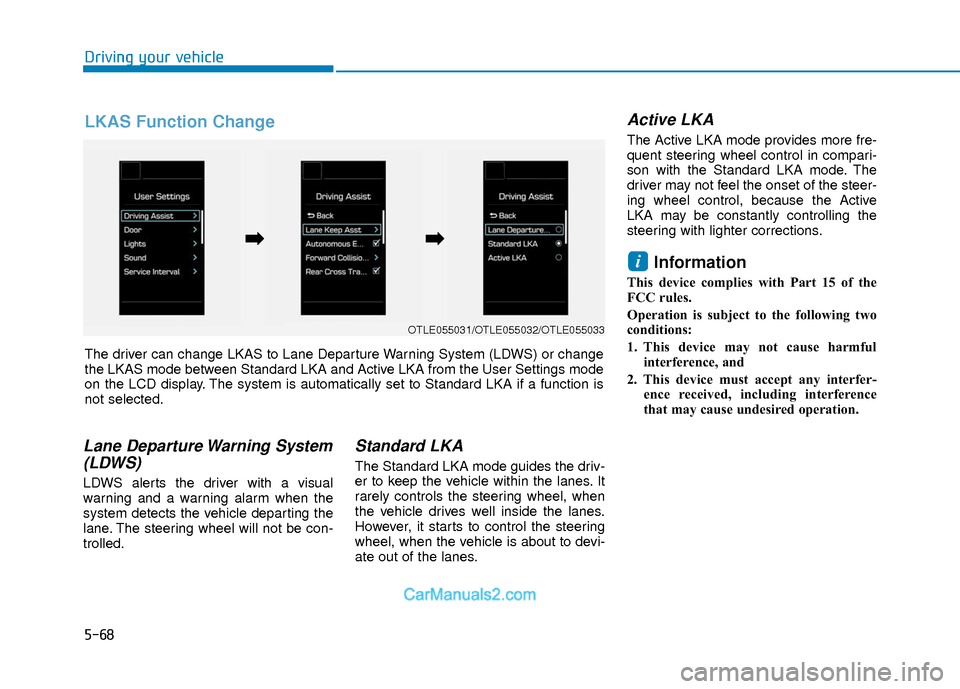
The driver can change LKAS to Lane Departure Warning System (LDWS) or change
the LKAS mode between Standard LKA and Active LKA from the User Settings mode
on the LCD display. The system is automatically set to Standard LKA if a function is
not selected.
➡ ➡ ➡
➡
LKAS Function Change
Page 359 of 526
5-76
Driving your vehicle
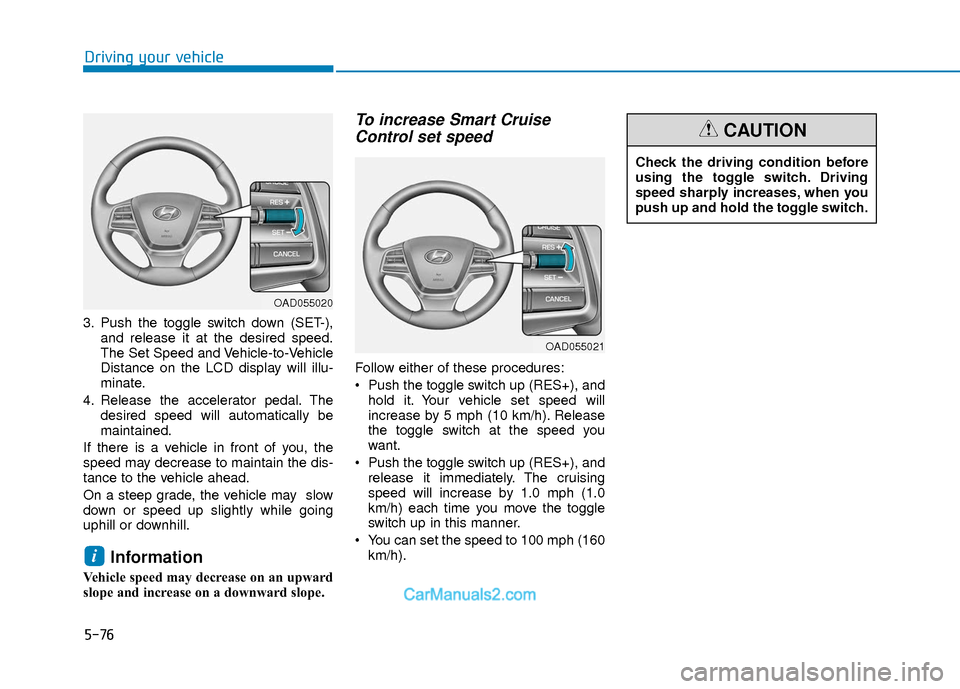
3. Push the toggle switch down (SET-),and release it at the desired speed.
The Set Speed and Vehicle-to-Vehicle
Distance on the LCD display will illu-
minate.
4. Release the accelerator pedal. The desired speed will automatically be
maintained.
If there is a vehicle in front of you, the
speed may decrease to maintain the dis-
tance to the vehicle ahead.
On a steep grade, the vehicle may slow
down or speed up slightly while going
uphill or downhill.
Information
Vehicle speed may decrease on an upward
slope and increase on a downward slope.
To increase Smart Cruise Control set speed
Follow either of these procedures:
Push the toggle switch up (RES+), and
hold it. Your vehicle set speed will
increase by 5 mph (10 km/h). Release
the toggle switch at the speed you
want.
Push the toggle switch up (RES+), and release it immediately. The cruising
speed will increase by 1.0 mph (1.0
km/h) each time you move the toggle
switch up in this manner.
You can set the speed to 100 mph (160 km/h).
i
OAD055020
OAD055021
Check the driving condition before
using the toggle switch. Driving
speed sharply increases, when you
push up and hold the toggle switch.
CAUTION
Page 360 of 526
5-77
Driving your vehicle
5
To decrease the Smart CruiseControl set speed
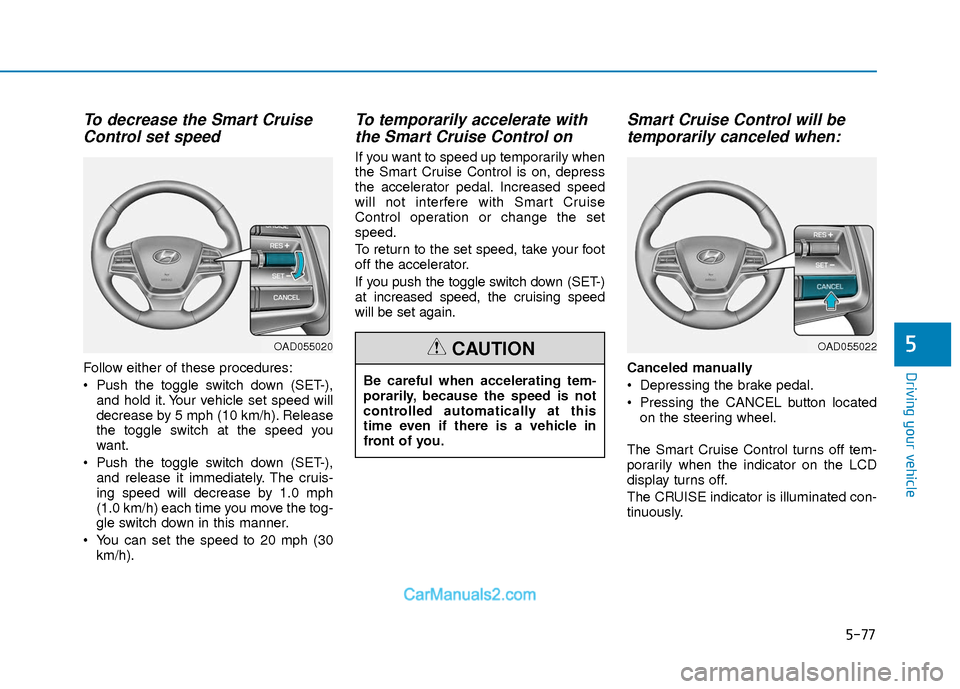
Follow either of these procedures:
Push the toggle switch down (SET-),
and hold it. Your vehicle set speed will
decrease by 5 mph (10 km/h). Release
the toggle switch at the speed you
want.
Push the toggle switch down (SET-), and release it immediately. The cruis-
ing speed will decrease by 1.0 mph
(1.0 km/h) each time you move the tog-
gle switch down in this manner.
You can set the speed to 20 mph (30 km/h).
To temporarily accelerate withthe Smart Cruise Control on
If you want to speed up temporarily when
the Smart Cruise Control is on, depress
the accelerator pedal. Increased speed
will not interfere with Smart Cruise
Control operation or change the set
speed.
To return to the set speed, take your foot
off the accelerator.
If you push the toggle switch down (SET-)
at increased speed, the cruising speed
will be set again.
Smart Cruise Control will betemporarily canceled when:
Canceled manually
Depressing the brake pedal.
Pressing the CANCEL button located
on the steering wheel.
The Smart Cruise Control turns off tem-
porarily when the indicator on the LCD
display turns off.
The CRUISE indicator is illuminated con-
tinuously.
OAD055020
Be careful when accelerating tem-
porarily, because the speed is not
controlled automatically at this
time even if there is a vehicle in
front of you.
CAUTIONOAD055022
Page 364 of 526
5-81
Driving your vehicle
5
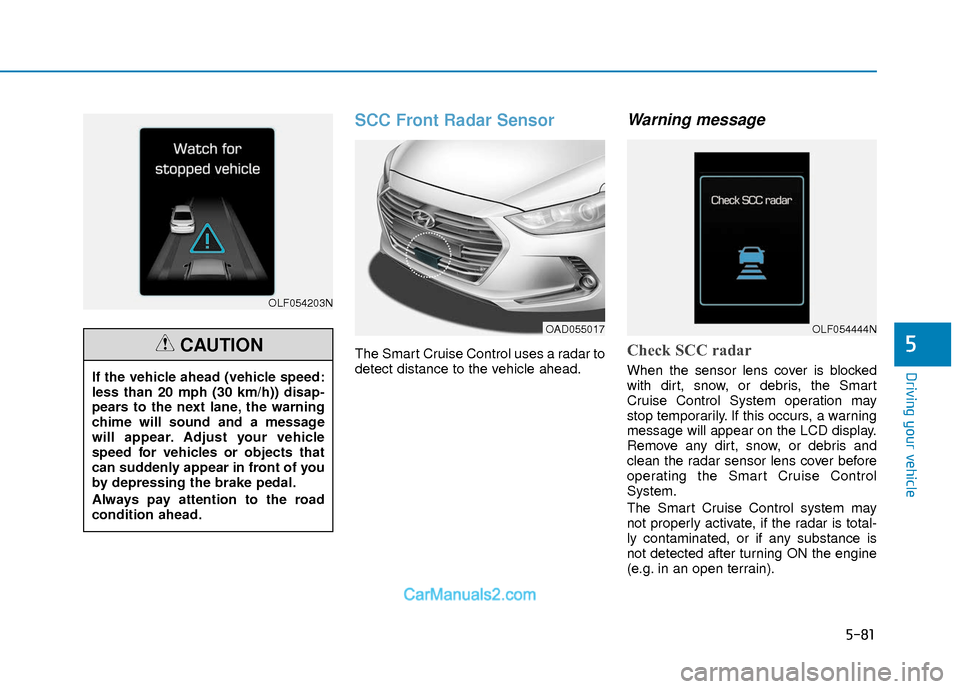
SCC Front Radar Sensor
The Smart Cruise Control uses a radar to
detect distance to the vehicle ahead.
Warning message
Check SCC radar
When the sensor lens cover is blocked
with dirt, snow, or debris, the Smart
Cruise Control System operation may
stop temporarily. If this occurs, a warning
message will appear on the LCD display.
Remove any dirt, snow, or debris and
clean the radar sensor lens cover before
operating the Smart Cruise Control
System.
The Smart Cruise Control system may
not properly activate, if the radar is total-
ly contaminated, or if any substance is
not detected after turning ON the engine
(e.g. in an open terrain).
OLF054203N
If the vehicle ahead (vehicle speed:
less than 20 mph (30 km/h)) disap-
pears to the next lane, the warning
chime will sound and a message
will appear. Adjust your vehicle
speed for vehicles or objects that
can suddenly appear in front of you
by depressing the brake pedal.
Always pay attention to the road
condition ahead.
CAUTION
OAD055017OLF054444N
Page 365 of 526
5-82
Driving your vehicle
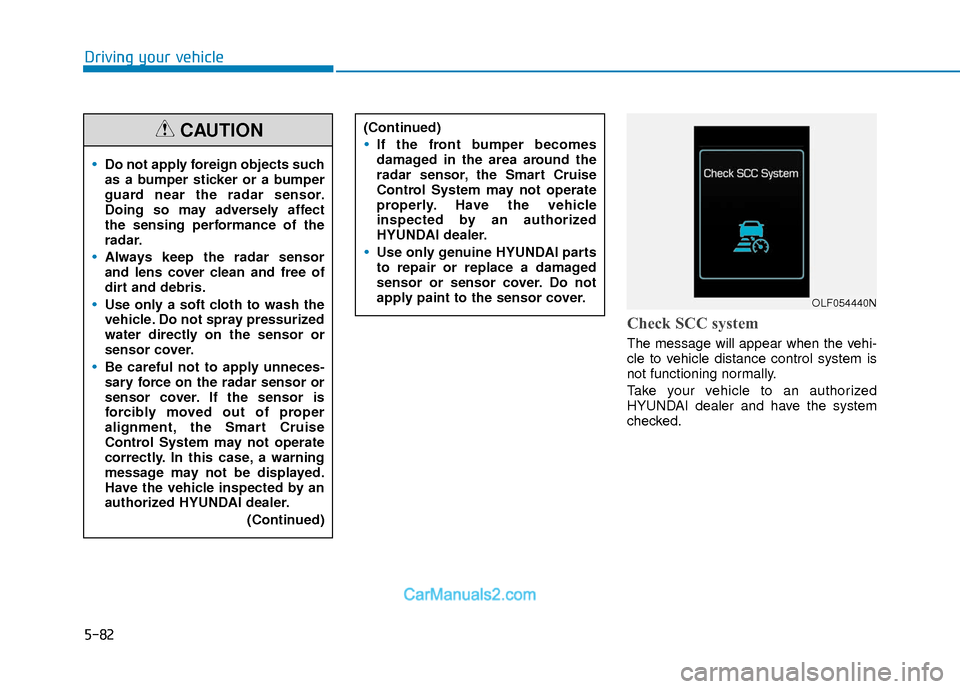
Check SCC system
The message will appear when the vehi-
cle to vehicle distance control system is
not functioning normally.
Take your vehicle to an authorized
HYUNDAI dealer and have the system
checked.
Do not apply foreign objects such
as a bumper sticker or a bumper
guard near the radar sensor.
Doing so may adversely affect
the sensing performance of the
radar.
Always keep the radar sensor
and lens cover clean and free of
dirt and debris.
Use only a soft cloth to wash the
vehicle. Do not spray pressurized
water directly on the sensor or
sensor cover.
Be careful not to apply unneces-
sary force on the radar sensor or
sensor cover. If the sensor is
forcibly moved out of proper
alignment, the Smart Cruise
Control System may not operate
correctly. In this case, a warning
message may not be displayed.
Have the vehicle inspected by an
authorized HYUNDAI dealer.(Continued)
CAUTION(Continued)
If the front bumper becomes
damaged in the area around the
radar sensor, the Smart Cruise
Control System may not operate
properly. Have the vehicle
inspected by an authorized
HYUNDAI dealer.
Use only genuine HYUNDAI parts
to repair or replace a damaged
sensor or sensor cover. Do not
apply paint to the sensor cover.
OLF054440N
Page 382 of 526
What to do in an emergency
6
Hazard Warning Flasher .......................................6-2
In Case of an Emergency While Driving.............6-2
If the Engine Stalls While Driving .................................6-2
If the Engine Stalls at a Crossroad or Crossing ........6-2
If you Have a Flat Tire While Driving ..........................6-2
If The Engine Will Not Start .................................6-3
If the Engine Doesn't Turn Over or
Turns Over Slowly .............................................................6-3
If the Engine Turns Over Normally but
Doesn't Start ......................................................................6-\
3
Jump Starting ..........................................................6-3
If The Engine Overheats .......................................6-6
Tire Pressure Monitoring System (TPMS).........6-7
Check Tire Pressure .........................................................6-7
Tire Pressure Monitoring System .................................6-8
Low Tire Pressure Telltale ..............................................6-9
Low Tire Pressure LCD Display with
Position Indicator.......................................................\
........6-9
TPMS Malfunction Indicator ........................................6-10
Changing a Tire with TPMS..........................................6-11
If You Have a Flat Tire........................................6-13
With Spare Tire................................................................6-13
With Tire Mobility Kit (TMK) - Type A,B ..................6-19
With Tire Mobility Kit (TMK) - Type C ......................6-27
Introduction ......................................................................6-\
27
Notes on the safe use of the Tire Mobility Kit.......6-28
Components of the Tire Mobility Kit .........................6-29
Using the Tire Mobility Kit............................................6-30
Distributing the sealant .................................................6-32
Checking the tire inflation pressure ..........................6-32
Towing ...................................................................6-34
Towing service .................................................................6-34
Removable Towing Hook ...............................................6-35
Emergency towing ..........................................................6-36
Tie-down hook ................................................................6-37
Page 388 of 526
6-7
What to do in an emergency
6
T
TI
IR
R E
E
P
P R
R E
ES
SS
SU
U R
RE
E
M
M O
ON
NI
IT
T O
O R
RI
IN
N G
G
S
S Y
Y S
ST
T E
EM
M
(
( T
T P
P M
M S
S)
)
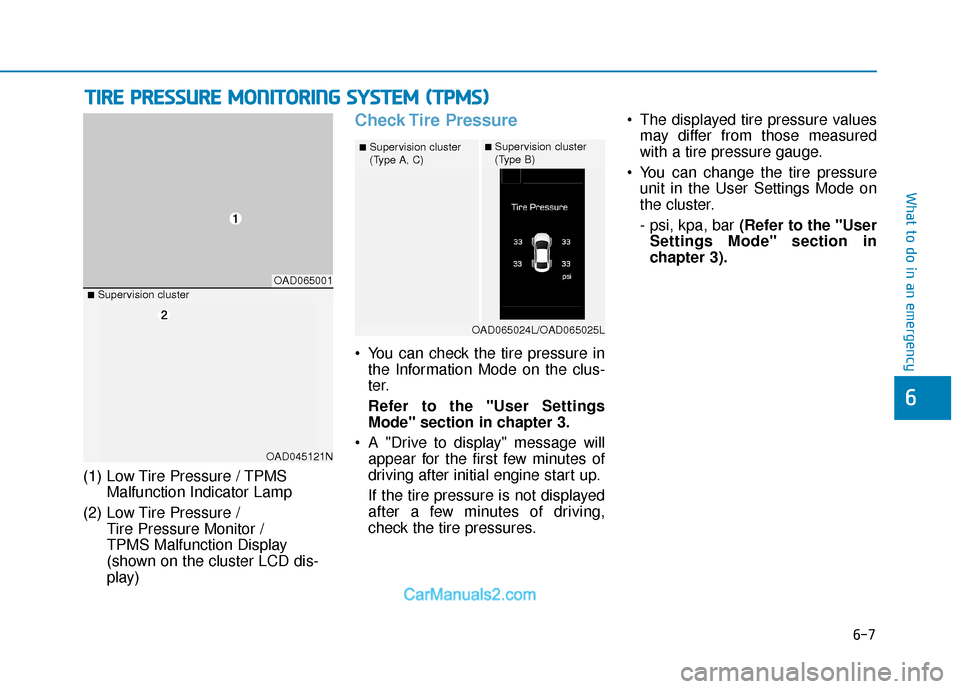
(1) Low Tire Pressure / TPMS
Malfunction Indicator Lamp
(2) Low Tire Pressure / Tire Pressure Monitor /
TPMS Malfunction Display
(shown on the cluster LCD dis-
play)
Check Tire Pressure
You can check the tire pressure inthe Information Mode on the clus-
ter.
Refer to the "User Settings
Mode" section in chapter 3.
A "Drive to display" message will appear for the first few minutes of
driving after initial engine start up.
If the tire pressure is not displayed
after a few minutes of driving,
check the tire pressures. The displayed tire pressure values
may differ from those measured
with a tire pressure gauge.
You can change the tire pressure unit in the User Settings Mode on
the cluster.
- psi, kpa, bar (Refer to the "User
Settings Mode" section in
chapter 3).
OAD065001
■Supervision cluster
(Type A, C)■Supervision cluster
(Type B)
OAD065024L/OAD065025L
■Supervision cluster
OAD045121N
Page 390 of 526
6-9
What to do in an emergency
6
If any of the below happens, have
the system checked by an author-
ized HYUNDAI dealer.
1. The Low Tire Pressure TPMSMalfunction Indicator does not
illuminate for 3 seconds when
the ignition switch is placed to
the ON position or engine is
running.
2. The TPMS Malfunction Indicator remains illuminated after blink-
ing for approximately 1 minute.
3. The Low Tire Pressure LCD dis- play remains illuminated.
Low Tire Pressure
Telltale
Low Tire Pressure LCD
Display with Position Indicator
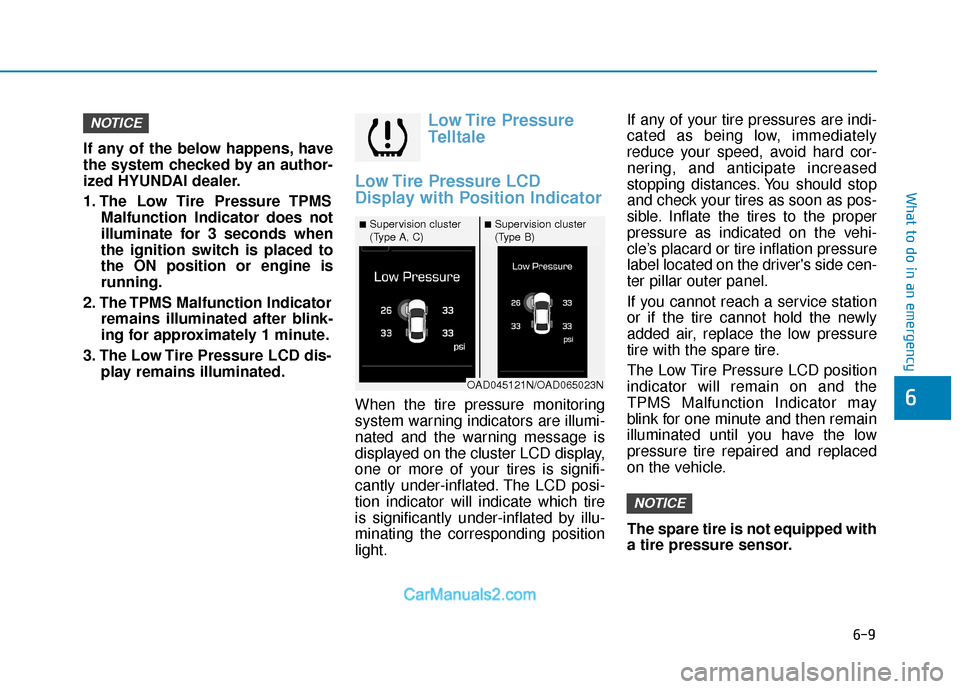
When the tire pressure monitoring
system warning indicators are illumi-
nated and the warning message is
displayed on the cluster LCD display,
one or more of your tires is signifi-
cantly under-inflated. The LCD posi-
tion indicator will indicate which tire
is significantly under-inflated by illu-
minating the corresponding position
light. If any of your tire pressures are indi-
cated as being low, immediately
reduce your speed, avoid hard cor-
nering, and anticipate increased
stopping distances. You should stop
and check your tires as soon as pos-
sible. Inflate the tires to the proper
pressure as indicated on the vehi-
cle’s placard or tire inflation pressure
label located on the driver's side cen-
ter pillar outer panel.
If you cannot reach a service station
or if the tire cannot hold the newly
added air, replace the low pressure
tire with the spare tire.
The Low Tire Pressure LCD position
indicator will remain on and the
TPMS Malfunction Indicator may
blink for one minute and then remain
illuminated until you have the low
pressure tire repaired and replaced
on the vehicle.
The spare tire is not equipped with
a tire pressure sensor.
NOTICE
NOTICE
■Supervision cluster
(Type A, C)■Supervision cluster
(Type B)
OAD045121N/OAD065023N
Page 391 of 526
6-10
What to do in an emergency
TPMS Malfunction
Indicator
The TPMS Malfunction Indicator will
illuminate after it blinks for approxi-
mately one minute when there is a
problem with the Tire Pressure
Monitoring System.
Have the system checked by an
authorized HYUNDAI dealer as soon
as possible.
If there is a malfunction with the
TPMS, the individual tire pres-
sures in the cluster LCD display
will not be available. Have the sys-
tem checked by an authorized
HYUNDAI dealer as soon as possi-
ble.
NOTICE
In winter or cold weather, the
Low Tire Pressure Telltale may
be illuminated if the tire pres-
sure was adjusted to the recom-
mended tire inflation pressure
in warm weather. It does not
mean your TPMS is malfunc-
tioning because the decreased
temperature leads to a propor-
tional lowering of tire pressure.
When you drive your vehicle
from a warm area to a cold area
or from a cold area to a warm
area, or the outside temperature
is greatly higher or lower, you
should check the tire inflation
pressure and adjust the tires to
the recommended tire inflation
pressure.
CAUTION
Low pressure damage
Significantly low tire pressure
makes the vehicle unstable and
can contribute to loss of vehicle
control and increased braking
distances.
Continued driving on low pres-
sure tires can cause the tires to
overheat and fail.
WARNING