steering Hyundai Elantra 2018 User Guide
[x] Cancel search | Manufacturer: HYUNDAI, Model Year: 2018, Model line: Elantra, Model: Hyundai Elantra 2018Pages: 526, PDF Size: 17.2 MB
Page 75 of 526
2-58
Safety system of your vehicle
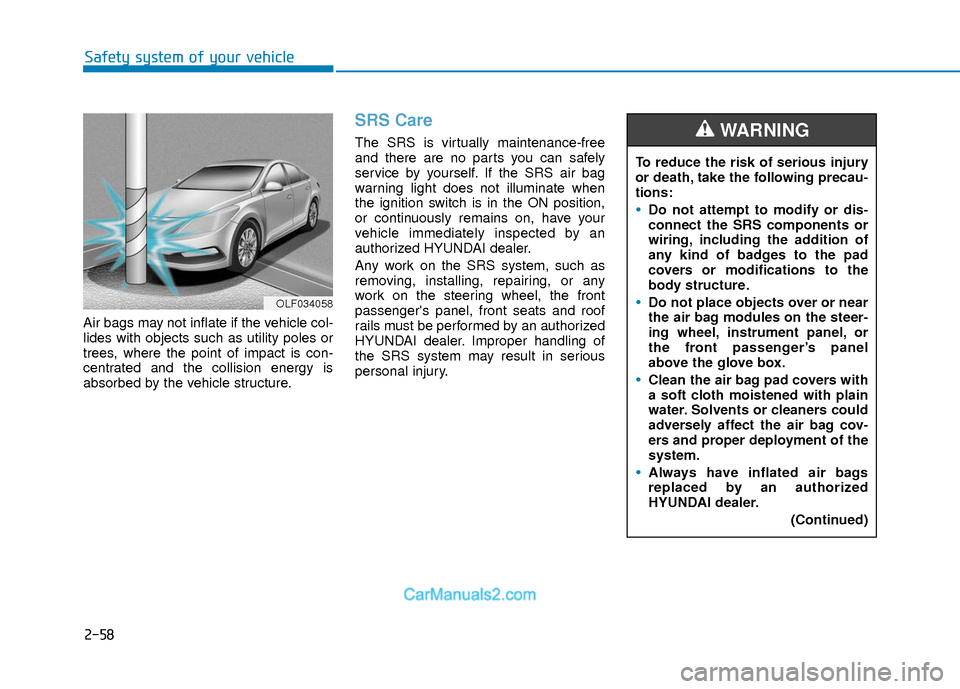
Air bags may not inflate if the vehicle col-
lides with objects such as utility poles or
trees, where the point of impact is con-
centrated and the collision energy is
absorbed by the vehicle structure.
SRS Care
The SRS is virtually maintenance-free
and there are no parts you can safely
service by yourself. If the SRS air bag
warning light does not illuminate when
the ignition switch is in the ON position,
or continuously remains on, have your
vehicle immediately inspected by an
authorized HYUNDAI dealer.
Any work on the SRS system, such as
removing, installing, repairing, or any
work on the steering wheel, the front
passenger's panel, front seats and roof
rails must be performed by an authorized
HYUNDAI dealer. Improper handling of
the SRS system may result in serious
personal injury.To reduce the risk of serious injury
or death, take the following precau-
tions:
Do not attempt to modify or dis-
connect the SRS components or
wiring, including the addition of
any kind of badges to the pad
covers or modifications to the
body structure.
Do not place objects over or near
the air bag modules on the steer-
ing wheel, instrument panel, or
the front passenger’s panel
above the glove box.
Clean the air bag pad covers with
a soft cloth moistened with plain
water. Solvents or cleaners could
adversely affect the air bag cov-
ers and proper deployment of the
system.
Always have inflated air bags
replaced by an authorized
HYUNDAI dealer.
(Continued)
WARNING
OLF034058
Page 78 of 526

Convenient features of your vehicle
Accessing Your Vehicle .........................................3-3
Remote Key........................................................................\
.3-3
Smart Key ........................................................................\
....3-6
Immobilizer System .........................................................3-10
Door Locks ............................................................3-11
Operating Door Locks from Outside the Vehicle ....3-11
Operating Door Locks from Inside the Vehicle .......3-12
Auto Door Lock/Unlock Features ...............................3-14
Child-Protector Rear Door locks ................................3-15
Theft-Alarm System ............................................3-15
Driver Position Memory System ........................3-16
Storing Positions into Memory ....................................3-17
Easy Access Function ....................................................3-18
Steering Wheel .....................................................3-18
Electric Power Steering (EPS) .....................................3-18
Tilt Steering/Telescope Steering.................................3-19
Horn ........................................................................\
............3-19
Mirrors ...................................................................3-20
Inside Rearview Mirror ..................................................3-20
Side View Mirrors ...........................................................3-33
Reverse Parking Aid Function......................................3-36
Windows ................................................................3-37
Power Windows ...............................................................3-38
Sunroof..................................................................3-41
Sunroof opening and closing .......................................3-42
Sliding the sunroof .........................................................3-42
Tilting the sunroof ..........................................................3-43
Sunshade ........................................................................\
...3-43
Resetting the sunroof ....................................................3-44
Exterior Features .................................................3-45
Hood ........................................................................\
...........3-45
Trunk ........................................................................\
..........3-46
Smart Trunk ......................................................................3-\
48
Fuel Filler Door ................................................................3-51
Instrument Cluster ...............................................3-54
Instrument Cluster Control............................................3-56
Gauges ........................................................................\
.......3-56
Warning and Indicator lights ........................................3-61
LCD Display Messages ...................................................3-71
LCD Display (For Supervision Cluster) .............3-80
LCD Display Control ........................................................3-80
LCD Display Modes .........................................................3-81
User Settings Mode ........................................................3-85
Trip Computer .......................................................3-90
Conventional Cluster.......................................................3\
-90
Supervision Cluster .........................................................3-94
3
Page 95 of 526
3-18
S
ST
T E
EE
ER
R I
IN
N G
G
W
W H
HE
EE
EL
L
Convenient features of your vehicle
If the Electric Power Steering
System does not operate normally,
the warning light ( ) will illumi-
nate on the instrument cluster. You
may steer the vehicle, but it will
require increased steering efforts.
Take your vehicle to an authorized
HYUNDAI dealer and have the sys-
tem checked as soon as possible.
CAUTION
Easy Access Function
When exiting the vehicle the driver’s seat
will move rearward when the engine is
turned off and the shift lever in P (Park).
When entering the vehicle the driver’s
seat will move forward when the ignition
switch is placed to the ACC position.
You can activate or deactivate the Easy
Access Function from the User Settings
Mode on the LCD display.
For more information, refer to the
"LCD Display" section in this chapter.
Electric Power Steering (EPS)
The system assists you with steering the
vehicle. If the engine is turned off or if the
power steering system becomes inoper-
ative, you may still steer the vehicle, but
it will require increased steering effort.
Should you notice any change in the
effort required to steer during normal
vehicle operation, have the system
checked by an authorized HYUNDAI
dealer.
Information
The following symptoms may occur dur-
ing normal vehicle operation:
• The steering effort may be high immedi-
ately after placing the ignition switch in
the ON position.
This happens as the system performs the
EPS system diagnostics. When the diag-
nostics is completed, the steering wheel
will return to its normal condition.
• A click noise may be heard from the EPS relay after the ignition switch is in
the ON or OFF position.
• Motor noise may be heard when the vehicle is at a stop or at a low driving
speed.
• When you operate the steering wheel in low temperature, abnormal noise may
occur. If temperature rises, the noise will
disappear. This is a normal condition.
• When an error is detected from the EPS, the warning light will illuminate on the
instrument cluster and the steering
efforts may be increased. When the fol-
lowing symptoms occur, immediately
drive the vehicle to a safe area and
check it.
i
Page 96 of 526
3-19
Convenient features of your vehicle
3
Tilt Steering/Telescope Steering
Adjust the steering wheel so it points
toward your chest, not toward your face.
Make sure you can see the instrument
cluster warning lights and gauges. After
adjusting, push the steering wheel both
up and down to be certain it is locked in
position. Always adjust the position of the
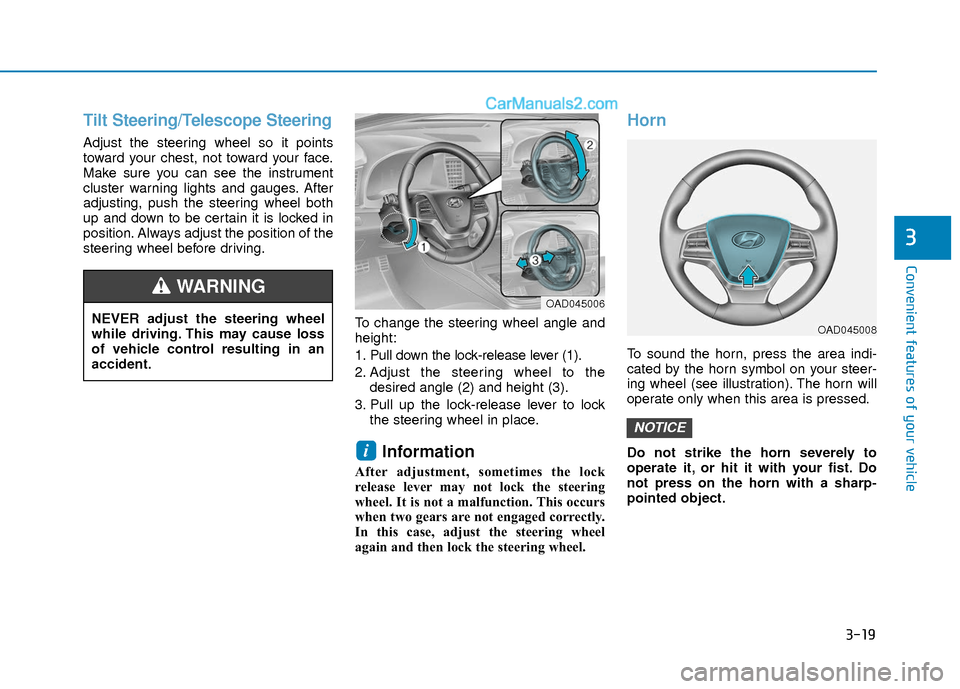
steering wheel before driving.To change the steering wheel angle and
height:
1. Pull down the lock-release lever (1).
2. Adjust the steering wheel to thedesired angle (2) and height (3).
3. Pull up the lock-release lever to lock the steering wheel in place.
Information
After adjustment, sometimes the lock
release lever may not lock the steering
wheel. It is not a malfunction. This occurs
when two gears are not engaged correctly.
In this case, adjust the steering wheel
again and then lock the steering wheel.
Horn
To sound the horn, press the area indi-
cated by the horn symbol on your steer-
ing wheel (see illustration). The horn will
operate only when this area is pressed.
Do not strike the horn severely to
operate it, or hit it with your fist. Do
not press on the horn with a sharp-
pointed object.
NOTICE
i
NEVER adjust the steering wheel
while driving. This may cause loss
of vehicle control resulting in an
accident.
WARNING OAD045006
OAD045008
Page 136 of 526
3-59
Convenient features of your vehicle
3
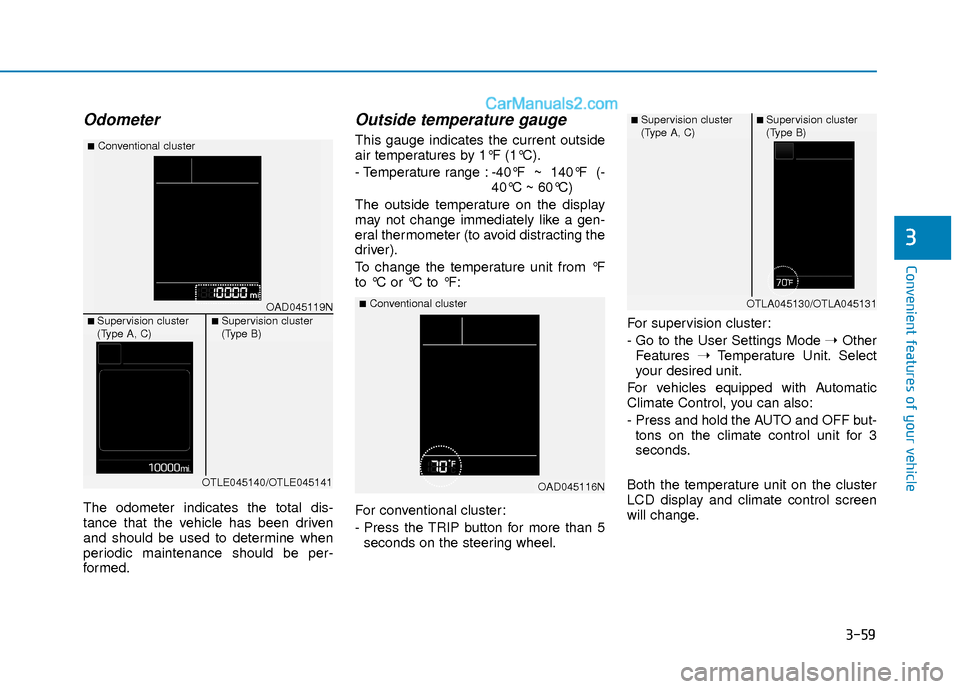
Odometer
The odometer indicates the total dis-
tance that the vehicle has been driven
and should be used to determine when
periodic maintenance should be per-
formed.
Outside temperature gauge
This gauge indicates the current outside
air temperatures by 1°F (1°C).
- Temperature range :-40°F ~ 140°F (-
40°C ~ 60°C)
The outside temperature on the display
may not change immediately like a gen-
eral thermometer (to avoid distracting the
driver).
To change the temperature unit from °F
to °C or °C to °F:
For conventional cluster:
- Press the TRIP button for more than 5 seconds on the steering wheel. For supervision cluster:
- Go to the User Settings Mode
➝Other
Features ➝Temperature Unit. Select
your desired unit.
For vehicles equipped with Automatic
Climate Control, you can also:
- Press and hold the AUTO and OFF but- tons on the climate control unit for 3
seconds.
Both the temperature unit on the cluster
LCD display and climate control screen
will change.
OAD045116N
■Conventional clusterOAD045119N
■Conventional cluster
■ Supervision cluster
(Type A, C)■ Supervision cluster
(Type B)
OTLE045140/OTLE045141
■ Supervision cluster
(Type A, C)■ Supervision cluster
(Type B)
OTLA045130/OTLA045131
Page 140 of 526
3-63
Convenient features of your vehicle
3
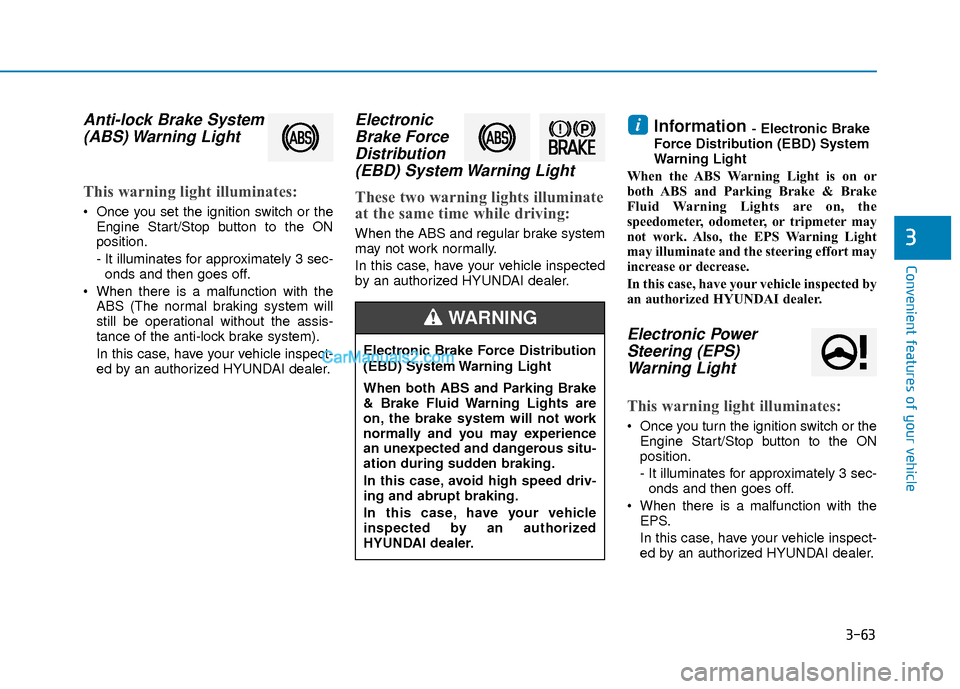
Anti-lock Brake System(ABS) Warning Light
This warning light illuminates:
Once you set the ignition switch or the
Engine Start/Stop button to the ON
position.
- It illuminates for approximately 3 sec-onds and then goes off.
When there is a malfunction with the ABS (The normal braking system will
still be operational without the assis-
tance of the anti-lock brake system).
In this case, have your vehicle inspect-
ed by an authorized HYUNDAI dealer.
ElectronicBrake ForceDistribution(EBD) System Warning Light
These two warning lights illuminate
at the same time while driving:
When the ABS and regular brake system
may not work normally.
In this case, have your vehicle inspected
by an authorized HYUNDAI dealer.
Information - Electronic Brake
Force Distribution (EBD) System
Warning Light
When the ABS Warning Light is on or
both ABS and Parking Brake & Brake
Fluid Warning Lights are on, the
speedometer, odometer, or tripmeter may
not work. Also, the EPS Warning Light
may illuminate and the steering effort may
increase or decrease.
In this case, have your vehicle inspected by
an authorized HYUNDAI dealer.
Electronic Power Steering (EPS)Warning Light
This warning light illuminates:
Once you turn the ignition switch or the
Engine Start/Stop button to the ON
position.
- It illuminates for approximately 3 sec-onds and then goes off.
When there is a malfunction with the EPS.
In this case, have your vehicle inspect-
ed by an authorized HYUNDAI dealer.
i
Electronic Brake Force Distribution
(EBD) System Warning Light
When both ABS and Parking Brake
& Brake Fluid Warning Lights are
on, the brake system will not work
normally and you may experience
an unexpected and dangerous situ-
ation during sudden braking.
In this case, avoid high speed driv-
ing and abrupt braking.
In this case, have your vehicle
inspected by an authorized
HYUNDAI dealer.
WARNING
Page 151 of 526
3-74
Convenient features of your vehicle
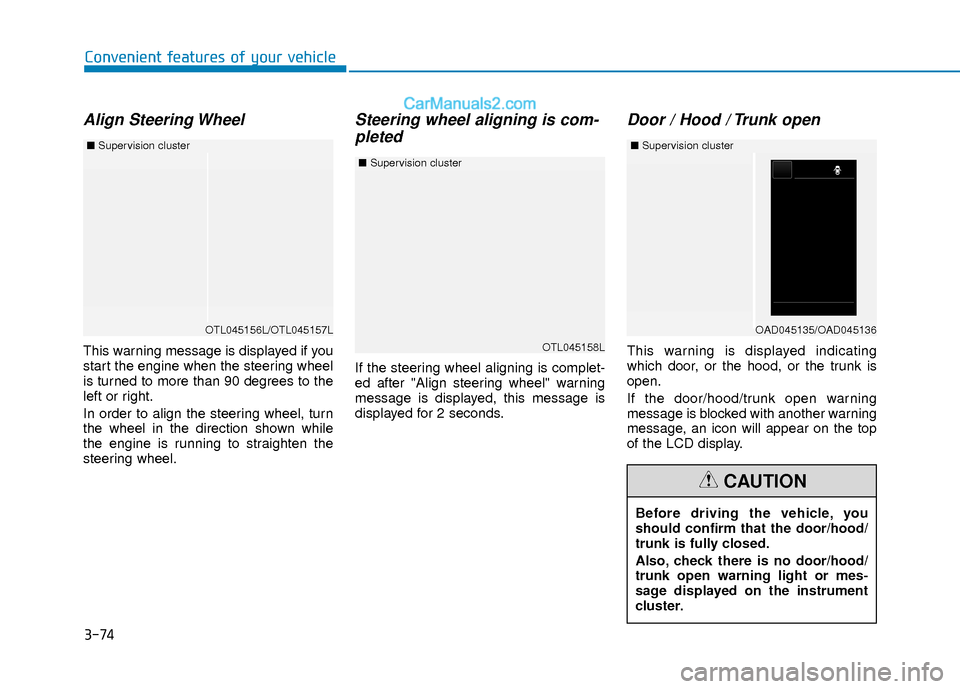
Align Steering Wheel
This warning message is displayed if you
start the engine when the steering wheel
is turned to more than 90 degrees to the
left or right.
In order to align the steering wheel, turn
the wheel in the direction shown while
the engine is running to straighten the
steering wheel.
Steering wheel aligning is com-pleted
If the steering wheel aligning is complet-
ed after "Align steering wheel" warning
message is displayed, this message is
displayed for 2 seconds.
Door / Hood / Trunk open
This warning is displayed indicating
which door, or the hood, or the trunk is
open.
If the door/hood/trunk open warning
message is blocked with another warning
message, an icon will appear on the top
of the LCD display.
OTL045156L/OTL045157L
■ Supervision cluster
Before driving the vehicle, you
should confirm that the door/hood/
trunk is fully closed.
Also, check there is no door/hood/
trunk open warning light or mes-
sage displayed on the instrument
cluster.
CAUTION
OTL045158L
■Supervision cluster
OAD045135/OAD045136
■Supervision cluster
Page 152 of 526
3-75
Convenient features of your vehicle
3
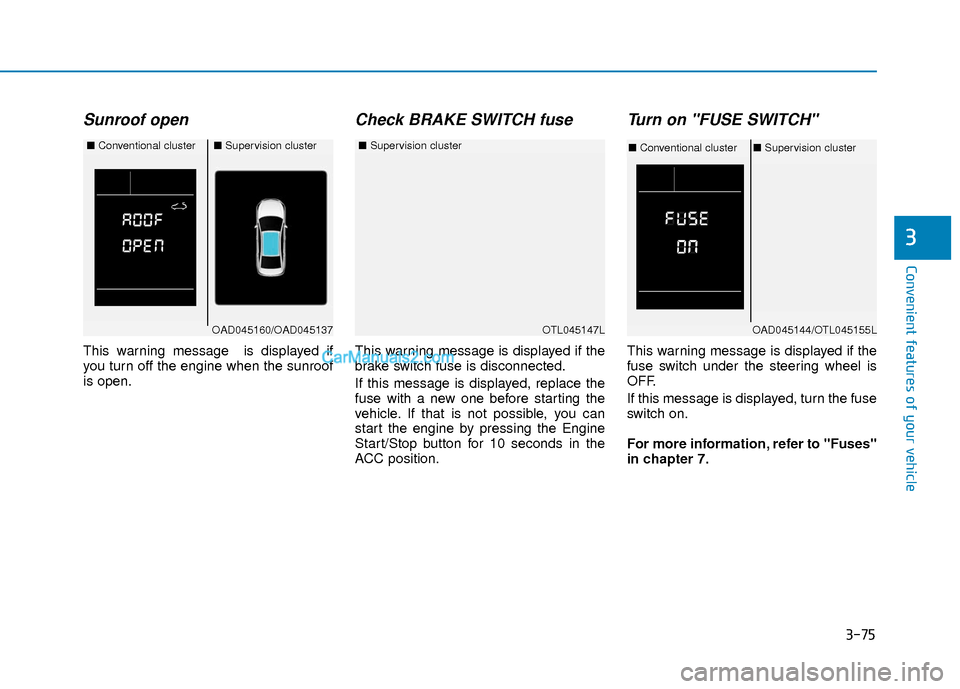
Sunroof open
This warning message is displayed if
you turn off the engine when the sunroof
is open.
Check BRAKE SWITCH fuse
This warning message is displayed if the
brake switch fuse is disconnected.
If this message is displayed, replace the
fuse with a new one before starting the
vehicle. If that is not possible, you can
start the engine by pressing the Engine
Start/Stop button for 10 seconds in the
ACC position.
Turn on "FUSE SWITCH"
This warning message is displayed if the
fuse switch under the steering wheel is
OFF.
If this message is displayed, turn the fuse
switch on.
For more information, refer to "Fuses"
in chapter 7.
OTL045147L
■Supervision cluster
OAD045160/OAD045137
■Conventional cluster■Supervision cluster
OAD045144/OTL045155L
■Conventional cluster ■Supervision cluster
Page 165 of 526
3-88
Convenient features of your vehicle
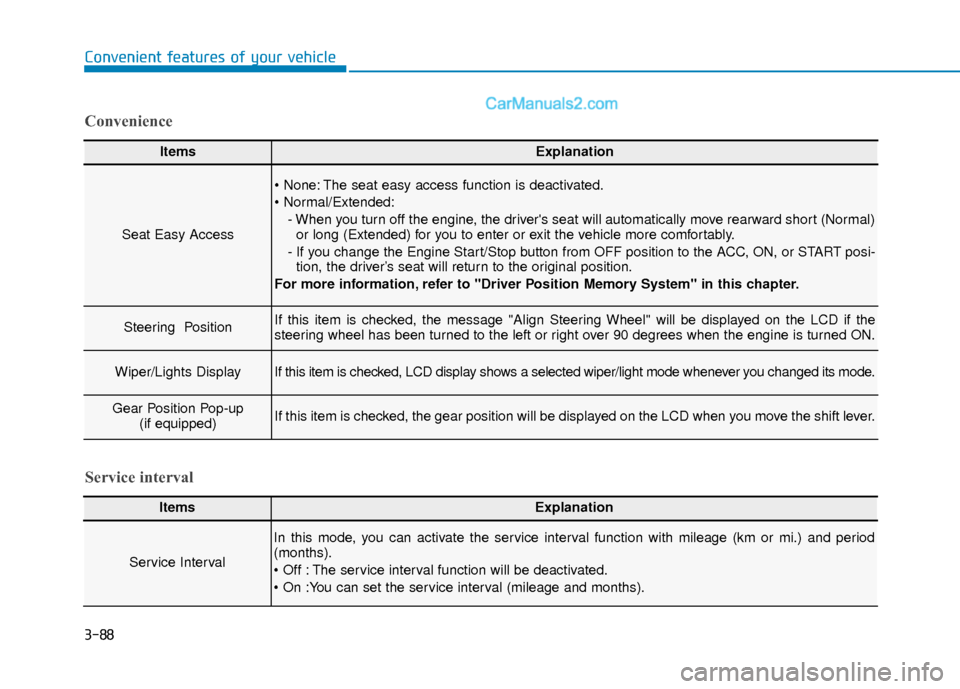
ItemsExplanation
Seat Easy Access
The seat easy access function is deactivated.
- When you turn off the engine, the driver's seat will automatically move rearward short (Normal)or long (Extended) for you to enter or exit the vehicle more comfortably.
- If you change the Engine Start/Stop button from OFF position to the ACC, ON, or START posi- tion, the driver’s seat will return to the original position.
For more information, refer to "Driver Position Memory System" in this chapter.
Steering Position If this item is checked, the message "Align Steering Wheel" will be displayed on the LCD if the
steering wheel has been turned to the left or right over 90 degrees when the engine is turned ON.
Wiper/Lights DisplayIf this item is checked, LCD display shows a selected wiper/light mode whenever you changed its mode.
Gear Position Pop-up (if equipped)If this item is checked, the gear position will be displayed on the LCD when you move the shift lever.
Convenience
ItemsExplanation
Service Interval
In this mode, you can activate the service interval function with mileage (km or mi.) and period
(months).
The service interval function will be deactivated.
Service interval
Page 167 of 526
3-90
Convenient features of your vehicle
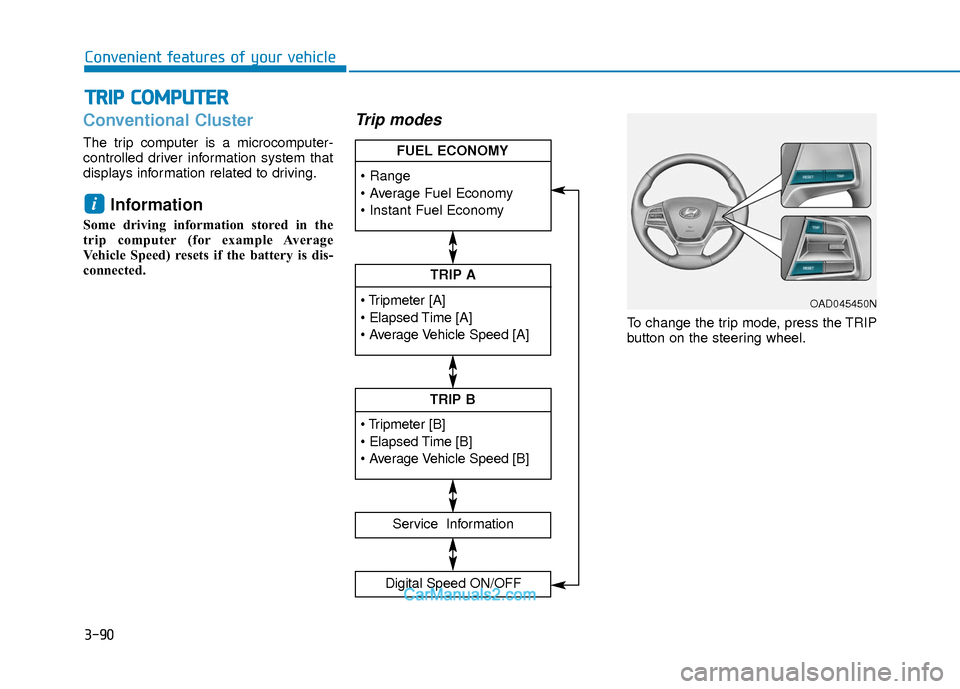
Conventional Cluster
The trip computer is a microcomputer-
controlled driver information system that
displays information related to driving.
Information
Some driving information stored in the
trip computer (for example Average
Vehicle Speed) resets if the battery is dis-
connected.
Trip modes
To change the trip mode, press the TRIP
button on the steering wheel.
i
T TR
R I
IP
P
C
C O
O M
M P
PU
U T
TE
ER
R
TRIP A
Service Information
Digital Speed ON/OFF
TRIP B
FUEL ECONOMY
OAD045450N