air Hyundai Elantra 2018 Service Manual
[x] Cancel search | Manufacturer: HYUNDAI, Model Year: 2018, Model line: Elantra, Model: Hyundai Elantra 2018Pages: 526, PDF Size: 17.2 MB
Page 91 of 526
3-14
Convenient features of your vehicle
Auto Door Lock/
Unlock Features
Impact sensing door unlock
All doors will be automatically unlocked
when an impact causes the air bags to
deploy.
Speed sensing door lock
All doors will be automatically locked
when vehicle speed exceeds 9 mph (15
km/h).
All of the doors will be automatically
unlocked after the engine is turned off.
Shift lever auto door lock
All doors will be automatically locked
when shifting the shift lever out of P
(Park) with the engine running.
You can activate or deactivate the Auto
Door Lock/Unlock features from the User
Settings Mode on the LCD display.
For more information, refer to the
"LCD Display" section in this chapter.
Always secure your vehicle.
Leaving your vehicle unlocked
increases the potential risk to you
or others from someone hiding in
your vehicle.
To secure your vehicle, while
depressing the brake, move the
shift lever to the P (Park) position,
engage the parking brake, and
place the ignition switch in the
LOCK/OFF position, close all win-
dows, lock all doors, and always
take the key with you.
WARNING
Opening a door when something is
approaching may cause damage or
injury. Be careful when opening
doors and watch for vehicles,
motorcycles, bicycles or pedestri-
ans approaching the vehicle in the
path of the door.
CAUTION
If you stay in the vehicle for a long
time while the weather is very hot
or cold, there are risks of injuries or
danger to life. Do not lock the vehi-
cle from the outside when someone
is in the vehicle.
WARNING
Page 97 of 526
3-20
Convenient features of your vehicle
Inside Rearview Mirror
Before you start driving, adjust the
rearview mirror to the center on the view
through the rear window.When cleaning the mirror, use a paper
towel or similar material dampened
with glass cleaner. Do not spray glass
cleaner directly on the mirror as that
may cause the liquid cleaner to enter
the mirror housing.
Day/night rearview mirror
(if equipped)
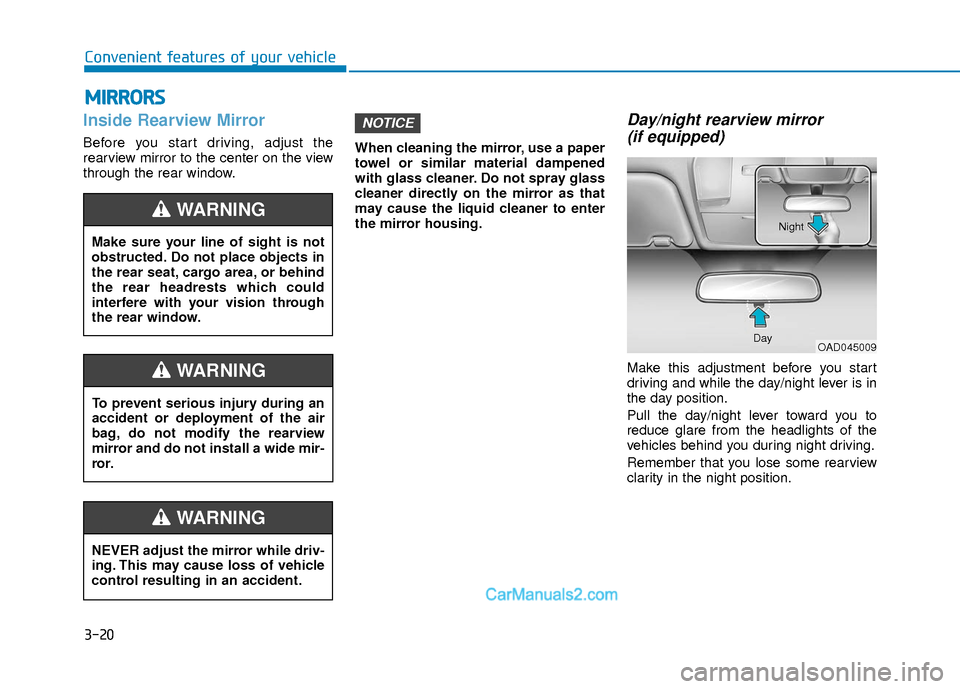
Make this adjustment before you start
driving and while the day/night lever is in
the day position.
Pull the day/night lever toward you to
reduce glare from the headlights of the
vehicles behind you during night driving.
Remember that you lose some rearview
clarity in the night position.
NOTICE
M M I
IR
R R
RO
O R
RS
S
Make sure your line of sight is not
obstructed. Do not place objects in
the rear seat, cargo area, or behind
the rear headrests which could
interfere with your vision through
the rear window.
WARNING
NEVER adjust the mirror while driv-
ing. This may cause loss of vehicle
control resulting in an accident.
WARNING
To prevent serious injury during an
accident or deployment of the air
bag, do not modify the rearview
mirror and do not install a wide mir-
ror.
WARNING
OAD045009
Day Night
Page 100 of 526
3-23
Convenient features of your vehicle
3
To adjust the Zone setting:
1. Determine the desired Zone Numberbased upon your current location on
the Zone Map.
2. Press and hold the button for 6 sec- onds, the current Zone Number will
appear on the display.
3. Pressing and holding the button again will cause the numbers to incre-
ment (Note: they will repeat …13, 14,
15, 1, 2, …). Releasing the button
when the desired Zone Number
appears on the display will set the new
Zone.
4. Within about 5 seconds the compass will start displaying a compass head-
ing again.
There are some conditions that can
cause changes to the vehicle magnets,
such as installing a ski rack or a CB
antenna. Body repair work on the vehicle
can also cause changes to the vehicle’s
magnetic field. In these situations, the
compass will need to be re-calibrated to
quickly correct these changes.
B520C05NF
Page 107 of 526
3-30
Convenient features of your vehicle
To adjust the Zone setting:
1. Determine the desired Zone Numberbased upon your current location on
the Zone Map.
2. Press and hold the button for more than 3 but less than 6 seconds, the
current Zone Number will appear on
the display.
3. Pressing and holding the button again will cause the numbers to incre-
ment (Note: they will repeat …13, 14,
15, 1, 2, …). Releasing the button
when the desired Zone Number
appears on the display will set the new
Zone.
4. Within about 5 seconds the compass will start displaying a compass head-
ing again.
There are some conditions that can
cause changes to the vehicle magnets,
such as installing a ski rack or a CB
antenna. Body repair work on the vehicle
can also cause changes to the vehicle’s
magnetic field. In these situations, the
compass will need to be re-calibrated to
quickly correct these changes. If you need to recalibrate the compass:
1. Press and hold the button for more
than 6 seconds. When the compass
memory is cleared a "C" will appear in
the display.
2. Drive the vehicle in 2 complete circles at less than 5 mph (8 km/h).
Integrated HomeLink®Wireless
Control System
The HomeLink®Wireless Control System
can replace up to three hand-held radio-
frequency (RF) transmitters with a single
built-in device. This innovative feature will
learn the radio frequency codes of most
current transmitters to operate devices
such as gate operators, garage door
openers, entry door locks, security sys-
tems, even home lighting. Both standard
and rolling code-equipped transmitters
can be programmed by following the out-
lined procedures.
Additional HomeLink
®information can be
found at: www.homelink.com or by calling
1-800-355-3515.
Retain the original transmitter of the RF
device you are programming for use in
other vehicles as well as for future
HomeLink
®programming. It is also sug-
gested that upon the sale of the vehicle,
the programmed HomeLink
®buttons be
erased for security purposes.
Before programming HomeLink®to
a garage door opener or gate oper-
ator, make sure people and objects
are out of the way of the device to
prevent potential harm or damage.
Do not use the HomeLink
®with any
garage door opener that lacks the
safety stop and reverse features
required by U.S. federal safety stan-
dards (this includes any garage
door opener model manufactured
before April 1, 1982). A garage door
that cannot detect an object - sig-
naling the door to stop and reverse
- does not meet current U.S. federal
safety standards. Using a garage
door opener without these features
increases the risk of serious injury
or death.
WARNING
Page 128 of 526
3-51
Convenient features of your vehicle
3
Information
• The Smart Trunk function will not workif any of the following occurs:
- The smart key is close to a radio trans-mitter such as a radio station or an air-
port which can interfere with normal
operation of the transmitter.
- The smart key is near a mobile two way radio system or a cellular phone.
- Another vehicle's smart key is being operated close to your vehicle.
• The detecting range may decrease or increase when :
- One side of the tire is raised to replacea tire or to inspect the vehicle.
- The vehicle is parked on a slope or unpaved road, etc.
Fuel Filler Door
Opening the fuel filler door
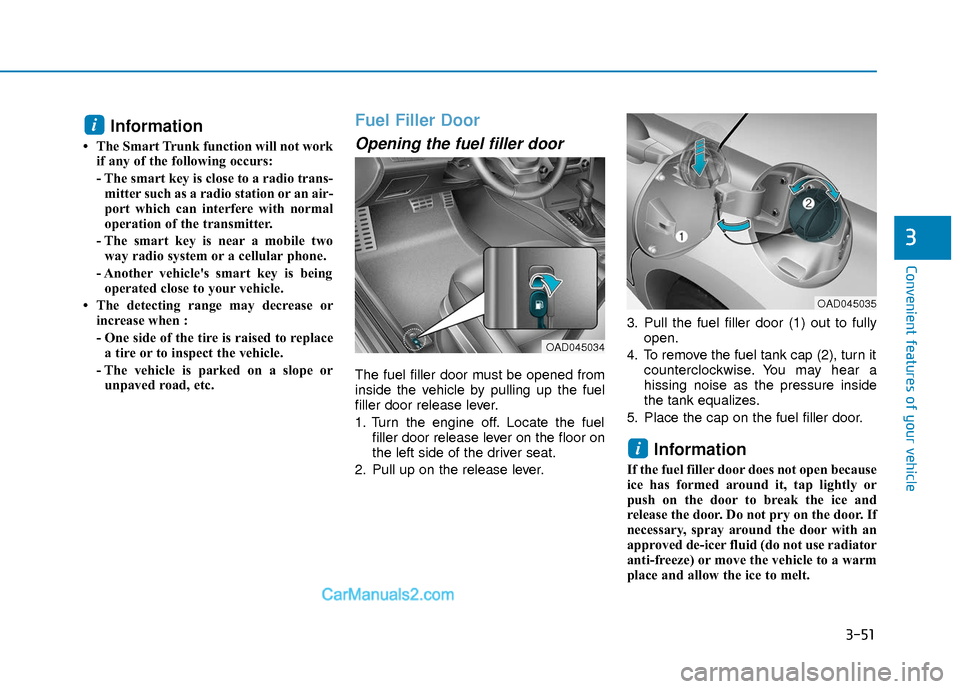
The fuel filler door must be opened from
inside the vehicle by pulling up the fuel
filler door release lever.
1. Turn the engine off. Locate the fuel filler door release lever on the floor on
the left side of the driver seat.
2. Pull up on the release lever. 3. Pull the fuel filler door (1) out to fully
open.
4. To remove the fuel tank cap (2), turn it counterclockwise. You may hear a
hissing noise as the pressure inside
the tank equalizes.
5. Place the cap on the fuel filler door.
Information
If the fuel filler door does not open because
ice has formed around it, tap lightly or
push on the door to break the ice and
release the door. Do not pry on the door. If
necessary, spray around the door with an
approved de-icer fluid (do not use radiator
anti-freeze) or move the vehicle to a warm
place and allow the ice to melt.
i
i
OAD045034
OAD045035
Page 136 of 526
3-59
Convenient features of your vehicle
3
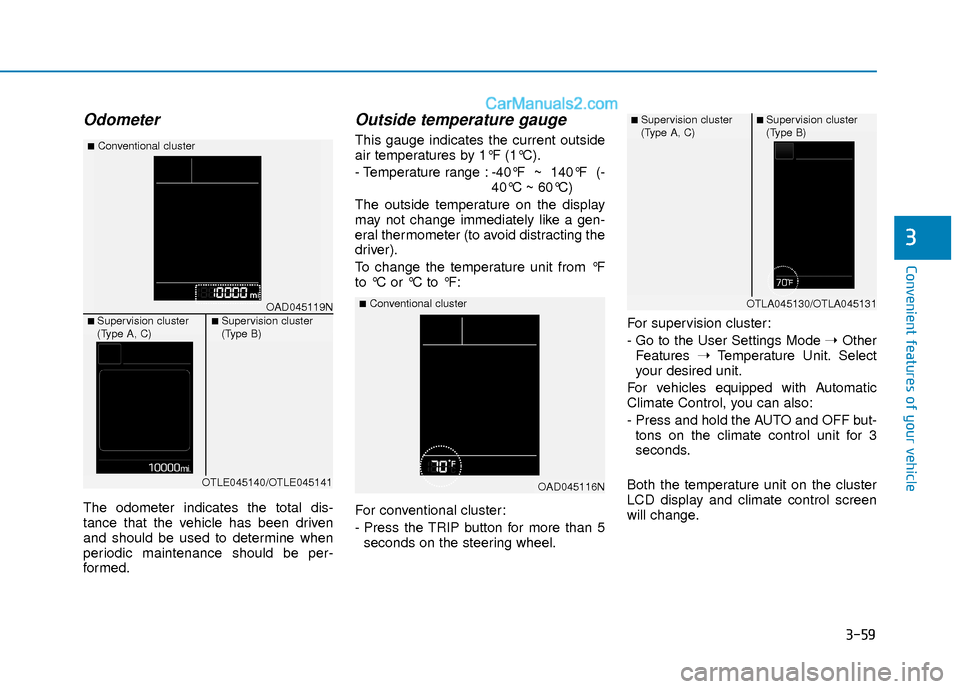
Odometer
The odometer indicates the total dis-
tance that the vehicle has been driven
and should be used to determine when
periodic maintenance should be per-
formed.
Outside temperature gauge
This gauge indicates the current outside
air temperatures by 1°F (1°C).
- Temperature range :-40°F ~ 140°F (-
40°C ~ 60°C)
The outside temperature on the display
may not change immediately like a gen-
eral thermometer (to avoid distracting the
driver).
To change the temperature unit from °F
to °C or °C to °F:
For conventional cluster:
- Press the TRIP button for more than 5 seconds on the steering wheel. For supervision cluster:
- Go to the User Settings Mode
➝Other
Features ➝Temperature Unit. Select
your desired unit.
For vehicles equipped with Automatic
Climate Control, you can also:
- Press and hold the AUTO and OFF but- tons on the climate control unit for 3
seconds.
Both the temperature unit on the cluster
LCD display and climate control screen
will change.
OAD045116N
■Conventional clusterOAD045119N
■Conventional cluster
■ Supervision cluster
(Type A, C)■ Supervision cluster
(Type B)
OTLE045140/OTLE045141
■ Supervision cluster
(Type A, C)■ Supervision cluster
(Type B)
OTLA045130/OTLA045131
Page 141 of 526
3-64
Convenient features of your vehicle
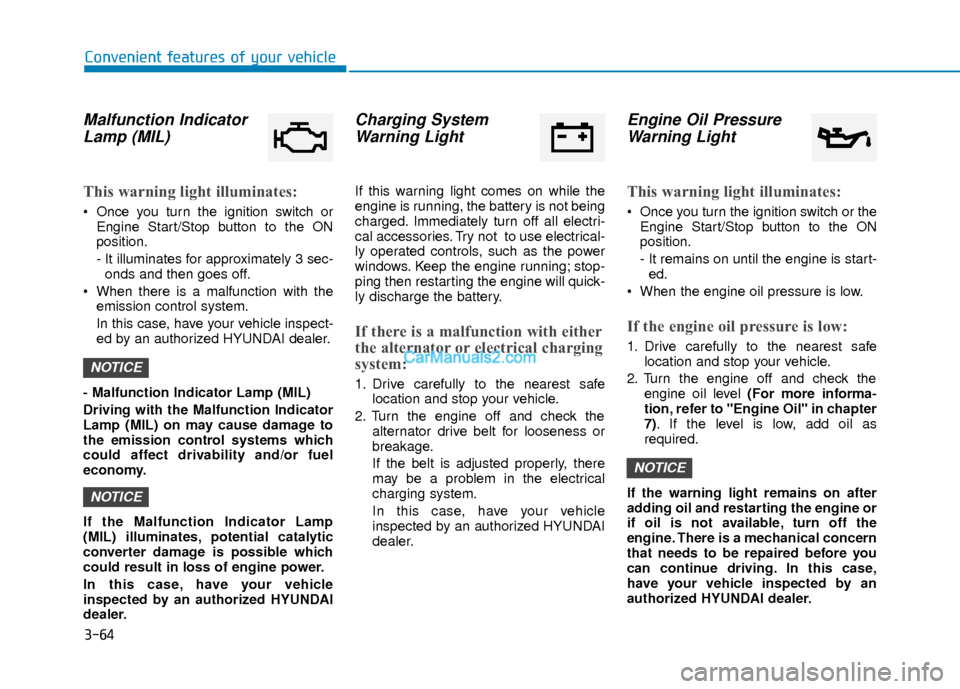
Malfunction IndicatorLamp (MIL)
This warning light illuminates:
Once you turn the ignition switch or
Engine Start/Stop button to the ON
position.
- It illuminates for approximately 3 sec-onds and then goes off.
When there is a malfunction with the emission control system.
In this case, have your vehicle inspect-
ed by an authorized HYUNDAI dealer.
- Malfunction Indicator Lamp (MIL)
Driving with the Malfunction Indicator
Lamp (MIL) on may cause damage to
the emission control systems which
could affect drivability and/or fuel
economy.
If the Malfunction Indicator Lamp
(MIL) illuminates, potential catalytic
converter damage is possible which
could result in loss of engine power.
In this case, have your vehicle
inspected by an authorized HYUNDAI
dealer.
Charging System Warning Light
If this warning light comes on while the
engine is running, the battery is not being
charged. Immediately turn off all electri-
cal accessories. Try not to use electrical-
ly operated controls, such as the power
windows. Keep the engine running; stop-
ping then restarting the engine will quick-
ly discharge the battery.
If there is a malfunction with either
the alternator or electrical charging
system:
1. Drive carefully to the nearest safe
location and stop your vehicle.
2. Turn the engine off and check the alternator drive belt for looseness or
breakage.
If the belt is adjusted properly, there
may be a problem in the electrical
charging system.
In this case, have your vehicle
inspected by an authorized HYUNDAI
dealer.
Engine Oil PressureWarning Light
This warning light illuminates:
Once you turn the ignition switch or the
Engine Start/Stop button to the ON
position.
- It remains on until the engine is start-ed.
When the engine oil pressure is low.
If the engine oil pressure is low:
1. Drive carefully to the nearest safe location and stop your vehicle.
2. Turn the engine off and check the engine oil level (For more informa-
tion, refer to "Engine Oil" in chapter
7). If the level is low, add oil as
required.
If the warning light remains on after
adding oil and restarting the engine or
if oil is not available, turn off the
engine. There is a mechanical concern
that needs to be repaired before you
can continue driving. In this case,
have your vehicle inspected by an
authorized HYUNDAI dealer.
NOTICE
NOTICE
NOTICE
Page 178 of 526
3-101
Convenient features of your vehicle
3
3. The Smart High Beam will turn onwhen vehicle speed is above
25 mph (40km/h).
Smart High Beam is operating, the
Smart High Beam will turn off and the
high beam will be on continuously. The
smart high beam ( ) indicator will
turn off.
when the Smart High Beam is oper-
ating, the Smart High Beam will turn
off.
4. If the light switch is placed to the head- lamp position, the Smart High Beam
will turn off and the low beam will be
on continuously.
The high beam switches to low beam in
the below conditions.
- When the Smart High Beam is off.
- When the light switch is not in the AUTO position.
- When the headlamp is detected from the on-coming vehicle.
- When the tail lamp is detected from the front vehicle.
- When the surrounding is bright enough high beams are not needed.
- When streetlights or other lights are detected.
- When vehicle speed is below 15 mph (24 km/h).
Warning light and message
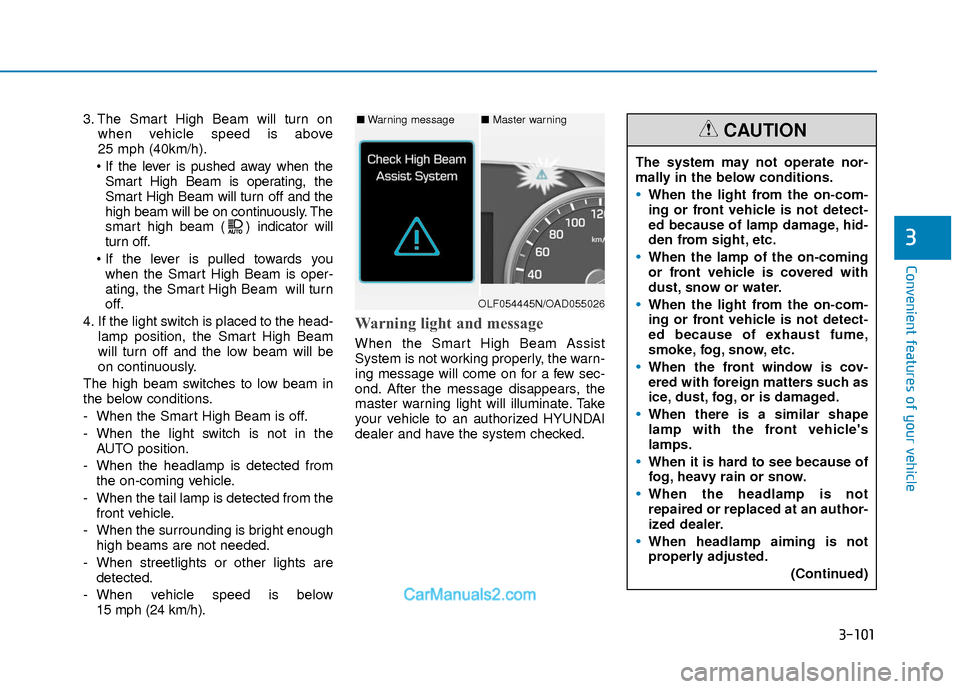
When the Smart High Beam Assist
System is not working properly, the warn-
ing message will come on for a few sec-
ond. After the message disappears, the
master warning light will illuminate. Take
your vehicle to an authorized HYUNDAI
dealer and have the system checked.
The system may not operate nor-
mally in the below conditions.
When the light from the on-com-
ing or front vehicle is not detect-
ed because of lamp damage, hid-
den from sight, etc.
When the lamp of the on-coming
or front vehicle is covered with
dust, snow or water.
When the light from the on-com-
ing or front vehicle is not detect-
ed because of exhaust fume,
smoke, fog, snow, etc.
When the front window is cov-
ered with foreign matters such as
ice, dust, fog, or is damaged.
When there is a similar shape
lamp with the front vehicle's
lamps.
When it is hard to see because of
fog, heavy rain or snow.
When the headlamp is not
repaired or replaced at an author-
ized dealer.
When headlamp aiming is not
properly adjusted.
(Continued)
CAUTION■Warning message■ Master warning
OLF054445N/OAD055026
Page 188 of 526
3-111
Convenient features of your vehicle
3
M
MA
AN
N U
U A
AL
L
C
C L
LI
IM
M A
AT
TE
E
C
C O
O N
NT
TR
R O
O L
L
S
S Y
Y S
ST
T E
EM
M
(
( I
IF
F
E
E Q
Q U
UI
IP
P P
PE
ED
D )
)
OAD045300/OAD045300N
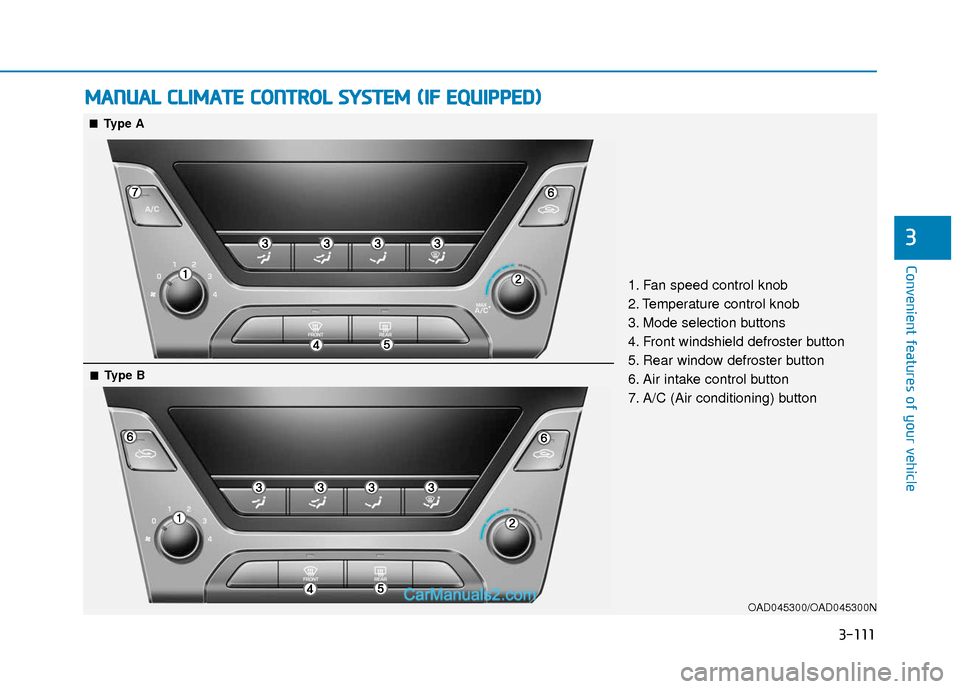
1. Fan speed control knob
2. Temperature control knob
3. Mode selection buttons
4. Front windshield defroster button
5. Rear window defroster button
6. Air intake control button
7. A/C (Air conditioning) button
■ ■Type A
■
■Type B
Page 189 of 526
3-112
Convenient features of your vehicle
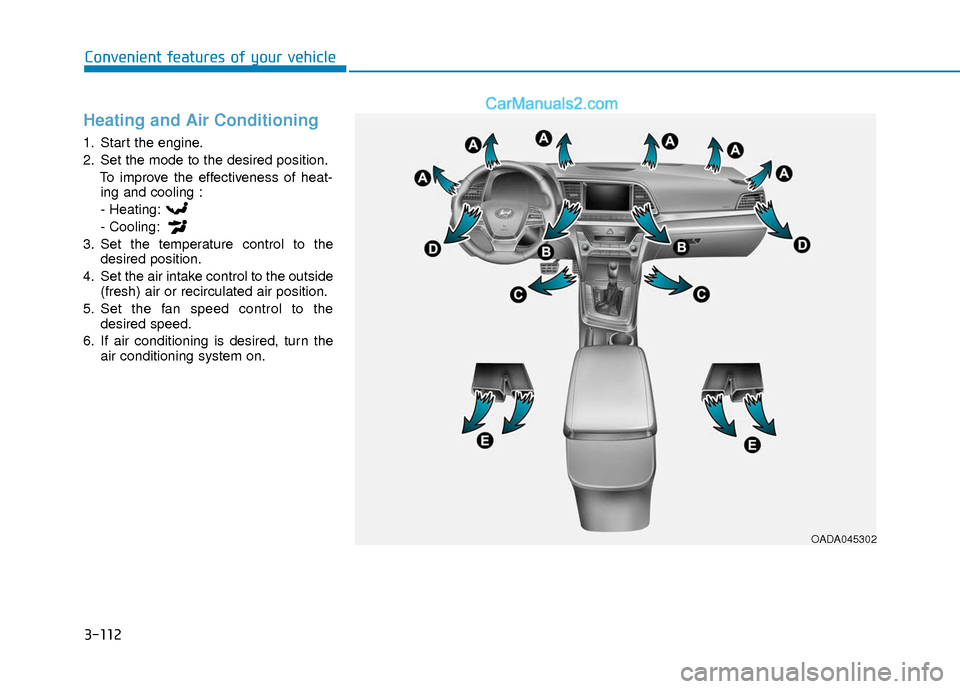
Heating and Air Conditioning
1. Start the engine.
2. Set the mode to the desired position.To improve the effectiveness of heat-ing and cooling :
- Heating:
- Cooling:
3. Set the temperature control to the desired position.
4. Set the air intake control to the outside (fresh) air or recirculated air position.
5. Set the fan speed control to the desired speed.
6. If air conditioning is desired, turn the air conditioning system on.
OADA045302