light Hyundai Elantra 2018 Repair Manual
[x] Cancel search | Manufacturer: HYUNDAI, Model Year: 2018, Model line: Elantra, Model: Hyundai Elantra 2018Pages: 526, PDF Size: 17.2 MB
Page 149 of 526
3-72
Convenient features of your vehicle
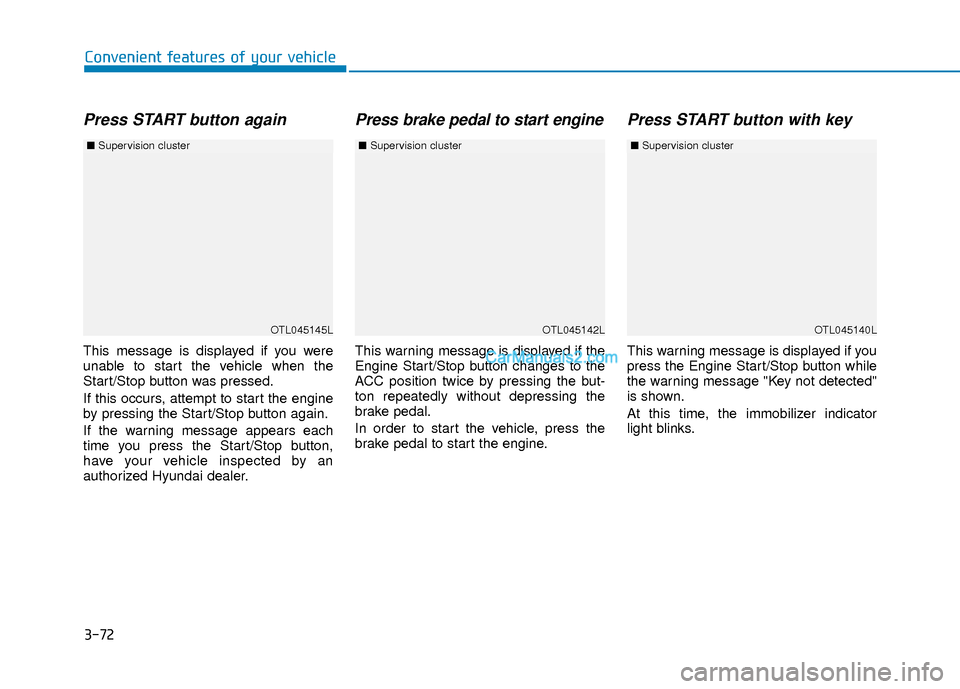
Press START button again
This message is displayed if you were
unable to start the vehicle when the
Start/Stop button was pressed.
If this occurs, attempt to start the engine
by pressing the Start/Stop button again.
If the warning message appears each
time you press the Start/Stop button,
have your vehicle inspected by an
authorized Hyundai dealer.
Press brake pedal to start engine
This warning message is displayed if the
Engine Start/Stop button changes to the
ACC position twice by pressing the but-
ton repeatedly without depressing the
brake pedal.
In order to start the vehicle, press the
brake pedal to start the engine.
Press START button with key
This warning message is displayed if you
press the Engine Start/Stop button while
the warning message "Key not detected"
is shown.
At this time, the immobilizer indicator
light blinks.
OTL045145L
■Supervision cluster
OTL045142LOTL045140L
■Supervision cluster ■Supervision cluster
Page 151 of 526
3-74
Convenient features of your vehicle
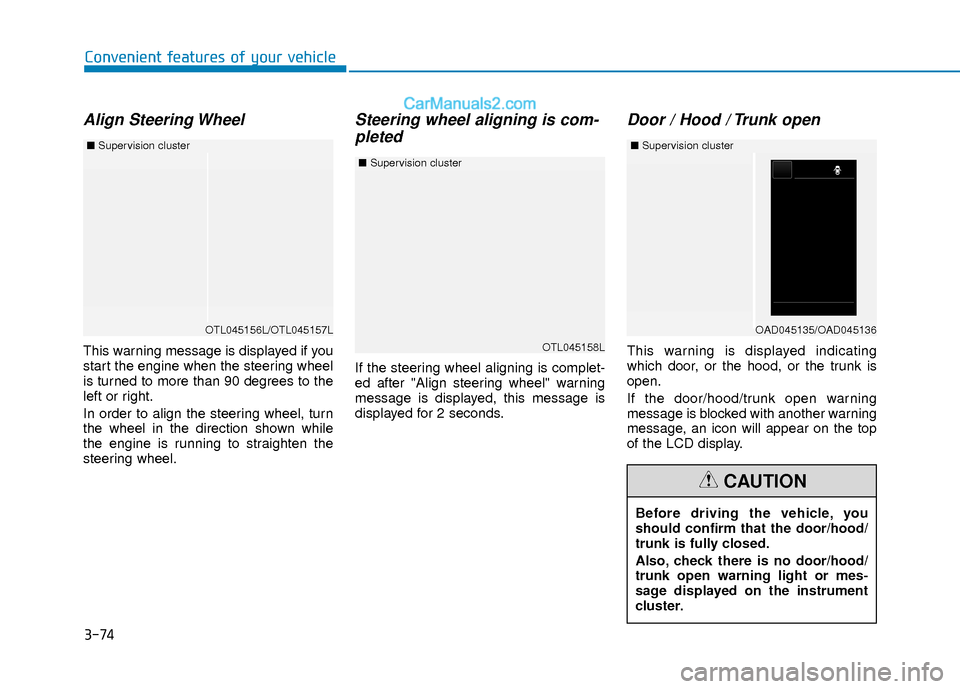
Align Steering Wheel
This warning message is displayed if you
start the engine when the steering wheel
is turned to more than 90 degrees to the
left or right.
In order to align the steering wheel, turn
the wheel in the direction shown while
the engine is running to straighten the
steering wheel.
Steering wheel aligning is com-pleted
If the steering wheel aligning is complet-
ed after "Align steering wheel" warning
message is displayed, this message is
displayed for 2 seconds.
Door / Hood / Trunk open
This warning is displayed indicating
which door, or the hood, or the trunk is
open.
If the door/hood/trunk open warning
message is blocked with another warning
message, an icon will appear on the top
of the LCD display.
OTL045156L/OTL045157L
■ Supervision cluster
Before driving the vehicle, you
should confirm that the door/hood/
trunk is fully closed.
Also, check there is no door/hood/
trunk open warning light or mes-
sage displayed on the instrument
cluster.
CAUTION
OTL045158L
■Supervision cluster
OAD045135/OAD045136
■Supervision cluster
Page 153 of 526
3-76
Convenient features of your vehicle
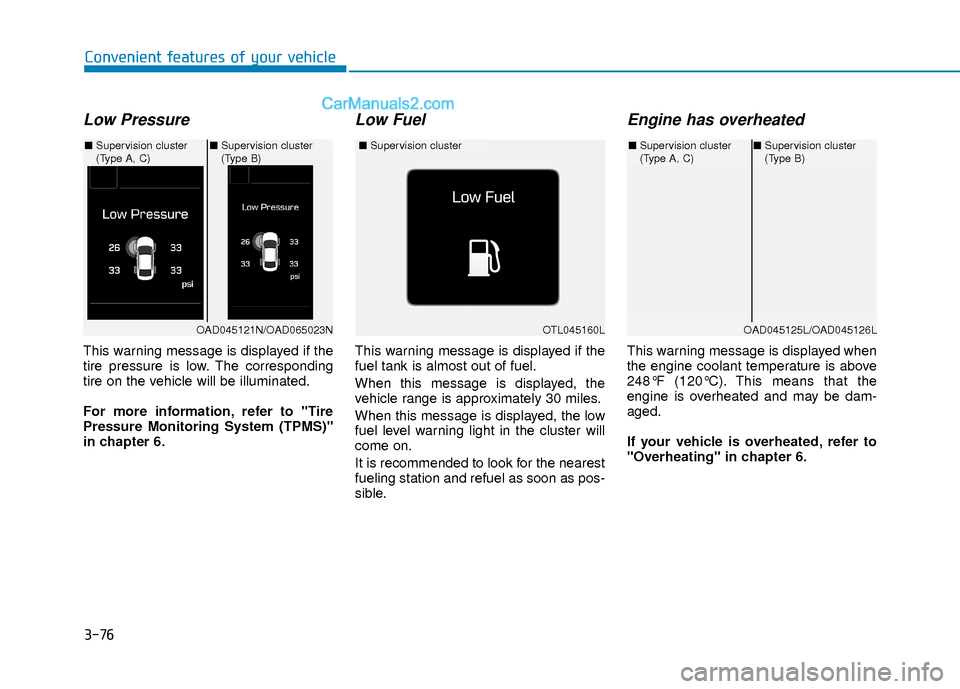
Low Pressure
This warning message is displayed if the
tire pressure is low. The corresponding
tire on the vehicle will be illuminated.
For more information, refer to "Tire
Pressure Monitoring System (TPMS)"
in chapter 6.
Low Fuel
This warning message is displayed if the
fuel tank is almost out of fuel.
When this message is displayed, the
vehicle range is approximately 30 miles.
When this message is displayed, the low
fuel level warning light in the cluster will
come on.
It is recommended to look for the nearest
fueling station and refuel as soon as pos-
sible.
Engine has overheated
This warning message is displayed when
the engine coolant temperature is above
248°F (120°C). This means that the
engine is overheated and may be dam-
aged.
If your vehicle is overheated, refer to
"Overheating" in chapter 6.
OTL045160L
■Supervision cluster
OAD045121N/OAD065023N
■Supervision cluster
(Type A, C) ■
Supervision cluster
(Type B)
OAD045125L/OAD045126L
■Supervision cluster
(Type A, C)■Supervision cluster
(Type B)
Page 155 of 526
3-78
Convenient features of your vehicle
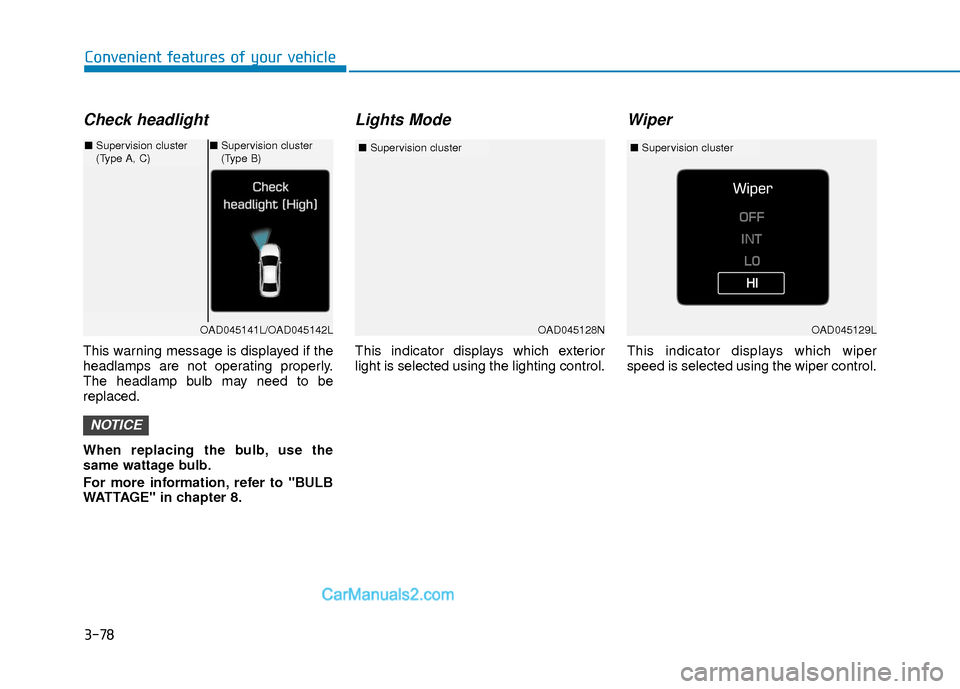
Check headlight
This warning message is displayed if the
headlamps are not operating properly.
The headlamp bulb may need to be
replaced.
When replacing the bulb, use the
same wattage bulb.
For more information, refer to "BULB
WATTAGE" in chapter 8.
Lights Mode
This indicator displays which exterior
light is selected using the lighting control.
Wiper
This indicator displays which wiper
speed is selected using the wiper control.
NOTICE
OAD045128N
■Supervision cluster
OAD045141L/OAD045142L
■Supervision cluster
(Type A, C)■Supervision cluster
(Type B)
OAD045129L
■ Supervision cluster
Page 164 of 526
3-87
Convenient features of your vehicle
3
ItemsExplanation
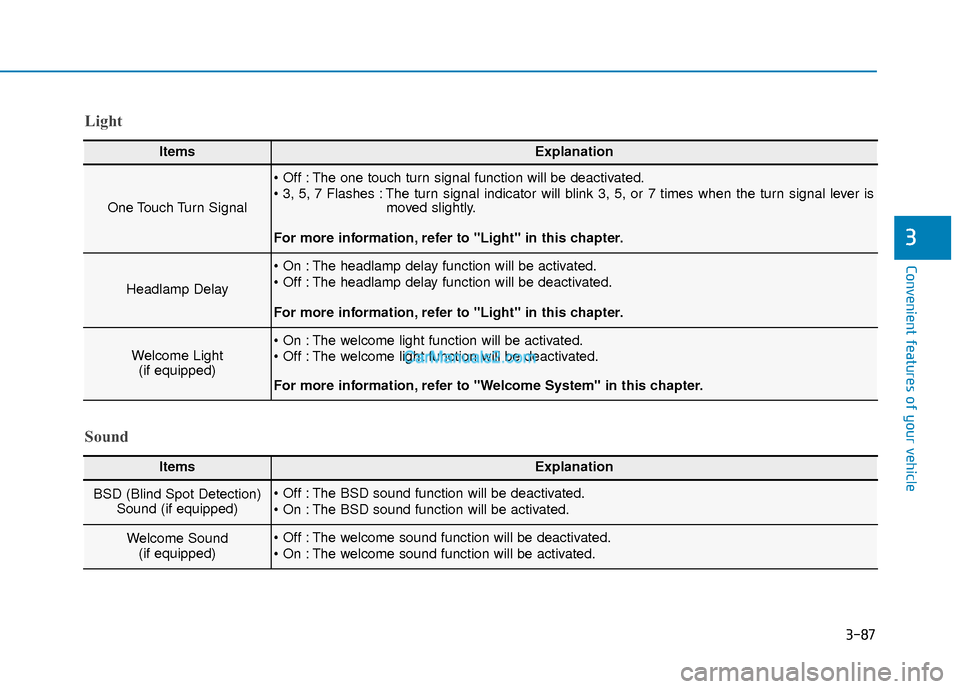
One Touch Turn Signal
The one touch turn signal function will be deactivated.
The turn signal indicator will blink 3, 5, or 7 times when the turn signal lever ismoved slightly.
For more information, refer to "Light" in this chapter.
Headlamp Delay
The headlamp delay function will be activated.
The headlamp delay function will be deactivated.
For more information, refer to "Light" in this chapter.
Welcome Light (if equipped) The welcome light function will be activated.
The welcome light function will be deactivated.
For more information, refer to "Welcome System" in this chapter.
Light
Sound
ItemsExplanation
BSD (Blind Spot Detection) Sound (if equipped) The BSD sound function will be deactivated.
The BSD sound function will be activated.
Welcome Sound (if equipped) The welcome sound function will be deactivated.
The welcome sound function will be activated.
Page 165 of 526
3-88
Convenient features of your vehicle
ItemsExplanation
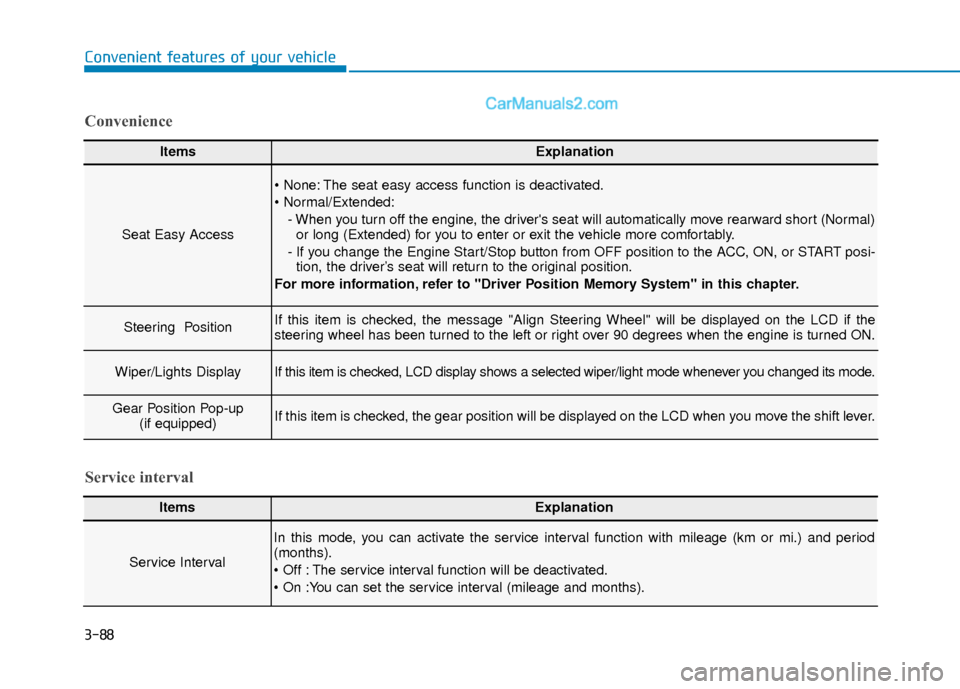
Seat Easy Access
The seat easy access function is deactivated.
- When you turn off the engine, the driver's seat will automatically move rearward short (Normal)or long (Extended) for you to enter or exit the vehicle more comfortably.
- If you change the Engine Start/Stop button from OFF position to the ACC, ON, or START posi- tion, the driver’s seat will return to the original position.
For more information, refer to "Driver Position Memory System" in this chapter.
Steering Position If this item is checked, the message "Align Steering Wheel" will be displayed on the LCD if the
steering wheel has been turned to the left or right over 90 degrees when the engine is turned ON.
Wiper/Lights DisplayIf this item is checked, LCD display shows a selected wiper/light mode whenever you changed its mode.
Gear Position Pop-up (if equipped)If this item is checked, the gear position will be displayed on the LCD when you move the shift lever.
Convenience
ItemsExplanation
Service Interval
In this mode, you can activate the service interval function with mileage (km or mi.) and period
(months).
The service interval function will be deactivated.
Service interval
Page 169 of 526
3-92
Convenient features of your vehicle
Trip A/B
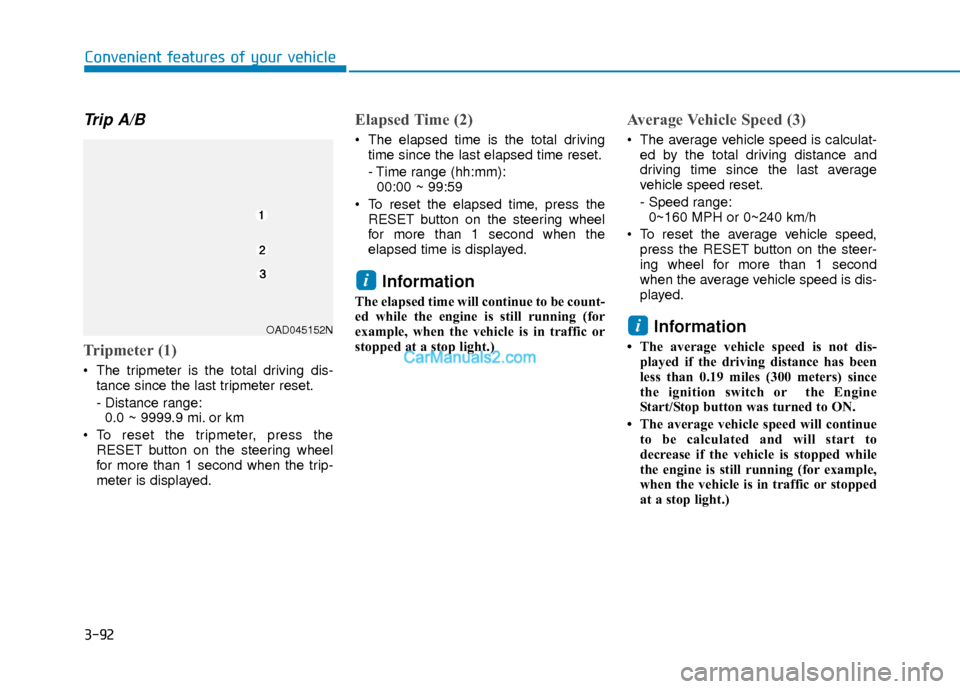
Tripmeter (1)
The tripmeter is the total driving dis-tance since the last tripmeter reset.
- Distance range:0.0 ~ 9999.9 mi. or km
To reset the tripmeter, press the RESET button on the steering wheel
for more than 1 second when the trip-
meter is displayed.
Elapsed Time (2)
The elapsed time is the total drivingtime since the last elapsed time reset.
- Time range (hh:mm):00:00 ~ 99:59
To reset the elapsed time, press the RESET button on the steering wheel
for more than 1 second when the
elapsed time is displayed.
Information
The elapsed time will continue to be count-
ed while the engine is still running (for
example, when the vehicle is in traffic or
stopped at a stop light.)
Average Vehicle Speed (3)
The average vehicle speed is calculat-ed by the total driving distance and
driving time since the last average
vehicle speed reset.
- Speed range:0~160 MPH or 0~240 km/h
To reset the average vehicle speed, press the RESET button on the steer-
ing wheel for more than 1 second
when the average vehicle speed is dis-
played.
Information
• The average vehicle speed is not dis-played if the driving distance has been
less than 0.19 miles (300 meters) since
the ignition switch or the Engine
Start/Stop button was turned to ON.
• The average vehicle speed will continue to be calculated and will start to
decrease if the vehicle is stopped while
the engine is still running (for example,
when the vehicle is in traffic or stopped
at a stop light.)
i
i
OAD045152N
Page 173 of 526
3-96
Convenient features of your vehicle
Trip A/B
Information
If you press and hold the OK button when
viewing the tripmeter, the mileage, the
average vehicle speed, and the timer will
be reset simultaneously.
Tripmeter (1)
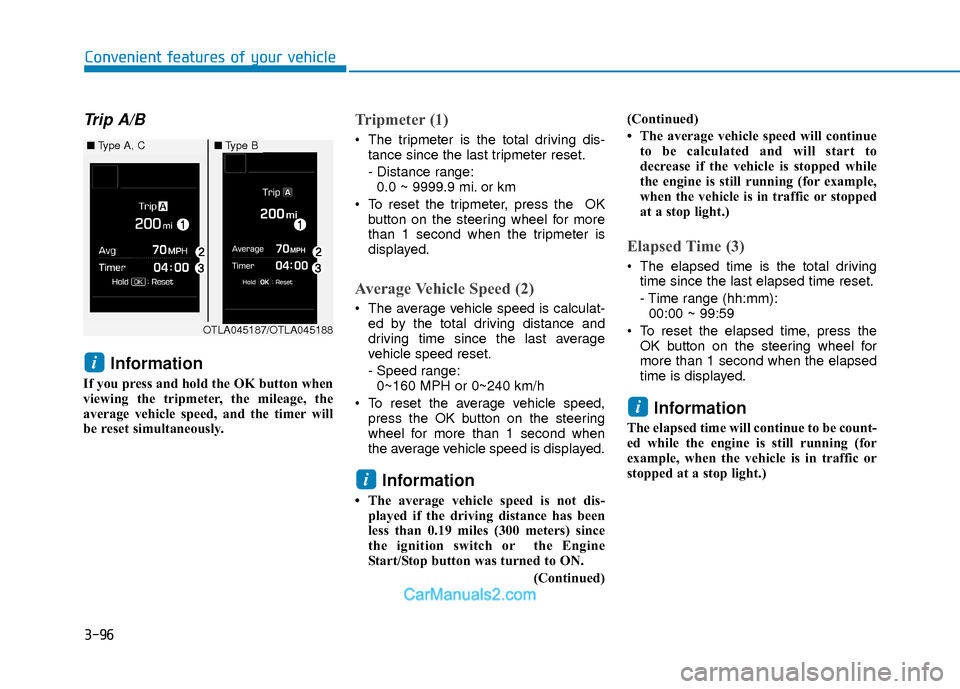
The tripmeter is the total driving dis-tance since the last tripmeter reset.
- Distance range:0.0 ~ 9999.9 mi. or km
To reset the tripmeter, press the OK button on the steering wheel for more
than 1 second when the tripmeter is
displayed.
Average Vehicle Speed (2)
The average vehicle speed is calculat-ed by the total driving distance and
driving time since the last average
vehicle speed reset.
- Speed range:0~160 MPH or 0~240 km/h
To reset the average vehicle speed, press the OK button on the steering
wheel for more than 1 second when
the average vehicle speed is displayed.
Information
• The average vehicle speed is not dis-played if the driving distance has been
less than 0.19 miles (300 meters) since
the ignition switch or the Engine
Start/Stop button was turned to ON.
(Continued)(Continued)
• The average vehicle speed will continue
to be calculated and will start to
decrease if the vehicle is stopped while
the engine is still running (for example,
when the vehicle is in traffic or stopped
at a stop light.)
Elapsed Time (3)
The elapsed time is the total drivingtime since the last elapsed time reset.
- Time range (hh:mm):00:00 ~ 99:59
To reset the elapsed time, press the OK button on the steering wheel for
more than 1 second when the elapsed
time is displayed.
Information
The elapsed time will continue to be count-
ed while the engine is still running (for
example, when the vehicle is in traffic or
stopped at a stop light.)
i
i
i
OTLA045187/OTLA045188
■ Type A, C■Type B
Page 175 of 526
3-98
Convenient features of your vehicle
L
LI
IG
G H
H T
T
Exterior Lights
Lighting control
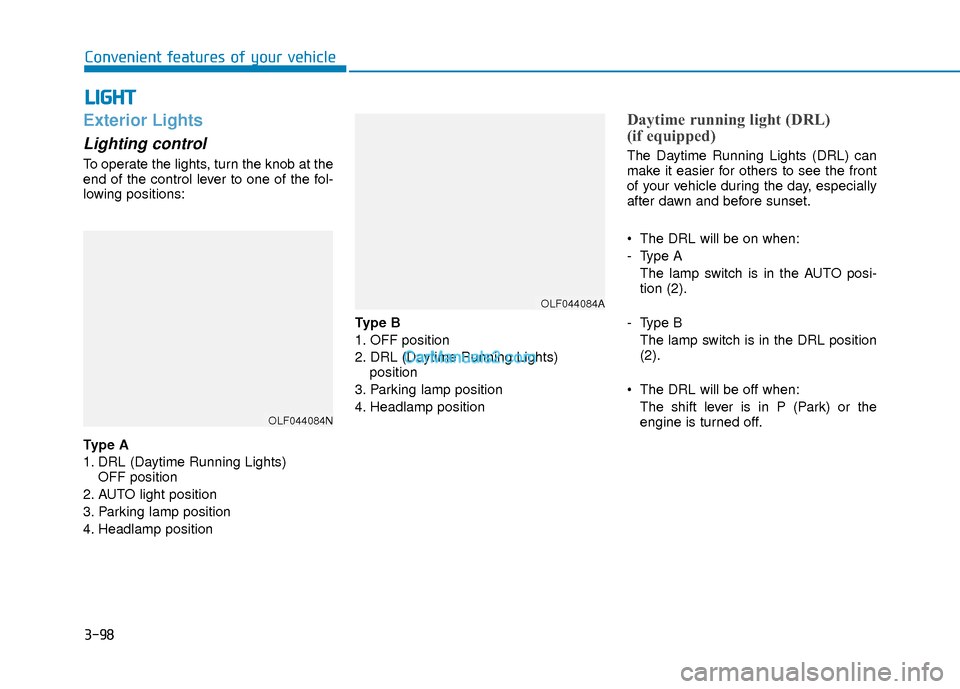
To operate the lights, turn the knob at the
end of the control lever to one of the fol-
lowing positions:
Type A
1. DRL (Daytime Running Lights)
OFF position
2. AUTO light position
3. Parking lamp position
4. Headlamp position Type B
1. OFF position
2. DRL (Daytime Running Lights)
position
3. Parking lamp position
4. Headlamp position
Daytime running light (DRL)
(if equipped)
The Daytime Running Lights (DRL) can
make it easier for others to see the front
of your vehicle during the day, especially
after dawn and before sunset.
• The DRL will be on when:
- Type A The lamp switch is in the AUTO posi-
tion (2).
- Type B The lamp switch is in the DRL position
(2).
The DRL will be off when: The shift lever is in P (Park) or the
engine is turned off.
OLF044084N
OLF044084A
Page 176 of 526
3-99
Convenient features of your vehicle
3
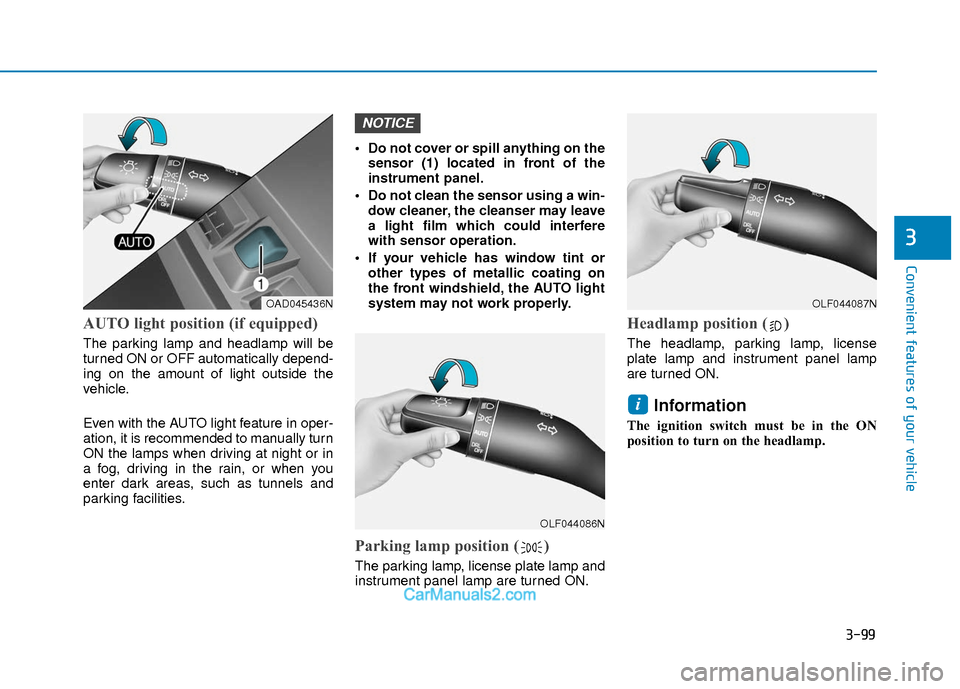
AUTO light position (if equipped)
The parking lamp and headlamp will be
turned ON or OFF automatically depend-
ing on the amount of light outside the
vehicle.
Even with the AUTO light feature in oper-
ation, it is recommended to manually turn
ON the lamps when driving at night or in
a fog, driving in the rain, or when you
enter dark areas, such as tunnels and
parking facilities.• Do not cover or spill anything on the
sensor (1) located in front of the
instrument panel.
Do not clean the sensor using a win- dow cleaner, the cleanser may leave
a light film which could interfere
with sensor operation.
If your vehicle has window tint or other types of metallic coating on
the front windshield, the AUTO light
system may not work properly.
Parking lamp position ( )
The parking lamp, license plate lamp and
instrument panel lamp are turned ON.
Headlamp position ( )
The headlamp, parking lamp, license
plate lamp and instrument panel lamp
are turned ON.
Information
The ignition switch must be in the ON
position to turn on the headlamp.
i
NOTICE
OAD045436N
OLF044086N
OLF044087N