Eco mode control Hyundai Elantra 2018 Owner's Manual
[x] Cancel search | Manufacturer: HYUNDAI, Model Year: 2018, Model line: Elantra, Model: Hyundai Elantra 2018Pages: 526, PDF Size: 17.2 MB
Page 101 of 526
3-24
Convenient features of your vehicle
If you need to recalibrate the compass:
1. Press and hold the button for morethan 9 seconds. When the compass
memory is cleared a "C" will appear in
the display.
2. Drive the vehicle in 2 complete circles at less than 5 mph (8 km/h).Integrated HomeLink®Wireless
Control System
The HomeLink®Wireless Control
System can replace up to three hand-
held radio-frequency (RF) transmitters
with a single built-in device. This innova-
tive feature will learn the radio frequency
codes of most current transmitters to
operate devices such as gate operators,
garage door openers, entry door locks,
security systems, even home lighting.
Both standard and rolling code-equipped
transmitters can be programmed by fol-
lowing the outlined procedures.
Additional HomeLink
®information can
be found at: www.homelink.com or by
calling 1-800-355-3515.
Retain the original transmitter of the RF
device you are programming for use in
other vehicles as well as for future
HomeLink
®programming. It is also sug-
gested that upon the sale of the vehicle,
the programmed HomeLink
®buttons be
erased for security purposes.
Before programming HomeLink®to
a garage door opener or gate oper-
ator, make sure people and objects
are out of the way of the device to
prevent potential harm or damage.
Do not use the HomeLink
®with any
garage door opener that lacks the
safety stop and reverse features
required by U.S. federal safety stan-
dards (this includes any garage
door opener model manufactured
before April 1, 1982). A garage door
that cannot detect an object - sig-
naling the door to stop and reverse
- does not meet current U.S. federal
safety standards. Using a garage
door opener without these features
increases the risk of serious injury
or death.
WARNING
Page 104 of 526
3-27
Convenient features of your vehicle
3
Reprogramming a single HomeLink®but-
ton
To program a device to HomeLink®using
a HomeLink®button previously trained,
follow these steps:
1. Press and hold the desired HomeLink
®
button. DO NOT release the button.
2. The indicator light will begin to flash after 20 seconds. Without releasing the
HomeLink
®button, proceed with
"Programming" step 2.
For questions or comments, contact
HomeLink
®at www.homelink.comor 1-
800-355-3515.
Erasing HomeLink®buttons
Individual buttons cannot be erased.
However, to erase all three programmed
buttons:
1. Press and hold the two outer HomeLink
®buttons until the indicator
light begins to flash after 10 seconds.
2. Release both buttons. Do not hold for longer than 20 seconds.
The Integrated HomeLink
®Wireless
Control System is now in the training
(learn) mode and can be programmed at
any time following the appropriate steps
in the Programming chapters above. NVS
®is a registered trademark and Z-
Nav™ is a trademark of the Gentex
Corporation, Zeeland, Michigan.
HomeLink
®is a registered trademark
owned by Johnson Controls,
Incorporated, Milwaukee, Wisconsin.
FCC ID: NZLTLMHL4
IC: 4112A-TLMHL4
Information
This device complies with Part 15 of the
FCC Rules.
Operation is subject to the following three
conditions:
1. This device may not cause harmful interference, and
2. This device must accept any interfer- ence received, including interference
that may cause undesired operation.
3. The transceiver has been tested and complies with FCC and Industry
Canada rules. Changes or modifica-
tions not expressly approved by the
party responsible for compliance could
void the user's authority to operate the
device.
Electric chromic mirror (ECM)with compass and HomeLink®
system (for Canada)
Your vehicle may be equipped with a
Gentex Automatic-Dimming Mirror with a
Z-Nav™ Electronic Compass Display
and an Integrated HomeLink
®Wireless
Control System.
During nighttime driving, this feature will
automatically detect and reduce rearview
mirror glare while the compass indicates
the direction the vehicle is pointed. The
HomeLink
®Universal Transceiver allows
you to activate your garage door(s), elec-
tric gate, home lighting, etc.
i
Page 107 of 526
3-30
Convenient features of your vehicle
To adjust the Zone setting:
1. Determine the desired Zone Numberbased upon your current location on
the Zone Map.
2. Press and hold the button for more than 3 but less than 6 seconds, the
current Zone Number will appear on
the display.
3. Pressing and holding the button again will cause the numbers to incre-
ment (Note: they will repeat …13, 14,
15, 1, 2, …). Releasing the button
when the desired Zone Number
appears on the display will set the new
Zone.
4. Within about 5 seconds the compass will start displaying a compass head-
ing again.
There are some conditions that can
cause changes to the vehicle magnets,
such as installing a ski rack or a CB
antenna. Body repair work on the vehicle
can also cause changes to the vehicle’s
magnetic field. In these situations, the
compass will need to be re-calibrated to
quickly correct these changes. If you need to recalibrate the compass:
1. Press and hold the button for more
than 6 seconds. When the compass
memory is cleared a "C" will appear in
the display.
2. Drive the vehicle in 2 complete circles at less than 5 mph (8 km/h).
Integrated HomeLink®Wireless
Control System
The HomeLink®Wireless Control System
can replace up to three hand-held radio-
frequency (RF) transmitters with a single
built-in device. This innovative feature will
learn the radio frequency codes of most
current transmitters to operate devices
such as gate operators, garage door
openers, entry door locks, security sys-
tems, even home lighting. Both standard
and rolling code-equipped transmitters
can be programmed by following the out-
lined procedures.
Additional HomeLink
®information can be
found at: www.homelink.com or by calling
1-800-355-3515.
Retain the original transmitter of the RF
device you are programming for use in
other vehicles as well as for future
HomeLink
®programming. It is also sug-
gested that upon the sale of the vehicle,
the programmed HomeLink
®buttons be
erased for security purposes.
Before programming HomeLink®to
a garage door opener or gate oper-
ator, make sure people and objects
are out of the way of the device to
prevent potential harm or damage.
Do not use the HomeLink
®with any
garage door opener that lacks the
safety stop and reverse features
required by U.S. federal safety stan-
dards (this includes any garage
door opener model manufactured
before April 1, 1982). A garage door
that cannot detect an object - sig-
naling the door to stop and reverse
- does not meet current U.S. federal
safety standards. Using a garage
door opener without these features
increases the risk of serious injury
or death.
WARNING
Page 110 of 526
3-33
Convenient features of your vehicle
3
Erasing HomeLink®buttons
Individual buttons cannot be erased.
However, to erase all three programmed
buttons:
1. Press and hold the two outerHomeLink
®buttons until the indicator
light begins to flash-after 20 seconds.
2. Release both buttons. Do not hold for longer than 30 seconds.
The Integrated HomeLink
®Wireless
Control System is now in the training
(learn) mode and can be programmed at
any time following the appropriate steps in
the Programming chapters above.
NVS
®is a registered trademark and Z-
Nav™ is a trademark of the Gentex
Corporation, Zeeland, Michigan.
HomeLink
®is a registered trademark
owned by Johnson Controls,
Incorporated, Milwaukee, Wisconsin.
FCC ID: NZLZTVHL3
IC: 4112A-ZTVHL3
Information
This device complies with Part 15 of the
FCC Rules.
Operation is subject to the following three
conditions:
1. This device may not cause harmful interference, and
2. This device must accept any interfer- ence received, including interference
that may cause undesired operation.
3. The transceiver has been tested and complies with FCC and Industry
Canada rules. Changes or modifica-
tions not expressly approved by the
party responsible for compliance could
void the user's authority to operate the
device.
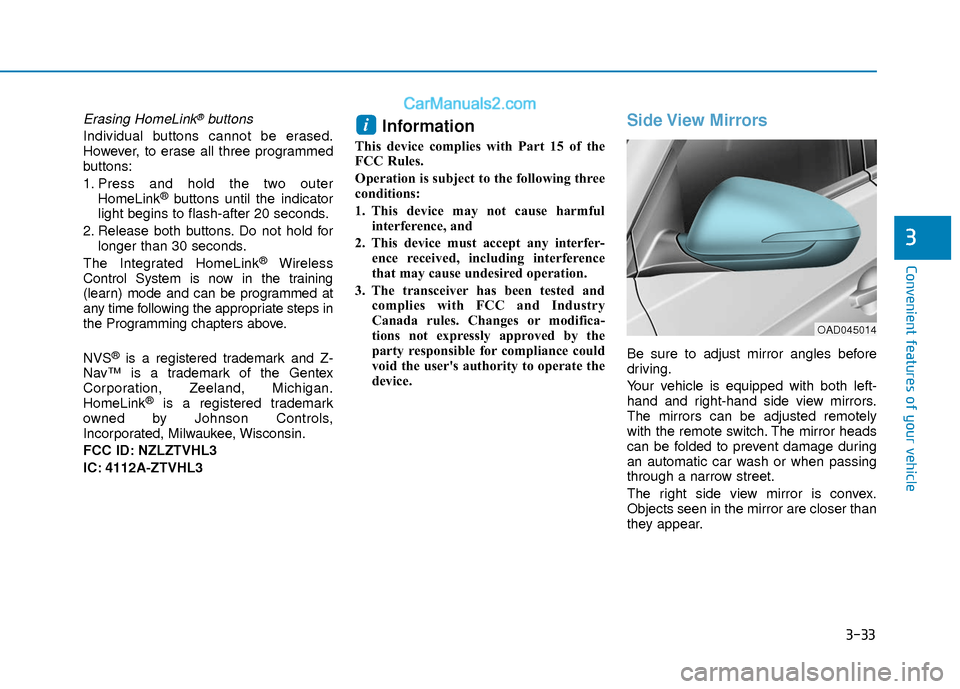
Side View Mirrors
Be sure to adjust mirror angles before
driving.
Your vehicle is equipped with both left-
hand and right-hand side view mirrors.
The mirrors can be adjusted remotely
with the remote switch. The mirror heads
can be folded to prevent damage during
an automatic car wash or when passing
through a narrow street.
The right side view mirror is convex.
Objects seen in the mirror are closer than
they appear.
i
OAD045014
Page 136 of 526
3-59
Convenient features of your vehicle
3
Odometer
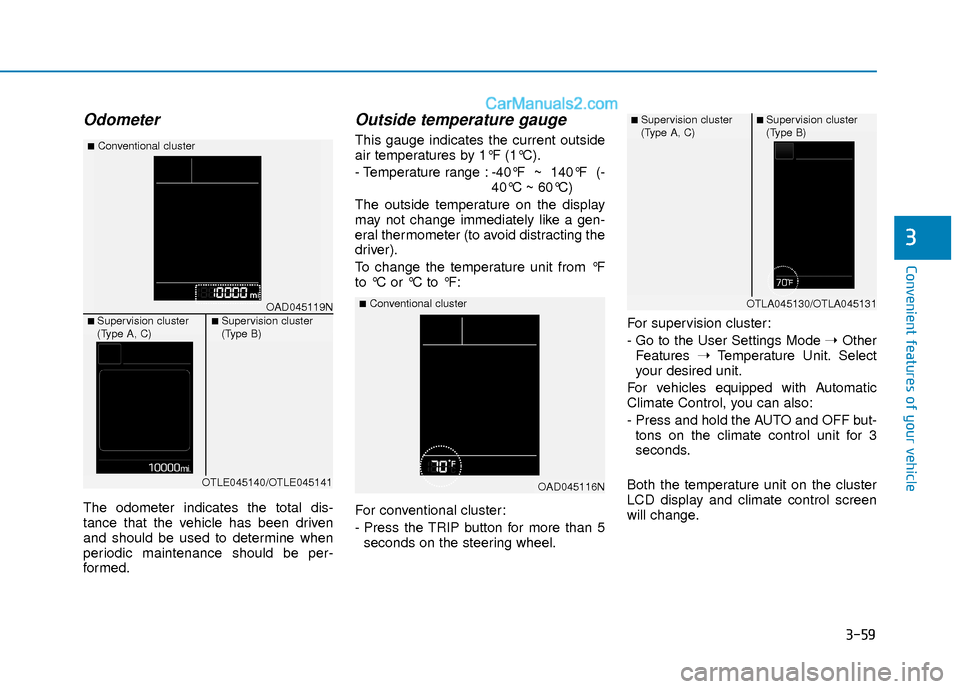
The odometer indicates the total dis-
tance that the vehicle has been driven
and should be used to determine when
periodic maintenance should be per-
formed.
Outside temperature gauge
This gauge indicates the current outside
air temperatures by 1°F (1°C).
- Temperature range :-40°F ~ 140°F (-
40°C ~ 60°C)
The outside temperature on the display
may not change immediately like a gen-
eral thermometer (to avoid distracting the
driver).
To change the temperature unit from °F
to °C or °C to °F:
For conventional cluster:
- Press the TRIP button for more than 5 seconds on the steering wheel. For supervision cluster:
- Go to the User Settings Mode
➝Other
Features ➝Temperature Unit. Select
your desired unit.
For vehicles equipped with Automatic
Climate Control, you can also:
- Press and hold the AUTO and OFF but- tons on the climate control unit for 3
seconds.
Both the temperature unit on the cluster
LCD display and climate control screen
will change.
OAD045116N
■Conventional clusterOAD045119N
■Conventional cluster
■ Supervision cluster
(Type A, C)■ Supervision cluster
(Type B)
OTLE045140/OTLE045141
■ Supervision cluster
(Type A, C)■ Supervision cluster
(Type B)
OTLA045130/OTLA045131
Page 147 of 526
3-70
Convenient features of your vehicle
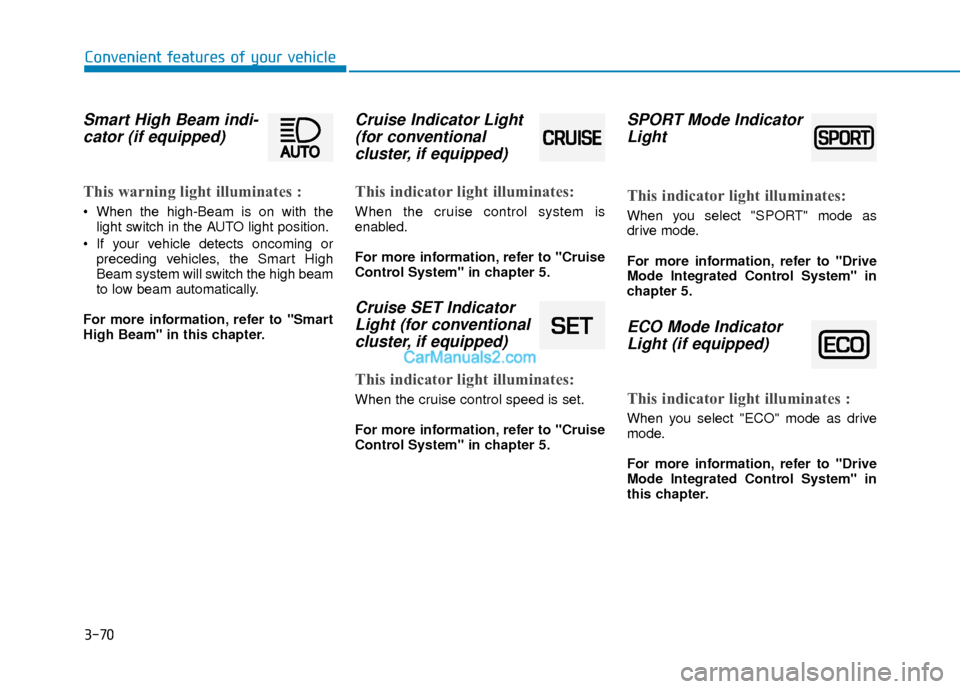
Smart High Beam indi-cator (if equipped)
This warning light illuminates :
When the high-Beam is on with the
light switch in the AUTO light position.
If your vehicle detects oncoming or preceding vehicles, the Smart High
Beam system will switch the high beam
to low beam automatically.
For more information, refer to "Smart
High Beam" in this chapter.
Cruise Indicator Light (for conventional cluster, if equipped)
This indicator light illuminates:
When the cruise control system is
enabled.
For more information, refer to "Cruise
Control System" in chapter 5.
Cruise SET IndicatorLight (for conventionalcluster, if equipped)
This indicator light illuminates:
When the cruise control speed is set.
For more information, refer to "Cruise
Control System" in chapter 5.
SPORT Mode IndicatorLight
This indicator light illuminates:
When you select "SPORT" mode as
drive mode.
For more information, refer to "Drive
Mode Integrated Control System" in
chapter 5.
ECO Mode IndicatorLight (if equipped)
This indicator light illuminates :
When you select "ECO" mode as drive
mode.
For more information, refer to "Drive
Mode Integrated Control System" in
this chapter.
Page 158 of 526
3-81
Convenient features of your vehicle
3
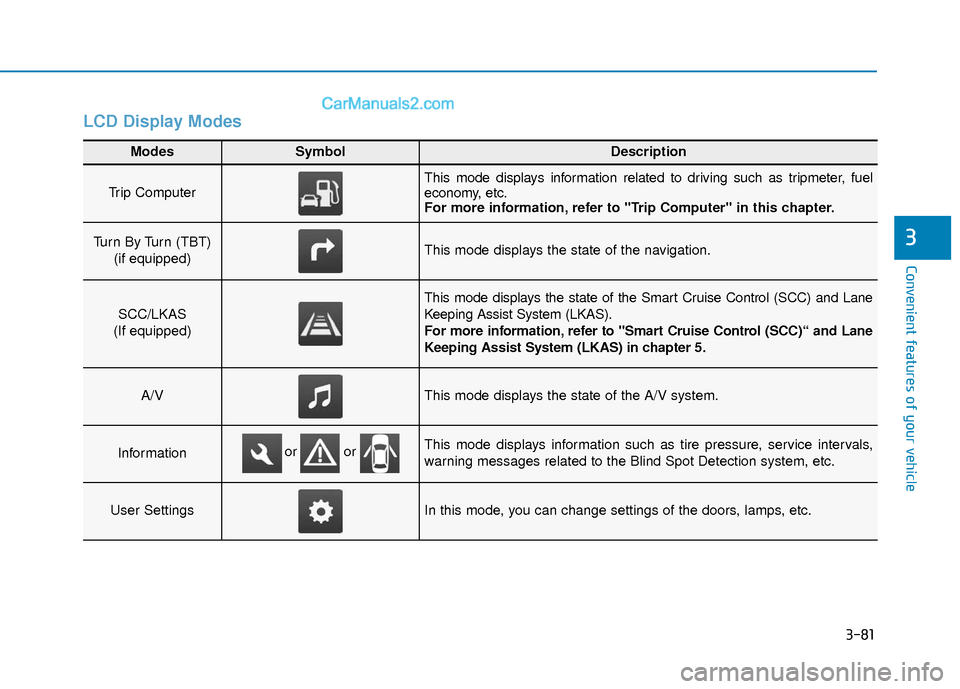
LCD Display Modes
Modes SymbolDescription
Trip Computer This mode displays information related to driving such as tripmeter, fuel
economy, etc.
For more information, refer to "Trip Computer" in this chapter.
Turn By Turn (TBT) (if equipped)This mode displays the state of the navigation.
SCC/LKAS
(If equipped)
This mode displays the state of the Smart Cruise Control (SCC) and Lane
Keeping Assist System (LKAS).
For more information, refer to "Smart Cruise Control (SCC)“ and Lane
Keeping Assist System (LKAS) in chapter 5.
A/VThis mode displays the state of the A/V system.
InformationThis mode displays information such as tire pressure, service intervals,
warning messages related to the Blind Spot Detection system, etc.
User SettingsIn this mode, you can change settings of the doors, lamps, etc.
or or
Page 160 of 526
3-83
Convenient features of your vehicle
3
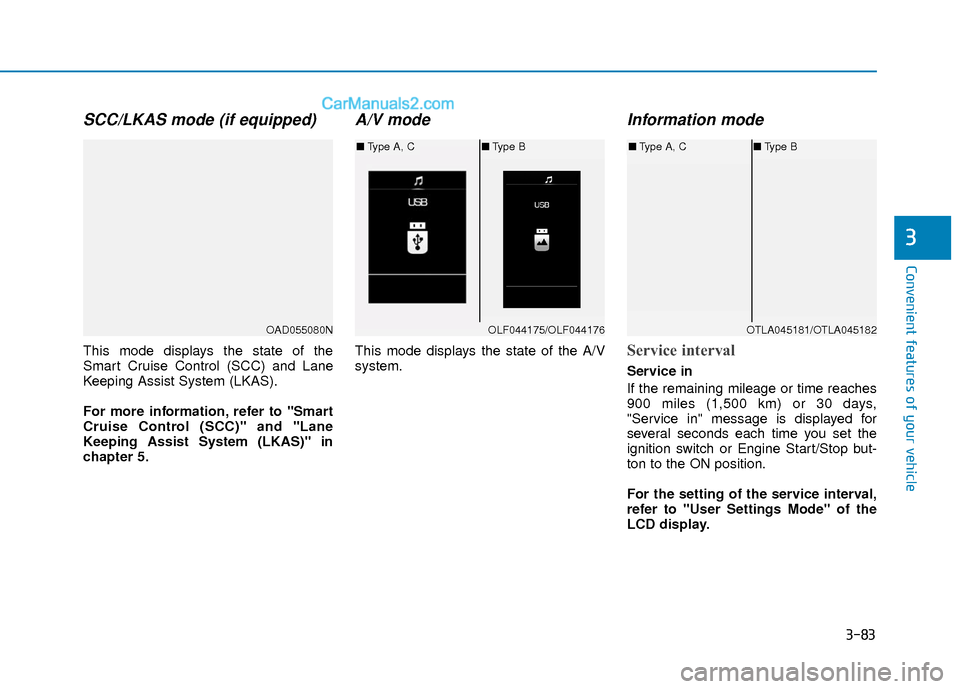
SCC/LKAS mode (if equipped)
This mode displays the state of the
Smart Cruise Control (SCC) and Lane
Keeping Assist System (LKAS).
For more information, refer to "Smart
Cruise Control (SCC)" and "Lane
Keeping Assist System (LKAS)" in
chapter 5.
A/V mode
This mode displays the state of the A/V
system.
Information mode
Service interval
Service in
If the remaining mileage or time reaches
900 miles (1,500 km) or 30 days,
"Service in" message is displayed for
several seconds each time you set the
ignition switch or Engine Start/Stop but-
ton to the ON position.
For the setting of the service interval,
refer to "User Settings Mode" of the
LCD display.
OAD055080NOLF044175/OLF044176
■Type A, C ■Type B
OTLA045181/OTLA045182
■Type A, C ■Type B
Page 167 of 526
3-90
Convenient features of your vehicle
Conventional Cluster
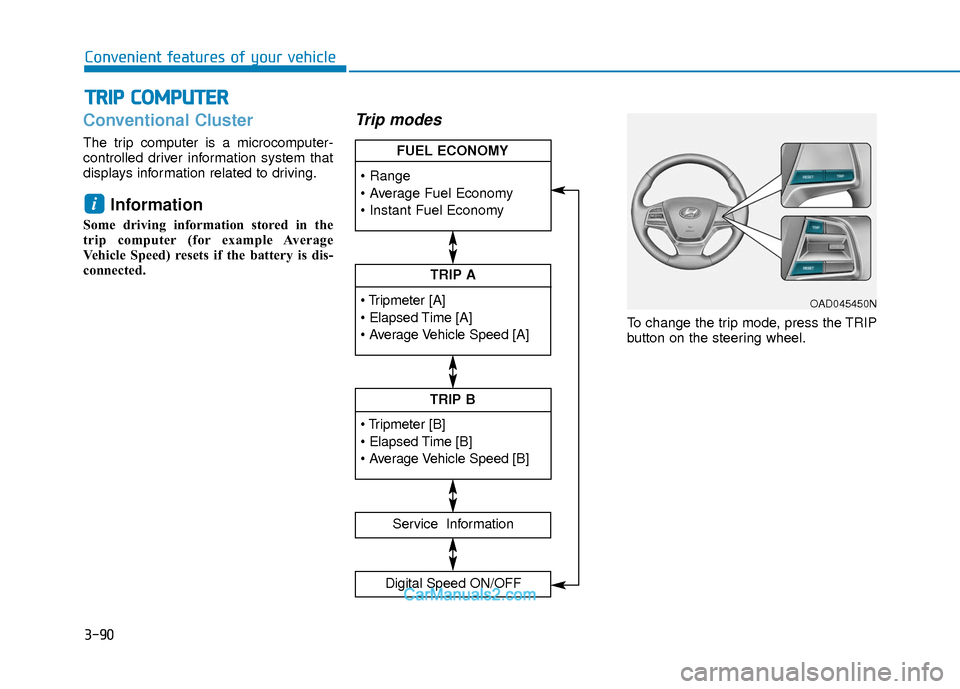
The trip computer is a microcomputer-
controlled driver information system that
displays information related to driving.
Information
Some driving information stored in the
trip computer (for example Average
Vehicle Speed) resets if the battery is dis-
connected.
Trip modes
To change the trip mode, press the TRIP
button on the steering wheel.
i
T TR
R I
IP
P
C
C O
O M
M P
PU
U T
TE
ER
R
TRIP A
Service Information
Digital Speed ON/OFF
TRIP B
FUEL ECONOMY
OAD045450N
Page 171 of 526
3-94
Convenient features of your vehicle
Supervision Cluster
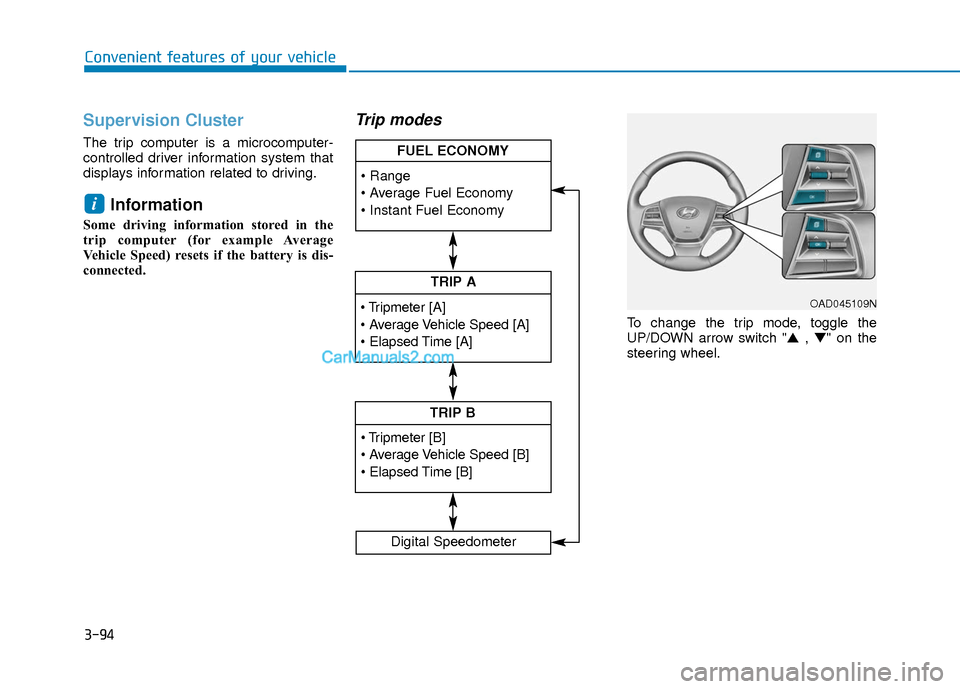
The trip computer is a microcomputer-
controlled driver information system that
displays information related to driving.
Information
Some driving information stored in the
trip computer (for example Average
Vehicle Speed) resets if the battery is dis-
connected.
Trip modes
To change the trip mode, toggle the
UP/DOWN arrow switch "▲ , ▼" on the
steering wheel.
i
TRIP A
TRIP B
FUEL ECONOMY
Digital Speedometer
OAD045109N