Settings mode Hyundai Elantra 2018 Owner's Manual
[x] Cancel search | Manufacturer: HYUNDAI, Model Year: 2018, Model line: Elantra, Model: Hyundai Elantra 2018Pages: 526, PDF Size: 17.2 MB
Page 78 of 526

Convenient features of your vehicle
Accessing Your Vehicle .........................................3-3
Remote Key........................................................................\
.3-3
Smart Key ........................................................................\
....3-6
Immobilizer System .........................................................3-10
Door Locks ............................................................3-11
Operating Door Locks from Outside the Vehicle ....3-11
Operating Door Locks from Inside the Vehicle .......3-12
Auto Door Lock/Unlock Features ...............................3-14
Child-Protector Rear Door locks ................................3-15
Theft-Alarm System ............................................3-15
Driver Position Memory System ........................3-16
Storing Positions into Memory ....................................3-17
Easy Access Function ....................................................3-18
Steering Wheel .....................................................3-18
Electric Power Steering (EPS) .....................................3-18
Tilt Steering/Telescope Steering.................................3-19
Horn ........................................................................\
............3-19
Mirrors ...................................................................3-20
Inside Rearview Mirror ..................................................3-20
Side View Mirrors ...........................................................3-33
Reverse Parking Aid Function......................................3-36
Windows ................................................................3-37
Power Windows ...............................................................3-38
Sunroof..................................................................3-41
Sunroof opening and closing .......................................3-42
Sliding the sunroof .........................................................3-42
Tilting the sunroof ..........................................................3-43
Sunshade ........................................................................\
...3-43
Resetting the sunroof ....................................................3-44
Exterior Features .................................................3-45
Hood ........................................................................\
...........3-45
Trunk ........................................................................\
..........3-46
Smart Trunk ......................................................................3-\
48
Fuel Filler Door ................................................................3-51
Instrument Cluster ...............................................3-54
Instrument Cluster Control............................................3-56
Gauges ........................................................................\
.......3-56
Warning and Indicator lights ........................................3-61
LCD Display Messages ...................................................3-71
LCD Display (For Supervision Cluster) .............3-80
LCD Display Control ........................................................3-80
LCD Display Modes .........................................................3-81
User Settings Mode ........................................................3-85
Trip Computer .......................................................3-90
Conventional Cluster.......................................................3\
-90
Supervision Cluster .........................................................3-94
3
Page 88 of 526
3-11
Convenient features of your vehicle
3
Operating Door Locks from
Outside the Vehicle
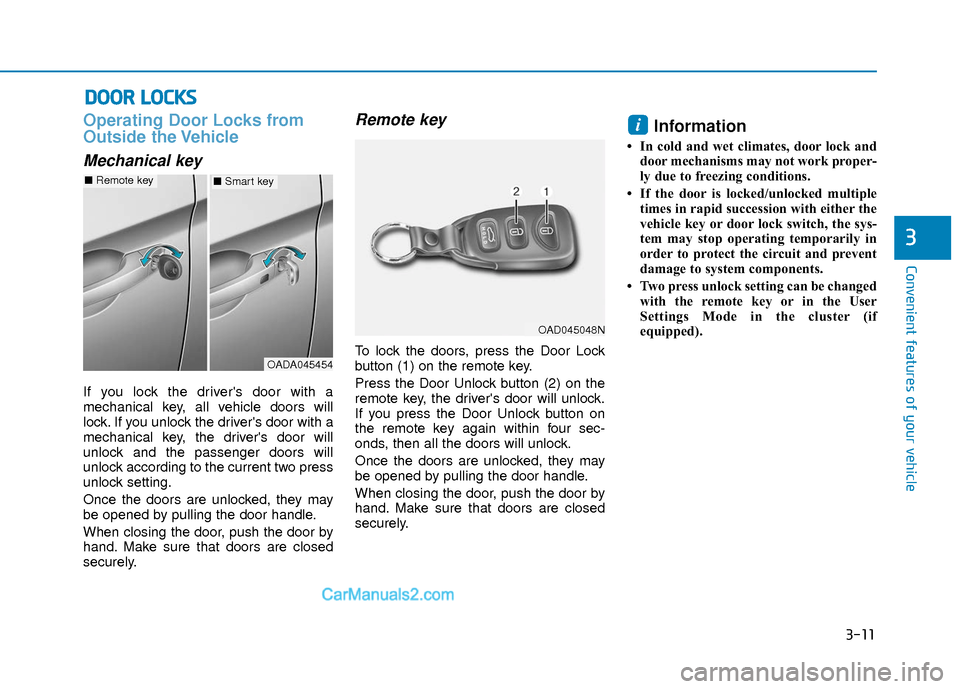
Mechanical key
If you lock the driver's door with a
mechanical key, all vehicle doors will
lock. If you unlock the driver's door with a
mechanical key, the driver's door will
unlock and the passenger doors will
unlock according to the current two press
unlock setting.
Once the doors are unlocked, they may
be opened by pulling the door handle.
When closing the door, push the door by
hand. Make sure that doors are closed
securely.
Remote key
To lock the doors, press the Door Lock
button (1) on the remote key.
Press the Door Unlock button (2) on the
remote key, the driver's door will unlock.
If you press the Door Unlock button on
the remote key again within four sec-
onds, then all the doors will unlock.
Once the doors are unlocked, they may
be opened by pulling the door handle.
When closing the door, push the door by
hand. Make sure that doors are closed
securely.
Information
• In cold and wet climates, door lock anddoor mechanisms may not work proper-
ly due to freezing conditions.
• If the door is locked/unlocked multiple times in rapid succession with either the
vehicle key or door lock switch, the sys-
tem may stop operating temporarily in
order to protect the circuit and prevent
damage to system components.
• Two press unlock setting can be changed with the remote key or in the User
Settings Mode in the cluster (if
equipped).
i
D DO
O O
OR
R
L
L O
O C
CK
K S
S
OADA045454
■ Remote key■Smart key
OAD045048N
Page 89 of 526
3-12
Convenient features of your vehicle
Smart key
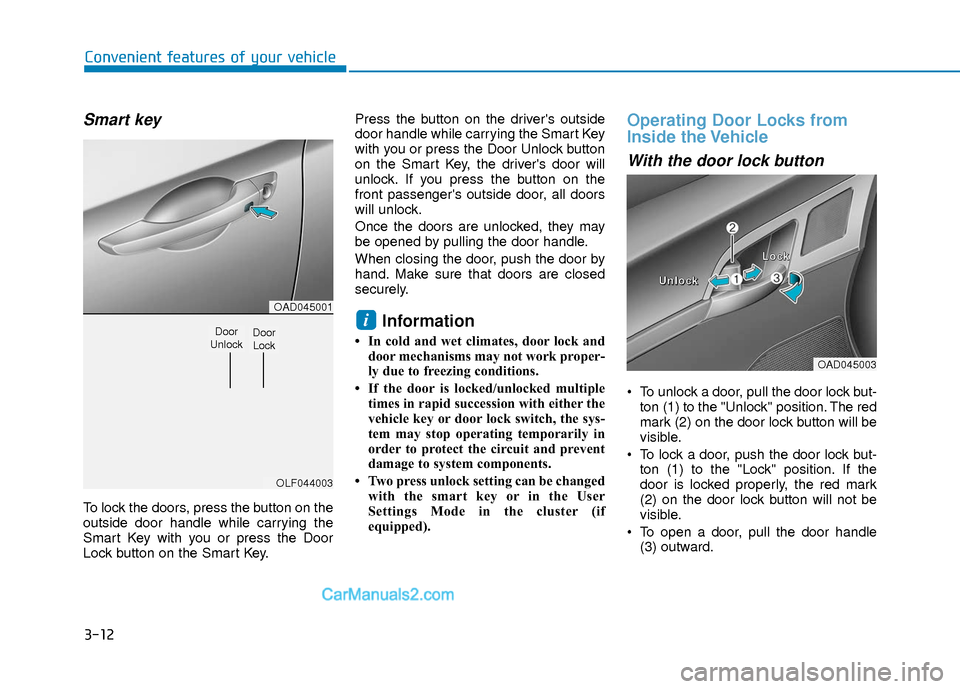
To lock the doors, press the button on the
outside door handle while carrying the
Smart Key with you or press the Door
Lock button on the Smart Key.Press the button on the driver's outside
door handle while carrying the Smart Key
with you or press the Door Unlock button
on the Smart Key, the driver's door will
unlock. If you press the button on the
front passenger's outside door, all doors
will unlock.
Once the doors are unlocked, they may
be opened by pulling the door handle.
When closing the door, push the door by
hand. Make sure that doors are closed
securely.
Information
• In cold and wet climates, door lock and
door mechanisms may not work proper-
ly due to freezing conditions.
• If the door is locked/unlocked multiple times in rapid succession with either the
vehicle key or door lock switch, the sys-
tem may stop operating temporarily in
order to protect the circuit and prevent
damage to system components.
• Two press unlock setting can be changed with the smart key or in the User
Settings Mode in the cluster (if
equipped).
Operating Door Locks from
Inside the Vehicle
With the door lock button
To unlock a door, pull the door lock but-ton (1) to the "Unlock" position. The red
mark (2) on the door lock button will be
visible.
To lock a door, push the door lock but- ton (1) to the "Lock" position. If the
door is locked properly, the red mark
(2) on the door lock button will not be
visible.
To open a door, pull the door handle (3) outward.
i
OAD045003
U
U
U
U
n
n
n
n
l
l
l
l
o
o
o
o
c
c
c
c
k
k
k
k L
L
L
L
o
o
o
o
c
c
c
c
k
k
k
k
OAD045001
OLF044003
Door
UnlockDoor Lock
Page 91 of 526
3-14
Convenient features of your vehicle
Auto Door Lock/
Unlock Features
Impact sensing door unlock
All doors will be automatically unlocked
when an impact causes the air bags to
deploy.
Speed sensing door lock
All doors will be automatically locked
when vehicle speed exceeds 9 mph (15
km/h).
All of the doors will be automatically
unlocked after the engine is turned off.
Shift lever auto door lock
All doors will be automatically locked
when shifting the shift lever out of P
(Park) with the engine running.
You can activate or deactivate the Auto
Door Lock/Unlock features from the User
Settings Mode on the LCD display.
For more information, refer to the
"LCD Display" section in this chapter.
Always secure your vehicle.
Leaving your vehicle unlocked
increases the potential risk to you
or others from someone hiding in
your vehicle.
To secure your vehicle, while
depressing the brake, move the
shift lever to the P (Park) position,
engage the parking brake, and
place the ignition switch in the
LOCK/OFF position, close all win-
dows, lock all doors, and always
take the key with you.
WARNING
Opening a door when something is
approaching may cause damage or
injury. Be careful when opening
doors and watch for vehicles,
motorcycles, bicycles or pedestri-
ans approaching the vehicle in the
path of the door.
CAUTION
If you stay in the vehicle for a long
time while the weather is very hot
or cold, there are risks of injuries or
danger to life. Do not lock the vehi-
cle from the outside when someone
is in the vehicle.
WARNING
Page 95 of 526
3-18
S
ST
T E
EE
ER
R I
IN
N G
G
W
W H
HE
EE
EL
L
Convenient features of your vehicle
If the Electric Power Steering
System does not operate normally,
the warning light ( ) will illumi-
nate on the instrument cluster. You
may steer the vehicle, but it will
require increased steering efforts.
Take your vehicle to an authorized
HYUNDAI dealer and have the sys-
tem checked as soon as possible.
CAUTION
Easy Access Function
When exiting the vehicle the driver’s seat
will move rearward when the engine is
turned off and the shift lever in P (Park).
When entering the vehicle the driver’s
seat will move forward when the ignition
switch is placed to the ACC position.
You can activate or deactivate the Easy
Access Function from the User Settings
Mode on the LCD display.
For more information, refer to the
"LCD Display" section in this chapter.
Electric Power Steering (EPS)
The system assists you with steering the
vehicle. If the engine is turned off or if the
power steering system becomes inoper-
ative, you may still steer the vehicle, but
it will require increased steering effort.
Should you notice any change in the
effort required to steer during normal
vehicle operation, have the system
checked by an authorized HYUNDAI
dealer.
Information
The following symptoms may occur dur-
ing normal vehicle operation:
• The steering effort may be high immedi-
ately after placing the ignition switch in
the ON position.
This happens as the system performs the
EPS system diagnostics. When the diag-
nostics is completed, the steering wheel
will return to its normal condition.
• A click noise may be heard from the EPS relay after the ignition switch is in
the ON or OFF position.
• Motor noise may be heard when the vehicle is at a stop or at a low driving
speed.
• When you operate the steering wheel in low temperature, abnormal noise may
occur. If temperature rises, the noise will
disappear. This is a normal condition.
• When an error is detected from the EPS, the warning light will illuminate on the
instrument cluster and the steering
efforts may be increased. When the fol-
lowing symptoms occur, immediately
drive the vehicle to a safe area and
check it.
i
Page 125 of 526
3-48
Convenient features of your vehicle
Smart Trunk (if equipped)
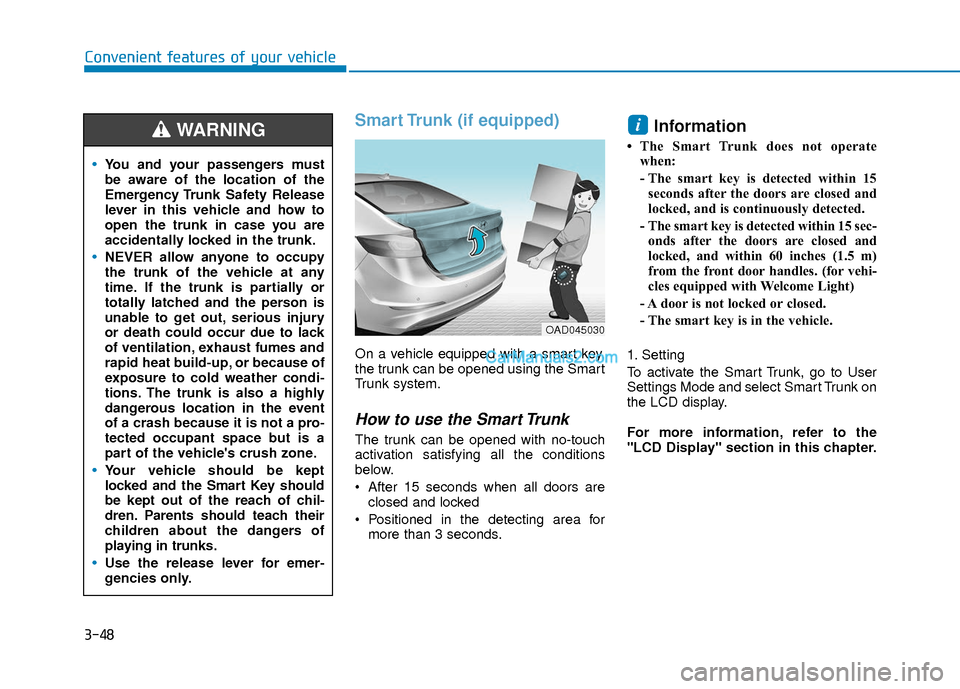
On a vehicle equipped with a smart key,
the trunk can be opened using the Smart
Trunk system.
How to use the Smart Trunk
The trunk can be opened with no-touch
activation satisfying all the conditions
below.
After 15 seconds when all doors areclosed and locked
Positioned in the detecting area for more than 3 seconds.
Information
• The Smart Trunk does not operatewhen:
- The smart key is detected within 15seconds after the doors are closed and
locked, and is continuously detected.
- The smart key is detected within 15 sec- onds after the doors are closed and
locked, and within 60 inches (1.5 m)
from the front door handles. (for vehi-
cles equipped with Welcome Light)
- A door is not locked or closed.
- The smart key is in the vehicle.
1. Setting
To activate the Smart Trunk, go to User
Settings Mode and select Smart Trunk on
the LCD display.
For more information, refer to the
"LCD Display" section in this chapter.
i
You and your passengers must
be aware of the location of the
Emergency Trunk Safety Release
lever in this vehicle and how to
open the trunk in case you are
accidentally locked in the trunk.
NEVER allow anyone to occupy
the trunk of the vehicle at any
time. If the trunk is partially or
totally latched and the person is
unable to get out, serious injury
or death could occur due to lack
of ventilation, exhaust fumes and
rapid heat build-up, or because of
exposure to cold weather condi-
tions. The trunk is also a highly
dangerous location in the event
of a crash because it is not a pro-
tected occupant space but is a
part of the vehicle's crush zone.
Your vehicle should be kept
locked and the Smart Key should
be kept out of the reach of chil-
dren. Parents should teach their
children about the dangers of
playing in trunks.
Use the release lever for emer-
gencies only.
WARNING
OAD045030
Page 136 of 526
3-59
Convenient features of your vehicle
3
Odometer
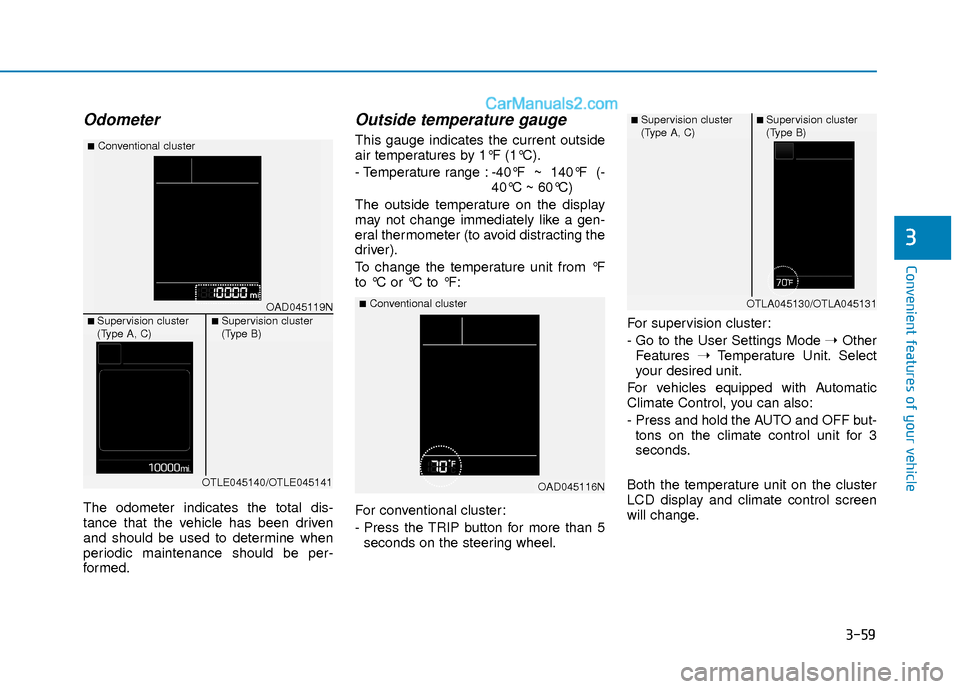
The odometer indicates the total dis-
tance that the vehicle has been driven
and should be used to determine when
periodic maintenance should be per-
formed.
Outside temperature gauge
This gauge indicates the current outside
air temperatures by 1°F (1°C).
- Temperature range :-40°F ~ 140°F (-
40°C ~ 60°C)
The outside temperature on the display
may not change immediately like a gen-
eral thermometer (to avoid distracting the
driver).
To change the temperature unit from °F
to °C or °C to °F:
For conventional cluster:
- Press the TRIP button for more than 5 seconds on the steering wheel. For supervision cluster:
- Go to the User Settings Mode
➝Other
Features ➝Temperature Unit. Select
your desired unit.
For vehicles equipped with Automatic
Climate Control, you can also:
- Press and hold the AUTO and OFF but- tons on the climate control unit for 3
seconds.
Both the temperature unit on the cluster
LCD display and climate control screen
will change.
OAD045116N
■Conventional clusterOAD045119N
■Conventional cluster
■ Supervision cluster
(Type A, C)■ Supervision cluster
(Type B)
OTLE045140/OTLE045141
■ Supervision cluster
(Type A, C)■ Supervision cluster
(Type B)
OTLA045130/OTLA045131
Page 158 of 526
3-81
Convenient features of your vehicle
3
LCD Display Modes
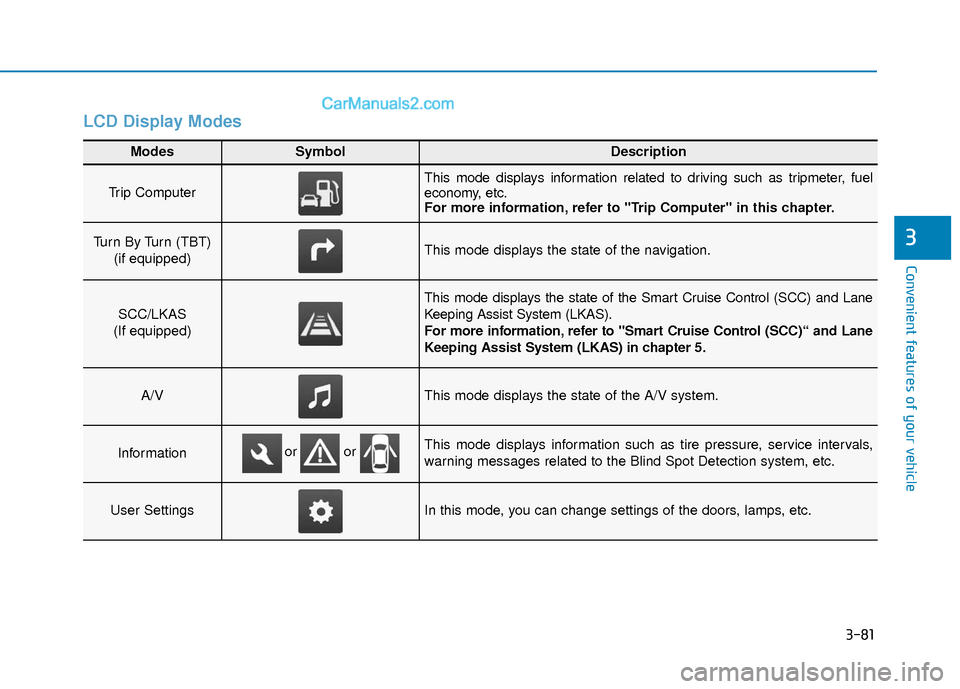
Modes SymbolDescription
Trip Computer This mode displays information related to driving such as tripmeter, fuel
economy, etc.
For more information, refer to "Trip Computer" in this chapter.
Turn By Turn (TBT) (if equipped)This mode displays the state of the navigation.
SCC/LKAS
(If equipped)
This mode displays the state of the Smart Cruise Control (SCC) and Lane
Keeping Assist System (LKAS).
For more information, refer to "Smart Cruise Control (SCC)“ and Lane
Keeping Assist System (LKAS) in chapter 5.
A/VThis mode displays the state of the A/V system.
InformationThis mode displays information such as tire pressure, service intervals,
warning messages related to the Blind Spot Detection system, etc.
User SettingsIn this mode, you can change settings of the doors, lamps, etc.
or or
Page 159 of 526
3-82
Convenient features of your vehicle
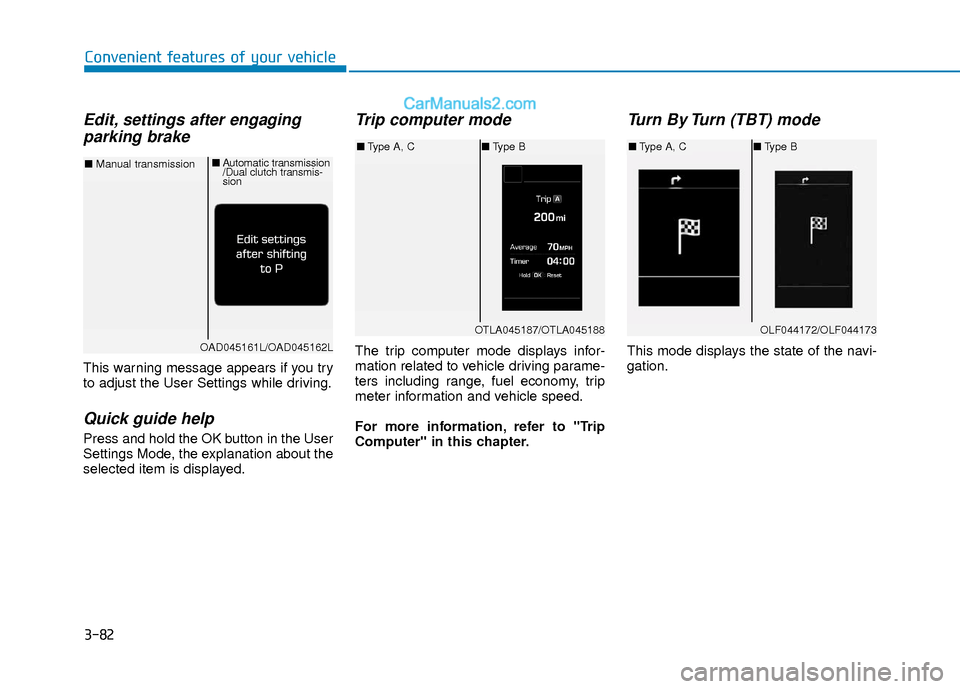
Edit, settings after engagingparking brake
This warning message appears if you try
to adjust the User Settings while driving.
Quick guide help
Press and hold the OK button in the User
Settings Mode, the explanation about the
selected item is displayed.
Trip computer mode
The trip computer mode displays infor-
mation related to vehicle driving parame-
ters including range, fuel economy, trip
meter information and vehicle speed.
For more information, refer to "Trip
Computer" in this chapter.
Turn By Turn (TBT) mode
This mode displays the state of the navi-
gation.
OTLA045187/OTLA045188
■ Type A, C ■Type B
OAD045161L/OAD045162L
■ Manual transmission ■
Automatic transmission
/Dual clutch transmis-
sion
OLF044172/OLF044173
■Type A, C ■Type B
Page 160 of 526
3-83
Convenient features of your vehicle
3
SCC/LKAS mode (if equipped)
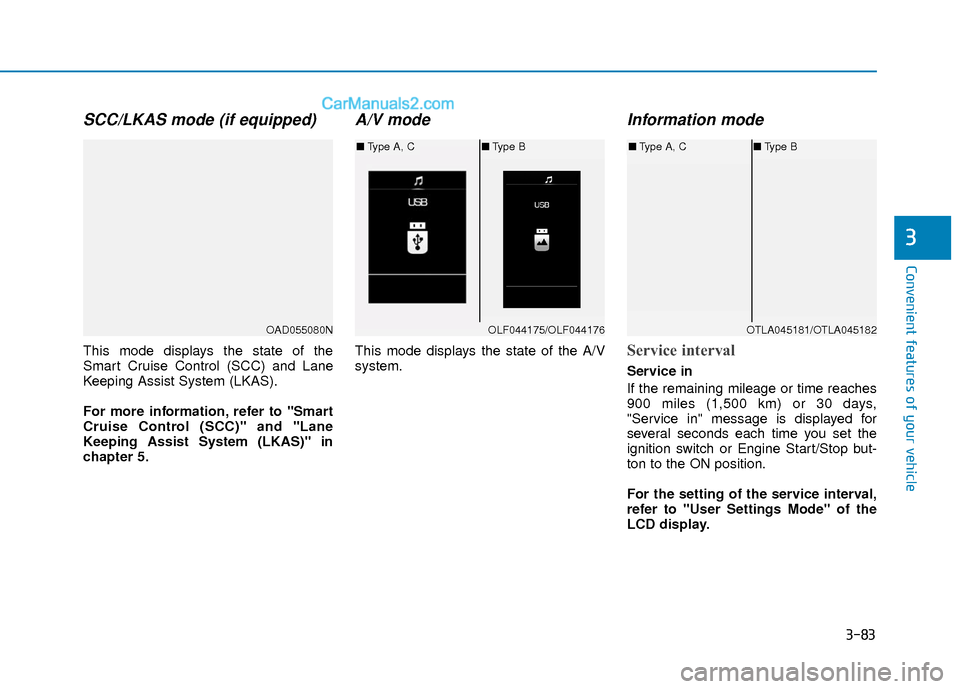
This mode displays the state of the
Smart Cruise Control (SCC) and Lane
Keeping Assist System (LKAS).
For more information, refer to "Smart
Cruise Control (SCC)" and "Lane
Keeping Assist System (LKAS)" in
chapter 5.
A/V mode
This mode displays the state of the A/V
system.
Information mode
Service interval
Service in
If the remaining mileage or time reaches
900 miles (1,500 km) or 30 days,
"Service in" message is displayed for
several seconds each time you set the
ignition switch or Engine Start/Stop but-
ton to the ON position.
For the setting of the service interval,
refer to "User Settings Mode" of the
LCD display.
OAD055080NOLF044175/OLF044176
■Type A, C ■Type B
OTLA045181/OTLA045182
■Type A, C ■Type B